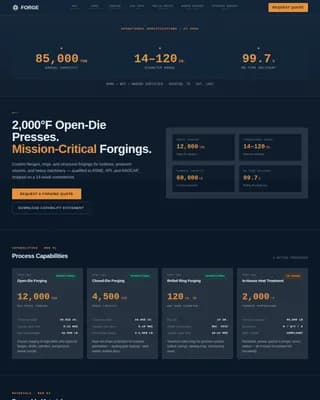
Trace is a zigzag landing page template built for printed circuit board manufacturers. It pairs an Engineering Blueprint visual theme with a Warm Stone color system to create a page that feels precise and trustworthy. A persistent sticky comparison bar, alternating process sections, and a live spec comparison table work together to move serious buyers toward a quote request.
by Rocket studio
Loading preview…
Quick summary
Trace is a single-page landing page template designed for printed circuit board (PCB) manufacturers who need to earn credibility fast. It uses a spatial, architectural scroll experience to walk visitors through each manufacturing stage. A built-in comparison engine lets prospects upload their current vendor quote and immediately see a side-by-side spec breakdown.
Who this template is for
Trace is designed for PCB fabricators who sell to technically demanding buyers. These are clients who read datasheets before they fill out forms, and they need to see proof before they commit.
Hardware startup founders prototyping their first IoT board or embedded system
Procurement engineers at defense contractors sourcing rigid-flex boards for avionics applications
Electrical engineering teams at medical device companies requiring Class 3 reliability with tighter delivery windows
What problem this template solves
Most PCB manufacturer websites bury their differentiators in paragraph copy that nobody reads. Technical buyers arrive with a specific set of requirements, compare multiple vendors quickly, and leave if they cannot verify specs on the spot.
Visitors cannot tell at a glance how this fabricator differs from lower-cost competitors
There is no structured way to compare defect rates, tolerances, or lead times without a sales call
The gap between a quote request and a trust-building conversation is too wide for first-time buyers
What you get with this template
Trace gives you a fully structured, conversion-oriented landing page built specifically for the PCB manufacturing niche. Every section is positioned to answer the question a technical buyer is already asking.
A zigzag alternating layout with process-focused imagery on one side and competitor comparison copy on the other
A persistent sticky bar carrying a "Compare Your Current Quote" call to action that stays visible throughout the scroll
A two-column quote comparison form with gerber and bill of materials (BOM) upload fields, a layer count slider, surface finish dropdown, quantity tiers, and lead time toggle
Theme
Engineering Blueprint
Creative direction
Spatial & Architectural
Color system
Warm Stone
Style
Zigzag/Alternating
Direction
Comparison/Versus
Page Sections
Architectural Blueprint PCB Header
Zigzag Alternating Process Layout
Persistent Sticky Comparison Bar
Two-column Quote Comparison Form
Live Spec Comparison Table
Spatial Scroll and Copper Trace Connectors
Related questions
Who is the Trace template designed for?
What makes the comparison form different from a standard contact form?
Can this template serve a fabricator that works across multiple industries?
Does the template include actual comparison data or just the table layout?
What is the overall scroll experience like for a first-time visitor?
A live comparison table pre-populated with industry-average defect rates, typical lead times, and standard tolerances set against this manufacturer's guaranteed specifications
Feature list
Trace includes purpose-built components that reflect the real buying process for PCB procurement. Each one earns trust at a specific stage of the visitor's decision.
Architectural Blueprint Header
The header renders a stylized cross-section of a multi-layer PCB in an engineering drawing style. Each layer peels apart vertically to reveal the substrate, copper pour, solder mask, and silkscreen. Annotated callouts show tolerances, material specs, and layer counts. The headline fades in along the top datum line: "Your board. Built layer by layer. Proven before it ships."
Zigzag Process Sections
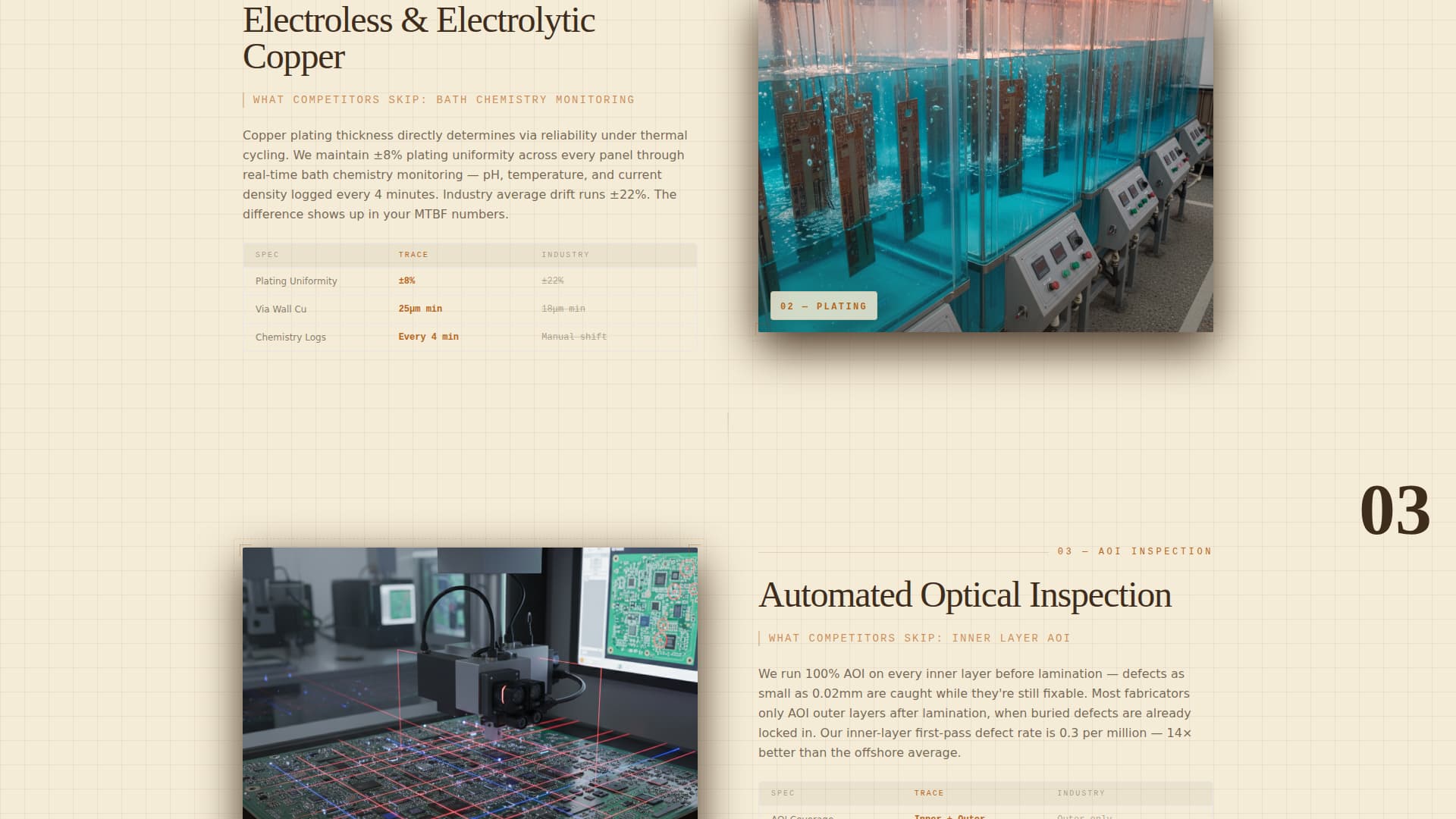
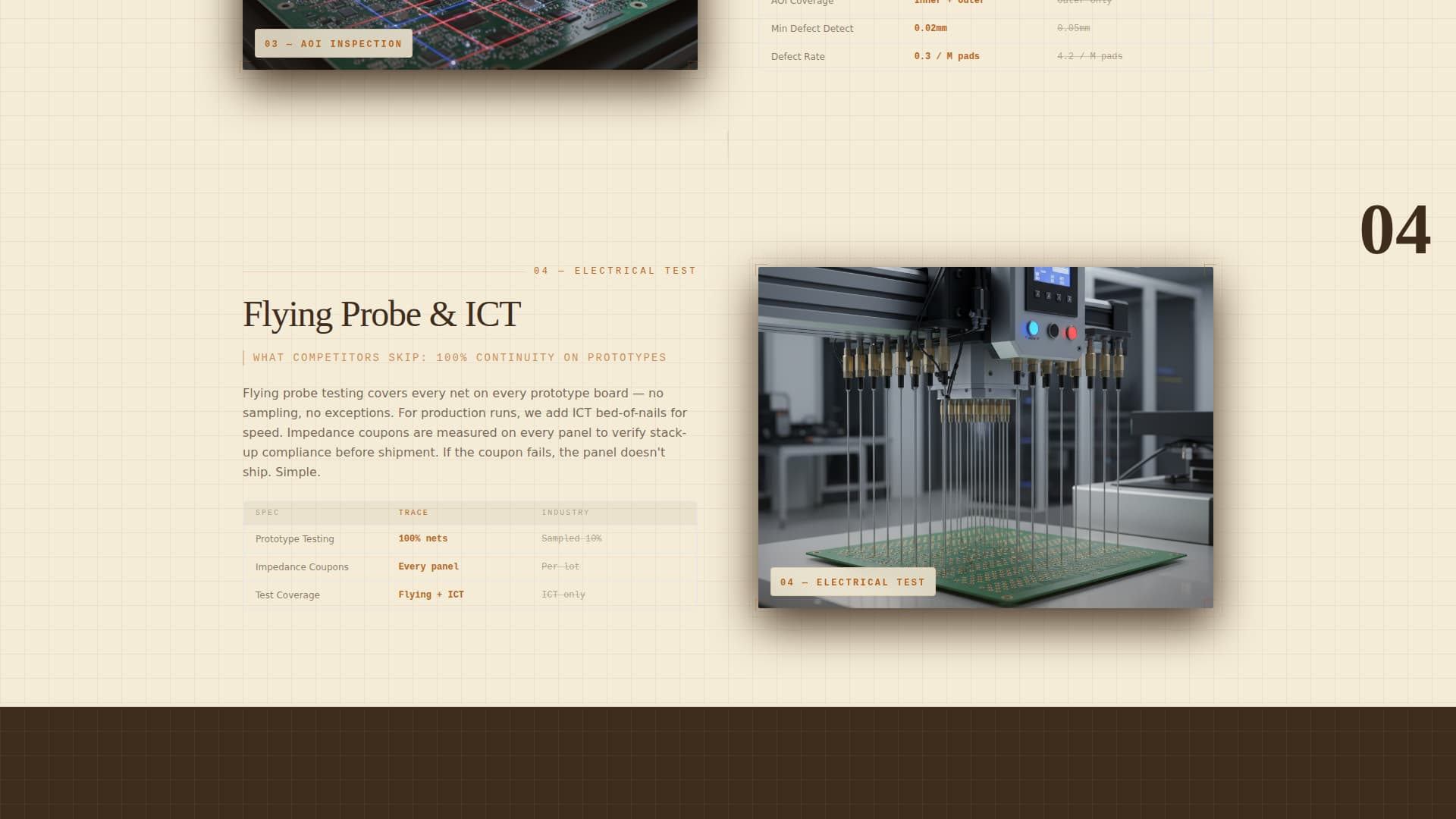
Left-image sections show a real manufacturing stage such as drilling, plating, or automated optical inspection (AOI). Right-text sections explain what competitors typically skip at that same stage. The alternating rhythm creates a natural comparison cadence that builds the case section by section.
Persistent Sticky Comparison Bar
A sticky navigation bar stays fixed at the top of the viewport throughout the page. It carries the primary call to action and keeps the quote comparison action within reach at every scroll position, without interrupting the reading flow.
Two-Column Quote Comparison Form
The form opens from the sticky bar and is divided into two clear panels. The left panel accepts a gerber file and BOM upload from an existing vendor quote. The right panel lets the visitor configure their specs using interactive controls including a layer count slider, a surface finish dropdown, quantity tiers, and a lead time toggle.
Live Spec Comparison Table
Below the form, a comparison table pre-populates with industry-average benchmarks on one side and this manufacturer's stated specifications on the other. It covers defect rates, lead times, and tolerances, giving the buyer a concrete reason to act before a sales conversation begins.
Spatial Scroll Experience
The creative direction is spatial and architectural. Scrolling moves the visitor progressively deeper into the board-making process, as if walking through rooms in a manufacturing facility. Each zigzag section zooms into a different production stage, and thin copper-colored circuit traces thread visually between sections along the zigzag edges.
Page sections overview
Section
Purpose
Blueprint Header
Introduce the manufacturer with a layered PCB cross-section illustration and a confidence-anchoring headline
Sticky call to action Bar
Keep the quote comparison action accessible at every scroll position
Process versus. Competitors
Show a drilling or plating stage image alongside copy explaining where competitors cut corners
Plating Stage Section
Highlight the copper plating process and the quality controls that differentiate this fabricator
AOI Inspection Section
Demonstrate automated optical inspection rigor as a proof point for defect rate claims
Quote Comparison Form
Let the visitor upload their current gerber and BOM files and configure their target specs
Live Comparison Table
Pre-populate industry benchmarks against this manufacturer's specs for immediate side-by-side review
Footer Area
Close the page with a clear next step and supporting contact or trust signals
Design & branding system
The Warm Stone color system gives Trace a palette that feels like a well-used engineering desk rather than a generic tech website. Every color choice reinforces material precision and process credibility.
Quarry sandstone (#C4A882) serves as the primary section background, alternating with parchment cream (#F5ECD7) on card surfaces and content wells
Drafting-table walnut (#3E2C1C) is used for all primary typography and section dividers, grounding the layout in a warm, serious tone
Oxidized copper (#B5651D) drives calls to action, hover states, and the circuit trace illustrations that run along the zigzag section edges
Mobile & speed optimization
Trace is structured for clarity on all screen sizes. The zigzag layout and interactive form components are arranged so that the most important information remains readable and actionable on a smaller viewport.
The alternating image-text sections stack vertically on mobile so that process images appear above their corresponding explanatory copy
The sticky comparison bar remains accessible on mobile, keeping the primary call to action reachable without requiring the user to scroll back to the top
The two-column quote form collapses into a single-column flow on narrow screens so that upload fields and spec controls remain usable
How this template helps you convert
Trace is built around a specific conversion philosophy: prove the gap before asking for the commitment. Every design and copy decision supports that principle.
The header immediately establishes technical credibility through an engineering-accurate PCB cross-section illustration, setting the right tone for a technically literate buyer before they read a single word of copy
The zigzag sections build a cumulative case by showing real process imagery alongside direct comparisons at each manufacturing stage, so the visitor arrives at the form already convinced
The live comparison table does the selling work at the moment of highest intent, presenting concrete spec differences that make the decision to submit a quote feel like a logical next step rather than a leap of faith
Other information about this template
Trace is categorized under Manufacturing and Industrial, specifically in the Component and Equipment Manufacturing subcategory with a focus on the PCB manufacturer niche. It is a strong fit for any fabricator serving clients who require documented tolerances and process transparency.
The template style is Zigzag/Alternating, which suits long-form technical landing pages where each section needs to carry independent persuasive weight
The header concept is Infographic, making it well suited for manufacturers who want to lead with a visual proof of process expertise rather than a generic hero image
The Comparison/Versus landing page direction means the entire page is structured to justify switching vendors, not just to describe a service
The Engineering Blueprint theme extends beyond color into layout logic: leader lines, measurement callouts, and dimension-style annotations appear throughout the header illustration to reinforce precision at a visual level