Intelligent Satellite Operations Landing Page Template
Orbit is a Bold Brutalist split-screen landing page template built for satellite management software. It targets constellation ops engineers, government mission directors, and launch-campaign managers who need to command, track, and troubleshoot spacecraft in real time. The design runs on an Acid Digital color system and drives visitors toward a single app download action.
by Rocket studio
Quick summary
Orbit is a mission-critical landing page template for satellite command and control software. It uses a 50/50 split-screen layout, a void-black terminal aesthetic, and a Launch Energy scroll narrative that escalates urgency from hero to call to action. Every section is built to show operators that this platform speaks their language before asking for the download.
Who this template is for
This template is purpose-built for teams that operate spacecraft at a professional or institutional level. If your audience lives inside a control room, this template speaks directly to them.
- Constellation ops engineers managing dozens of individual satellites across Low Earth Orbit and Medium Earth Orbit simultaneously
- Government mission directors who require real-time custody chains and verified pass schedules for each particular satellite under their watch
- Launch-campaign managers stitching distributed ground segment assets together in the seventy-two hours before ignition
What problem this template solves
Most software landing pages for satellite operations look like they were built for a general SaaS audience. They fail to generate trust with operators who rely on precision, speed, and evidence before they will install anything near a live command chain.
- Operators cannot tell from a generic page whether the software can task, track, and troubleshoot a full constellation from a single ground station view
- Legacy page designs fail to communicate operational tempo, leaving mission directors with no feel for how the platform behaves during a live pass window
- Enterprise procurement leads need proof of interface quality before they will initiate a formal request, and most templates provide no real screen evidence
What you get with this template
You get a fully structured, single-page layout that converts high-intent operators into app download actions. Every section is pre-built and ready for your content, configuration, and spacecraft branding.
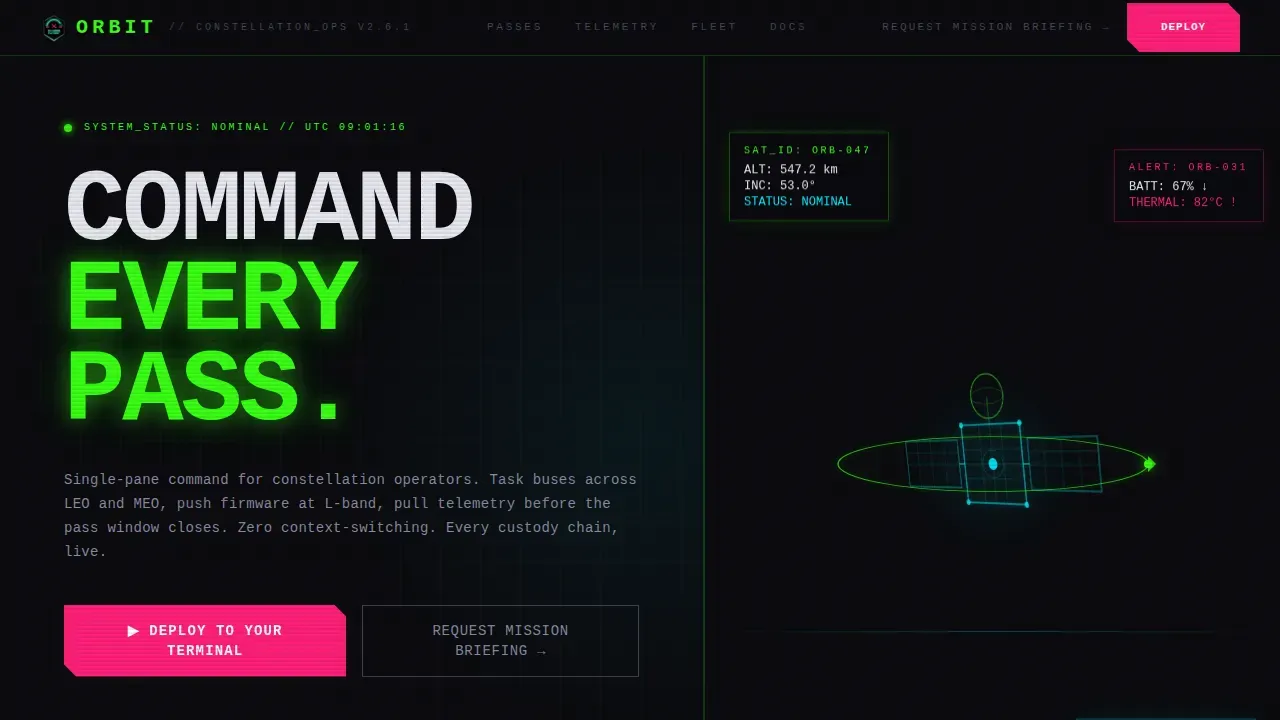
- A dark full-bleed hero with an animated wireframe satellite, a reactor-green orbital arc draw, and a typewriter headline that punches in character by character
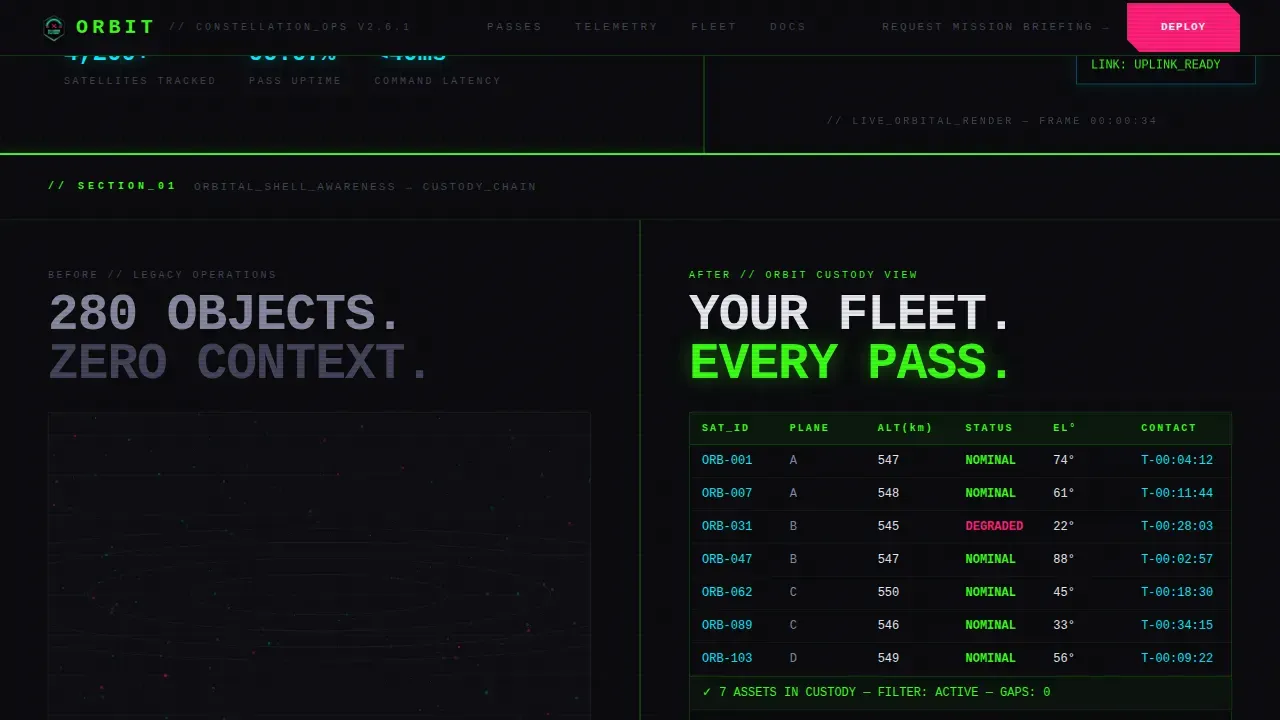
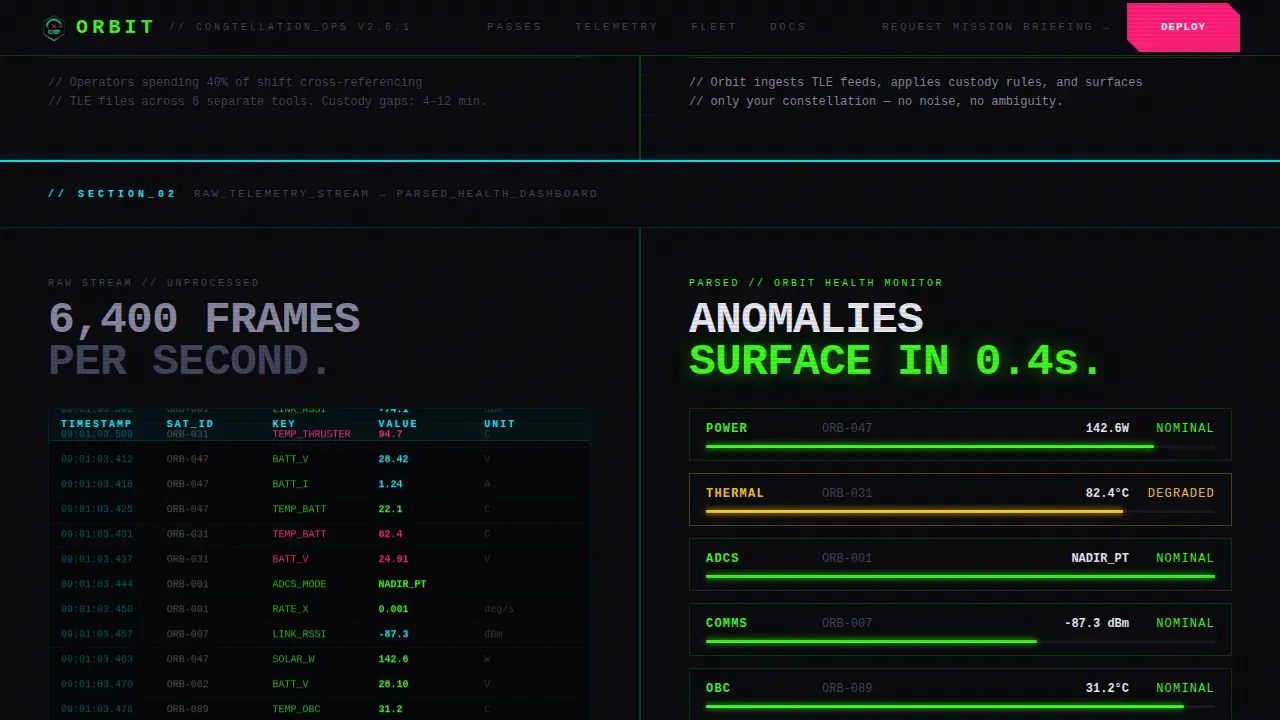
- Four content splits that move from orbital chaos to custody clarity, raw telemetry waterfall to parsed health dashboard, a live pass timer interstitial, and a legacy-versus-Orbit interface comparison
- Two strategically placed call-to-action moments in warning magenta, a primary "Deploy to Your Terminal" button and a secondary "Request Mission Briefing" text link for enterprise leads
Feature list
This template includes six pre-built components and interaction modes that together create the full operator experience described in the brief.
Animated Wireframe Satellite Hero
The header section renders a single spacecraft in wireframe with a phosphor-cyan edge light that bleeds a soft glow into void-black space. After a two-second hold, a reactor-green orbital trajectory line draws itself around the craft. The typewriter headline follows immediately, character by character, in oversized monospaced type. This sequence sets the operational tone before a single word of body copy is read.
Split-Screen Chaos to Clarity Section
The first content split shows a congested orbital shell on the left, visualized as hundreds of dim position dots representing tracked objects in a busy orbital range. The right side resolves that chaos into a clean custody view. This side-by-side contrast is a key method for demonstrating the platform's core value: turning raw tracking data into actionable command visibility for every single satellite in the constellation.
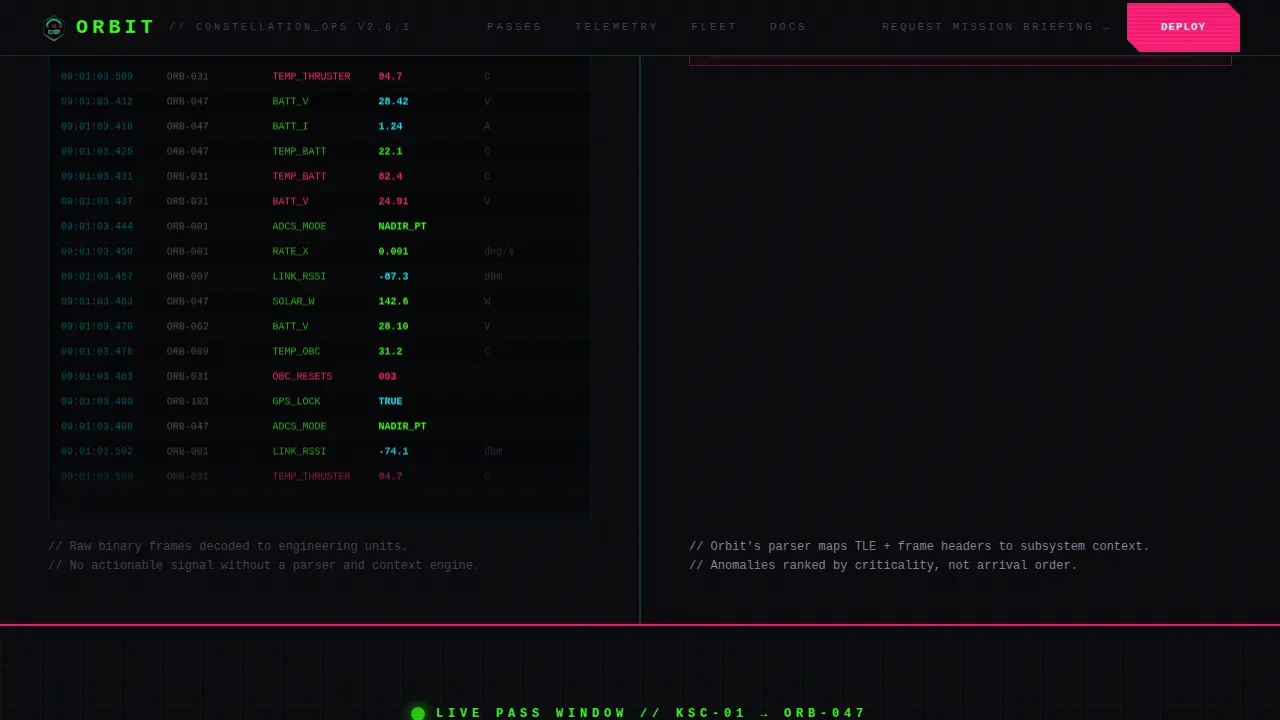
Raw Telemetry Versus Health Dashboard Split
The second split places a raw telemetry waterfall on the left and a parsed health dashboard on the right. Operators can see at a glance how the software processes the data provided by onboard sensors and ground station uplinks to generate a readable spacecraft status output. Telemetry data is crucial for monitoring the health and status of satellites during operations, and this section makes that point visually.
Live Pass Timer Interstitial
A full-width section mimics a live countdown clock, forcing visitors to feel the operational tempo of a real pass window closing. This component creates urgency in context. The call-to-action button reappears here, positioned directly after the timer to capture operators whose decision is triggered by deadline pressure. Commands sent to a satellite must be initiated before the pass window expires, and this interstitial makes that reality visceral.
Legacy Interface Versus Orbit Comparison Split
The final content split positions a cluttered legacy user interface on the left against the template's brutal-clean Orbit interface on the right. This section helps visitors confirm that Orbit already handles the objects and workflows they use daily: pass schedules, link budgets, and Two-Line Element Set (TLE) ingestion. A TLE describes the motion of an object orbiting the Earth and is used to predict the position of a spacecraft at any given time. Seeing familiar interface elements on the right side generates immediate trust.
Hard-Cut Section Transitions and Scan-Line Effects
Every section transition uses a hard horizontal cut rather than a fade or ease. This design logic mirrors the way a relay slams closed in a real control room. Scan-line effects, cursor crosshair mode, magnetic call-to-action behavior, and hover states with phosphor-cyan and reactor-green glows are layered across the full page. These interaction attributes generate the feeling that the page itself is a live terminal.
Page sections overview
| Section | Purpose |
|---|---|
| Hero with satellite | Open with animated spacecraft, orbital arc draw, and typewriter headline |
| Chaos to clarity | Split: congested orbital shell versus clean custody view |
| Telemetry dashboard split | Split: raw data waterfall versus parsed spacecraft health output |
| Live pass timer | Full-width countdown interstitial with primary call to action |
| Legacy versus Orbit | Split: competitor cluttered interface versus Orbit clean interface |
| Developer minimal footer | Single-row footer with operational metrics and secondary link |
Design & branding system
The visual identity follows a Bold Brutalist theme with an Acid Digital color system. Every color carries a defined operational role, and the typography is deliberately oversized and grid-slammed.
- Void black (#0B0B0F) fills all backgrounds; reactor green (#39FF14) and phosphor cyan (#00F0FF) run through data visualizations, orbital arc lines, hover states, and tracking indicators across the page
- Warning magenta (#FF2079) is reserved exclusively for call-to-action moments and alert states, so every appearance of that color is a direct instruction to act
- JetBrains Mono is the sole typeface, rendered at oversized scale and slammed to grid edges with brutalist disregard for conventional breathing room
Mobile & speed optimization
This template is desktop-first by design. The primary target users are ops engineers on large monitors inside control rooms, and the layout is optimized for that context. Mobile considerations are secondary but addressed.
- CSS animations handle the typewriter effect, orbital arc draw, and scan-line behavior to keep JavaScript overhead minimal; a lightweight script drives the countdown timer and satellite SVG rotation
- The split-screen column structure scales for tablet viewports, preserving the left-right contrast that makes each section readable without losing the visual argument being made
- Page configuration and section switching are designed so that operators on any screen size can reach the call-to-action path without losing context of the interface evidence shown above it
How this template helps you convert
The page earns its download click through evidence, not assertion. Every section is sequenced to move a skeptical operator from curiosity to confidence before the call to action appears a second time.
- The hero section establishes credibility immediately: the wireframe spacecraft, the orbital arc draw, and the monospaced headline communicate that this product was built for people who track satellites professionally, not for a general enterprise audience
- The split-screen sections show real interface frames that prove the software handles the workflows operators execute daily, from ground station uplinks and TLE ingestion to pass schedule management and link budget visibility, so the download decision is based on evidence rather than marketing copy
- The live pass timer interstitial generates deadline urgency that mirrors the actual operational pressure of a closing pass window, placing the call-to-action button at exactly the moment the visitor's pulse rises
Other information about this template
This section covers additional information about the template's broader context, technical grounding, and operational background that is useful for teams evaluating whether Orbit fits their program.
- Orbit determination involves estimating the current position of a spacecraft using GPS, laser ranging, or radar data; the template's interface frames reflect this workflow in the telemetry and tracking sections
- TLEs are regularly updated and are used to predict the location of satellites at any moment; the legacy-versus-Orbit comparison section shows TLE ingestion as a visible, connected element of the default command interface
- Maneuver planning in orbit command includes designing fuel-efficient maneuvers to change orbital parameters such as altitude, inclination, or eccentricity; this context is relevant to the spacecraft tasking workflows the template is built to market
- Station keeping, collision avoidance, and end-of-life disposal including lowering altitude for re-entry or moving to a graveyard orbit are all part of the broader command and control context this template serves
- Orbit commands are implemented through Telemetry, Tracking, and Command (TT&C) systems, and the template's interface sections reflect the output and progress views that operators expect to see inside those systems
- The SGP4/SDP4 model is used to simulate satellite motion based on TLE data; operators who rely on this method to predict spacecraft position will recognize the template's interface frames as authentically grounded
- Orbit commands are designed to correct deviations caused by natural perturbations such as atmospheric drag, solar radiation pressure, or gravitational pull; the health dashboard split section is designed to surface exactly these values in a readable format
- Autonomous operations in orbit command systems reduce the need for constant ground intervention; the template can support marketing copy that explains how the platform handles scheduled tasks without a live operator present at the ground station
- An object as well-tracked as the international space station requires continuous custody confirmation across every pass window; teams that manage assets in similarly congested orbital shells will find the chaos-to-clarity split section directly relevant to their program context
- The space industry relies on trust indicators and case studies; the template's operational metrics block in the footer, covering passes commanded, satellites tracked, and uptime values, is designed to serve this function
- The following script and following line conventions used in satellite command sequences are the kind of program logic that ops engineers recognize; the interface frames in this template are designed to reflect that familiar command structure
- Low-code and no-code platforms can facilitate the development of applications for satellite operations; teams evaluating this template can treat it as a deployable starting point that does not require deep front-end program work to launch
- The basic example of a well-structured satellite command landing page includes a benefit-driven headline, a strong call to action, and interactive orbit visualizations; this template satisfies all three attributes by default
- A cool feature of the output file is that all animation configuration values are cleanly separated from layout files, making it straightforward to adjust timing, color, and motion parameters without rewriting core structure
Theme
Bold Brutalist
Creative direction
Launch Energy
Color system
Acid Digital
Style
Split Screen (50/50)
Direction
App Download
Page Sections
Animated Wireframe Satellite Hero
Split-screen Orbital Clarity Layout
Live Pass Timer Interstitial
Acid Digital Color System
Hard-cut Transitions and Terminal Effects
Dual Call-to-action Path Structure
Related questions
What kind of satellite software is this template designed to market?
Does the template include the animated satellite and countdown timer?
Can I adjust the color values and typography to match my spacecraft brand?
How does the two call-to-action placement system work?
Is this template suitable for a government or defense satellite program?



