Intelligent Senior Care Supply Landing Page Template
The Ledger Smart Supply Tracking Senior Care Landing Page Template is a bento grid landing page built for senior care inventory management platforms. It opens with a live calculator that shows visitors exactly how much money they lose each month to expired supplies and emergency orders. The template converts through a freemium model with a three-field sign-up form and a PDF lead magnet, no credit card required.
by Rocket studio
Quick summary
This template gives senior care inventory platforms a high-converting single-page website that leads with a working estimator tool. Visitors adjust three sliders, watch the bento grid animate in real time, and leave with a personal waste number burned into their mind. The page then earns every scroll by answering one question: how do I stop losing that money?
Who this template is for
Senior care professionals who track supplies across one or many assisted living floors need a landing page that speaks their language. This template is designed specifically for that audience, combining clinical precision with a compassionate, user-friendly aesthetic.
- Directors of Nursing juggling state inspections and shift-change confidence
- Procurement managers at multi-facility chains tired of spreadsheets that lie
- Small residential care owners who discover shortages only when a resident needs the supply
What problem this template solves
Keeping track of catheters, glove boxes, and expiring medications across assisted living floors is a daily operational burden. Facilities lose money every month to expired stock, miscounts, and emergency-ordered supplies. This page template exists to convince senior care administrators that a smarter ledger-based system reduces waste, ensures compliance, and saves time.
- Supply shortages surface only after a resident already needs the item
- Budget overruns from late fees, rush orders, and unplanned expenses go unrecorded
- State inspection readiness depends on accurate, up-to-date inventory records
What you get with this template
This template includes a complete, single-page website layout built around a bento grid structure and Dynamic Motion theme. Every section is designed to move visitors from curiosity to commitment, using real-time animation and a clear freemium call to action.
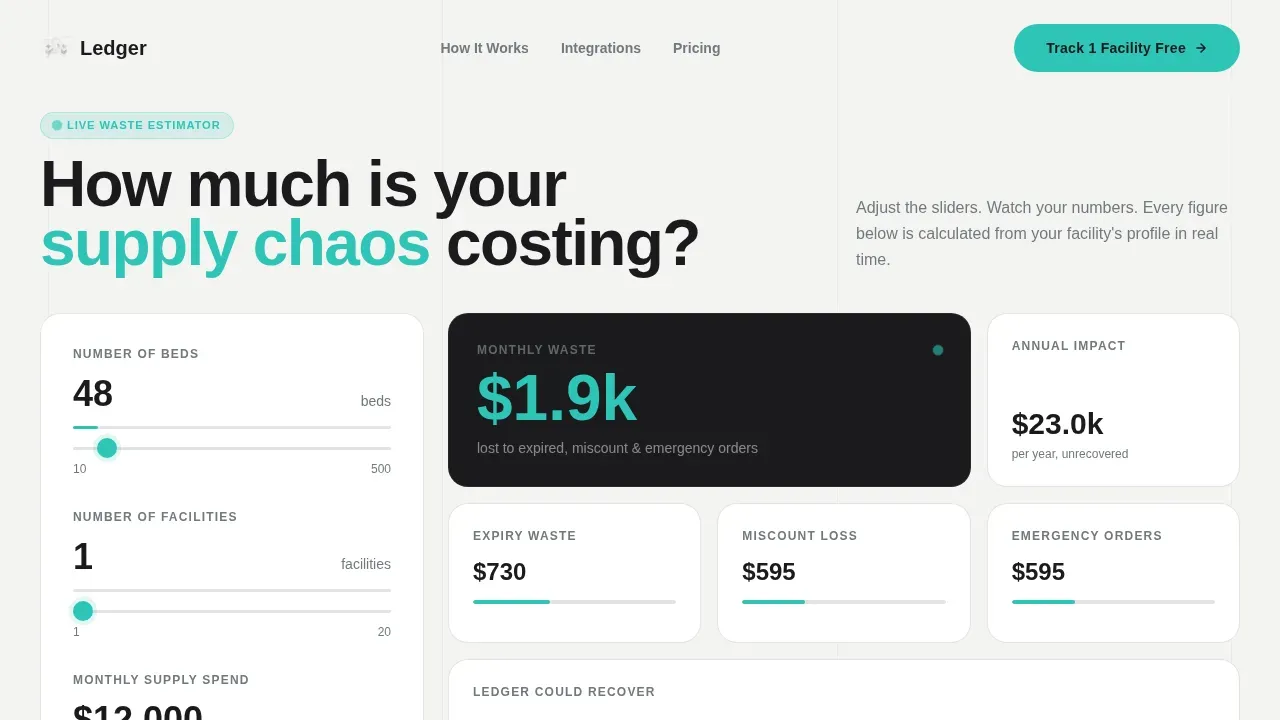
- A live three-slider calculator that calculates projected monthly waste and animates the bento grid beneath it
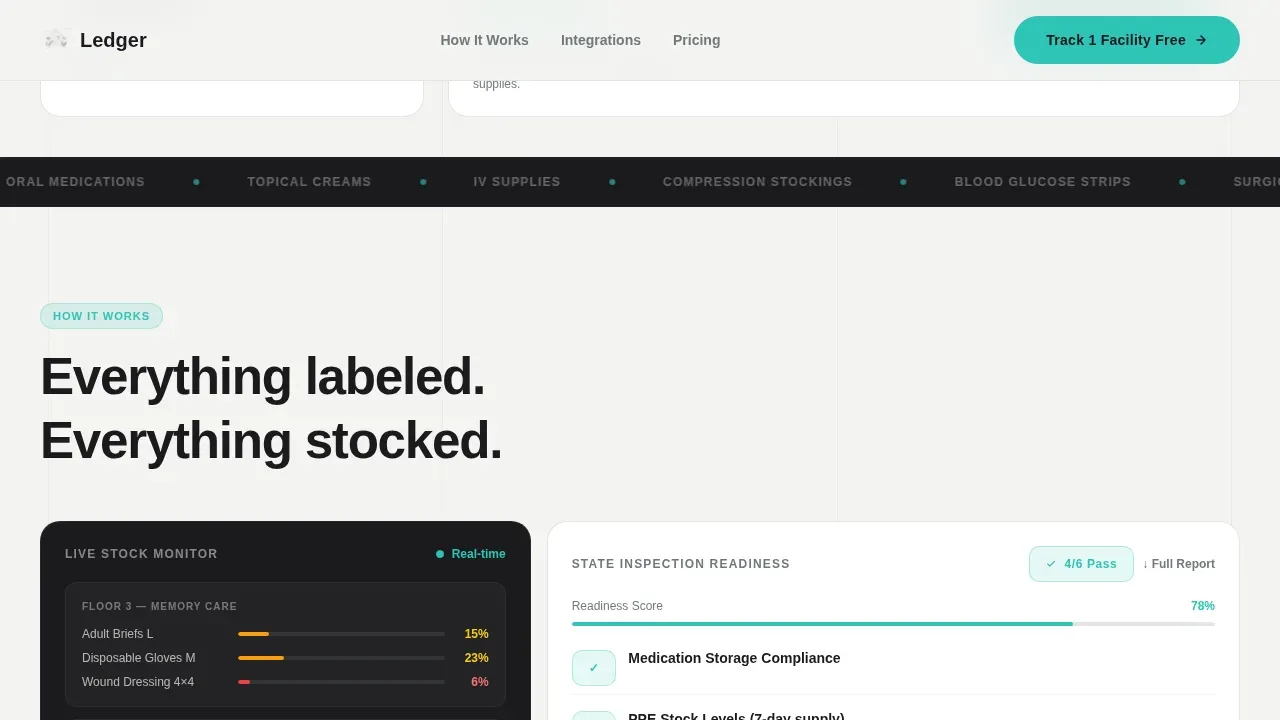
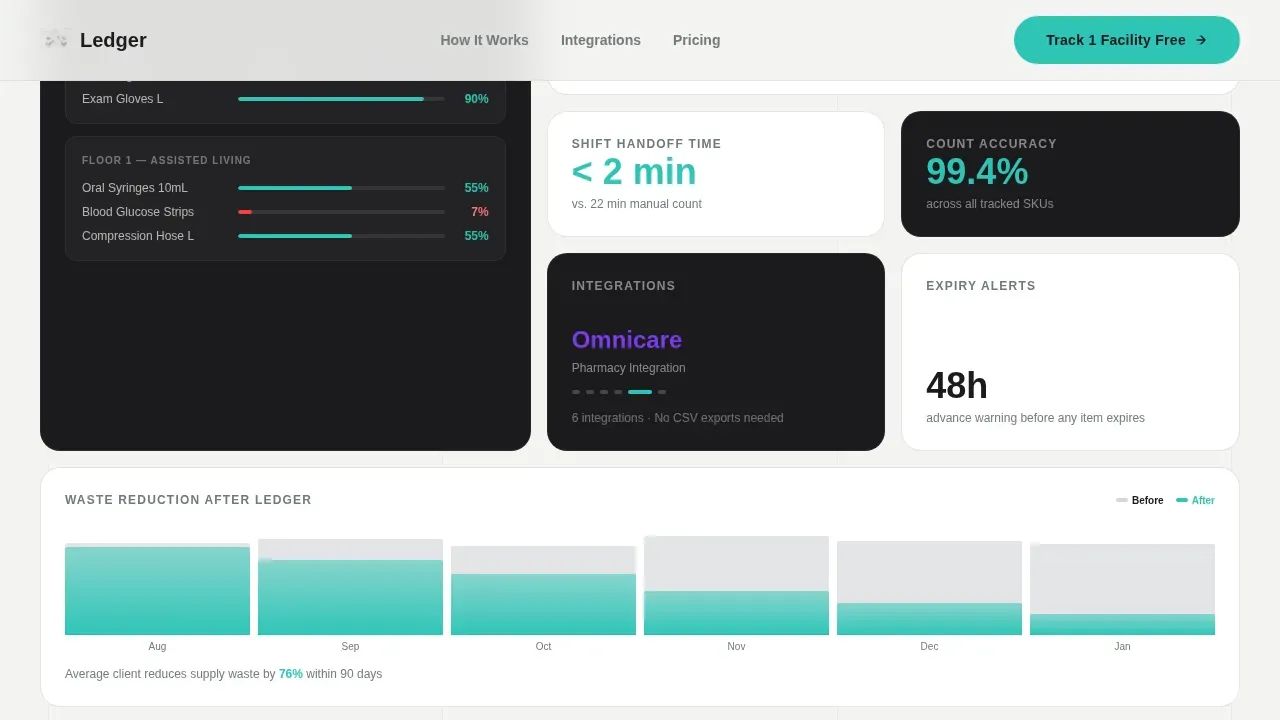
- Expandable bento tiles covering facility map depletion, a mock state-inspection readiness report, and cycling integration logos
- Two conversion paths: a three-field free-tier sign-up form and a downloadable state inspection supply checklist as a lead magnet
Feature list
This template was built to record and display inventory data in a way that drives action. Below is a description of each key feature included in the page.
Live Waste Estimator Calculator
Visitors input bed count, number of facilities, and current monthly supply spend using three interactive sliders. The template calculates a projected waste figure in real time. Bento grid tiles rearrange and numbers roll like odometers as users adjust each slider, giving every visitor a personal number to keep in mind.
Animated Bento Grid Layout
The page uses a bento grid of tiles that shift subtly on scroll. One tile auto-plays a five-second animation of real-time stock depletion across a facility map. Another expands on click to show a mock inspection readiness report. A third cycles through integration logo cards to help visitors understand compatibility with existing services.
Dual Conversion Path Design
The primary call to action, "Track 1 Facility Free," appears twice on the page. It opens a three-step form asking only for facility name, bed count, and work email, no credit card, no demo call gate. A secondary path offers a downloadable state inspection supply checklist PDF to capture visitors not yet ready to commit.
Monochrome Steel Visual System
The template uses a four-color palette: carbon black, sterile white, surgical steel, and a single alert teal reserved for interactive states and live data points. Every hover, toggle, and calculation result fires in that teal, giving the monochrome grid a consistent visual heartbeat.
Dynamic Motion Interactions
Data visualizations draw themselves as they enter the viewport using scroll-triggered animation. Tile micro-interactions reward curiosity. The motion style is mechanical and precise, like watching inventory counters tick down on a warehouse dashboard. GSAP powers complex animations; IntersectionObserver handles viewport draws.
Testimonial and Social Proof Tiles
Dedicated tiles display testimonials from Directors of Nursing and procurement managers with specific waste-reduction numbers, facility counts, and inspection outcomes. These trust signals assist visitors in understanding real-world results before they commit to signing up.
Page sections overview
| Section | Purpose |
|---|---|
| Hero Calculator | Three-slider estimator with live bento grid animation and waste figure |
| How It Works Bento | Facility map tile, inspection report tile, integration logos tile |
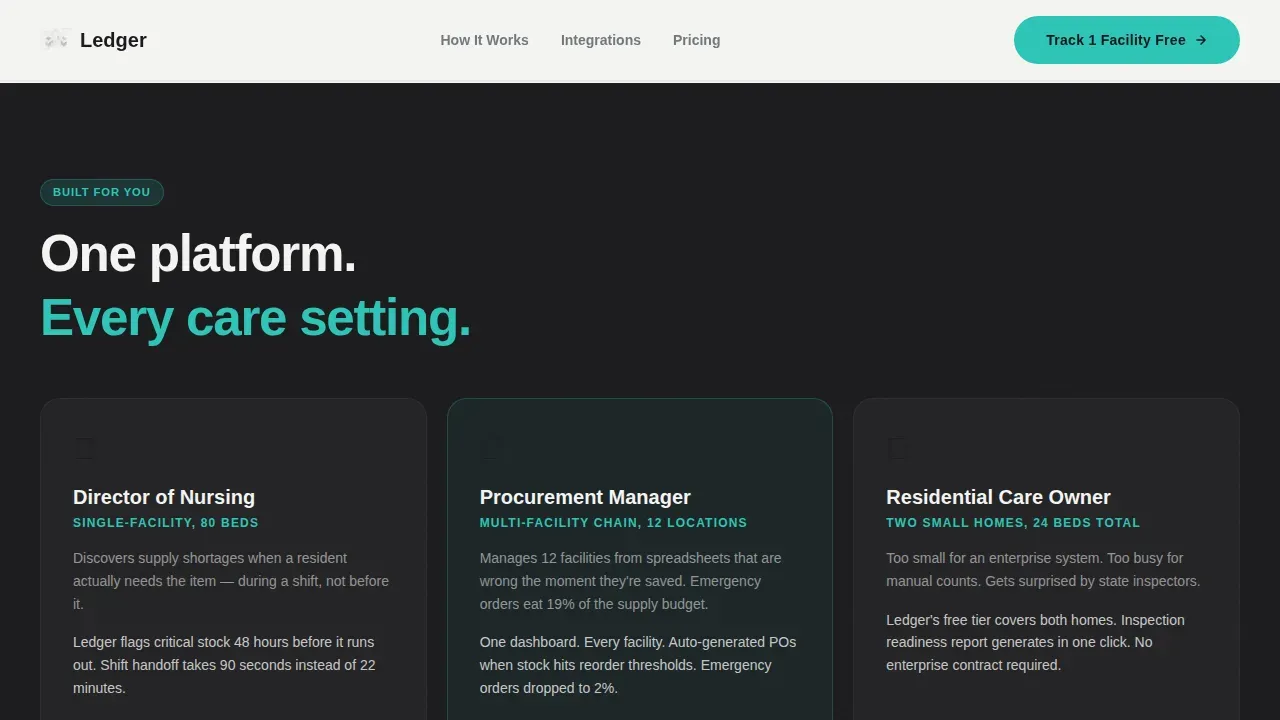
| Use Case Tiles | Three persona pain points and outcomes for each target user |
| Social Proof Row | Testimonials with specific numbers from DONs and procurement managers |
| Call to Action Row | Free-tier sign-up and PDF checklist lead magnet |
| Footer | Linear single-row pattern with essential links |
Design & branding system
The design feels like the brushed stainless surface of a med cart: clinical without being cold, utilitarian but trustworthy. Backgrounds alternate between carbon black and sterile white across sections, with typography staying in steel gray on light panels and white on dark.
- Color palette: carbon instrument black (#1B1B1E), sterile field white (#F4F4F2), surgical steel (#71797E), and alert teal (#2EC4B6) for interactive states
- Typography: Bricolage Grotesque for display headings, DM Sans for body text across the entire page
Mobile & speed optimization
Mobile responsiveness is critical for this landing page, as procurement managers and Directors of Nursing often check data on phones and tablets between shifts. The template is built desktop-first but remains fully responsive across all device sizes.
- Layout adapts cleanly to tablets and phones without losing the bento grid structure
- CSS scroll-behavior smooth and IntersectionObserver keep animations performant on mobile devices
How this template helps you convert
The calculator does the selling before the page asks for anything. Visitors already have a personal monthly waste number in mind by the time they reach the first call to action.
- The estimator creates a personalized cost figure, making the value of the platform immediately clear and giving visitors a reason to keep scrolling
- The short three-field sign-up form reduces friction and follows lead form best practices: minimal fields, no credit card, no demo gate, just facility name, bed count, and email
- The PDF checklist lead magnet captures budget-conscious visitors who prefer to review materials before committing, extending the conversion window beyond the first visit
Other information about this template
This template is fully customizable without requiring any coding knowledge. Users can edit colors, copy, and layouts to suit their brand and services. The bento grid structure makes it super easy to rearrange tiles and fill in new content as the platform grows.
- The template is built to print cleanly for internal review or stakeholder presentations
- Users who prefer a lighter code footprint can adapt the page on platforms like Webflow or Framer
- Personal finance professionals and small business operators outside senior care can also adapt simple templates like this one to track income, expenses, payments, and cash flow for a general ledger use case
- A general ledger template helps small businesses keep all financial records in one place, record every bit of money owed, and maintain a clear picture of cash flow across any budget period
- Personal ledger templates can help manage a household budget, track savings goals, and give families transparent clarity over their finances month to month
- Budgeting tools built on this format help users calculate and review weekly or monthly expenses and determine where spend is going across each category
- Printable budget layouts within the template allow users to download, print, and record income and expenses on paper if they prefer a physical ledger
- The template collection supports business professionals who want to understand cash flow, track late fees, and keep a clear record of payments and services over any date period
Theme
Dynamic Motion
Creative direction
Calculator/Tool First
Color system
Monochrome Steel
Style
Bento Grid
Direction
Freemium/Trial
Page Sections
Live Waste Estimator Calculator
Animated Bento Grid Layout
Dual Conversion Path Design
Monochrome Steel Visual System
Dynamic Motion Interactions
Testimonial and Social Proof Tiles
Related questions
Does this template require coding to customize?
How does the calculator section work?
What are the two conversion paths on this page?
Can this template be adapted for other business types outside senior care?
Is this template responsive on mobile devices?



