Advanced Tech & AI Platforms Specialist Professional Website Template
Train is a modular card-grid landing page template built for AI model training platforms. It opens with a live-looking mini-dashboard, walks visitors through a Problem-to-Solution narrative, and closes with a CLI install call to action. The deep graphite and electric sky blue palette gives it an instantly technical, focused feel that speaks directly to machine learning engineers and startup teams.
by Rocket studio
Quick summary
Train is a single-page landing page template designed for AI model training platforms. It leads with an interactive header dashboard, flows through a Problem-to-Solution card arc, and ends with a clear install prompt. The Slate and Sky color system, monospaced typography, and modular card grid make it feel like a product that already works, not one that needs to be sold.
Who this template is for
This template is built for technical teams who need to communicate a complex platform simply and credibly. It matches the voice of builders who prefer showing over telling.
- Machine learning engineers who are tired of juggling fragmented toolchains and want a page that speaks their language
- Startup founders and chief technology officers who need to present an AI training platform without a dedicated design team
- Research leads at university labs or applied AI teams who want to showcase reproducible, production-ready model workflows
What problem this template solves
Most AI platform landing pages either over-explain or underdeliver. They lean on abstract illustrations and vague benefit statements that technical visitors see through immediately.
- Visitors with machine learning backgrounds need to see the product working, not read a pitch about it
- Teams without a dedicated MLOps function often lack a credible way to present their platform to early adopters or investors
- Generic templates force technical products into layouts built for SaaS marketing, stripping out the signal that earns trust
What you get with this template
You get a fully structured, modular landing page that demonstrates your AI training platform through layout and motion rather than copy. Every section is designed to reduce friction and build confidence before the install prompt appears.
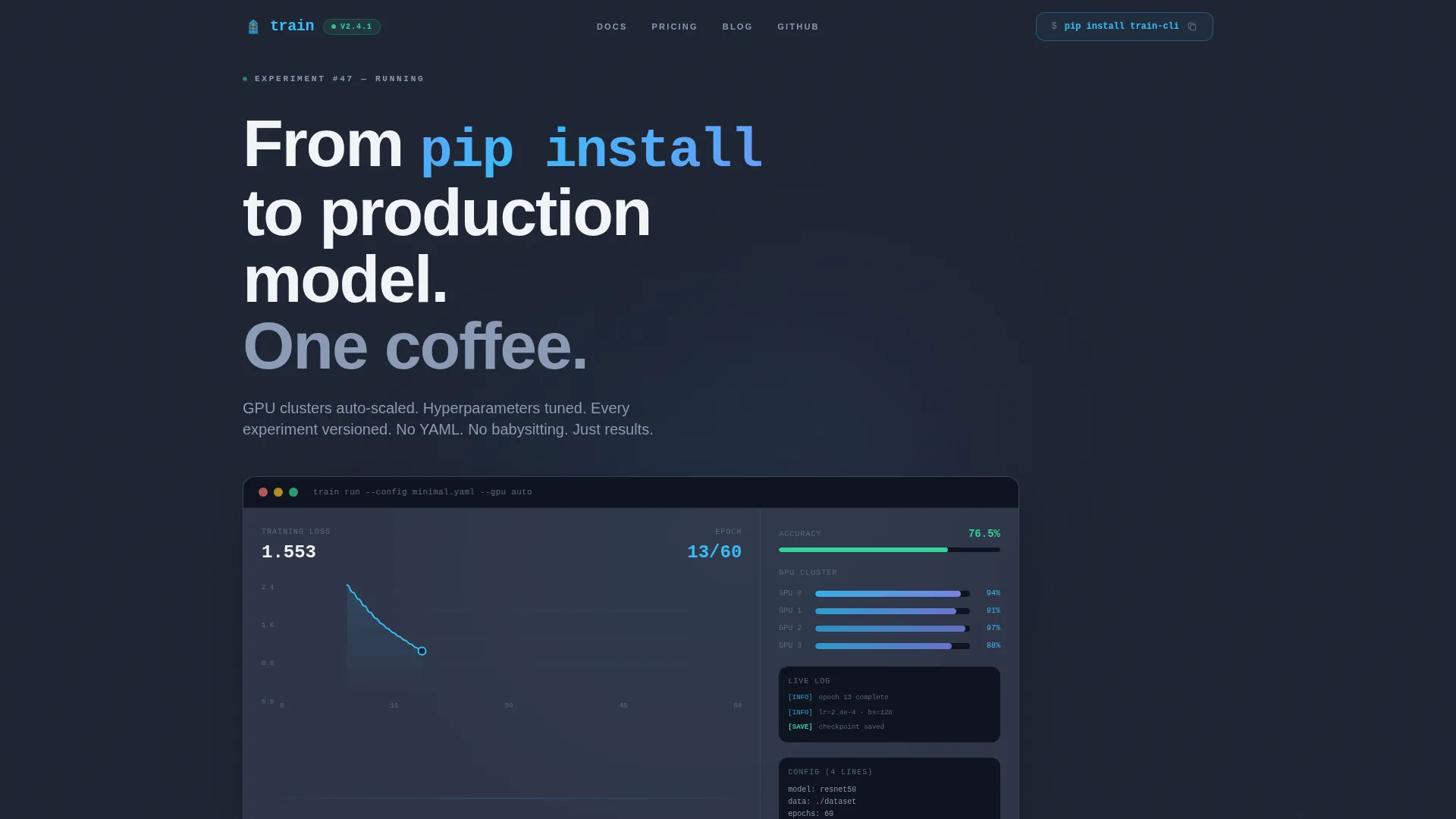
- An animated header section with a live-style mini-dashboard showing a training run in progress, including a loss curve, epoch counter, GPU utilization bars, and a toast notification
- A three-column problem card row followed by a solution card row, each card hoverable and flippable to reveal metrics on the reverse side
- A command-line interface install block with a copy-to-clipboard command, operating system toggle buttons for macOS, Linux, and Windows Subsystem for Linux, and a secondary browser sandbox path
Feature list
This template ships with purpose-built components that reflect real AI platform workflows. Every feature below comes directly from the template design described in the source brief.
Animated Training Dashboard Header
The header section renders a functioning mini-dashboard as the hero element. An animated loss curve ticks downward in real time, an epoch counter increments, GPU utilization bars pulse at ninety-four percent, and a toast notification slides in confirming experiment accuracy. This makes the product the hero without a single stock image.
Flippable Problem and Solution Card Grid
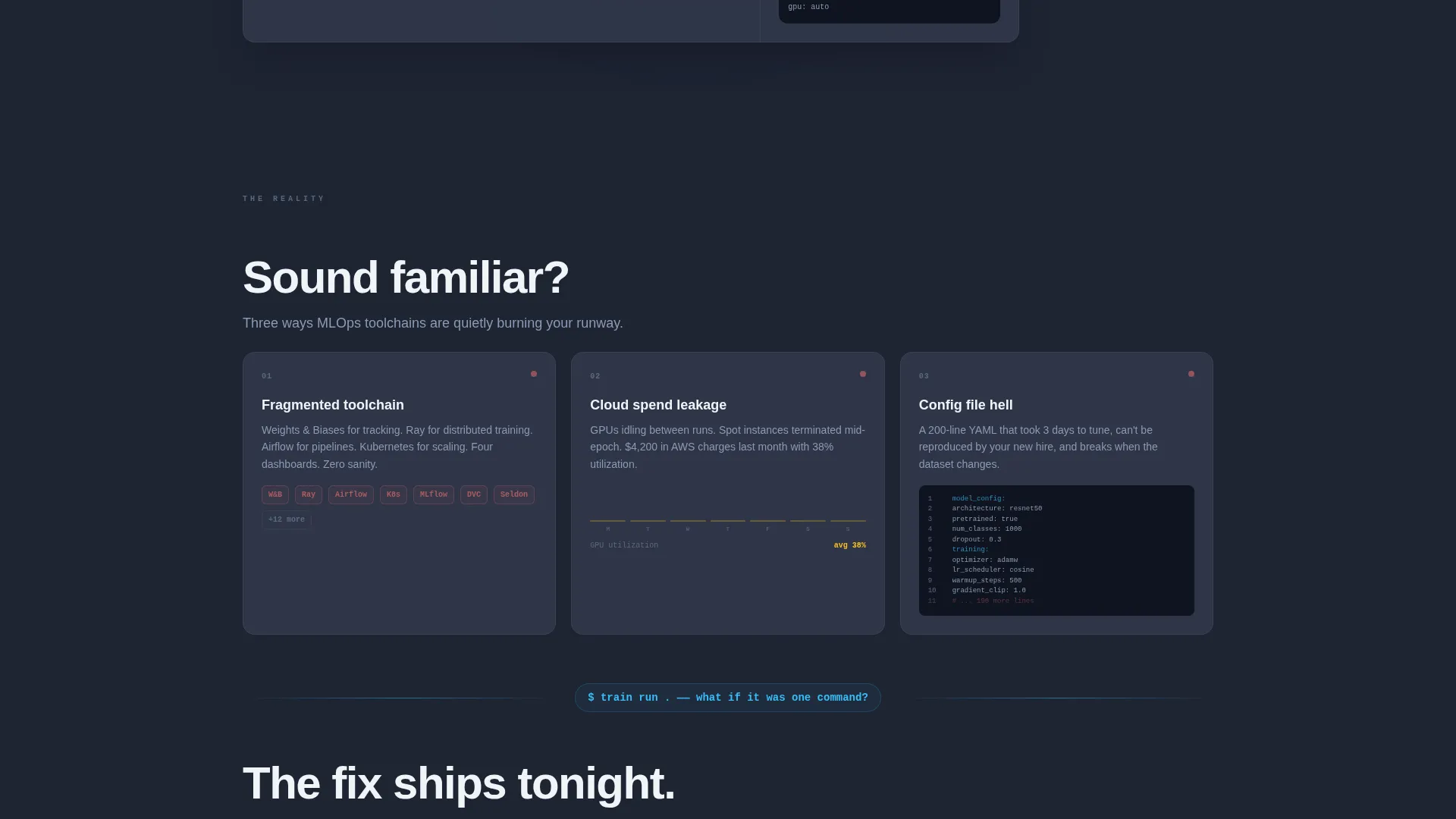
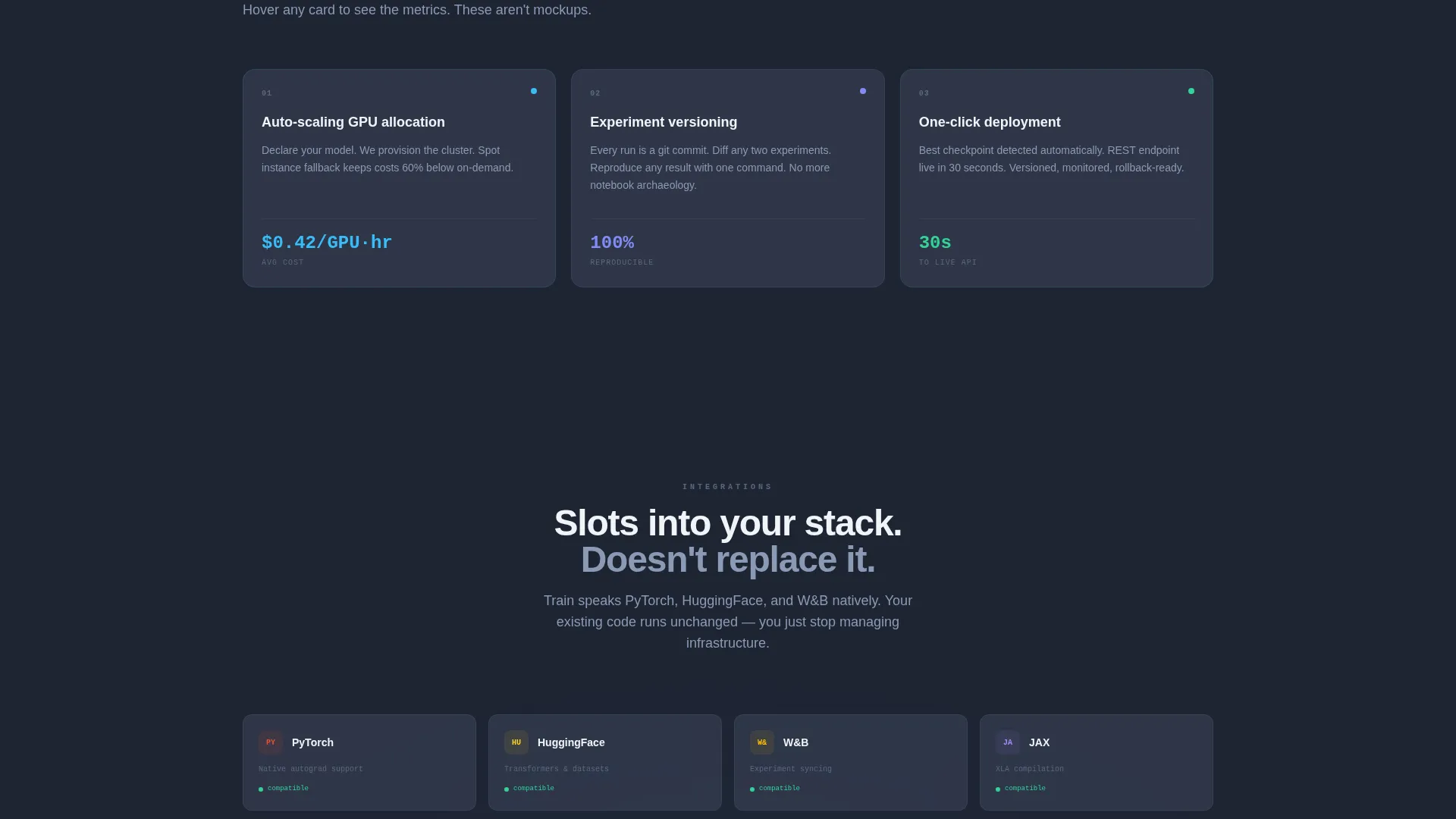
Two card rows anchor the page narrative. The first row surfaces three pain-point cards covering fragmented toolchains, wasted cloud spend, and bloated configuration files. The second row presents three solution cards covering auto-scaling GPU allocation, experiment versioning with a diff viewer, and one-click deployment with a live API endpoint. Every card is hoverable and flippable to reveal supporting metrics.
CLI Install Block with OS Toggles
The primary call to action is a command-line install block showing a pip install command inline with a copy-to-clipboard button. Visitors can toggle between macOS, Linux, and Windows Subsystem for Linux to see the relevant command. A secondary "Try in Browser" button offers a no-commitment sandbox path for visitors who are not ready to install locally.
Integration Logo Row
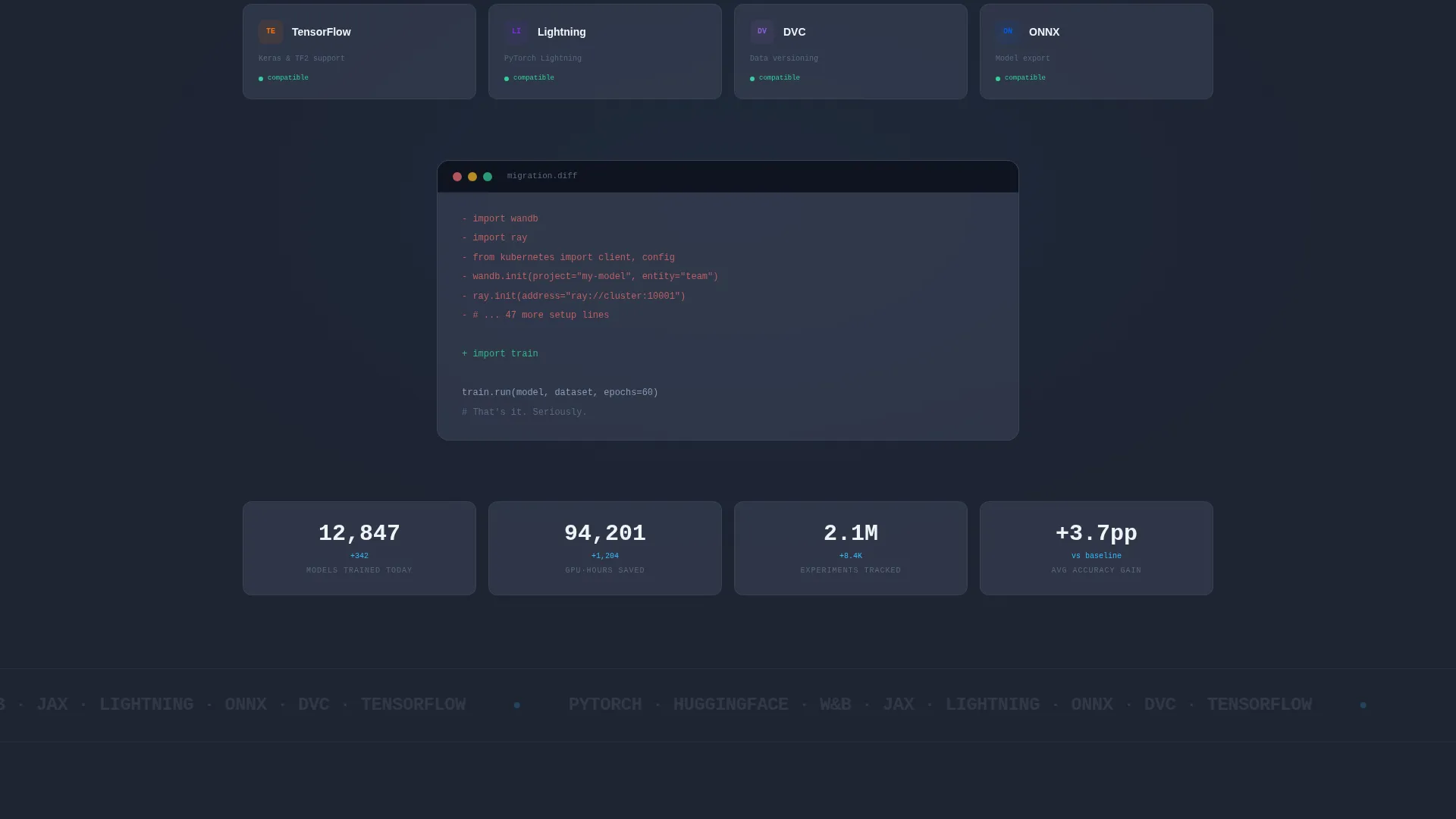
A dedicated row displays integration logos as social proof. This confirms the platform slots into existing workflows rather than replacing them, reducing adoption friction for visitors who already use established machine learning tools in their stack.
Monospaced Technical Typography
All headline and data typography uses a monospaced typeface that reinforces the terminal aesthetic. This typographic choice communicates technical credibility at a glance and keeps the focus on the platform's output rather than marketing language.
Divider Narrative Device
A single full-width text divider between the problem and solution rows reads "What if it was one command?" This micro-copy moment anchors the Problem-to-Solution arc and gives the scroll a clear turning point without requiring additional layout sections.
Page sections overview
| Section | Purpose |
|---|---|
| Animated Header Dashboard | Shows a live training run as the hero element |
| Problem Card Row | Surfaces three common AI workflow pain points |
| Narrative Divider Line | Marks the turn from problem to solution |
| Solution Card Row | Presents three platform capabilities with flippable metrics |
| Integration Logo Row | Confirms compatibility with existing ML tool stacks |
| CLI Install Block | Delivers the primary install call to action |
| Browser Sandbox Path | Offers a low-friction secondary conversion route |
Design & branding system
The template uses a Startup Velocity visual theme built on a Slate and Sky color system. The palette was designed to feel like a focused terminal session: productive, technical, and stripped of anything decorative.
- Background uses deep graphite slate (#1E2433), card surfaces use mid-tone cool gray (#3A4256), and all interactive elements and progress indicators use electric sky blue (#38BDF8)
- Typography runs in clean cirrus white (#F0F4F8) on dark surfaces, with monospaced fonts used throughout headlines and data readouts to reinforce the command-line aesthetic
- No stock imagery or illustrations appear anywhere on the page; the animated dashboard and card components carry the full visual weight
Mobile & speed optimization
The modular card grid layout is structured to adapt across screen sizes without breaking the narrative flow. The Problem-to-Solution arc reads clearly whether cards stack vertically on a phone or spread horizontally on a wide monitor.
- Card grid columns reflow naturally for smaller viewports, keeping each card's front and flip interaction intact
- The CLI install block and OS toggle buttons are sized and spaced to remain usable on touch devices
- Monospaced typography and flat color surfaces keep the visual layer lightweight, supporting faster render times across devices
How this template helps you convert
This template earns the install before it asks for one. By the time a visitor reaches the call-to-action block, they have already watched a model train, seen the configuration reduced to four lines, and mentally mapped the platform onto their own workflow.
- The animated dashboard header creates an immediate "this is real" moment that replaces skepticism with curiosity, pulling visitors into the scroll without a single persuasive sentence
- The flippable card arc lets visitors self-discover the platform's value by interacting with pain-point and solution cards, making the decision feel self-directed rather than pushed
- The inline pip install command with OS toggles reduces the gap between intent and action to a single copy-paste, while the browser sandbox option catches visitors who need one more step before committing
Other information about this template
This template is built specifically for the AI model training platform category within the Advanced Tech and AI Platforms space. It is designed for technology-focused products where the audience values proof over promise.
- The template style is a card grid (modular) layout, making individual sections easy to rearrange or extend as the platform evolves
- The creative direction follows a Problem-to-Solution arc, a narrative structure well suited to technical products with a clear before-and-after workflow story
- The header concept is an interactive preview, which positions the product as confident enough to demonstrate itself rather than describe itself
- The landing page direction targets an app download or CLI install conversion goal, keeping the page focused on a single measurable action
- Tools and frameworks commonly used in AI model training workflows, such as machine learning experiment trackers, GPU cluster managers, and hyperparameter tuning utilities, are visually referenced through the integration logo row
Theme
Startup Velocity
Creative direction
Problem→Solution Arc
Color system
Slate & Sky
Style
Card Grid (Modular)
Direction
App Download
Page Sections
Animated Training Dashboard Header
Flippable Problem and Solution Cards
CLI Install Block with OS Toggles
Integration Logo Row
Monospaced Technical Typography
Narrative Divider Device
Related questions
Who is this landing page template designed for?
Can I edit the card content to match my platform's specific features?
Does the template include the animated dashboard, or do I need to build it separately?
What conversion action does this template focus on?
Is this template suitable for a university research lab or only for larger teams?



