Premium Vintage Footwear Landing Page Template
The Sole hand-lasted retro shoe brand landing page template is a dark, editorial single-page design built for craft footwear brands launching a waitlist. It uses a modular card grid, macro texture photography, and a pinned "Hold My Pair" call-to-action to build desire through restraint. The page captures collector signups without ever showing the full shoe.
by Rocket studio
Quick summary
This landing page template turns a shoe brand's debut into a curated event. A full-viewport macro leather hero, a gallery-walk card grid of craft detail images, and a minimal waitlist form work together to sign up collectors before a single full product is revealed. It is a landing page built entirely on tension and craft storytelling.
Who this template is for
A landing page for a retro shoe brand should blend nostalgia-driven design with high-end, artisan storytelling. Luxury buyers often shop based on a brand's story and timeless values. This shoe store landing page design serves that exact audience.
- Vintage shoe collectors and design directors who want the full story before they buy
- Service industry workers who need 1974 aesthetics and real durability
- Independent shoe store founders launching a first collection with limited inventory
What problem this template solves
Most shoe store landing page designs try to show everything at once. That approach commoditizes craft. This landing page works differently: it withholds the complete picture, using fragment images and editorial page design to build desire before the product even exists.
- Collectors bounce from generic e-commerce websites that skip the craft context
- A coming-soon landing page without scarcity mechanics fails to convert early interest into committed signups
- Standard shoe landing page layouts do not support the dark, gallery-walk editorial design that premium footwear brands need
What you get with this template
You get a complete single-page landing structure with every section pre-built. The page design covers the full journey from first impression to waitlist sign-up, with no missing pieces to assemble.
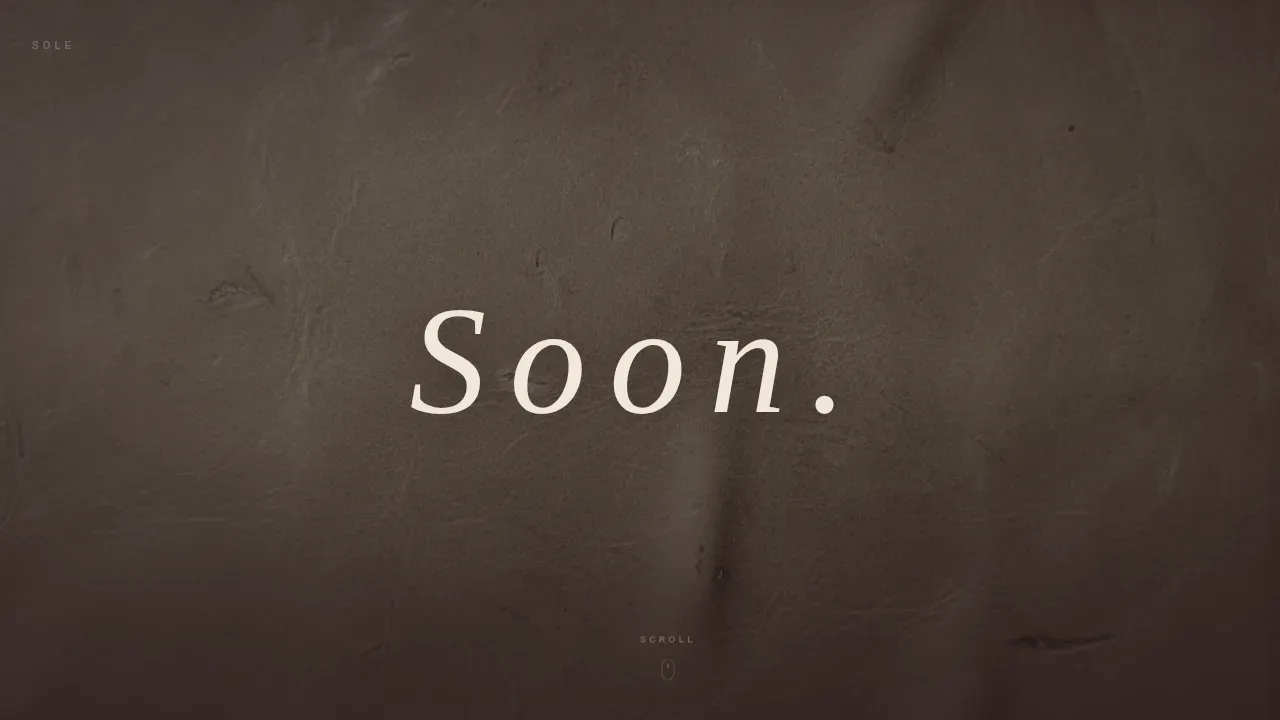
- Full-viewport macro hero with delayed "Soon." fade animation
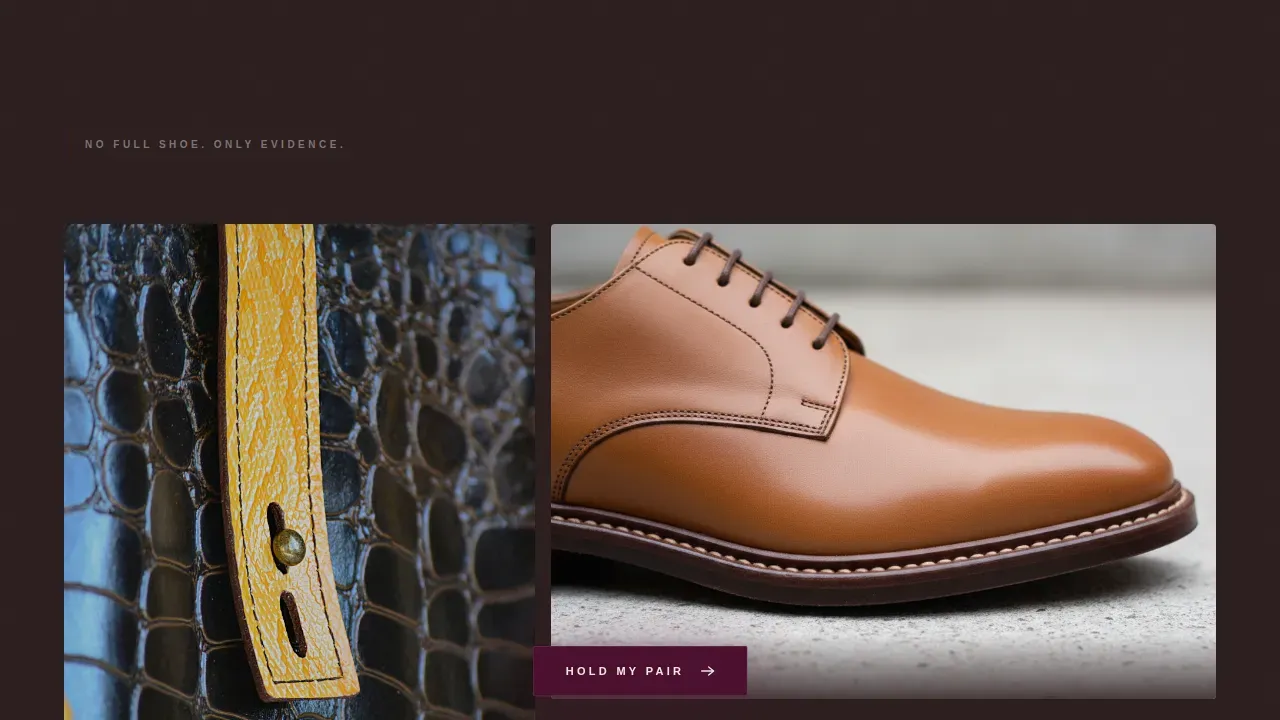
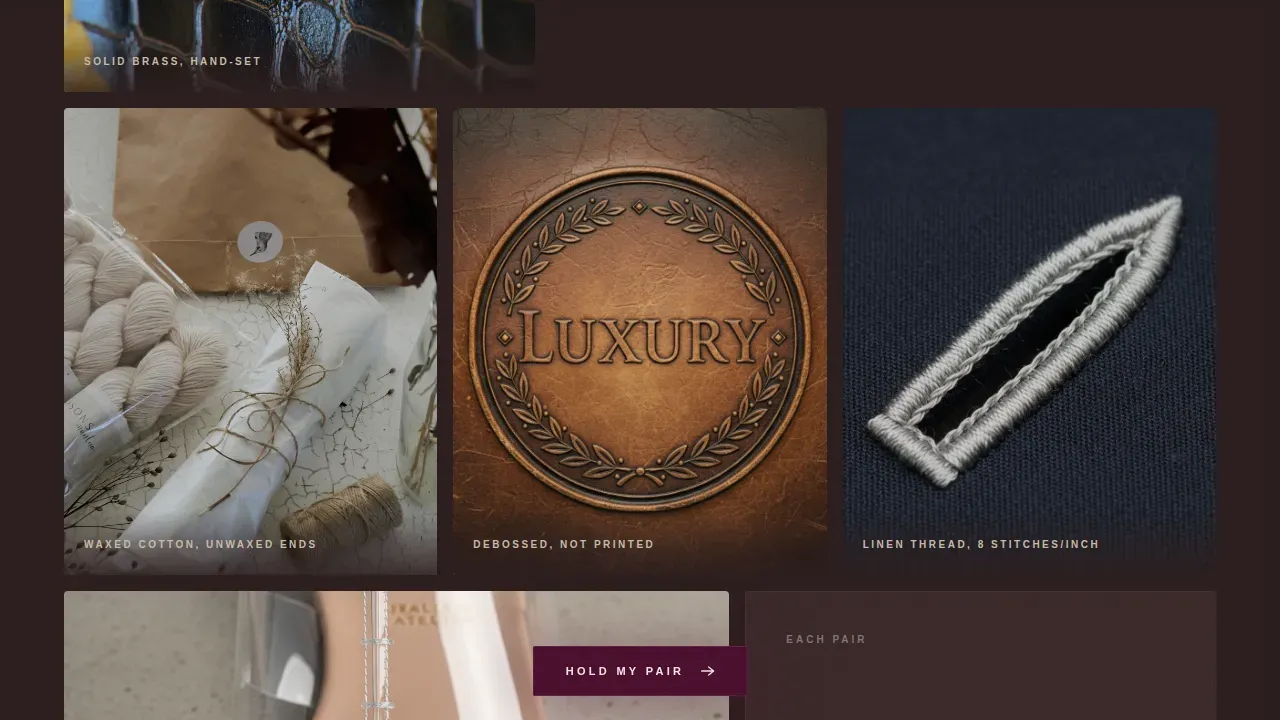
- Modular bento card grid of irregularly sized craft-detail images
- Pinned "Hold My Pair" call-to-action button, waitlist form modal with size toggle and decade field, and live waitlist counter
Feature list
This landing page includes purpose-built components for a craft shoe store launch. Each one helps visitors move from curiosity to commitment.
Macro Hero with Delayed Text Reveal
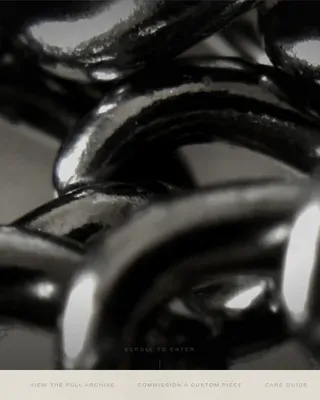
The hero fills the full viewport with a near-microscopic leather texture image. After a two-second hold, a single word fades in using matchstick cream type. Scroll-reveal stagger animations and a grain overlay layer atmosphere across the page.
Irregular Gallery Grid
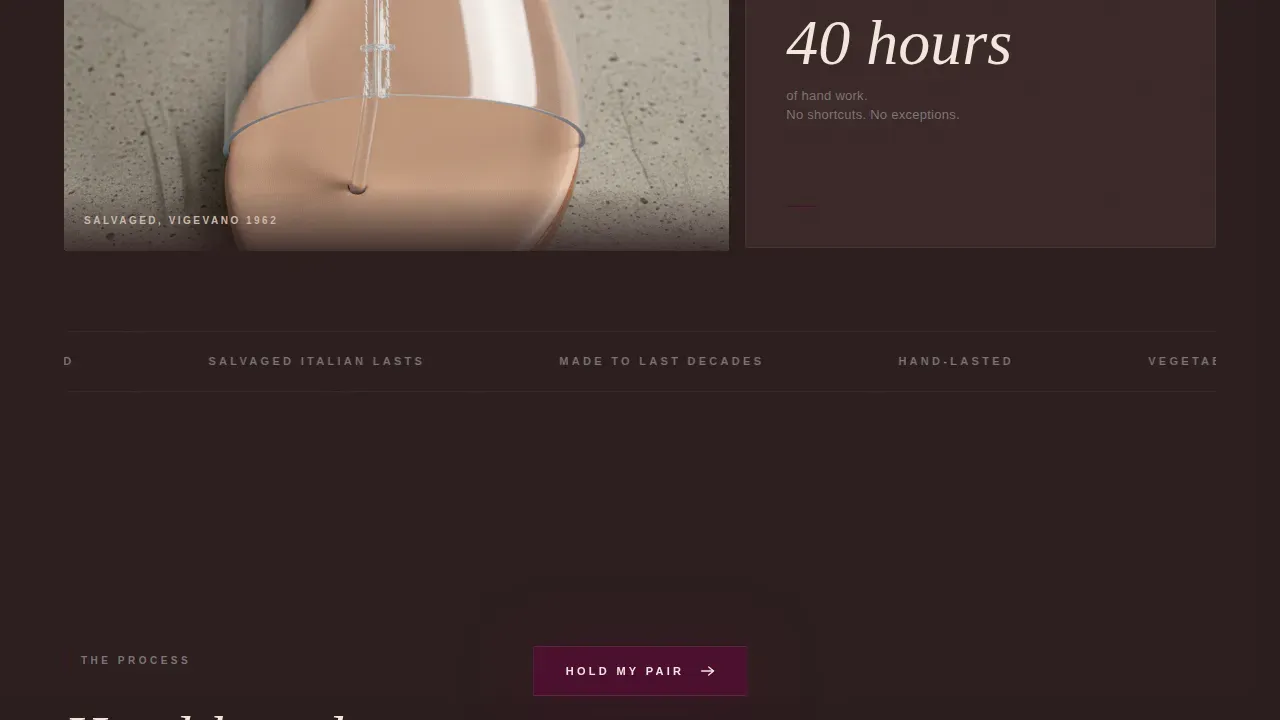
The gallery walk design uses a modular card grid of detail images: a brass eyelet, a cross-section of a stacked leather sole, a waxed cotton lace, a debossed logo. Cards vary in height and width to create exhibition-wall rhythm. The final card reveals a partial top-down shot of the full pair.
Pinned Call-to-Action with Form Modal
A merlot-colored "Hold My Pair" button stays pinned to the bottom of the viewport during scroll. Clicking opens a minimal form: email, EU and US shoe size toggle, and an optional "Which decade do you dress from?" field designed to help segment buyers.
Live Waitlist Counter
A live counter below the form shows how many people have already joined the list. This creates quiet scarcity without a countdown clock, helping visitors understand demand at a glance.
Editorial Craft Statement Block
A left-aligned editorial text block explains the hand-lasted process: leather pulled manually over a salvaged wooden last for a superior, customized fit, with the sole hand-stitched to the upper. The construction also supports resoling, making these shoes a long-term investment.
Merlot and Smoke Color System
The full page design applies a strict four-color palette. Charred walnut forms the background, merlot drives header blocks and hover states, cigarette ash gray covers card borders and secondary text, and matchstick cream carries all headlines and call-to-action surfaces.
Page sections overview
| Section | Purpose |
|---|---|
| Macro leather hero | Opens with full-viewport texture and delayed headline fade |
| Gallery card grid | Reveals craft detail images in an irregular modular layout |
| Craft statement block | Explains hand-lasting process with editorial text and atmospheric photo |
| Fragment reveal card | Partially shows the full shoe for the first time in the scroll |
| Waitlist form modal | Captures email, shoe size, and optional decade field |
| Live counter display | Shows real signup count to create quiet scarcity |
| Minimal footer | Superhuman-style stripped footer closes the page cleanly |
Design & branding system
The page design is deliberately underlit, like a dimly lit vintage shop where the product glows by contrast. Typography uses Fraunces serif for headlines and DM Sans for body and interface text, keeping the tone editorial but readable.
- Four-color Merlot and Smoke palette: charred walnut (#2B1D1D), deep wine (#4A0E2E), cigarette ash gray (#7C7575), matchstick cream (#F2E8DC)
- Grain overlay and scroll-reveal stagger animations applied across all landing page sections
- Dark editorial gallery-walk visual style built for desktop-first display with responsive mobile scaling
Mobile & speed optimization
Over 60% of e-commerce revenue comes from mobile devices, so the landing page scales responsively across screen sizes. The template uses priority loading on the hero image to keep the first impression fast even on texture-heavy pages.
- Desktop-first layout gives macro photography full viewport real estate; mobile layout reflows the card grid cleanly
- Touch-friendly pinned call-to-action button and form modal work across all screen sizes
- Image-heavy design uses priority hero loading to keep the initial landing experience smooth for all visitors
How this template helps you convert
This shoe store landing page design earns signups through restraint, not pressure. Every element helps visitors find a reason to commit before the collection is live.
- Fragment-only imagery trains curiosity: visitors never see the full shoe, so they explore every card searching for more detail, which deepens engagement before the form appears.
- The pinned call-to-action button and live counter work together, letting users sign up at any scroll depth while social proof from the counter reduces hesitation at the moment of sign-up.
Other information about this template
This landing page template is a strong reference point when you search for shoe store landing page design inspiration across dark editorial websites. It helps teams find a page design that balances vintage aesthetics with modern e-commerce conversion tactics. The design rights for this template are licensed for use on a single production site per purchase. Users should review the full rights terms before deploying across multiple websites or sub-domains.
- This sole hand lasted retro shoe brand landing page template is compatible with Figma and can be adapted for Sketch, Adobe XD, and Photoshop workflows; layers are organized and include global color and text styles
- Solemate V1 is a separate shoe store landing page reference that helps you find your perfect solemate, with an intuitive layout, user-friendly interface, global styles, and landing page designs for both desktop and mobile versions
- A menu is not included in this template by design; the minimal footer and pinned call-to-action replace standard navigation menu patterns to keep visitors focused on the single conversion goal
Theme
Marketplace Grid
Creative direction
Gallery Walk
Color system
Merlot & Smoke
Style
Card Grid (Modular)
Direction
Waitlist/Coming Soon
Page Sections
Macro Hero with Delayed Text Reveal
Irregular Gallery Card Grid
Pinned Call-to-action Button
Live Waitlist Counter
Editorial Craft Statement Block
Merlot and Smoke Design System
Related questions
Does this landing page show the full shoe product?
Can I edit the waitlist form fields?
How does the live waitlist counter work?
Is this template suited for mobile users?