Financial Services Software Professional Website Template
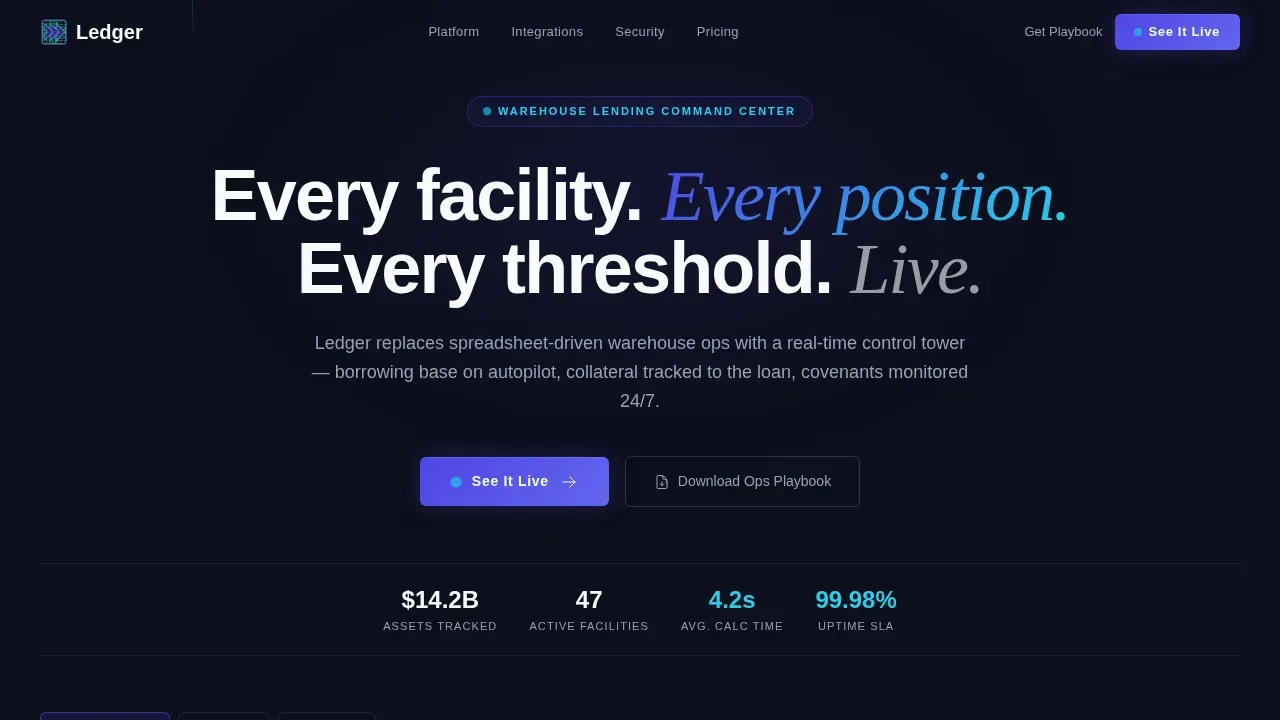
The Ledger - Live Facility Command Financial Services Landing Page Template is a dark-terminal, data-command landing page built for warehouse lending operations platforms. It features a Feature Tab Switcher hero, a modular card grid, integration bars, and dual call-to-action blocks. The design signals precision and control, built to move ops managers and CFOs toward a personalized demo.
by Rocket studio
Quick summary
This landing page template delivers a full command-center experience for warehouse lending platforms. It combines a Feature Tab Switcher hero, a modular card grid layout, operational proof metrics, testimonial spotlight cards, and a dual call-to-action section. Every section is built to show capability before asking for commitment.
Who this template is for
This template is designed for B2B financial technology teams who need a high-conviction landing page. It suits platforms where real-time facility visibility, collateral tracking, and covenant compliance are core product promises.
- Warehouse lending ops managers handling daily borrowing base reports across multiple credit lines
- Chief Financial Officers at non-bank originators managing three or four active warehouse facilities
- Fund administrators who reconcile custodial positions against trustee data every morning
What problem this template solves
Warehouse lending platforms lose deals when their web presence looks generic. A standard template cannot communicate the precision, speed, or operational depth that serious buyers require before scheduling a demo.
- Ops teams and CFOs need to see the product logic before they speak to sales
- Generic layouts fail to differentiate a live-data command platform from a basic dashboard tool
- A long-form lead form on a first visit kills conversion before trust is established
What you get with this template
This template gives you a complete, deployment-ready landing page structured around showing, not telling. Every section is a proof point, and every component is built to carry real product content.
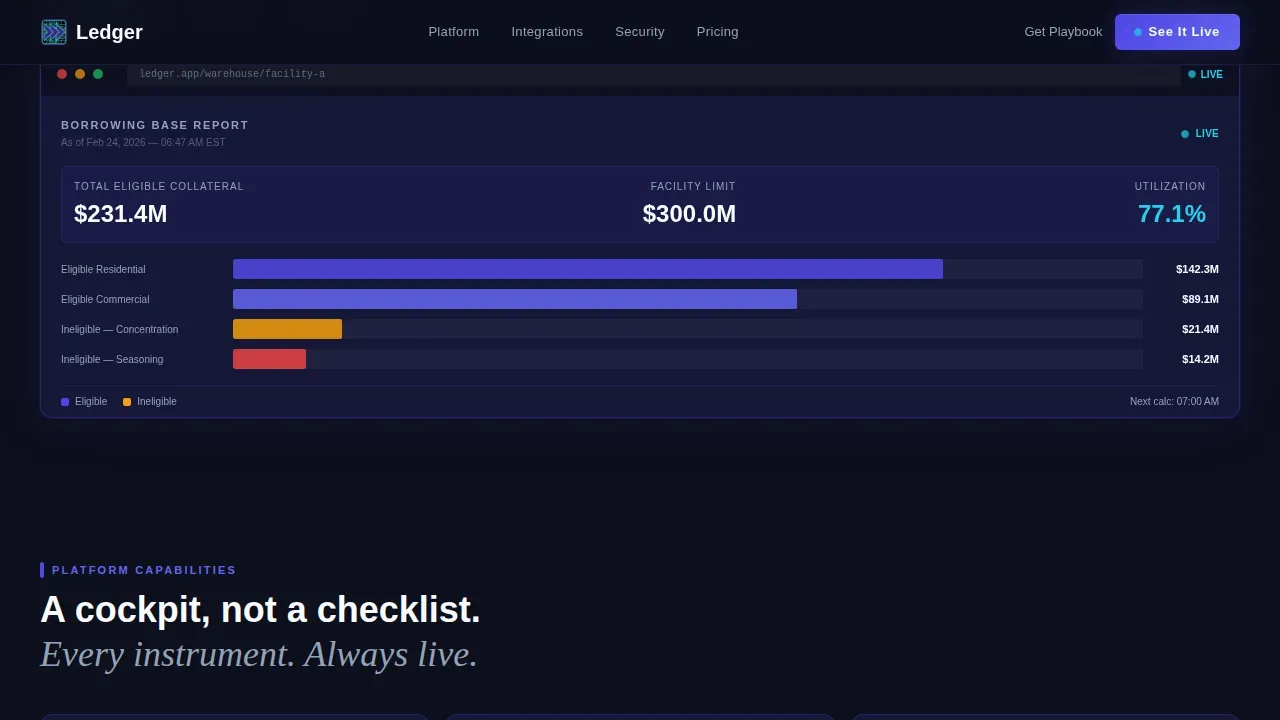
- A Feature Tab Switcher hero with three tabs: Borrowing Base, Collateral Tracking, and Covenant Monitoring
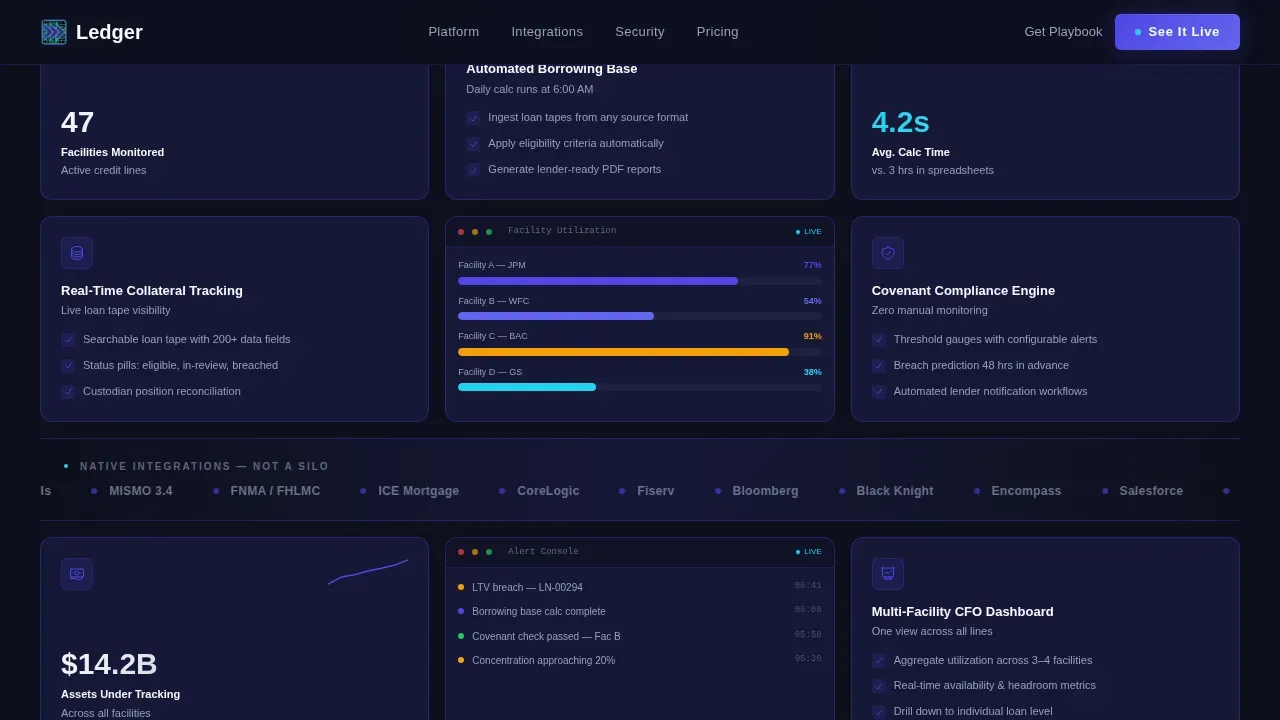
- A modular card grid where each card represents a discrete capability with metrics, feature descriptions, or mini-screenshots
- Full-width integration bars, a bento metrics grid, testimonial spotlight cards, and a dual call-to-action block with footer
Feature list
This template ships with six core layout and interaction systems, each designed for a specific job in the conversion flow.
Feature Tab Switcher Hero
The header opens with a single headline and three interactive tabs. Each tab loads a detailed product screenshot inside a styled dashboard frame. The active tab glows indigo; inactive tabs stay slate. No autoplay means the visitor drives every reveal at their own pace.
Modular Capability Card Grid
Cards tile into a responsive grid below the hero. They vary in content density: some display a single metric with a large number and a sparkline, others carry a three-row feature description with check icons, and others hold a mini-screenshot. Every third row, a full-width integration bar breaks the grid to show platform connectivity.
Bento Metrics and Proof Block
A bento-style grid section surfaces operational statistics including latency figures, uptime data, total facilities managed, and assets tracked. These numbers are presented as live-state data points, reinforcing the platform's real-time capabilities to visitors who need evidence before they act.
Testimonial Spotlight Cards
Spotlight cards present social proof from financial ops personas. Cards use a hover-activated spotlight effect. Testimonials are sourced from warehouse lending ops managers and CFOs, making the validation feel relevant and credible to the exact audience reading the page.
Dual Call-to-Action Section
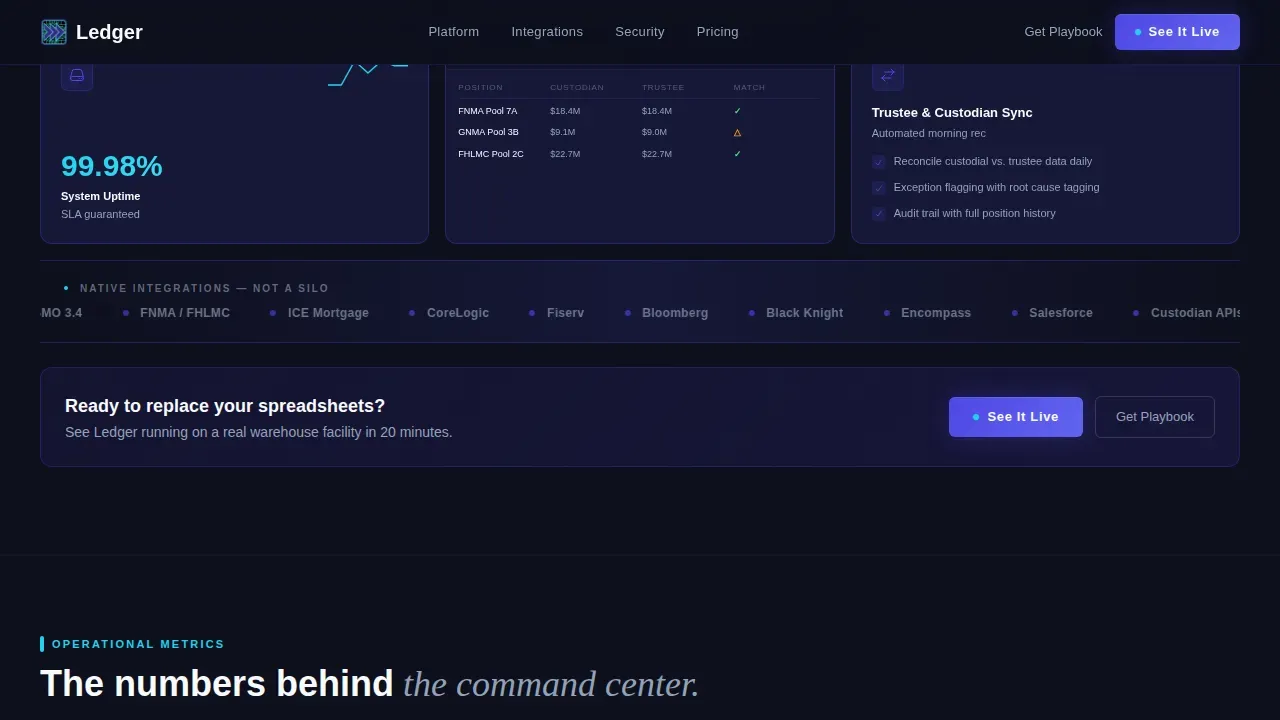
A full-width section carries the primary call to action, "See It Live," which routes to a personalized demo scheduling page. A secondary call to action, "Download the Warehouse Ops Playbook," captures email from visitors not yet ready to commit. No form appears on the main page, keeping the path to conversion friction-free.
Integration Bar System
Every second card row is interrupted by a full-width integration bar. These bars display platform connectivity across the ecosystem. They visually reinforce that the platform connects to the broader financial data infrastructure rather than operating as a standalone tool.
Page sections overview
| Section | Purpose |
|---|---|
| Hero Tab Switcher | Introduce core product tabs and dashboard screenshots |
| Feature Card Grid | Tile modular capability cards in a responsive layout |
| Integration Bar One | Show first round of platform connectivity logos |
| Integration Bar Two | Reinforce second round of ecosystem connections |
| Bento Metrics Grid | Surface operational proof stats in a data-dense layout |
| Testimonial Spotlights | Deliver persona-matched social proof with hover effects |
| Dual call to action Block | Drive demo bookings and playbook email captures |
| Footer Linear Row | Close page with navigation and compliance links |
Design & branding system
The visual identity follows a Data Command theme. The palette feels like a precision instrument: information-dense but never punishing to look at. Typography pairs DM Sans for interface-level text with Fraunces in serif italic for headlines, creating a contrast between operational clarity and premium authority.
- Color system: deep terminal black (#0D0F1C) backgrounds, electric indigo (#4F46E5) as the primary active color, cool slate (#94A3B8) for secondary text and dividers, signal cyan (#22D3EE) reserved exclusively for live-state indicators and hover interactions
- Cards float on #161838 with 1px indigo borders that brighten on hover; white (#F8FAFC) appears only in primary headlines and active data points
- Animation includes beam drops, spotlight hover effects on testimonial cards, tab switcher transitions, sparkline renders, and a live data ticker
Mobile & speed optimization
The template is desktop-first by design, reflecting the reality that warehouse lending ops managers work primarily on large monitors. Responsive behavior adapts the card grid and tab switcher cleanly for tablet viewports without sacrificing information density.
- Desktop-first grid layout adapts to tablet breakpoints while maintaining card proportions and tab switcher usability
- Server components handle static sections for fast initial load; client components manage the interactive tab switcher and spotlight hover effects
- High-animation elements including sparklines, beam drops, and the data ticker are scoped to client-side rendering to keep static content delivery efficient
How this template helps you convert
This template is engineered for click-through conversion, not form-fill conversion. The goal is conviction before commitment, achieved by letting the product speak through real user interface screenshots and live-state visual language.
- The "See It Live" call to action is pinned in the navigation and repeated after every second card row, keeping the demo path visible at every scroll depth without interrupting the content flow.
- The "Download the Warehouse Ops Playbook" secondary call to action captures email from visitors who are not yet ready to book a demo, ensuring no qualified visitor leaves without a follow-up path.
- Every card in the grid functions as a standalone proof point, so visitors can scan, compare, and self-select which capabilities matter to their specific role before they ever speak to sales.
Other information about this template
This template is built on a no-code-friendly component architecture. No-code platforms enable users to build and iterate applications without traditional programming skills, which significantly reduces the time and cost of getting a high-quality page live. Teams can customize layout, edit card content, and manage section order without touching a command line.
- The Ledger live facility command financial services landing page template includes reusable components that teams can customize and reuse across versions of the page
- The official Ledger website and official Ledger product context informed the design system, making this template well-suited for teams building around the Ledger device ecosystem or Ledger hardware wallet integrations
- The template supports pages that connect to crypto assets management platforms, including services where users manage wallet accounts, track digital assets, and verify transaction history in real time
- Visitors who need to download supporting materials can access the playbook capture without navigating away; the app stores path for mobile installs is a natural extension for platforms that ship a companion app
- On Linux systems, teams maintaining the underlying platform can install updates via the command line: download the latest version from the official Ledger website, navigate to the install directory using the cd command, and run the install script; for Debian-based systems, use the.deb file with sudo apt install; for other distributions, use the.AppImage file; if you encounter an error, verify your connection and restore from a previous stable version if needed
- The template supports regular updates to content without full rebuilds, keeping the page up to date as the platform adds new coins, tokens, and bitcoin app integrations
- Compliance badges, security trust indicators, and hardware wallet integration details can be placed near call-to-action blocks to reinforce confidence for users evaluating the platform
- Millions of financial operations users across platforms expect private keys to stay on-device; this template accommodates messaging that highlights self-custody promises and full control over accounts
- Videos and screen recordings of the live desktop interface can be dropped into card slots to give future visitors a richer preview of the platform before they join a demo
Theme
Data Command
Creative direction
Feature Matrix
Color system
Electric Indigo
Style
Card Grid (Modular)
Direction
Click-Through
Page Sections
Feature Tab Switcher with Dashboard Frames
Modular Capability Card Grid
Bento Metrics and Proof Block
Testimonial Spotlight Cards
Dual Call-to-action Conversion Block
Dark Terminal Design System
Related questions
Who is this landing page template designed for?
Can I customize the card grid and tab content without coding?
Does the template support a secondary email capture alongside the demo call to action?
What animation and interaction features are included?
Is this template suitable for financial platforms beyond warehouse lending?



