Dental AI Chatbot Landing Page Template
Triage is a modular, card-grid landing page template built for dental AI chatbot products. It combines a live ROI calculator header, animated before-and-after spec cards, and a sticky conversion bar to show practice managers exactly what round-the-clock patient communication is worth. The Carbon Fiber visual system and Dynamic Motion animations make every number feel earned.
by Rocket studio
Quick summary
Triage is a single-page, card-grid landing page template designed for dental AI chatbot platforms. It opens with a functioning ROI estimator, flows through animated comparison spec cards, and closes with a sticky savings bar. Every section is built to help practice managers, multi-location groups, and solo dentists see the financial case for after-hours patient communication before they reach the bottom of the page.
Who this template is for
This template is made for teams selling or presenting conversational AI to dental practices. The layout speaks directly to the people who feel the cost of unanswered calls every single Monday morning.
- Practice managers handling dozens of weekly voicemails and confirmation backlogs
- Multi-location dental service organizations standardizing patient communication across many front desks
- Solo practitioners losing revenue to no-shows because after-hours confirmation calls never go out
What problem this template solves
Dental practices lose patients and revenue in the gap between closing time and the next morning. A product that fills that gap needs a landing page that makes the loss visible and the solution undeniable.
- Visitors cannot easily picture what unanswered after-hours calls cost them in dollars
- Generic software landing pages fail to show a before-and-after comparison that resonates with clinical staff
- Practice buyers need proof, not promises, before committing to a new communication tool
What you get with this template
You get a fully structured, conversion-focused landing page layout with every major section pre-built and ready to customize. The design does the persuasive work through live interaction and visual contrast.
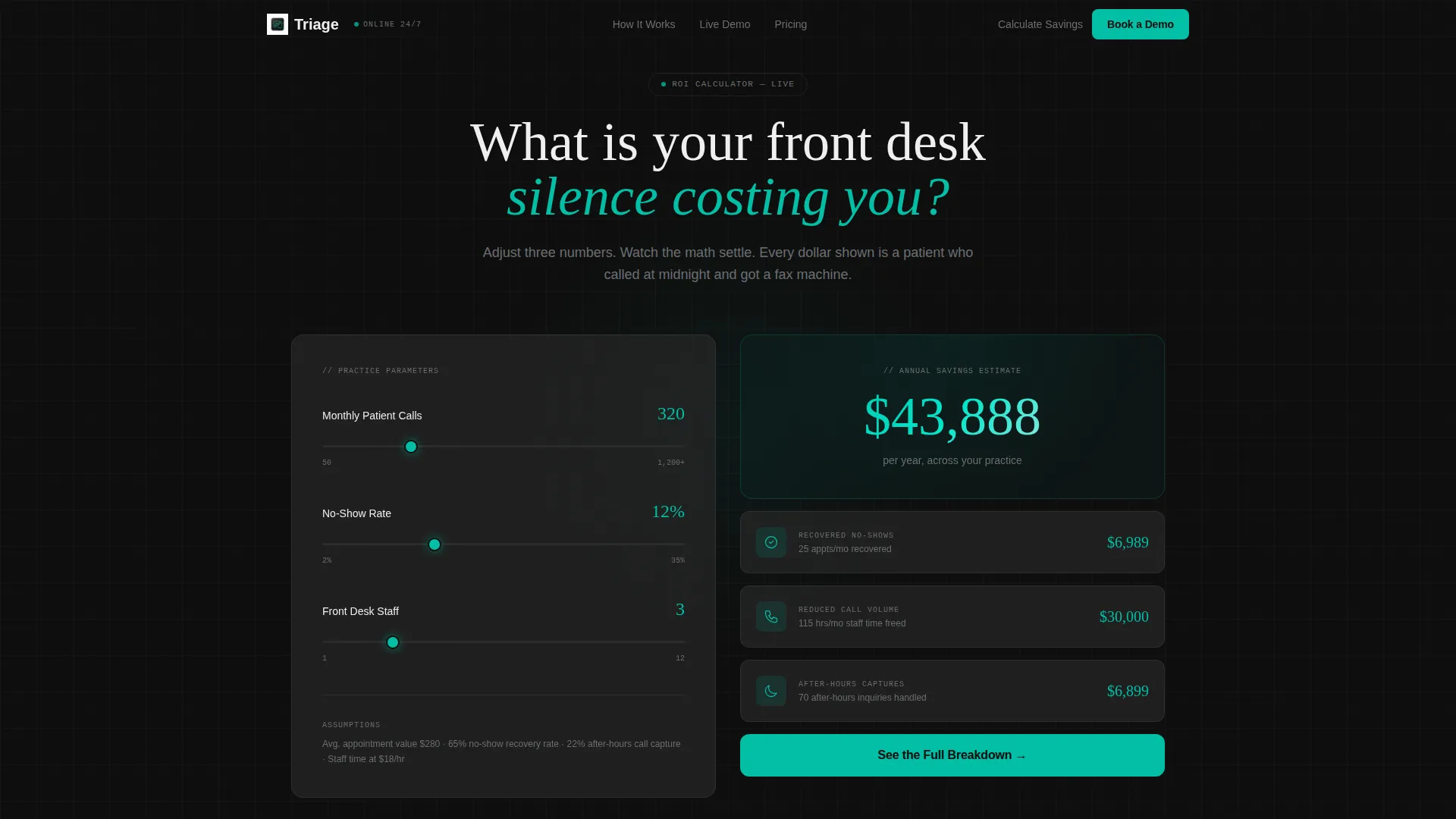
- A live inline ROI calculator in the header with three input sliders and animated, spring-eased output counters
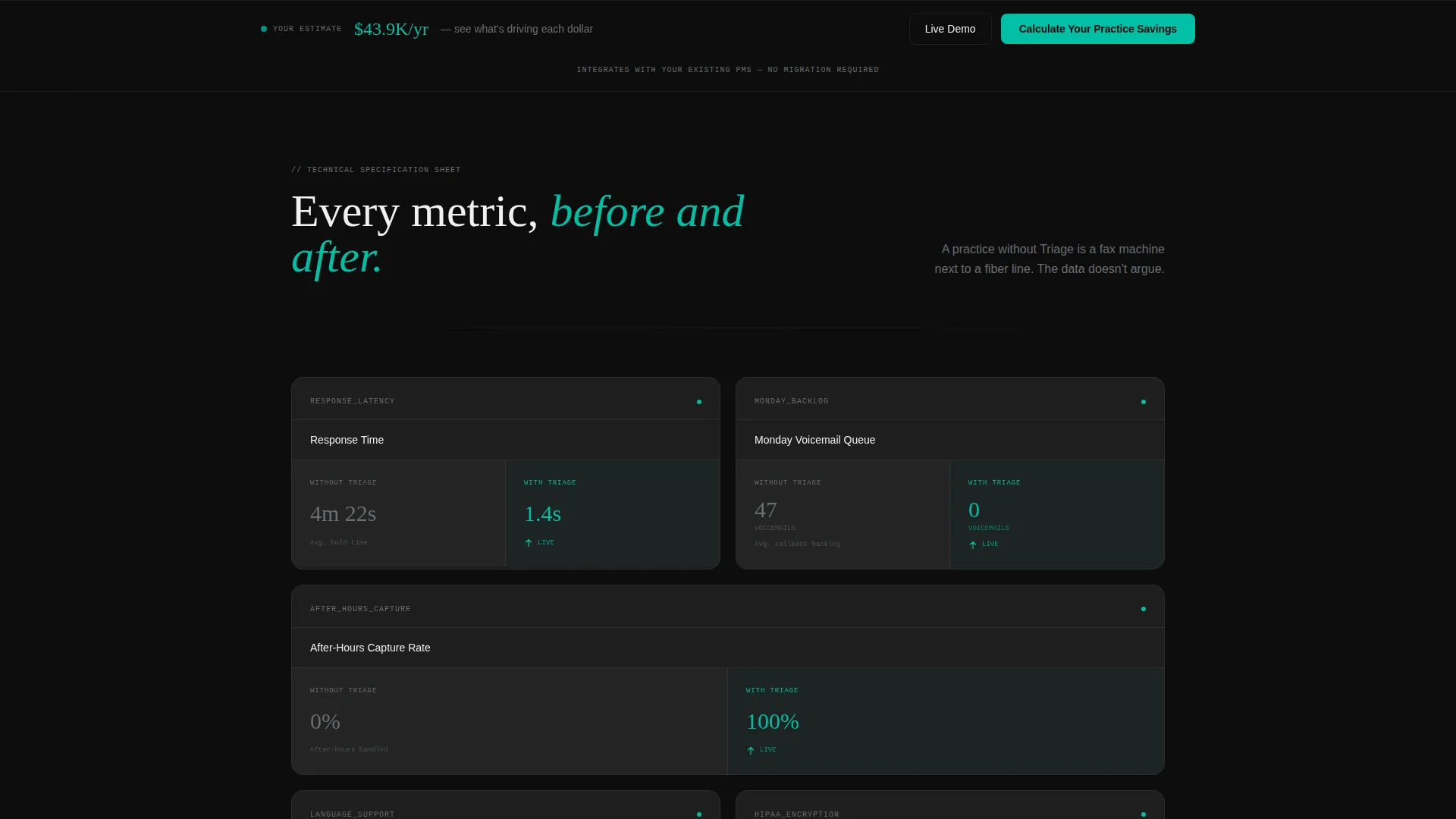
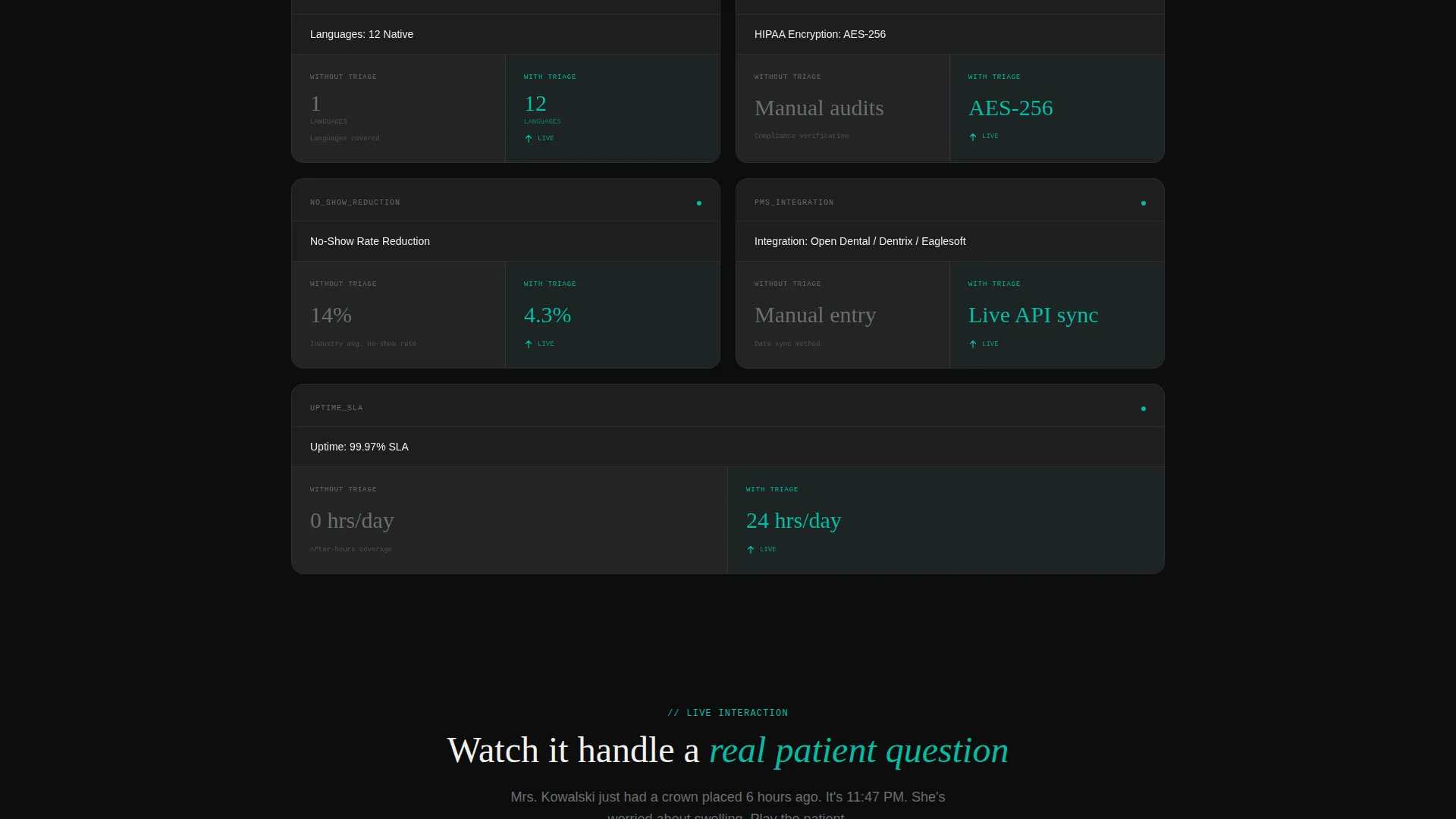
- A modular card grid of spec-sheet comparison cards, each showing a static "without" metric and an animated "with" metric
- A sticky bottom conversion bar that references the calculator output and carries two distinct calls to action
Feature list
This section details the core functional and visual components built into the Triage template.
Live ROI Calculator Header
The header contains a functioning estimator that asks three inline questions: monthly patient call volume, average no-show rate, and number of front desk staff. As sliders adjust, a real-time annual savings figure animates into view. Each savings component, recovered no-shows, reduced call volume, and after-hours captures, breaks out into its own animated counter. The numbers move with spring-eased motion that overshoots slightly before settling, giving each figure a satisfying, mechanical feel.
Animated Comparison Card Grid
The page body is a modular grid of spec-sheet cards. Each card isolates one capability and splits into two halves. The left side shows a static "Without Triage" metric in carbon gray. The right side shows a "With Triage" figure in surgical teal that animates in as the card enters the viewport. The cumulative effect of eight-plus cards builds an arithmetic case that compounds with every scroll.
Sticky Conversion Bar
A persistent bar anchors to the bottom of the viewport throughout the scroll. It references the personalized savings figure from the header calculator and carries the primary call to action. A secondary action opens a live demo modal where the visitor can interact with the AI directly in a fictional patient scenario.
Live Demo Modal
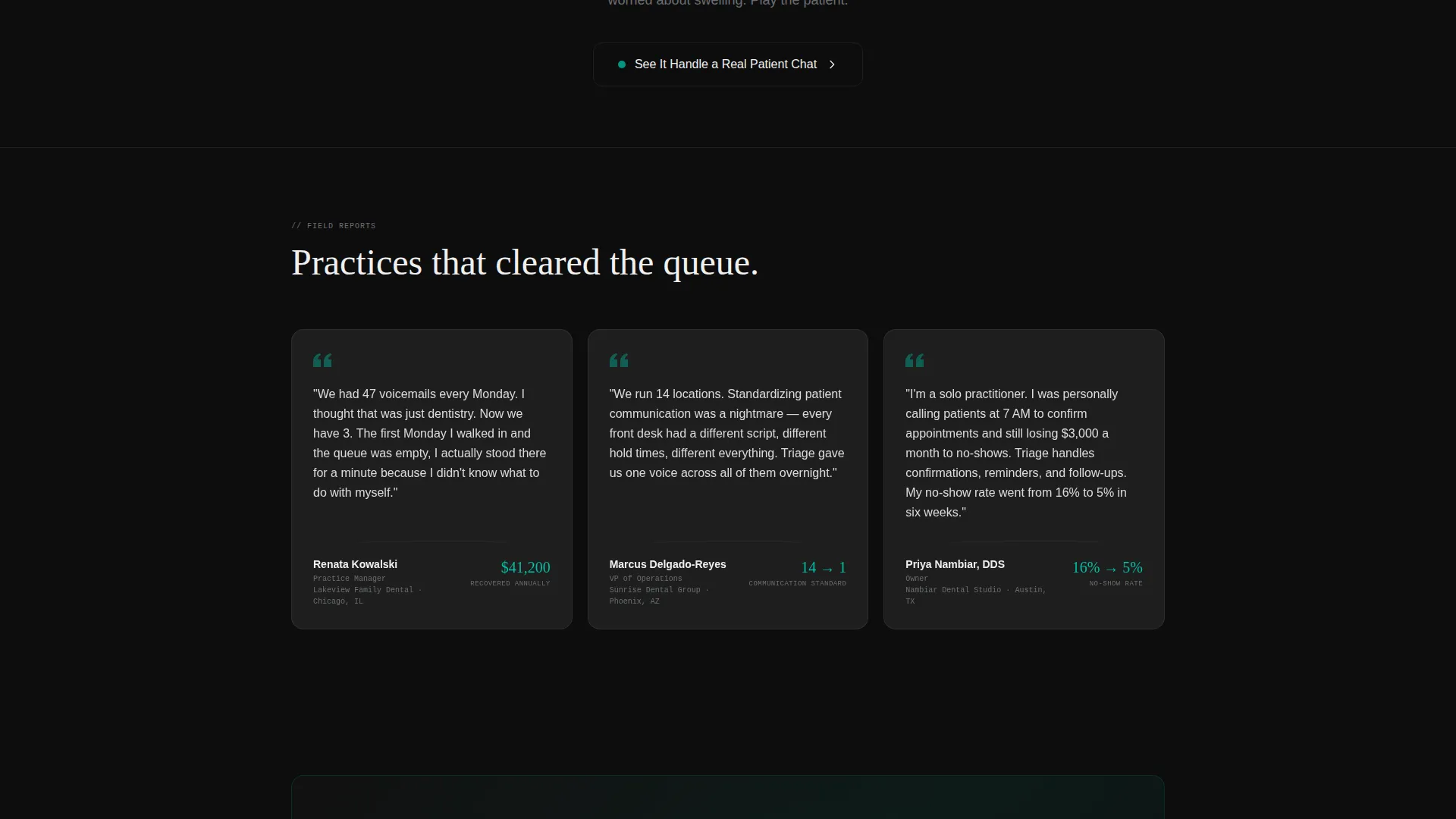
The secondary conversion path opens a modal showing a real-time patient chat interaction. The visitor plays the patient asking about a crown follow-up, and the AI responds live. This gives hesitant buyers a direct experience of the product before any commitment.
Dynamic Motion Animation System
All counters, card reveals, and interactive states use spring-eased Dynamic Motion. Figures overshoot and settle like an odometer clicking into place. Card borders catch light on hover. Surgical teal pulses on interactive elements. The motion system is purposeful and restrained, activating only where it reinforces a data point or a call to action.
Page sections overview
| Section | Purpose |
|---|---|
| ROI Calculator Header | Personalizes annual savings with live slider inputs |
| Savings Counter Breakdown | Animates three cost-recovery components individually |
| Spec Card Grid | Compares before-and-after metrics across eight-plus capabilities |
| Sticky call to action Bar | Keeps the primary and secondary actions visible at all times |
| Live Demo Modal | Lets visitors experience the AI in a real patient scenario |
Design & branding system
The template uses a Carbon Fiber color system that feels like the interior of a precision diagnostic instrument. Every color choice is deliberate, and the single accent color is reserved for moments that mean action.
- Core palette: deep cockpit black (#0D0D0D), woven carbon gray (#2A2A2A), titanium mid-tone (#6B6E72), clinical white (#F0F0F0), and surgical teal (#00BFA6)
- Cards float on the black field with a subtle 1px carbon-gray border that catches light on hover
- Surgical teal appears only on interactive states, live counters, and call-to-action pulses, keeping its signal value sharp
Mobile & speed optimization
The modular card grid is built to reflow cleanly across screen sizes. Interaction states and animations are scoped to avoid degrading the experience on smaller devices.
- Cards stack vertically on mobile without losing the before-and-after split layout
- Spring-eased animations and counter reveals are tied to viewport entry, so they trigger at the right moment on any screen size
- The sticky conversion bar remains accessible at the bottom of the viewport on both desktop and mobile
How this template helps you convert
Every structural decision in this template is aimed at reducing the gap between "interested" and "ready to act." The layout uses personalization, proof, and friction-reduction together.
- The ROI calculator makes the value proposition personal from the first interaction, so the visitor is already invested in their own savings number before they read a single spec card
- The comparison card grid replaces abstract feature claims with concrete before-and-after numbers that accumulate into an undeniable financial argument
- The sticky bar keeps a personalized savings reference and two clear action paths visible throughout the entire scroll, removing the need to hunt for a next step
Other information about this template
This template is categorized under Technology, specifically the AI for Dental subcategory, and is optimized for the dental AI chatbot niche. The spec card content references real-world practice management system integrations noted in the brief, including Open Dental, Dentrix, and Eaglesoft, as placeholder card content ready for customization. The template style is Card Grid (Modular) with a Spec Sheet creative direction and a Comparison/Versus landing-page direction. The Dynamic Motion theme and Carbon Fiber color system are applied consistently across every interactive state.
- Template style: Card Grid (Modular) with Spec Sheet creative direction
- Landing-page direction: Comparison/Versus with a Calculator/Estimator header concept
- Practice management system card placeholders reference Open Dental, Dentrix, and Eaglesoft as integration examples
Theme
Dynamic Motion
Creative direction
Spec Sheet
Color system
Carbon Fiber
Style
Card Grid (Modular)
Direction
Comparison/Versus
Page Sections
Live ROI Calculator with Spring Motion
Before-and-after Comparison Cards
Sticky Personalized Call to Action Bar
Live Demo Chat Modal
Dynamic Motion Animation System
Related questions
Who is this landing page template built for?
Do I need to connect a real AI to use this template?
Can I change the spec card content to match my product?
How does the sticky conversion bar connect to the calculator output?
Is the Carbon Fiber color system easy to swap for a different brand palette?



