Dental AI Customer Service Landing Page Template
Triage is a Bold Brutalist dental AI landing page template built for platforms that answer the phone so front desk staff do not have to. It targets dental service organizations, solo practices, and scaling dental startups. The Hub and Spoke layout guides visitors through every front-desk scenario, from routine calls to after-hours emergencies, and converts them with a three-step lead form and a gated audio demo.
by Rocket studio
Quick summary
Triage is a single-page Hub and Spoke landing page template for dental AI customer service platforms. It follows a Problem to Solution arc, walking prospects through five front-desk failure points and showing the AI resolving each one. Two conversion paths capture leads at different trust levels, and the design system uses Acid Digital colors to make every accent feel urgent and precise.
Who this template is for
This template is built for teams selling AI-powered phone and scheduling tools to the dental industry. It speaks directly to the operational pain every dental practice manager already feels.
- Multi-location dental service organizations drowning in daily call volume across sites
- Solo practitioners whose single receptionist handles check-ins, insurance pulls, and hold queues simultaneously
- Dental startups scaling patient volume faster than their front-desk headcount can keep up
What problem this template solves
Dental front desks are chronically overloaded. Calls go unanswered, no-shows pile up, and insurance verifications stall while the receptionist manages three tasks at once. Selling an AI solution to practices in that situation requires a page that mirrors the chaos before it shows the fix.
- Visitors arrive skeptical and need to feel the problem before they trust a solution
- Abstract product claims fail without a concrete scenario showing the AI in action
- Two types of buyers need different proof levels before they convert
What you get with this template
You get a fully structured landing page layout with every section, interaction pattern, and conversion element defined. The template is ready to hand to a developer or no-code builder as a complete visual and functional blueprint.
- A Hub and Spoke anchor navigation with five labeled spokes: CALLS, BOOKINGS, INSURANCE, RECALLS, and EMERGENCIES
- A three-step progressive disclosure lead form and a gated audio demo conversion path
- Full Acid Digital design system with void black backgrounds, chartreuse accents, and monospaced Brutalist typography
Feature list
This template ships with six purpose-built components that carry the page from problem to conversion.
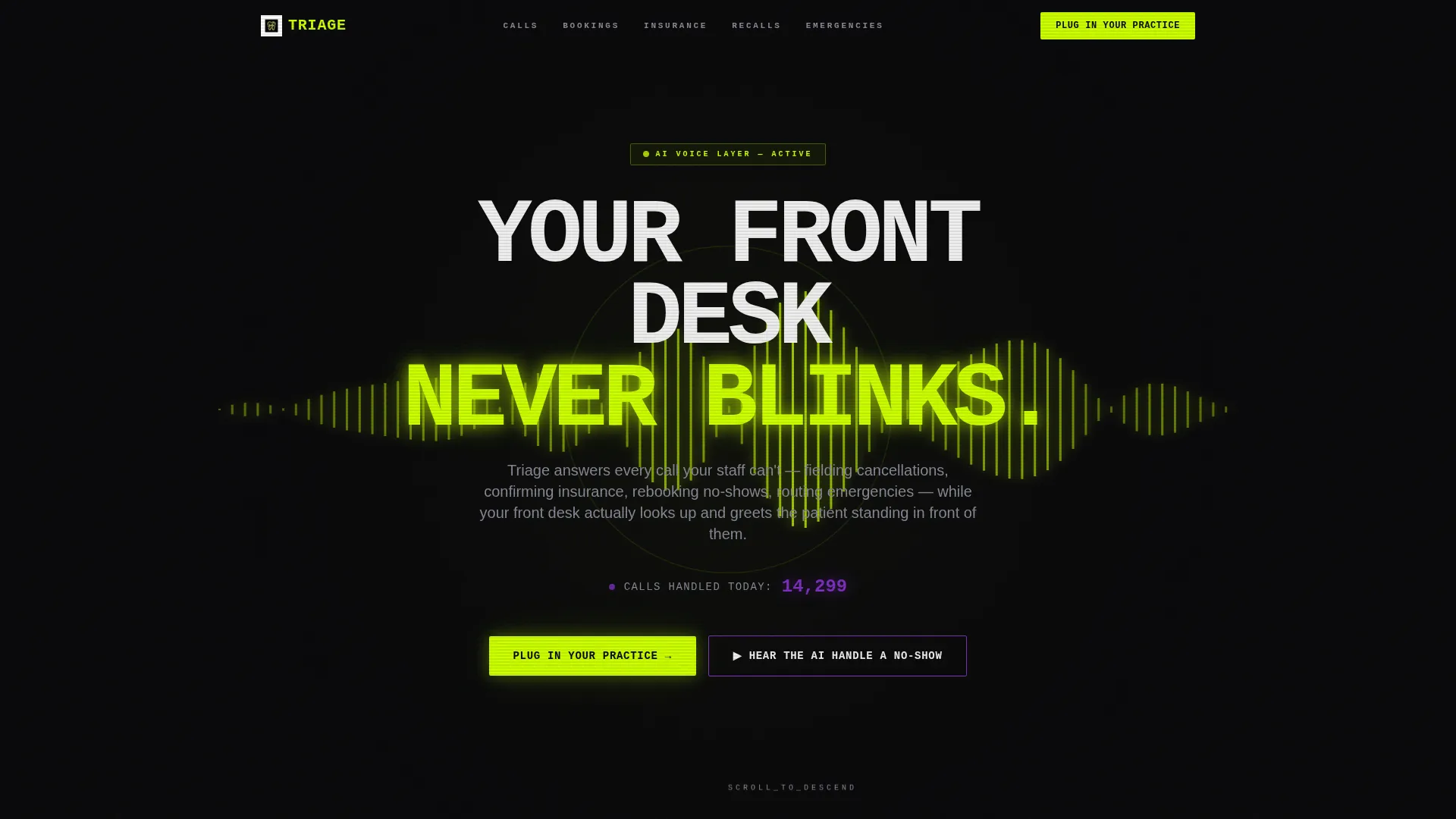
Glowing Waveform Header
The header is a full-bleed void black panel centered on a chartreuse waveform that pulses in real time, visualizing a live AI voice interaction. A live call counter ticks upward in UV violet beneath the monospaced headline, giving the page an immediate sense of scale and activity from the first second.
Hub and Spoke Anchor Navigation
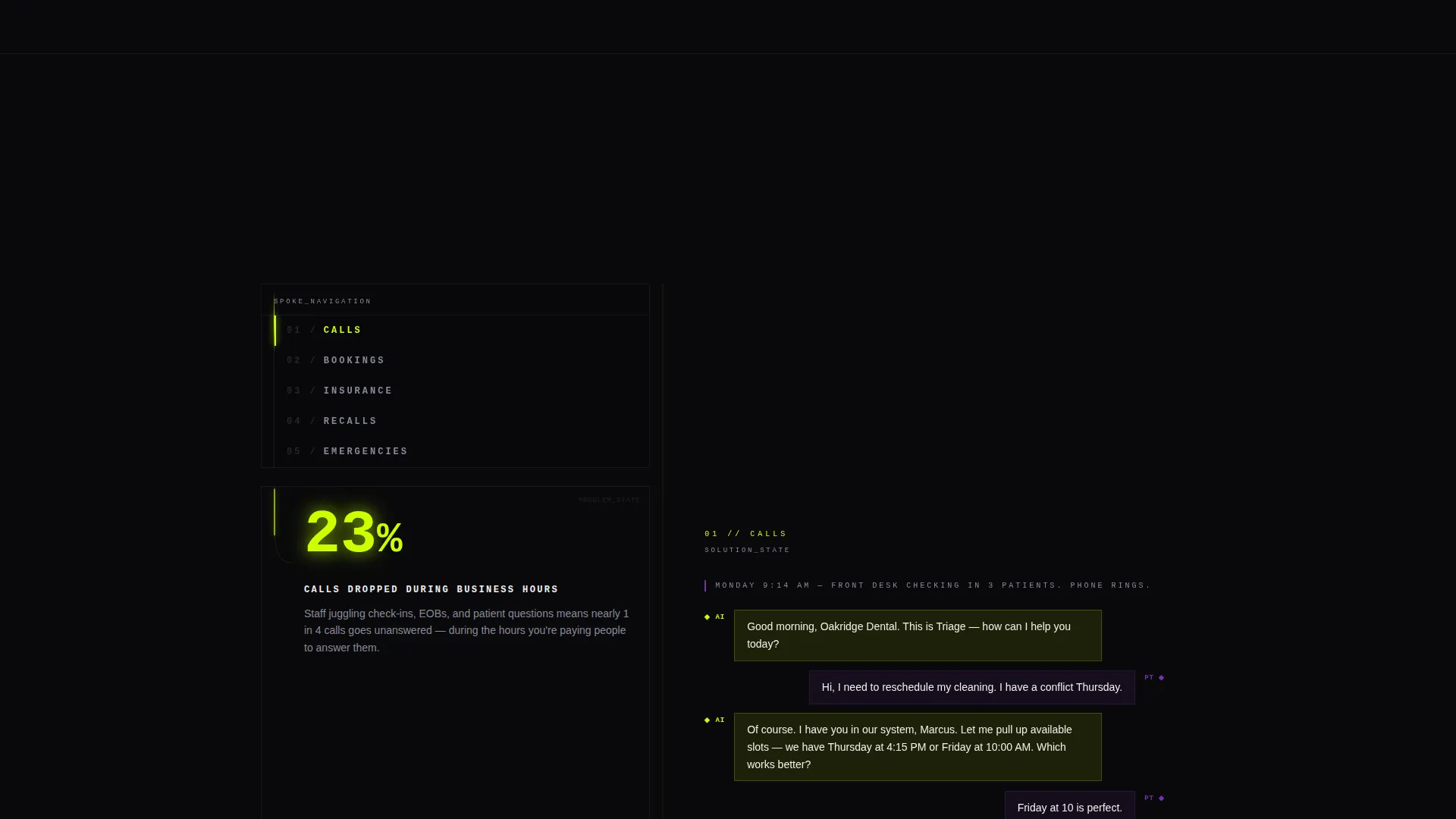
A fixed left-rail navigation labels each spoke in blunt single words. Visitors jump directly to the scenario most relevant to their practice. Each spoke uses a split-panel layout, with the problem rendered in dark stat-heavy panels on the left and the AI solution displayed in card-surface transcript animations on the right.
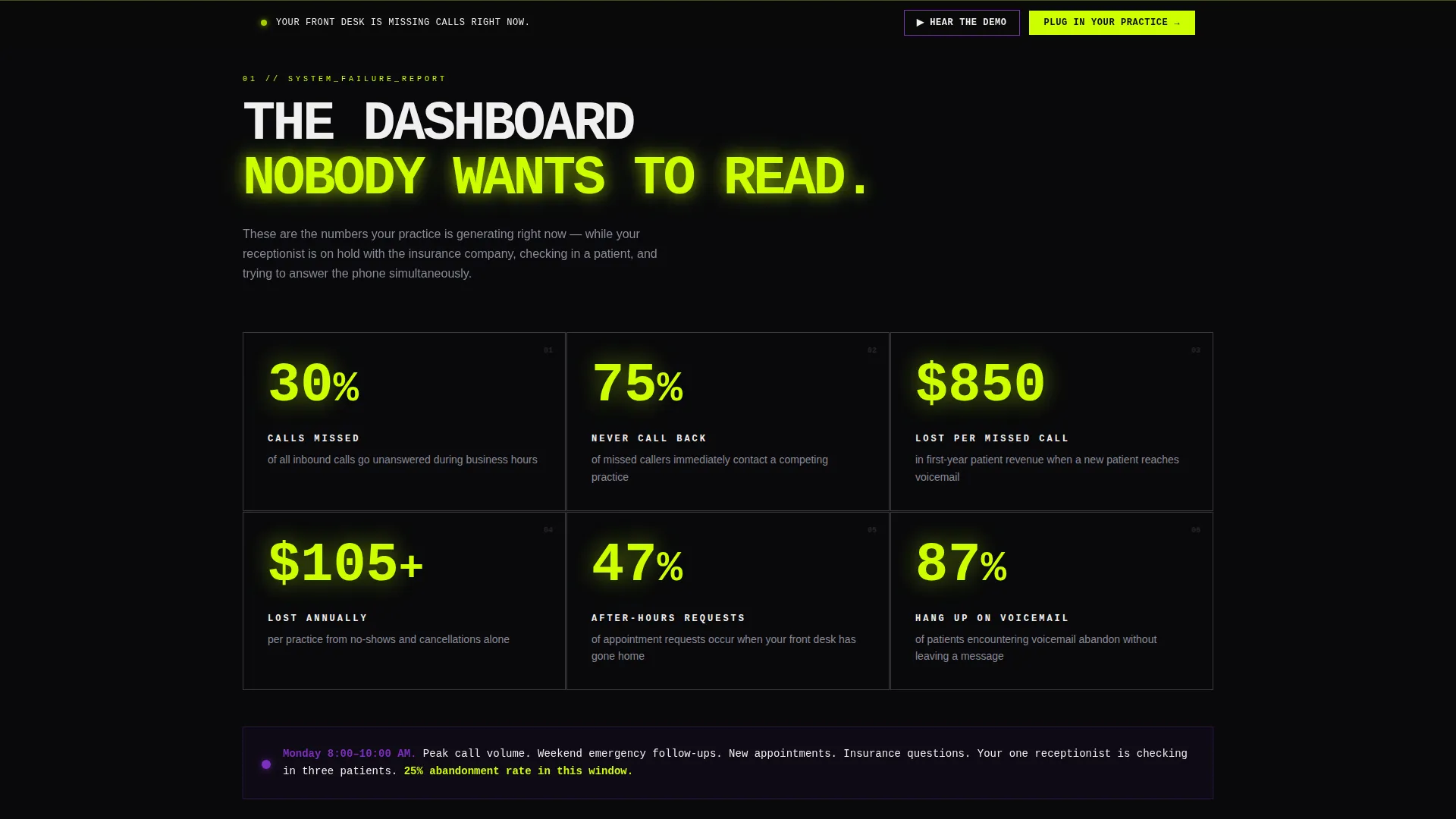
Brutalist Problem Stats Grid
Immediately below the header, a brutalist grid presents real front-desk failure metrics: average hold time, no-show rates, and revenue lost per missed call. Numbers are oversized, monospaced, and glowing acid green against void black, making the cost of inaction impossible to ignore.
Transcript-Style AI Demo Panels
Each spoke includes an animated transcript panel showing the AI handling that exact scenario in real time. The arc escalates from routine calls through complex insurance verification to after-hours emergency routing, so every scroll demonstrates a more impressive capability.
Three-Step Progressive Lead Form
The primary conversion form unfolds across three steps. Step one asks for practice name and number of locations. Step two uses a visual slider for monthly call volume. Step three captures contact name and email. Breaking the form into steps reduces friction and qualifies leads simultaneously.
Gated Audio Demo Path
A secondary conversion element invites skeptics to hear the AI handle a no-show before committing to a demo request. The 45-second simulated call plays after an email is submitted, giving the sales team a warm lead who has already experienced the product firsthand.
Page sections overview
| Section | Purpose |
|---|---|
| Full-Bleed Header | Introduce the AI with a pulsing waveform and live call counter |
| Problem Stats Grid | Visualize front-desk failure data to anchor the pain point |
| Anchor Nav Rail | Let visitors jump to the spoke most relevant to their practice |
| CALLS Spoke | Show AI handling routine inbound call scenarios |
| BOOKINGS Spoke | Demonstrate AI rebooking no-shows and confirming appointments |
| INSURANCE Spoke | Display AI-led insurance verification in transcript form |
| RECALLS Spoke | Present AI-driven patient recall and reactivation handling |
| EMERGENCIES Spoke | Illustrate after-hours emergency routing by the AI |
| Sticky call to action Bar | Resurface the primary call to action after the second spoke |
| Lead Gen Form | Capture practice details through three progressive steps |
| Gated Audio Demo | Convert skeptics with a 45-second simulated AI call |
Design & branding system
The Acid Digital color system creates a dental operatory at midnight atmosphere. Every visual choice is deliberate and tightly constrained, so nothing competes with the chartreuse accents when they fire.
- Void black (#09090B) dominates every background surface, keeping the palette clinical and focused
- Electric chartreuse (#CCFF00) appears only on call-to-action buttons, stat counters, animated pulse rings, and the waveform, so each use lands with full visual impact
- Clinical UV violet (#7B2FBE) handles secondary interactive elements and hover states, while sterile white (#F0F0F0) is reserved strictly for body text and card surfaces
- Brutalist monospaced typography sits heavy and stamped across every headline, making the page feel built rather than designed
Mobile & speed optimization
The template layout is structured for clarity at any viewport. The Hub and Spoke format adapts so the anchor rail remains accessible and each spoke panel stacks readably on smaller screens.
- The fixed left-rail anchor navigation repositions for touch-friendly access on mobile devices
- Split-panel spoke layouts collapse to single-column stacks without losing the problem-to-solution narrative flow
- Chartreuse accents and oversized monospaced type maintain visual hierarchy and readability at reduced screen widths
How this template helps you convert
The page is engineered around two distinct buyer journeys, capturing both the ready-to-act decision maker and the skeptic who needs proof first.
- The sticky chartreuse call-to-action bar resurfaces after the second spoke, catching visitors who are convinced early without interrupting those still evaluating, and the three-step form qualifies each lead by practice size and call volume before the sales team makes contact.
- The gated audio demo trades a 45-second simulated no-show call for an email address, giving cautious buyers a low-commitment proof point and giving the sales team a warm lead who has already heard the product in action.
Other information about this template
This template is categorized under Technology, with a specific focus on artificial intelligence tools for the dental industry. It is designed for the dental AI customer service niche and pairs well with pitches targeting dental service organization buyers.
- The template style is Hub and Spoke with anchor navigation, suitable for product-led narratives with multiple distinct use cases
- The creative direction follows a strict Problem to Solution arc, a proven structure for AI and automation sales pages
- The header concept uses a Dark Full-Bleed with Glow treatment, a design pattern associated with high-trust enterprise and deep-tech product pages
- The lead generation direction is built in from the first section, with conversion touchpoints staggered across the scroll rather than concentrated at the bottom

Theme
Bold Brutalist
Creative direction
Problem→Solution Arc
Color system
Acid Digital
Style
Hub & Spoke (Anchor Nav)
Direction
Lead Generation
Page Sections
Glowing Waveform Hero Header
Hub and Spoke Anchor Navigation
Brutalist Front-desk Failure Grid
Animated Transcript Demo Panels
Three-step Progressive Lead Form
Gated Audio Demo Conversion Path
Related questions
Who is this template built for?
How does the Hub and Spoke navigation work?
What are the two conversion paths in this template?
Can the lead form steps be customized?
What visual style does this template use?



