Complete Dental Software Professional Website Template
Triage is a bento grid landing page template built for dental help desk and ticketing platforms. It combines a Feature Tab Switcher header, stats-first bento cells, and a lead-generation form into one cohesive Midnight Blue dashboard layout. Office managers, multi-location groups, and solo practitioners can all see themselves in this page within seconds of landing on it.
by Rocket studio
Quick summary
Triage is a single-page bento grid landing page template designed for dental help desk and ticketing software. It opens with an interactive Feature Tab Switcher, escalates through stats-first bento cells, and closes with an ROI calculator and a dual-path lead capture form. The result feels like a product demo before a visitor ever clicks "sign up."
Who this template is for
This template is built for dental software companies and SaaS founders selling front-desk workflow tools to dental practices. It speaks directly to the people who feel the pain of lost callbacks, insurance disputes, and referral follow-up gaps.
- Dental software founders positioning a help desk or ticketing platform to practice operators
- Product marketers targeting office managers at single-location practices or multi-site dental service organizations
- Growth teams who need a conversion-focused landing page that works hard before a sales call happens
What problem this template solves
Front-desk teams at dental practices lose patient opportunities every day because there is no single place to track open issues. A generic software landing page cannot communicate that urgency. This template solves the credibility and conversion gap between "we saw your ad" and "we want a demo."
- Visitors cannot picture themselves using the product without seeing real dental workflow categories and live-status mockups
- Generic tech page layouts do not build trust fast enough with time-pressed office managers and operations directors
- Practices need to see projected ROI before they commit to a discovery call, and most landing pages skip that entirely
What you get with this template
You get a fully designed bento grid landing page with every section, component, and interaction pattern described in the brief. Nothing needs to be invented from scratch.
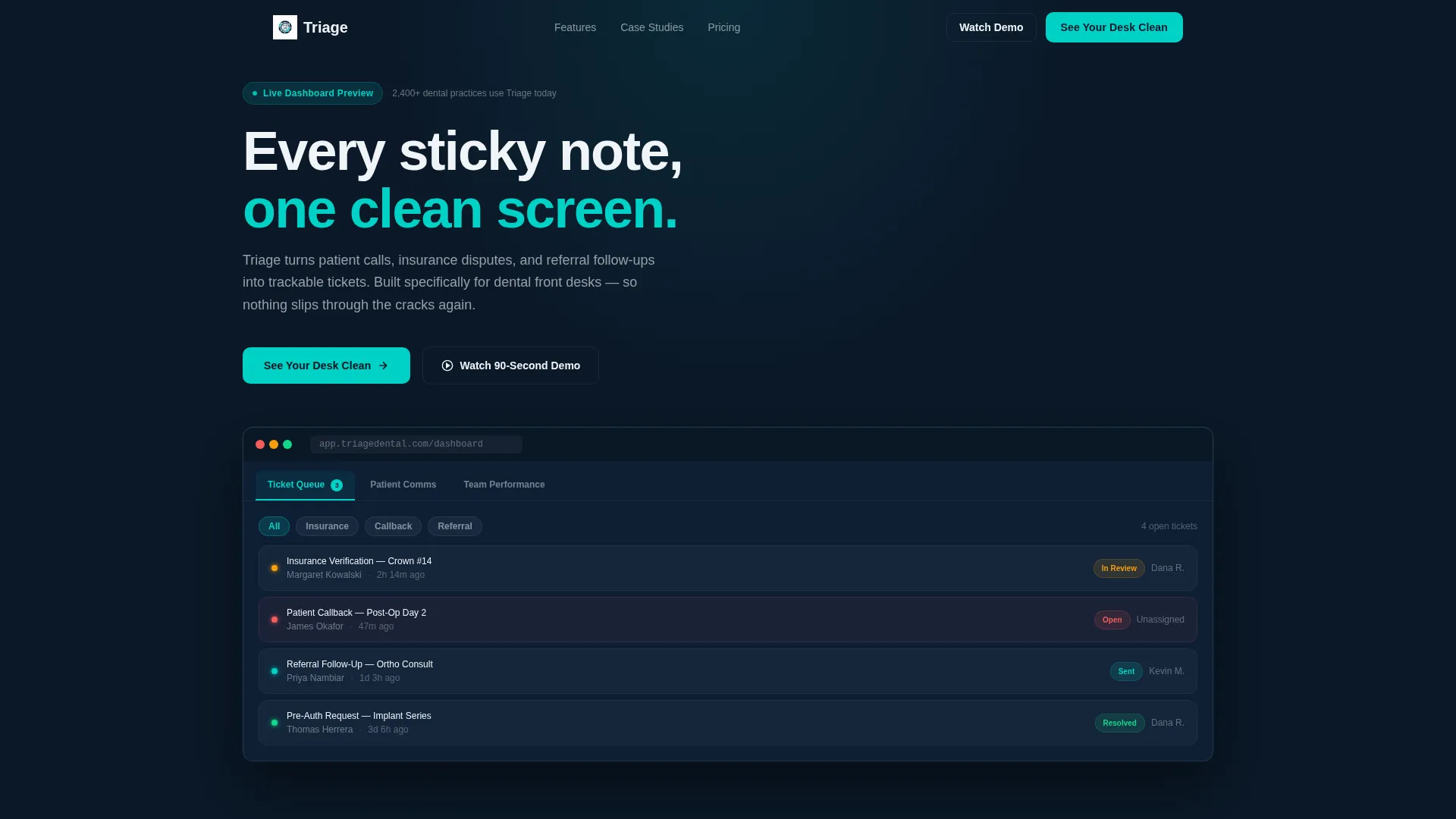
- A Feature Tab Switcher header with three tabs ("Ticket Queue," "Patient Comms," "Team Performance") each revealing an animated dashboard mockup inside a browser frame
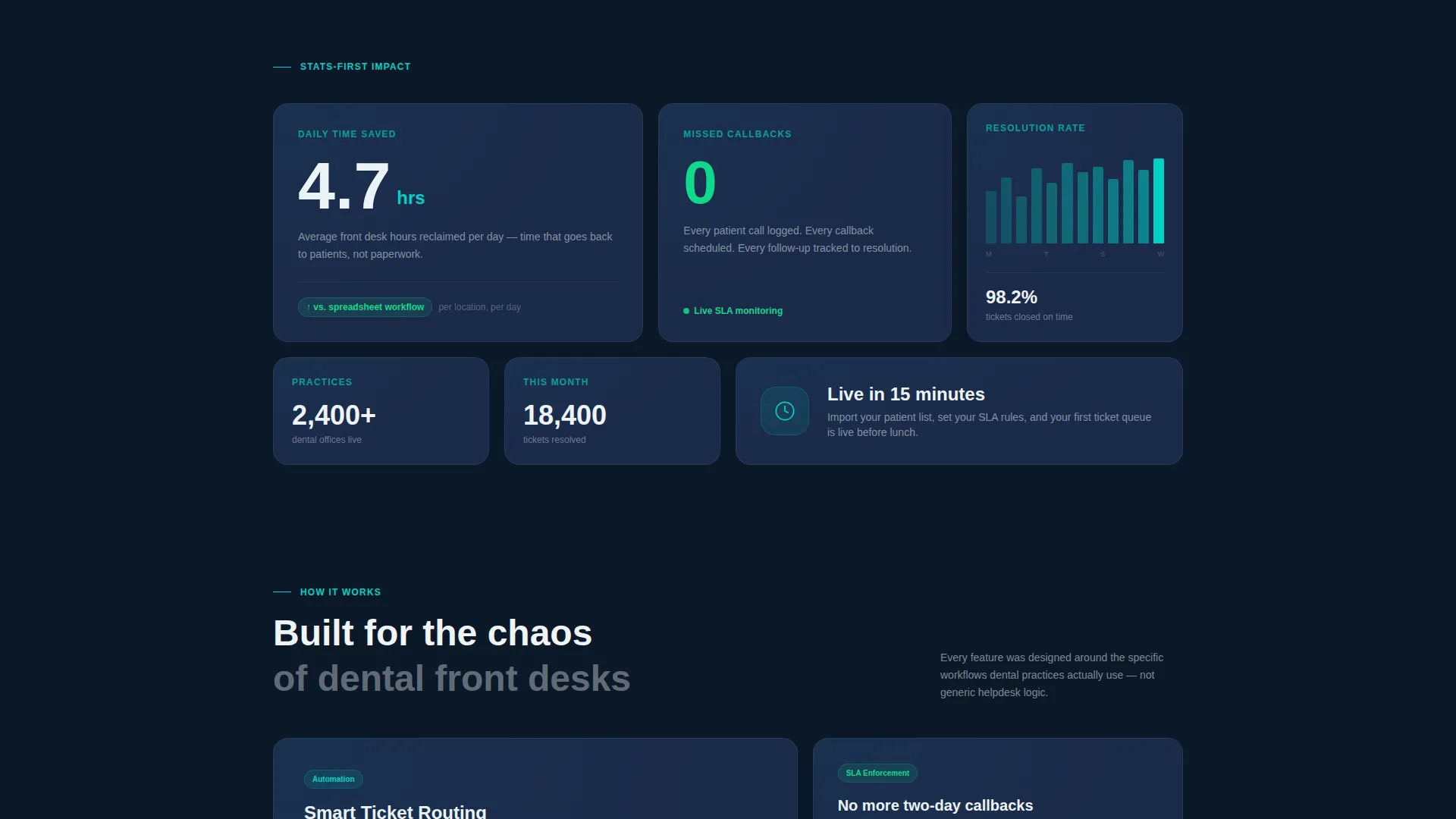
- Stats-first bento cells displaying bold metrics like "4.7 hrs," "0 missed callbacks," and a 12-location DSO case study thumbnail
- A dual-path lead capture section with a primary "See Your Desk Clean" form and a secondary "Watch the 90-Second Demo" gated video option
Feature list
This template is built around components that work together to move a skeptical dental operator toward taking action.
Feature Tab Switcher Header
Three clickable tabs labeled "Ticket Queue," "Patient Comms," and "Team Performance" each load a different live-dashboard mockup inside a browser frame. Switching tabs animates the dashboard panels rearranging, giving visitors the feeling of touching the real product before they sign up.
Stats-First Bento Grid
Every bento cell opens with a bold metric before revealing supporting context. The sequence moves from individual efficiency ("4.7 hrs saved per front desk per day") through operational proof ("0 missed callbacks") to multi-practice scale ("12-location DSO"), building a case that compounds across the scroll.
Dental-Specific Ticket Mockups
The default tab view displays recognizable dental workflow categories: "Insurance Verification, Crown #14," "Patient Callback, Post-Op Day 2," and "Referral Follow-Up, Ortho Consult." Real status chips glow green, amber, and teal so the product feels immediately familiar to anyone who has worked a dental front desk.
ROI Calculator Bento Cell
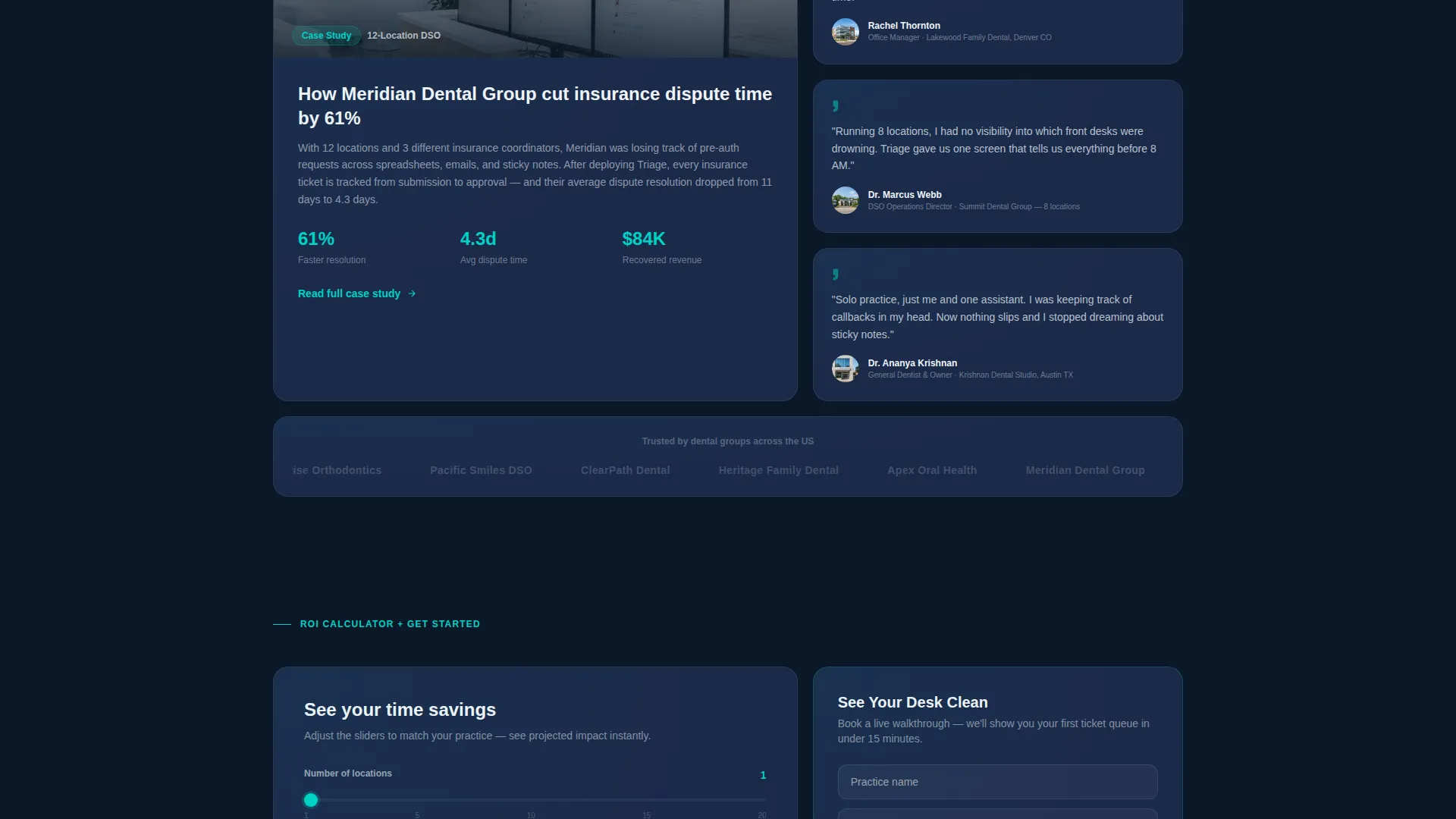
Visitors input their number of locations and daily call volume to see projected time savings. This interactive cell is placed just before the primary call to action, converting curiosity into a concrete reason to fill in the form.
Dual-Path Lead Capture
The primary call to action is "See Your Desk Clean," a short form asking for practice name, number of locations, current ticketing method, and work email. A secondary path offers a gated 90-second demo video that requires only an email, capturing top-of-funnel visitors who need more evidence before they commit.
Midnight Blue Dashboard Visual System
The full color system, card layout, and typography hierarchy are pre-built and consistent across every bento cell. Deep terminal navy, instrument-panel steel, clinical white, and status-alert teal work together to create a mission-control aesthetic that feels authoritative without being cold.
Page sections overview
| Section | Purpose |
|---|---|
| Feature Tab Switcher | Show interactive dashboard previews and anchor the hero call to action |
| Stats Bento Row | Lead with "4.7 hrs saved" and other bold efficiency metrics |
| Missed Callbacks Cell | Highlight "0 missed callbacks" beside a resolution-time graph |
| DSO Case Study Cell | Social proof with a 12-location DSO thumbnail and outcome stat |
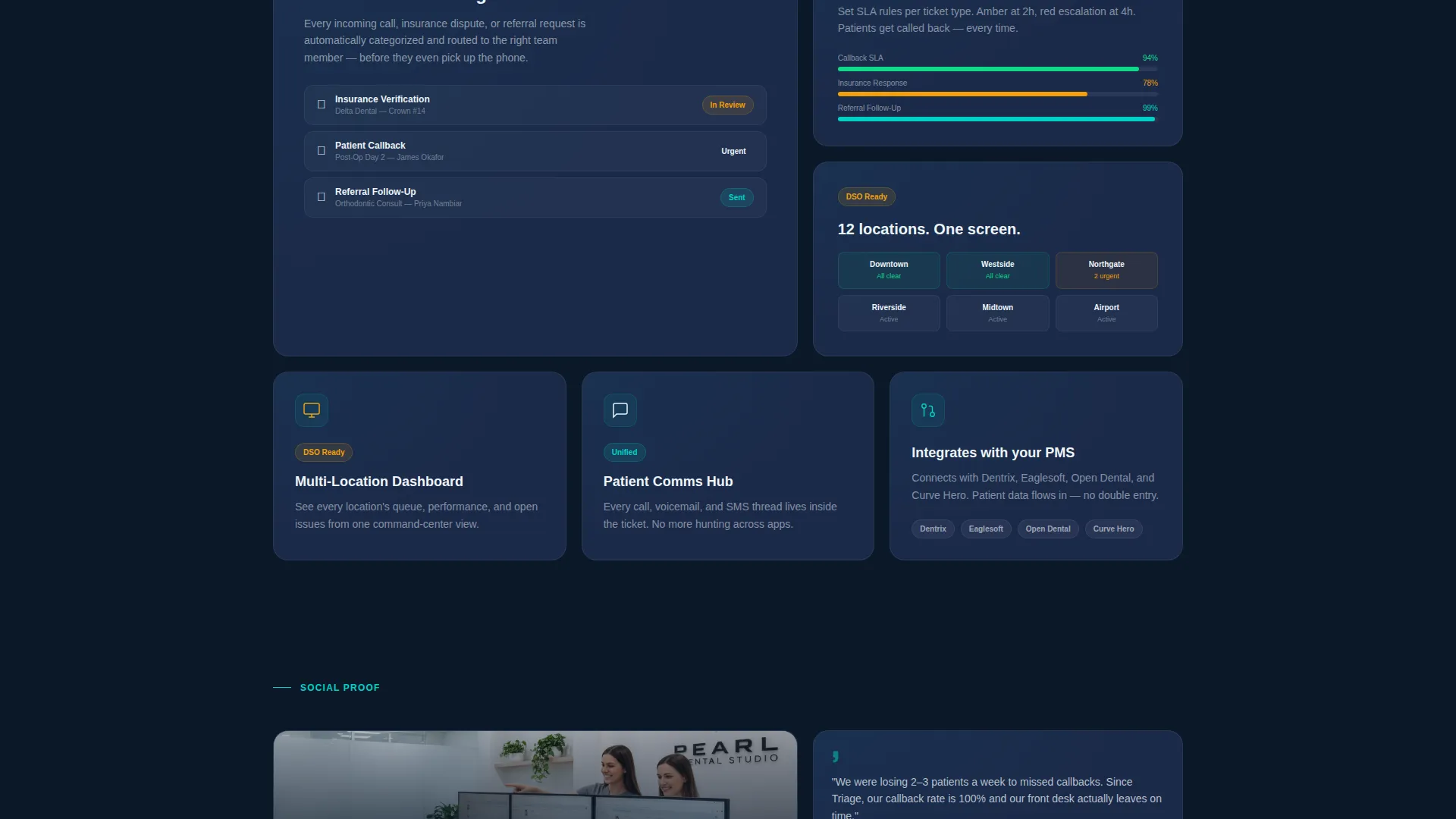
| Feature Demo Tiles | Mini interactive demos alternating with metric and proof cards |
| ROI Calculator Cell | Let visitors input locations and call volume to see time savings |
| Primary Lead Form | Collect practice name, locations, ticketing method, and work email |
| Demo Video Gate | Capture top-of-funnel email with a 90-second gated product video |
Design & branding system
The template uses a Dashboard Pro theme built entirely around a Midnight Blue color system. Every color decision is intentional: dark backgrounds keep the data-forward user interface readable while teal highlights draw the eye to the actions that matter most.
- Deep terminal navy (#0B1929) dominates background panels; instrument-panel steel (#1B2A4A) frames each bento card; clinical white (#F0F4F8) carries all body and heading typography
- Status-alert teal (#00D2C6) is reserved for buttons, notification badges, active-state borders, and live indicator pulses, making interactive elements instantly recognizable
- The overall palette evokes a mission-control screen before the first patient walks in: calm, authoritative, and always-on
Mobile & speed optimization
The bento grid layout is structured to reflow cleanly from wide desktop panels to stacked mobile cards without losing the stats-first impact that drives the page's conversion logic.
- Each bento cell is self-contained, so metric cards, feature demo tiles, and the ROI calculator each stack independently on smaller screens
- The Feature Tab Switcher is designed to remain interactive on touch devices, preserving the tab-animation experience that makes the header compelling
- Typography sizing and spacing follow the clinical-white-on-navy contrast ratio built into the design system, keeping readability intact across all viewport sizes
How this template helps you convert
Every design and copy decision in this template is pointed at one outcome: turning a curious dental operator into a qualified lead before they leave the page.
- The Feature Tab Switcher puts the product in the visitor's hands immediately, replacing abstract feature claims with an animated dashboard experience that builds trust in the first few seconds
- The stats-first bento sequence escalates from personal time savings to multi-practice ROI, matching the mental journey of an office manager, an operations director, and a DSO executive on the same page
- The dual-path call to action structure captures leads at two commitment levels, the "See Your Desk Clean" form for high-intent visitors and the gated demo video for those who need one more reason to believe
Other information about this template
This template is part of a broader set of purpose-built dental software landing page designs developed under the Dashboard Pro theme. It is especially well-suited for teams launching or repositioning a dental help desk product in a competitive market.
- The bento grid format makes it straightforward to swap metric values, case study thumbnails, and ticket category labels to match your own product data without restructuring the layout
- The ROI calculator cell and the gated video path are both designed to feed a lead pipeline, giving sales and marketing teams two distinct entry points to follow up on
- This template is built for a single-page lead generation flow and is not intended as a multi-page site structure
Theme
Dashboard Pro
Creative direction
Stats-First Impact
Color system
Midnight Blue
Style
Bento Grid
Direction
Lead Generation
Page Sections
Feature Tab Switcher Header
Stats-first Bento Grid Layout
Dental Ticket Queue Mockups
Interactive ROI Calculator Cell
Dual-path Lead Capture
Midnight Blue Visual System
Related questions
Who is this landing page template designed for?
Can I update the ticket categories and metric values to match my product?
What does the ROI calculator cell do?
Does this template include both a form and a video lead capture option?
Is this a single landing page or a multi-page website?



