AI for Healthcare Cost Calculator Website Template
Triage is a Bold Brutalist healthcare AI chatbot landing page built for hospital operations directors, telehealth CTOs, and clinic network managers. It leads with a live ROI calculator, stat-first section anchors, and a freemium pilot conversion flow. The design uses a Slate and Sky color system to communicate clinical authority while moving serious buyers toward a free pilot signup.
by Rocket studio
Quick summary
Triage is a single-page, hub-and-spoke landing page for a healthcare AI chatbot that handles patient intake questions in twelve languages. It opens with a live ROI calculator and uses anchor navigation to guide skeptical buyers through deflection metrics, language coverage, integrations, compliance, and a live demo. Every section leads with a raw statistic before the supporting evidence follows.
Who this template is for
This template is designed for people selling or evaluating AI-powered patient intake tools. The language, layout, and conversion paths are built around buyers who think in operational numbers, not marketing prose.
- Hospital operations directors managing high call-center overhead and long patient hold times
- Telehealth chief technology officers who need automated query deflection at all hours
- Clinic network managers watching patient satisfaction scores decline due to staffing bottlenecks
What problem this template solves
Healthcare AI tools are hard to sell on copy alone. Decision-makers are skeptical, time-poor, and they jump straight to the weak points. A generic landing page loses them before they reach the value proposition.
- Buyers need to see ROI in their own numbers, not a generic savings claim
- Long hold times and call-center overhead require proof-first presentation, not brand storytelling
- Nonlinear evaluators skip around the page and need anchored navigation to reach the section that matters to them
What you get with this template
You get a fully structured, single-page layout with anchor navigation, a live calculator header, and five spoke sections. Every component listed below is part of the template structure described in the brief.
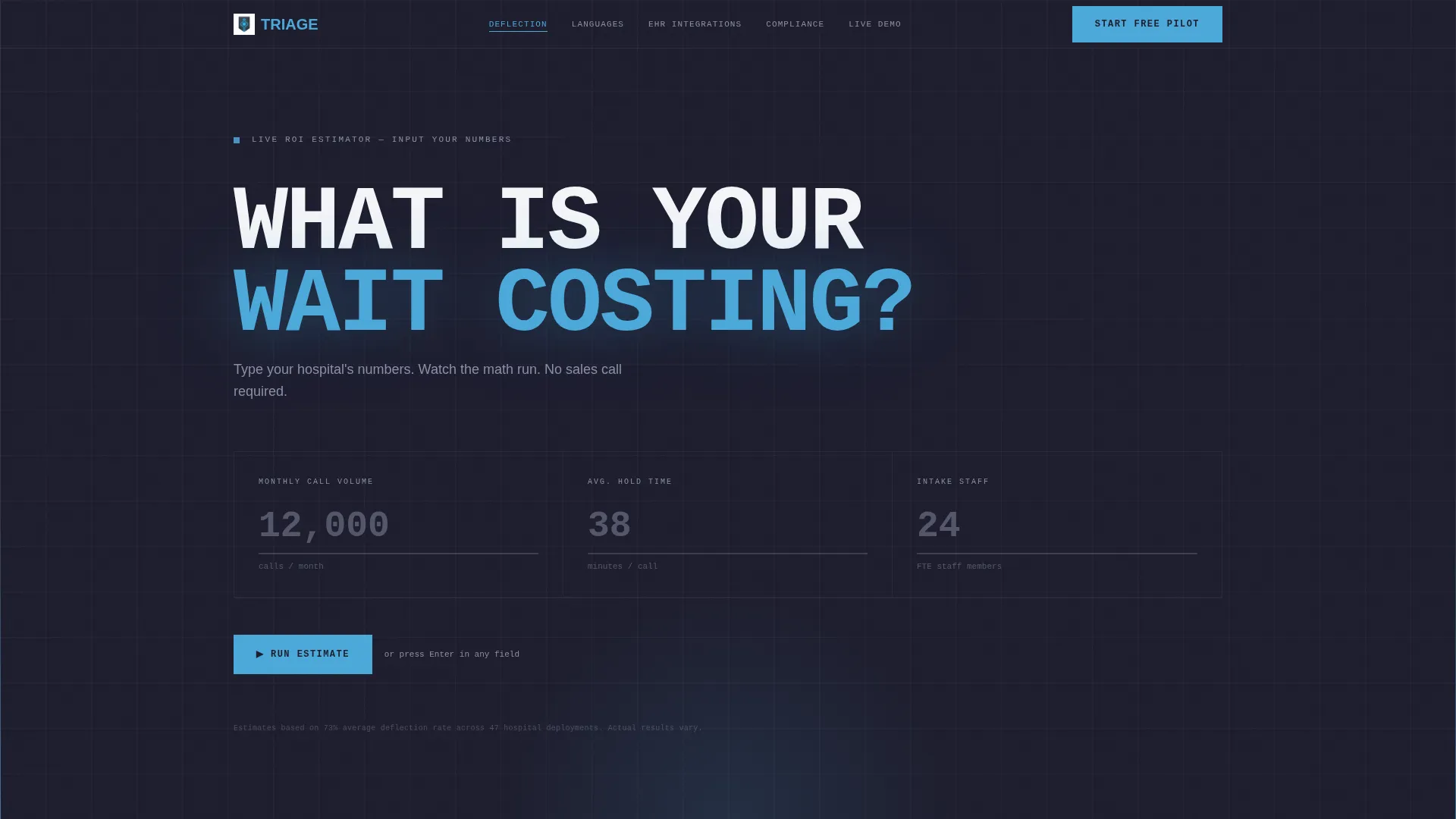
- Live ROI calculator header with three input fields and animated sky-blue result display
- Five anchor-navigated spoke sections covering deflection metrics, language coverage, EHR integration, compliance and HIPAA context, and live demo
- A three-step progressive signup form and a secondary "Email This Estimate" lead capture path inside the calculator
Feature list
This template is built around one core idea: let the numbers do the selling. Each feature below reflects a specific structural or design decision described in the brief.
Live ROI Calculator Header
Visitors enter their hospital's monthly call volume, average hold time, and number of intake staff into three oversized monospaced input fields. The moment they submit, animated results slam onto the screen in 300-pixel sky-blue digits: estimated deflection rate, projected annual savings, and nurse hours recovered per week. No imagery required. The calculation proves value before the visitor reads a single paragraph.
Anchor Navigation Hub and Spoke Layout
A persistent top navigation bar links directly to five spoke sections: Deflection Metrics, Language Coverage, EHR Integration, Compliance and HIPAA, and Live Demo. Buyers can jump nonlinearly, the way an operations director actually evaluates software. Each section is self-contained and starts with a full-viewport statistic before the supporting content follows.
Stats-First Section Design
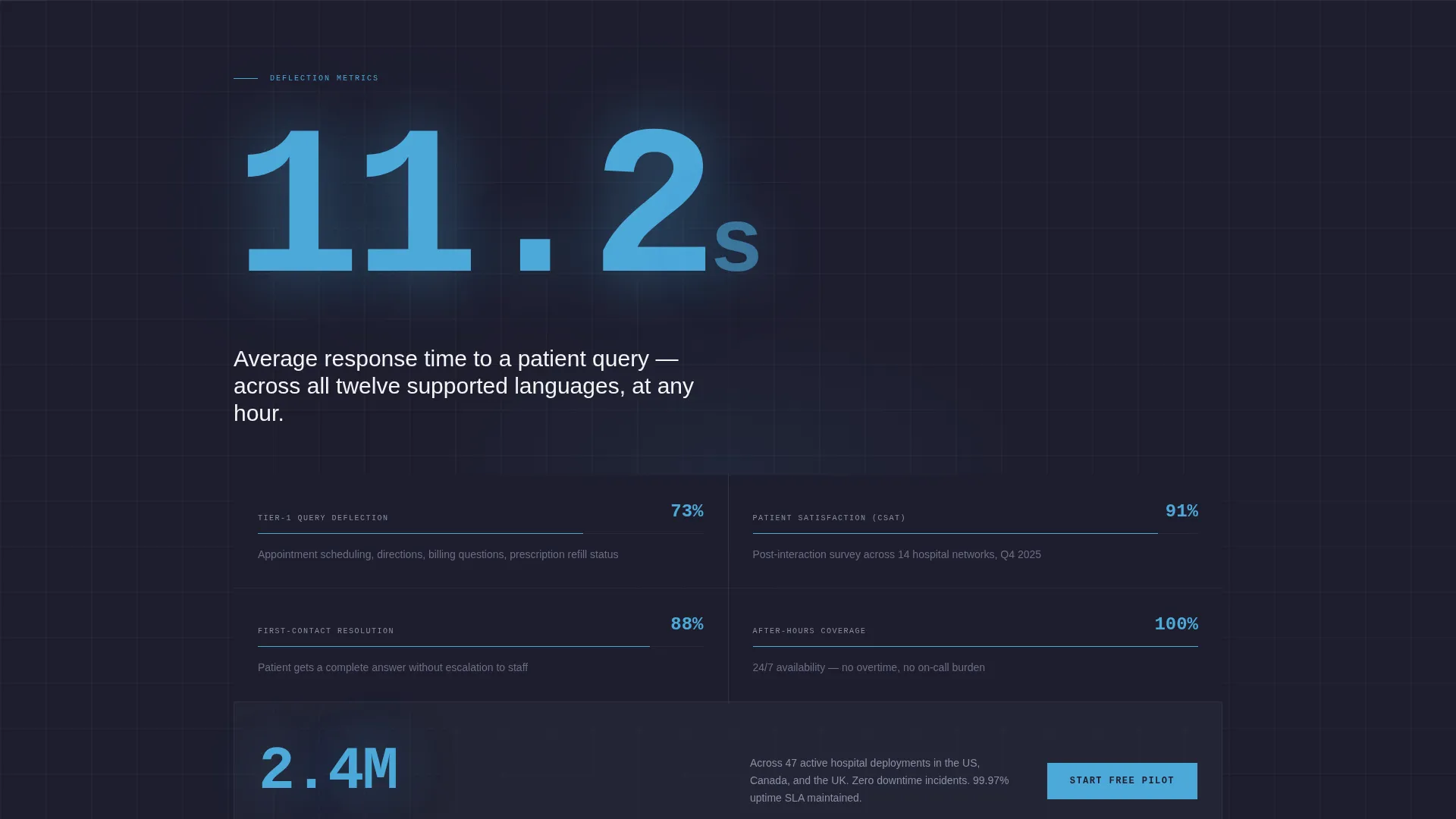
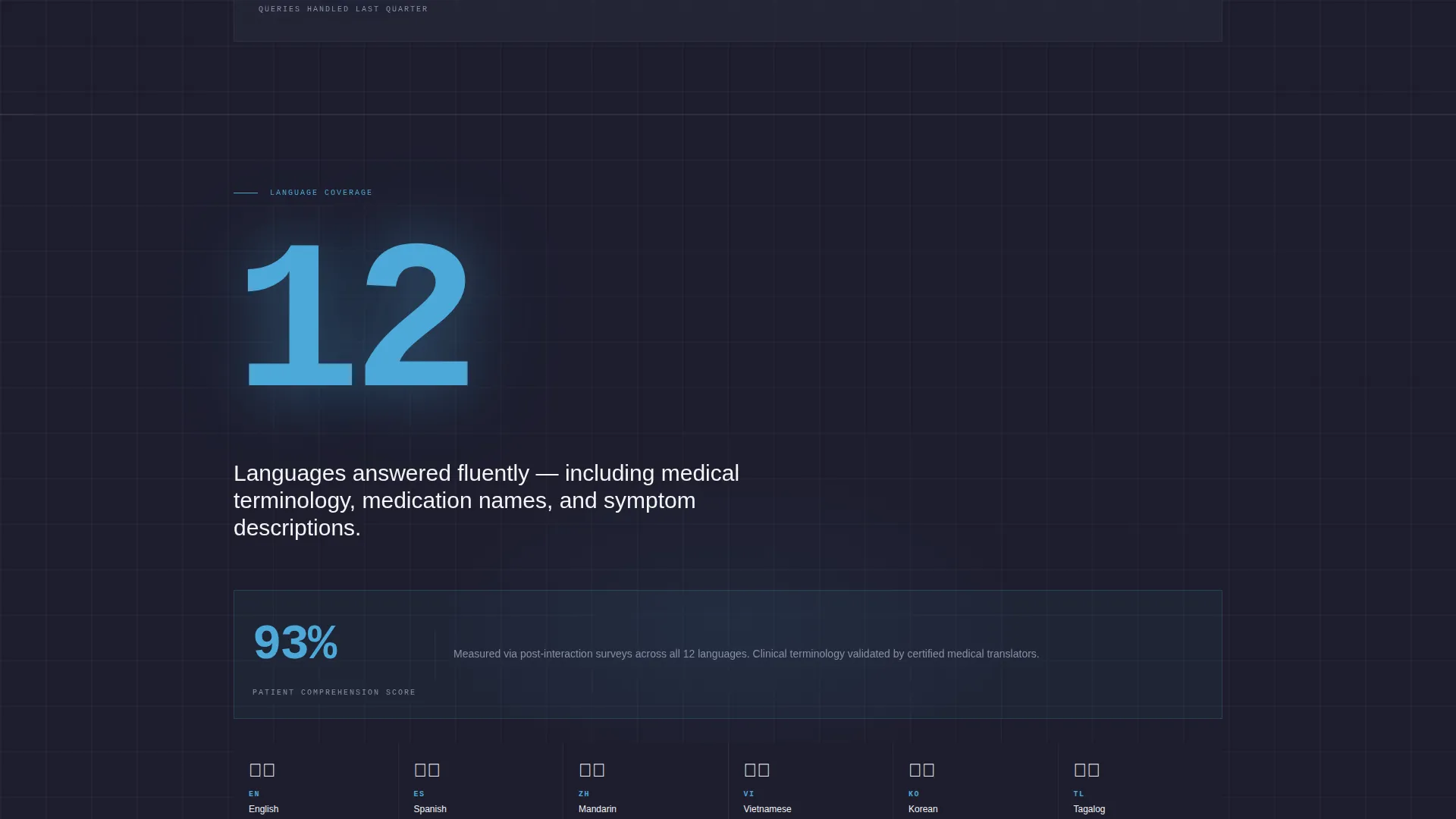
Every scroll destination opens with a single raw number occupying the full viewport. Examples built into the template include response time, patient comprehension score, and query volume. The statistic lands first; the case study, diagram, or integration detail follows beneath it.
Three-Step Progressive Signup Form
The primary conversion path is a freemium pilot form broken into three focused steps. Step one collects work email and hospital name. Step two captures the electronic health record system and estimated monthly patient volume. Step three embeds a calendar for booking a 15-minute technical onboarding call.
Secondary Lead Capture via Email Estimate
Inside the calculator, a secondary call to action labeled "Email This Estimate" captures the visitor's contact without requiring a full form commitment. It delivers a personalized savings report as a PDF and begins a nurture sequence, converting interested but undecided visitors into leads.
Floating Mobile Call to Action
The primary "Start Your Free Pilot" call to action is pinned to the bottom of every spoke section on desktop and floats persistently on mobile. This keeps the conversion entry point visible no matter where the visitor is reading on the page.
Page sections overview
| Section | Purpose |
|---|---|
| ROI Calculator Header | Let visitors compute their own savings before reading |
| Deflection Metrics | Show query deflection stats with stat-first viewport |
| Language Coverage | Display twelve-language support with comprehension data |
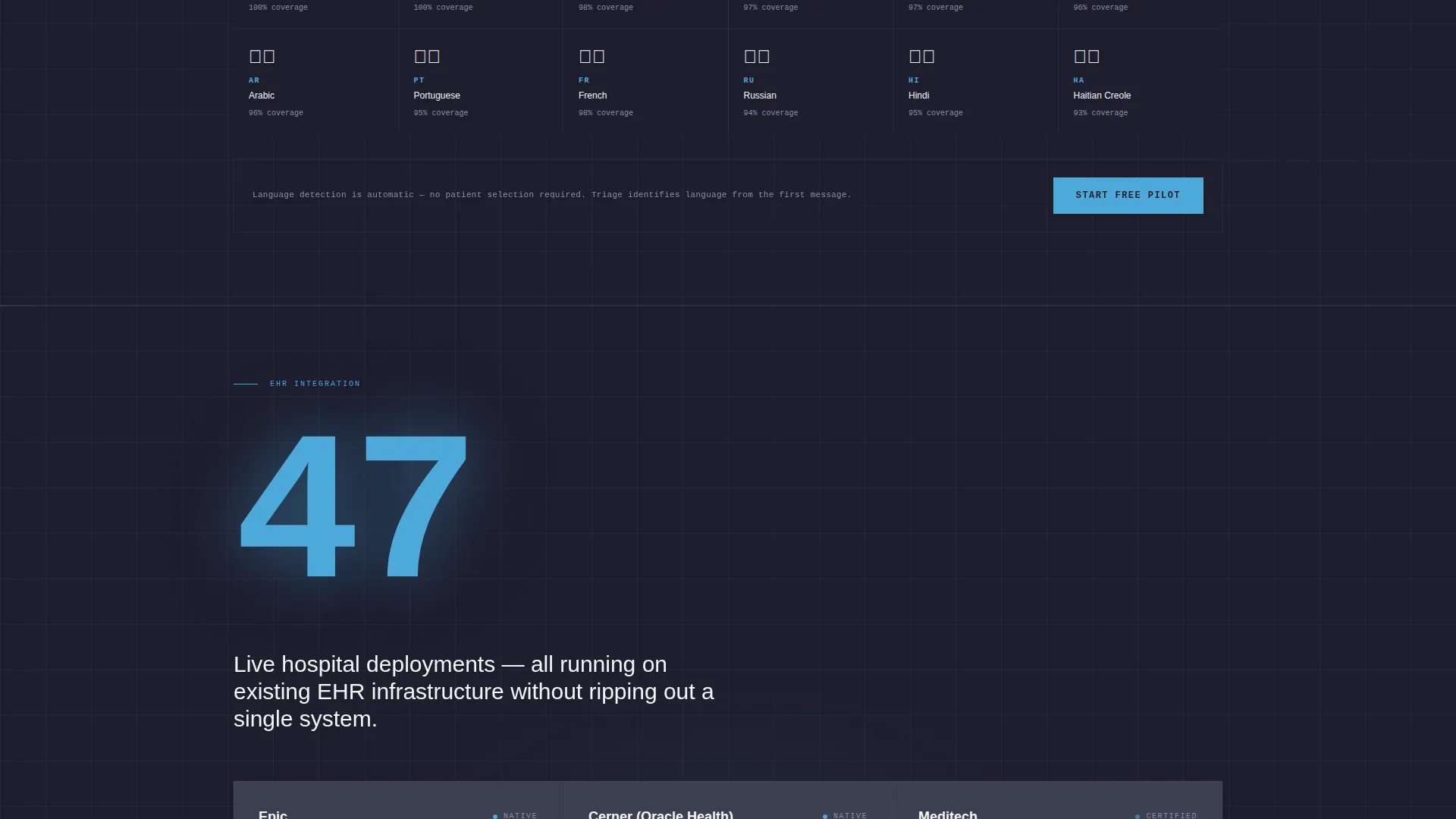
| EHR Integration | Present integration context with a supporting diagram |
| Compliance and HIPAA | Address regulatory context with anchored evidence |
| Live Demo | Let buyers interact with the AI chatbot directly |
Design & branding system
The visual system is described as Bold Brutalist. It uses the Slate and Sky color palette to create a clinical, high-contrast environment where data is the hero and decoration is stripped away entirely.
- Structural charcoal (#1E1E2E) is used for massive type blocks and section backgrounds; clinical slate (#3B3F51) surfaces card components; open-sky blue (#4DA8DA) draws every eye to interactive elements and live data output; sterile white (#F4F5F7) provides breathing room between sections
- Typography uses monospaced type in the calculator inputs, and the output digits render at 300 pixels tall in sky-blue to function as visual anchors
- No stock photography or illustration is used anywhere on the page; raw computation and typographic weight carry the entire visual identity
Mobile & speed optimization
The template is structured to remain functional and conversion-ready on mobile devices. The layout decisions described in the brief reflect a mobile-aware design approach.
- The "Start Your Free Pilot" call to action floats persistently on mobile so it is always within reach regardless of scroll position
- The three oversized calculator input fields are designed for direct interaction, keeping the primary engagement tool usable on smaller screens
- Each spoke section is self-contained and anchor-navigable, reducing friction for mobile users who prefer to jump directly to the section they care about
How this template helps you convert
The template is built around two parallel conversion paths that serve different stages of buyer readiness. Both paths feed from the same calculator entry point.
- The live ROI calculator gives buyers a personalized savings number using their own data. Once a visitor sees a dollar figure tied to their hospital, the "Start Your Free Pilot" call to action becomes a logical next step rather than a cold ask.
- The "Email This Estimate" path inside the calculator captures contact details from visitors who are interested but not yet ready to commit. They receive a PDF savings report and enter a nurture sequence, giving your team a warm lead without requiring the visitor to fill out a full form.
Other information about this template
This template is built for the healthcare technology category and sits at the intersection of AI for healthcare and patient intake automation. A few additional details are worth noting for buyers evaluating fit.
- The template is categorized under Technology with a subcategory of AI for Healthcare and a niche focus on healthcare AI chatbot use cases
- The hub-and-spoke layout with anchor navigation is specifically suited to longer sales cycles where multiple stakeholders evaluate different sections independently
- The freemium and free pilot conversion model reflected in this template is common in healthcare software-as-a-service contexts where IT, operations, and clinical leadership all need to weigh in before a purchase decision
- The EHR system dropdown in the signup form references Epic, Cerner, Meditech, and an Other option, reflecting the real-world intake landscape this template is built to serve
Theme
Bold Brutalist
Creative direction
Stats-First Impact
Color system
Slate & Sky
Style
Hub & Spoke (Anchor Nav)
Direction
Freemium/Trial
Page Sections
Live ROI Calculator with Animated Output
Hub and Spoke Anchor Navigation
Stats-first Full-viewport Sections
Three-step Progressive Pilot Form
Email Estimate Secondary Lead Capture
Floating Mobile Call to Action
Related questions
Who is the primary buyer this landing page targets?
Can I customize the calculator inputs and output metrics?
Does this template include the actual AI chatbot functionality?
How does the two-path conversion model work in practice?
What electronic health record systems does the signup form reference?



