Nonprofit Patient Management Landing Page Template
Triage is a bento grid landing page template built for nonprofit patient management platforms. It combines an animated dashboard header, an interactive module explorer, and a two-step lead capture form into one focused page. The Electric Indigo color system and Startup Velocity visual energy make clinical data feel urgent, clear, and trustworthy to clinic directors and grant administrators alike.
by Rocket studio
Quick summary
Triage is a single-page template designed for platforms that help free clinics and community health centers manage patient workflows. It opens with a live dashboard preview, flows through an interactive bento grid of platform modules, and closes with a low-friction lead capture form. The design feels urgent and purposeful, built to convert clinic decision-makers who are tired of spreadsheets.
Who this template is for
This template is built for technology companies and software teams serving the nonprofit health sector. It speaks directly to the people running under-resourced clinics who need a reason to trust a new platform before they hand over their data.
- Volunteer coordinators managing walk-in surges at weekend and Saturday clinics
- Executive directors reporting exact patient-encounter numbers to grant foundations
- Nurse practitioners and clinical staff who need fast chart access between exam rooms
What problem this template solves
Free clinics and community health centers often run patient intake, visit tracking, referrals, and outcome reporting across disconnected tools or, worse, manual spreadsheets. The result is slow handoffs, missed referrals, and grant reports built from guesswork. This template gives a platform product the right first impression to fix that.
- No single view connects intake queues, visit histories, referral chains, and outcome dashboards
- Grant reporting takes hours of manual data assembly instead of a single export
- Clinic staff lose time switching between tools when every second counts during a patient visit
What you get with this template
You get a full single-page layout that walks a clinic director from discovery to demo request in one scroll. Every section is purposefully sequenced to build trust before asking for anything.
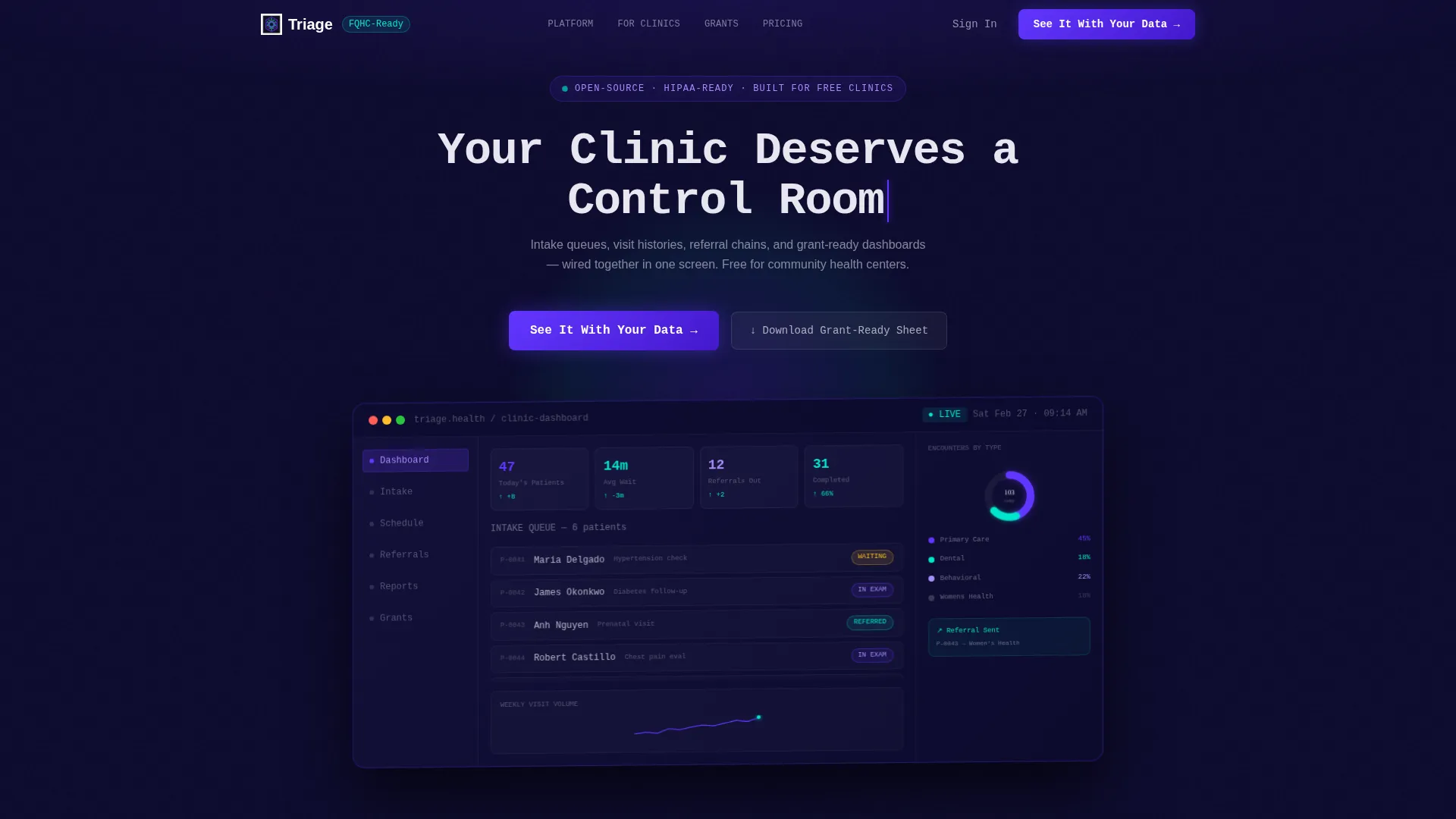
- An animated dashboard header showing a real-time intake queue, a donut chart, and a sparkline
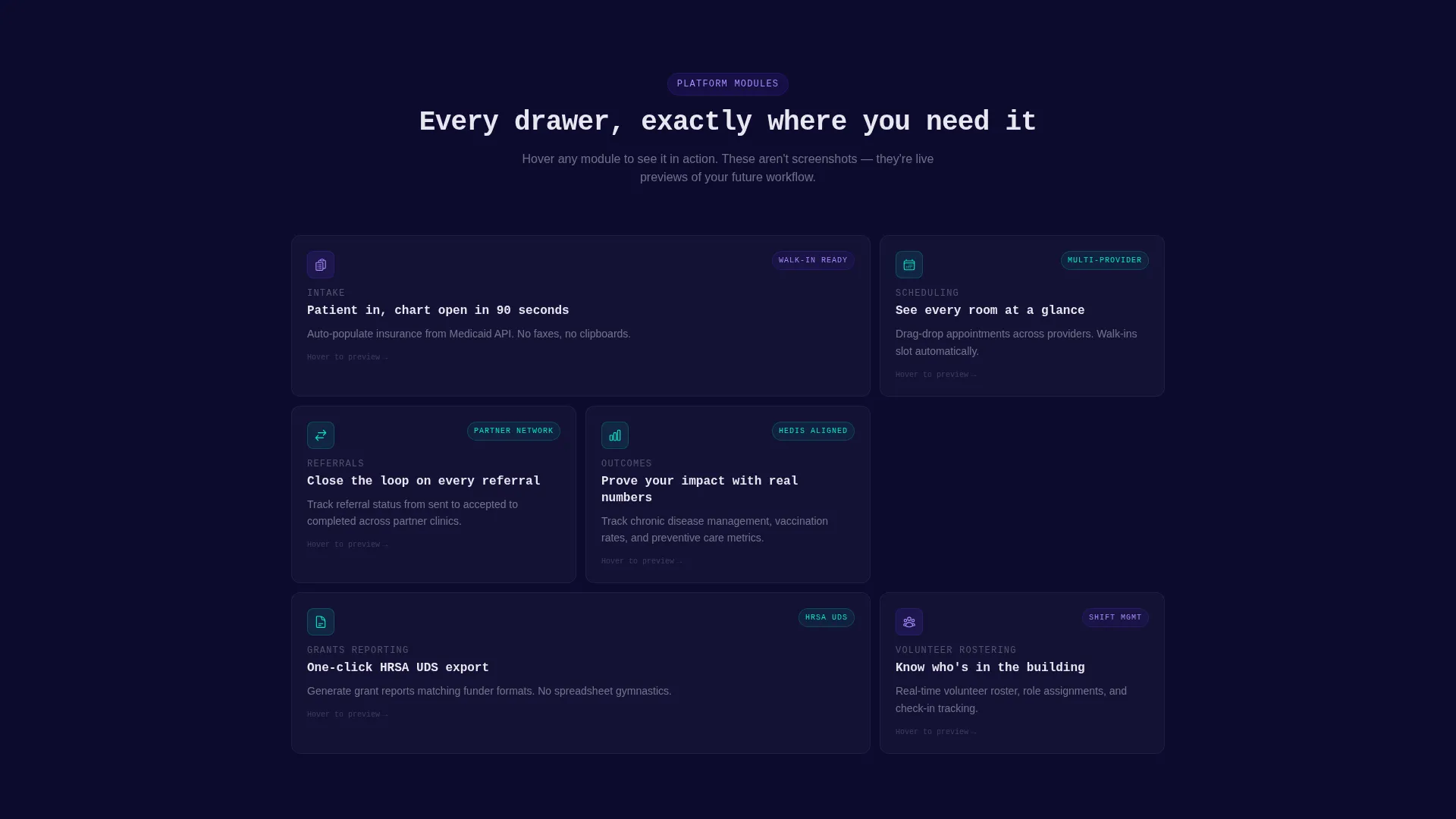
- A clickable bento grid of platform module tiles with hover-expand mini-demos
- A two-step progressive lead capture form and a secondary gated PDF download path
Feature list
This template includes purpose-built components that reflect the real workflows of nonprofit health platforms. Each section earns attention before asking for a commitment.
Animated Dashboard Header
The header fills the viewport with an isometric render of the platform's command view. A new patient card slides into the intake queue, a donut chart segment ticks up for dental encounters, and a referral arrow arcs between clinic badges. A monospaced headline types itself above the preview, setting a terminal-output tone that signals precision and speed.
Interactive Bento Grid Explorer
Six clickable module tiles cover Intake, Scheduling, Referrals, Outcomes, Grants Reporting, and Volunteer Rostering. Hovering a tile expands it into a focused mini-demo. The Intake tile shows a patient form auto-populating insurance status. The Grants tile reveals a one-click export formatted to match Health Resources and Services Administration Uniform Data System (HRSA UDS) reporting requirements.
Progressive Two-Step Lead Form
The lead capture flow starts with just two fields: clinic name and average weekly patient volume. A second step then requests contact name, role, and email. This staged approach reduces friction for first-time visitors while still collecting the context a sales or onboarding team needs.
Gated Grant-Ready PDF Path
A secondary call-to-action offers a downloadable feature sheet formatted for grant administrators. Directors who are not ready to request a demo can still engage and leave their contact details. This gives the platform two parallel conversion paths on the same page.
Real-Time Impact Counter
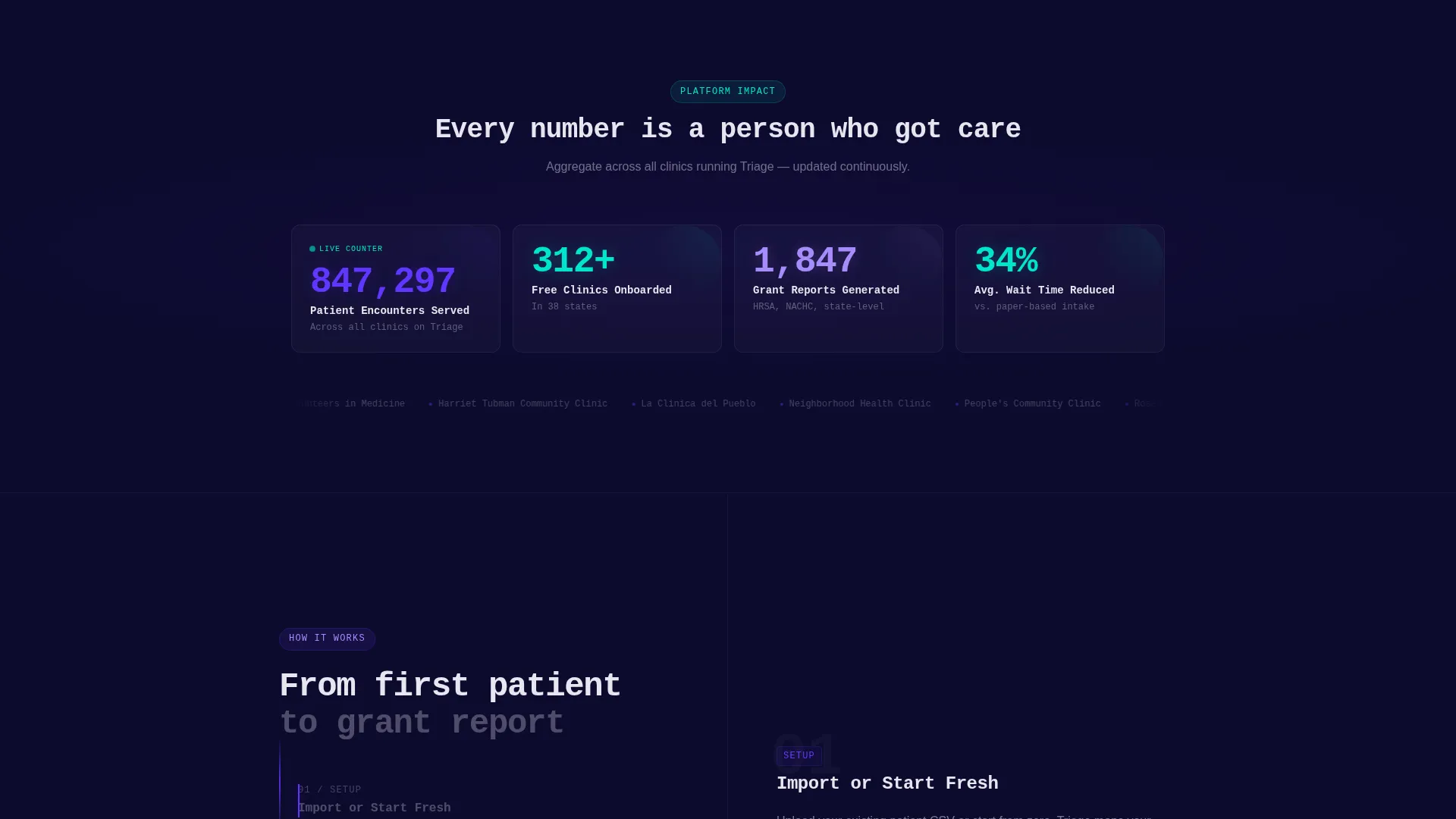
The bento grid ends with an aggregate counter showing total patients served across all clinics using the platform. The number ticks upward in real time. This social-proof mechanism escalates stakes naturally as a visitor scrolls from daily workflow relief toward board-level reporting context.
Escalating Narrative Tile Sequence
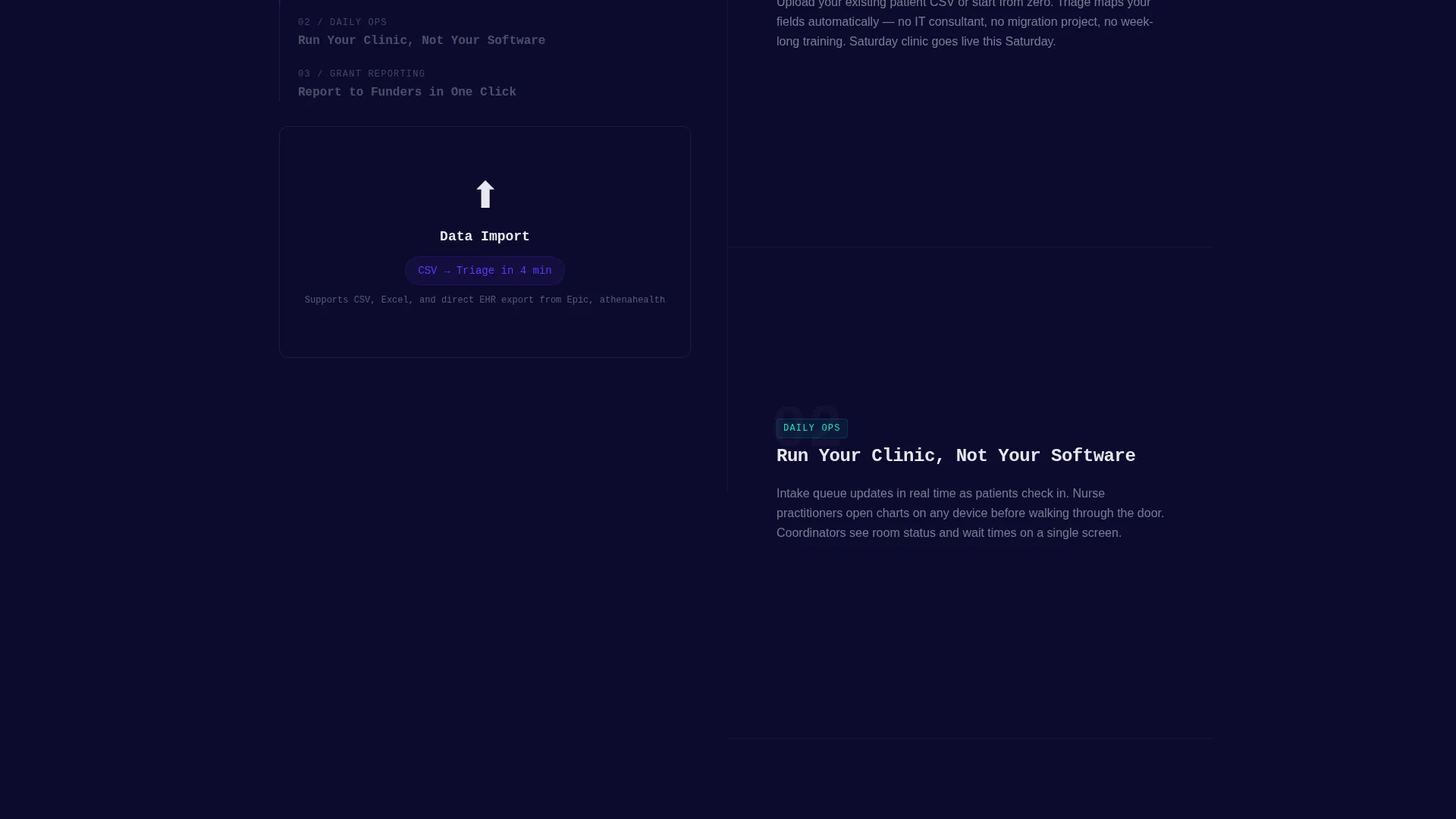
The grid is intentionally ordered so early tiles address daily clinical workflow relief and later tiles shift to multi-site rollups and board-level reporting. This mirrors the mental journey of a clinic director moving from personal pain to organizational readiness, and keeps scrolling feel purposeful rather than list-like.
Page sections overview
| Section | Purpose |
|---|---|
| Dashboard Header | Showcase live platform command view with micro-animations |
| Headline Block | Communicate core value with a self-typing monospaced statement |
| Bento Module Grid | Let visitors explore each platform feature through hover-demos |
| Stakes Escalation Tiles | Shift narrative from daily relief to multi-site impact |
| Impact Counter | Display aggregate patients served across platform clinics |
| Primary Lead Form | Capture clinic details through a two-step progressive form |
| PDF Download call to action | Offer grant-ready feature sheet as a lower-friction entry point |
Design & branding system
The visual identity uses an Electric Indigo color system on a deep mission-dark background. The palette is designed to feel like a hospital hallway lit only by monitor glow: urgent, awake, and focused on data.
- Background is deep navy-black (#0D0B2E), making data elements float visually forward
- Primary indigo (#6236FF) drives interactive tiles and graph lines; clinical teal (#00E5CC) marks success metrics and completed-referral badges
- Soft lunar gray (#E8E6F0) surfaces card backgrounds and body text for comfortable readability
Mobile & speed optimization
The bento grid layout is structured to reflow naturally on smaller screens, keeping module tiles and form steps accessible without horizontal scrolling. The Startup Velocity theme prioritizes visual clarity at every viewport width.
- Module tiles stack vertically on mobile so each mini-demo remains legible and tappable
- The two-step form reduces cognitive load on small screens by showing only two fields at a time
- Micro-animations are scoped to the header region to keep the rest of the page lightweight and scroll-smooth
How this template helps you convert
Every design decision on this page is sequenced to earn trust before requesting contact details. Visitors interact with real module previews before they ever see a form field.
- The animated dashboard header immediately demonstrates platform capability, giving clinic directors a reason to keep scrolling before reading a single feature claim.
- The bento grid lets visitors self-select into the modules most relevant to their role, whether that is daily intake flow or quarterly grant reporting, creating personal relevance before the ask.
- The two parallel conversion paths, the demo request form and the PDF download, ensure the page captures both decision-ready buyers and early-stage researchers in a single visit.
Other information about this template
This template is categorized under Technology and Nonprofit Software, making it a strong fit for platforms targeting the nonprofit patient management space. It is built as a single-page bento grid layout using the Startup Velocity theme and the Interactive Explorer creative direction.
- The template style is Bento Grid, and the header concept is Dashboard Preview with live micro-animations
- The lead generation direction supports two distinct conversion paths to serve both demo-ready and research-stage visitors
- The design language draws from clinical urgency: every color, animation, and tile placement reinforces that the platform handles real patient data for real communities
Theme
Startup Velocity
Creative direction
Interactive Explorer
Color system
Electric Indigo
Style
Bento Grid
Direction
Lead Generation
Page Sections
Animated Isometric Dashboard Header
Interactive Bento Grid Module Tiles
Two-step Progressive Lead Form
Gated Grant-ready PDF Download
Real-time Impact Counter
Related questions
Who is this landing page template designed for?
Can I customize the bento grid module tiles?
What are the two conversion paths included in this template?
Does this template include the animated dashboard header?
Is this template suitable for multi-site or network-level clinic platforms?



