Triage - Powerful Veterinaryanalytics Landing Page Template
Triage is a hub-and-spoke veterinary analytics landing page template built for practices that need real-time clinical intelligence. It opens with a single high-impact statistic, walks visitors through animated analytics modules, and drives free trial sign-ups with a two-step progressive form. The Carbon Fiber visual system and tab-switched dashboard viewport make the template feel like a live command center.
by Rocket studio
Quick summary
Triage is a single-page veterinary analytics landing page template designed around a Stats-First Impact creative direction. It combines a Feature Tab Switcher header, hub-and-spoke anchor navigation, and a dark Carbon Fiber color system to present clinical, revenue, and staff performance data with immediate credibility. The template targets freemium and free-trial conversion with no credit card required.
Who this template is for
This template was built for veterinary professionals who manage data at scale and need a landing page that matches the sophistication of their product. It speaks directly to the people responsible for clinic performance, not just patient care.
- Practice managers working through large volumes of patient information management system (PIMS) exports who need a cleaner analytics view
- Chief-of-staff veterinarians tracking case outcome trends across multiple doctors within a single practice
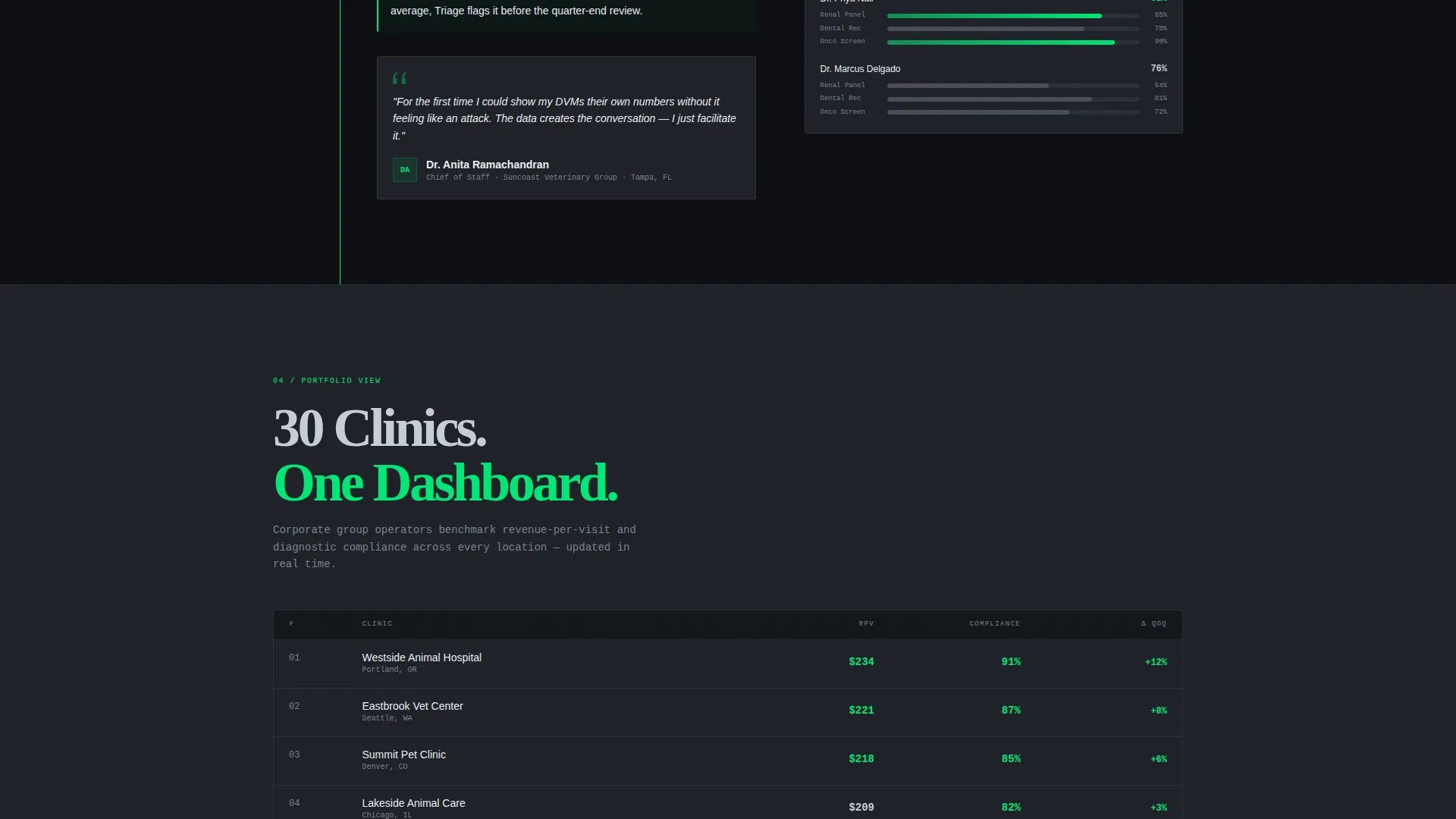
- Corporate group operators benchmarking revenue-per-visit and diagnostic compliance across thirty or more clinic locations
What problem this template solves
Most veterinary software landing pages bury the value. They lead with feature lists instead of proof. Triage flips that pattern by opening with a single financial impact number before any feature is introduced. This forces the visitor to feel the cost of inaction before they even scroll.
- Practices lose revenue through missed diagnostics, and most landing pages never make that cost visible upfront
- Visitors lose trust when they see placeholder chart data that looks nothing like a real clinic's numbers
- Multi-step conversion forms overwhelm hesitant buyers who are not yet ready to commit
What you get with this template
The template delivers a fully structured landing page ready to be customized with your own brand and data. Every section has a defined purpose in the conversion flow, and the visual hierarchy has already been resolved for you.
- A Feature Tab Switcher header with three labeled analytics tabs and a shared dashboard viewport beneath each one
- A progressive two-step signup form collecting practice name, PIMS provider, email, and clinic size with no credit card requirement
- Hub-and-spoke anchor navigation with a persistent left-rail menu linking to each analytics module spoke
Feature list
This template includes six core design and functional components grounded in the source brief. Each one serves a specific role in the visitor journey.
Feature Tab Switcher Header
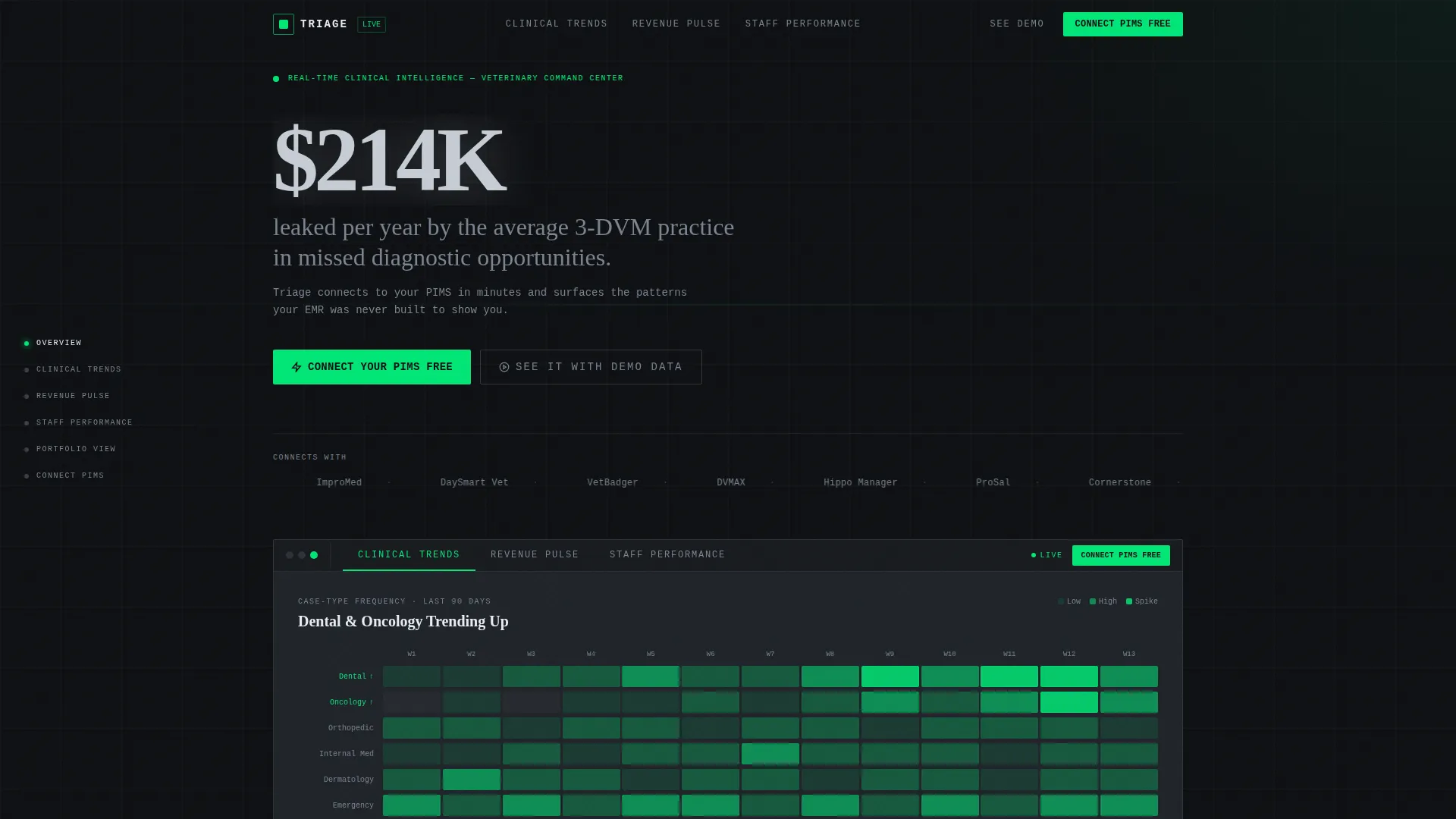
Three tabs labeled Clinical Trends, Revenue Pulse, and Staff Performance sit above a single dashboard viewport. Each tab click swaps the visible data view, showing a 90-day case-type heatmap, a transaction value chart with appointment volume overlay, or a leaderboard of diagnostic capture rates by doctor.
Stats-First Hero Section
The page opens with a single 120-pixel statistic rendered in surgical instrument silver on cockpit black. The line reads: "The average 3-DVM practice leaks $214K/year in missed diagnostics." No competing elements surround it. The number does the work before any feature copy appears.
Animated Hub-and-Spoke Modules
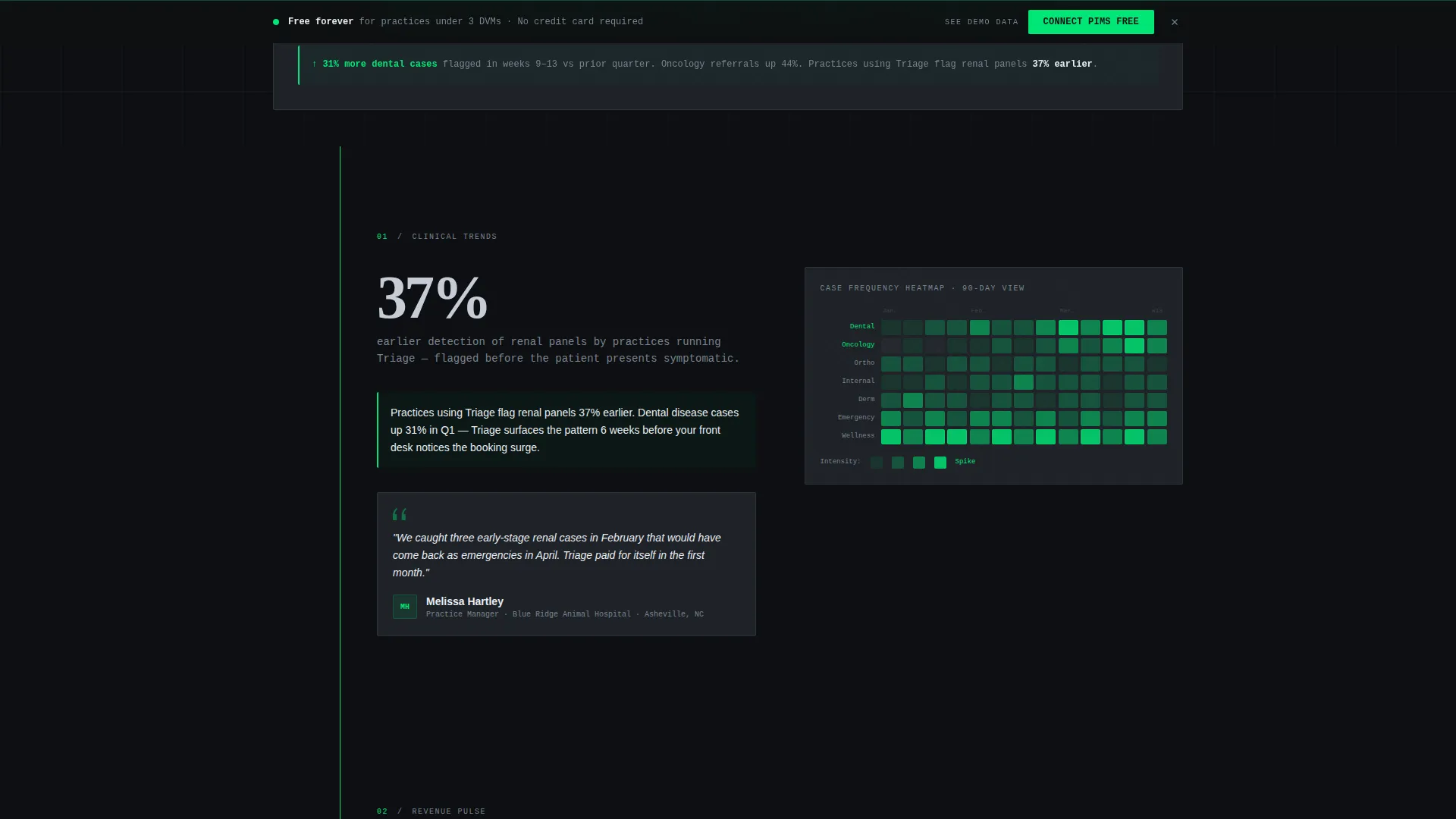
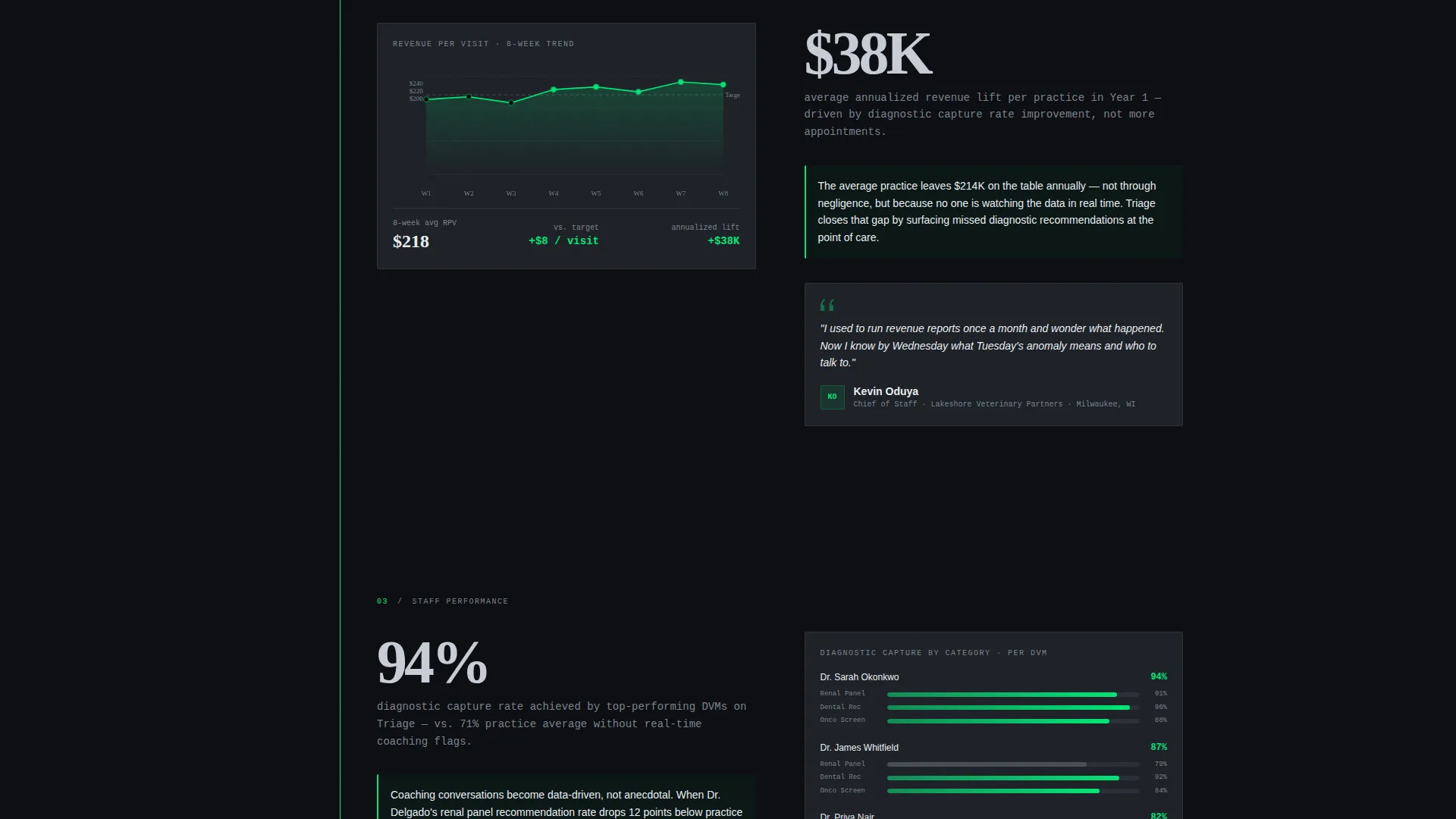
Each anchor-linked spoke section contains an animated chart that draws itself on scroll, a one-sentence data insight referencing real veterinary percentages, and a named micro-testimonial from a practice manager. The escalating structure moves from individual patient outcomes to whole-practice revenue to multi-location portfolio views.
Sticky Conversion Bar
A persistent call-to-action bar appears after the second spoke section and stays visible as the visitor continues scrolling. The primary action button reads "Connect Your PIMS Free" and is styled in alert pulse green to separate it clearly from all surrounding interface elements.
Progressive Two-Step Signup Form
Step one of the form asks for the practice name and PIMS provider via a dropdown listing four common systems. Step two requests email address and clinic size. The split keeps the initial ask low and reduces form abandonment before the visitor is ready to commit.
Demo Sandbox Secondary Path
A secondary call-to-action labeled "See It With Demo Data" lets hesitant visitors launch a read-only sandbox view without signing up. This path converts visitors who need to recognize familiar clinic patterns in the interface before they are willing to share their own credentials.
Page sections overview
| Section | Purpose |
|---|---|
| Tab Switcher Header | Introduces three analytics views in one viewport |
| Stats-First Hero | Opens with a single high-impact financial number |
| Clinical Trends Spoke | Shows 90-day case-type heatmap with dental and oncology spikes |
| Revenue Pulse Spoke | Charts average transaction value against appointment volume |
| Staff Performance Spoke | Displays DVM leaderboard with diagnostic capture rates |
| Sticky call to action Bar | Keeps the primary signup action visible on scroll |
| Two-Step Signup Form | Captures practice details and contact info progressively |
| Demo Sandbox call to action | Offers a no-commitment read-only sandbox entry point |
Design & branding system
The Carbon Fiber color system gives the template a matte-black diagnostic monitor aesthetic. Every color in the palette earns its place through functional meaning, not decoration.
- Four-color palette: cockpit black (#0D0F12) as the base, woven carbon mid-tone (#1E2228) for surface layers, surgical instrument silver (#C6CDD5) for primary text and data labels, and alert pulse green (#00E676) reserved exclusively for live data points, active states, and primary calls to action
- The visual identity follows a Data Command theme where zero warmth is a deliberate design decision, creating the sensation of sliding into a blacked-out cockpit with every gauge already glowing
- Typography and chart styling use real veterinary numbers throughout so visitors can immediately pattern-match the data to their own clinic's experience
Mobile & speed optimization
The template is structured to support responsive viewing across device sizes. The anchor navigation and tab-switching header are components that can be adapted to narrower viewports without losing the core conversion flow.
- The hub-and-spoke anchor navigation adapts to a compact format on smaller screens, keeping each analytics module reachable without losing scroll context
- The two-step progressive form is intentionally short at each step, which helps reduce friction especially for visitors filling out forms on mobile devices
- The demo sandbox secondary path gives mobile visitors a low-commitment entry that does not require them to complete a multi-field form on a small keyboard
How this template helps you convert
The conversion architecture in Triage is layered intentionally. Each layer removes a different reason for a visitor to leave without acting.
- The Stats-First hero creates immediate financial urgency before any feature is described, making inaction feel costly from the first second on the page
- The sticky conversion bar with the alert pulse green call-to-action button keeps the primary signup step visible throughout the scroll journey, so the visitor never has to hunt for where to sign up
- The "See It With Demo Data" secondary path captures visitors who are interested but not yet ready to connect their own practice data, giving them a low-risk way to engage with the product and convert later
Other information about this template
This template is designed for the veterinary software and SaaS category within a broader technology marketplace. It fits cleanly into the veterinary analytics dashboard niche and was built to match the expectations of buyers evaluating purpose-built clinical intelligence tools.
- The template style is Hub and Spoke with Anchor Navigation, a layout pattern well suited to multi-module SaaS products that need to walk visitors through several distinct capability areas without sending them to separate pages
- The freemium and free-trial landing page direction means the primary goal is not a purchase but a low-friction first connection, which is reflected in the no-credit-card positioning throughout the copy and form design
- The intersection of the Data Command theme, Carbon Fiber color system, and Stats-First Impact creative direction makes this template a strong starting point for any veterinary practice intelligence or clinical data platform looking to establish authority at first glance
Theme
Data Command
Creative direction
Stats-First Impact
Color system
Carbon Fiber
Style
Hub & Spoke (Anchor Nav)
Direction
Freemium/Trial
Page Sections
Feature Tab Switcher Dashboard Header
Stats-first Hero with Financial Impact
Animated Spoke Sections with Proof Rhythm
Sticky Alert-green Call to Action Bar
Progressive Two-step Signup Form
Demo Sandbox Secondary Conversion Path
Related questions
Does this template require a paid subscription to use?
Can I change the PIMS provider names in the dropdown?
What happens if a visitor is not ready to connect their practice data?
Does the template work for corporate groups managing multiple clinic locations?
Are the chart numbers in this template editable?



