Pediatric Vertical SaaS Pre-Launch Website Template
Triage is a hub-and-spoke landing page template built for pediatric scheduling systems. It opens with an interactive revenue estimator, then routes visitors through five dense feature spokes covering routing, waitlist management, recalls, analytics, and integrations. The page pushes every visitor toward a live sandbox demo with zero form friction standing in the way.
by Rocket studio
Quick summary
Triage is a single-page template designed for B2B pediatric scheduling software. It uses a Feature Matrix layout with an anchor navigation bar linking five capability spokes. The header leads with a calculator that outputs recovered monthly revenue. Every section stacks operational evidence until the visitor clicks into a pre-loaded demo environment.
Who this template is for
This template is built for businesses selling scheduling software to pediatric medical practices. It speaks directly to the operations side of a clinic, not the clinical side. If your buyers sit at a workstation managing fifteen providers across three locations, this layout earns their trust in the language they already use.
- Office managers and practice administrators who monitor provider capacity, no-show rates, and daily appointment fill across multiple locations
- Front-desk coordinators handling forty or more inbound calls per day, currently routing patients manually using paper waitlists
- Practice owners and operations leads who need to identify revenue lost to scheduling gaps and present a clear plan for recovery
What problem this template solves
Multi-location pediatric practices lose revenue quietly. No single incident is catastrophic, but the accumulation of missed slots, manual intake processes, and delayed triage decisions drains the schedule every day. The team absorbs the friction, and the cost stays invisible until someone runs the math. This template makes that math impossible to ignore.
- Practices waste staff hours on inbound calls that a triage workflow could resolve or route automatically, pulling the team away from higher-value communication
- Patients with urgent symptoms wait too long because the correct provider slot is never surfaced in real time, affecting both care quality and patient satisfaction
- No-show rates and unfilled appointments cost practices real revenue, and most teams have no quick way to monitor those costs or model adjustments without pulling data manually
What you get with this template
You get a complete, ready-to-launch landing page structure built around one conversion goal: getting the visitor into a live demo. Every section is customizable to your product's specific data and workflow. There are no decorative distractions, no stock images, and no form fields blocking the path to the demo.
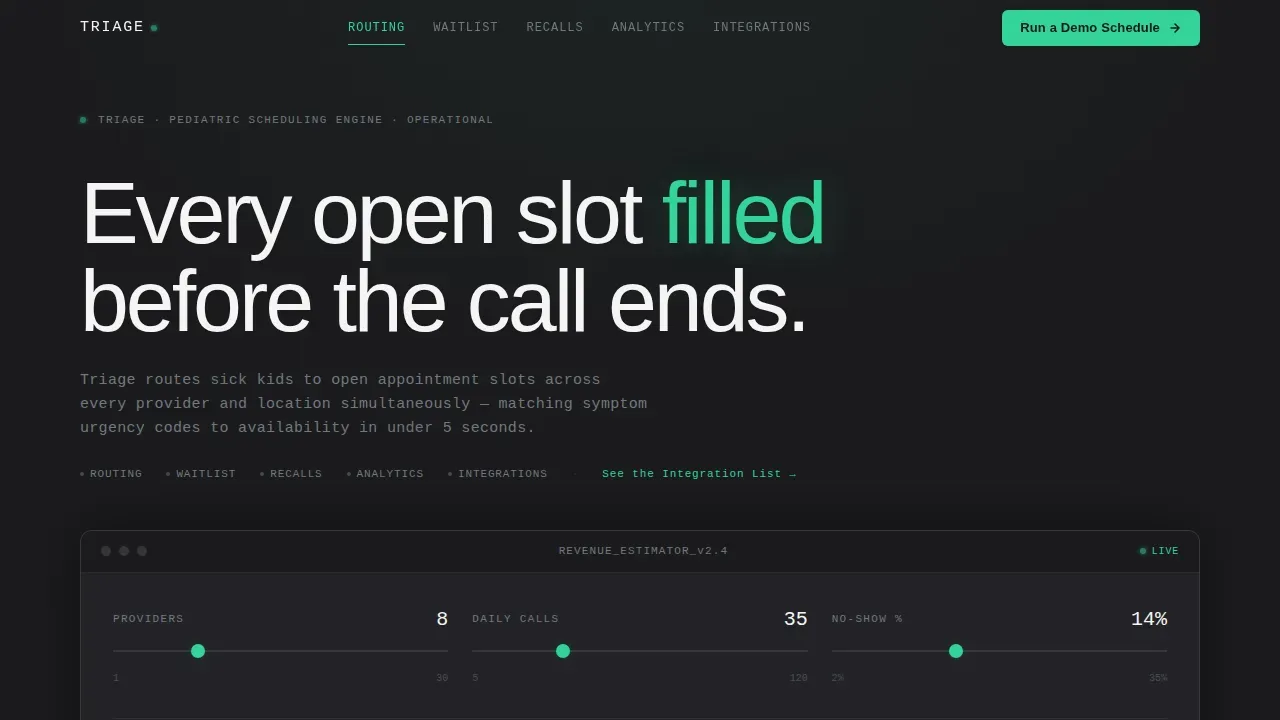
- A hero section with a live revenue estimator calculator that takes provider count, daily call volume, and no-show percentage as inputs and outputs a monthly recovery figure
- Five anchor-linked feature spokes covering Routing, Waitlist, Recalls, Analytics, and Integrations, each with a device frame showing live data states
- A primary call-to-action that reads "Run a Demo Schedule," appearing first inside the estimator results and repeated at the base of each spoke
Feature list
This template ships with a tightly scoped set of interactive and layout functions. Each one serves the single goal of moving a qualified operations buyer from curiosity to a demo click.
Interactive Revenue Estimator
The header section contains a live calculator. The user inputs their provider count, average daily call volume, and current no-show percentage. The tool outputs a status-green dollar figure representing recovered monthly revenue. This is the introduction to the product's value proposition, delivered in the visitor's own operational terms.
Anchor Navigation with Active State Tracking
A navigation bar pins to the top of the page and contains five spoke labels: Routing, Waitlist, Recalls, Analytics, and Integrations. Each label links to its corresponding section. Active state tracking highlights the correct spoke as the user scrolls, giving the page a workstation-grade, data-command feel without extra development complexity during setup.
Symptom Routing Feature Block
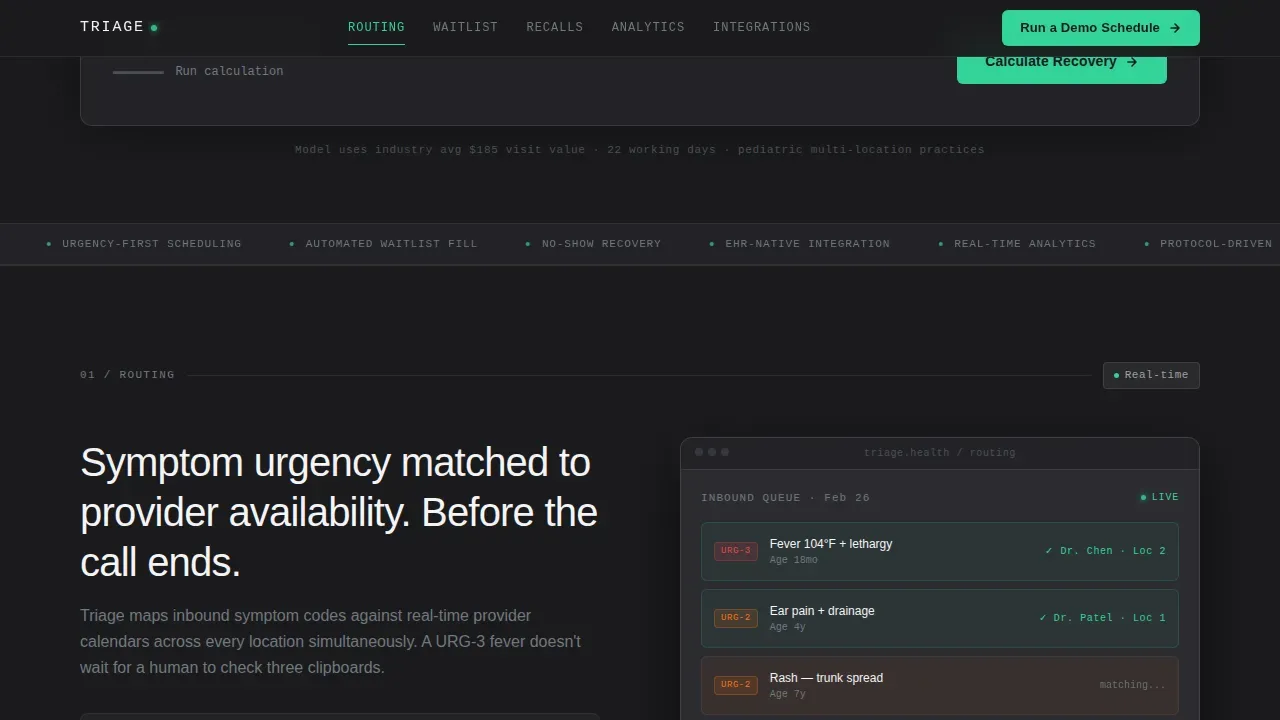
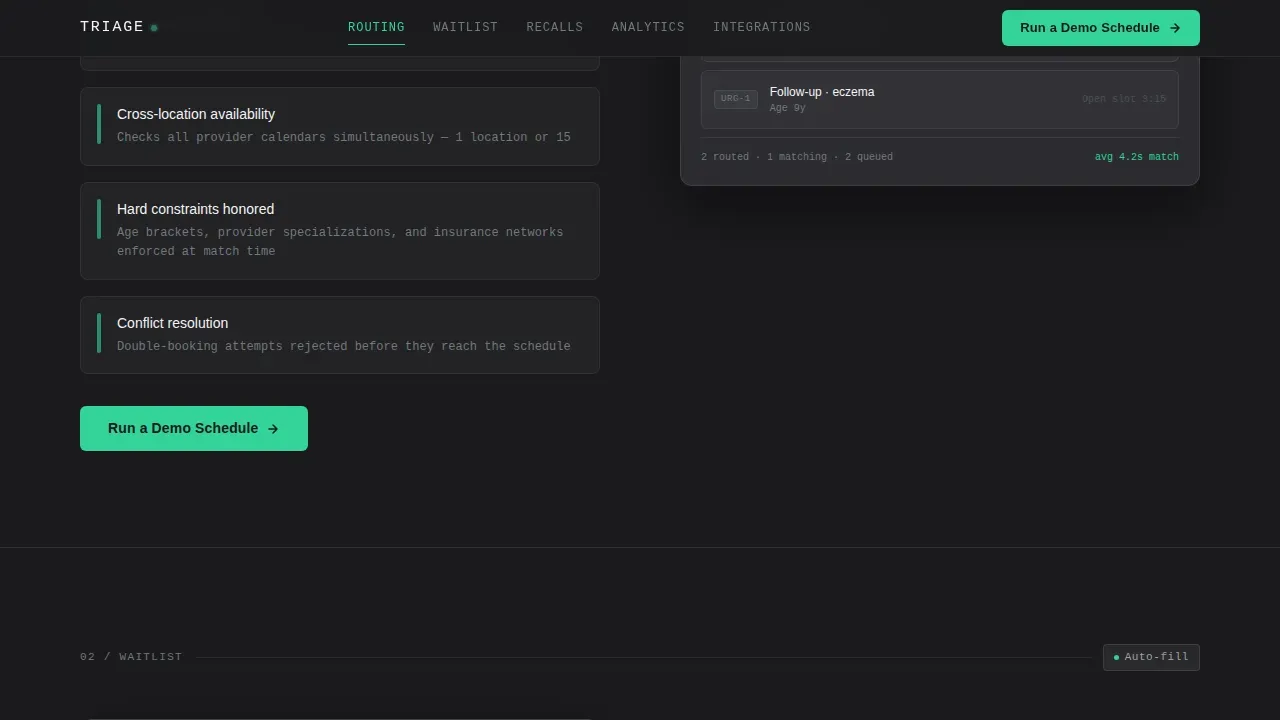
The Routing spoke presents the triage system's core function. It shows how urgency codes tied to patient symptoms are matched against real-time provider availability across locations. The layout uses a two-column structure: plain-language capability descriptions on the left and a device frame showing live booking data states on the right.
Waitlist and Recall Engine Block
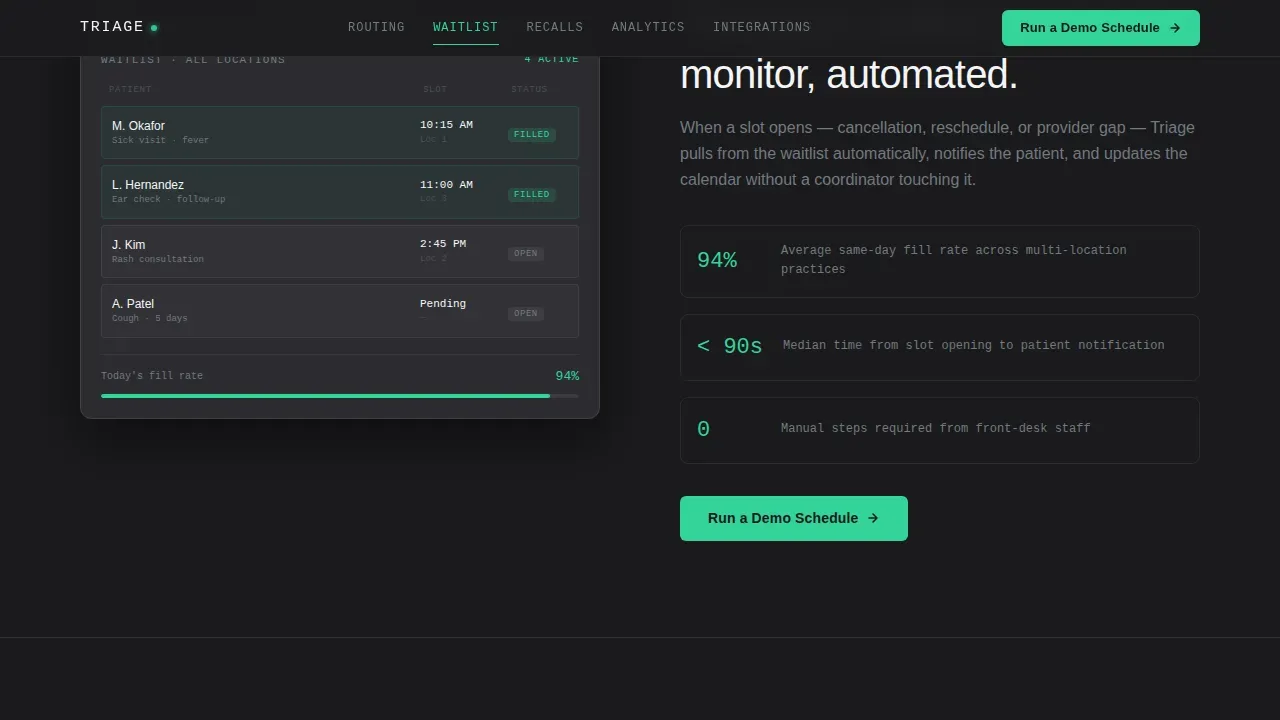
This spoke covers automated waitlist management and recall messaging. Digital intake forms feed the waitlist process, and automated messages go out by text, email, or voice to bring patients back for follow-up and wellness visits. Automated recall messages help practices reduce no-shows and maintain consistent engagement with their patient population.
Analytics and Integrations Spokes
The Analytics spoke surfaces the metrics a practice manager needs: no-show rates, appointment fill rates, and revenue data. The Integrations spoke presents an electronic health record (EHR) and practice management system (PMS) compatibility matrix. A secondary text link labeled "See the Integration List" anchors directly to this spoke for visitors who need EHR compatibility confirmed before they commit.
Page sections overview
| Section | Purpose |
|---|---|
| Hero Estimator Calculator | Opens with interactive revenue calculator and primary call-to-action |
| Routing Feature Spoke | Shows symptom-urgency-to-provider matching with device frame |
| Waitlist and Recalls | Covers automated waitlist, intake forms, and recall messaging |
| Analytics Dashboard Spoke | Displays no-show rates, fill rates, and revenue metrics |
| Integrations Compatibility Matrix | Lists EHR and PMS compatibility; anchored by secondary link |
| Footer Linear Row | Single-row footer following Pattern 1 layout |
Design & branding system
The visual identity follows a Data Command theme. The palette is Monochrome Steel: surgical steel (#71797E), carbon chassis (#1B1B1E), instrument white (#F4F4F5), and a single status-green accent (#34D399). Color appears only when something demands attention, such as active navigation states, toggle confirmations, and the estimator's revenue output figure.
- Typography uses DM Sans for all headings and interface elements, and JetBrains Mono for data values, numbers, and code-style outputs, reinforcing the workstation aesthetic
- Animation is scroll-linked: sections reveal as the user scrolls, numbers count up on entry, and a marquee strip carries operational metrics across the page
- There are no stock photographs of patients, no illustrations, and no decorative elements; every pixel represents a functional signal
Mobile & speed optimization
The template is built desktop-first, matching the primary user's context: an office manager at a workstation. The layout is fully responsive so practice team members can access the page and review details on any device. The calculator runs as a client component while the static feature spokes are structured as server components, keeping the page fast on initial load.
- Scroll-linked animations and number counters are scoped to their sections and do not block page rendering or delay the estimator interaction
- The anchor navigation is sticky and remains usable on smaller screens, allowing mobile users to move between spokes without losing their place in the page structure
How this template helps you convert
Every design and layout decision in this template serves the single conversion goal: a click into the live demo environment. The page treats the visitor as an operations professional and delivers evidence in the format they respond to best.
- The revenue estimator leads with the visitor's own numbers, creating immediate personal relevance before any feature has been described; the status-green output figure is the first call-to-action
- Each feature spoke adds one more layer of proof that the system handles something the visitor currently does manually, building confidence through stacked operational detail rather than through escalating emotional language
- The "Run a Demo Schedule" call-to-action requires no form fields; one click lands the visitor in a pre-loaded environment seeded with sample provider rosters and patient queues, removing every barrier between intent and experience
Other information about this template
This template is a strong fit for businesses in pediatric vertical SaaS and broader healthcare operations software. It is customizable to reflect your product's specific data model, provider structure, and integration list. The setup process involves replacing sample data with real provider rosters, updating the estimator logic to reflect your product's recovery model, and connecting the demo button to your sandbox environment.
- Research into total digital triage models shows that practices using this approach can manage demand via a single workflow, prioritizing care based on need rather than a first-come, first-served model; digital triage systems can enable a significant portion of patient requests to be resolved without an in-person visit, which reduces avoidable footfall and helps protect patients and staff
- A blended approach to communication, covering text, email, and voice, should be represented in the Recalls spoke to match the needs of different patients; automated reminders delivered across these channels are a proven way to reduce no-shows in pediatric practices
- The Integrations spoke can store and display a detailed EHR compatibility matrix; practices require access to an online consultation system to support total triage, and confirming that access up front is a key buying signal for this audience
- Tips for launch: test the estimator with real-world provider counts and no-show percentages before going live; verify that the demo sandbox is pre-loaded with representative data so the visitor's first experience reflects your product's actual intake and routing workflow
- EHR Assist's pediatric patient engagement software is one example of the engagement model this template's product category sits within; the template's Integrations spoke is the correct place to reference specific platform alternatives and compatibility details
- Pediatric practices, primary care networks, and community-based businesses exploring digital triage development will find the Feature Matrix layout effective for communicating capability depth to operations-focused buyers who are already prepared to evaluate scheduling software
Theme
Data Command
Creative direction
Feature Matrix
Color system
Monochrome Steel
Direction
Click-Through
Page Sections
Interactive Revenue Estimator Calculator
Anchor Navigation with Active Spoke Tracking
Symptom Urgency Routing Block
Automated Waitlist and Recall Engine Block
Analytics Dashboard Spoke
EHR and PMS Integrations Matrix
Related questions
Does this template include actual scheduling software or booking logic?
Can I customize the estimator inputs and output formula?
How does the 'Run a Demo Schedule' call-to-action work?
Is this template suitable for a single-location pediatric practice product?
What makes this different from a generic SaaS landing page template?



