Healthcare Software & SaaS Cost Calculator Website Template
Triage is a bold brutalist healthcare CRM landing page built for practice managers and hospital VPs who need to see the real cost of coordination failures. A live revenue-leak calculator sits above the fold. A prosecutorial comparison table follows. Every section is designed to replace chaos with clarity and move decision-makers toward a full audit.
by Rocket studio
Quick summary
Triage is a single-page healthcare CRM landing page template built around one brutal question: how much revenue did your practice leak last year? A live calculator answers it instantly. Then the page walks visitors through every coordination failure point, prosecutes the alternatives, and presents a clear path forward. It is desktop-first, data-driven, and built for high-stakes B2B conversion.
Who this template is for
This template is built for healthcare operations teams who live with coordination failures every day. It speaks directly to people who already feel the pain and need a tool that validates it with numbers.
- Practice managers and specialty clinic coordinators juggling referral faxes, missed follow-ups, and back-to-back scheduling conflicts
- Hospital system vice presidents tracking patient leakage and preparing revenue accountability reports for the C-suite
- Healthcare SaaS teams that need a conversion-focused landing page to reach operations buyers in clinical settings
What problem this template solves
Patient coordination in most practices runs across sticky notes, disconnected tabs, and manual follow-up calls. The cost is real, but it rarely shows up as a single visible number. This template makes that number impossible to ignore.
- Practices lose revenue through missed referrals, billing denials, and patient drop-off without ever seeing a clear cause-and-effect view
- Decision-makers comparing CRM options have no side-by-side evidence to take to leadership, so decisions stall
- Generic landing pages fail healthcare buyers because they sell features instead of showing clinical workflow impact
What you get with this template
This template delivers a complete, structured landing page built around the Problem-to-Solution Arc creative direction. Every section is purposeful and ordered to move a skeptical healthcare buyer from recognition to action.
- A live above-the-fold calculator, a five-card failure-point section, a full comparison table, a case study card, and a progressive call to action form
- A bold brutalist visual system using deep charcoal, electric indigo, clinical white, and warning magenta throughout
- Desktop-first layout with mobile fallback, counter animations, scroll reveals, slab-drop keyframes, and table row stagger effects
Feature list
This template packages a set of high-impact, prompt-backed components designed specifically for healthcare CRM conversion.
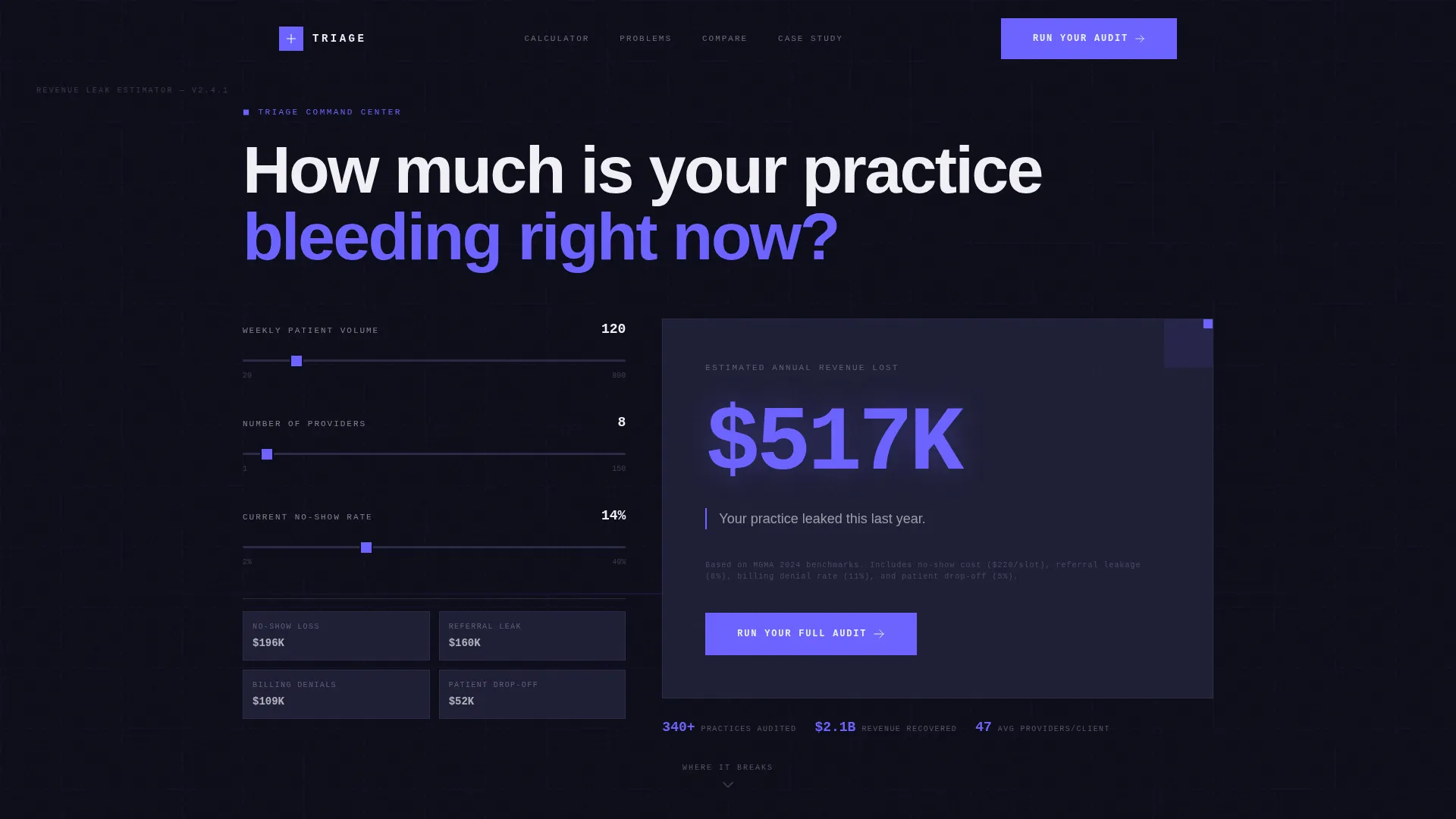
Live Revenue-Leak Calculator
Visitors input patient volume, number of providers, and current no-show rate using range sliders. A concrete-block animation computes estimated annual revenue lost to coordination failures. The result displays in 120px indigo type against raw charcoal, with a single line beneath it that makes the number land hard.
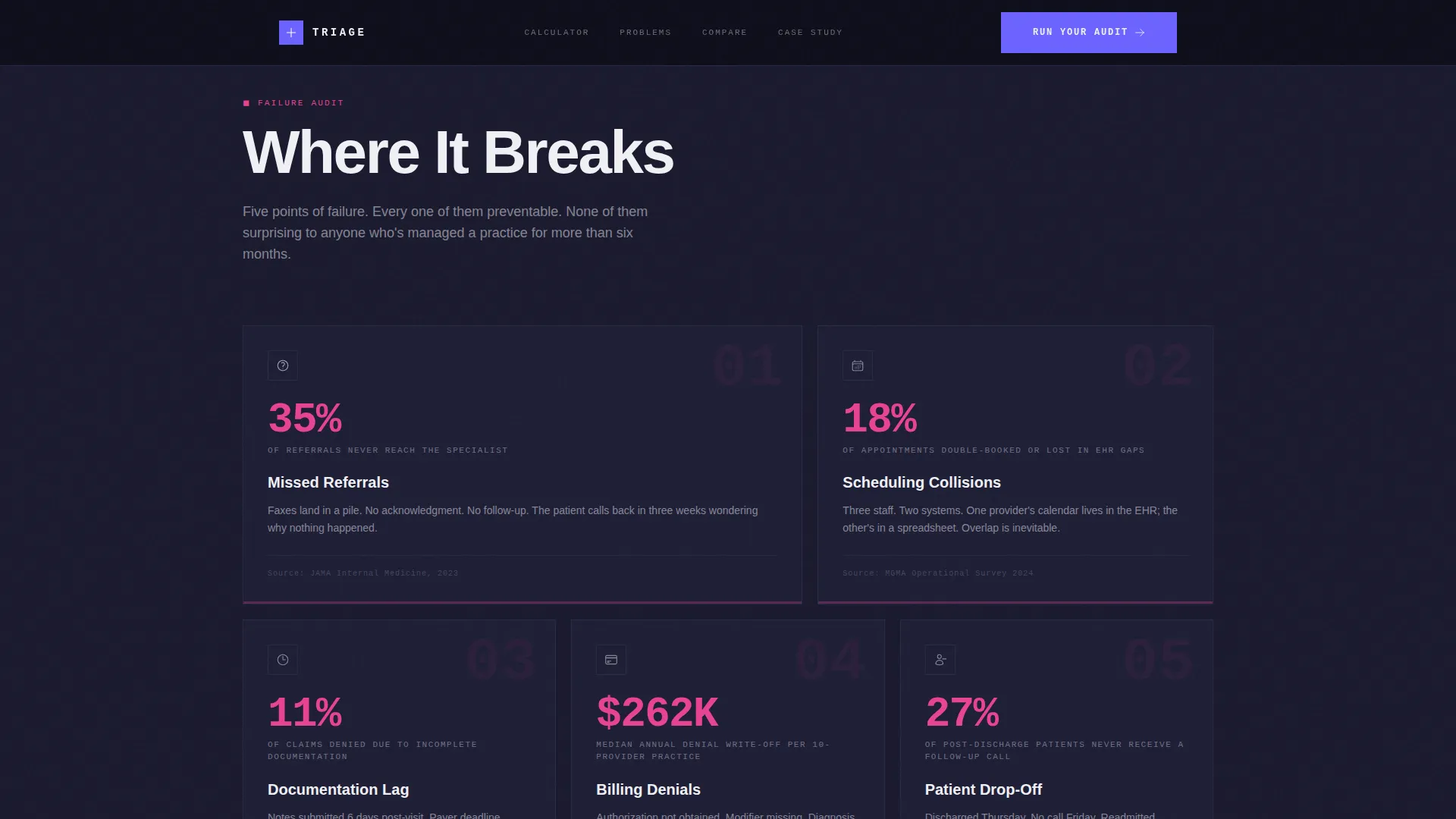
Five Failure-Point Cards
The "Where It Breaks" section renders five coordination failure points as brutalist data cards. Each card covers a specific breakdown: missed referrals, scheduling collisions, documentation lag, billing denials, and patient drop-off. Every card pairs its failure type with a real cited statistic.
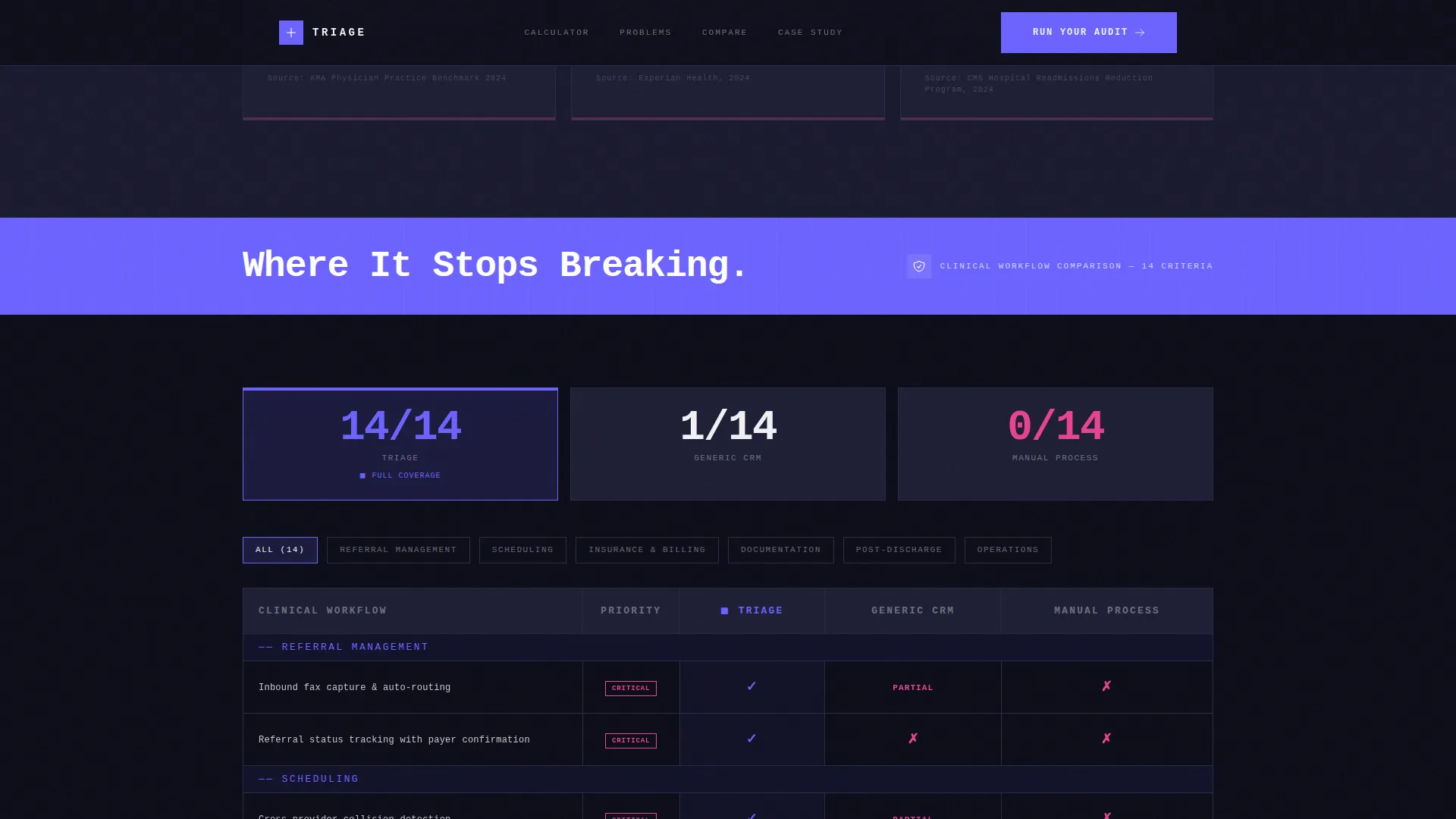
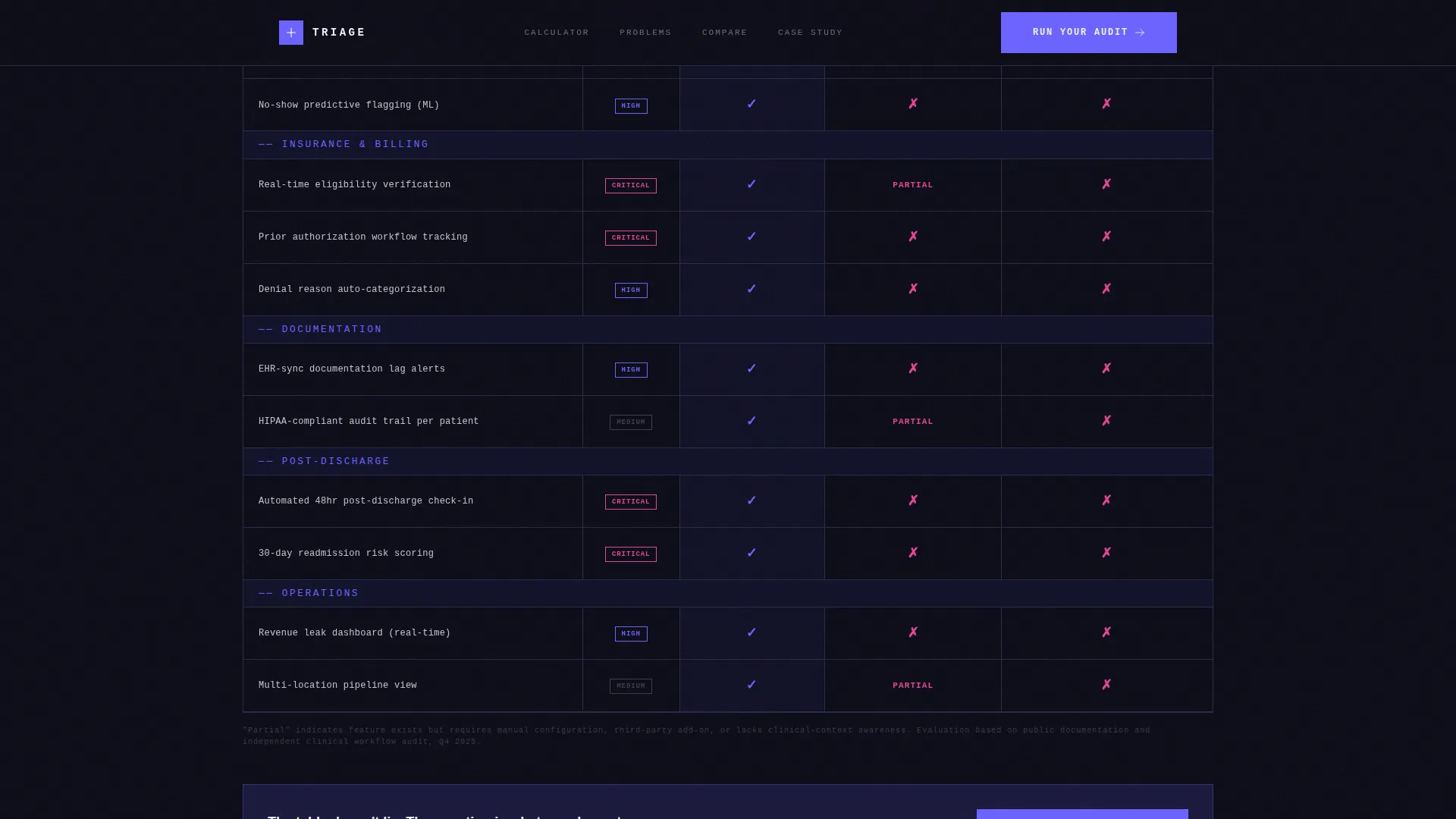
Prosecutorial Comparison Table
A full-width comparison table rows out Triage against generic CRMs and manual processes. Columns use monospaced type, indigo checkmarks, and magenta X marks. Each row addresses a specific clinical workflow rather than a vague feature category, so the table argues its case rather than just listing capabilities.
Case Study Card
A single dense case study card presents before-and-after metrics from a 47-provider orthopedic group. The card shows numbers only, no testimonial copy. This format gives VPs the kind of evidence they can forward to the C-suite without editing.
Progressive Audit Form
The primary call to action opens a progressive form that collects organization type, current electronic health record system, and biggest operational pain point. The form is designed to qualify leads by context, not just by contact details. A secondary path gates a comparison PDF download behind email only.
FAQ Accordion
An interactive FAQ accordion handles remaining buyer objections and context questions directly on the page. This reduces drop-off from visitors who are not yet ready to book a demo but need one more confirmation before moving forward.
Page sections overview
| Section | Purpose |
|---|---|
| Hero Calculator | Compute and display revenue lost to coordination failures above the fold |
| Where It Breaks | Present five clinical failure points as data-backed brutalist cards |
| Indigo Divider | Mark the hard pivot from problem to solution with full-width typography |
| Comparison Table | Prosecute alternatives row by row across specific clinical workflows |
| Case Study Card | Show before-and-after metrics from a 47-provider orthopedic group |
| call to action + Audit Form | Capture leads via progressive form and secondary PDF download gate |
| Footer | Deliver single-row linear footer with minimal navigation |
Design & branding system
The visual identity is Bold Brutalist, built to feel like a hospital corridor redesigned by a concrete architect lit by ultraviolet strips. There is zero decoration. Every element serves a function.
- Color palette: deep slab charcoal (#1A1A2E) for backgrounds, electric indigo (#6C63FF) for interactive surfaces and data accents, clinical white (#F0F0F5) for text and table cells, warning magenta (#E84393) for competitor shortfall highlights
- Typography: JetBrains Mono for all numerical and data displays, DM Sans for body copy and headings, creating a sharp contrast between raw data and readable prose
Mobile & speed optimization
The template is built desktop-first to serve practice managers at workstations and VPs on laptops, which reflects the primary usage context. A mobile fallback layout is included for secondary access scenarios.
- Desktop layout prioritizes wide comparison tables and large-format calculator output for clarity at workstation screen sizes
- Static sections use server components while the live calculator and progressive form use client-side rendering to keep interactive elements responsive
How this template helps you convert
Every scroll inch of this template is engineered around a single conversion goal: moving a skeptical healthcare operations buyer from recognition of pain to commitment to a demo or audit.
- The above-the-fold calculator delivers a personalized dollar number before the visitor reads a single marketing claim, making the value proposition immediate and impossible to dismiss
- The comparison table provides row-by-row clinical workflow evidence that a VP can screenshot, export as a PDF, or forward directly to a C-suite colleague without additional context
- The dual call to action path captures buyers at different readiness levels: the "Run Your Full Audit" form targets decision-makers ready to act now, while the PDF download gate captures researchers who need internal approval first
Other information about this template
This template is part of the Healthcare Software and SaaS category under the broader Technology classification. It is built for the healthcare CRM niche and is designed to serve B2B buyers at the practice management and hospital operations level.
- The landing page direction is Comparison/Versus, meaning the core conversion mechanism is side-by-side evidence rather than brand storytelling
- Animation level is high: counter animation on the calculator output, slab-drop keyframe transitions between sections, scroll-triggered reveals, and staggered table row entries all contribute to a tactile, weighty feel
- Interactivity level is high: live range sliders, a FAQ accordion, a progressive multi-step form, and a PDF gate modal are all included in the template scope
- The localization is set for USA contexts using USD currency formatting, 12-hour time display, and MM/DD/YYYY date formatting throughout
Theme
Bold Brutalist
Creative direction
Problem→Solution Arc
Color system
Electric Indigo
Style
Comparison Table
Direction
Comparison/Versus
Page Sections
Live Revenue-leak Calculator
Five Clinical Failure-point Cards
Prosecutorial Comparison Table
Numbers-only Case Study Card
Progressive Audit Form and PDF Gate
Interactive FAQ Accordion
Related questions
Who is the primary audience for this template?
What makes this landing page different from a standard SaaS template?
Can the calculator and form sections be customized for my CRM product?
Does the template include a way to capture leads who are not ready to book a demo?
Is this template suitable for a hospital system rather than a small practice?



