Radio Station CRM Landing Page Template
Tuner is a single-page comparison table landing page template built for a radio station CRM platform. It showcases a searchable national station database covering call letters, format changes, ownership chains, signal reach, ad rates, and contact trees. Designed for media buyers, syndicators, and indie labels, it drives freemium sign-ups through a stats-first layout and live data previews.
by Rocket studio
Quick summary
Tuner is a landing page template for a radio station CRM platform that indexes every station in the country into a living, searchable database. The design uses a dark broadcast palette with teal signal accents. Stats-first sections build credibility fast, and a comparison table keeps visitors measuring free-tier value against Pro and Enterprise throughout the scroll.
Who this template is for
This template is built for SaaS teams offering vertical CRM tools to the radio and media industry. It speaks directly to the professionals who rely on accurate, real-time station data every week.
- Media buyers assembling spot schedules across dozens of markets before a Monday deadline
- Syndicators hunting for new affiliate pickups and needing fast ownership chain lookups
- Indie labels cold-pitching program directors who actually add new music to rotation
What problem this template solves
Radio industry professionals waste hours cross-referencing outdated directories, stale spreadsheets, and disconnected contact lists. The Tuner template frames this exact pain point and positions the platform as the single source of truth for station data.
- No more manual research across fragmented sources to find a program director's current contact
- No more guessing whether a station's format changed since last quarter
- No way to quickly compare spot costs, signal reach, and ownership across forty markets at once
What you get with this template
The template delivers a complete, single-page conversion flow built around a freemium trial entry point. Every section is designed to move a skeptical professional from curiosity to a first free search.
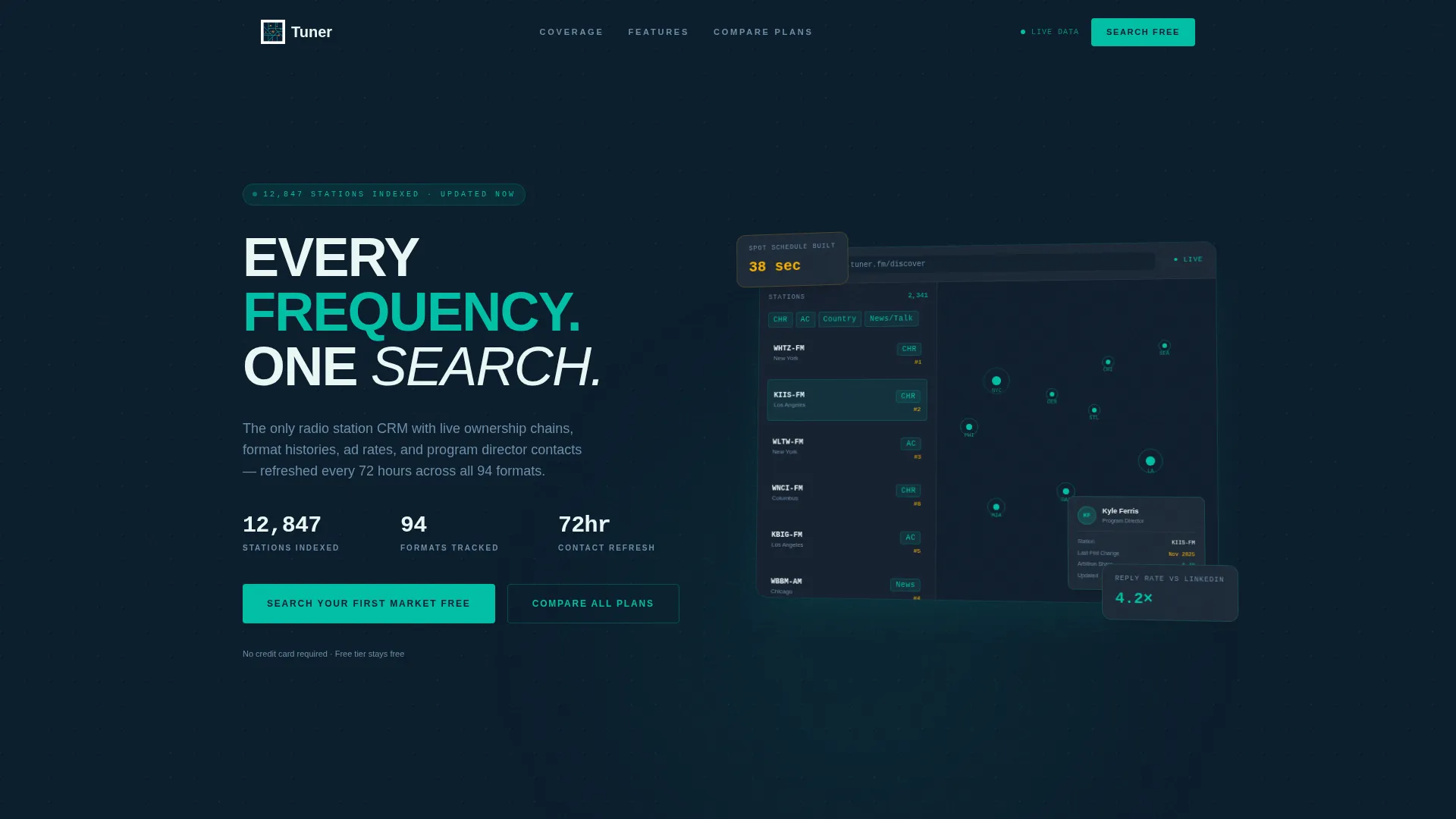
- A pixel-perfect dashboard preview header showing the CRM's station discovery view with a live map, filterable sidebar, and open contact card
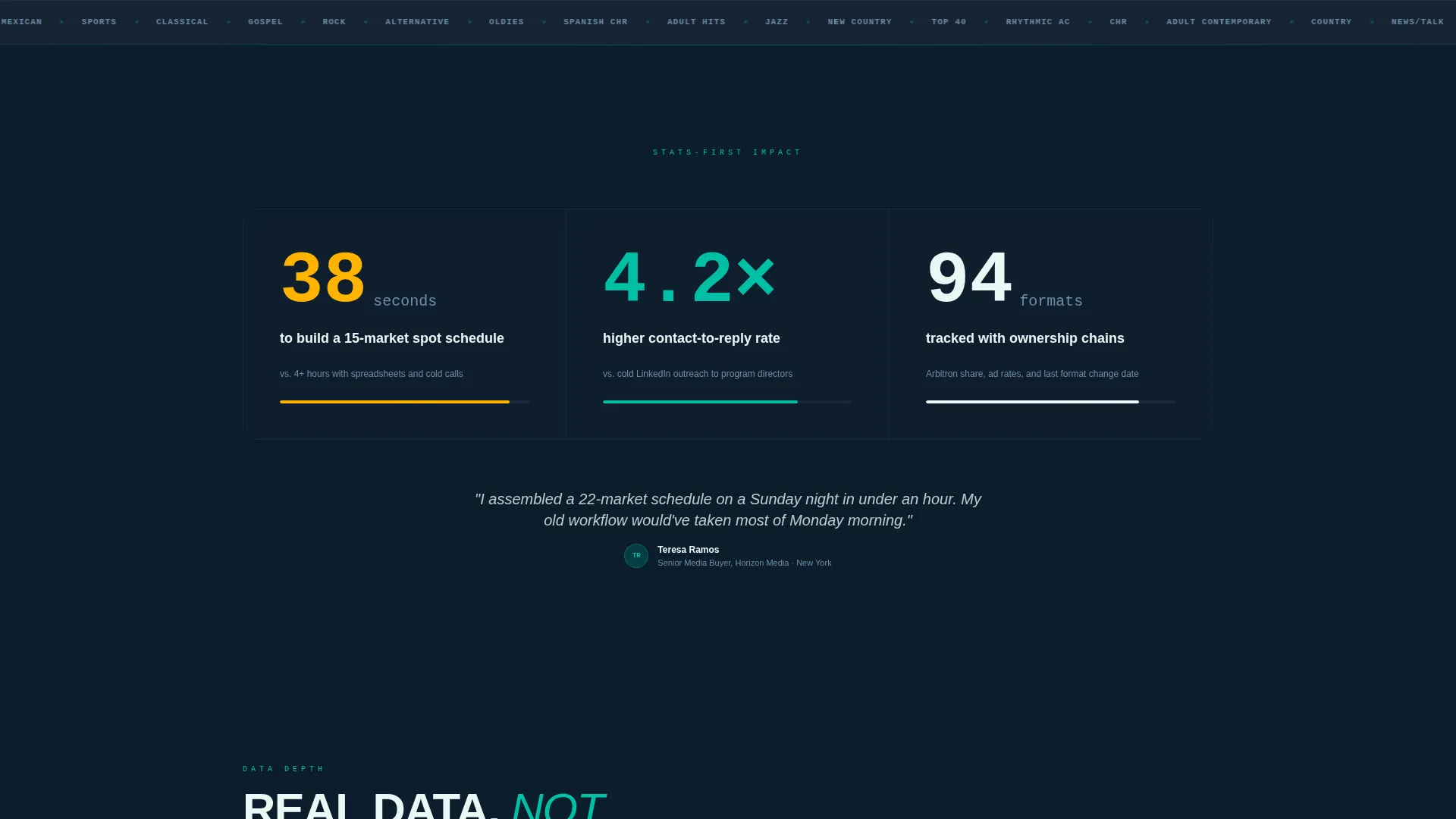
- Stats-first scroll sections with arresting numbers like "38 seconds" and "4.2x" before any explanatory copy arrives
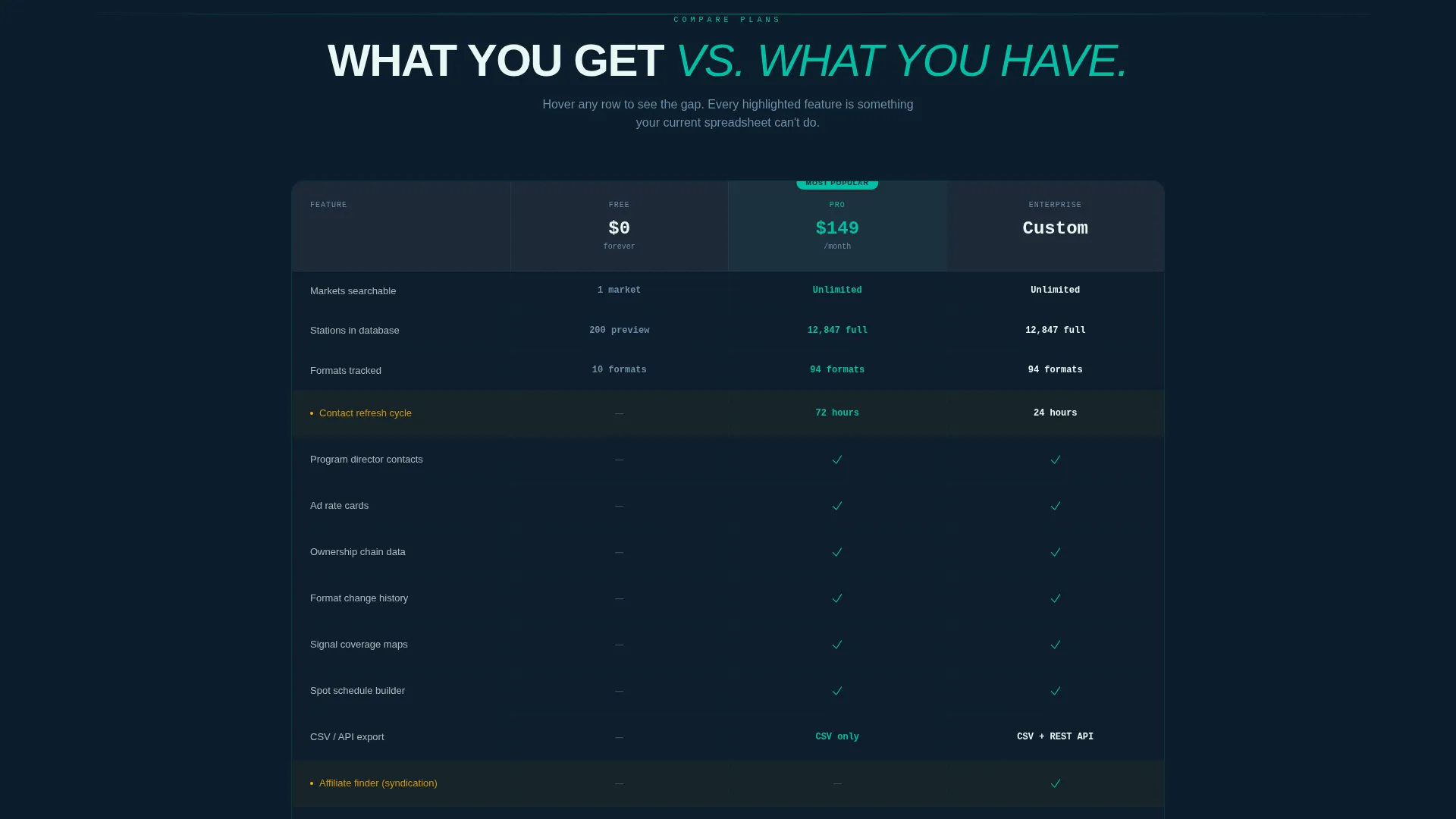
- A three-tier comparison table with amber hover highlights, a floating primary call to action, and a secondary smooth-scroll path to the full plan breakdown
Feature list
The Tuner template ships with purpose-built components that reflect the platform's real capabilities and conversion strategy.
Stats-First Hero Numbers
Each scroll stop opens with a single large number before any explanation. "38 seconds" for building a 15-market spot list and "4.2x" contact-to-reply rate versus cold outreach are rendered in oversized dial-glow white type to stop the scroll immediately.
Interactive Comparison Table
A three-column table compares the free tier, Pro, and Enterprise plans side by side. Hovering any row highlights the feature across all three columns in accent amber, making plan gaps impossible to ignore without static layout fatigue.
Dashboard Preview Header
The header shows a slightly angled, pixel-perfect screenshot of the CRM's station discovery view. It includes a map with teal signal markers, a filterable format sidebar, and a mid-open contact card with a program director's name, last format change date, and audience share data.
Freemium Trial Entry Flow
The primary call to action, "Search Your First Market Free," appears twice on the page. Clicking opens a single-field entry where a visitor types a market name or zip code and instantly receives a preview list of real stations, formats, and ownership groups.
Dual Conversion Paths
A floating primary call to action sits beneath the header. A secondary "Compare All Plans" link smooth-scrolls to the full comparison table. Both paths are present throughout the page so no visitor reaches a dead end.
Live Data Density Numbers
Three platform proof-points are rendered in oversized type above the dashboard frame: 12,847 stations indexed, 94 formats tracked, and contacts updated within 72 hours. These numbers serve as the template's trust anchor before any feature explanation begins.
Page sections overview
| Section | Purpose |
|---|---|
| Dashboard Preview Header | Opens with CRM screenshot, platform stats, and primary call to action |
| Hero Stats Block | Delivers "38 seconds" speed proof to stop the scroll |
| First Comparison Table | Benchmarks free tier against Pro and Enterprise |
| Coverage Stats Block | Shows "4.2x" contact reply rate and market reach proof |
| Second Comparison Table | Escalates plan gap messaging toward ROI framing |
| ROI Stats Block | Closes the stat escalation sequence with cost and return numbers |
| Final Comparison Table | Anchors the full plan breakdown with locked bottom call to action |
| Freemium call to action Footer | Repeats "Search Your First Market Free" with market entry field |
Design & branding system
The Teal Catalyst color system pulls from broadcast booth aesthetics: dark surfaces, illuminated meters, and one bright signal cutting through static. Every color choice reinforces the platform's professional, data-dense character.
- Deep broadcast midnight (#0B1D2C) and studio console charcoal (#1E2A38) form the dark base for all section backgrounds
- Live-signal teal (#00BFA6) marks active elements, map pins, and sidebar highlights, while dial-glow white (#EAF7F5) carries all headline type
- Accent amber (#FFB300) fires exclusively on hover states and active filters, mimicking a VU meter needle approaching the red
Mobile & speed optimization
The template's layout is structured to remain readable and scannable on smaller screens without sacrificing the data density that makes it credible to professional users.
- Oversized stat numbers reflow cleanly to single-column stacks on narrow viewports
- The comparison table collapses into a swipeable card format so plan differences stay visible without horizontal scrolling
- The single-field freemium entry form is thumb-friendly and requires only a market name or zip code to initiate the first data preview
How this template helps you convert
The Tuner template is engineered around a single insight: showing real data before asking for anything is more persuasive than any headline. Every structural decision serves that principle.
- The dashboard preview header leads with real data density, 12,847 stations and 94 formats, so visitors immediately see the platform's scope before reading a single benefit claim.
- Stats escalate from speed to coverage to ROI as the visitor scrolls, building a layered case that mirrors how a professional would evaluate a new tool across multiple sessions in a single read.
- The freemium entry mechanic delays the sign-up form until after the first search completes, so the value is proven before any commitment is requested.
Other information about this template
This template is categorized under Technology, specifically within the Radio Station Vertical SaaS subcategory, and is designed for the Radio Station CRM Platform niche. It uses a Directory and Discovery theme to organize a dense data product into a scannable, trustworthy page.
- The template style is Comparison Table, making it suitable for any SaaS product that needs to communicate tiered pricing in a way that highlights upgrade value
- The landing page direction is Freemium/Trial, which means the entire page architecture prioritizes low-friction first contact over hard-sell conversion tactics
- The header concept is Dashboard Preview, a proven approach for data-heavy SaaS products where the interface itself is the most compelling sales asset
Theme
Directory & Discovery
Creative direction
Stats-First Impact
Color system
Teal Catalyst
Style
Comparison Table
Direction
Freemium/Trial
Page Sections
Stats-first Scroll Sections
Interactive Comparison Table
Dashboard Preview Header
Single-field Freemium Entry
Dual Call to Action Architecture
Live Platform Proof Numbers
Related questions
Who is the Tuner landing page template built for?
Does the free tier require a credit card?
How does the hover effect on the comparison table work?
Can this template support a SaaS product outside the radio industry?
What information does the dashboard preview header display?



