Fire & EMS Uniform Outfitter Landing Page Template
Turnout is a full-width immersive landing page template built for fire and EMS uniform outfitters. It pairs a Holographic Chrome visual identity with full-viewport video and photography to put buyers inside the gear before they read a single word. Every section is structured to drive department quartermasters, volunteer chiefs, and EMS captains toward a confident upgrade decision.
by Rocket studio
Quick summary
Turnout is a premium single-page template for fire and EMS uniform outfitters. It opens with a full-screen slow-motion video and guides visitors through an immersive scroll experience built entirely around gear quality. The design uses a dark Holographic Chrome palette, persistent comparison strips, and a uniform configurator path to turn department buyers into qualified leads.
Who this template is for
This template is built for uniform outfitters who serve fire departments and emergency medical services organizations. It speaks directly to the buyers who hold the budget and make the call on crew gear.
- Department quartermasters ordering duty wear sets against a municipal budget
- Volunteer fire chiefs upgrading their crew from aging or mismatched gear
- EMS captains who want their medics looking sharp and squared away on every rig
What problem this template solves
Uniform outfitters selling to fire and EMS departments face a specific challenge. The buyer already has a vendor, and switching feels like extra work. This template removes that friction by making the quality difference visible before any claim is made.
- Generic product pages fail to communicate the tactile difference between standard and premium gear
- Department buyers need to justify a budget increase, and a price-per-member framing makes that easier
- Quartermasters want to configure and visualize gear before committing, not scroll through a static catalog
What you get with this template
You get a complete full-width immersive landing page built for the fire and EMS uniform market. Every section, visual, and interaction point is scoped to one goal: moving a department buyer from curious to committed.
- A full-screen video header with a fade-in headline and a primary call-to-action button
- Full-viewport scroll sections using close-up photography and looping video to showcase gear quality
- A persistent Standard versus Premium comparison strip with per-member pricing deltas across every section
- A secondary configurator path where buyers select department colors, patch placement, and rank insignia on a three-dimensional garment model
- A lead-capture form collecting department name, crew size, current vendor, and contract renewal date
Feature list
This template includes purpose-built sections and components designed specifically for uniform sales to institutional buyers.
Full-Screen Video Header
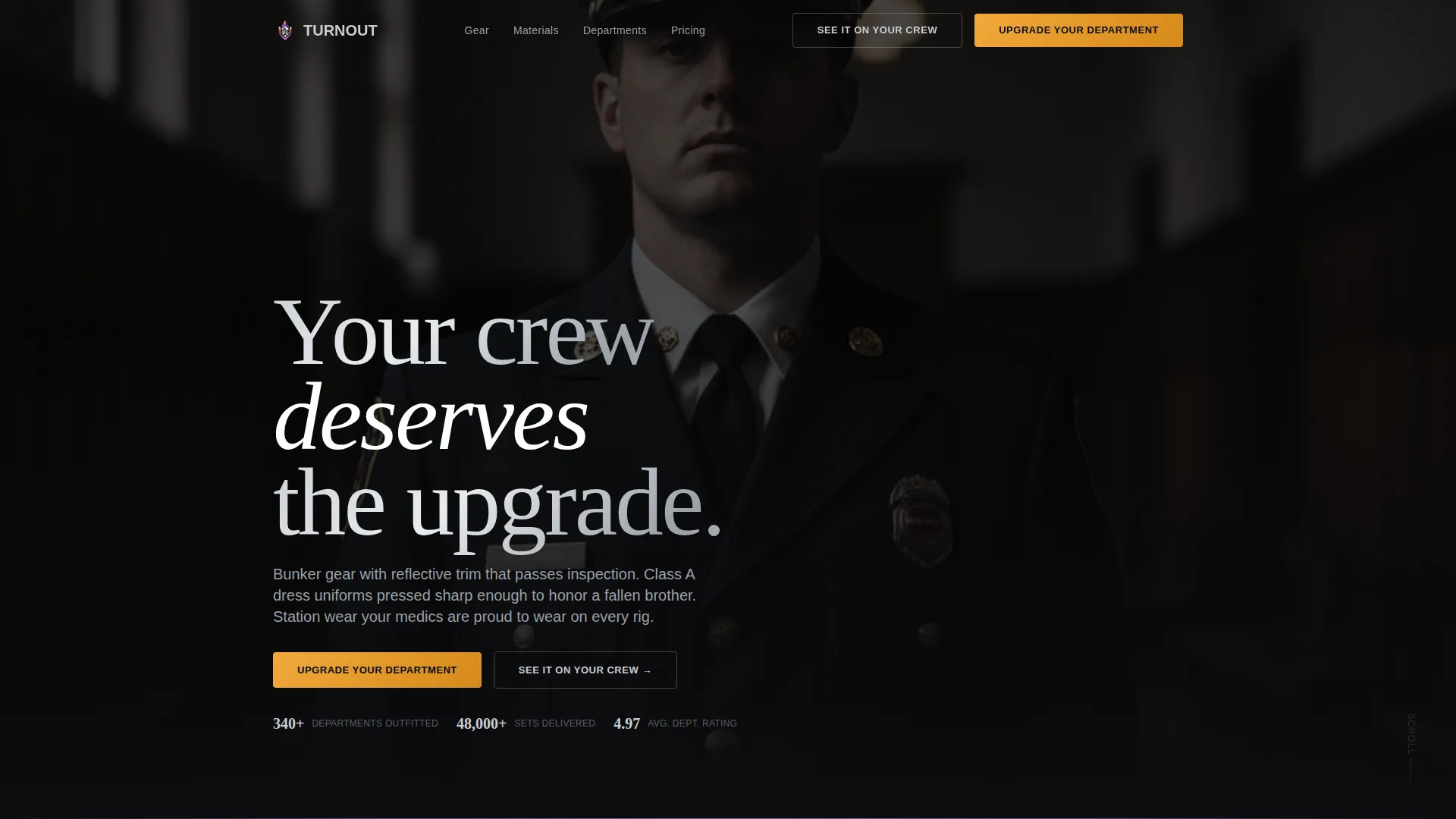
The header plays slow-motion footage of a firefighter dressing in a Class A coat inside a dimly lit station. Brass buttons fasten one at a time. The camera pushes in on the shoulder patch as overhead lights catch the reflective piping. The headline fades in over the final frame: "Your crew deserves the upgrade."
Immersive Scroll Sections
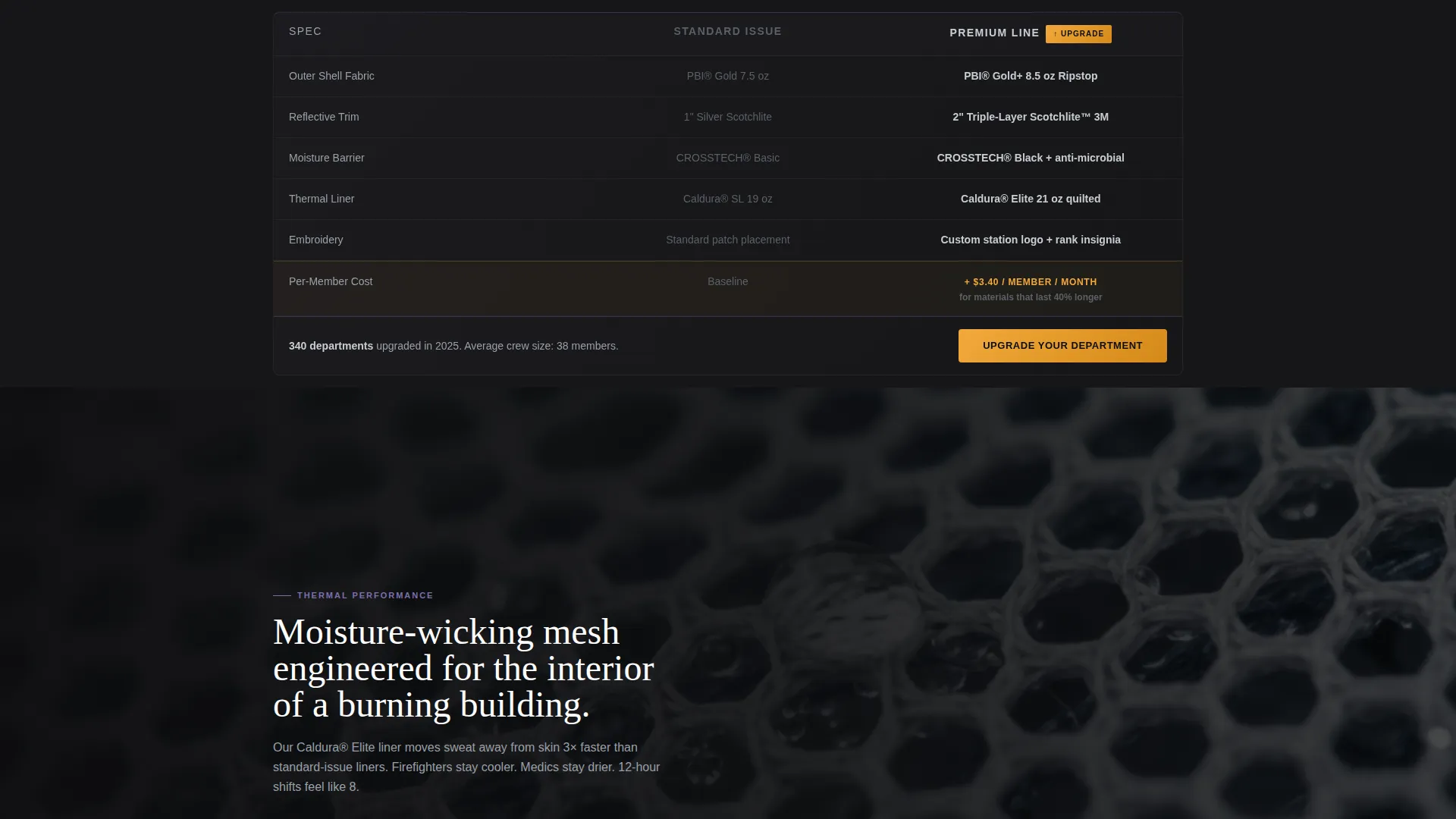
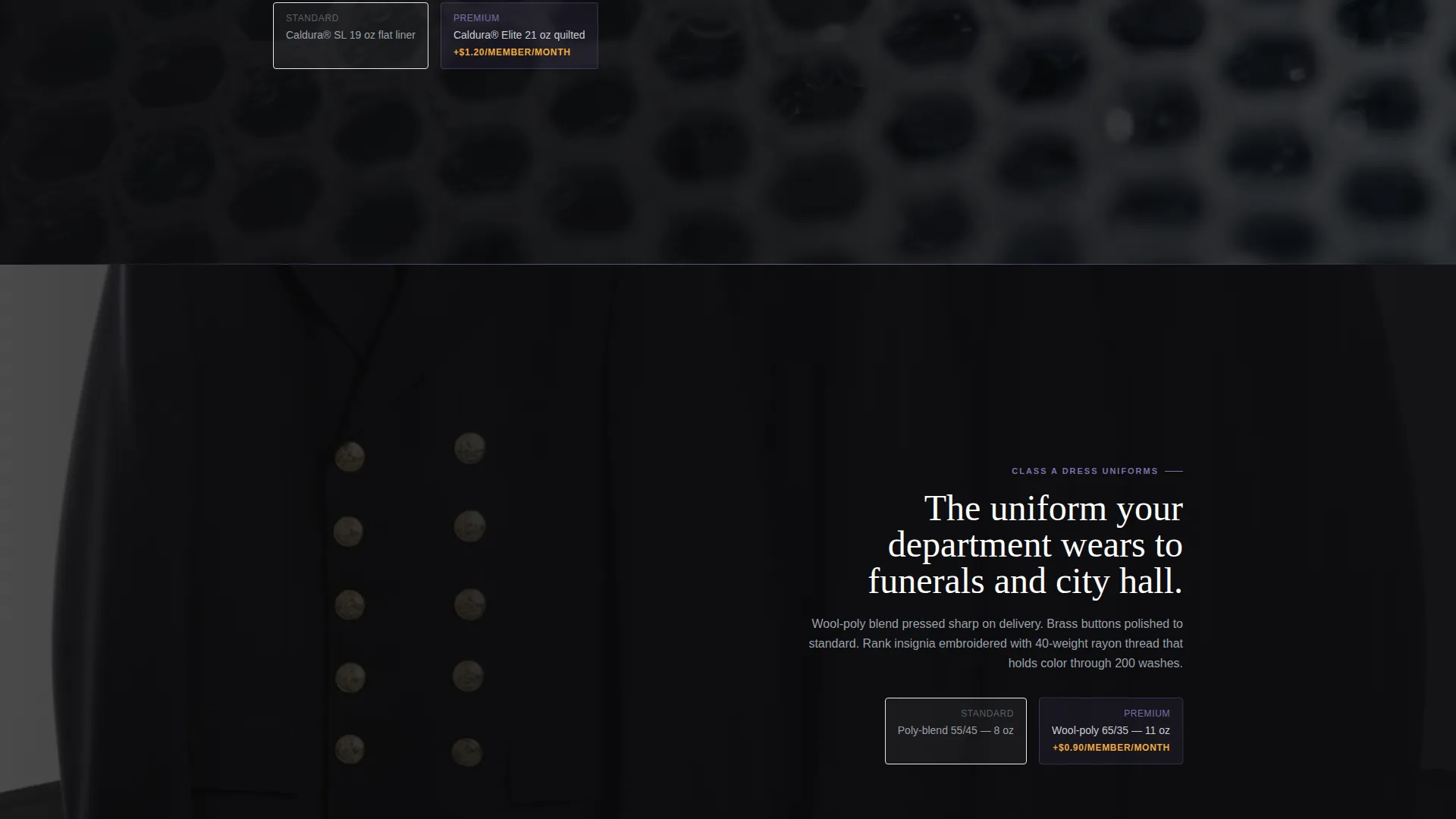
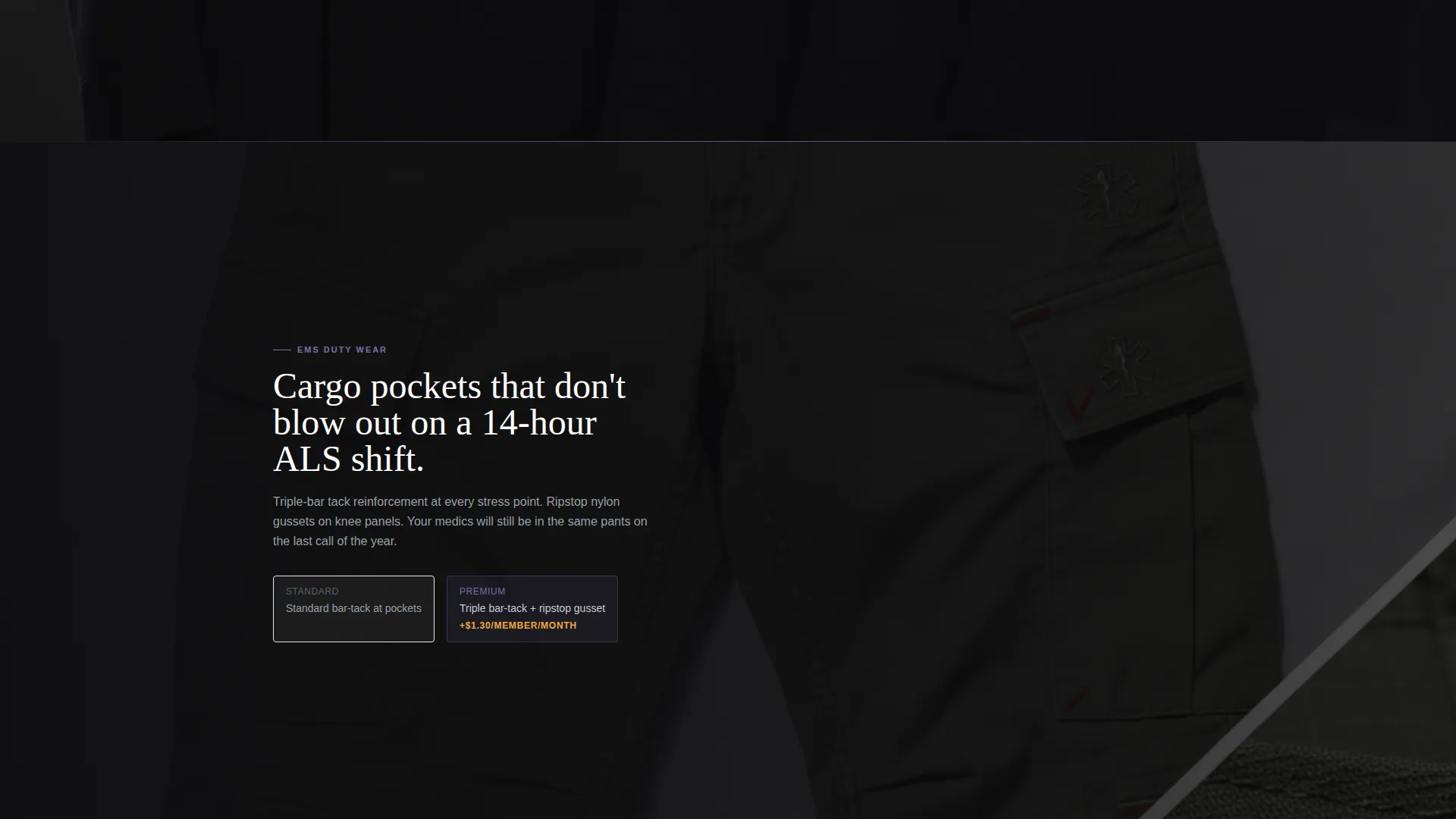
Each scroll section fills the full viewport with a photograph or looping video that places the visitor inside the gear. Examples include a close-up of moisture-wicking mesh fibers, a slow pan across a rack of dress uniforms graded by quality tier, and a medic's cargo pocket open to show reinforced stitching. The visual progression quietly escalates quality without relying on body copy alone.
Persistent Comparison Strip
A Standard Issue versus Premium Line comparison strip appears across every major section. The price difference is displayed as a per-member monthly delta, for example "+ $3.40/member/month", making budget justification straightforward for quartermasters presenting to finance committees.
Uniform Configurator Path
A secondary call-to-action labeled "See It On Your Crew" opens a uniform configurator. Buyers select department colors, patch placement, and rank insignia on a three-dimensional garment model. This interactive path turns browsing into a personalized spec session.
Lead Qualification Form
The configurator flow captures department name, crew size, current vendor, and contract renewal date. This makes every form submission a warm, pre-qualified sales lead rather than a generic inquiry.
Holographic Chrome Visual System
The entire template is built on a dark, reflective color system. Deep turnout black backgrounds, chrome silver typography, prismatic shift violet for hover states and section dividers, and emergency amber reserved exclusively for call-to-action buttons and upgrade badges.
Page sections overview
| Section | Purpose |
|---|---|
| Video Header | Opens with slow-motion Class A dressing footage and fade-in headline |
| Headline call to action | Places the primary "Upgrade Your Department" button above the fold |
| Mesh Fiber Closeup | Showcases moisture-wicking material quality at magnified scale |
| Uniform Rack Pan | Grades visible fabric quality from standard to premium in one shot |
| Cargo Pocket Detail | Highlights reinforced stitching on EMS duty wear components |
| Comparison Strip | Displays Standard versus Premium price delta per member per month |
| Configurator Entry | Launches the "See It On Your Crew" three-dimensional builder |
| Lead Capture Form | Collects department data and qualifies the buyer for follow-up |
| Final call to action Block | Repeats the primary upgrade button after the last comparison section |
Design & branding system
The Holographic Chrome color system is designed to feel like light refracting off a chrome helmet visor at a night scene. It is dark, reflective, and shifts between cool steel and warm flash as the visitor scrolls.
- Deep turnout black (#0D0D0F) and charcoal tones form all section backgrounds, keeping the focus on the gear
- Chrome silver (#C8CDD3) carries all body typography, and prismatic shift violet (#7B6FAE) appears only on hover states and section dividers
- Emergency amber (#F2A93B) is reserved exclusively for call-to-action buttons and upgrade badges, ensuring they always stand out
Mobile & speed optimization
The template is built with a full-width immersive layout that adapts to smaller screens without losing its visual impact. Scroll sections reflow cleanly so the quality story reads on any device.
- Full-viewport video and photography sections scale proportionally across screen sizes
- The persistent comparison strip and configurator entry point remain accessible throughout the mobile scroll experience
How this template helps you convert
The entire page is structured as a guided upgrade journey. Every design and copy decision moves a hesitant department buyer toward a confident purchase.
- The video header creates an emotional connection with the gear before any price or feature is mentioned, lowering initial resistance from buyers who already have a vendor
- The per-member monthly pricing framing inside the comparison strip reframes the budget conversation, making the premium tier feel affordable rather than extravagant
- The configurator path transforms an anonymous visitor into an identified, pre-qualified lead by capturing department-specific data during a hands-on product experience
Other information about this template
This template is a strong fit for uniform outfitters competing in the structured fire and EMS procurement market. It is built for a niche where buying cycles are long and vendor loyalty is high, so every design choice prioritizes trust and quality signaling over volume.
- The template style is Full-Width Immersive, suited to high-production visual storytelling in workwear and uniform categories
- The Luxe Minimal theme keeps the page clean and authoritative, which matches the inspection-ready standard expected by department buyers
- The Upsell and Upgrade landing-page direction is baked into the layout structure itself, not just the copy
- The template fits Fashion and Lifestyle category listings under the Workwear and Uniform subcategory with a Fire and EMS Uniform niche focus
Theme
Luxe Minimal
Creative direction
Immersive Visual
Color system
Holographic Chrome
Style
Full-Width Immersive
Direction
Upsell/Upgrade
Page Sections
Full-screen Slow-motion Video Header
Immersive Full-viewport Scroll Sections
Persistent Standard Versus. Premium Comparison Strip
Three-dimensional Uniform Configurator
Lead Qualification Form
Holographic Chrome Color and Typography System
Related questions
Who is the ideal buyer for this template?
Can I customize the department colors and insignia shown in the configurator?
Does the template include the video footage used in the header?
How does the per-member pricing strip work?
Is this template suitable for a volunteer department with a smaller budget?