Tutor - Trusted Onlinetutoring Landing Page Template
Tutor is a hub-and-spoke landing page template built for online tutoring platforms that serve real families, single parents, homeschool households, and immigrant families navigating school together. A built-in quiz starter personalizes the page experience in real time, a timeline progression builds trust through every season, and a free study-plan download drives conversions gently but clearly.
by Rocket studio
Quick summary
Tutor is a single-page, anchor-navigated landing page template designed for online tutoring platforms. It opens with an interactive quiz that shapes the entire scroll experience for each visiting family. A seasonal timeline builds trust progressively, a free resource library earns goodwill before any ask, and one warm, well-placed call to action closes the loop.
Who this template is for
This template is built for tutoring platforms and educators who serve families with real, specific needs. It works especially well when your audience arrives stressed, short on time, and cautious about who they trust with their child's education.
- Online tutoring platforms offering subject-specific help for K-12 students
- Homeschool educators and curriculum builders looking to attract families online
- Independent tutors or small coaching centers building a credible digital presence
What problem this template solves
Most tutoring landing pages feel generic. They list subjects, show a stock photo, and ask for a sign-up before earning any trust. Families in real need scroll right past them. This template solves that gap by making every visitor feel seen before asking anything of them.
- Parents arrive skeptical and leave before reading, because the page does not reflect their child's actual situation
- Generic calls to action create friction for families who are still deciding whether to trust the service
- Ungated resource pages have no clear path to conversion, leaving goodwill on the table
What you get with this template
You get a fully structured, single-page layout with anchor navigation that lets visitors jump between subject hubs without losing their place. The design, content flow, and conversion path are all built into the template and ready to customize.
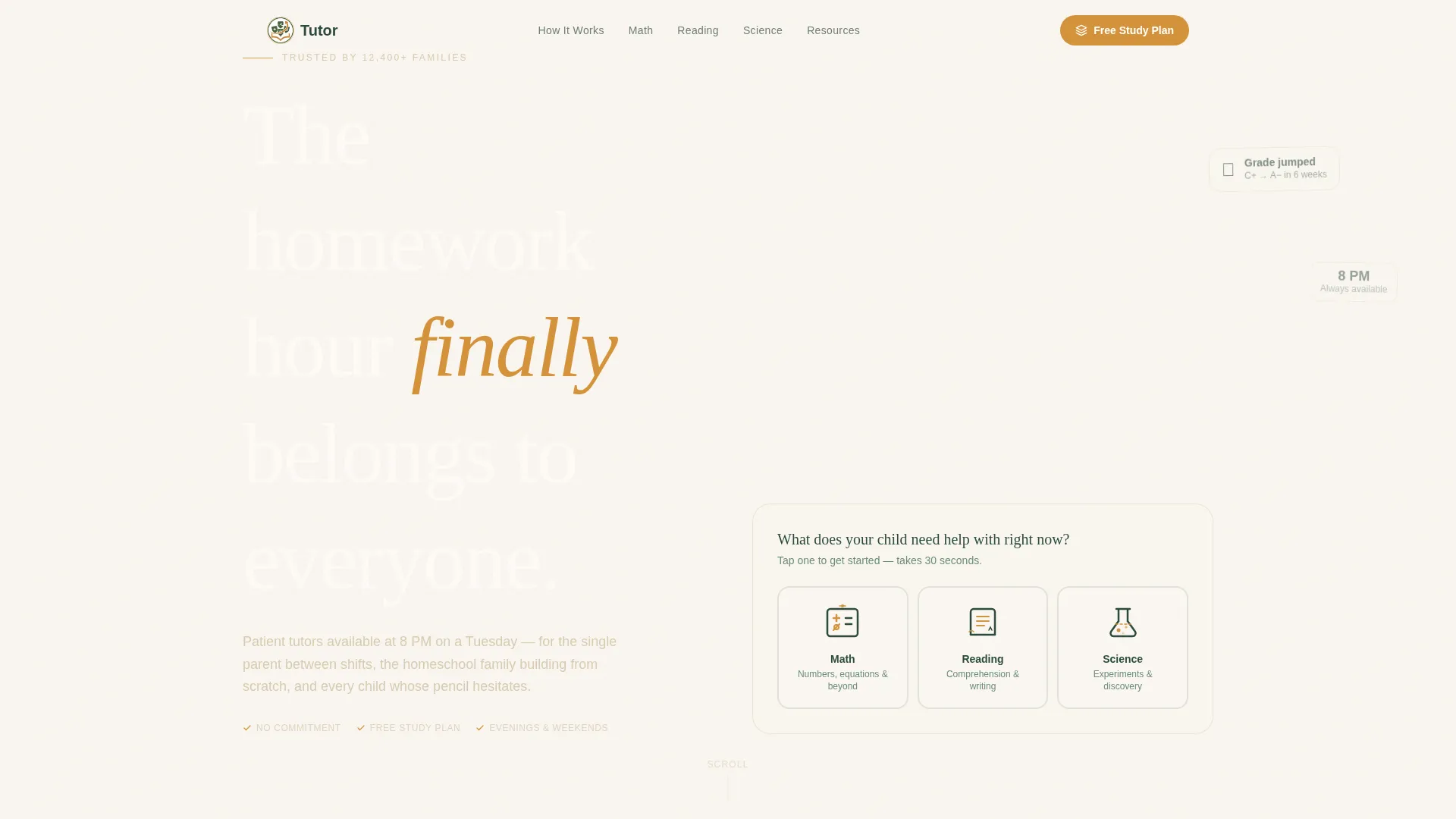
- An interactive quiz-starter header that personalizes the page content based on subject, grade, and homework schedule
- A seasonal academic timeline with spoke sections for each subject hub, including space for session recordings, worksheets, and testimonials
- A centered free study-plan download form asking only for a first name, grade level, and email address
Feature list
A paragraph of context before the feature blocks: each feature below maps directly to a component described in the source brief. Nothing here is speculative. Every item is part of the template's built-in layout and interaction design.
Personalized Quiz Starter Header
The page opens with a friendly illustrated prompt: "What does your child need help with right now?" Three hand-drawn-style icons represent math, reading, and science. Selecting one triggers a three-question micro-quiz about grade, current struggle, and homework time. The answers reshape the content below in real time.
Hub and Spoke Anchor Navigation
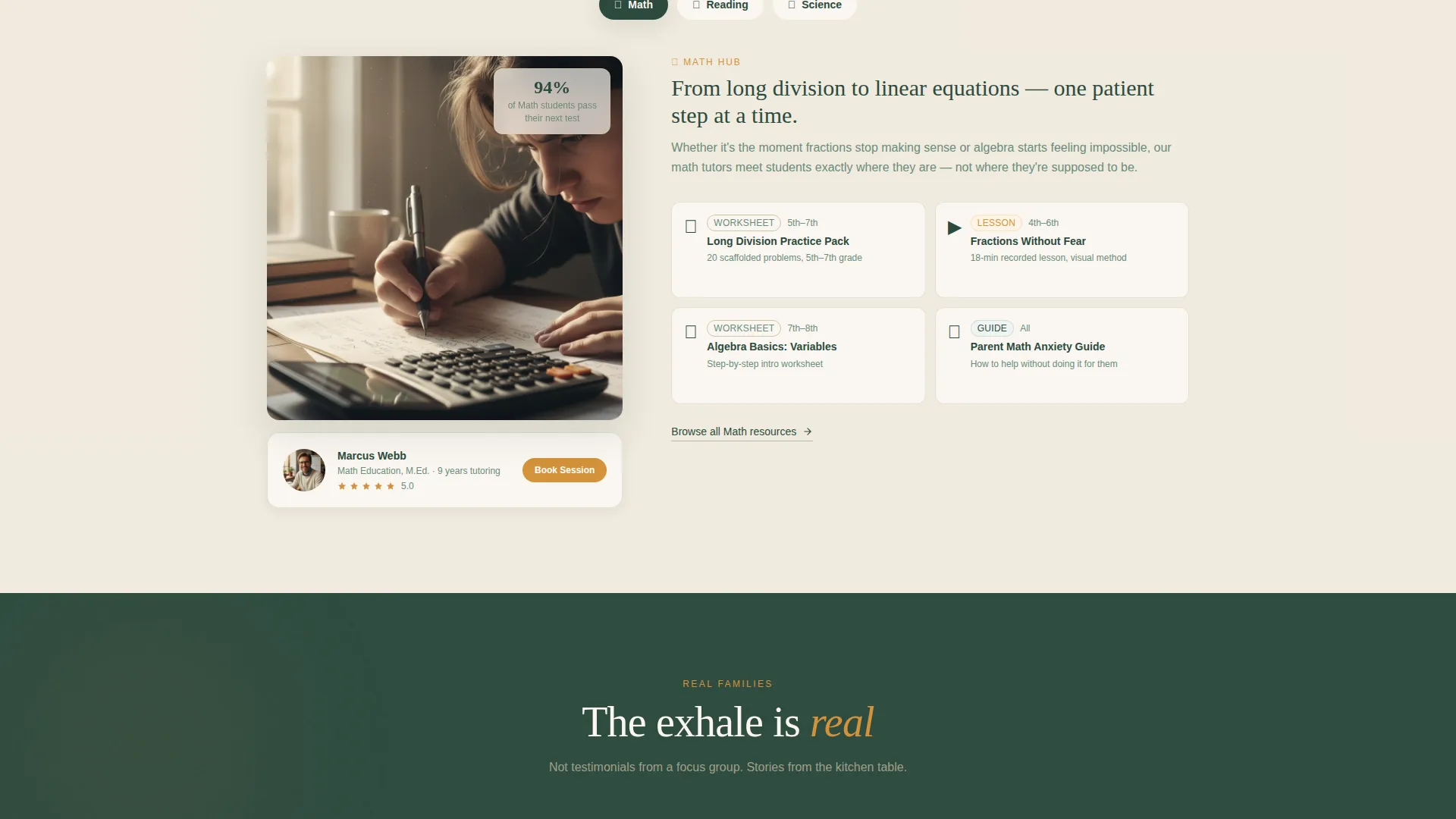
After the quiz, the page scrolls through subject-specific spoke sections, each anchored so visitors can navigate directly. Each hub holds session recordings, downloadable worksheets, and parent testimonials tied to specific months of the academic year.
Timeline Progression Layout
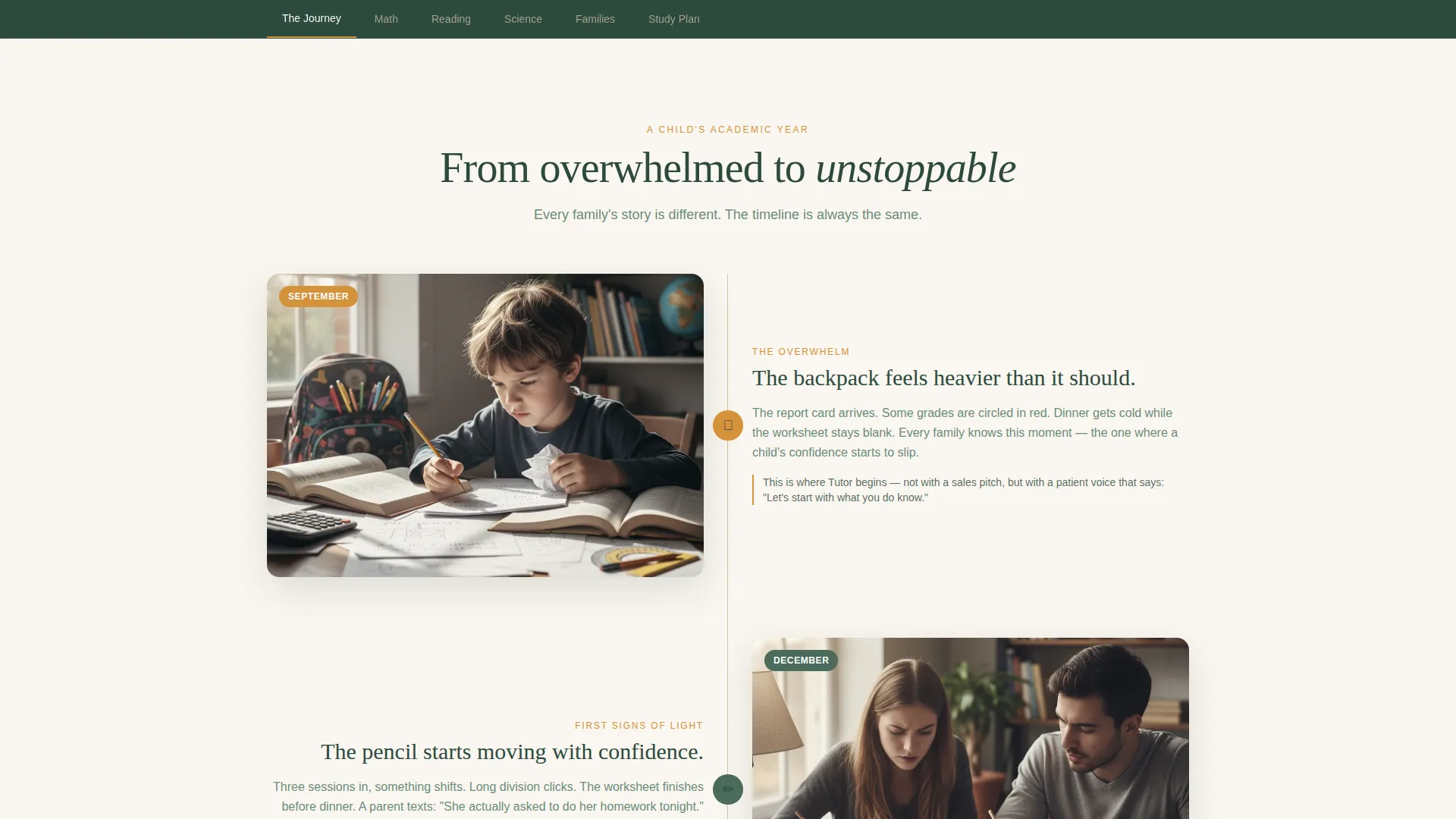
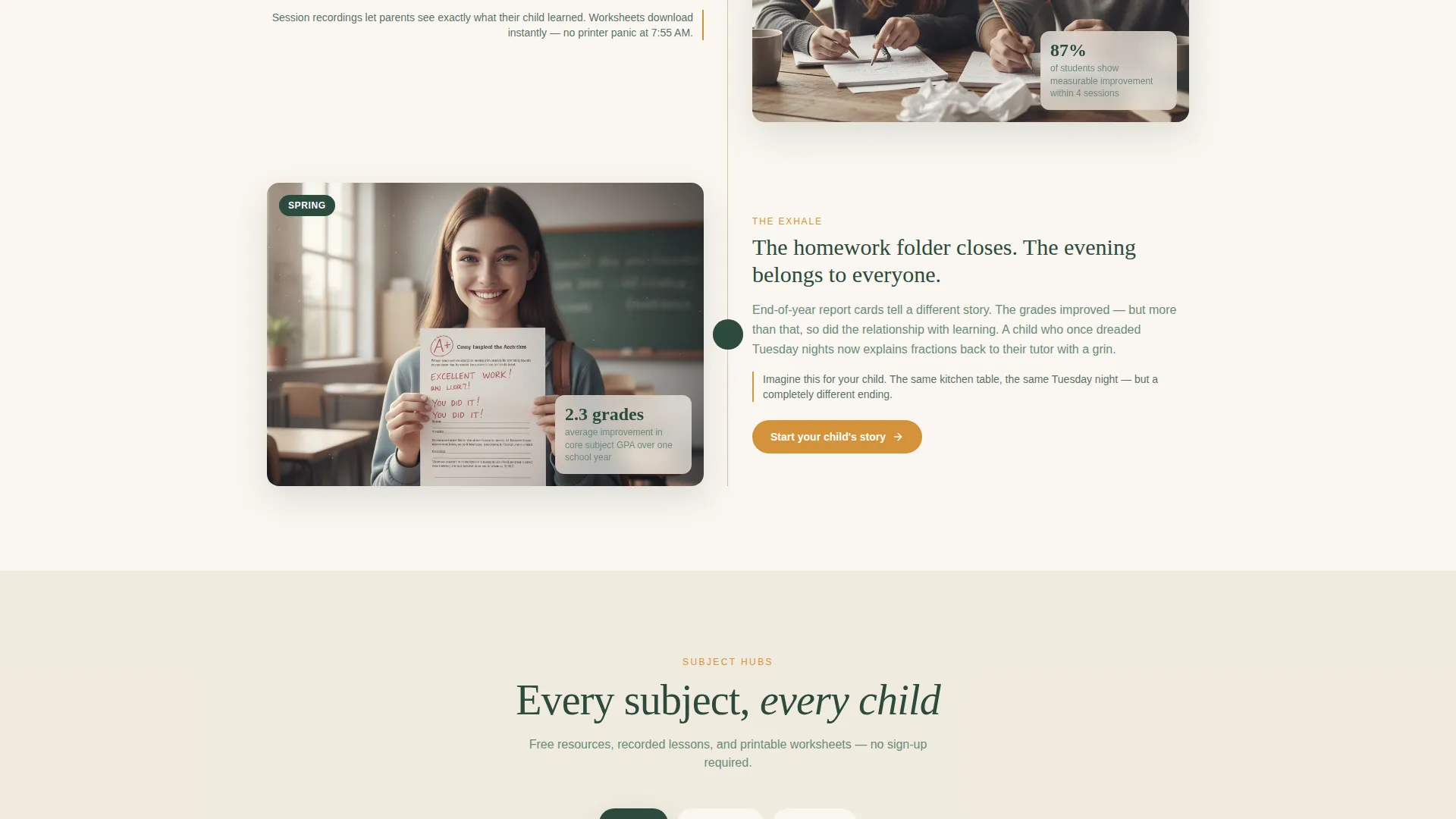
The page is structured as a living academic-year timeline. September reflects the overwhelm of a new school year. December shows progress through spoke sections. Spring reveals measurable growth with grade comparisons, confidence metrics, and a video of a student explaining concepts back to their tutor.
Ungated Resource Library
Before the primary call to action appears, visitors can browse printable worksheets, recorded mini-lessons, and parent guides without entering any information. This builds trust and demonstrates value before the download ask.
Free Study Plan Download Form
The primary call to action sits at the center of the page after the quiz has personalized the subject area. The form collects only three fields: first name, child's grade level, and email address. The sequence is intentional and low-friction.
Forest Trust Color System
The visual identity uses deep woodland green, warm birch bark, soft hearth cream, and amber. Amber appears only on buttons, progress markers, and interactive elements, making every action feel warm rather than transactional.
Page sections overview
| Section | Purpose |
|---|---|
| Quiz Starter Header | Personalizes the page with subject, grade, and homework-time inputs |
| Subject Hub Navigation | Anchor nav lets visitors jump to relevant subject spokes |
| September Timeline Block | Sets emotional context with the weight of a new school year |
| December Spoke Sections | Radiates subject-specific resources, recordings, and testimonials |
| Spring Growth Reveal | Shows measurable progress with grade comparisons and student video |
| Free Resource Library | Ungated worksheets, mini-lessons, and parent guides build goodwill |
| Study Plan Download call to action | Three-field form collects name, grade, and email at the trust peak |
| Parent Testimonials | Real family stories pinned to specific months on the timeline |
Design & branding system
The template follows a Family First theme with a Forest Trust color palette. Every design choice reinforces warmth, credibility, and calm rather than urgency or pressure.
- Colors: deep woodland green (#2D4A3E) for text, warm birch bark (#D4C5A9) and soft hearth cream (#FAF6F0) for alternating backgrounds, and gentle amber (#D4923A) reserved strictly for buttons, progress markers, and interactive highlights
- Visual style: hand-drawn-style icons, illustrated quiz prompts, and a reading-nook aesthetic that feels like lamplight on an open book rather than a corporate sign-up page
- Layout rhythm: backgrounds alternate between hearth cream and birch bark sections to create natural visual breathing room as visitors scroll
Mobile & speed optimization
The hub-and-spoke anchor navigation is designed to work just as clearly on a small screen as on a desktop. Families checking this page at 8 PM on a phone between dinner and homework deserve the same smooth experience.
- Tappable quiz icons are large enough for thumb navigation without zooming
- Anchor links in the spoke navigation let mobile visitors skip directly to the subject section relevant to their child
- Alternating background sections create clear visual breaks that keep the page readable on small screens without relying on heavy imagery
How this template helps you convert
The conversion path is built around earning trust before making any ask. By the time a parent reaches the download form, they have already seen their child's specific struggle reflected back at them and watched other families move past it.
- The quiz personalizes the experience immediately, so visitors feel understood within the first few seconds rather than bouncing from a generic page
- The ungated resource library demonstrates real value before the form appears, so the study-plan download feels like a natural next step rather than a cold ask
- The three-field form keeps friction minimal at the moment of highest trust, making the conversion feel like a warm handoff rather than a data capture
Other information about this template
This template is part of the Education and Training category, specifically designed for the online tutoring platform niche within tutoring and coaching center use cases. It carries an intersection match score of 13, reflecting strong alignment across template style, theme, creative direction, color system, and landing-page direction.
- Template style: Hub and Spoke with anchor navigation, built for single-page content delivery
- Creative direction: Timeline Progression, moving visitors emotionally from overwhelm in September to confidence in spring
- The landing-page direction is Content and Resource delivery, meaning the page earns conversions by demonstrating value first
- This template is a strong fit for platforms that serve K-12 families, independent tutors building online visibility, and homeschool educators offering structured academic support
Theme
Family First
Creative direction
Timeline Progression
Color system
Forest Trust
Style
Hub & Spoke (Anchor Nav)
Direction
Content/Resource
Page Sections
Personalized Quiz Starter Header
Hub and Spoke Anchor Navigation
Academic Year Timeline Layout
Ungated Resource Library
Low-friction Study Plan Download
Forest Trust Color System
Related questions
Can I use this template without offering a quiz feature?
What subjects does this template support out of the box?
Is the ungated resource library section required?
Who is this template primarily designed for?
How many fields does the study-plan download form include?



