Specialist Tutoring Digital Presence Cost Estimator Website Template
Tutorportal is a bold, brutalist-styled academic landing page built for tutoring client portals. It features a live Grade Impact Calculator, a scroll-reveal Problem-to-Solution Arc, and a raw data-forward visual identity. Parents, students, and co-parents get one focused page that earns trust fast and drives app downloads through clarity and urgency.
by Rocket studio
Quick summary
Tutorportal is a single-page tutoring client portal landing page designed around real parental anxiety and academic urgency. The layout uses a dark brutalist aesthetic with electric chartreuse data visuals and a scroll-driven narrative. A live GPA calculator opens the page, and every section below it strips away one more layer of doubt before the download call to action appears.
Who this template is for
This template is built for tutoring businesses and academic coaching services that need a high-impact digital presence. It speaks directly to the people who actually feel the stakes of falling grades.
- Parents monitoring a child's GPA and looking for structured academic support
- Tutoring services that want to promote a client portal app to families
- Independent tutors or small tutoring firms ready to convert anxious visitors into active users
What problem this template solves
Most tutoring landing pages look like brochures. They list credentials and smiling stock photos, but they never address the real emotional moment: a parent at 11 p.m., staring at a grade that is not moving. This template is built around that moment.
- Families cannot tell whether tutoring is actually working without visible progress data
- Parents with shared custody need one transparent view of their child's academic status
- Students and parents feel no urgency to download a portal app when the page does not show them what they are missing
What you get with this template
You get a fully structured, single-page brutalist landing page with a clear scroll path from problem to solution to download. Every section is purposeful and visually distinct.
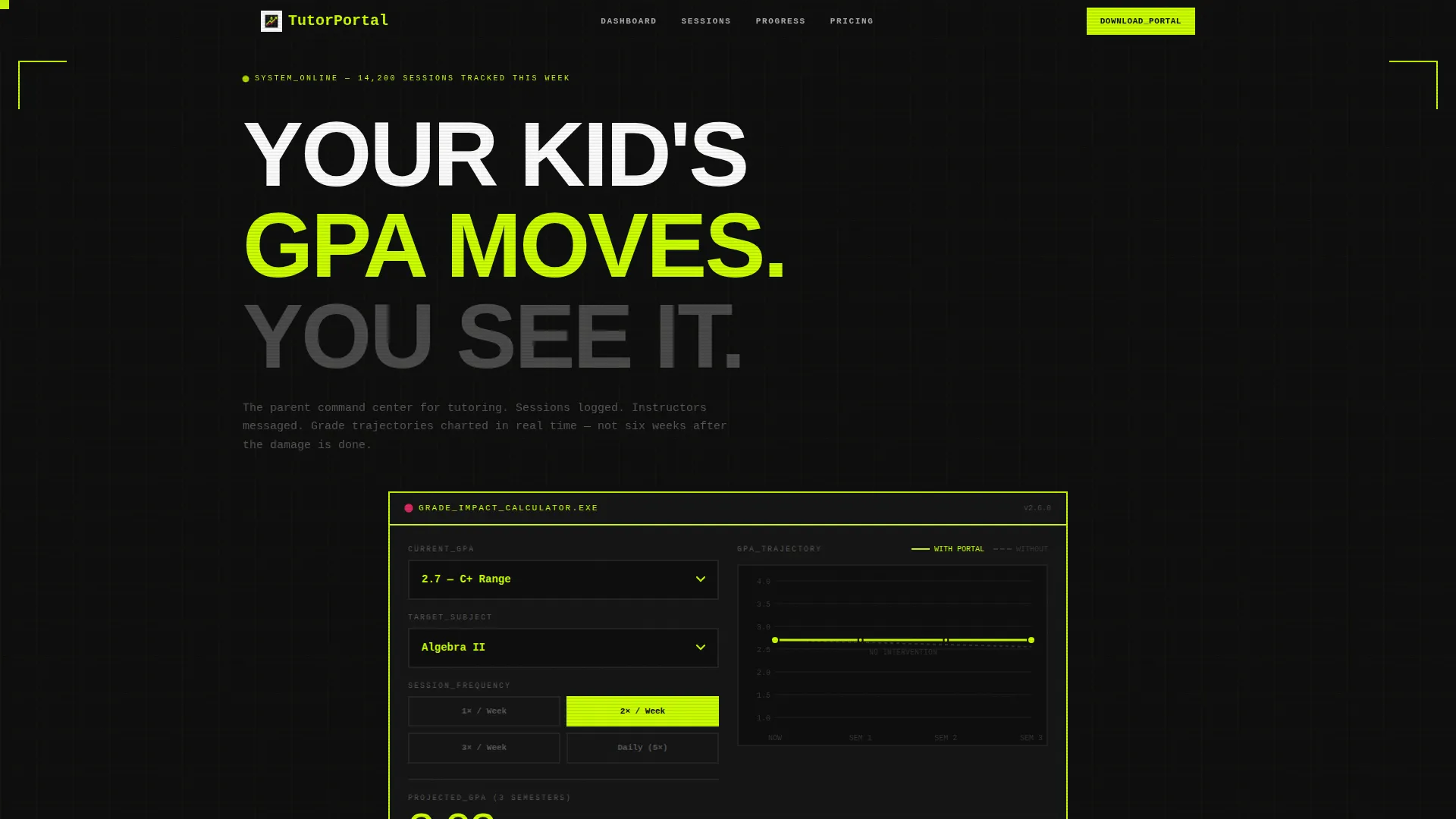
- A live Grade Impact Calculator that projects a child's GPA trajectory before any commitment is made
- A scroll-reveal Problem-to-Solution Arc with three progressive content reveals
- A dual call to action block with App Store and Google Play buttons plus a quick SMS link option
Feature list
This template includes six purpose-built sections, each serving a specific role in the conversion journey. The design system is tightly controlled, and every interactive element has a defined visual role.
Live Grade Impact Calculator
Visitors select their child's current grade point average, choose a subject, and pick a session frequency. The calculator renders a projected GPA trajectory as a thick chartreuse line on a black graph, with numbers ticking upward in monospaced type. No filler content surrounds it, just raw projected math.
Scroll-Reveal Problem-to-Solution Arc
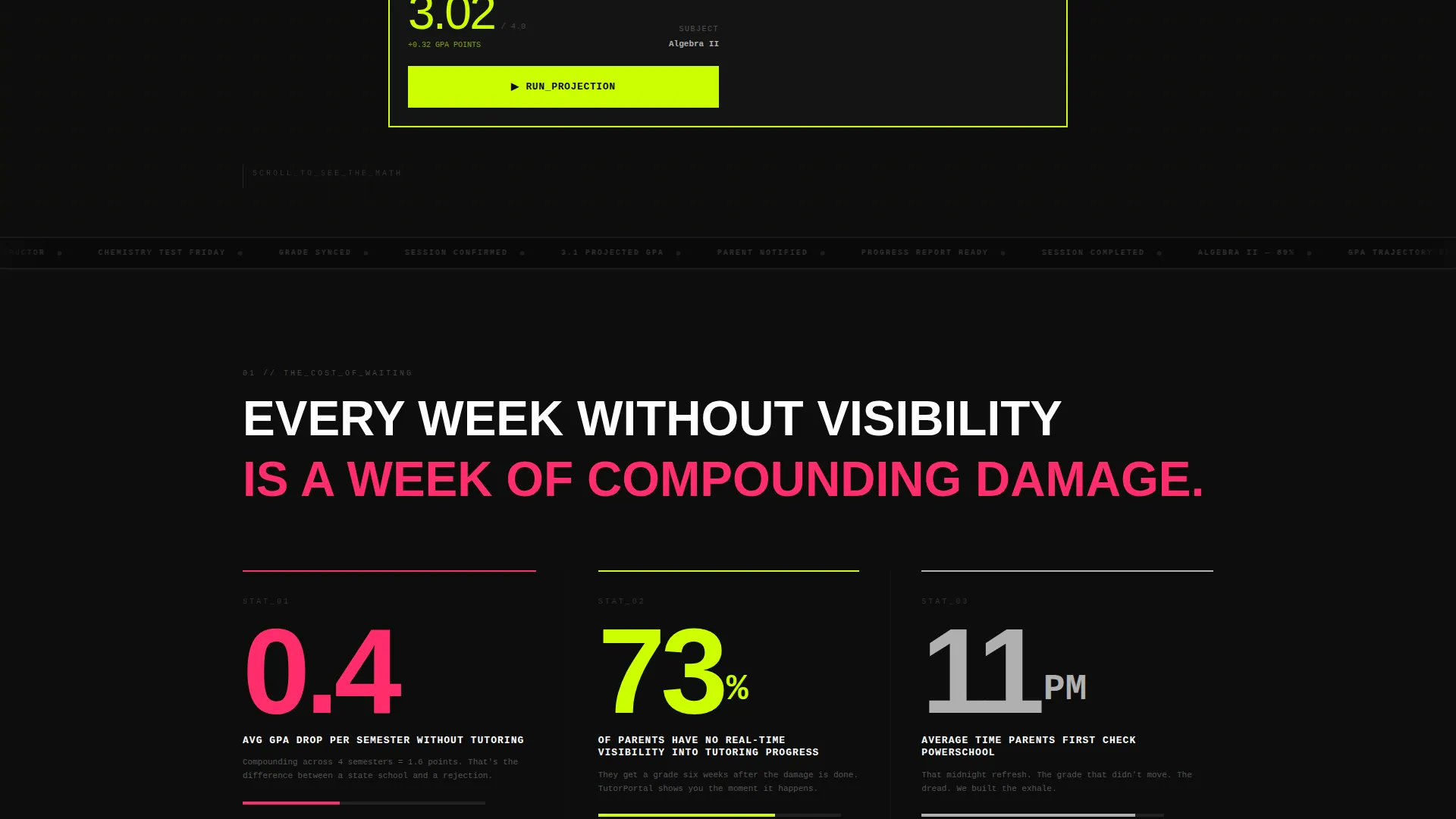
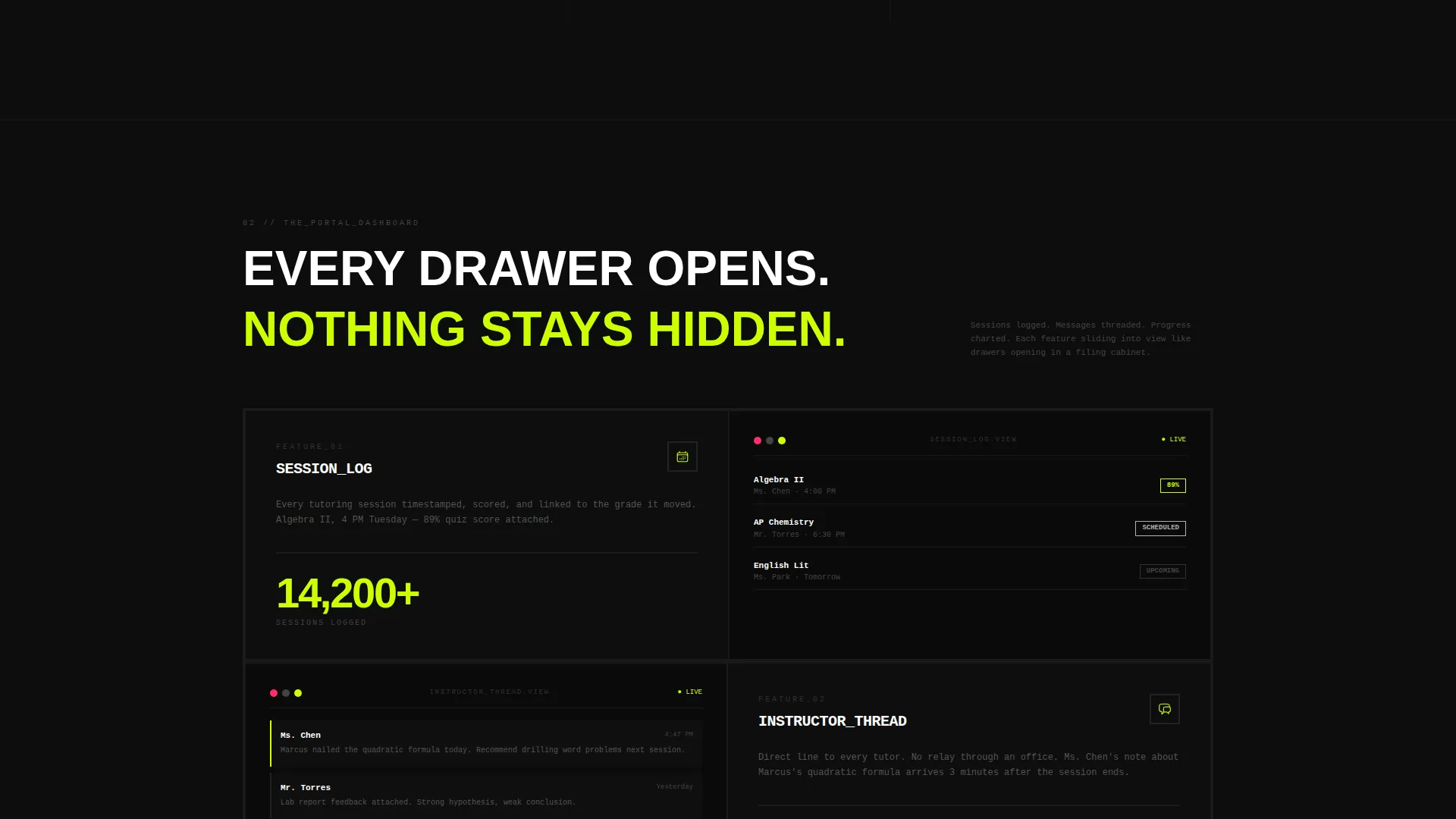
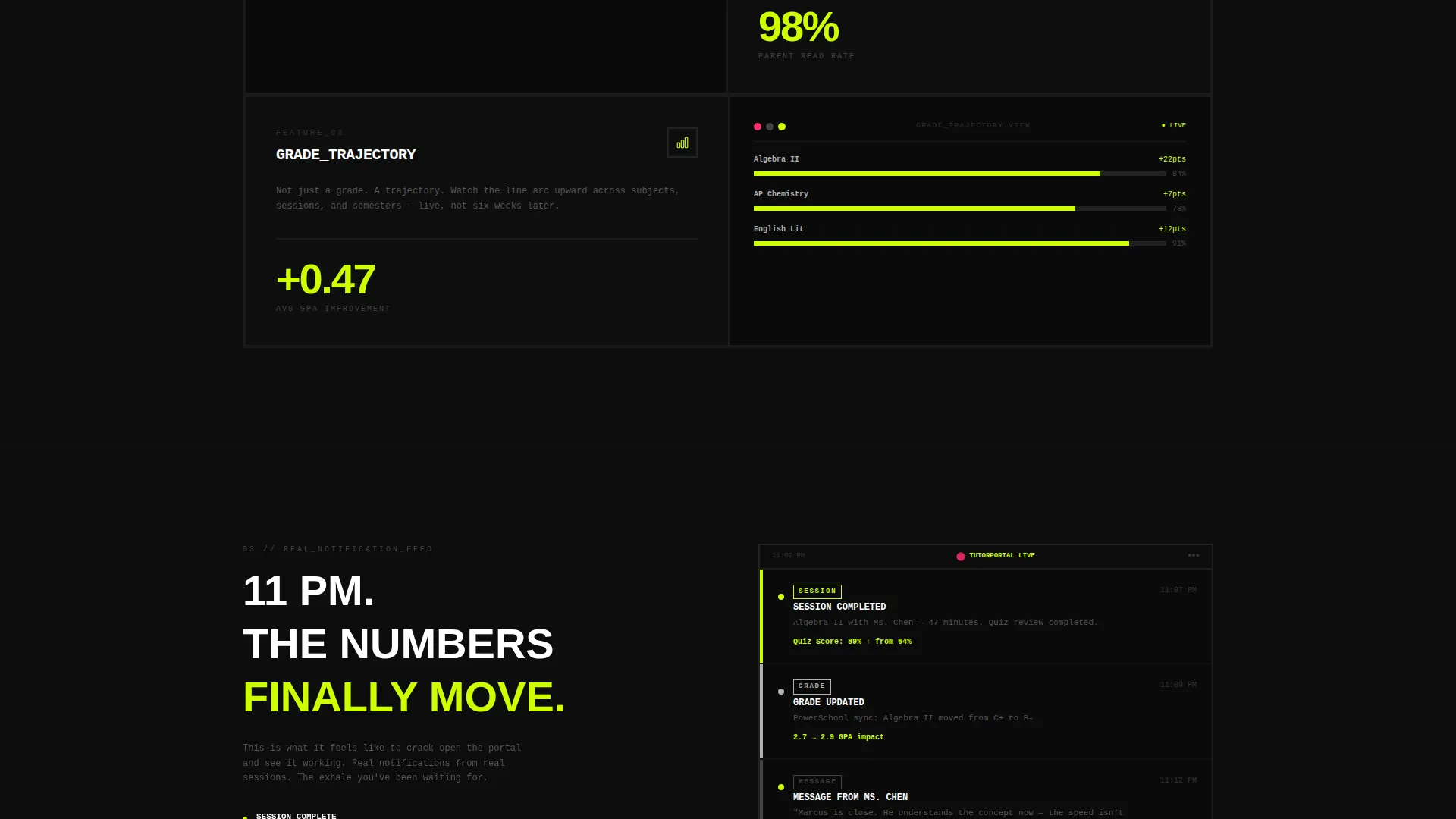
The page unfolds in three distinct reveal stages. The first shows a stark stat block about grade decline without intervention. The second reveals the portal dashboard layout with logged sessions, threaded messages, and progress charts. The third surfaces a real-style parent notification feed with completed session alerts.
Brutalist Visual Identity System
Void black backgrounds, raw concrete dividers, and electric chartreuse accents create a terminal-screen aesthetic. Magenta is reserved exclusively for alerts and urgent call-to-action elements. Monospaced condensed type makes data feel authoritative rather than decorative.
App Download call to action Block
The primary call-to-action sits inside a chartreuse-bordered brutalist slab with paired App Store and Google Play download buttons. This block follows the user after the calculator interaction to stay relevant at the moment of highest intent.
SMS Link Shortcut
A secondary conversion path lets visitors enter a single phone number field and receive the portal download link by text. No email address, no name, no extra friction. A magenta send arrow signals immediate action.
Notification Feed Preview
A realistic parent notification panel shows completed session alerts, subject names, and quiz scores in plain text. It functions as social proof without using testimonials or stock imagery, grounding trust in data instead of faces.
Page sections overview
| Section | Purpose |
|---|---|
| Grade Impact Calculator | Opens the page with a projected GPA tool that earns visitor trust before any call to action appears |
| GPA Stat Block | Reveals the cost of inaction with a large-format data statement about grade decline |
| Portal Dashboard Preview | Shows logged sessions, threaded messages, and upward progress charts sliding into view |
| Notification Feed | Displays a real-style parent alert panel with session completions and quiz scores |
| App Download Block | Delivers the primary call to action with App Store and Google Play buttons in a pinned brutalist slab |
| SMS Link Field | Offers a frictionless secondary path to receive the download link via text message |
Design & branding system
The visual identity is built on an Acid Digital color system applied through a Bold Brutalist lens. Every color choice carries a functional role, not just an aesthetic one.
- Void black (#0D0D0D) dominates all backgrounds, keeping the focus on data and type
- Raw concrete (#B0B0B0) handles secondary panels, borders, and dividers without competing with action elements
- Electric chartreuse (#CCFF00) lights up interactive elements, data lines, and borders around key components
- Error-state magenta (#FF2D6B) fires only on alerts, urgent copy, and the SMS send arrow
Mobile & speed optimization
The landing page layout is designed to translate the brutalist aesthetic cleanly across screen sizes. Scroll-reveal behavior and the calculator interaction are structured to work within a single-column mobile view without losing their impact.
- The calculator, call to action slab, and notification feed are all built for vertical scroll on smaller screens
- Monospaced type and block-level components scale proportionally without relying on complex grid breakpoints
- The SMS conversion path is especially effective on mobile, where texting a link is the most natural next step
How this template helps you convert
Every design decision on this page is aimed at reducing the gap between a visitor's first doubt and their decision to download. The page does not wait for trust to build passively.
- The Grade Impact Calculator creates a personalized projected outcome before any product claim is made, making the download feel like the logical next step rather than a sales pitch
- The scroll-reveal arc moves visitors through escalating emotional resolution, replacing anxiety with evidence at each stage until the call to action feels like a relief rather than a request
- The SMS link field removes the final barrier for mobile visitors by offering a no-name, no-email path to the app, capturing users who would otherwise leave before completing a longer form
Other information about this template
This template is categorized under Technology with a focus on Tutoring Digital Presence. It is well-suited for tutoring client portal products that distribute through mobile app stores.
- The template style is Scroll Reveal (Progressive), meaning each section appears as the visitor scrolls rather than loading all at once
- The header concept is a Calculator or Estimator, which is one of the highest-engagement entry points for service landing pages
- The creative direction follows a Problem-to-Solution Arc, a structure that builds emotional momentum toward a single conversion goal
- The landing page direction is App Download, with the entire scroll path engineered to justify and earn that one tap
Theme
Bold Brutalist
Creative direction
Problem→Solution Arc
Color system
Acid Digital
Style
Scroll Reveal (Progressive)
Direction
App Download
Page Sections
Live Grade Impact Calculator
Scroll-reveal Problem-to-solution Arc
App Download Call to Action Slab
SMS Frictionless Link Path
Notification Feed Preview
Acid Digital Brutalist Design System
Related questions
Can I customize the GPA calculator inputs for different grade levels?
Does this template require a real app to function?
Is this template suitable for a tutoring business without a portal app yet?
How does the scroll-reveal structure affect the visitor experience?
Can the color system be adjusted to match an existing brand?



