Update — Dynamic Release Tracking Landing Page Template
This changelog real time Notion release notes tracker landing page template gives Notion power users, developers, and ops teams a single place to track every platform update before the official blog post appears. Built in Bold Brutalist style with a dark terminal aesthetic, it uses a structured comparison table to surface new features, bug fixes, and API changes with timestamped clarity.
by Rocket studio
Quick summary
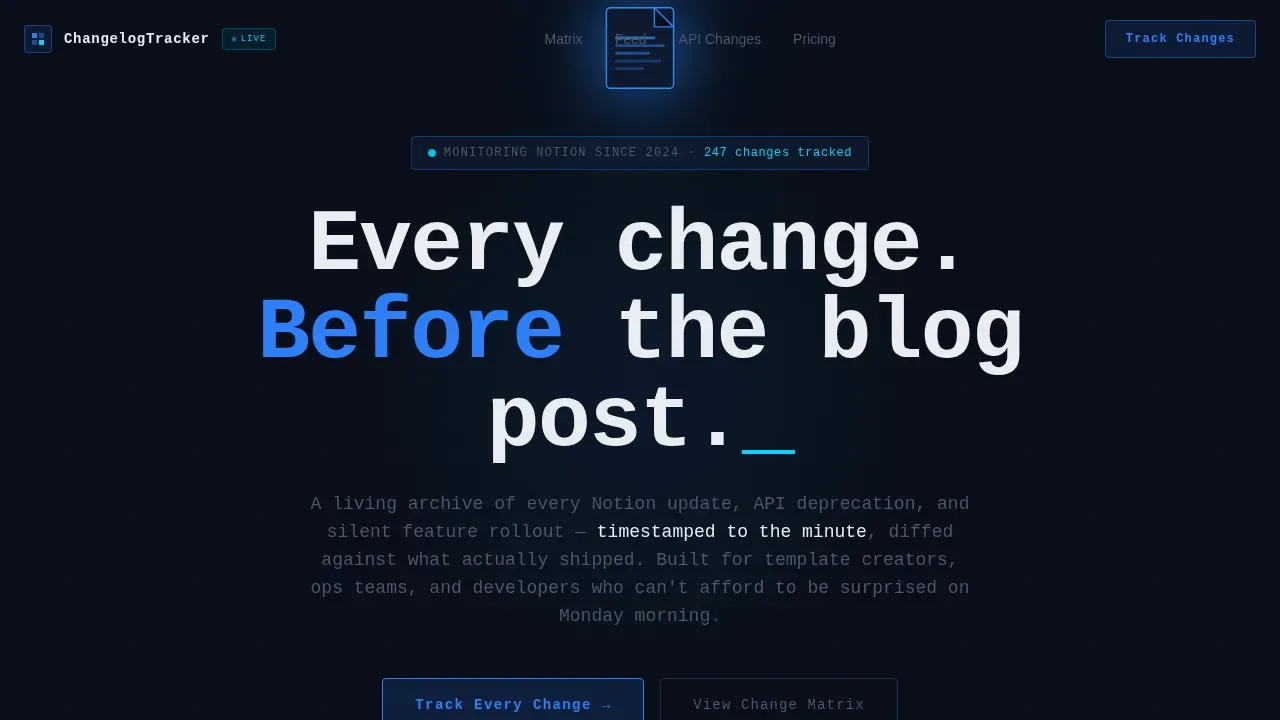
This template is a living, timestamped archive for every Notion release. It tracks new features, bug fixes, API changes, and silent rollouts in a brutal comparison table layout. The dark terminal visual identity makes every release entry feel urgent and load-bearing. Users get more detail than any blog post, and they get it earlier.
Who this template is for
This template is built for people who depend on Notion at a depth where every silent update matters. It is not for casual note-takers. It is for the users who feel a formula break on a Monday morning before the release notes even exist.
- Notion power users building second-brain systems and linked databases who need early warning on significant updates
- Template creators whose software product breaks when Notion ships a database schema change without announcement
- Developers and ops teams managing release tracking across integrations, automations, and API-dependent workflows
What problem this template solves
Notion's own blog posts arrive late. Community forums surface rumors. Twitter leaks lack context. None of those sources organize release information with the structure that developers and stakeholders actually need to act on it.
- Release tracking is scattered across multiple platforms, making it hard to identify potential issues before they affect production workflows
- There is no centralized place to compare what existed before a release against what actually shipped, with clear diff detail
- Ops teams and product managers lose time every week trying to piece together important information from disconnected sources
What you get with this template
You get a single-page comparison table landing page that turns Notion release documentation into a structured, scannable resource. The template is designed to streamline how your team tracks every release, tag entries by category, and communicate changes to stakeholders with clarity.
- A Before, Diff, and After comparison matrix organized by Notion surface: databases, pages, automations, API, and integrations
- A timestamped recent changes feed with category badges that readers can scan for the most significant updates at a glance
- A persistent email capture bar and a live API filter toggle that proves the template's depth before asking users to sign up
Feature list
This template is built around five core capabilities that make release tracking practical and immediate.
Brutal Comparison Table Matrix
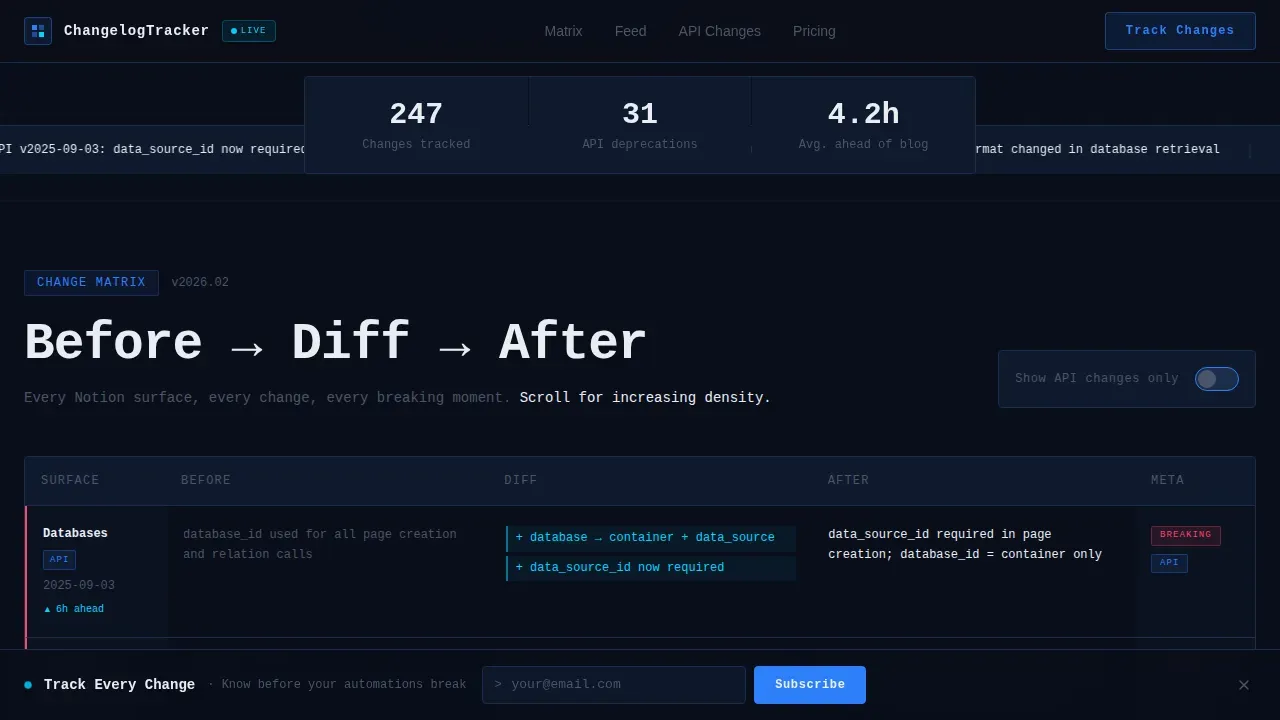
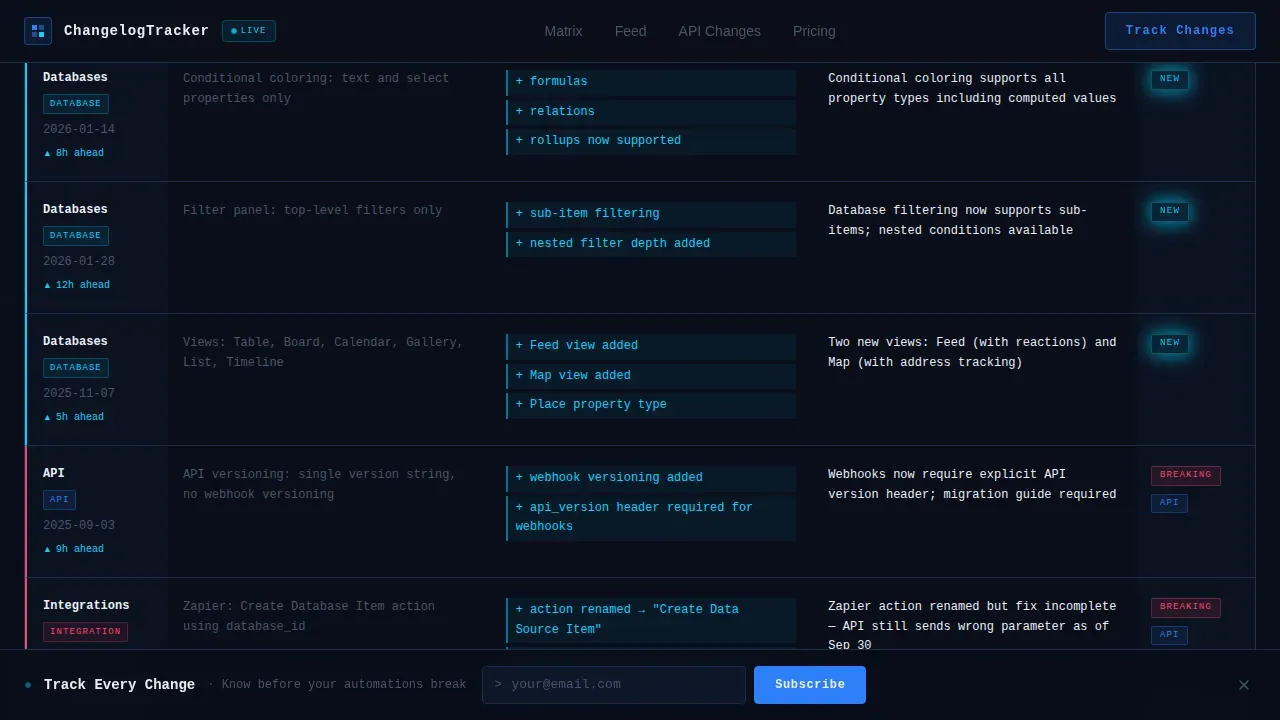
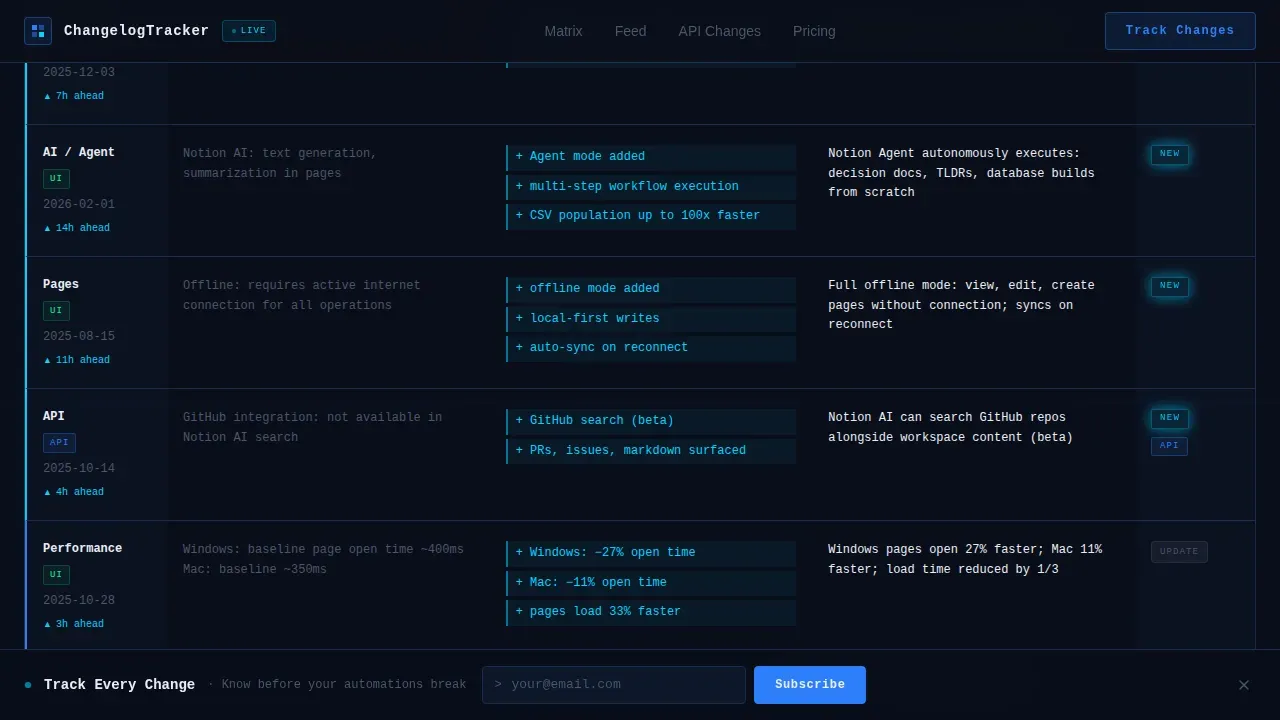
The feature matrix is the heart of this template. Each row compares what existed before a release against what shipped, with the diff highlighted in signal cyan. Rows cover databases, API changes, automations, and integrations. Early rows cover simple user interface improvements; later rows go deep into formula syntax and deprecations, rewarding users who scroll.
Timestamped Release Feed
A live-style changelog feed displays each release entry with an ISO-format date stamp, a category tag, and a status badge. This gives developers and ops teams an at-a-glance timeline of every change. The feed makes it easy to organize entries by release date and identify which updates affect specific workflows.
API Filter Toggle
A toggle labeled "Show API changes only" filters the comparison matrix in real time. This lets developers focus on API-level release tracking without scanning unrelated entries. It demonstrates the template's functionality before any signup is required, building trust with technical users.
Persistent Email Capture Bar
A bottom bar carries the call to action "Track Every Change" with a single email field. This keeps the conversion point visible without interrupting the reading experience. Product managers and developers can sign up at the point where the template has already delivered value through useful documentation.
Positioning Section: Why This Beats The Blog
A dedicated section places this tracker side by side against Notion's own blog, Twitter leaks, and community forums. It uses specific timestamps and API diff examples as social proof. This gives customers and stakeholders a clear reason to trust this source over informal channels.
Page sections overview
| Section | Purpose |
|---|---|
| Hero header | Establishes terminal aesthetic and live update context |
| Comparison matrix | Delivers Before, Diff, After release detail by surface |
| Recent changes feed | Shows timestamped entries with category badges |
| Why this beats the blog | Positions tracker against Notion blog and forums |
| Email capture bar | Converts readers with a persistent one-field signup |
| Footer | Closes with horizontal flow and supporting links |
Design & branding system
The visual system is Bold Brutalist. Every color choice serves communication, not decoration. The palette feels like a mission control monitor: the only light in the room is the information itself.
- Colors: void black (#0A0E1A) as the base field, deep terminal navy (#0F1A2E) for section depth, electric blue (#2D7FF9) for interactive borders and glow states, raw white (#EAEDF3) for monospaced type, and neon signal cyan (#00D4FF) reserved for new badges and diff highlights
- Typography: JetBrains Mono for headlines and code-style labels, DM Sans for body text, creating a clear visual hierarchy between release data and explanatory writing
Mobile & speed optimization
The template is built desktop-first to match the workflow of power users at a terminal. Mobile support is included so the release feed and comparison structures remain readable on smaller screens.
- Static server components handle the changelog table and documentation sections for reliable load behavior
- Interactive elements including the API filter toggle, animated counters, and the live ticker run as client components, keeping interactivity scoped to where it creates genuine value
How this template helps you convert
This template earns the email signup by being more useful as a static page than most software products are as apps. The conversion path follows a clear logic.
- The comparison matrix delivers immediate value by showing users release detail they cannot find elsewhere, creating trust before any ask is made
- The API filter toggle demonstrates depth and customization for technical users, proving the tool works for their specific needs in real time
- The persistent bottom bar keeps the signup visible as users scroll deeper into the release data, capturing intent at the moment of highest engagement
Other information about this template
This template sits in the Documentation and Support category, under the Notion Documentation subcategory. It is designed for the Notion Changelog and Release Notes niche, covering a gap that even dedicated changelog management tools often miss.
- Essential database properties for effective release tracking include Status, Category, Release Date, and Last Edited Time, and this template is structured around those properties
- For publishing, filter your database view to show only entries where Status is "Published" and sort by date in descending order to keep the most relevant changes at the top
- Automation tools like Zapier or GitHub Actions can populate the database automatically upon code deployment, reducing manual effort for developers managing frequent releases
- Notaku Changelog is a specialized tool that turns Notion pages into a changelog website, and this template can support a similar publishing workflow
- Zapier's Notion integration can sync updates automatically from your tracker to external tools, extending the value of your release documentation beyond the page itself
- Key components in a high-quality release tracking template include a version control log, feature list, rollout plan, and stakeholder feedback section; this template covers all of them
- Writing release notes collaboratively yields the best results; this template gives every team member a clear structure to contribute their expertise without duplicating entries
- Including visual cues like diff highlights and status badges can enhance user understanding, which is why the neon cyan accent is reserved exclusively for change indicators
- The template's structures are flexible enough to adapt to varying project scope, from a single software product release to an ongoing API versioning log
- Tips for getting the most out of this template: tag every entry consistently, add links to relevant documentation, and use the category filter to keep your release timeline clean and organized
Theme
Bold Brutalist
Creative direction
Feature Matrix
Color system
Midnight Blue
Style
Comparison Table
Direction
Comparison/Versus
Page Sections
Brutal Before and After Comparison Matrix
Timestamped Release Feed with Category Tags
Real-time API Filter Toggle
Persistent Email Capture Bar
Positioning Section Against Other Sources
Related questions
What kind of release information does this template track?
Can developers use this template for API-level release tracking?
Does this template support team collaboration on release documentation?
How does this template compare to reading Notion's own release notes?
Can I adapt this template for a different software product?



