Uplink - Powerful Industrialiot Landing Page Template
Uplink is a split-screen industrial IoT landing page template built for platforms that connect factory-floor hardware to the cloud. It pairs a live terminal header with an interactive ROI calculator, code-driven scroll sections, and a two-field freemium signup form. The Data Command visual identity uses deep black, electric indigo, and signal cyan to feel like a live control room.
by Rocket studio
Quick summary
Uplink is a single-page, split-screen landing page template for industrial IoT platforms. It opens with an animated terminal deploy command, transitions into an interactive ROI calculator, then alternates code snippets against real-world outcome visuals. The palette is dark, indigo-led, and precise. Every section pushes toward one goal: turning a skeptical plant engineer into an activated free user.
Who this template is for
This template is built for industrial IoT platform teams that need to speak directly to technical buyers. It suits product marketers and growth engineers who know their audience reads code before reading copy.
- Plant engineers managing disconnected programmable logic controllers (PLCs) across a factory floor
- Operations directors evaluating cloud-ready alternatives to costly SCADA (Supervisory Control and Data Acquisition) upgrades
- DevOps teams at manufacturing scale-ups building telemetry pipelines without dedicated IoT infrastructure experience
What problem this template solves
Industrial IoT platforms are hard to sell on a generic SaaS landing page. Buyers are skeptical, technical, and burned by previous enterprise integrations that overpromised. This template replaces marketing language with proof: live code, live math, live handshakes.
- Skeptical engineers dismiss marketing copy but trust a terminal window showing a real deploy command
- Decision-makers need to justify spend, and a working ROI calculator gives them a number to bring to a budget meeting
- Tire-kickers who would never fill a demo form will paste their own broker URL into a live sandbox
What you get with this template
You get a complete, single-page split-screen layout designed around conversion through credibility. Every visual element is grounded in the industrial IoT use case described in the brief.
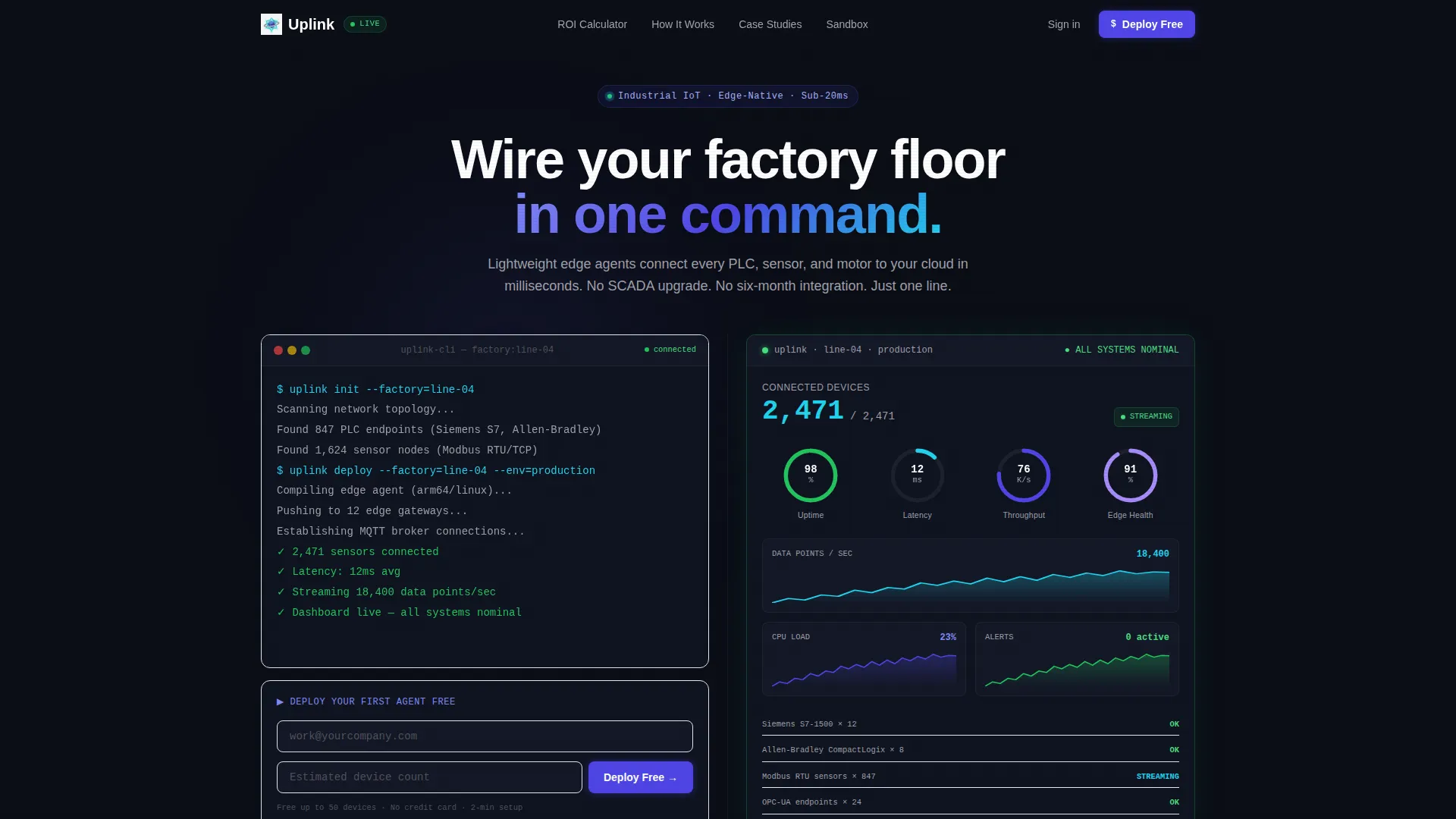
- An animated terminal header with a styled code snippet and a synchronized dashboard visualization that goes green on deploy completion
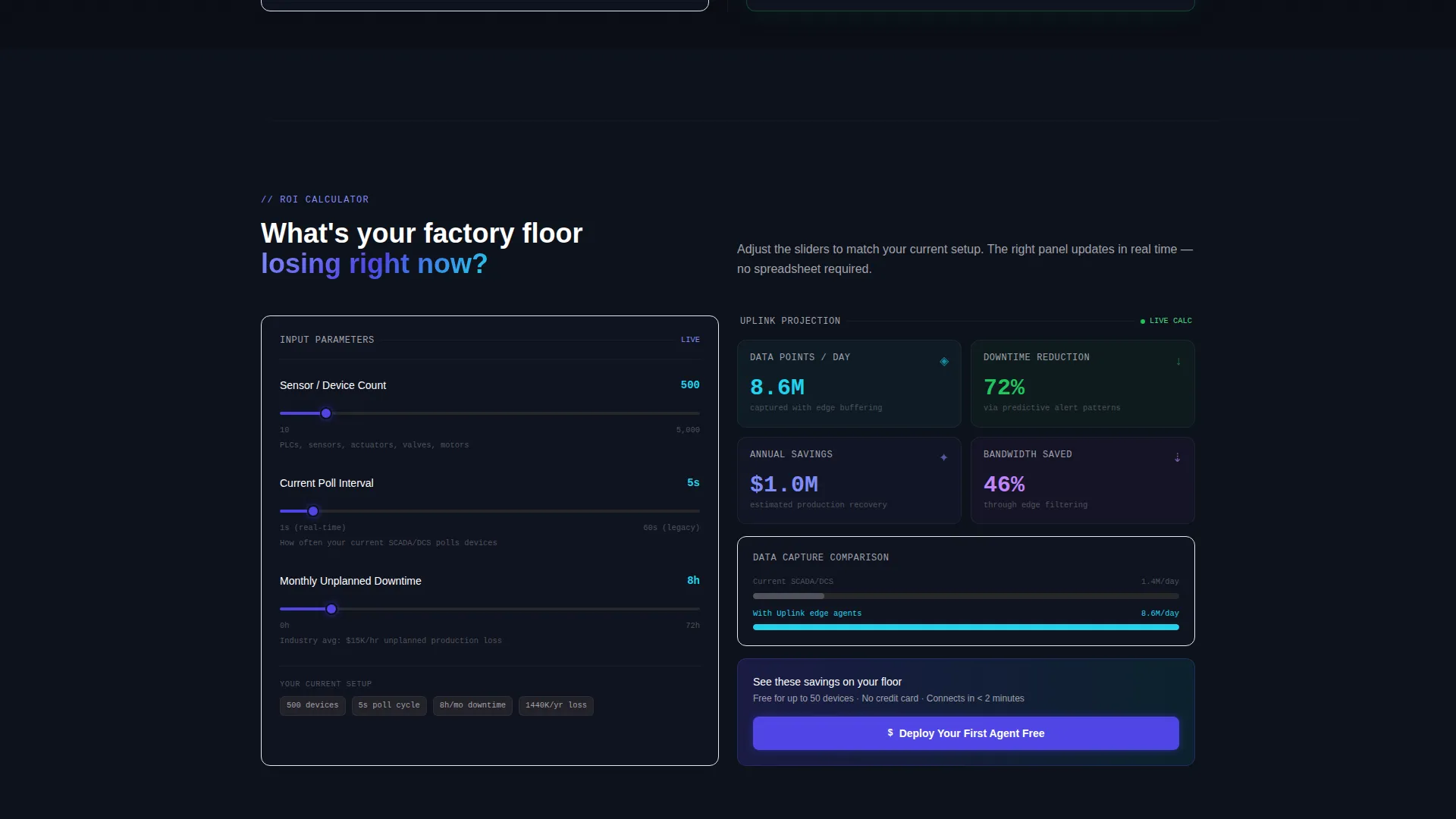
- An interactive ROI calculator with slider inputs for sensor count, polling interval, and monthly downtime hours, paired with a live output panel showing projected savings
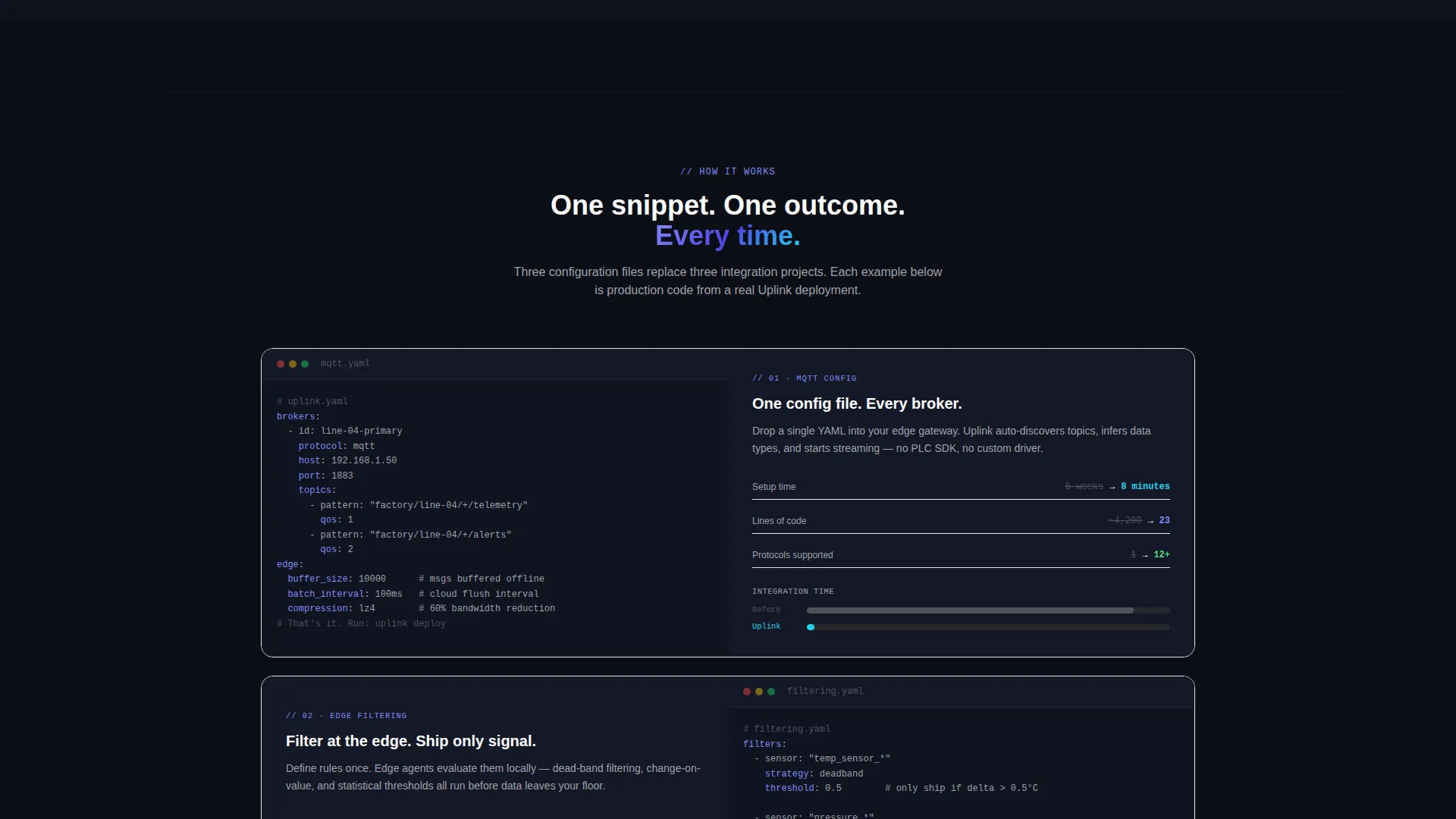
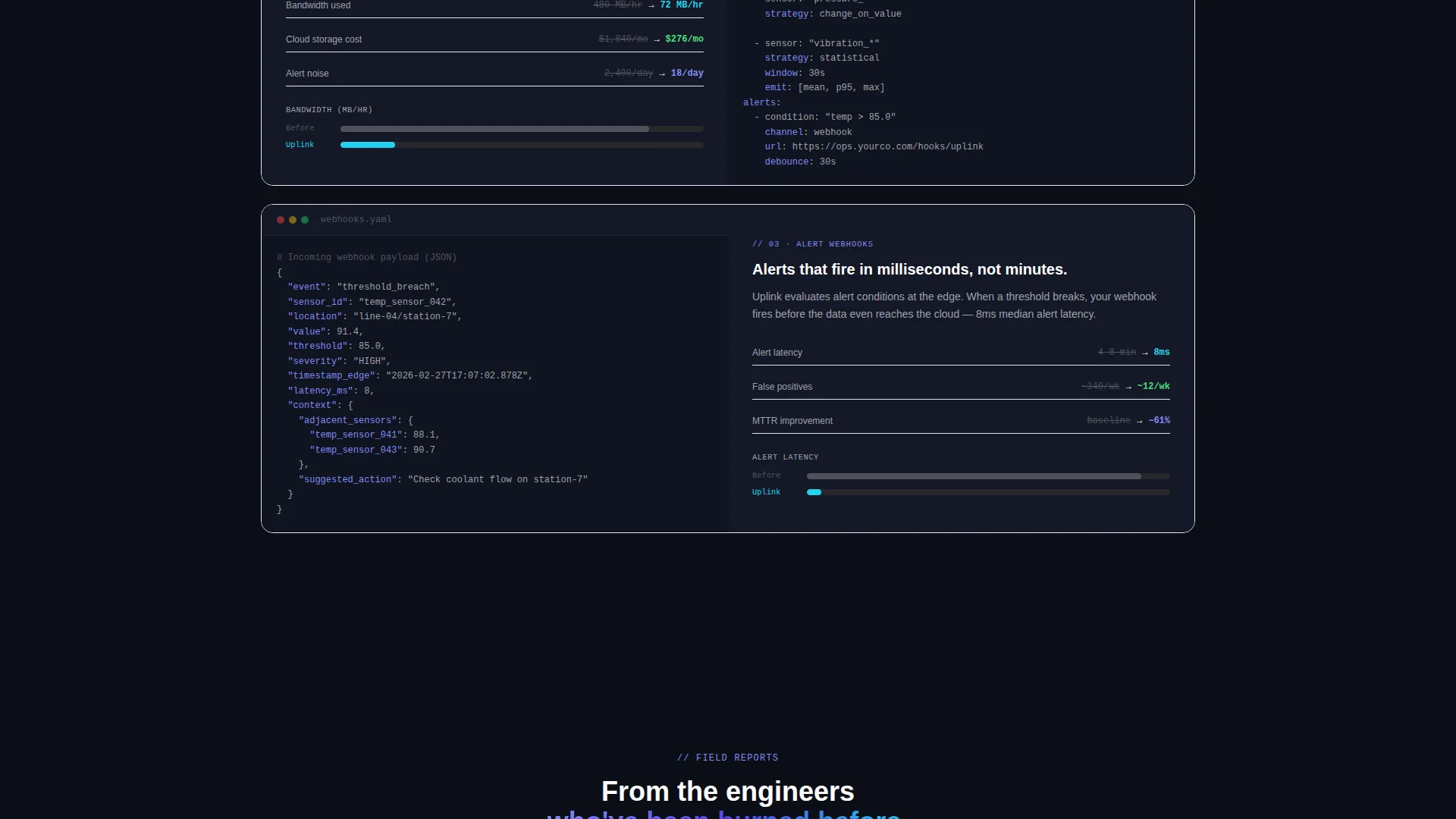
- Alternating split-screen scroll sections pairing MQTT (Message Queuing Telemetry Transport) configs, edge filtering rules, and alert webhooks against latency charts, alert timelines, and bandwidth graphs
Feature list
This template is built around a set of interactive, visually distinctive components drawn directly from the project brief.
Animated Terminal Hero
The left panel of the header displays a styled terminal window running a real uplink deploy command, with each line appearing as if typed live. The right panel syncs a dashboard visualization that fills gauges and draws sparklines in real time, going green the moment the command resolves.
Interactive ROI Calculator
Visitors enter their sensor count, current polling interval, and monthly downtime hours using sliders. The right panel instantly renders estimated daily data points captured, predicted downtime reduction, and projected annual savings in dollars, updating on every slider move.
Live Broker Sandbox
A secondary conversion path lets engineers paste their own MQTT or OPC-UA (OLE for Process Control Unified Architecture) endpoint directly into an embedded sandbox. The template shows Uplink completing a live handshake with that endpoint, turning passive browsers into activated users before account creation.
Code-to-Outcome Scroll Sections
Deeper in the page, split-screen sections alternate between real code examples on one side and their measurable real-world outcomes on the other. Latency charts drop, alert timelines compress, and bandwidth graphs flatten in direct response to the snippet shown alongside them.
Two-Field Freemium Signup Form
The primary conversion form asks only for a work email address and estimated device count. Nothing else. This minimal friction design is built to capture high-intent technical leads who would abandon a longer form.
Persistent Navigation call to action
The primary call to action, "Deploy Your First Agent Free," appears both as a clickable command line inside the terminal header and as a persistent button in the navigation bar. This keeps the conversion path visible at every scroll depth.
Page sections overview
| Section | Purpose |
|---|---|
| Navigation Bar | Hosts the persistent "Deploy Your First Agent Free" call to action button |
| Terminal Hero | Animated deploy command paired with a synced live dashboard |
| ROI Calculator | Slider-based inputs producing a live projected savings output |
| Calculator Output Panel | Renders daily data points, downtime reduction, and annual savings |
| Code versus. Outcome Row 1 | MQTT config snippet against a latency chart dropping in real time |
| Code versus. Outcome Row 2 | Edge filtering rules against an alert timeline compressing |
| Code versus. Outcome Row 3 | Alert webhook code against a bandwidth graph flattening |
| Broker Sandbox | Live OPC-UA or MQTT endpoint paste and handshake visualization |
| Freemium Signup | Two-field form capturing work email and estimated device count |
Design & branding system
The visual identity follows a Data Command theme. It is dark, precise, and industrial, built to feel like a control room running overnight with every signal accounted for.
- Color palette: deep console black (#0B0E17) as the base, electric indigo (#4F46E5) on interactive surfaces and live-state indicators, signal cyan (#22D3EE) firing only on data in motion such as streaming numbers and active connection states, and muted zinc (#A1A1AA) for secondary text and graph gridlines
- No stock photography is used anywhere; the code terminal and dashboard visualizations are the primary hero visuals
- Indigo dominates interactive and stateful elements, while cyan is reserved strictly for moments of live data activity, keeping the visual hierarchy precise and meaningful
Mobile & speed optimization
The template is structured as a single-page layout, which gives it a naturally lean footprint. Split-screen sections that work side by side on desktop are designed to reflow into stacked vertical panels on smaller screens without breaking the narrative sequence.
- The terminal header, ROI calculator, and broker sandbox sections each adapt to a single-column layout on mobile viewports
- The calculator sliders and live output panel remain functional and readable at smaller screen widths
- The persistent navigation call to action stays visible on mobile scroll, keeping the primary conversion path accessible at every point in the page
How this template helps you convert
This template is designed around conversion logic that matches how technical buyers actually behave. It replaces persuasion copy with interactive proof at each stage of the page.
- The animated terminal hero establishes immediate credibility with engineers by showing a real deploy command rather than abstract feature claims, reducing the cost of initial trust.
- The ROI calculator gives operations directors a concrete, personalized savings number before they ever speak to sales, which lowers the barrier to starting a free trial.
- The live broker sandbox converts the most skeptical visitors by letting them test a real connection with their own endpoint, removing all hypothetical friction from the "Does this actually work?" question.
Other information about this template
This template sits at the intersection of the Technology category and the Industrial IoT Platform niche. It is designed for teams marketing lightweight edge agent technology to manufacturing and industrial operations buyers.
- The template style is a 50/50 split screen, with left and right panels working in visual and narrative sync throughout the entire page
- The freemium and trial conversion model is baked into the page structure, with both a primary and a secondary activation path included
- The header concept is a code snippet terminal, which is the visual centerpiece rather than an illustration or photograph
- The template theme is Data Command, a visual system suited to telemetry platforms, device monitoring dashboards, and real-time data pipeline tools
- This layout is well suited to platforms offering MQTT-based connectivity, edge computing deployments, or factory-floor sensor integration products
Theme
Data Command
Creative direction
Calculator/Tool First
Color system
Electric Indigo
Style
Split Screen (50/50)
Direction
Freemium/Trial
Page Sections
Animated Terminal Hero with Synced Dashboard
Interactive ROI Calculator with Live Output
Live Broker Sandbox for Instant Activation
Code-to-outcome Alternating Scroll Sections
Two-field Freemium Signup Form
Persistent Navigation Call to Action
Related questions
Who is this landing page template designed for?
Can I use this template without coding experience?
What makes the ROI calculator section useful for conversion?
Does this template include the dashboard and chart visuals?
Is this template suitable for a freemium or free-trial offer?



