Fleet Telematics Landing Page Template
Uplink is a dark-field, glassmorphic landing page template built for connected vehicle tech platforms. It opens with an animated stats wall showing fleet scale at a glance, then guides visitors through a scrollable architecture diagram, a use-case card rail, and a live-data simulation panel, all leading to a low-friction demo request form.
by Rocket studio
Quick summary
Uplink is a single-page, dashboard-style landing page template designed for fleet telematics and connected vehicle platforms. It leads with real-time metric counters, walks visitors through a self-assembling architecture diagram, and closes with a three-field lead generation form. The visual language is dark, data-forward, and built to signal technical credibility from the first scroll.
Who this template is for
This template speaks directly to teams that sell or deploy vehicle intelligence at scale. If your buyers need to see proof before they schedule a call, this layout gives them that proof fast.
- Logistics directors managing large truck fleets who evaluate platforms on uptime and data latency
- Original equipment manufacturer (OEM) product leads embedding telematics into next-model-year vehicle dashboards
- Municipal transit authorities looking to cut route time through live diagnostic and GPS data
What problem this template solves
Fleet telematics platforms are technically dense. A plain marketing page rarely communicates the speed, scale, or reliability that enterprise buyers need to feel confident. Uplink solves that gap by making the data itself the hero.
- Buyers leave generic landing pages unconvinced because they see claims, not evidence
- Technical evaluators need an API path, not just a sales pitch
- Enterprise prospects with large fleets want to see platform scale before they book a meeting
What you get with this template
You get a fully structured, single-page layout that combines visual impact with a clear conversion path. Every section is designed to add a layer of evidence as the visitor scrolls.
- A full-viewport animated stats wall, a scroll-triggered architecture diagram, a horizontal use-case card rail, and a live-data simulation panel
- A sticky frosted navigation bar with a persistent "Request a Live Demo" call-to-action button
- A glassmorphic lead generation form at the page base with fleet size dropdown, use-case multi-select chips, and a work email field
Feature list
This template ships with purpose-built components that reflect how fleet telematics platforms actually sell.
Animated Real-Time Stats Wall
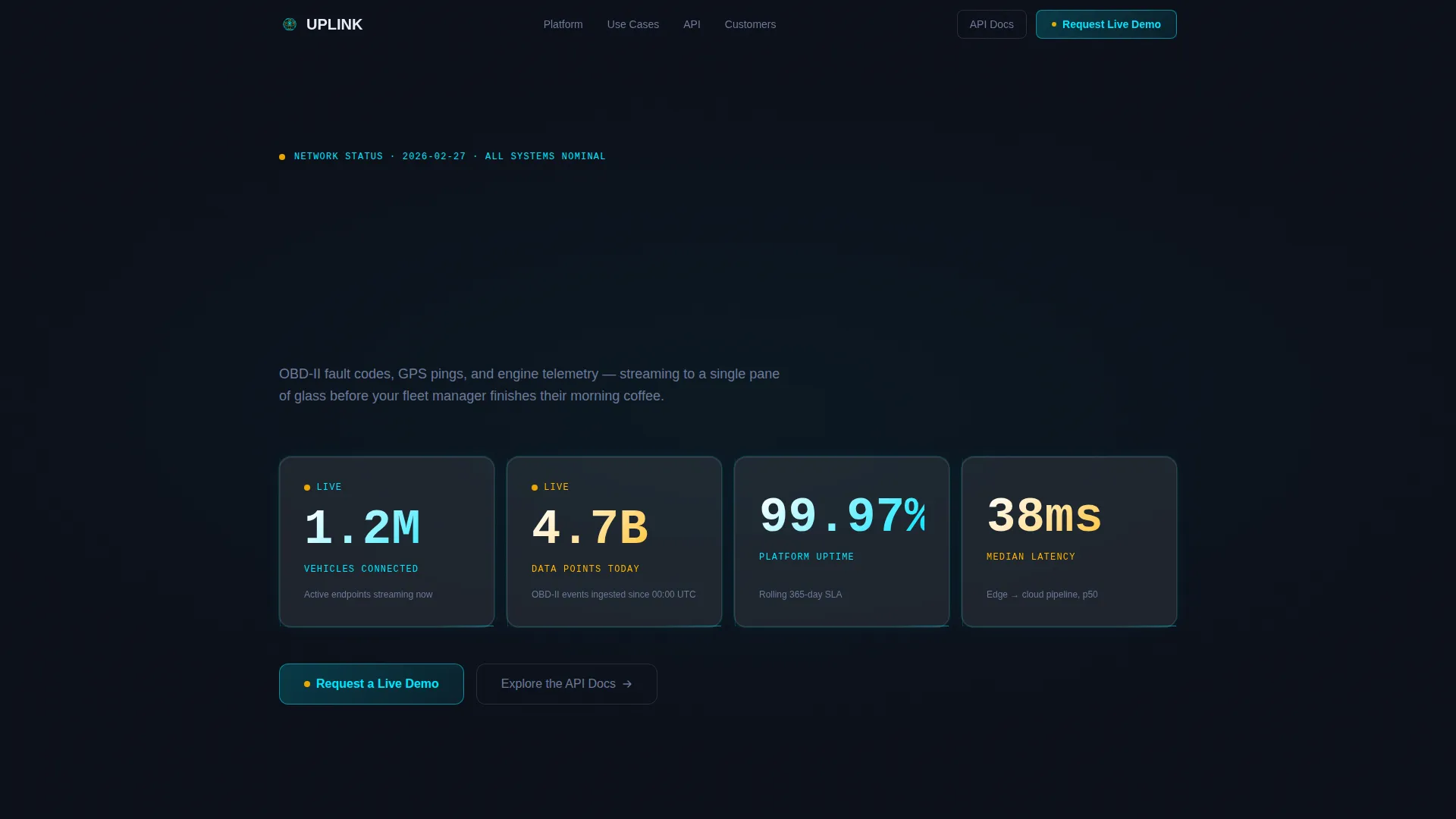
The header is a full-viewport dark canvas populated with frosted-glass metric cards. Counters for connected vehicles, data points ingested, uptime percentage, and median latency animate on load with a staggered ease-out effect. Each card catches a faint cyan edge-light on entry, making the numbers feel live rather than static.
Scroll-Triggered Architecture Diagram
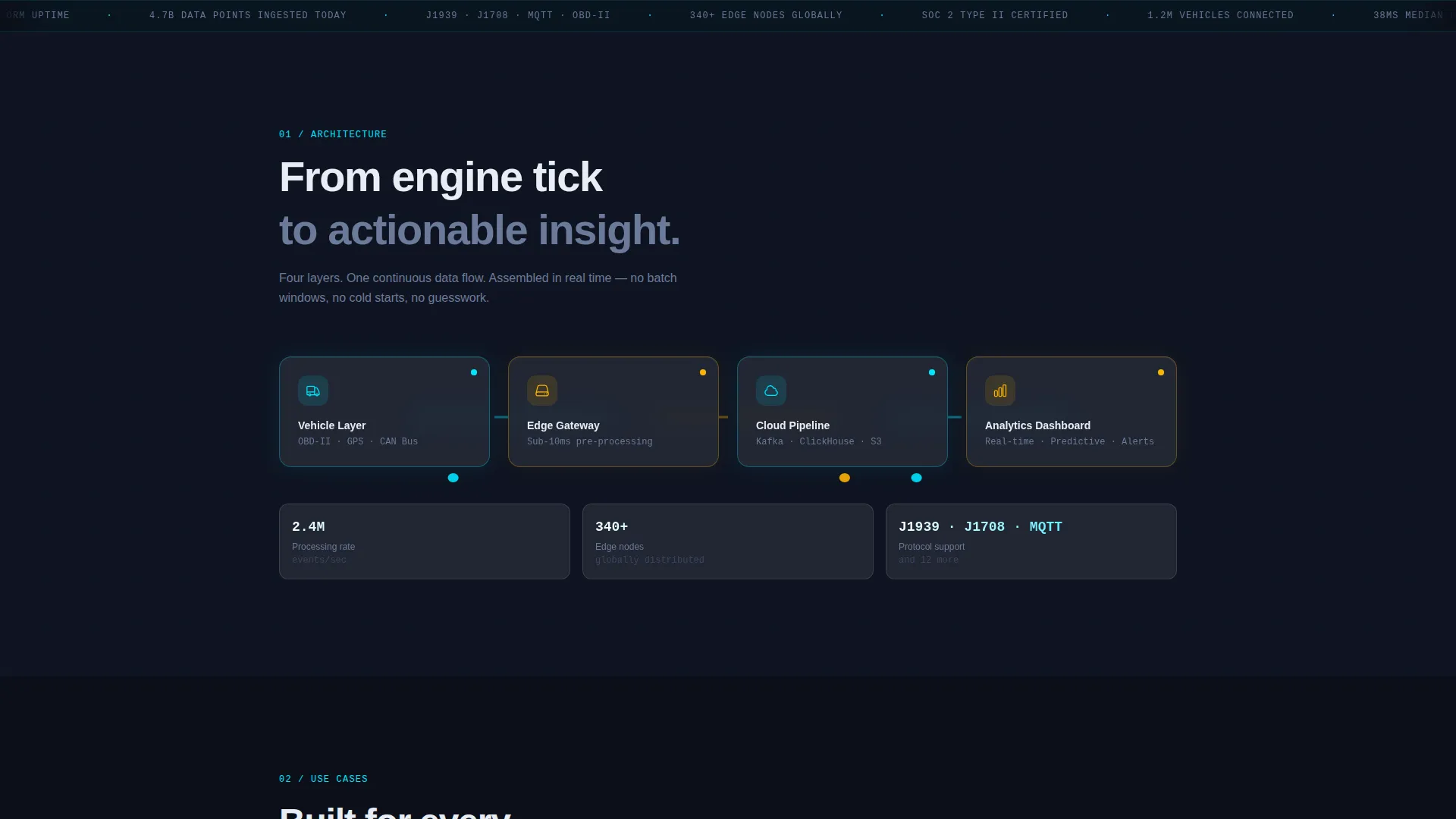
A glassmorphic diagram assembles itself as the visitor scrolls. Each layer, vehicle, edge gateway, cloud pipeline, and analytics dashboard, lights up in electric cyan as it enters the viewport. It communicates platform depth without requiring a single word of technical explanation.
Horizontal Use-Case Card Rail
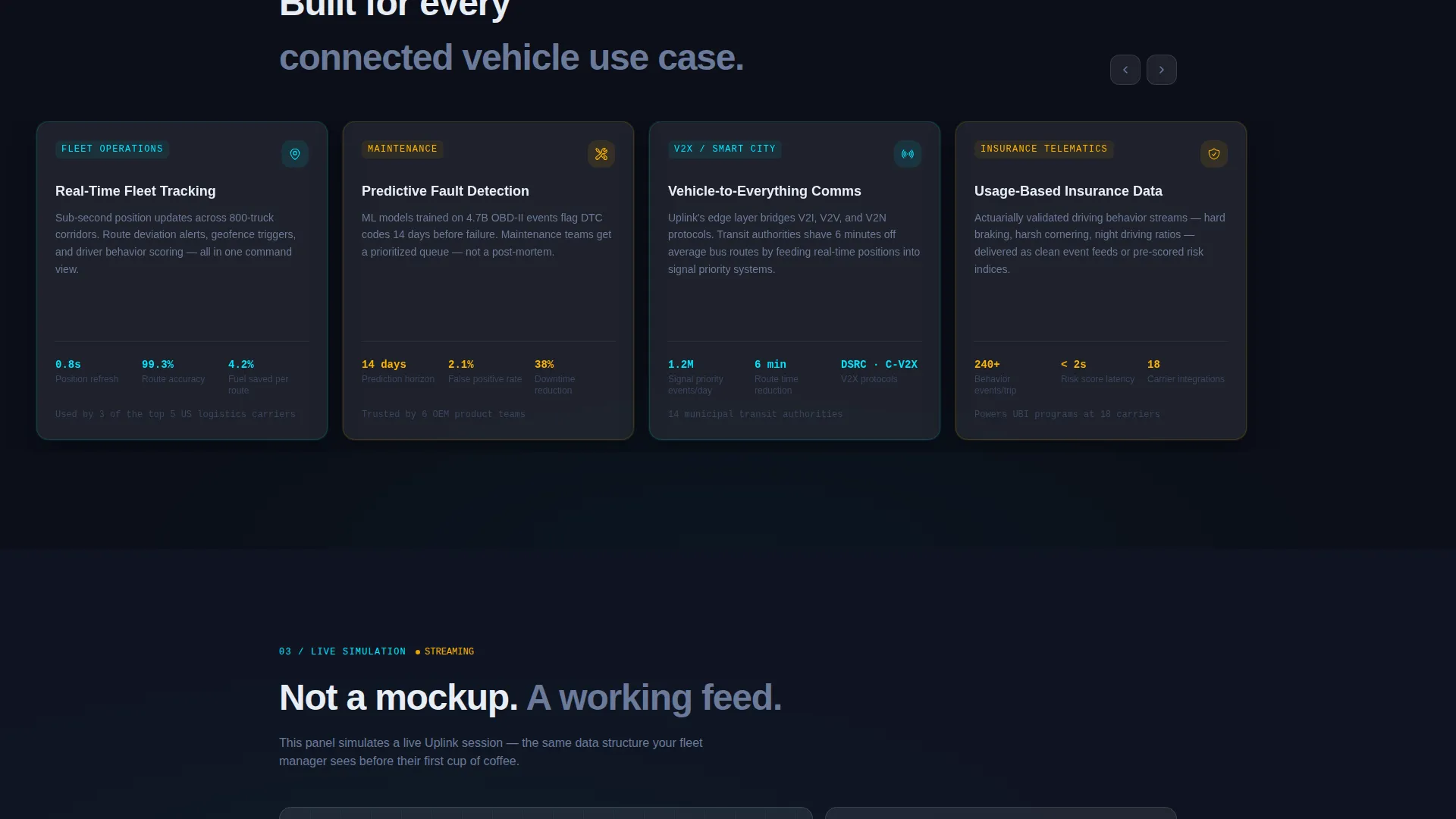
Four use-case cards (fleet tracking, predictive maintenance, Vehicle-to-Everything (V2X) communication, and insurance telematics) sit in a horizontally scrollable rail. Each card tilts on hover with a parallax depth effect behind frosted glass, keeping the layout interactive and skimmable.
Live-Data Simulation Panel
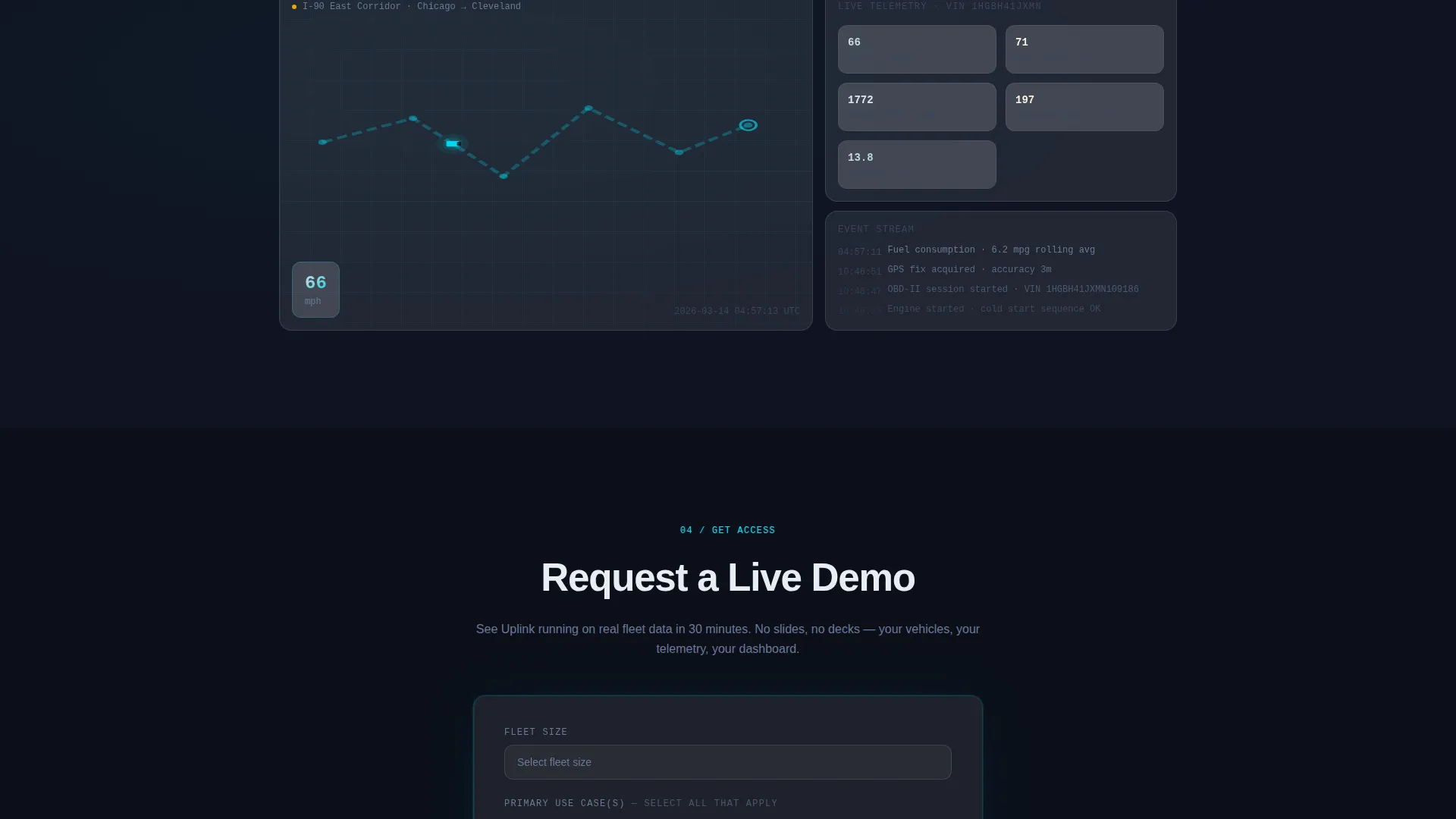
A single animated truck moves across a dark map, streaming speed, fuel level, and diagnostic events into a mini-dashboard beside it. This panel acts as an in-page product demonstration, showing the platform in motion rather than describing it.
Sticky Navigation with Persistent call to action
After the first scroll, a slim frosted navigation bar pins to the top of the viewport. The primary "Request a Live Demo" call-to-action stays visible at all times, reducing the friction between interest and conversion.
Low-Friction Lead Generation Form
The full-width glassmorphic form at the page base collects only three inputs: fleet size, primary use case, and work email. A ghost-button secondary path labeled "Explore the API Docs" sits beside the main call-to-action for technical evaluators who prefer documentation over a scheduled demo.
Page sections overview
| Section | Purpose |
|---|---|
| Stats metrics wall | Opens with animated counters showing platform scale |
| Architecture diagram | Assembles scroll-by-scroll to show data pipeline layers |
| Use-case card rail | Highlights key verticals with hover-tilt interaction |
| Live-data simulation | Demonstrates platform behavior with an animated truck feed |
| Lead generation form | Captures fleet size, use case, and work email with minimal friction |
Design & branding system
The visual identity follows a Tech Glass theme built on a Glassmorphic color system. Every surface, card, and overlay is calibrated to feel like a heads-up display projected onto a dark cockpit.
- Core palette: deep cockpit black (#0B0F19) as the base, frosted translucent panels at 8% white opacity over blur, electric cyan (#00E5FF) as the telemetry accent, and warm signal-amber (#FFB300) reserved for live-data callouts and hover states
- Typography and layout follow a dashboard-grid structure, keeping data readable against dark backgrounds without visual clutter
- Hover states, edge-lights, and animated counters reinforce the "live platform" feeling throughout the page
Mobile & speed optimization
The template is structured with a responsive layout in mind, ensuring the data-heavy sections remain readable across screen sizes.
- Frosted-glass cards and metric counters reflow cleanly for smaller viewports without losing visual hierarchy
- The horizontal card rail adapts to touch-scroll behavior on mobile devices
- Staggered animation sequences are designed to load progressively, keeping the page feeling responsive as each section enters view
How this template helps you convert
Uplink is engineered around a single outcome: turning a skeptical enterprise buyer into a qualified demo request.
- The animated stats wall establishes platform credibility in the first three seconds, before the visitor reads a single line of copy
- The live-data simulation panel shifts the page from marketing claims to visible evidence, giving technical evaluators something concrete to react to
- The sticky call-to-action bar and the low-friction three-field form at the page base remove every possible delay between interest and submission
Other information about this template
This template is built within the Dashboard and Data Grid template style, making it a strong fit for any connected vehicle tech or Internet of Things (IoT) platform that needs to communicate real-time data capabilities to enterprise buyers.
- The template style aligns with the IoT and hardware subcategory, where buyers expect technical depth and visual precision
- The "Launch Energy" creative direction means each scroll feels like a countdown sequence, building conviction section by section
- The ghost-button API documentation path reflects a dual-audience approach: business decision-makers convert through the demo form, while developers convert through documentation
- The three-field form structure is intentionally minimal to reduce drop-off among high-value fleet operators who have limited time
Theme
Tech Glass
Creative direction
Launch Energy
Color system
Glassmorphic
Style
Dashboard/Data Grid
Direction
Lead Generation
Page Sections
Animated Real-time Stats Wall
Scroll-triggered Architecture Diagram
Horizontal Use-case Card Rail
Live-data Simulation Panel
Sticky Call to Action Navigation Bar
Low-friction Lead Gen Form
Related questions
Who is this landing page template designed for?
Can I customize the metric counters in the stats wall?
Does the template include the live-data map simulation?
What does the lead generation form collect?
Is this template designed as a single page or a multi-page site?



