Hotel Booking Landing Page Template
Uptime is a scroll-reveal landing page template built for open-source site reliability engineering projects. It leads with an interactive MTTR estimator, walks visitors through a tabbed incident timeline demo, and closes with a frictionless one-command install call to action. The dark electric indigo visual system feels like a well-configured terminal at midnight.
by Rocket studio
Quick summary
Uptime is a single-page, scroll-reveal template designed for open-source observability toolkits. It opens with a feature tab switcher showing correlated alert timelines, then immediately drops visitors into an interactive MTTR estimator. Every section fades up from a deep void-black background as the user scrolls, guiding on-call engineers toward a one-command install with zero friction.
Who this template is for
This template speaks directly to the engineers who live in incident response. It was shaped around the real frustrations of teams managing distributed systems at scale.
- Platform engineers overwhelmed by alert noise and fragmented monitoring dashboards
- Site reliability engineering leads working to cut mean time to resolution below ten minutes
- DevOps teams at mid-stage startups who have outgrown loosely connected observability setups
What problem this template solves
On-call engineers often juggle five or more browser tabs during an active incident. Correlating alerts, traces, and deployment logs manually is slow and error-prone. This template gives that open-source toolkit a landing page that mirrors the clarity the product itself promises.
- No clear story connecting raw alerts to root cause for first-time visitors
- Generic SaaS-style templates that feel wrong for an open-source, terminal-native audience
- Landing pages that bury the install step behind email gates and long scroll distances
What you get with this template
You get a fully structured scroll-reveal landing page that earns attention section by section. Every component is grounded in the real workflow of incident response, from first alert to resolved postmortem.
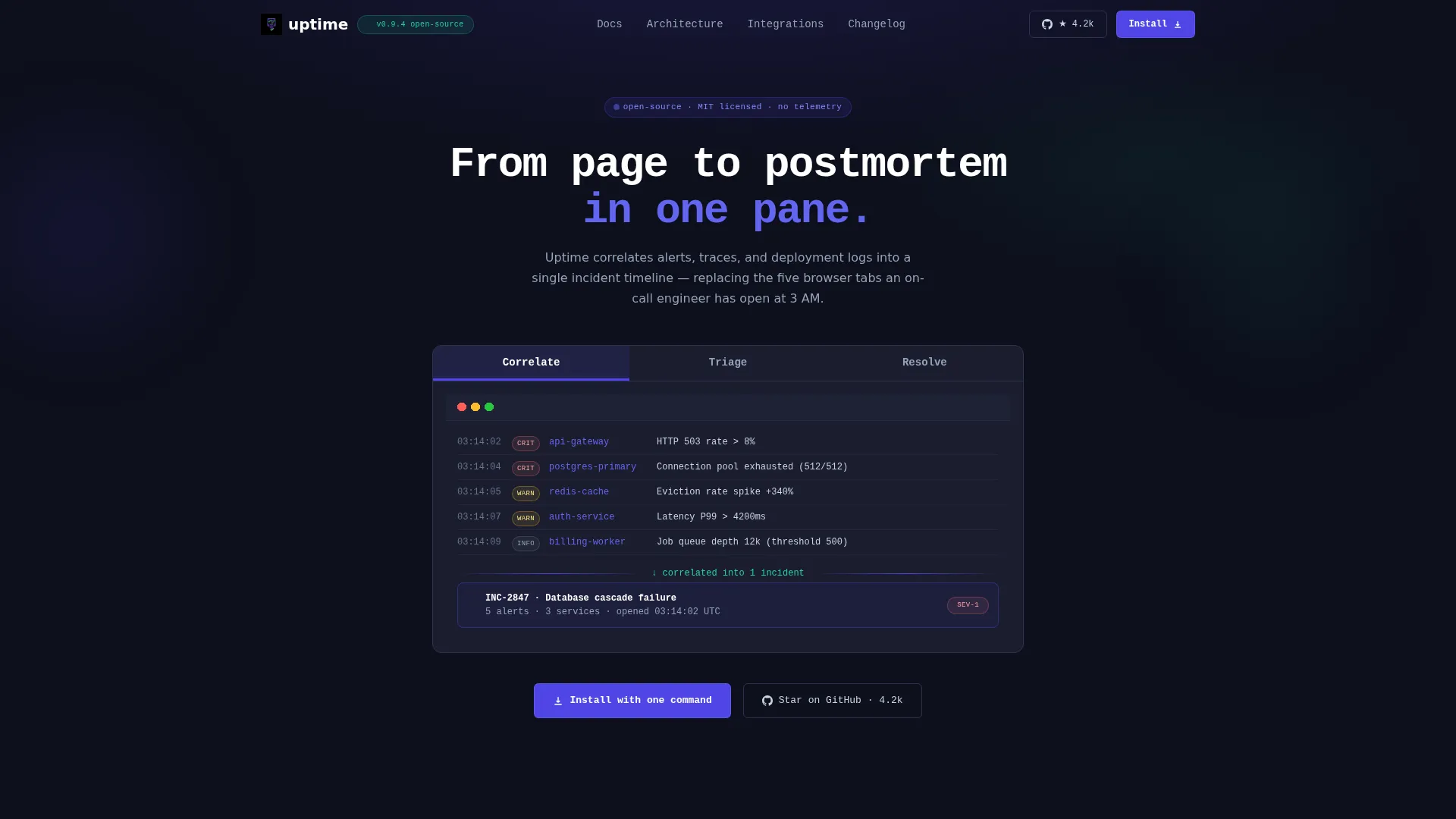
- A three-tab header component showing correlated, triage, and resolve states of a live incident timeline
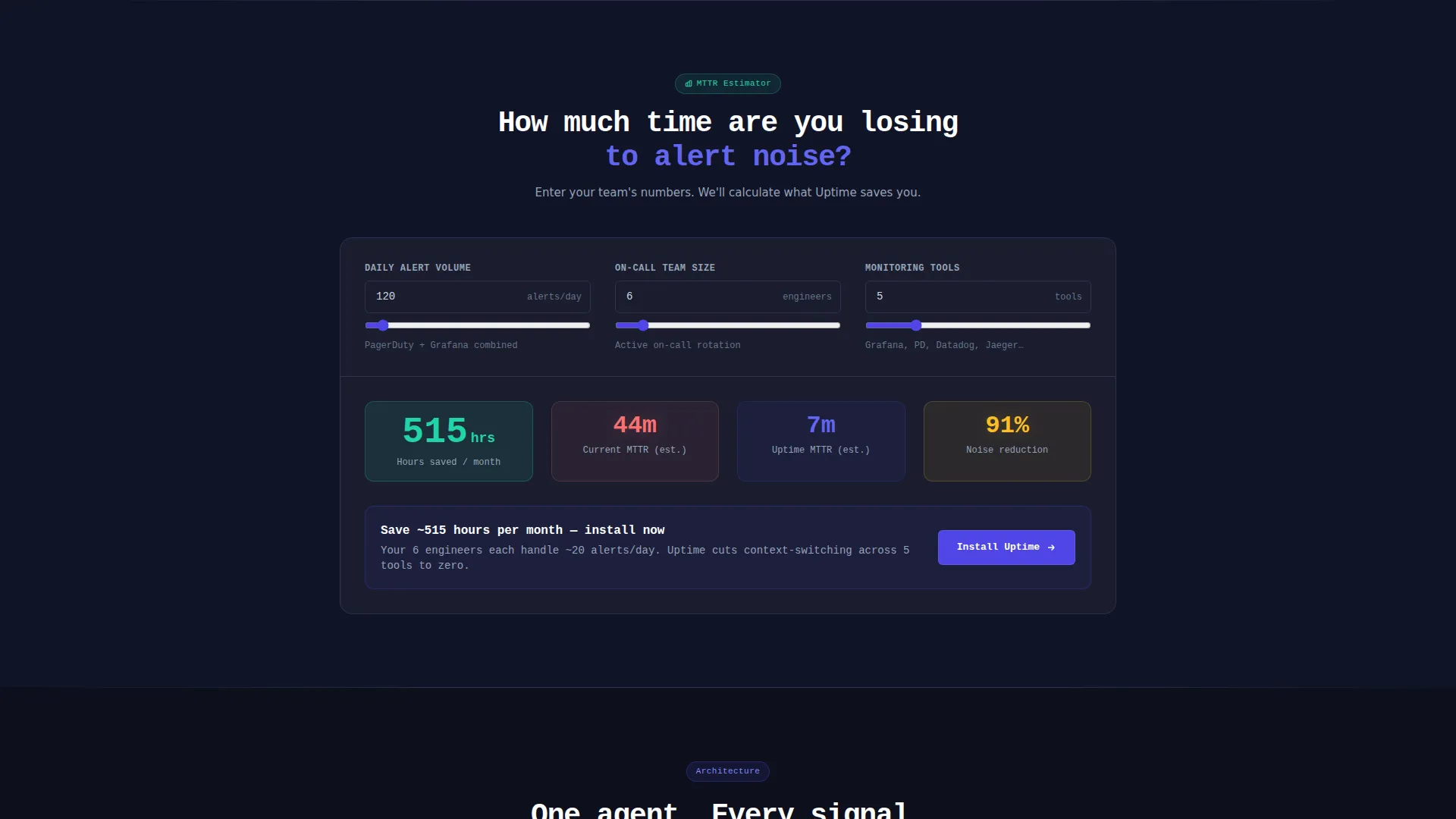
- An interactive MTTR estimator that personalizes the primary call to action with the visitor's own inputs
- A one-command install block with OS-detection tabs for Linux, macOS, and Docker, plus a secondary GitHub star path
Feature list
This template covers the full persuasion arc from first impression to install, using components that reflect how reliability engineers actually think and work.
Three-Tab Incident Timeline Header
The header uses three clickable tabs labeled "Correlate," "Triage," and "Resolve." Each tab reveals a different stage of the incident lifecycle rendered as a live mock timeline. Tab transitions animate like a terminal redraw, fast and left-to-right with no easing, which keeps the interaction feeling native to the audience.
Interactive MTTR Estimator
Placed immediately below the header, this calculator lets visitors enter their current alert volume, team size, and number of monitoring tools. The page computes projected time savings with and without the toolkit. The output ends with a personalized nudge tied directly to the install call to action.
Stroke-by-Stroke Architecture Diagram
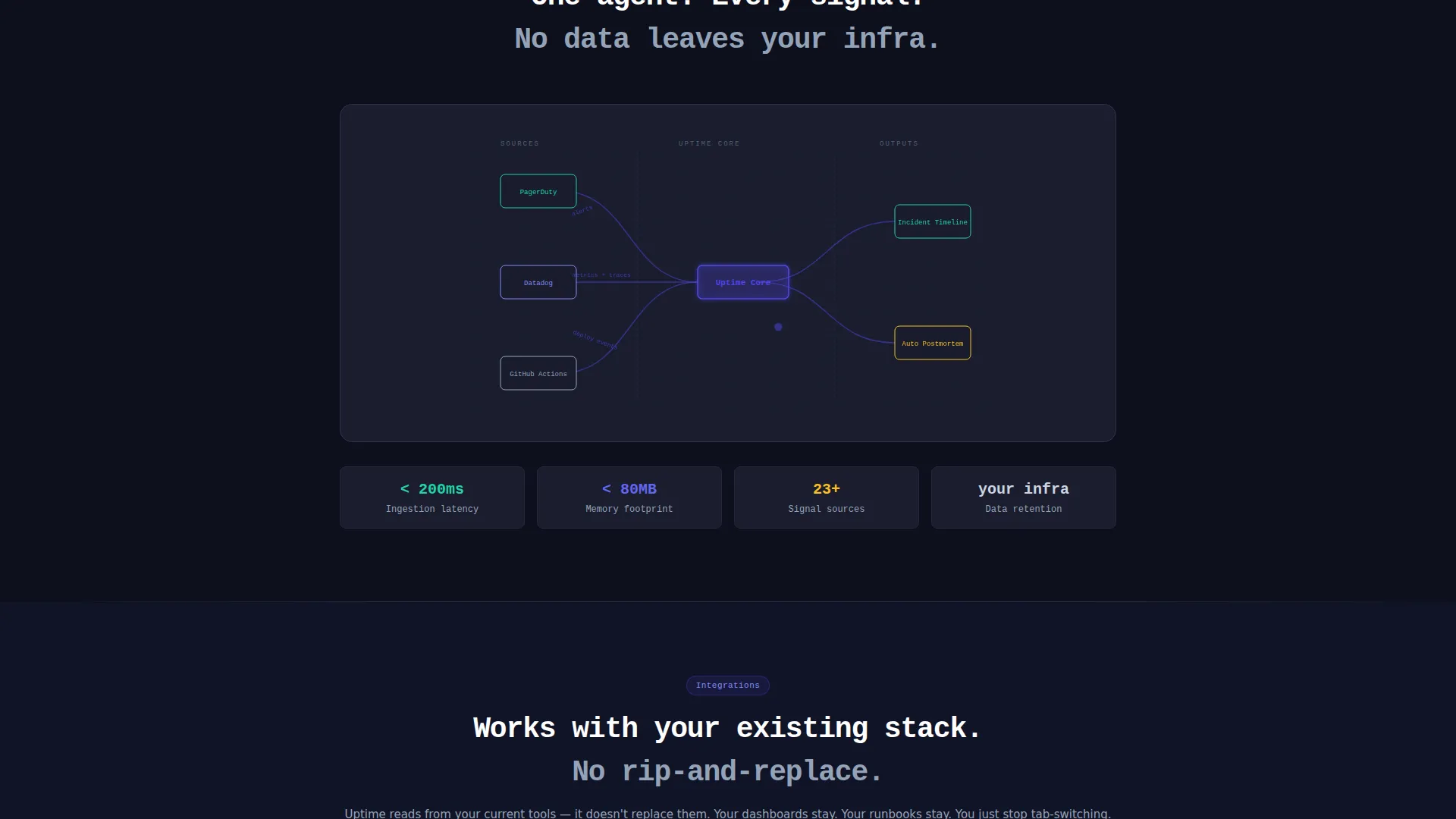
As the visitor scrolls, an architecture diagram draws itself stroke by stroke. This progressive reveal turns a static technical diagram into a moment of discovery, making complex system relationships easier to absorb without front-loading information.
Contributor Directory Grid
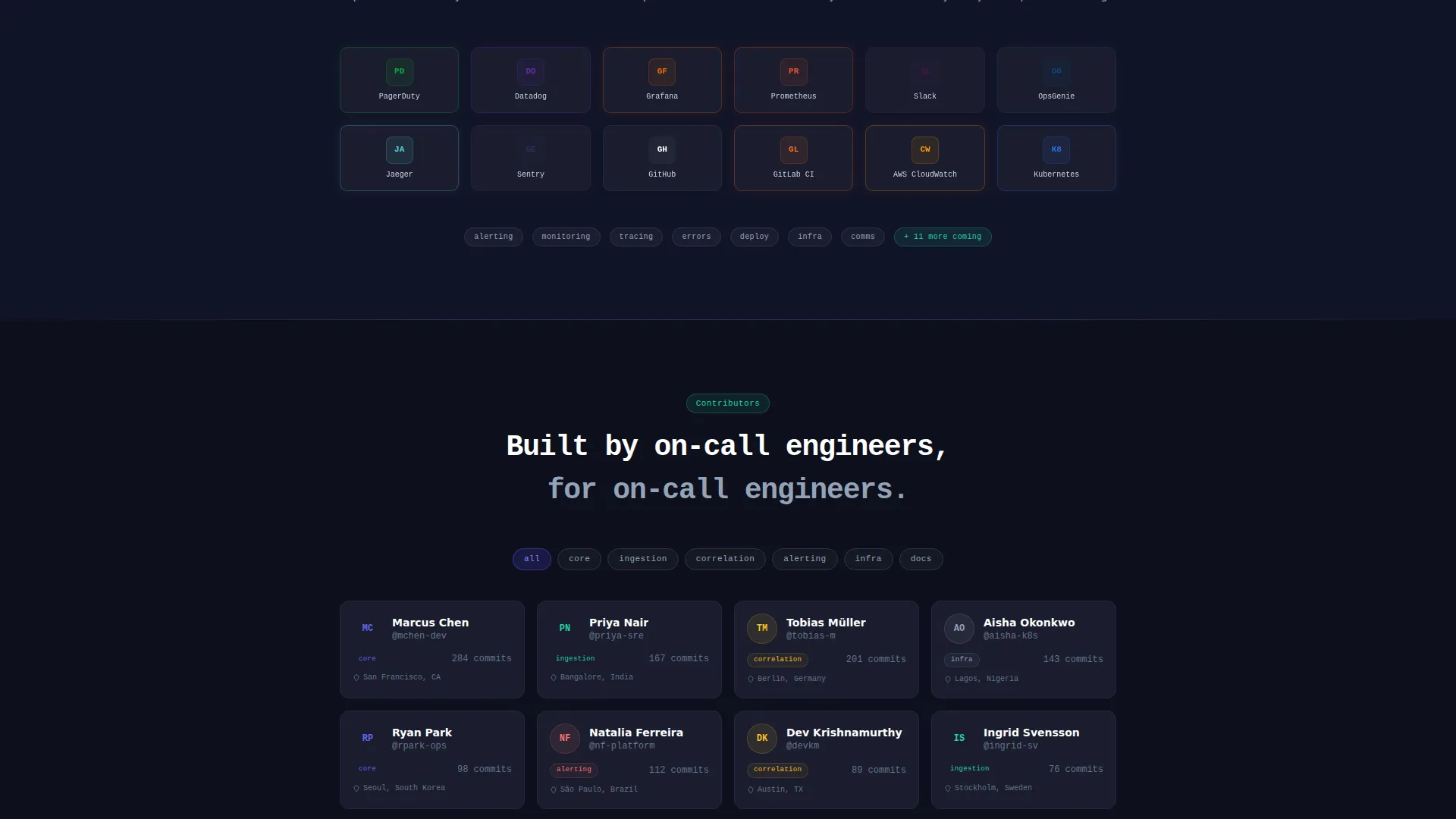
A filterable grid displays contributors organized by module. This section builds trust by showing the project's human side and making it easy for potential contributors to find their entry point into the codebase.
Terminal-Styled Changelog
A changelog section styled as a terminal output types itself out as it enters the viewport. It communicates active maintenance and project health without a single word about "active development" in a generic sense.
One-Command Install Block
The primary call to action is a copyable command-line interface snippet with OS-detection tabs for Linux, macOS, and Docker. There is no email gate and no form. The secondary path is a "Star on GitHub" option for engineers who want to evaluate before committing.
Page sections overview
| Section | Purpose |
|---|---|
| Tab Switcher Header | Show correlated incident timeline states |
| MTTR Estimator Tool | Personalize projected time savings |
| Architecture Diagram | Reveal system structure on scroll |
| Contributor Directory Grid | Filter contributors by module |
| Integration Logos | Light up partner tools on scroll entry |
| Terminal Changelog | Communicate active project maintenance |
| Install Call to Action | Drive one-command installs by OS |
Design & branding system
The visual identity follows a Directory and Discovery theme built around the Electric Indigo color system. Every color choice has a functional role, not just an aesthetic one.
- Deep void black (#0D0F1C) as the primary background, creating a terminal-native atmosphere for the target audience
- Electric indigo (#4F46E5) on interactive surfaces and code highlights, directing attention to actionable elements
- Phosphor green (#22D3A7) for status-healthy accents and success states, and cool slate (#94A3B8) for secondary text and divider lines
Mobile & speed optimization
The scroll-reveal progressive structure keeps each section lightweight and focused. Content appears as it becomes relevant, reducing the cognitive load of the page.
- Each section fades up from the void-black background independently, so the page feels fast and purposeful on smaller screens
- The OS-detection tab block on the install call to action adapts to the visitor's context, keeping the primary action clear on any device
How this template helps you convert
The conversion path is built around removing friction at every decision point. Trust is earned through the tool itself, not through marketing language.
- The MTTR estimator creates a personalized, data-grounded reason to install before the visitor has read a single feature bullet, turning passive browsing into active engagement
- The one-command install block with a copyable snippet and no email gate lowers commitment to near zero, matching the open-source trust model that this audience already respects
Other information about this template
This template is designed for open-source observability projects that need a landing page as credible as their tooling. A few additional details worth noting for teams evaluating it.
- The monospace headline treatment and terminal-styled components are intentional signals to a technical audience, not decorative choices
- Integration logos are designed to light up as they enter the viewport, giving social proof a dynamic quality that static logo rows lack
- The "Star on GitHub" secondary call to action provides a meaningful low-commitment path for engineers in evaluation mode
- The scroll-reveal structure means visitors discover sections progressively, which fits the narrative arc of an incident moving from noise to resolution
Theme
Directory & Discovery
Creative direction
Calculator/Tool First
Color system
Electric Indigo
Style
Scroll Reveal (Progressive)
Direction
App Download
Page Sections
Three-tab Incident Timeline Header
Interactive MTTR Estimator
Scroll-reveal Architecture Diagram
Contributor Directory Grid
Terminal-styled Changelog
One-command Install Block
Related questions
Does this template require a back-end to run the MTTR estimator?
Can I change the tab labels and timeline content in the header?
Is this template suitable for a commercial observability product or only open-source projects?
How does the contributor directory grid work?
Can the install command snippet be updated to match my project's actual install URL?



