Upskill - Accelerated Ittraining Landing Page Template
Upskill is a hub-and-spoke landing page template built for IT training platforms that move career-stuck professionals into certified, job-ready roles. It pairs a Feature Tab Switcher header with a Problem-to-Solution scroll arc, app download calls to action, and a bold Teal Catalyst color system to turn curious visitors into committed learners.
by Rocket studio
Quick summary
Upskill is a single-page, anchor-nav landing page template designed for IT course and training platforms. It guides help desk technicians, mid-career sysadmins, and bootcamp graduates from pain point awareness to app download in one fluid scroll. The layout is fast, focused, and built around real product depth rather than vague promises.
Who this template is for
This template is purpose-built for IT training businesses that need a high-conviction landing page. If your platform teaches cloud engineering, certification prep, or hands-on infrastructure skills, this layout speaks directly to your audience.
- IT course creators and training platform founders targeting working professionals ready to level up
- Bootcamp operators and corporate upskilling programs that need to prove lab depth before asking for a download
- Independent DevOps educators or career-coaching services built around mentor-led cohort learning
What problem this template solves
Most IT training landing pages list features without addressing the real fear: "Will this actually prepare me for a live environment?" Visitors arrive skeptical, and a generic hero section does nothing to earn their trust.
- Career-stuck learners need proof of hands-on depth before they commit to a download or sign-up
- Training platforms lose warm visitors because there is no interactive preview that shows real lab content
- Generic course page layouts fail to guide the learner from "I have a problem" to "this platform solves it" in a single scroll
What you get with this template
You get a complete, ready-to-customize landing page that walks visitors through an interactive header, a problem-aware content arc, and a clear app download destination. Every section connects to a specific learner pain point and answers it with a visible platform feature.
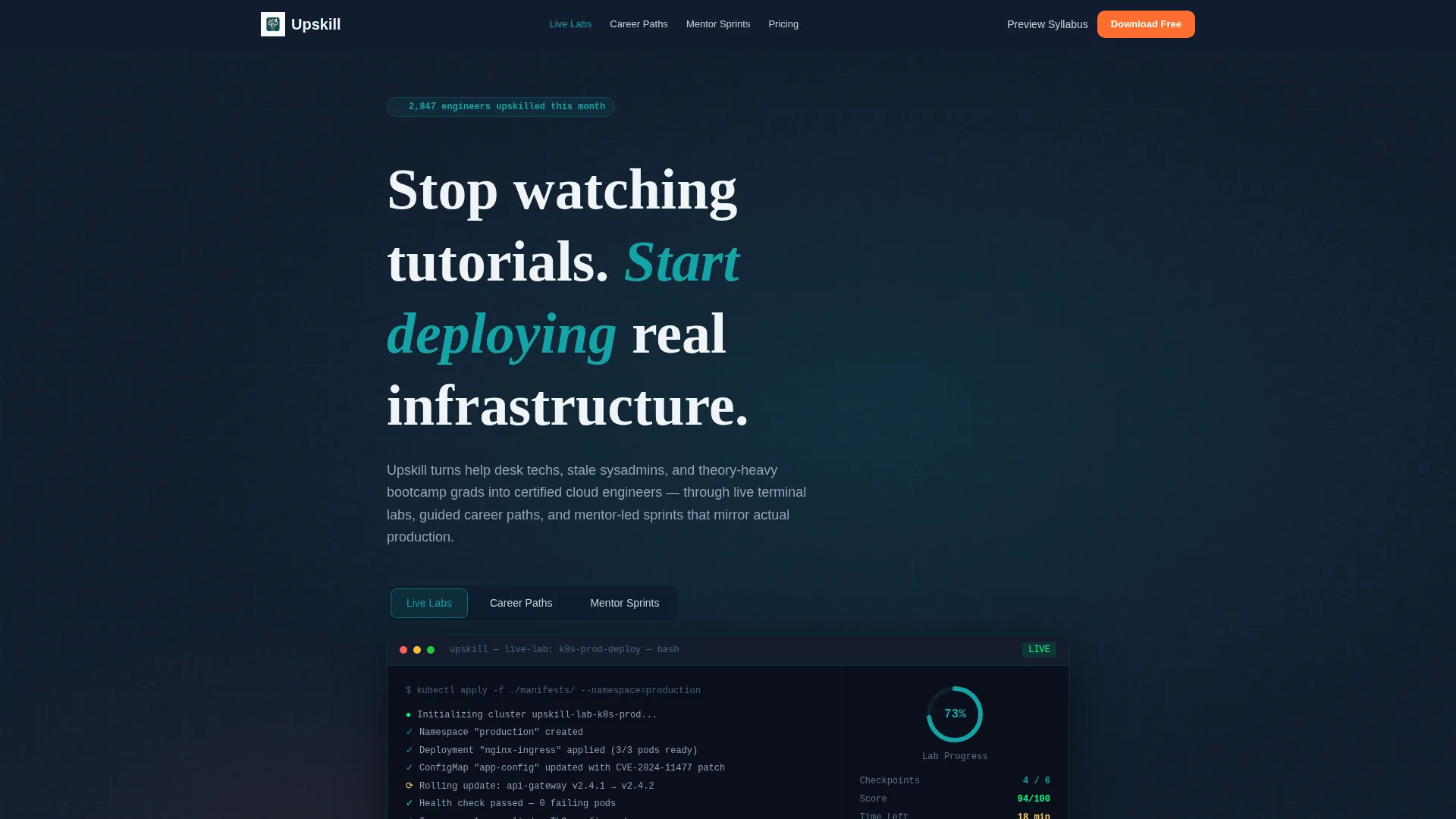
- A Feature Tab Switcher header showing Live Labs, Career Paths, and Mentor Sprints inside a simulated app interface
- A full anchor navigation hub-and-spoke structure so visitors can jump to the section most relevant to their situation
- Multiple call to action placements including a sticky bottom bar, an in-header call to action, and a full-width final banner
Feature list
This template includes a focused set of structural and visual components drawn directly from the brief. Each one serves the primary goal: earning the app download.
Feature Tab Switcher Header
The header features three clickable tabs labeled "Live Labs," "Career Paths," and "Mentor Sprints." Each tab animates the app interface below it. The default view shows a Kubernetes cluster deploying in real time with green success logs and a progress ring at 73%. This gives visitors an immediate, credible taste of the actual product before they scroll a single pixel.
Problem-to-Solution Scroll Arc
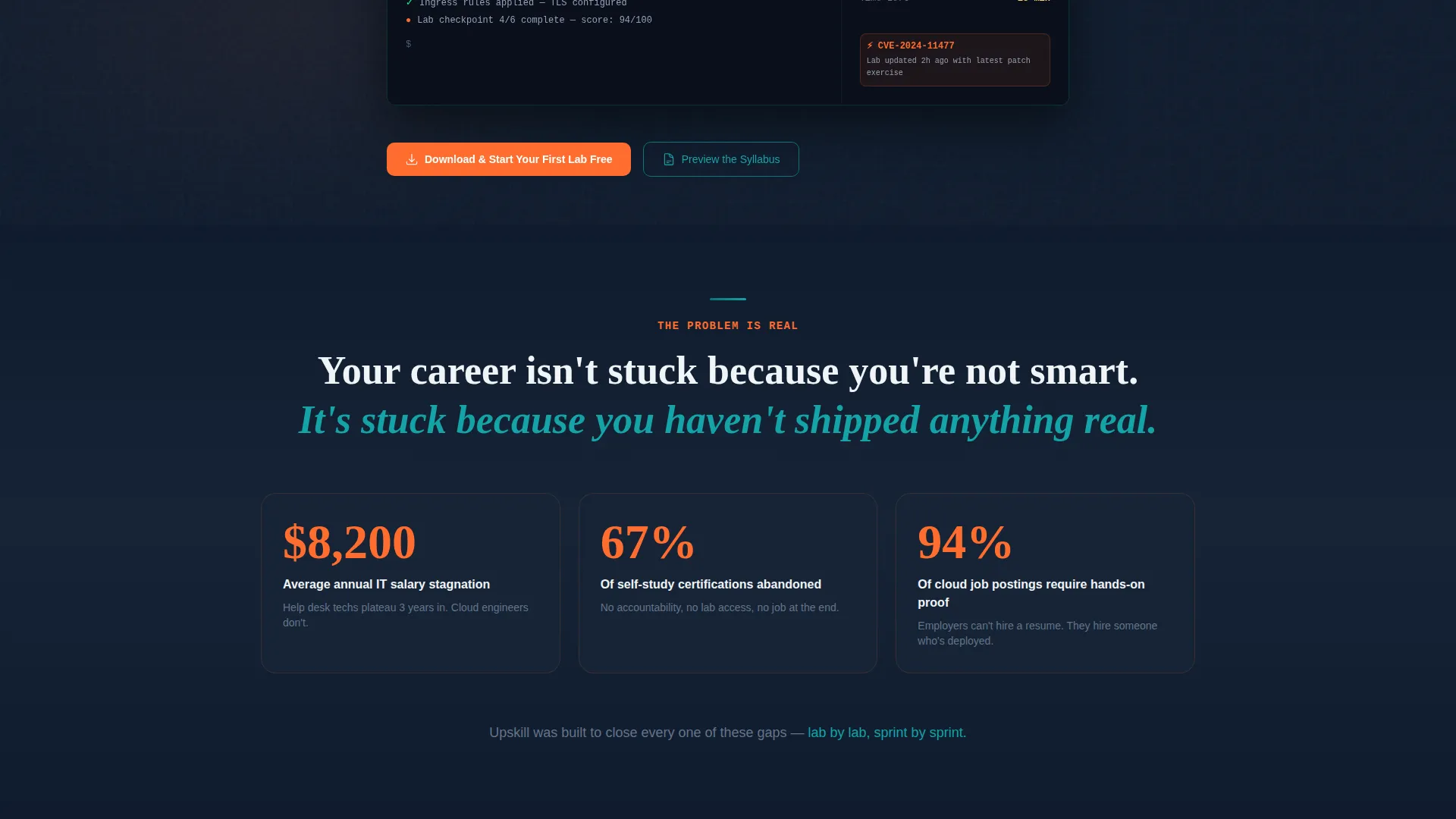
The page opens beneath the header with a stat-driven problem section covering IT salary stagnation, certification drop-off rates, and the gap between textbook knowledge and live terminal work. Each anchor nav spoke section that follows resolves one specific pain point with a matching platform feature, making the scroll feel earned and logical.
Anchor Navigation Hub-and-Spoke Layout
A persistent anchor navigation bar links to each spoke section, so visitors can jump directly to the topic most relevant to them. Stale skills, certification overwhelm, and professional isolation each get their own dedicated section with a targeted solution and supporting visual.
Dual Conversion Pathway
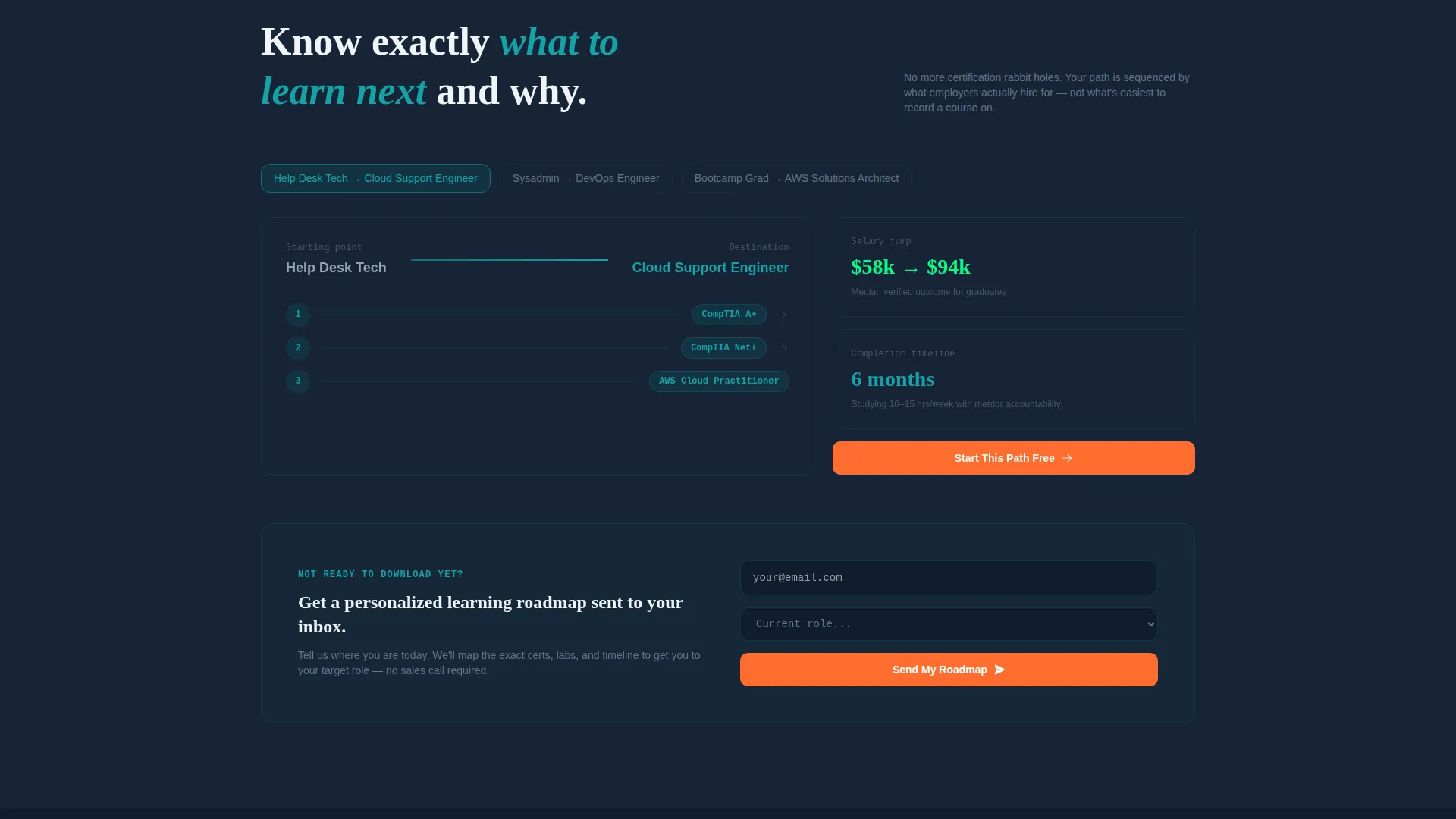
The primary conversion path drives toward the app download with a "Download and Start Your First Lab Free" call to action paired with app store badges and a QR code. A secondary path captures email and current role to deliver a personalized learning roadmap, warming visitors who are not yet ready to install.
Progressive App Mockup Strategy
Embedded app screenshots grow larger as the visitor scrolls deeper into the page. The final section presents a full-device mockup displaying a completed learner profile, earned badges, and an employer-shared portfolio. This visual progression rewards attention and makes the product outcome feel real and attainable.
Sticky Bottom Bar call to action
After the second spoke section, a sticky bottom bar appears and persists through the remaining scroll. It keeps the primary download action visible without interrupting the reading experience, reducing the distance between intent and action at every point in the page.
Page sections overview
| Section | Purpose |
|---|---|
| Tab Switcher Header | Showcases Live Labs, Career Paths, and Mentor Sprints in an interactive app preview |
| Stat-Driven Problem Block | Surfaces salary stagnation, certification drop-off, and the hands-on experience gap |
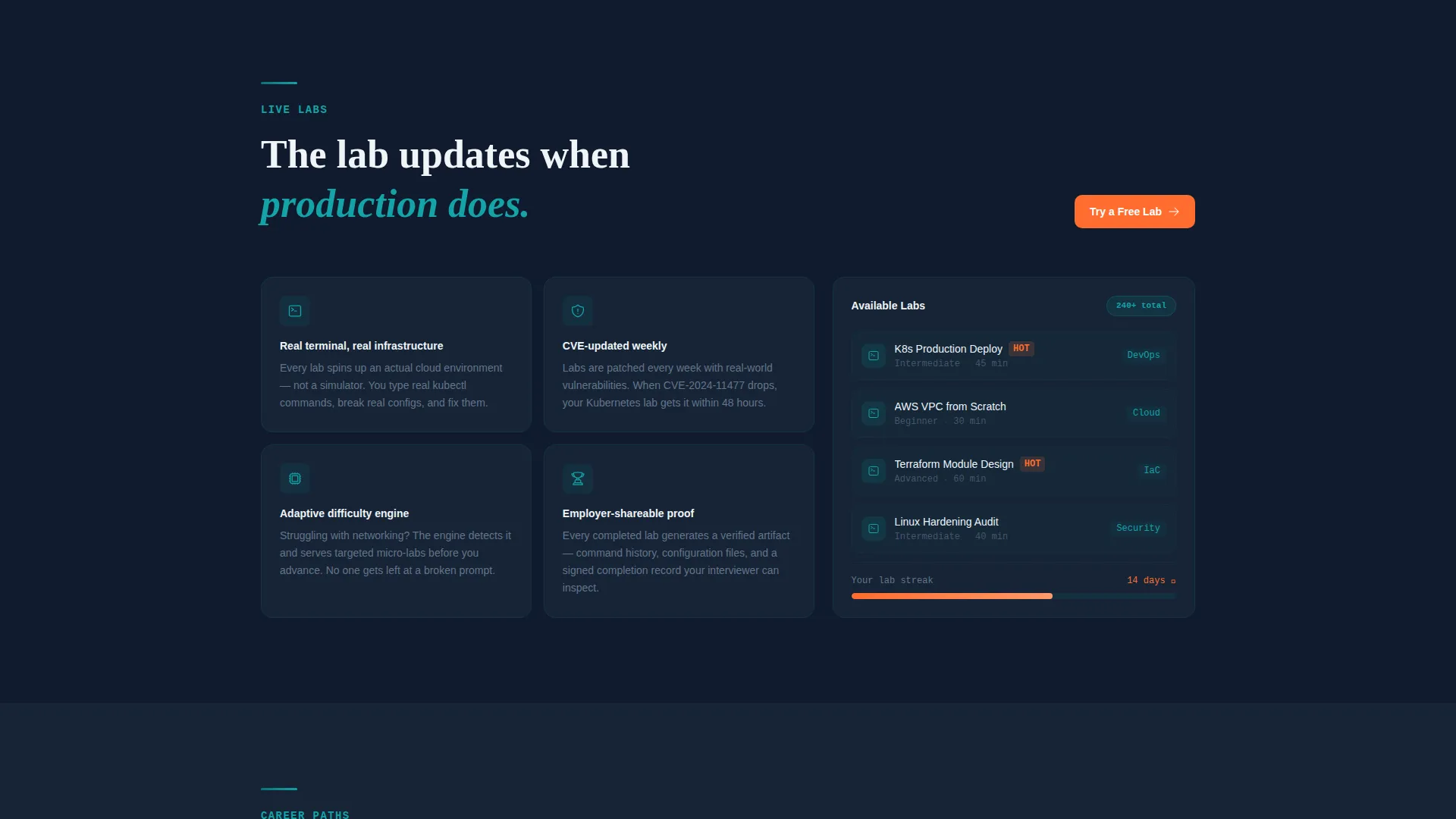
| Stale Skills Spoke | Resolves outdated knowledge with adaptive lab environments updated with real CVEs |
| Certification Path Spoke | Answers certification overwhelm with guided career-path sequencing from CompTIA to cloud |
| Mentor Sprints Spoke | Addresses isolation with cohort-based sessions and accountability dashboards |
| Syllabus Preview Form | Captures email and current role to deliver a personalized learning roadmap |
| Full-Width Download Banner | Final conversion section with app store badges, QR code, and primary call to action |
Design & branding system
The Teal Catalyst color system creates an experience that feels like a dark-mode integrated development environment (IDE) at the moment a build finally succeeds. Every color has a defined role and is never used interchangeably.
- Deep terminal teal (#0D7377) drives navigation elements and heading accents; midnight code (#0F1B2D) fills full-bleed section backgrounds for that focused, after-hours intensity
- Reactor white (#F0F4F8) lifts card components and lab preview surfaces so content reads cleanly against dark backgrounds
- Ignition orange (#FF6D2E) appears exclusively on call-to-action buttons, app store badges, download triggers, and completion progress bars so every action point burns with unmistakable urgency
Mobile & speed optimization
The template is structured to perform cleanly on mobile screens, which matters because the primary conversion action is an app download. Visitors arriving on a phone should be able to tap a store badge or scan a QR code without friction.
- The sticky bottom bar call to action is sized and positioned for thumb-friendly tapping on small screens
- The tab switcher interface and app mockups are rendered at native resolution to stay crisp on high-density displays without appearing distorted on standard screens
How this template helps you convert
The page is engineered around one behavioral truth: visitors convert when they trust the product before they are asked to act. Every structural decision reinforces that principle.
- The interactive tab switcher lets visitors explore real lab content inside the header before any commitment is requested, building product credibility at the first impression
- The Problem-to-Solution Arc tightens emotionally as the visitor scrolls, making the offer feel more personally relevant with every section until the final device mockup closes the loop on the learner outcome
Other information about this template
This template is part of the Startup Velocity theme family, which prioritizes momentum, speed, and clarity over decorative complexity. It is a strong fit for platforms competing in the IT services digital presence space where differentiation depends on showing rather than telling.
- The hub-and-spoke structure with anchor navigation is well-suited to platforms that serve multiple learner personas, since each spoke can speak directly to one segment without diluting the message for others
- The template style supports a two-track funnel: fast-decision visitors go straight to the download, while slower-moving visitors are captured through the syllabus preview email form and warmed toward the install
- The visual direction channels the feeling of cracking open a new laptop on day one at a company that invests in you, which aligns the emotional tone of the page with the aspirational state the learner is trying to reach
Theme
Startup Velocity
Creative direction
Problem→Solution Arc
Color system
Teal Catalyst
Style
Hub & Spoke (Anchor Nav)
Direction
App Download
Page Sections
Feature Tab Switcher Header
Problem-to-solution Scroll Arc
Hub-and-spoke Anchor Navigation
Dual Conversion Pathway
Progressive App Mockup Strategy
Sticky Bottom Bar Call to Action
Related questions
Who is this landing page template designed for?
Can I customize the tab switcher content and app screenshots?
How does the two-path conversion funnel work?
Does this template support multiple learner personas?
Where does the sticky bottom bar appear on the page?



