Corporate E-Learning Landing Page Template
Upskill is a corporate e-learning landing page template built for scenario-driven training platforms. It opens with an interactive quiz that segments visitors by pain point, then guides them through branching course previews, completion rate data, and a progressive lead form. The design follows an Institutional Authority theme with a Forest Trust color palette that feels earned and serious.
by Rocket studio
Quick summary
Upskill is a single-column lead generation landing page for corporate e-learning platforms. It greets visitors with a bold quiz question, branches content based on their answers, and closes with a progressively disclosed lead form. The Forest Trust color system and serif typography signal credibility without feeling sterile.
Who this template is for
This template is built for teams selling interactive, scenario-driven corporate training to mid-market organizations. It speaks directly to the people who approve, deploy, and measure training programs.
- Learning and development directors at firms with 500 to 2,000 employees who need to replace ineffective off-the-shelf packages
- Human resources vice presidents who report employee training completion rates to the board
- Operations managers coordinating compliance certification across multiple sites on tight quarterly deadlines
What problem this template solves
Most corporate training landing pages look like internal intranets. They list course catalogs, paste in stock photography of smiling professionals, and bury the value under generic copy. Visitors leave without converting because nothing speaks to their specific problem.
- Generic pages fail to differentiate scenario-based learning from passive click-through courses
- Flat, non-personalized layouts cannot surface the right case study or metric for each visitor type
- Standard lead forms ask for commitment too early, causing high drop-off before a sales conversation begins
What you get with this template
You get a fully structured single-column landing page that moves like a diagnostic funnel. Each section sharpens the message based on what the visitor declared at the top of the page.
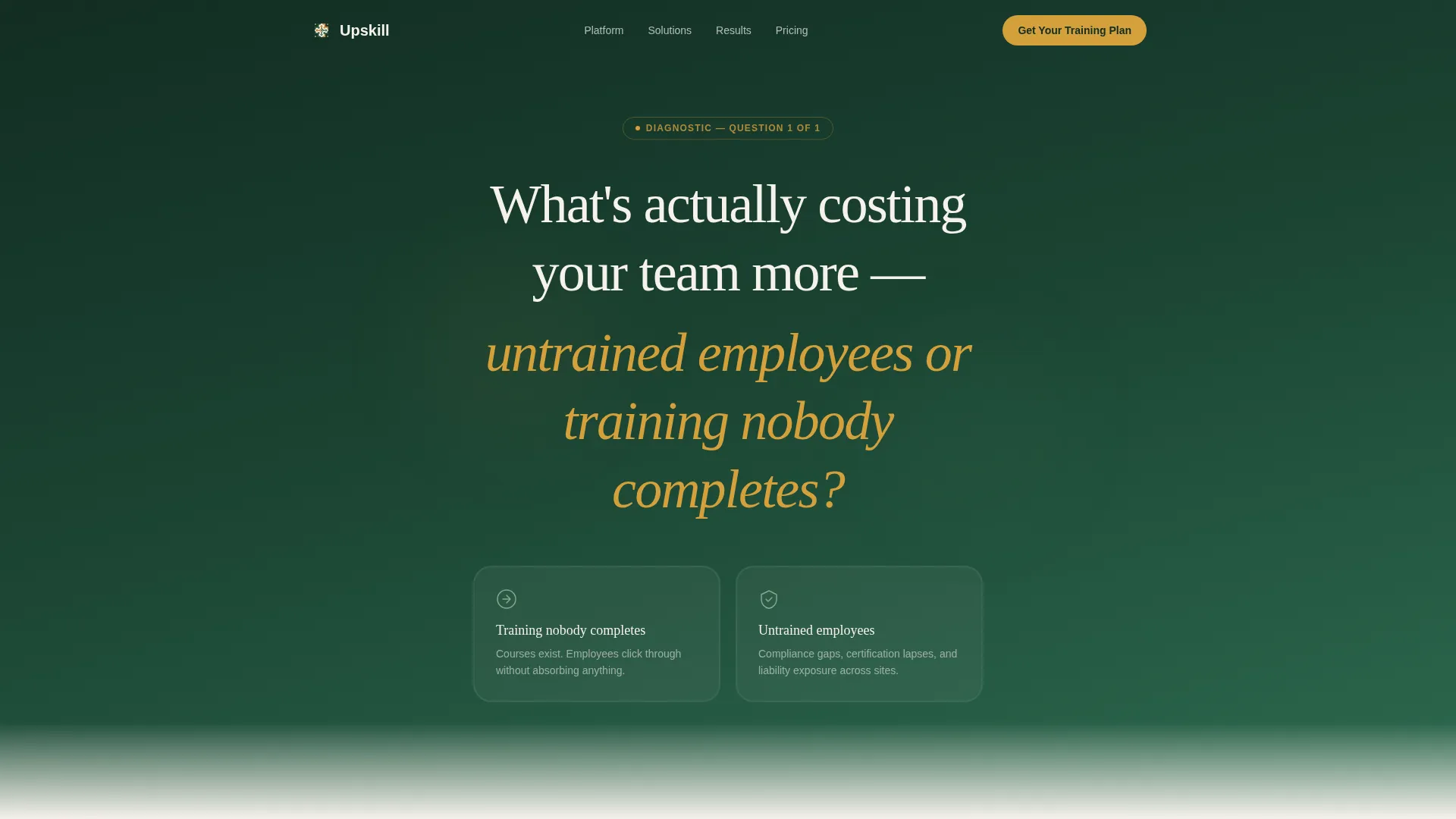
- A quiz-driven header that immediately segments visitors by their primary pain point, engagement or coverage
- Four content sections with branching previews, data comparisons, and rotating testimonials
- A dual conversion path: a progressive three-field lead form and a secondary email-gated benchmark report download
Feature list
This template includes purpose-built components that reflect how corporate training buyers actually evaluate platforms before requesting a demo.
Interactive Quiz Header
The page opens with a single bold question in large serif type against deep evergreen. Two answer cards with moss borders and amber hover states invite an immediate choice. There is no hero image, no scroll required, and no passive reading. The visitor is already inside the experience before they realize it.
Branching Content Flow
Each quiz answer subtly reshapes the sections that follow. Visitors who flag engagement problems see different case studies and module previews than visitors worried about deployment coverage. The scroll feels like a narrowing diagnostic, not a generic sales page.
Live Course Preview Section
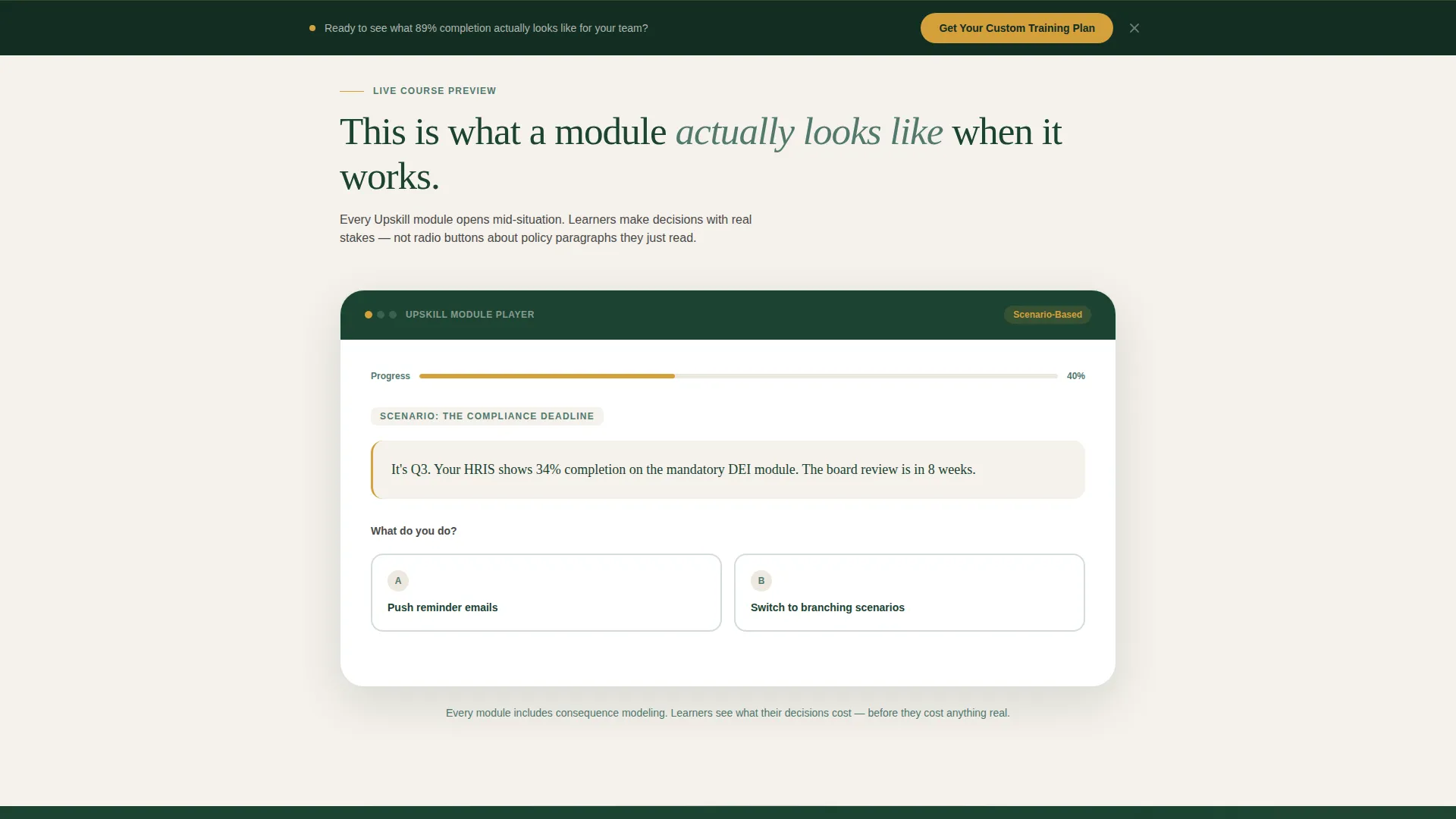
Section two displays a branching scenario animation that mirrors the actual training experience. Visitors see how a real decision tree works inside the platform, building confidence that this is not another passive slide deck dressed up as a course.
Completion Rate Data Cards
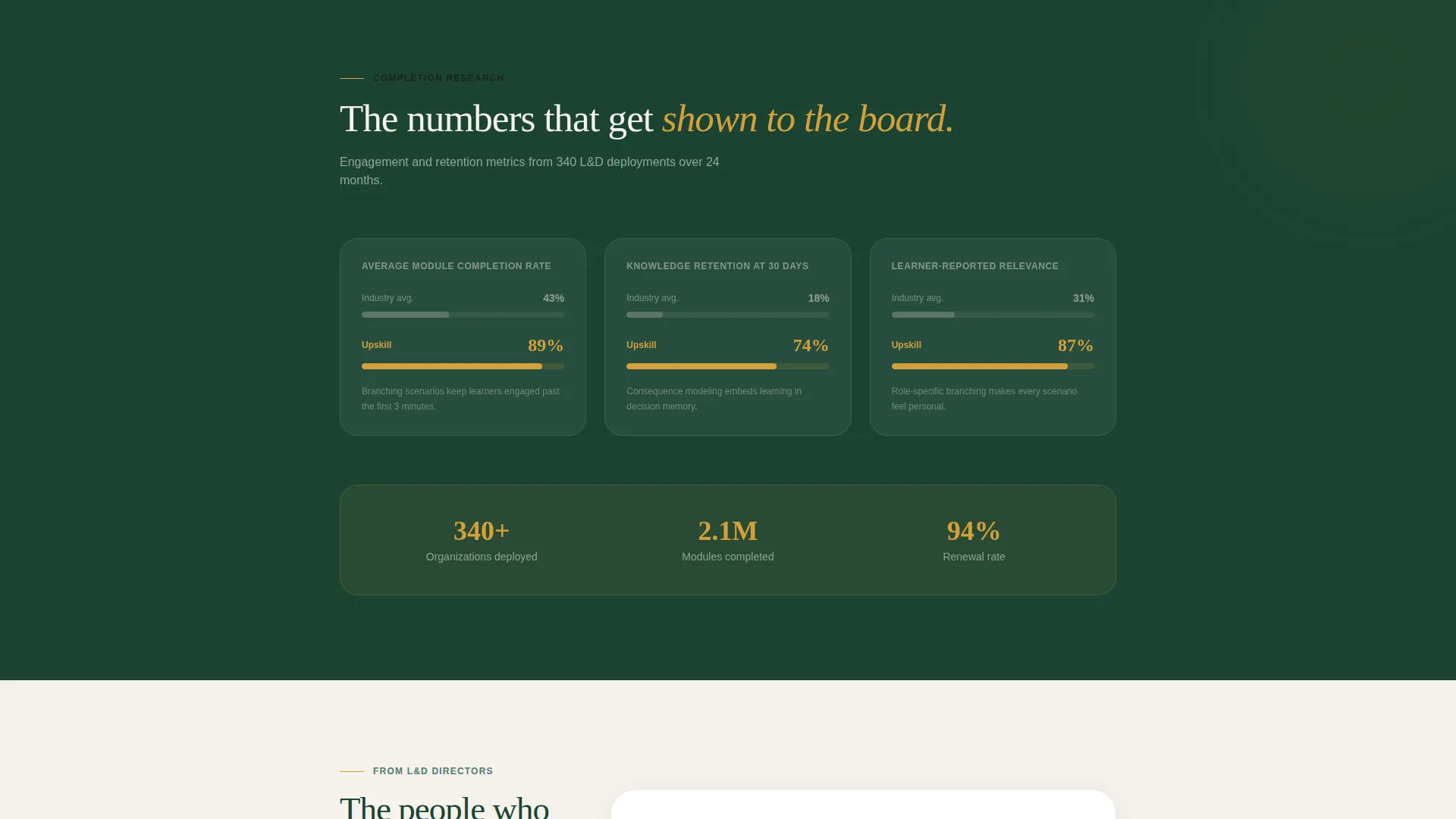
Section three presents industry average versus platform average completion rates in amber-highlighted data cards. The visual contrast makes the gap impossible to ignore and gives procurement-minded buyers a number they can carry into an internal conversation.
Progressive Lead Capture Form
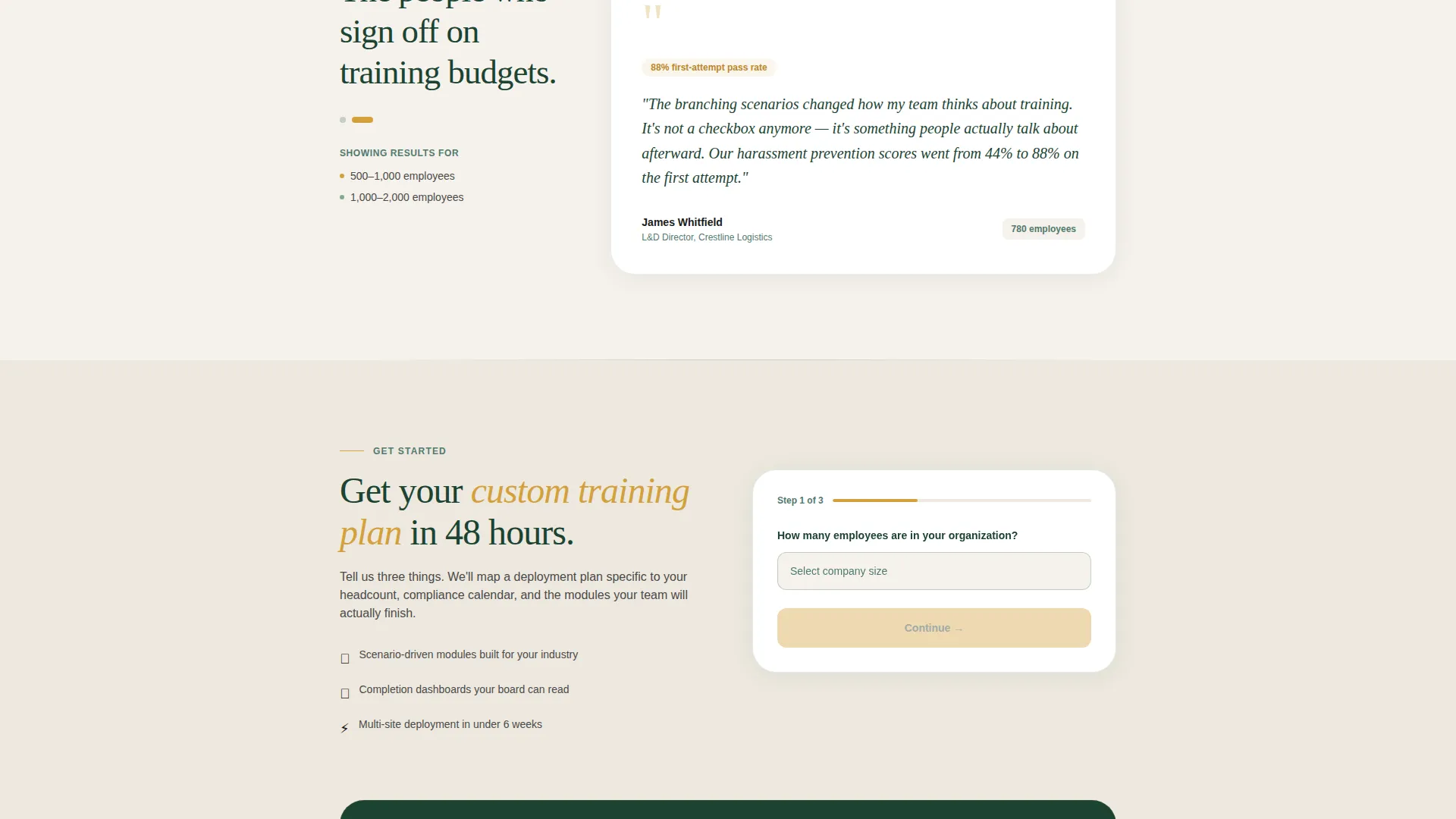
The primary form reveals fields in sequence: company size first, then primary training need, then work email. This staged approach reduces friction at each step and qualifies the lead before a sales conversation begins.
Secondary Benchmark Download
A second conversion path offers a free downloadable report gated behind email only. It catches visitors who are not ready to request a custom plan but are willing to exchange their inbox for concrete industry data.
Page sections overview
| Section | Purpose |
|---|---|
| Quiz Starter Header | Segment visitors by declared pain point immediately |
| Branching Course Preview | Show real scenario-based learning in action |
| Completion Rate Cards | Contrast industry averages with platform results |
| Testimonial Rotator | Build trust through L&D director social proof |
| Primary Lead Form | Capture qualified leads via progressive disclosure |
| Sticky call to action Bar | Reinforce the primary offer after the midpoint |
| Benchmark Report Download | Convert research-stage visitors with a gated asset |
Design & branding system
The template follows an Institutional Authority theme anchored by the Forest Trust color system. The palette evokes a leather-bound diploma on a mahogany desk: earned, serious, and warm without being cold.
- Deep evergreen (#1B4332) dominates headers and section backgrounds at the top and bottom, moss (#52796F) handles secondary text and dividers in the middle, and warm birch (#F5F1EB) opens up the canvas sections with breathing room
- Confident amber (#D4A03C) appears only on buttons, progress indicators, and interactive highlights so every amber element reads as a decision point
- Serif typography renders headings with institutional weight while body copy stays readable and direct at all sizes
Mobile & speed optimization
The single-column flow translates cleanly to smaller screens because the layout was never reliant on sidebars or multi-column grids. Every interaction point, from quiz cards to the sticky call to action bar, is sized and spaced for touch navigation.
- The sticky bottom call to action bar activates after the midpoint scroll, keeping the primary conversion action visible on mobile without interrupting the reading flow
- Progressive form disclosure reduces the visual weight of the lead capture step on small screens, showing one field at a time rather than a dense multi-field block
How this template helps you convert
The page is engineered as a diagnostic funnel where each section builds on the last, so visitors arrive at the form already persuaded rather than just informed.
- The opening quiz creates immediate personal investment. Visitors who answer a question feel ownership over what they see next, which increases the likelihood they stay through the completion rate data and testimonials.
- The dual conversion path serves two distinct buyer stages at once. Visitors ready to talk to sales fill out the progressive form. Visitors still in research mode download the benchmark report, entering the pipeline at a lower commitment level.
Other information about this template
This template is designed specifically for corporate e-learning platforms offering scenario-driven online courses and interactive employee training programs. It is well-suited for organizations deploying compliance training, leadership development, onboarding programs, and technical certification modules.
- The template style is Single Column Flow, which keeps the narrative tight and the visitor focused on one decision at a time
- The Quiz and Personalize creative direction makes this template a strong fit for platforms that serve multiple buyer personas with different training priorities
- The lead generation direction means every design decision, from amber button placement to form sequencing, prioritizes qualified contact capture over passive content consumption
- This template can support use cases such as forklift certification deployment, DEI training rollouts, and leadership framework courses for mid-market firms
Theme
Institutional Authority
Creative direction
Quiz & Personalize
Color system
Forest Trust
Style
Single Column Flow
Direction
Lead Generation
Page Sections
Interactive Quiz-driven Header
Branching Personalized Content
Live Scenario Course Preview
Amber-highlighted Data Cards
Progressive Lead Capture Form
Dual Conversion Path Design
Related questions
Can I customize the quiz questions for my specific training categories?
Does the page work if my platform serves both compliance and leadership training buyers?
What is the secondary conversion path and when would I use it?
When does the sticky call to action bar appear during the scroll?
Can this template be adapted for companies smaller than 500 employees?



