Cloud & DevOps Professional Website Template
Uptime is a bold, single-page landing page template built for WordPress managed hosting providers. It leads with live-style performance metrics, anchored navigation across Speed, Security, Scaling, and Stack sections, and drives toward a mobile app download. The design fuses brutal monospace typography with a dark glassmorphic color system to make every number feel electric and every scroll feel purposeful.
by Rocket studio
Quick summary
Uptime is a hub-and-spoke landing page template for WordPress managed hosting. It opens with an animated stats wall, guides visitors through four anchor-linked sections, and closes with a primary app download call to action. The design system pairs bold brutalist structure with glassmorphic dark panels, making performance numbers the hero of every scroll.
Who this template is for
This template is built for hosting brands that sell on speed, reliability, and developer control. It speaks directly to technically minded buyers who respect data over marketing language.
- Freelance developers managing multiple client WordPress sites from one dashboard
- WooCommerce store owners for whom slow page loads translate directly to lost revenue
- Agency technical leads who need a hosting pitch that survives scrutiny from a technical audience
What problem this template solves
Most hosting landing pages bury their best proof points under stock photography and feature checklists. Buyers who know what sub-200ms Time to First Byte (TTFB) means will not wait for a vague headline to explain value.
- Visitors leave before the numbers appear because visual clutter slows trust
- Competing on price alone fails when the real differentiators are speed, staging, and server-level caching
- A weak mobile experience for a developer audience signals that the product itself is not production-ready
What you get with this template
You get a complete, single-page landing page built around a stats-first narrative arc. Every section opens with an oversized performance figure before a frosted glass card delivers context, building a cumulative case through data rather than copy.
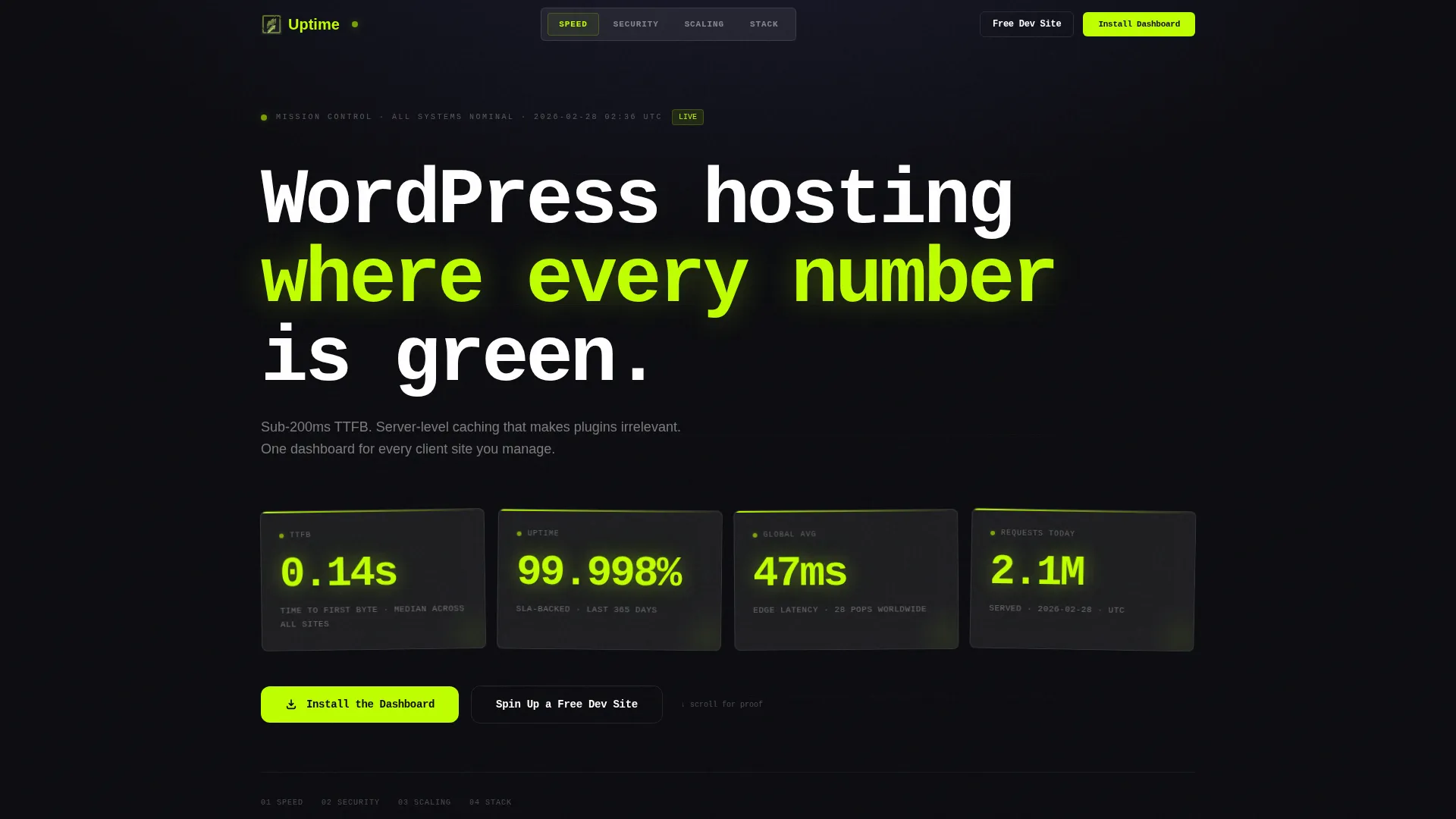
- A live-style header stats wall with animating metrics tiles in brutalist monospace
- Four anchor-linked spoke sections: Speed, Security, Scaling, and Stack
- A primary app download call to action with paired App Store and Play Store buttons, plus a secondary email capture form for early-stage visitors
Feature list
This template includes purpose-built layout components and visual systems drawn directly from the source design brief.
Animated Metrics Header
The header is a full-viewport stats wall with no hero image. Oversized monospace figures such as "0.14s TTFB," "99.998% Uptime," and "47ms Global Avg" animate inside frosted glass tiles staggered at irregular angles. Electric chartreuse (#BFFF00) highlights each number and creates a glowing, mission-control atmosphere on load.
Hub and Spoke Anchor Navigation
A sticky anchor navigation bar pins to the top of the viewport on scroll. It links to four named sections: Speed, Security, Scaling, and Stack. Each section is a self-contained spoke that can be reached directly, making the page easy to navigate for return visitors and technical reviewers.
Stats-First Section Rhythm
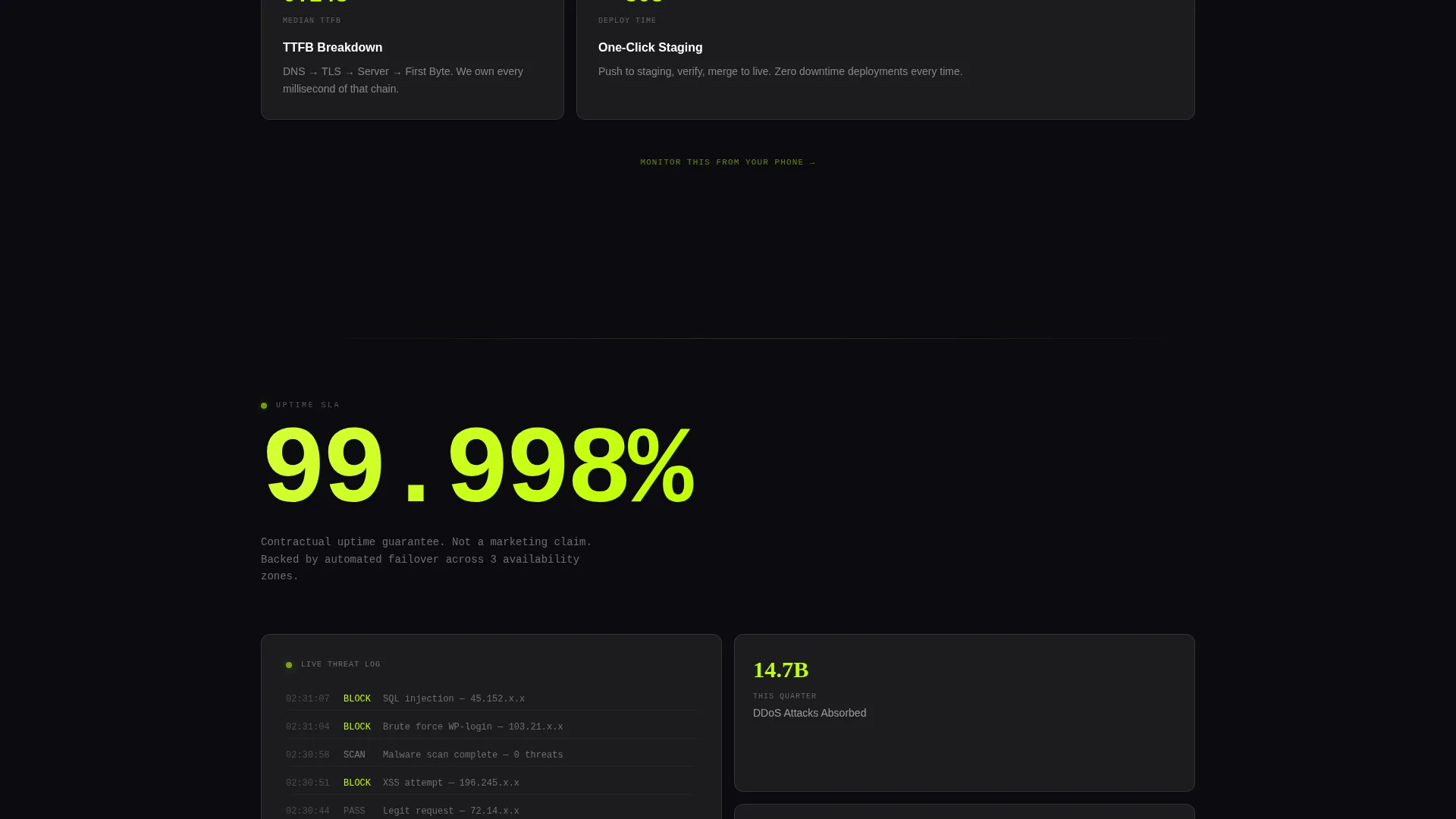
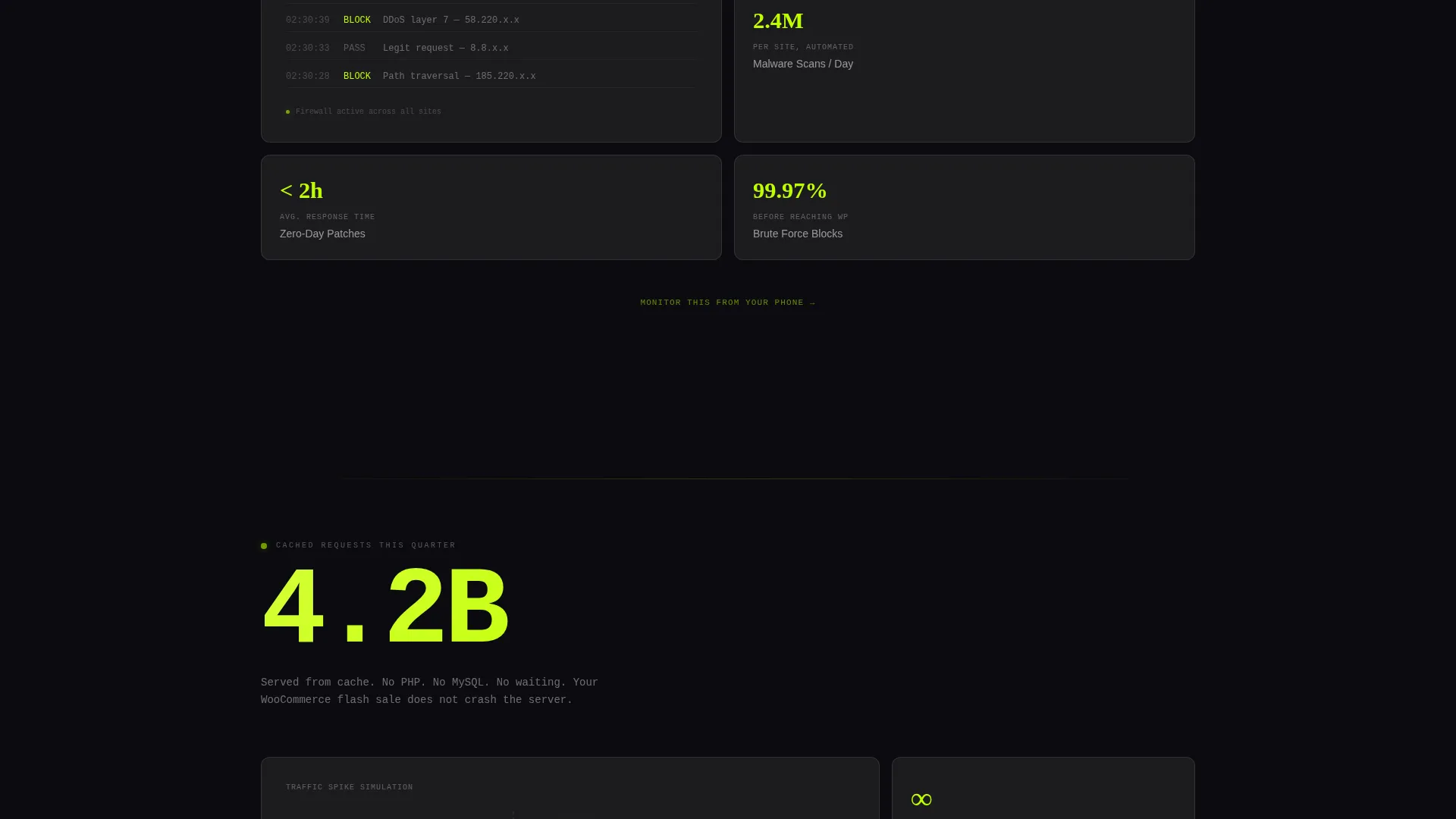
Every anchor section opens with a single massive performance stat that occupies roughly half the viewport before any explanatory copy appears. This impact-then-explanation rhythm builds cumulative credibility through numerical weight, with each section ending with a soft whisper line that reinforces the app download call to action.
Brutalist Comparison Tables
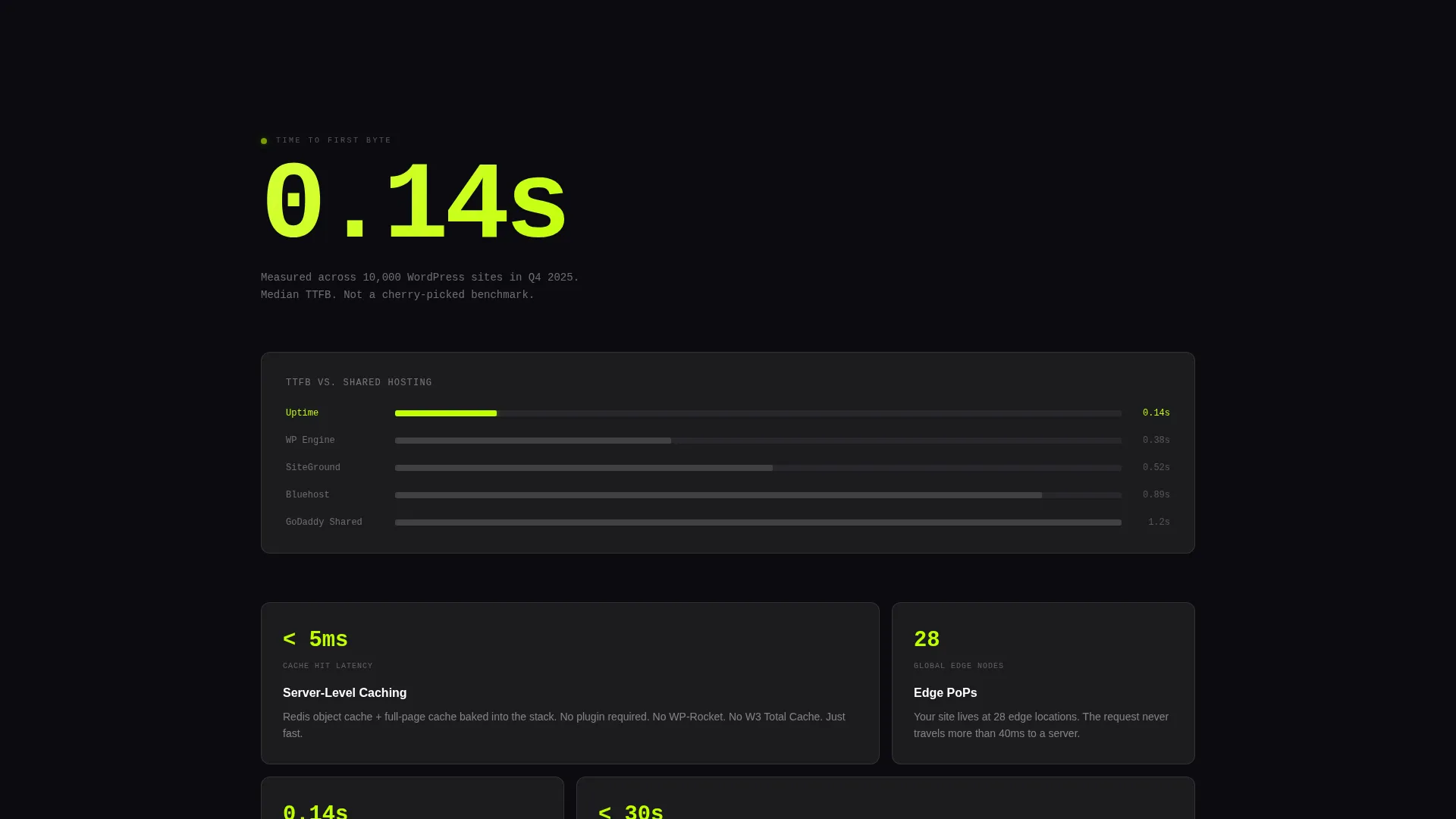
Comparison tables use black and chartreuse bar visuals to contrast the hosting product's metrics against competitor figures. The visual treatment makes rival numbers appear physically smaller, leveraging the color system as a persuasion tool rather than pure decoration.
Dual Call-to-Action System
The primary call to action reads "Install the Dashboard" with App Store and Play Store buttons wrapped in frosted glass containers that glow chartreuse on hover. A secondary call to action, "Spin Up a Free Dev Site," captures an email address and WordPress site URL for visitors not yet ready to download.
Glassmorphic Card System
Frosted glass panels with translucent white (#FFFFFF12) fill and 8px blur borders float over the deep void black (#0B0B0F) background. Cards slide in beneath each stat to deliver context without competing with the numbers for visual dominance.
Page sections overview
| Section | Purpose |
|---|---|
| Animated Stats Header | Establish credibility instantly with live-style performance metrics |
| Anchor Navigation Bar | Sticky top nav linking Speed, Security, Scaling, and Stack spokes |
| Speed Section | Lead with TTFB and caching stats before explaining server-level architecture |
| Security Section | Open with an uptime figure, then deliver context via frosted glass card |
| Scaling Section | Present request-volume data before describing horizontal scaling capabilities |
| Stack Section | Highlight technical stack details for developer and agency audiences |
| Comparison Tables | Visualize competitive advantage using brutalist chartreuse bar charts |
| App Download call to action | Primary conversion block with App Store and Play Store download buttons |
| Free Dev Site Form | Secondary email and site URL capture for pre-commitment visitors |
Design & branding system
The visual identity is built on a collision between bold brutalist structure and a glassmorphic color system. The result feels like a server room at 2 AM: dark, purposeful, and quietly alive.
- Color palette: deep void black (#0B0B0F) as the primary background, cool slate (#1A1A2E) for secondary surfaces, frosted translucent white (#FFFFFF12) for glass panels, and electric chartreuse (#BFFF00) for all metrics and interactive accents
- Typography: brutalist monospace typefaces punch through frosted glass panels like system log output, contrasting raw technical authority with the soft blur of the glassmorphic layer
- Motion and texture: chartreuse glows pulse on hover states, metric tiles animate on load, and frosted glass cards slide in beneath stat displays to maintain a rhythm of reveal
Mobile & speed optimization
The template is designed with a developer audience in mind. That audience will open it on a phone in a browser with developer tools ready, so the mobile layout must carry the same authority as the desktop experience.
- The animated stats wall reflows into a stacked single-column tile grid on smaller viewports, preserving the monospace metric format without horizontal overflow
- Anchor navigation collapses to a compact sticky bar on mobile so the four spoke sections remain accessible without cluttering the viewport
- Frosted glass cards and chartreuse accent states are preserved across breakpoints to maintain visual consistency and brand recognition on any screen size
How this template helps you convert
Every layout decision in this template is built to reduce hesitation and increase download intent through data-led persuasion.
- The stats wall on load establishes proof before a single sentence of marketing copy appears, so technically skeptical visitors are anchored in numbers rather than claims.
- Each spoke section ends with the whisper line "Monitor this from your phone," turning the app download from a conversion step into a natural conclusion to a tour the visitor has already taken.
- The dual call-to-action system ensures that visitors who are not ready to install the app still enter the funnel through the free dev site email capture, reducing drop-off at the bottom of the page.
Other information about this template
This template is categorized under Technology, with a sub-category focus on Cloud and DevOps, and is specifically positioned for the WordPress managed hosting niche. It suits hosting brands that compete on measurable performance rather than price.
- The Hub and Spoke (Anchor Nav) template style makes it straightforward to update individual sections independently without restructuring the full page
- The template is built for a landing page format: a single scrollable page with section-linked navigation rather than a multi-page site structure
- The Stats-First Impact creative direction means the template performs best when the hosting product has real, specific performance figures to populate the metric tiles
Theme
Bold Brutalist
Creative direction
Stats-First Impact
Color system
Glassmorphic
Style
Hub & Spoke (Anchor Nav)
Direction
App Download
Page Sections
Animated Metrics Stats Wall
Hub and Spoke Anchor Navigation
Stats-first Section Layout
Dual Call-to-action System
Brutalist Comparison Tables
Glassmorphic Card System
Related questions
What type of hosting business is this template designed for?
Can I use this template if I do not have a mobile app yet?
How does the anchor navigation work in this template?
Is this template suitable for a developer or technical audience?
What makes the comparison tables different from standard feature grids?



