IoT & Hardware Cost Calculator Website Template
Uptime is a hub-and-spoke landing page template built for predictive maintenance IoT platforms. It opens with dark glass diagnostic panels, pulls visitors into a live Downtime Cost Calculator, and guides them through sensor, platform, alert, ROI, and integration sections. The freemium-first conversion flow captures work emails without asking for a credit card.
by Rocket studio
Quick summary
Uptime is a single-page, anchor-nav landing page template designed for industrial IoT and predictive maintenance platforms. It leads with live-styled diagnostic visuals, an interactive cost calculator, and a freemium trial funnel. Every section is built to reflect the calm authority of a real-time factory monitoring system.
Who this template is for
This template was built for teams selling predictive maintenance technology to industrial buyers. The tone, layout, and conversion flow are calibrated for technical decision-makers who need proof before they commit.
- Plant managers at mid-size manufacturers running aging CNC production lines
- Reliability engineers at food processing facilities where unplanned downtime is extremely costly
- Operations directors at water utilities managing pump stations with little or no maintenance history
What problem this template solves
Generic SaaS landing pages cannot convey the trust and precision that industrial buyers expect. This template replaces passive marketing copy with an experience that shows the platform working.
- Visitors land on a page that feels like a live control room, not a brochure
- The cost calculator forces a personal financial reckoning before a single pitch is made
- Micro-interactions across every spoke section let visitors operate a shadow of the real product
What you get with this template
You get a fully structured, dark-themed hub-and-spoke landing page with five radial spoke sections connected by a sticky anchor navigation bar. Every component is purpose-built for a predictive maintenance IoT product.
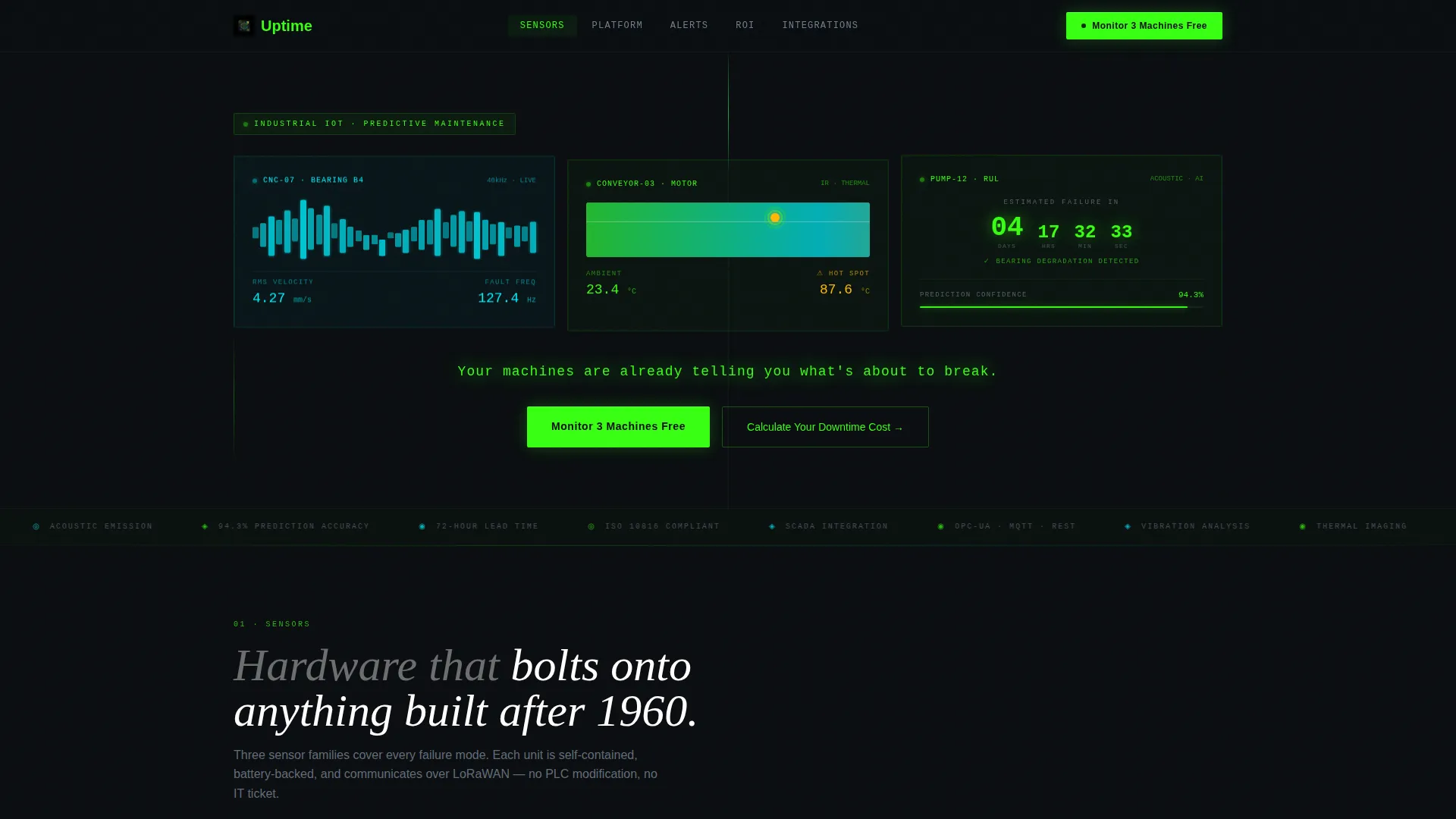
- Three dark glass diagnostic panels in the header displaying live-styled bearing, thermal, and remaining-useful-life data
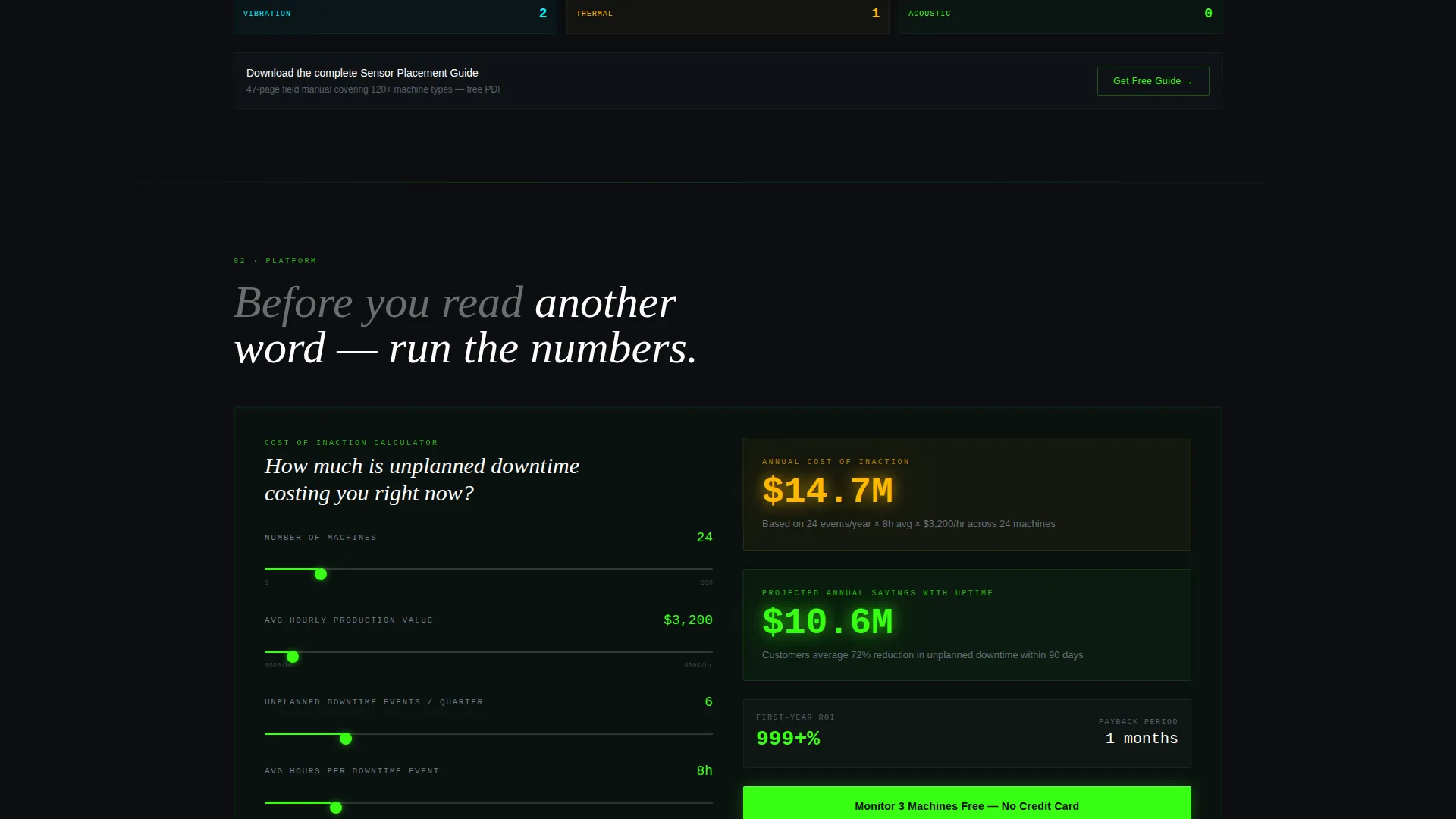
- An embedded Downtime Cost Calculator with instant glowing output and a primary call-to-action placed immediately after the result
- Five spoke sections covering Sensors, Platform, Alerts, ROI, and Integrations, each containing a dedicated micro-interaction
Feature list
This template is built around interactive elements that do the selling for you. Each feature below is included as a structured component in the template layout.
Dark Glass Diagnostic Header
Three translucent, frosted-glass panels float over a pitch-black background. Each panel shows a different live-styled diagnostic: a cyan vibration waveform, a green-to-amber thermal gradient map, and a remaining-useful-life countdown in days, hours, and minutes.
Downtime Cost Calculator
Visitors input the number of machines, average hourly production value, and unplanned downtime events per quarter. The tool instantly renders a glowing cost-of-inaction figure alongside projected savings, making the ROI case before any marketing copy is read.
Hub and Spoke Anchor Navigation
A sticky phosphor-green navigation bar links to five named spoke sections: Sensors, Platform, Alerts, ROI, and Integrations. The primary call-to-action button is embedded directly in the nav and stays visible on every scroll position.
Spoke Section Micro-Interactions
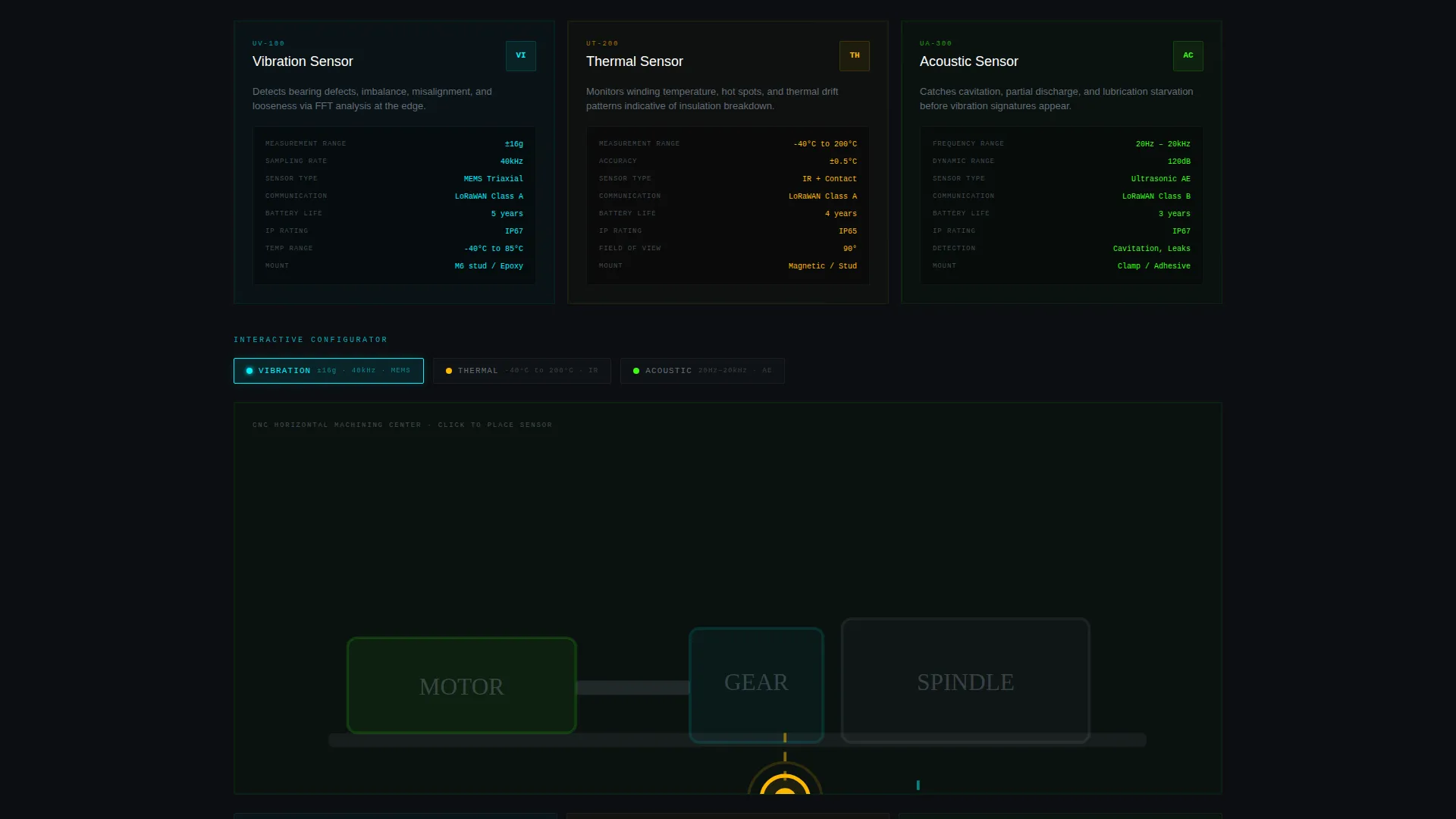
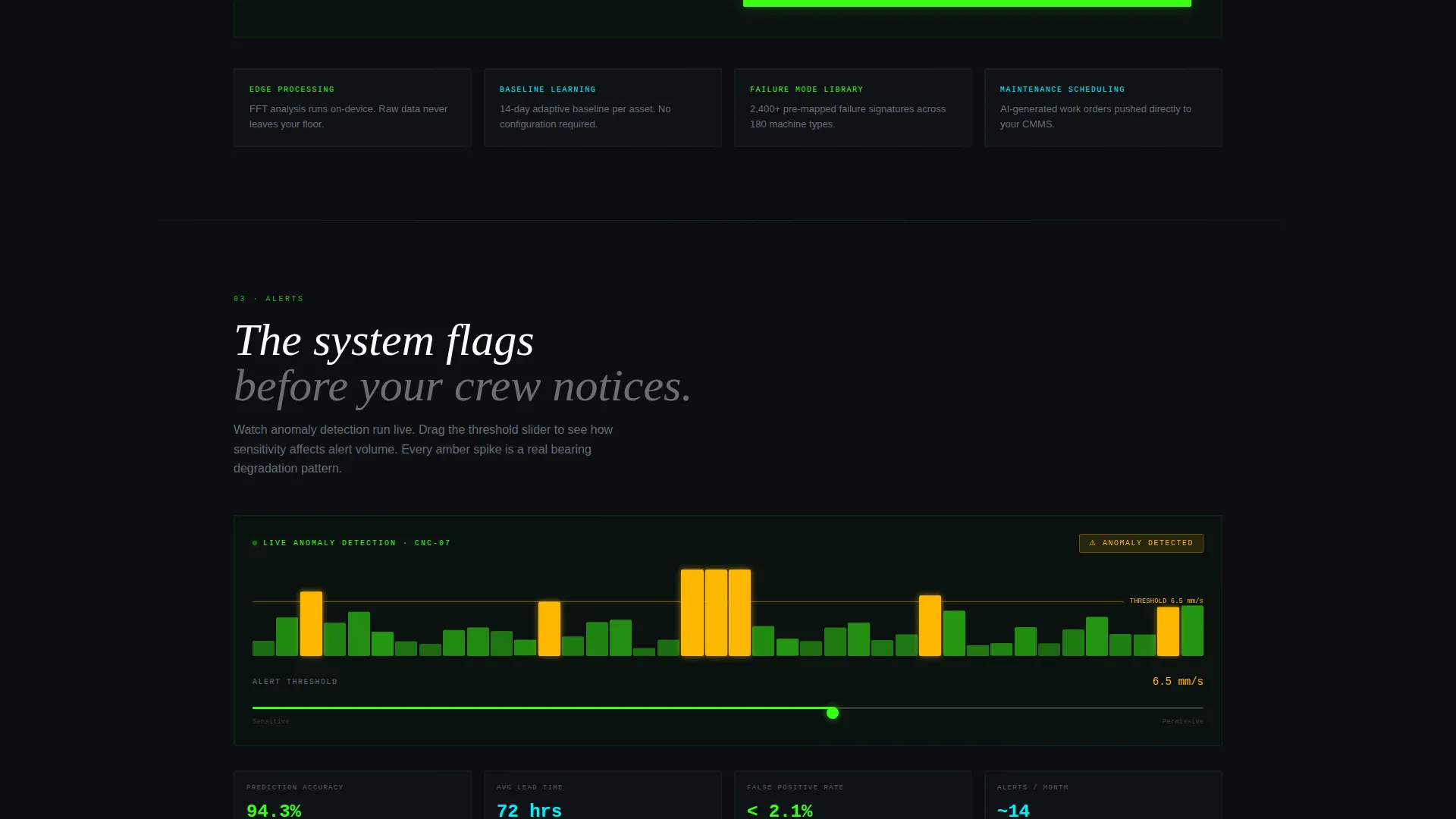
Each spoke section includes its own interactive element. These include a sensor placement configurator, a live anomaly detection animation, and a threshold-tuning slider. Visitors interact with a functional shadow of the product rather than reading about it.
Freemium Trial Conversion Flow
The primary call-to-action, "Monitor 3 Machines Free," appears immediately after the calculator output and repeats in the sticky nav. A three-field signup form collects work email, plant type from a dropdown, and estimated machine count. No credit card is required.
Gated Lead Magnet Path
A secondary conversion path offers a downloadable Sensor Placement Guide for visitors who are not ready to start a trial. The form captures email address and industry vertical, creating a nurture entry point alongside the primary freemium flow.
Page sections overview
| Section | Purpose |
|---|---|
| Header Diagnostic Panels | Open with live-styled bearing, thermal, and lifespan data visuals |
| Anchor Navigation Bar | Sticky hub linking all five spoke sections with primary call to action |
| Downtime Cost Calculator | Interactive ROI tool that reveals cost of inaction instantly |
| Sensors Spoke | Showcase vibration, thermal, and acoustic sensor configuration |
| Platform Spoke | Demonstrate real-time signal processing and algorithm output |
| Alerts Spoke | Show threshold-tuning controls and anomaly detection animation |
| ROI Spoke | Reinforce savings figures with structured return-on-investment data |
| Integrations Spoke | Display connectivity and compatible infrastructure context |
| Primary call to action Block | "Monitor 3 Machines Free" signup form with dropdown and email |
| Lead Magnet Block | Secondary offer for gated Sensor Placement Guide download |
Design & branding system
The visual identity follows a Dashboard Pro theme using an Acid Digital color system. Every color choice carries a specific meaning, and nothing glows unless it has something to say.
- Core palette: void black (#0B0E11) backgrounds, cool gray (#A0AEC0) body text, terminal phosphor green (#39FF14) for interactive and primary elements, and electric cyan (#00F0FF) for data visualizations
- Warning amber (#FFB800) is reserved exclusively for alert states, ensuring the color retains its urgency across every section
- Backgrounds use near-black with subtle noise grain; interactive elements pulse with phosphor green on hover, like instruments coming alive under a technician's hand
Mobile & speed optimization
The template is structured to maintain the dark control-room aesthetic across screen sizes. Interactive components are built to remain functional on smaller viewports without breaking the visual hierarchy.
- The sticky anchor navigation collapses cleanly on mobile so the primary call-to-action stays accessible on every device
- Diagnostic panels and calculator inputs are arranged in stacked, single-column layouts on smaller screens to preserve readability
- Micro-interactions in spoke sections are designed to work with touch inputs as well as desktop hover states
How this template helps you convert
The conversion architecture is layered. Every scroll destination earns attention before asking for a commitment.
- The Downtime Cost Calculator creates a personal financial number for each visitor before any call-to-action appears, making the freemium offer feel logical rather than pushy.
- The sticky nav places "Monitor 3 Machines Free" at the top of every scroll position, and the three-field signup form removes friction by requiring no credit card at any step.
- The gated Sensor Placement Guide captures visitors who are not yet ready to trial the product, turning a lost conversion into a nurture lead with email and industry vertical already collected.
Other information about this template
This template was produced under the Dashboard Pro theme using the Acid Digital color system. It is designed for teams in discrete manufacturing, process industries, utilities, and logistics who are evaluating predictive maintenance IoT platforms.
- The template style is Hub and Spoke with Anchor Nav, making it straightforward to adapt spoke sections for different product feature sets or target industries
- The Calculator/Tool First creative direction is well-suited for industrial buyers who respond to data and return-on-investment proof before marketing language
- The Dark Glass Panels header concept is intentionally built without stock photography; the product data visuals are the entire visual identity
- The freemium trial direction is supported by a no-credit-card signup form and a secondary lead magnet path, giving the page two distinct conversion entry points
Theme
Dashboard Pro
Creative direction
Calculator/Tool First
Color system
Acid Digital
Style
Hub & Spoke (Anchor Nav)
Direction
Freemium/Trial
Page Sections
Dark Glass Diagnostic Header
Downtime Cost Calculator
Hub and Spoke Anchor Navigation
Spoke Section Micro-interactions
Freemium Trial Signup Flow
Gated Sensor Placement Guide
Related questions
Can I edit the spoke sections to match my specific product features?
Does the Downtime Cost Calculator require a back-end connection to work?
What industries is the signup form dropdown configured for?
How does the secondary lead magnet conversion path work?
Is this template suitable if I have more than five product feature areas?



