Help Center & Knowledge Base Reviews Website Template
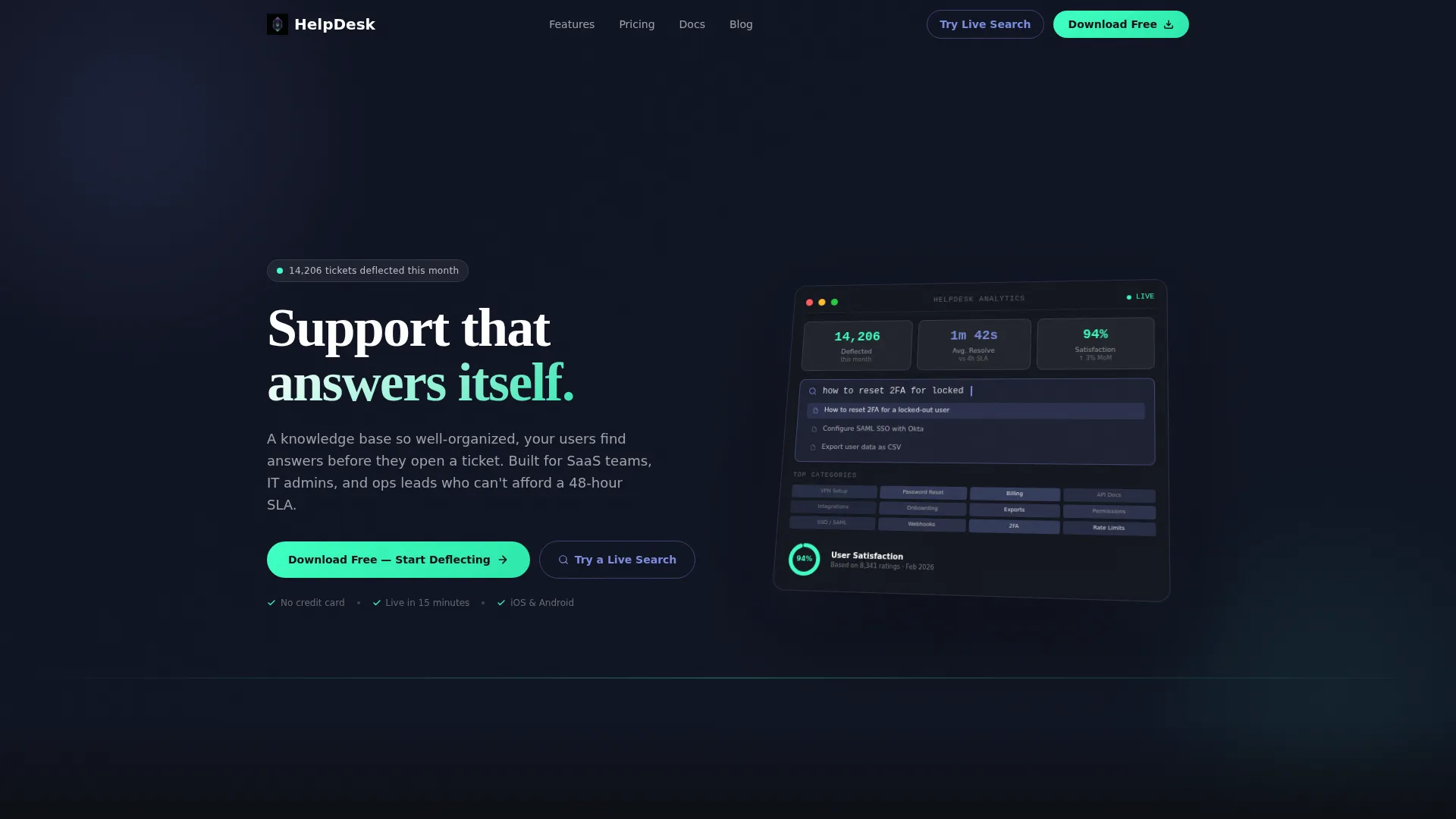
Resolve is a dark-themed, glassmorphic help center landing page built for teams that need a self-service knowledge base live fast. It leads with animated stats, a dashboard preview header, and an interactive search demo. The layout guides visitors from proof to product to download, with a floating call-to-action bar and app store download options built in.
by Rocket studio
Quick summary
Resolve is a single-page help center landing page template designed for teams that want to deflect support tickets without hiring a documentation team. It opens with bold animated counters, features a glassmorphic dashboard preview in the header, and closes with a pinned download call-to-action bar. The layout is dark, focused, and built to convert curious visitors into active users.
Who this template is for
This template is built for people who are drowning in repetitive support requests and need a polished self-service help center page without starting from scratch.
- SaaS product managers who need to reduce inbound support tickets with a searchable knowledge base
- IT administrators who answer the same questions repeatedly and want users to find answers on their own
- Startup operations leads who need a help center landing page live quickly and without a dedicated documentation team
What problem this template solves
Most teams cobble together a help center that looks unfinished or buries answers behind confusing navigation. Users give up and open a ticket instead of searching. Resolve fixes that perception problem at the landing page level.
- Visitors arrive and immediately see proof the product works, through live deflection stats and a real-time search demo
- There is no friction between a visitor and the answer they need, because every feature is surfaced visually before a single click
- The page builds trust before asking for anything, so the download call-to-action feels earned rather than premature
What you get with this template
You get a complete, production-ready landing page layout with every section pre-built and pre-styled. Nothing needs to be invented from scratch.
- A dashboard preview header with isometric perspective, animated stat counters, and a satisfaction donut chart
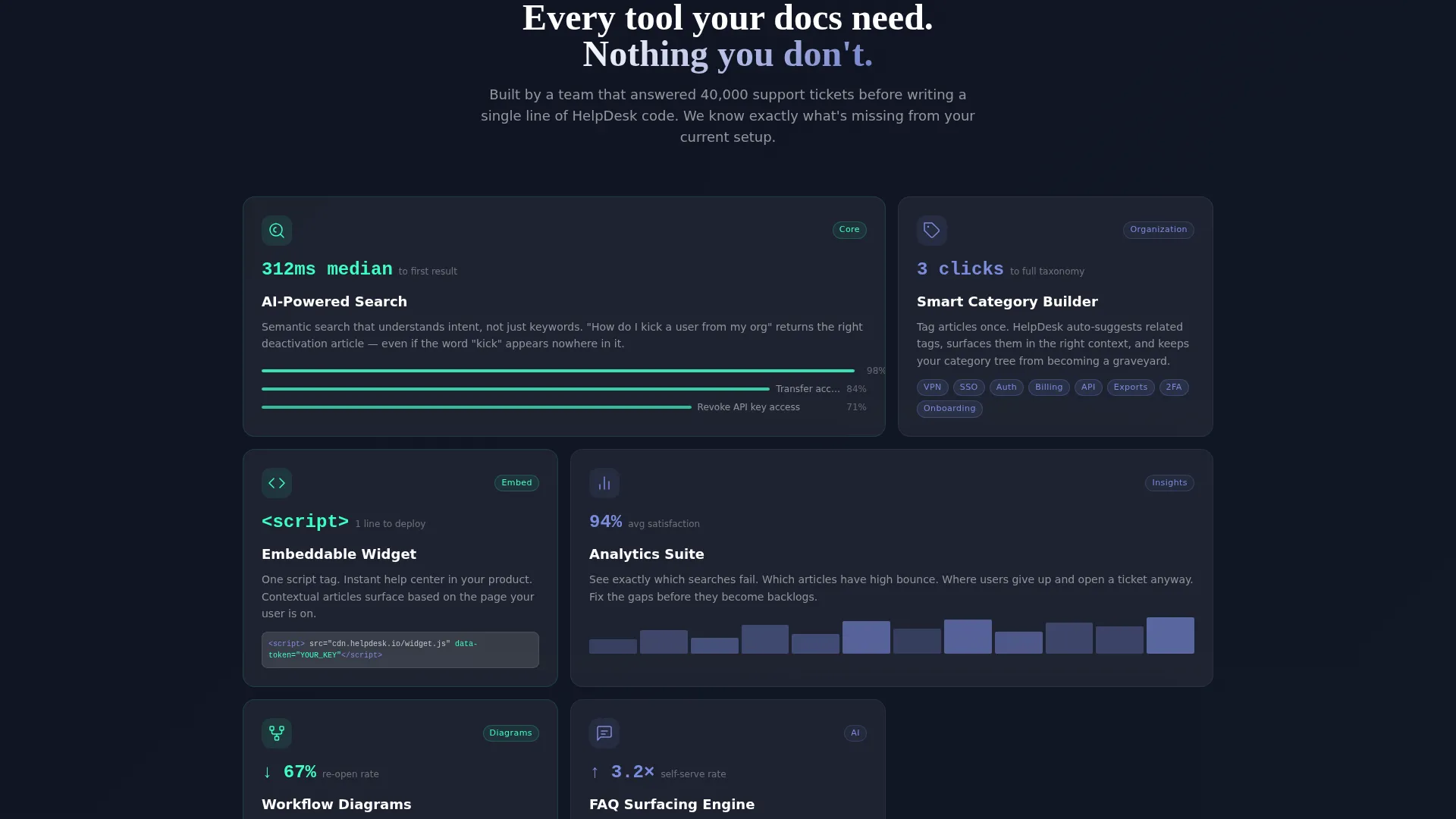
- A frosted glass card data grid showcasing feature modules including AI search, category taxonomy, embeddable widget, and analytics suite
- A floating bottom bar with a primary download call-to-action, an inline live search demo path, app store badges, and an email input field
Feature list
This template packs a focused set of purpose-built components that work together to prove value and drive downloads.
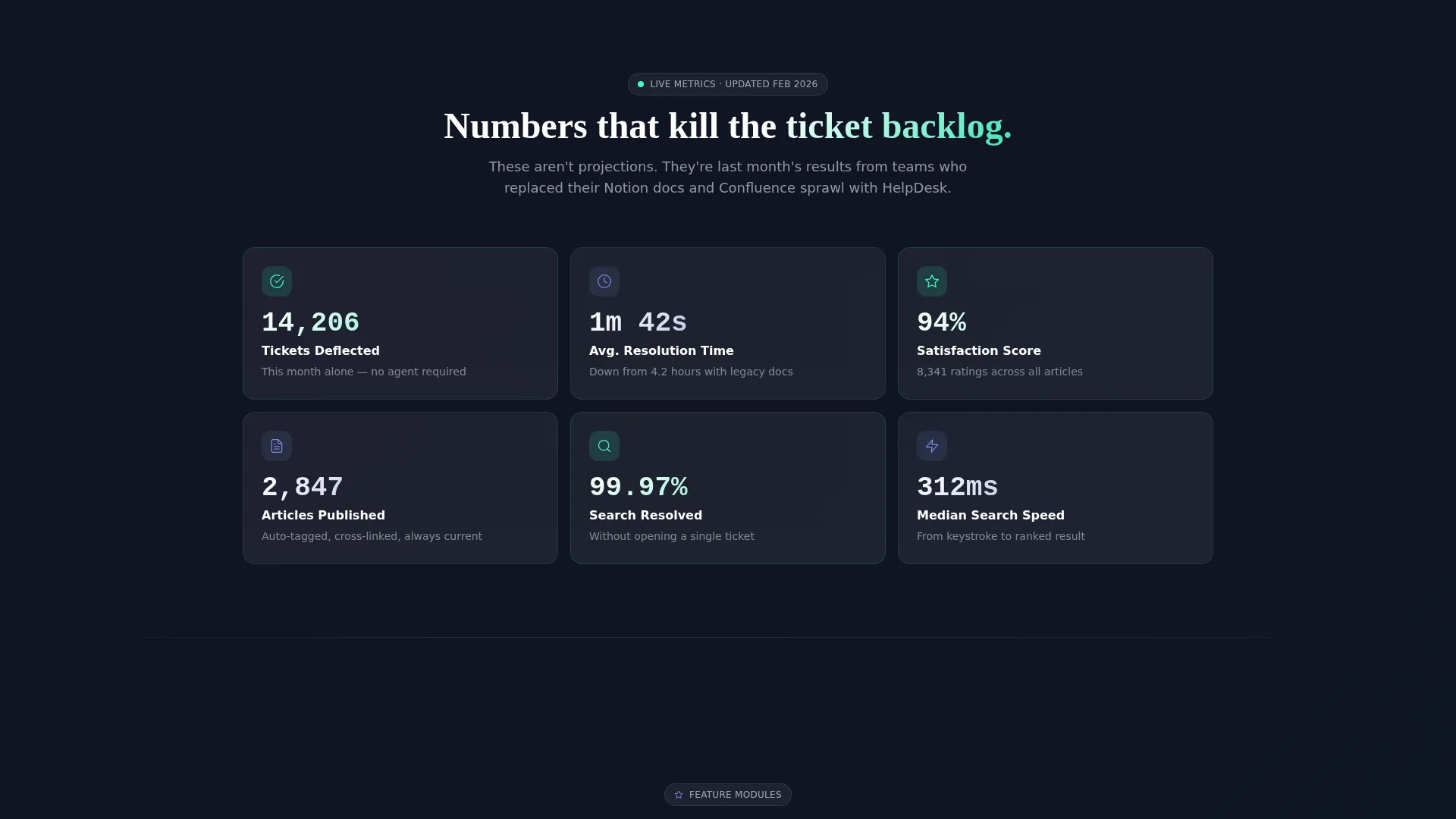
Animated Stats Section
Bold counters open the scroll with hard-hitting numbers: average resolution time, deflection rate, articles published, and searches resolved without a ticket. Each stat lives in its own frosted glass card and lands with visual impact before any feature explanation begins.
Dashboard Preview Header
The header renders a pixel-accurate replica of an analytics dashboard in isometric perspective. It shows deflection numbers, a mid-query search bar with auto-suggested articles, a 94% satisfaction donut chart, and a heatmap grid of most-visited categories. The whole panel floats above the void background with a subtle glassmorphic shadow.
Feature Module Data Grid
As visitors scroll past the stats, frosted glass tiles rearrange into a structured data grid. Each tile represents a core feature module and reveals a micro-interaction on hover, turning a passive scroll into an exploratory experience.
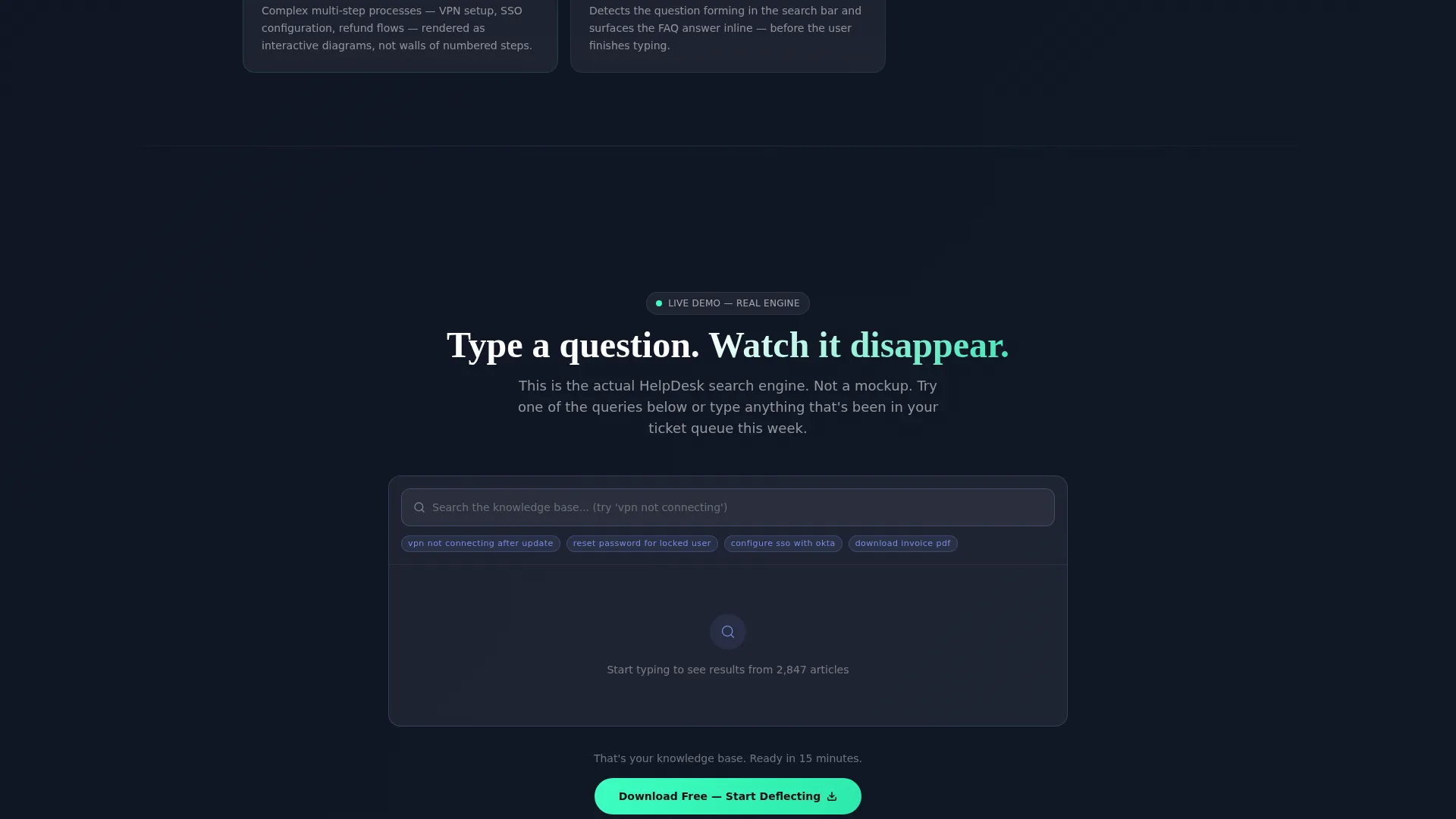
Inline Live Search Demo
A live demo embed lets visitors type a sample query directly on the page and watch the search engine return results in real time. This converts curiosity into hands-on experience before the visitor ever reaches the download button.
Floating Download Call-to-Action Bar
A sticky bottom bar appears after the stats section and stays visible throughout the scroll. It holds the primary "Download Free" button in mint green, app store badges for iOS and Android, and a single-field email input for desktop users who want onboarding documentation sent to their inbox.
Glassmorphic Card System
Every content surface uses frosted translucent white panels layered over the deep void background. Active states pulse in soft periwinkle and live metric highlights appear in crisp mint, creating a control-room aesthetic where every glow is intentional.
Page sections overview
| Section | Purpose |
|---|---|
| Dashboard Preview Header | Opens with an isometric app analytics view showing live deflection metrics and a mid-query search bar |
| Animated Stats Counter | Delivers hard proof with bold animated numbers covering resolution time, deflection rate, and search success |
| Frosted Card Grid | Presents feature modules in a rearranging data grid with hover micro-interactions on each tile |
| Live Search Demo | Lets visitors type a real query inline and watch results return before they commit to downloading |
| Floating call to action Bar | Pins the primary download action, app store badges, and email capture to the bottom of the viewport |
Design & branding system
The visual identity follows a Directory and Discovery theme expressed through a fully glassmorphic color system. The palette reads like a control room at 2 a.m.: dark, precise, and every glow placed with intention.
- Deep void black (#0D0F14) forms the base layer, soft periwinkle (#7B8CDE) handles active states and data highlights, and crisp mint (#3DFFC2) marks live metric pulses and call-to-action buttons
- Card surfaces use frosted translucent white at 8% opacity, so content appears to float on panes of smoked glass with light bleeding softly through the edges
- The isometric dashboard header, animated counters, and hover micro-interactions combine to give the page a Stats-First Impact creative direction that earns trust before selling anything
Mobile & speed optimization
The template is designed to maintain its dark glassmorphic aesthetic across screen sizes without sacrificing the layered visual depth that makes it distinctive.
- Frosted glass cards and the isometric header are structured to reflow cleanly on smaller viewports so the layout stays readable on mobile devices
- The floating call-to-action bar and app store badges are prominently positioned for thumb-friendly interaction on phones and tablets
- The inline live search demo and email capture field are sized and spaced for comfortable use on both desktop and mobile screens
How this template helps you convert
Every section in this template is sequenced to move a skeptical visitor toward a confident download decision.
- The animated stats section opens with deflection numbers and resolution metrics that establish credibility immediately, so visitors understand the product's value before reading a single feature description.
- The feature module grid and inline live search demo let visitors interact with the product concept directly on the page, turning passive browsing into active evaluation and reducing hesitation at the download step.
- The floating call-to-action bar with its mint green button, app store badges, and email capture field gives every visitor a clear, low-friction next step no matter how far down the page they have scrolled.
Other information about this template
This template is a strong fit for teams building or relaunching a self-service help center and needing a landing page that communicates the product's value at a glance.
- The template style is Dashboard and Data Grid, making it well suited for knowledge base tools, support platforms, and internal IT portals that want to lead with data
- The page direction targets app downloads, so the layout and call-to-action hierarchy are optimized for mobile app products as well as web-based help center tools
- Teams using platforms such as Notion, Zendesk, or similar self-service documentation tools can adapt this template to match their existing brand colors while keeping the glassmorphic structure intact
Theme
Directory & Discovery
Creative direction
Stats-First Impact
Color system
Glassmorphic
Style
Dashboard/Data Grid
Direction
App Download
Page Sections
Animated Stats Counter Section
Isometric Dashboard Preview Header
Feature Module Data Grid
Inline Live Search Demo Embed
Floating Download Call-to-action Bar
Glassmorphic Card and Color System
Related questions
Who is this template designed for?
What visual style does this template use?
Can I customize the colors and branding?
Does the template include a working search demo section?
What download or sign-up options does the template support?



