Plumbing Booking & Scheduling Landing Page Template
Valve is a single-page plumbing booking and scheduling landing page built for dispatch-driven operations. It pairs a syntax-highlighted API header, animated live-job counters, and a three-tier comparison table to turn visitors into free-trial signups. The page is designed for plumbing businesses that need to replace whiteboards and callback chaos with a credible, always-on scheduling system.
by Rocket studio
Quick summary
Valve is a comparison table landing page built for plumbing booking and scheduling platforms. It opens with a live-coded API header, rolls through three animated performance stats, and anchors around a Free versus Pro versus Enterprise feature table. The goal is simple: show the visitor that professional dispatch software is within reach, then invite them to start for free.
Who this template is for
This template is built for plumbing businesses at every stage of growth. Whether you run a two-van operation or manage a multi-location franchise, Valve gives you a page that speaks your language.
- Owner-operators running a small fleet who currently schedule jobs on a whiteboard or via phone callbacks
- Mid-size shop managers fielding dozens of service calls daily who need a single, visible dispatch board
- Franchise networks that need every technician's drive time and job status visible in one glance
What problem this template solves
Plumbing scheduling software is often undersold with generic SaaS landing pages that fail to build technical credibility. Prospective customers do not trust a tool that looks like a generic calendar app wearing a hard hat.
- No clear visual proof that the platform handles real-time dispatch for emergency leaks, inspections, and new-build jobs
- No transparent plan comparison that helps buyers quickly decide between free and paid tiers
- No interactive demo path that lets skeptical visitors experience the product before entering a credit card
What you get with this template
This template delivers a complete, single-page conversion flow built around the plumbing dispatch use case. Every section is designed to add proof before asking for commitment.
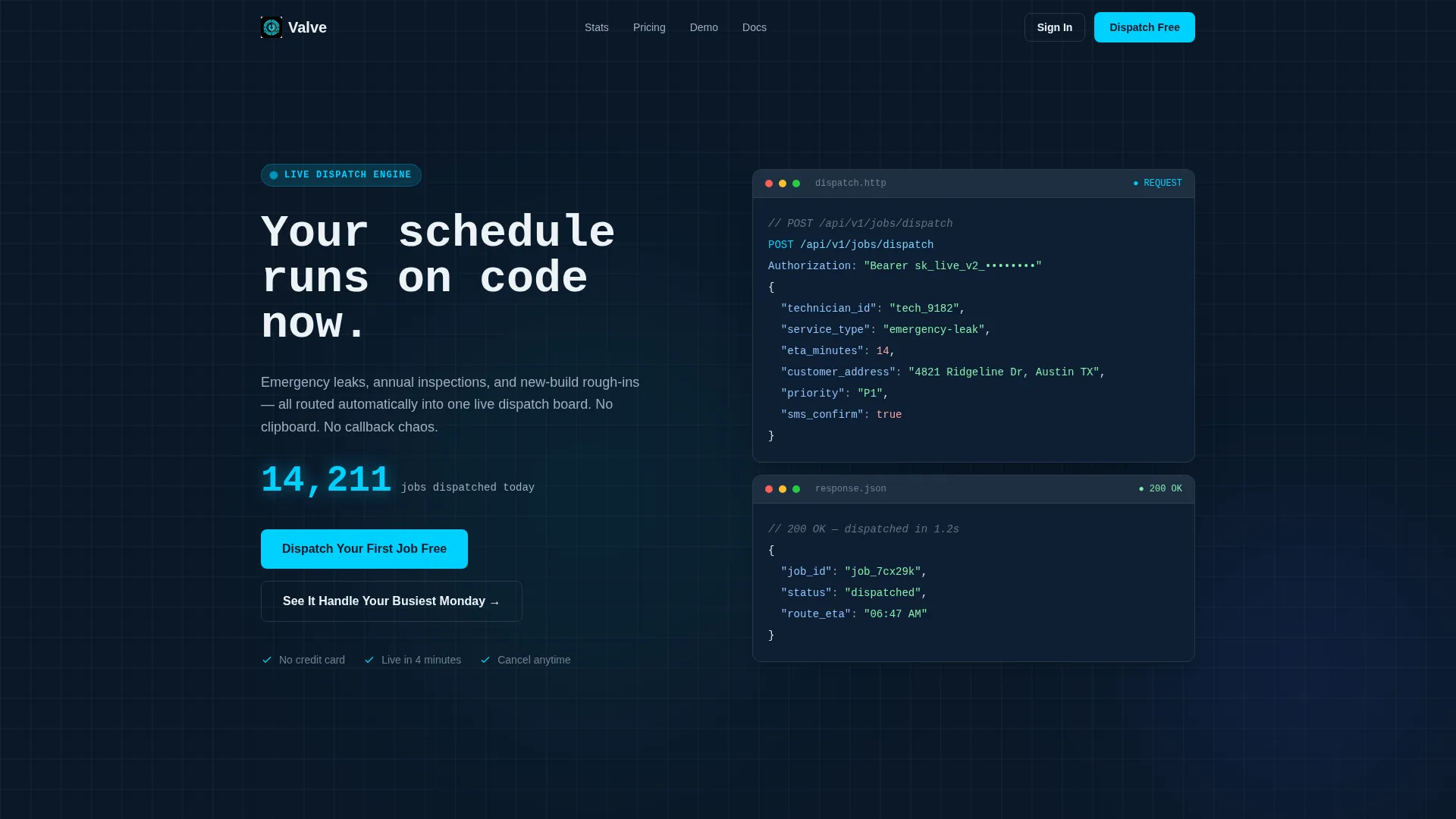
- A syntax-highlighted API code snippet header showing a real dispatch call, complete with a live animated job counter
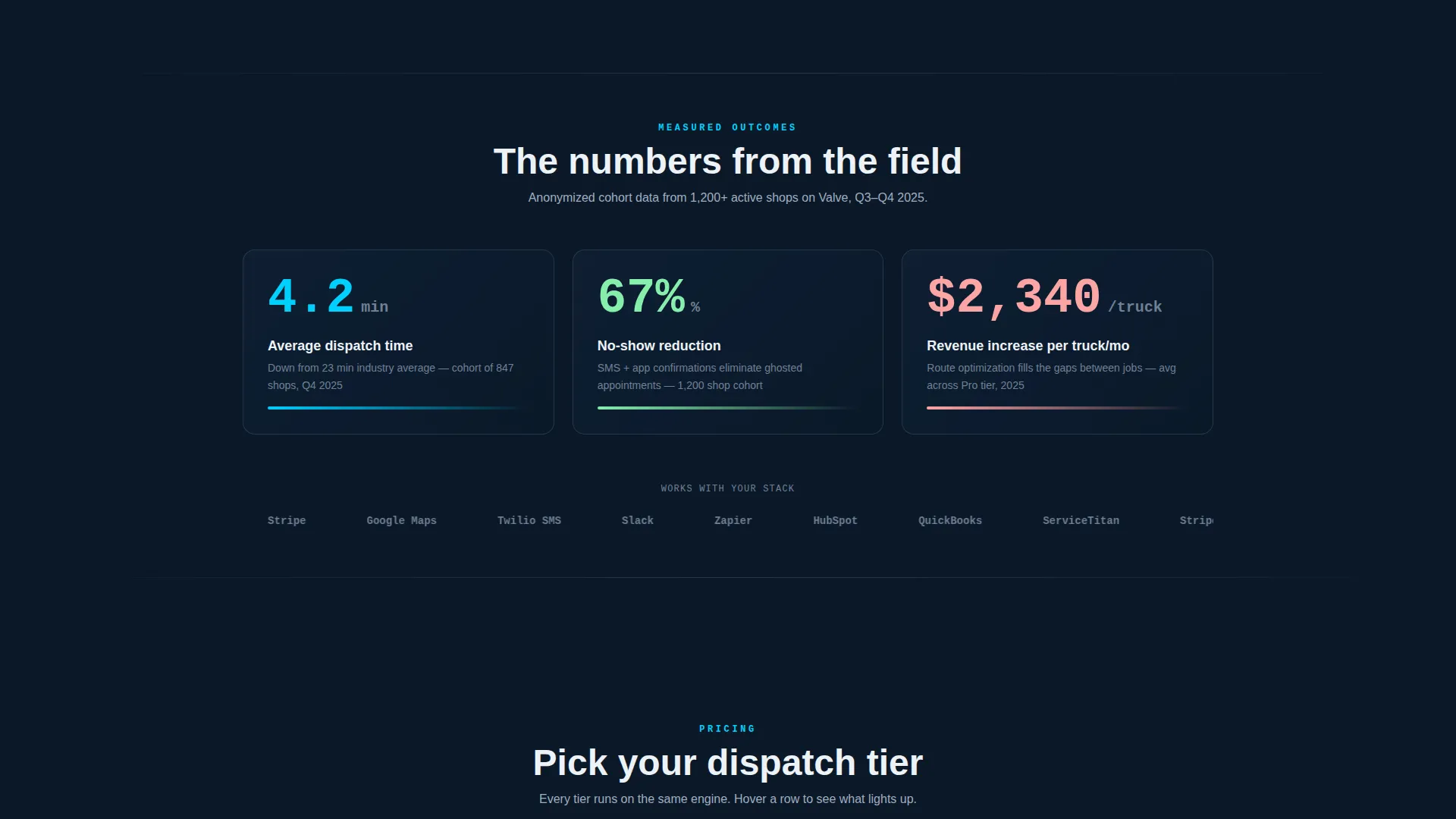
- Three entry-level stat blocks that animate on scroll, each tied to a real customer cohort data point
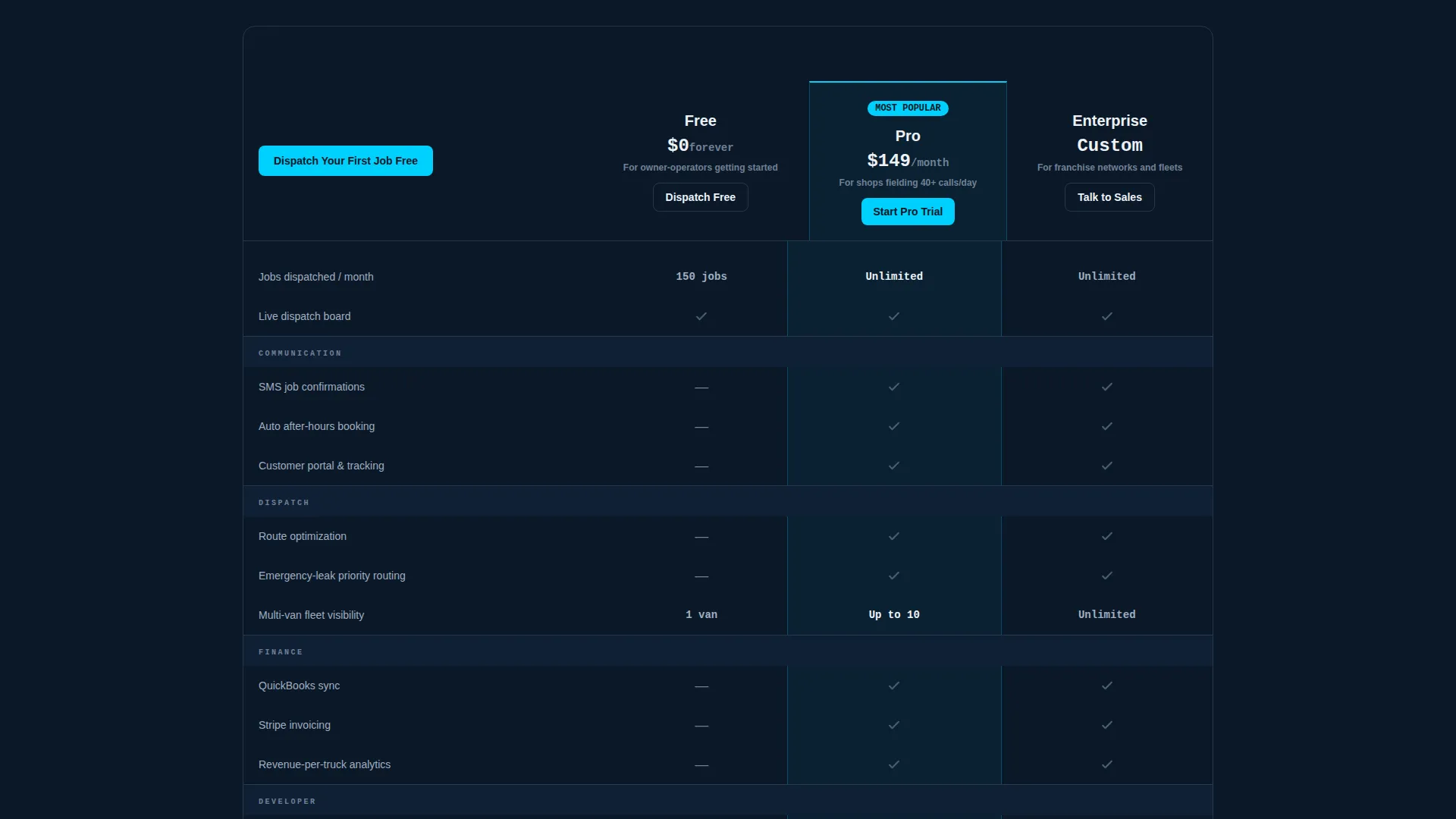
- A sticky comparison table with Free, Pro, and Enterprise columns and micro-interaction row highlighting
- A freemium signup form with a technician-count slider and no credit card requirement
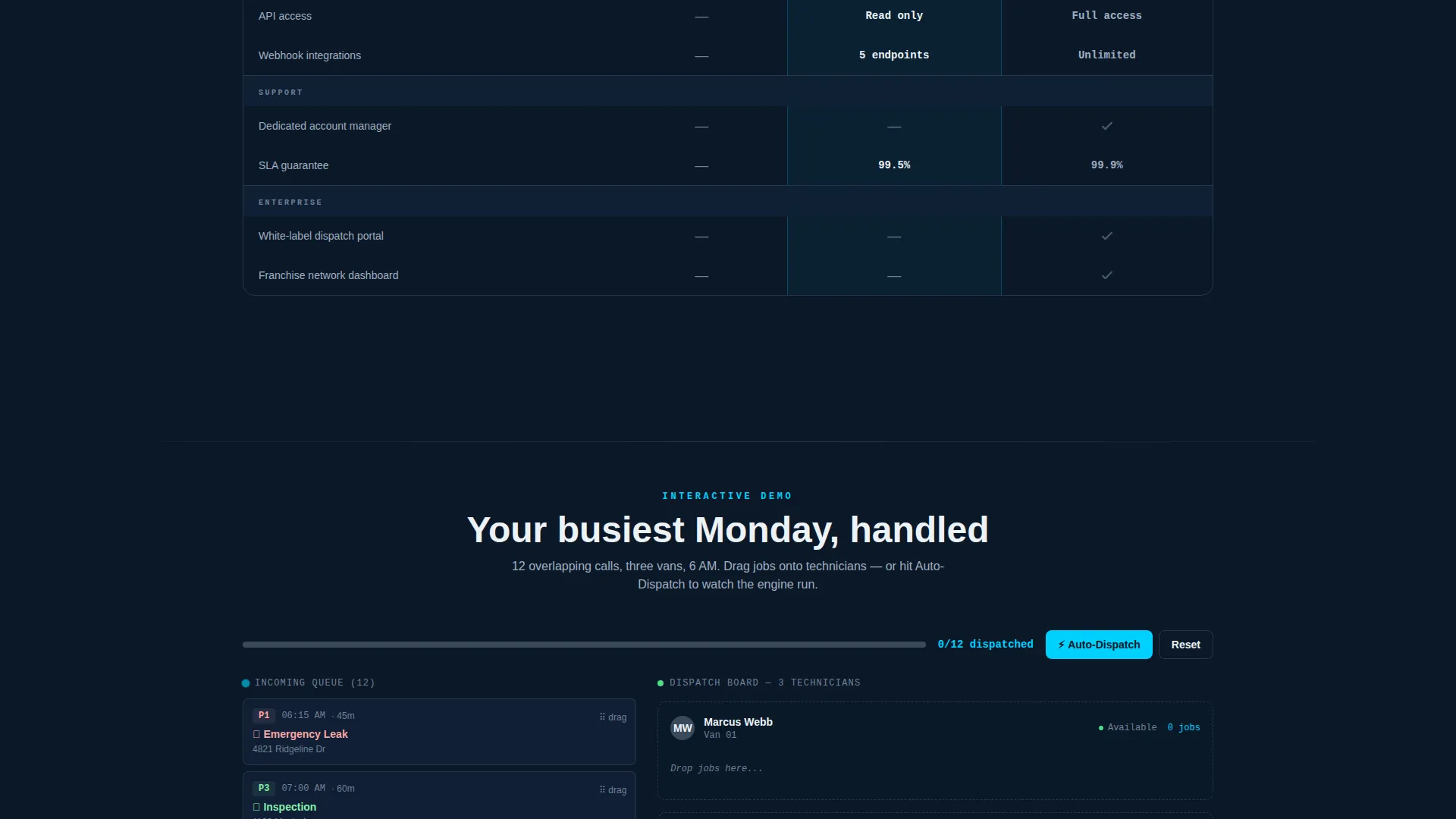
- A secondary interactive demo path that simulates a twelve-call Monday morning rush
Feature list
This template includes a focused set of purpose-built components. Each one is designed to move a plumbing business owner from skepticism to signup.
Syntax-Highlighted API Header
The page opens with a styled code snippet showing a live POST /api/v1/jobs/dispatch call. The payload includes technician ID, service type set to emergency-leak, estimated time of arrival, and customer address. Beneath it, a counter animates upward to show total jobs dispatched today, establishing immediate technical credibility.
Animated Stats on Entry
Three oversized data points animate into view as the visitor begins to scroll. Each stat covers a key business metric: average dispatch time, no-show reduction percentage, and revenue per truck increase. The figures are sourced to anonymized customer cohort data, giving the claims weight without breaking trust.
Sticky Comparison Table
The comparison table is the visual centerpiece of the page. It spans Free, Pro, and Enterprise columns with rows covering technician seats, SMS confirmations, route optimization, accounting sync, and after-hours auto-booking. The table header stays pinned as the visitor scrolls, keeping the primary call to action always visible.
Micro-Interaction Row Highlighting
Each row in the comparison table responds to user interaction. Toggling a feature highlights the active cell in leak-alert cyan, drawing the eye and making plan differences immediately legible. The effect reinforces the data-first visual identity without requiring any explanatory copy.
Freemium Signup Form
The primary call to action reads "Dispatch Your First Job Free" and requires only company name, technician count via a slider from one to fifty, and an email address. There is no credit card field. This low-friction entry point is designed to convert visitors who are evaluating options but not yet ready to commit financially.
Interactive Demo Trigger
A secondary call to action labeled "See It Handle Your Busiest Monday" launches a ninety-second interactive demo. The demo pre-loads a simulated morning rush of twelve overlapping service calls. Visitors can drag and assign technicians to jobs before signing up, turning passive browsing into active product experience.
Page sections overview
| Section | Purpose |
|---|---|
| API Code Header | Opens with a syntax-highlighted dispatch call and animated job counter to establish technical credibility |
| Animated Stats Block | Three entry stat metrics animate on scroll to build immediate trust with proof-first data |
| Comparison Table | Free, Pro, Enterprise columns with sticky call to action header and micro-interaction row highlights |
| Freemium Signup Form | Low-friction form with technician slider; no credit card required |
| Interactive Demo Trigger | Secondary call to action that launches a simulated twelve-call morning rush for hands-on pre-signup experience |
Design & branding system
The visual identity follows a Dashboard Pro theme built around a Midnight Blue color system. The palette is engineered to feel like the glow of a dispatch monitor in a dark office at dawn: authoritative, always-on, and focused on surfacing what matters fast.
- Deep terminal navy (#0B1929) forms the base background, with pipe-fitting gunmetal (#3A4A5C) used for secondary panels and borders
- Pressure-gauge white (#EDF2F7) carries all body copy and table text, ensuring high contrast against dark surfaces
- Leak-alert cyan (#00D1FF) is reserved strictly for live-data accents, active row highlights, and hover states, making interactive moments pop visually
Mobile & speed optimization
The template is structured for fast load and clean rendering across screen sizes. A dispatch board used at 6 a.m. from a job-site phone cannot afford lag or layout breakage.
- The comparison table is designed to reflow cleanly on smaller viewports, keeping plan columns scannable without horizontal scrolling
- The animated stat blocks and code snippet header use lightweight entry animations that do not block the initial render of the page
How this template helps you convert
Every design and copy decision in this template follows a proof-then-upgrade narrative. The visitor accumulates evidence before they ever see a pricing column.
- The API header and live counter establish technical credibility in the first five seconds, reducing the bounce rate among technically literate buyers who expect infrastructure-grade software
- The animated stats block turns abstract platform claims into specific, cohort-backed numbers that justify upgrading from the free tier
- The sticky comparison table keeps "Dispatch Your First Job Free" visible throughout the plan evaluation scroll, removing any gap between decision and action
Other information about this template
This template is built for the plumbing booking and scheduling niche inside the broader technology category. It is particularly well suited for platforms that serve field-service businesses competing in a market where generic scheduling tools are common but purpose-built plumbing dispatch software is rare.
- The Comparison Table template style makes it practical for platforms that offer tiered pricing and want to reduce support questions about plan differences
- The Freemium/Trial landing page direction is intentionally low-commitment: the visitor starts free and upgrades when the value is clear
- The Dashboard Pro theme and Midnight Blue color system signal professional-grade software rather than a lightweight booking widget
- The Stats-First Impact creative direction is calibrated for an audience that makes purchasing decisions based on operational numbers, not marketing language
- The Code Snippet header concept is a deliberate trust signal aimed at technically minded buyers such as franchise operations managers and software-evaluating office administrators
Theme
Dashboard Pro
Creative direction
Stats-First Impact
Color system
Midnight Blue
Style
Comparison Table
Direction
Freemium/Trial
Page Sections
Syntax-highlighted API Code Header
Animated Entry Stats Block
Sticky Comparison Table with Micro-interactions
Freemium Signup Form with Technician Slider
Interactive Demo Trigger
Related questions
What kind of plumbing business is this template designed for?
Does the interactive demo require any setup before publishing?
Can I adjust the technician count range on the signup form?
How does the comparison table handle mobile screens?
Is a credit card required to use the free tier shown in the template?



