Data & Analytics Cost Calculator Website Template
Variant is a Bold Brutalist A/B testing analytics landing page built on a split-screen layout. It puts a live conversion calculator front and center, lets visitors run interactive experiments as they scroll, and drives toward a frictionless app download. Every section hands the visitor real controls instead of passive reading.
by Rocket studio
Quick summary
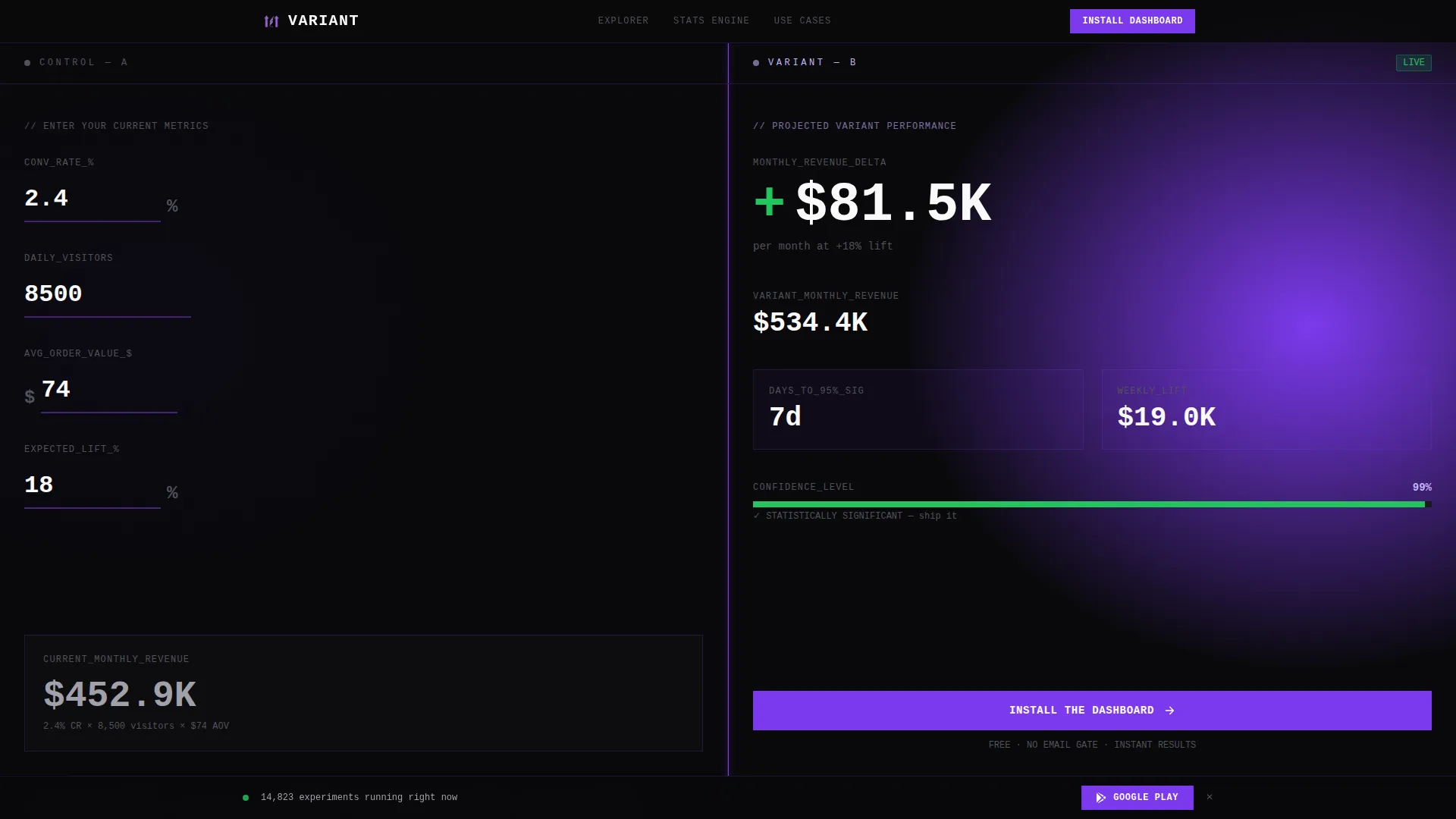
Variant is a single-page A/B testing analytics template built around a 50/50 split-screen layout. The header calculator lets visitors input their conversion rate, traffic, and order value to see projected lift instantly. Interactive sections escalate from simple rate comparisons to multivariate segment breakdowns, all pushing toward a one-tap app download.
Who this template is for
This template is built for data-driven teams and solo builders who test before they guess. It speaks directly to people who treat conversion rate improvement as a measurable discipline.
- Growth leads running multivariate tests across checkout flows and acquisition funnels
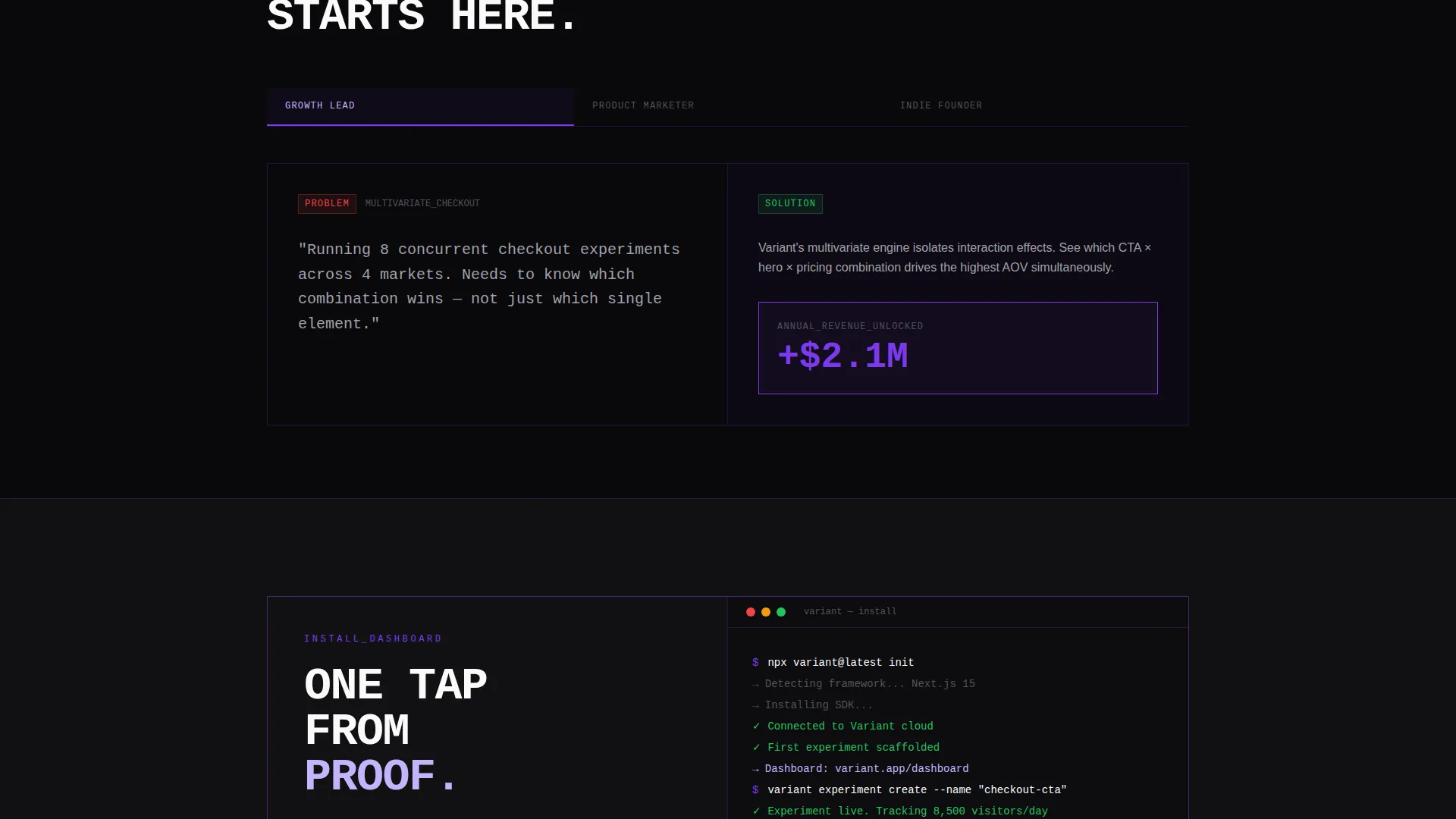
- Product marketers who debate hero image swaps and need hard numbers to settle the argument
- Indie founders split-testing pricing pages late at night because intuition alone is not a strategy
What problem this template solves
Most analytics landing pages lecture visitors with feature lists and trust badges. They ask for an email before proving any value. Variant flips that model entirely.
- Visitors leave before understanding what the product actually does, because nothing demonstrates it
- Teams waste budget on A/B testing tools that cannot clearly communicate statistical significance to stakeholders
- Founders struggle to show conversion rate lift projections without a live, interactive proof of concept
What you get with this template
You get a fully structured single-page layout that doubles as a live product demonstration. Every section is a working interaction, not a static mockup.
- A header calculator that renders projected lift, revenue delta, and days-to-significance from visitor inputs
- Scrollable interactive sections including heatmap overlays, a confidence interval bar, and a simulated traffic slider
- A persistent bottom bar carrying a secondary call to action linked to the app store with a device-detected badge
Feature list
This template includes purpose-built components that make the data argue its own case, without a single stock image or decorative illustration.
Live Split-Screen Calculator Header
The header divides the viewport exactly in half. The left panel is labeled "Control" and the right is labeled "Variant." Visitors enter their current conversion rate, daily traffic, and average order value. The right panel immediately renders projected lift, revenue delta, and days-to-significance in oversized stacked type that slams into place like a departures board flipping tiles.
Interactive Heatmap Overlay Toggle
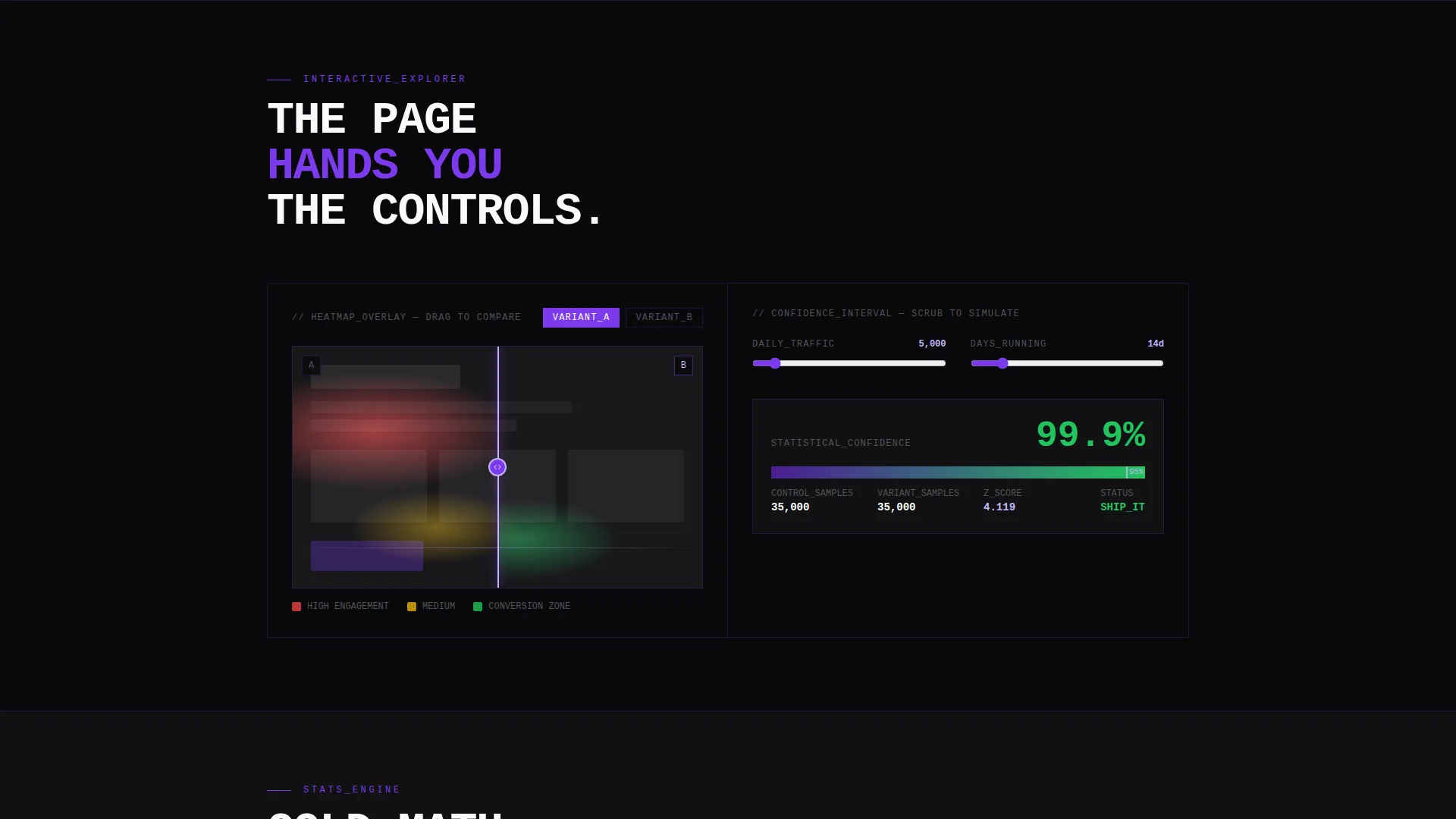
One scroll section lets visitors flip between heatmap overlays of two page variants. The interaction keeps the split-screen metaphor alive without requiring any back-end connection. It gives product marketers a tactile way to visualize which version wins attention.
Live Confidence Interval Bar
A dedicated section renders a confidence interval bar that fills as visitors scrub a simulated traffic slider. The interaction escalates from simple rate comparisons to multivariate segment breakdowns. Each step is more granular than the last, mirroring how real A/B testing analysis deepens over time.
Contextual Primary Call to Action
The "Install the Dashboard" call to action appears inside the header calculator once results render. It surfaces only after the product has already demonstrated value through the visitor's own numbers. This placement removes the friction of asking before proving.
Persistent Secondary Call to Action Bar
A fixed bottom bar carries a "Start a Free Experiment" call to action throughout the entire scroll journey. It links to the app store and detects the visitor's device to display the correct download badge. No form fields and no email gates interrupt the path to install.
Brutalist Void and Violet Typography System
All type is oversized, monospaced, and set edge-to-edge with no padding concessions. Violet and electric lavender appear only where data moves or a hover state activates. The typographic system makes numbers feel like events, not labels.
Page sections overview
| Section | Purpose |
|---|---|
| Split Calculator Header | Input fields render live lift and revenue projections across Control and Variant panels |
| Heatmap Overlay Toggle | Visitors flip between two variant heatmaps to compare attention patterns visually |
| Confidence Interval Bar | Simulated traffic slider fills a live significance bar in real time |
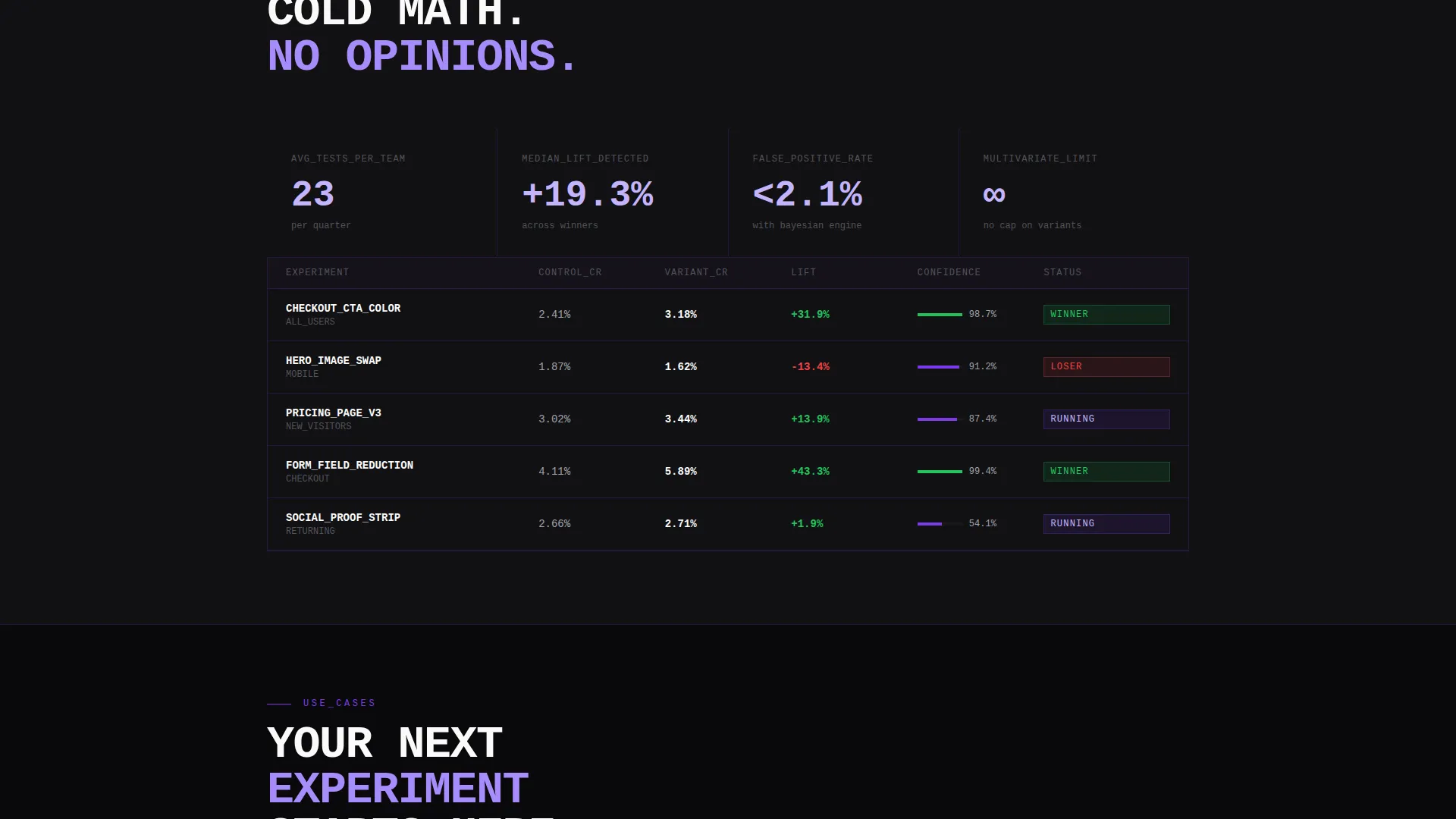
| Segment Breakdown Explorer | Escalates from simple rate comparisons to multivariate segment-level data interactions |
| Persistent Download Bar | Fixed bottom bar carries the secondary app download call to action on every scroll |
Design & branding system
The visual identity follows a Bold Brutalist theme built entirely on the Void and Violet color system. Black dominates every surface. Violet and electric lavender emerge only where data moves or interaction occurs.
- Core palette: absolute void black (#09090B), deep ultraviolet (#7C3AED), bruised plum (#4C1D95), and caustic electric lavender (#C4B5FD) reserved for hover states and live data pulses
- Typography is oversized and monospaced, set edge-to-edge with zero padding, making every number feel monolithic and intentional
- No stock imagery, no illustrations; the visual language is pure math performing in public against a black surface
Mobile & speed optimization
The template is designed so the split-screen layout and interactive components translate clearly to smaller screens. The persistent bottom bar and device-detected app store badge are built with mobile visitors in mind.
- The 50/50 split-screen header stacks vertically on narrow viewports so the calculator remains fully usable on a phone
- The device-detected badge on the bottom bar automatically shows the correct app store link based on the visitor's operating system
- Interactive components like the traffic slider and heatmap toggle are touch-friendly by design, requiring no hover dependency to operate
How this template helps you convert
Variant earns the download by demonstrating the product before asking for anything. The conversion path is built into the template structure itself.
- The header calculator uses the visitor's own numbers to project real revenue lift, making the value of the product immediately personal and concrete before any call to action appears.
- Each interactive scroll section deepens engagement by handing the visitor more controls, building confidence that the platform handles complexity rather than just promising it.
- The persistent bottom bar keeps the "Start a Free Experiment" call to action visible at all times, so the moment a visitor is convinced, the path to install is never more than one tap away.
Other information about this template
This template fits naturally into a technology product launch workflow where the goal is direct app acquisition rather than lead capture. It suits teams who want to skip the email funnel entirely and go straight to download.
- The template is built as a single landing page, making it straightforward to deploy as a standalone acquisition page or embed within a broader product marketing site
- The Bold Brutalist aesthetic positions the platform as a serious analytical tool, not a consumer wellness app, which is intentional for the A/B testing analytics audience
- The Void and Violet color system is fully documented in the template's design tokens, making it easy to swap brand colors while preserving the typographic hierarchy
Theme
Bold Brutalist
Creative direction
Interactive Explorer
Color system
Void & Violet
Style
Split Screen (50/50)
Direction
App Download
Page Sections
Live Split-screen Calculator Header
Interactive Heatmap Overlay Toggle
Confidence Interval Bar with Traffic Slider
Contextual Install Call to Action
Persistent Device-detected Download Bar
Brutalist Monospaced Typography System
Related questions
Does this template require a live back-end to run the calculator?
Can I change the call to action from app download to a sign-up flow?
Who is this template best suited for?
Does the split-screen layout work on mobile devices?
Can I swap the color palette without breaking the layout?



