Intelligent Digital Asset Management Landing Page Template
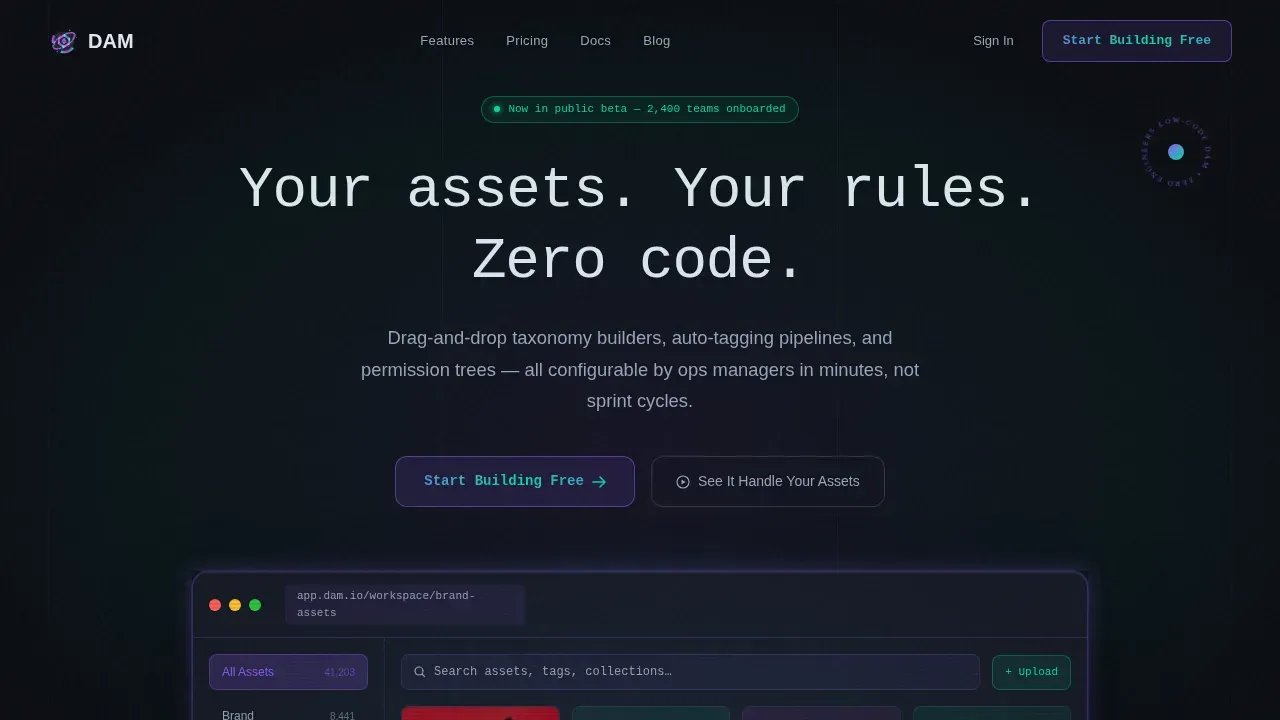
Dam is a zero-code digital asset management landing page template built for marketing teams, brand operations managers, and IT leads who need a fully configurable dam system without touching a line of code. The template features a modular card grid, drag-and-drop taxonomy builders, AI-powered auto-tagging, permission trees, and a dark Tech Glass visual identity that feels as precise as the platform it represents.
by Rocket studio
Quick summary
Dam is a single-page, card-grid landing page template for a low-code digital asset management platform. It is designed for teams who need to organize assets, manage metadata, control permissions, and search files at scale without depending on engineering resources. The template pairs a striking Tech Glass aesthetic with a high-interactivity feature matrix so visitors experience the dam system before they ever sign up.
Who this template is for
This template speaks directly to the professionals who feel the daily cost of poor asset management. It is built for operations leads, creative directors, and IT managers who are responsible for maintaining brand consistency across large, fast-moving content libraries.
- Brand operations managers who manage tens of thousands of untagged files scattered across multiple cloud folders and need a centralized dam solution they can own.
- Creative directors who waste valuable time hunting for the approved logo variant or the current version of a campaign image and want instant, reliable search results.
- IT leads who are tired of being the bottleneck for every metadata schema change and want non-engineers to reshape permission trees and taxonomy systems in minutes.
What problem this template solves
Managing digital assets across disconnected folders, siloed teams, and manual tagging processes creates friction at every stage of content creation. Without a structured dam system, the same file gets duplicated across drives, different versions circulate without clear ownership, and approved assets are impossible to locate quickly. Marketing campaigns stall. Creative workflows break down. The brand suffers.
This template exists to show visitors that a proper digital asset management dam is not a months-long IT project. It proves, visually and interactively, that the right dam solution can be built and reshaped without writing a single line of code.
- Teams spend hours per week searching for the same asset across shared drives, losing productivity and creating version chaos that undermines brand consistency.
- Non-engineers cannot update metadata schemas or adjust permission trees in legacy dam programs, making IT the unavoidable gatekeeper for every small change.
- Files get shared via email chains or consumer-grade tools, creating data loss risks and making it nearly impossible to track usage rights or audit asset history.
What you get with this template
You get a fully assembled, dark-themed, high-interactivity landing page that communicates every core capability of a zero-code digital asset management system. The layout is a modular card grid where each card is a discrete capability with its own hover micro-interaction. Visitors scan the feature matrix like a spec sheet and experience it like a live demo.
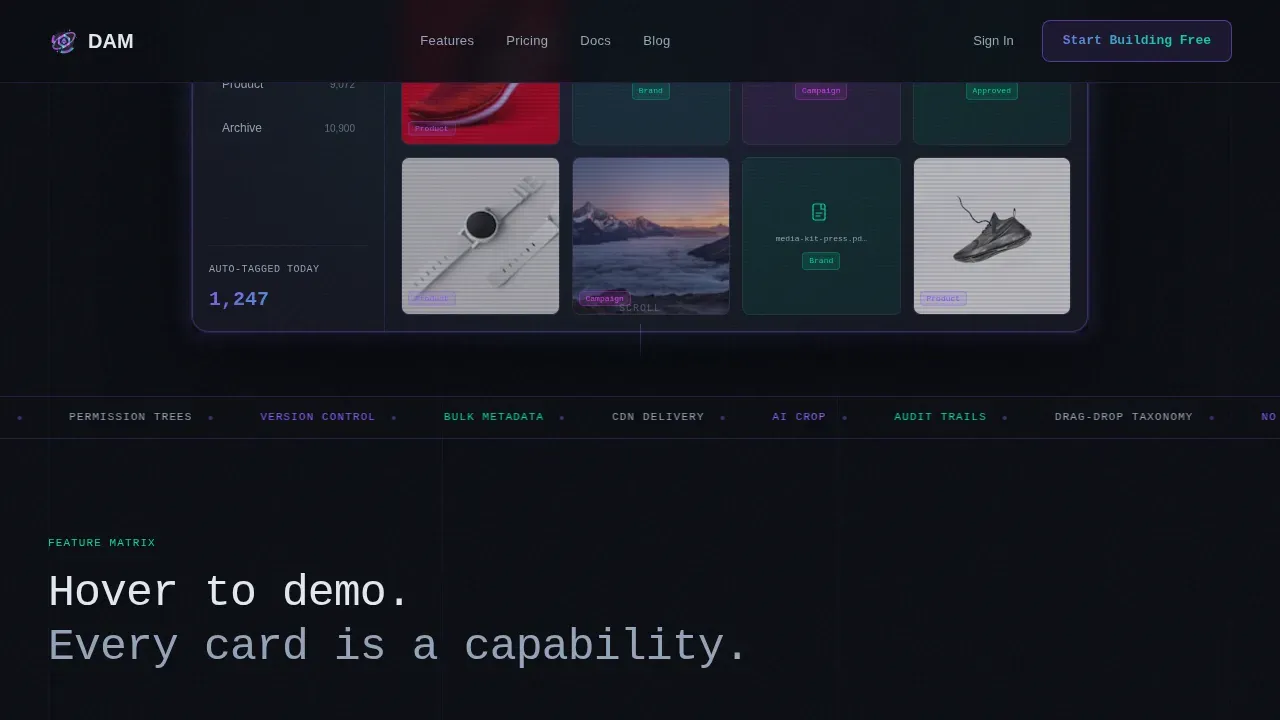
- A full-bleed dark hero section with a glowing, cursor-reactive dam workspace mockup, typewriter headline, and primary call-to-action button.
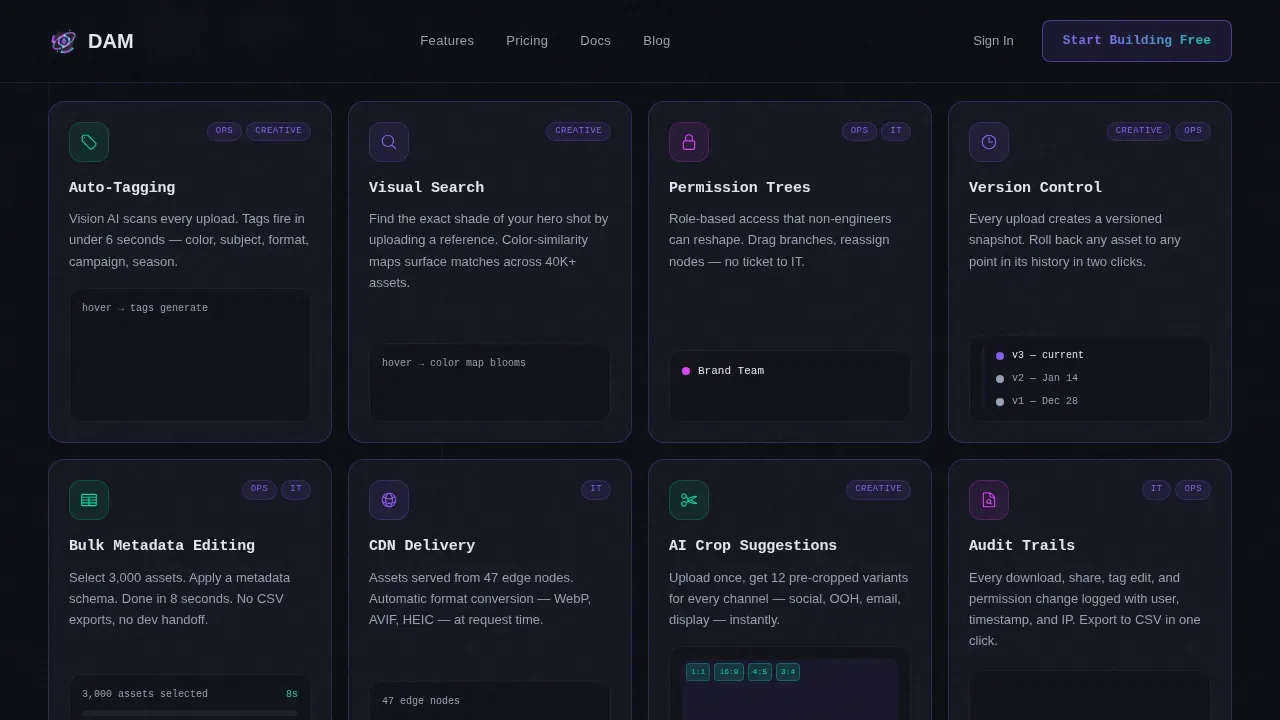
- An eight-card feature matrix grid with a sticky persona filter bar that lets visitors toggle between Creative, Ops, and IT views so only the most relevant content surfaces.
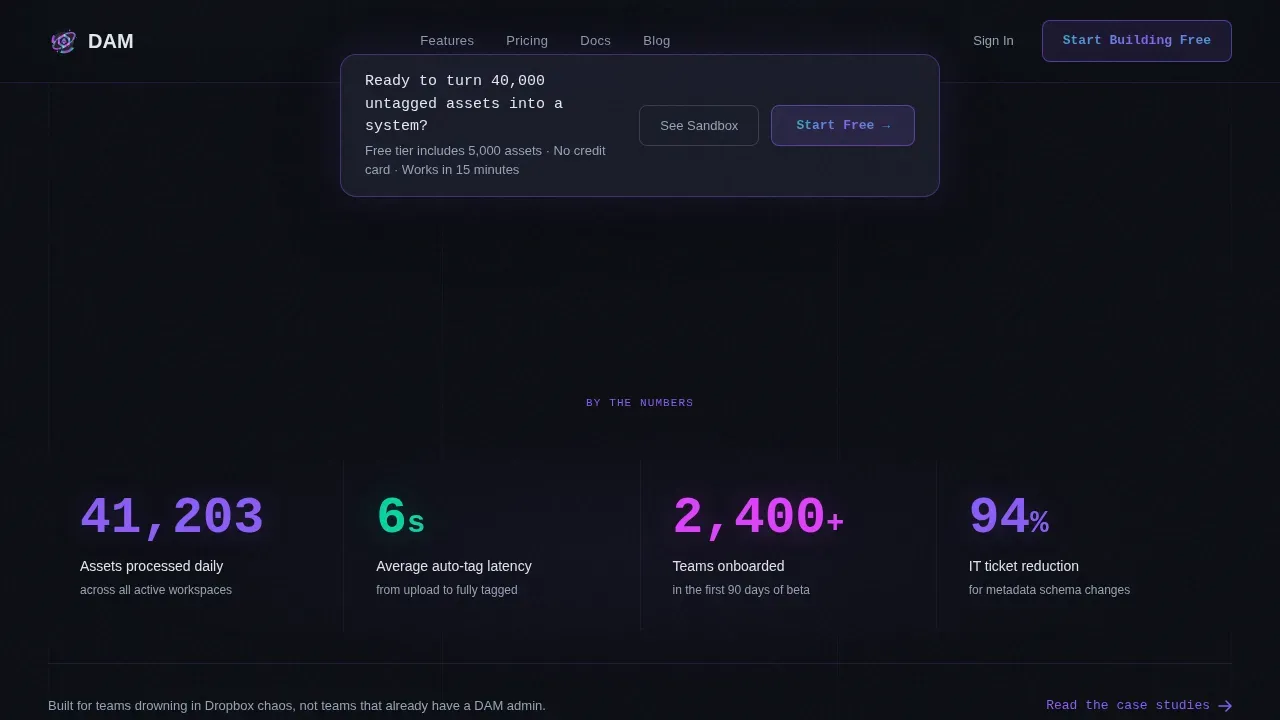
- Supporting sections including a stats and proof block, a floating call-to-action bar, persona-matched testimonial cards, and a single-row footer.
Feature list
This template is built around eight core capability cards, each representing a real dam function your platform delivers. The card grid is the center of gravity for the page, and every card is designed to function as a micro-demo on hover.
AI Auto-Tagging Pipeline
The auto-tagging card shows tags generating in real time on hover. AI-powered tagging enhances the discovery and organization of digital assets by automating a process that would otherwise require hours of manual metadata entry. AI-generated metadata improves the accuracy and searchability of digital assets across the entire dam system, so teams can find the right image or document in seconds rather than minutes.
Visual Search and Image Discovery
The visual search card reveals a color-similarity map on hover, demonstrating AI-powered visual search that allows users to find specific images and video content based on visual characteristics rather than a file name or manual tag. This capability is an important function for creative teams managing large image libraries where the same asset appears in multiple crops or color treatments.
Drag-and-Drop Taxonomy Builder
Non-engineers can reshape the taxonomy structure of the dam system in minutes using a drag-and-drop interface. Users can organize assets by project, file type, date, or any custom field without waiting for developer support. This makes managing digital assets a self-service operation for brand ops teams and eliminates the IT bottleneck for routine metadata schema changes.
Permission Trees and Access Control
Secure access capabilities allow user roles to be set and adjusted so only authorized personnel can access specific assets. External users such as agency partners or freelancers can be granted controlled access to a centralized portal to download approved assets and files, reducing dependency on email chains and minimizing data loss risks. Usage rights are enforced at the permission level.
Version Control and Audit Trails
The dam system tracks every change to every asset, making version control an always-on capability rather than a manual process. Teams always know the latest version of any file, can review new versions side by side with the previous state, and can trace audit history for compliance or review purposes. Bug fixes and metadata corrections are logged automatically.
Bulk Metadata Editing
Bulk metadata editing lets users update the file name, tags, usage rights, or any other descriptive data field across hundreds of assets simultaneously. This capability saves enormous amounts of valuable time when onboarding existing assets into the dam system or reorganizing a library after a rebrand. Users can add keywords to multiple files in a single action, keeping search results accurate and relevant content discoverable.
Page sections overview
| Section | Purpose |
|---|---|
| Dark Hero Block | Introduces the platform with a full-bleed void background, glowing dam workspace mockup, typewriter headline, and primary call-to-action |
| Feature Matrix Grid | Presents eight capability cards in a modular card grid with hover micro-interactions and a sticky persona filter toggle for Creative, Ops, and IT roles |
| Stats and Proof | Displays concrete metrics such as asset volume, tagging speed, and team size in high-contrast serif numerals to build credibility |
| Floating call to action Bar | Sticky conversion bar that appears after the third card row, repeating the primary call-to-action without interrupting the browsing flow |
| Testimonial Cards | Three persona-matched quotes in glassmorphic cards that validate the dam solution for each primary buyer type |
| Single-Row Footer | Linear footer row with navigation links and secondary information |
Design & branding system
The visual identity is built on a Tech Glass theme with an AI Iridescent color system. Backgrounds stay deep and matte, cards float on translucent frosted glass layers, and spectral color activates only on interaction. The palette feels like light refracting through a prism laid on obsidian: dark and still until you move, then alive with violet and cyan bleeding across surfaces.
- Color palette: Void black (#0B0D13) for all backgrounds, frosted glass panel (#1A1D2B at 60% opacity) for card surfaces, iridescent violet (#8B5CF6) and shifting cyan (#06D6A0) for active feature labels, and hot-signal magenta (#E040FB) reserved strictly for hover states and active glows.
- Typography: JetBrains Mono for all headlines and feature labels to reinforce the technical, precise character of the dam system; DM Sans for body copy to keep longer explanations readable and approachable.
- Layout principle: Uniform card sizes create a consistent grid so visitors scan like a spec sheet; 1px luminous borders on each card give depth without visual clutter; cool white (#E2E8F0) body text keeps contrast high against dark glass surfaces.
Mobile & speed optimization
The template is designed desktop-first because brand operations managers and IT leads primarily work from desktop environments. Full mobile responsiveness is included so the same page functions cleanly on smaller screens without losing the visual integrity of the glassmorphic card system.
- Desktop-first layout: The eight-card grid and sticky persona filter bar are optimized for wide viewports first, with responsive breakpoints scaling the grid and typography for tablet and mobile use.
- GPU-accelerated animations: All motion effects including GSAP scroll reveals, the typewriter headline, the cursor-reactive hero halo, and card micro-interactions use GPU-accelerated transforms only, keeping visual performance smooth without layout recalculation.
How this template helps you convert
Every design and interaction decision on this page is pointed at a single outcome: getting visitors to start building their own dam system for free. The page earns the click by letting visitors experience the product in fragments before they ever reach a signup field.
- Micro-demos replace marketing copy. Each card hover state functions as a live capability demonstration. By the time a visitor scrolls past the third row of the feature matrix, they have already experienced auto-tagging, visual search, and permission controls firsthand. The primary call-to-action button labeled "Start Building Free" appears in the hero and repeats in a floating bar, removing friction at every scroll depth.
- Persona filtering removes irrelevant noise. The sticky filter bar at the top of the feature matrix lets each visitor see only the capabilities that matter to their role. A creative director sees image search and version control. An IT lead sees permission trees and audit trails. Showing the right assets to the right person at the right moment is the same logic that makes a good dam solution valuable, and the page demonstrates that logic in its own navigation.
- An interactive sandbox closes the gap between interest and conviction. A secondary call-to-action labeled "See It Handle Your Assets" opens a live sandbox where visitors drag in their own files and watch the auto-tagging engine process them in real time. This removes the abstract quality of most dam software demos and replaces it with a personal, immediate proof of value.
Other information about this template
This template covers the full range of digital asset management dam use cases that matter to modern marketing and creative operations teams. It is built to support sustainable growth: the underlying template structure can be updated or expanded as business needs grow without rebuilding the page from scratch, allowing agile management of digital content over time.
Digital asset management, at its core, is the process of creating, uploading, organizing, storing, retrieving, and distributing all of an organization's digital files and content in one centralized repository. A well-implemented dam system creates a strategic system that helps companies get the most value out of their assets. This template positions the platform as that system, making the value of a centralized repository tangible from the first scroll.
The template supports the following additional considerations for teams evaluating dam software and dam programs:
- Managing existing assets at scale: The template communicates that the platform can handle existing assets brought in from multiple sources, including cloud folders and other applications, without requiring a full re-tagging effort from scratch.
- Centralized assets for all teams: Marketing and sales teams, creative teams, and external users all benefit from a centralized assets model where the same file is always found in one place. The same asset never needs to be re-uploaded or re-shared because every user accesses it from the same dam system.
- Content delivery network support: The template includes a card for content delivery network delivery, communicating that approved assets can be distributed at scale without manual download and re-upload cycles, which is a critical dam function for large organizations managing video content and high-resolution image files.
- Seamless integrations with the existing stack: The page signals that the dam solution is designed for seamless integrations with the tools teams already use, enabling streamlined creative workflows without forcing a complete change in working habits.
- Maintaining brand consistency across all channels: Digital asset management helps organizations maintain a consistent brand identity. The template demonstrates this by showing how permission trees and approved assets work together to ensure that only the current version of a file is used in live marketing campaigns.
- Tracking and reporting on asset usage: The ability to track asset usage and performance is a valuable feature of dam systems. The audit trail card on the feature matrix communicates this capability clearly, giving IT leads and brand ops managers detailed information on how assets are being used across the organization.
- dam template flexibility: This dam template is built to be updated and expanded as the business scales. Teams can add new sections, reorganize the feature matrix, and adjust persona filters without specialist development resources.
- User-friendly design for non-technical teams: The user-friendly layout and drag-and-drop card structure mean that marketing operations teams can maintain the page and the underlying dam system without relying on engineering support, saving on technical resources and expensive custom software development.
- Softr provides a specialized dam template approach that turns structured data into a client-facing portal, similar in spirit to what this template enables: browsing and downloading approved assets without a complex backend, making dam programs accessible to organizations of all sizes.
Theme
Tech Glass
Creative direction
Feature Matrix
Color system
AI Iridescent
Style
Card Grid (Modular)
Direction
Freemium/Trial
Page Sections
AI Auto-tagging and Metadata Generation
Visual Search with Color Similarity Mapping
Drag-and-drop Taxonomy Builder
Permission Trees and Role-based Access Control
Version Control and Full Audit Trails
Bulk Metadata Editing and Keyword Management
Related questions
Do I need to write any code to use this template?
Who is the primary audience for this template?
How does the feature matrix card grid work?
Can the template handle different file types and video content?
Is this template suitable for teams with large existing asset libraries?



