Vault - Precision Artworkstorage Landing Page Template
Vault is a split-screen landing page template built for premium artwork and antiques storage facilities. It pairs a live interactive cost estimator with a technical spec comparison model to earn prospect trust before asking for contact details. The Engineering Blueprint visual identity and climate-controlled storage positioning make it ideal for high-value collector and gallery audiences.
by Rocket studio
Quick summary
Vault is a precision-built landing page template for artwork and antiques warehouse storage facilities. The split-screen layout opens with a live cost estimator alongside a blueprint vault schematic. Below the fold, staggered spec comparison rows dismantle alternatives before a two-step form captures qualified leads. Every section earns credibility through data, not decoration.
Who this template is for
This template is designed for storage facilities that serve serious, high-value clients. It communicates technical credibility from the first pixel, which is exactly what discerning buyers need to see.
- Private collectors rotating paintings or antiques between multiple residences
- Gallery owners storing inventory between exhibitions, and estate executors managing entire household collections during probate
- Insurance underwriters who require certified conditions reports before writing seven-figure policies
What problem this template solves
High-value art and antiques storage is a trust problem before it is a logistics problem. Prospects searching for climate-controlled storage for valuable objects need proof of superiority, not a brochure. Most facility websites look identical to a self-storage company site, which destroys confidence instantly.
- No visible technical differentiation between museum-grade climate control and a standard warehouse unit
- No structured path to help collectors, estate executors, or insurers quickly evaluate facility specifications
- No conversion model that earns contact details by demonstrating value first
What you get with this template
Vault delivers a single-page layout with deep interactivity and a structured conversion sequence. Every section is pre-built around the needs of artwork and antiques logistics buyers.
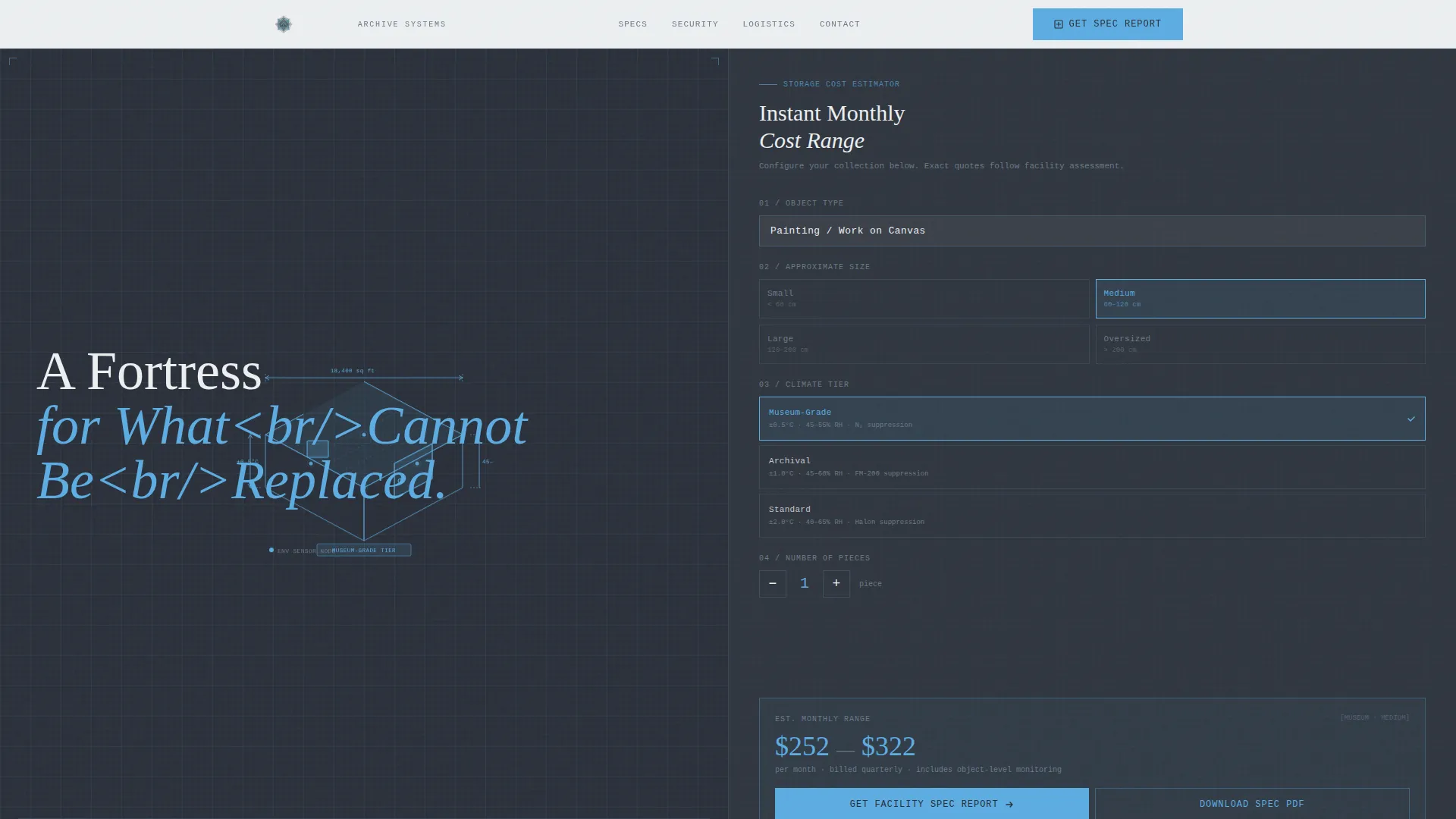
- A hero split-screen with a blueprint vault schematic on the left and a live interactive cost estimator on the right
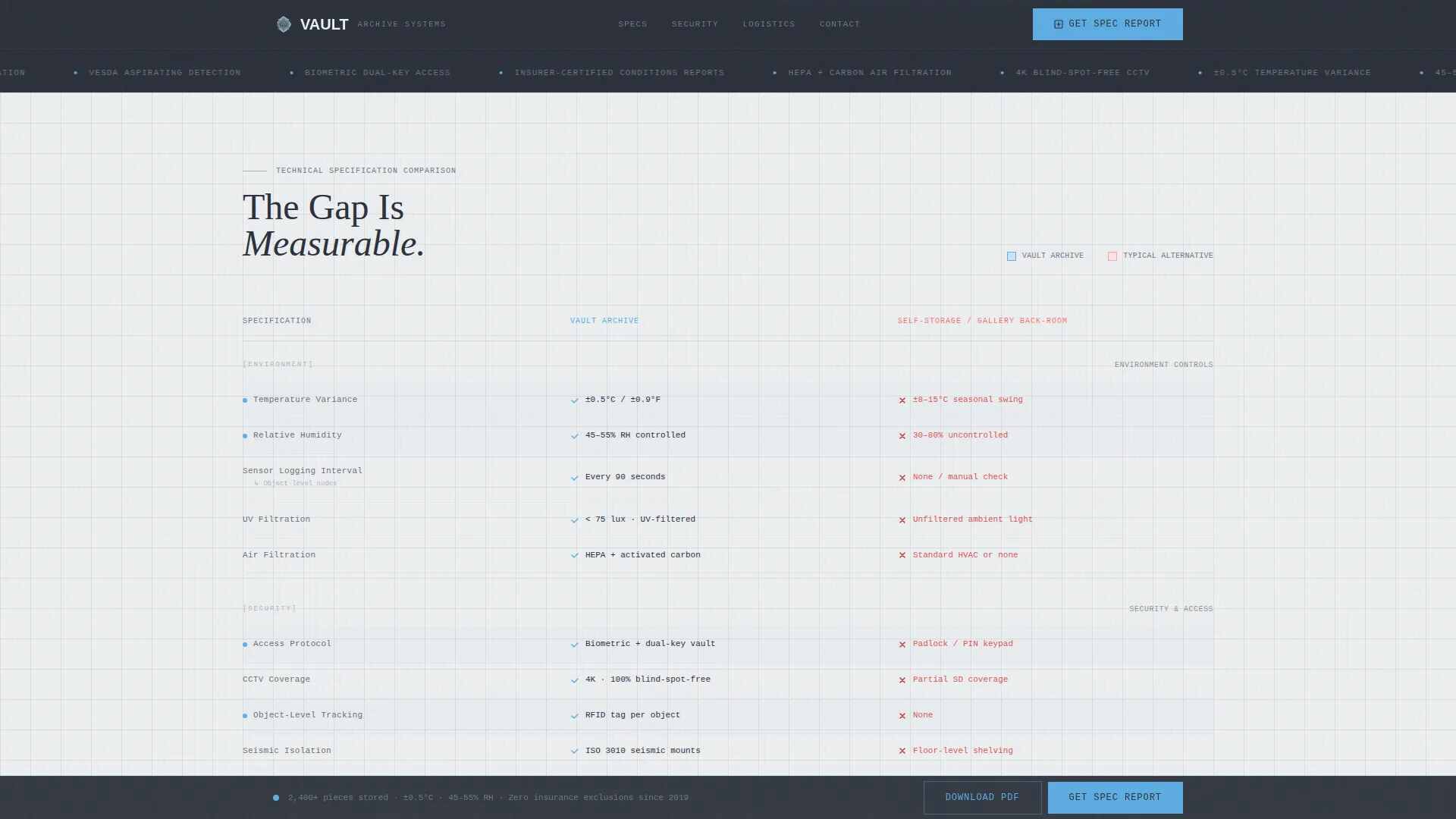
- Staggered spec comparison rows that contrast facility ratings against typical self-storage or in-gallery alternatives
- A two-step lead capture form and a separate email-gated PDF spec sheet download for prospects still in research mode
Feature list
This template includes the following purpose-built components for artwork and antiques storage marketing.
Live Interactive Cost Estimator
Visitors select object type, enter approximate dimensions, and choose a climate tier to receive an instant monthly cost range. The estimator is rendered as a technical schematic with animated grid lines and dimension arrows that respond to input changes.
Spec Comparison Rows with Slide-In Animation
Each comparison module presents the facility's rated specifications against typical alternatives in opposing split-screen columns. Rows slide in from both sides of the screen on scroll, with engineering notation and diagrammatic icons reinforcing the blueprint aesthetic.
Two-Step Lead Capture Form
The primary conversion path uses a two-step form. Step one collects collection type and estimated piece count. Step two captures current storage situation and an email address, qualifying leads before they submit.
Email-Gated PDF Spec Sheet Download
A secondary conversion path lets research-mode visitors download a full spec comparison PDF gated by email only. This captures prospects who are not yet ready for a consultation but are actively evaluating options.
Pinned Conversion Bar
After the first scroll, a slim bottom bar stays fixed on screen with the primary call to action. This keeps the conversion prompt visible throughout the entire reading experience without interrupting the spec comparison flow.
Blueprint Visual Identity System
The entire layout is styled as an Engineering Blueprint. Animated grid lines, dimension arrows, isometric vault cutaway diagrams, and spec-sheet typography create a cohesive technical identity that signals precision and professionalism to high-net-worth audiences.
Page sections overview
| Section | Purpose |
|---|---|
| Hero Split Screen | Vault schematic left, live cost estimator right |
| Spec Comparison Rows | Facility specs versus self-storage alternatives |
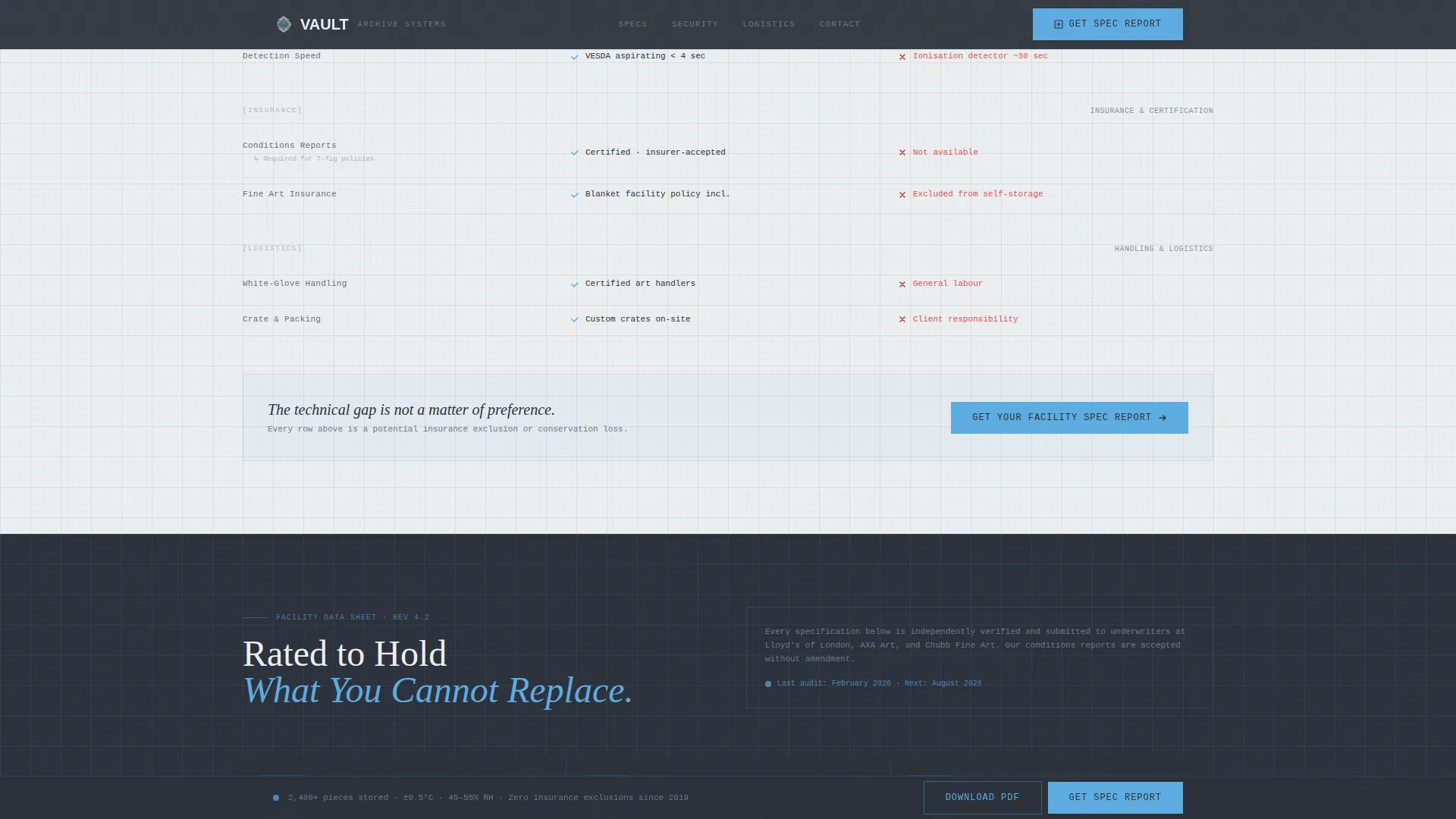
| Security and Compliance | Technical data sheet with diagrammatic icons |
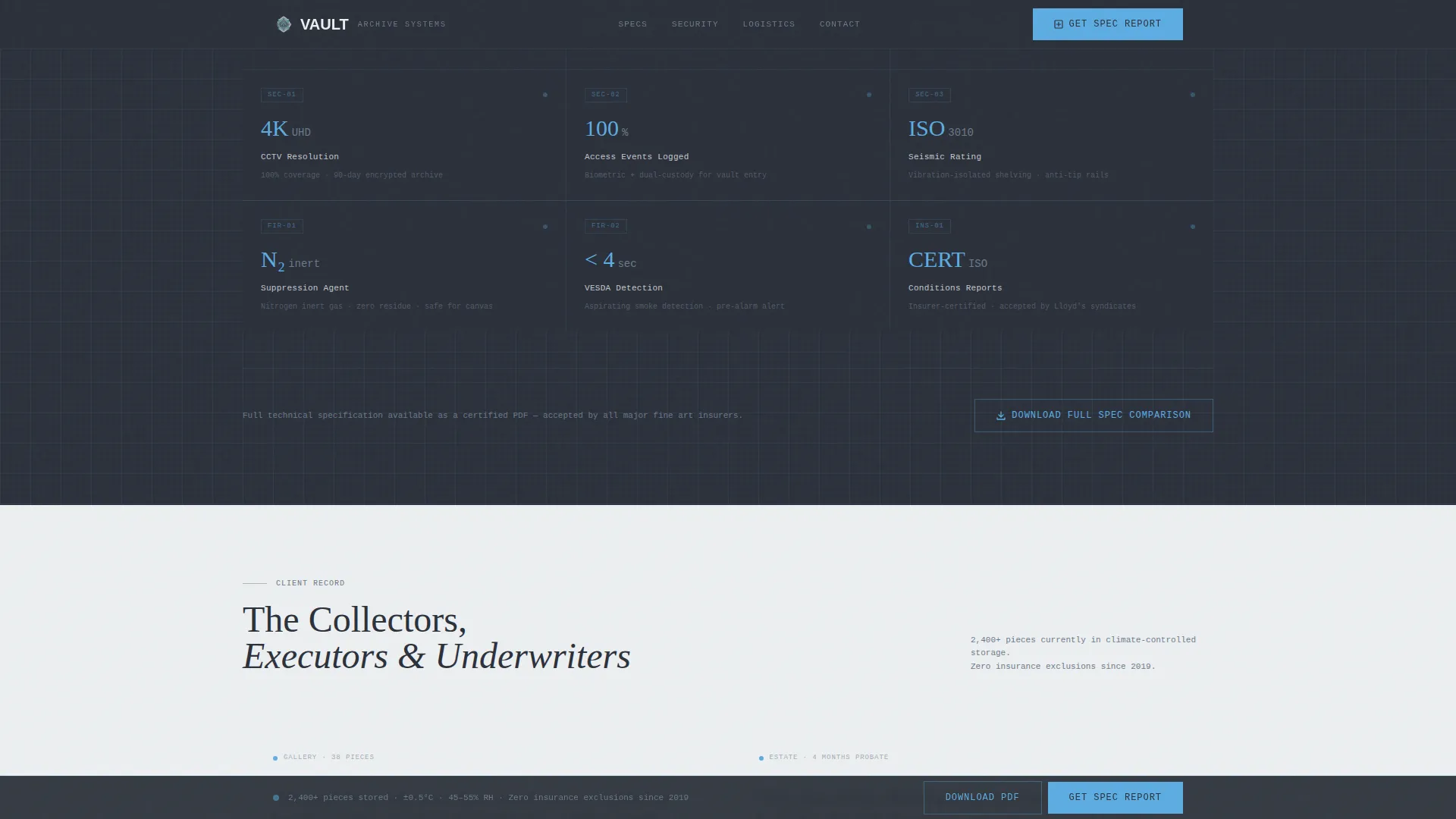
| Testimonials | Collector, estate, and insurer social proof |
| Call to Action Module | Two-step form to request a facility spec report |
| Footer | Linear single-row links and contact information |
Design & branding system
The Vault template uses an Engineering Blueprint theme built on the Slate and Sky color system. Every visual decision reinforces technical precision and archival seriousness.
- Color palette: deep drafting-table charcoal (#2B303A), technical-pencil graphite (#6C7A89), open-sky blue (#5DADE2) for interactive highlights and data callouts, and archive-paper off-white (#ECEFF1) for backgrounds and card surfaces
- Typography pairing: DM Sans for body text and user interface elements, with Fraunces serif for section headers to balance technical legibility with understated authority
- Visual style: animated grid lines, isometric vault cutaway diagrams, dimension arrows, and engineering notation replace all decorative photography
Mobile & speed optimization
The template is designed desktop-first, reflecting the research habits of its target audience. Full mobile support is included so the layout remains functional across all screen sizes.
- Desktop-first layout prioritizes the split-screen estimator and wide spec comparison table for the primary audience
- Static sections use server-rendered components for reliable load performance, while the live estimator runs as a client-side interactive component
- Staggered animation sequences are structured to maintain visual clarity on smaller screens without sacrificing the blueprint aesthetic
How this template helps you convert
Vault is built around a Comparison and Versus conversion model that makes the technical gap between this facility and its alternatives impossible to ignore before asking for anything.
- The live cost estimator creates immediate personalized engagement at the top of the page, giving visitors a concrete reason to keep reading before any form appears.
- Each spec comparison row systematically dismantles the alternative storage option, building cumulative technical credibility across environment, security, and insurance compliance specs.
- The pinned bottom bar and end-of-module call-to-action placement mean the conversion prompt appears exactly when the visitor's confidence is highest, reducing friction at the moment of decision.
Other information about this template
Vault is categorized under Logistics and Supply Chain, specifically within the Artwork and Antiques Logistics subcategory and the Artwork and Antiques Warehouse and Storage niche. A few additional details worth knowing before you build with this template:
- The template ships with a high animation setting, including staggered slide-in spec rows, animated grid lines, and counter animations for data callouts
- Social proof blocks are pre-structured for named collector testimonials, insurer certification badges, and piece-count statistics
- The layout uses USD pricing format and English language defaults with US date formatting throughout
- The footer follows a Linear Single-Row pattern, keeping the bottom of the page clean and uncluttered
Theme
Engineering Blueprint
Creative direction
Spec Sheet
Color system
Slate & Sky
Style
Split Screen (50/50)
Direction
Comparison/Versus
Page Sections
Live Interactive Cost Estimator
Spec Comparison Rows with Animation
Two-step Lead Capture Form
Email-gated PDF Spec Sheet
Pinned Conversion Bottom Bar
Engineering Blueprint Visual System
Related questions
Who is this landing page template designed for?
Can I customize the cost estimator inputs for my facility?
What is the primary call to action in this template?
Does this template include a mobile layout?
How does the spec comparison section work?