Agriculture Software Advanced Professional Website Template
Ledger is a bold, brutalist-styled agriculture document management landing page template built for row-crop operators, farm accountants, and ag lenders. It uses a split-screen versus layout, hard numerical comparisons, and a stats-first scroll flow to show exactly what disorganized farm records cost, and what a single searchable archive saves.
by Rocket studio
Quick summary
Ledger is a single-page agriculture document management template built around hard evidence and a versus structure. Every section pairs a "Without" cost against a "With" result using oversized monospaced numbers. The design is Bold Brutalist, the color palette is Monochrome Steel, and the primary call to action drives visitors to a three-field audit form.
Who this template is for
This template is purpose-built for agriculture software and document management platforms. It speaks directly to the people who live inside farm paperwork every season.
- Third-generation row-crop operators managing 4,000-acre paper trails of crop receipts, land leases, and grain elevator tickets
- Farm accountants buried in shoeboxes of fuel receipts and FSA forms every February
- Agricultural lenders who require a complete document package before underwriting an operating line of credit
What problem this template solves
Farm record-keeping is slow, scattered, and costly. Crop insurance policies, cash rent agreements, and anhydrous invoices pile up across filing cabinets, truck gloveboxes, and email inboxes. A single misplaced lease can cost thousands in a title dispute. This template gives an agriculture document management platform a landing page that makes those costs impossible to ignore.
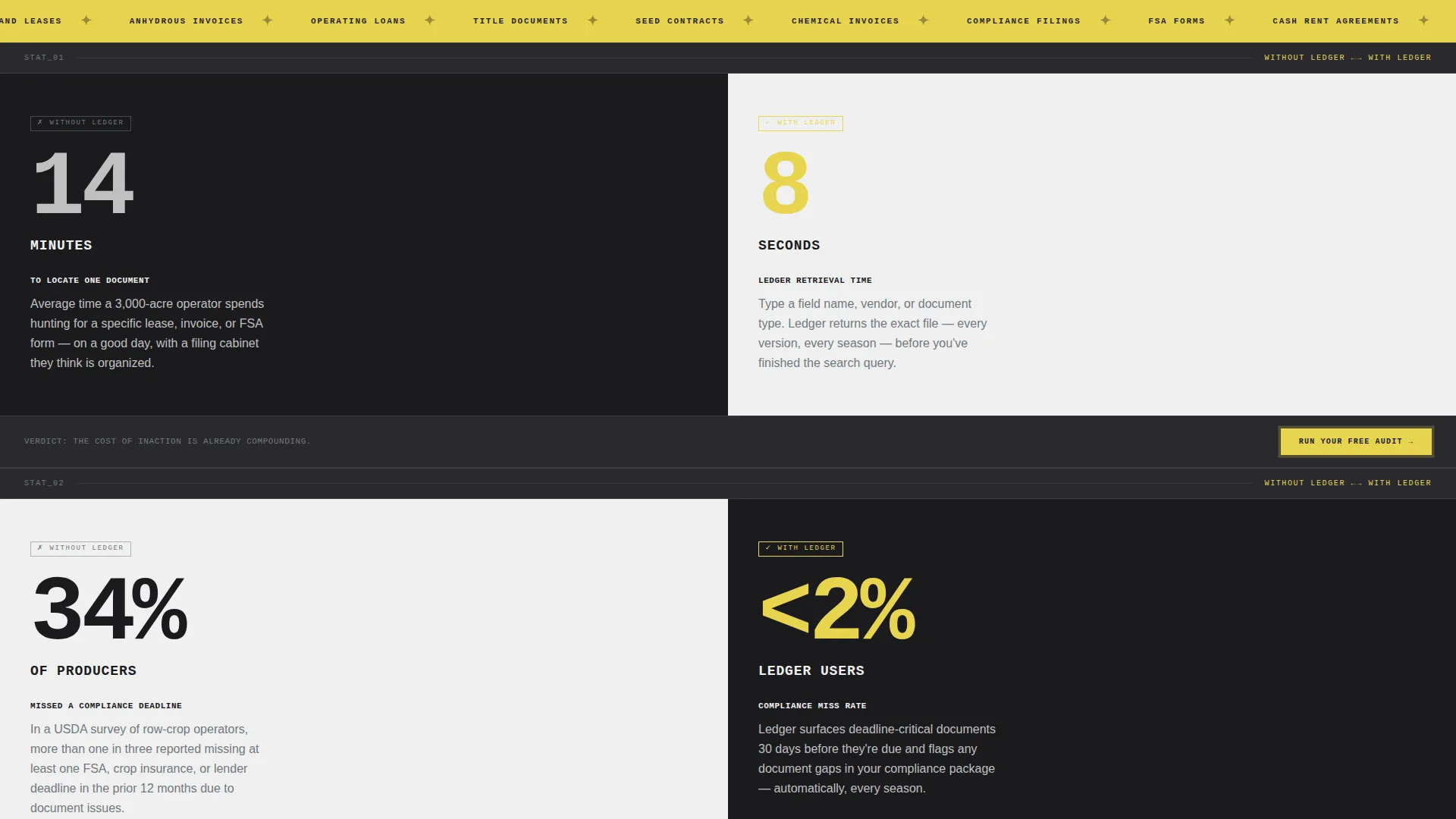
- Producers spend an average of 14 minutes locating a single specific document without a system
- 34 percent of producers missed at least one compliance deadline last year due to disorganized records
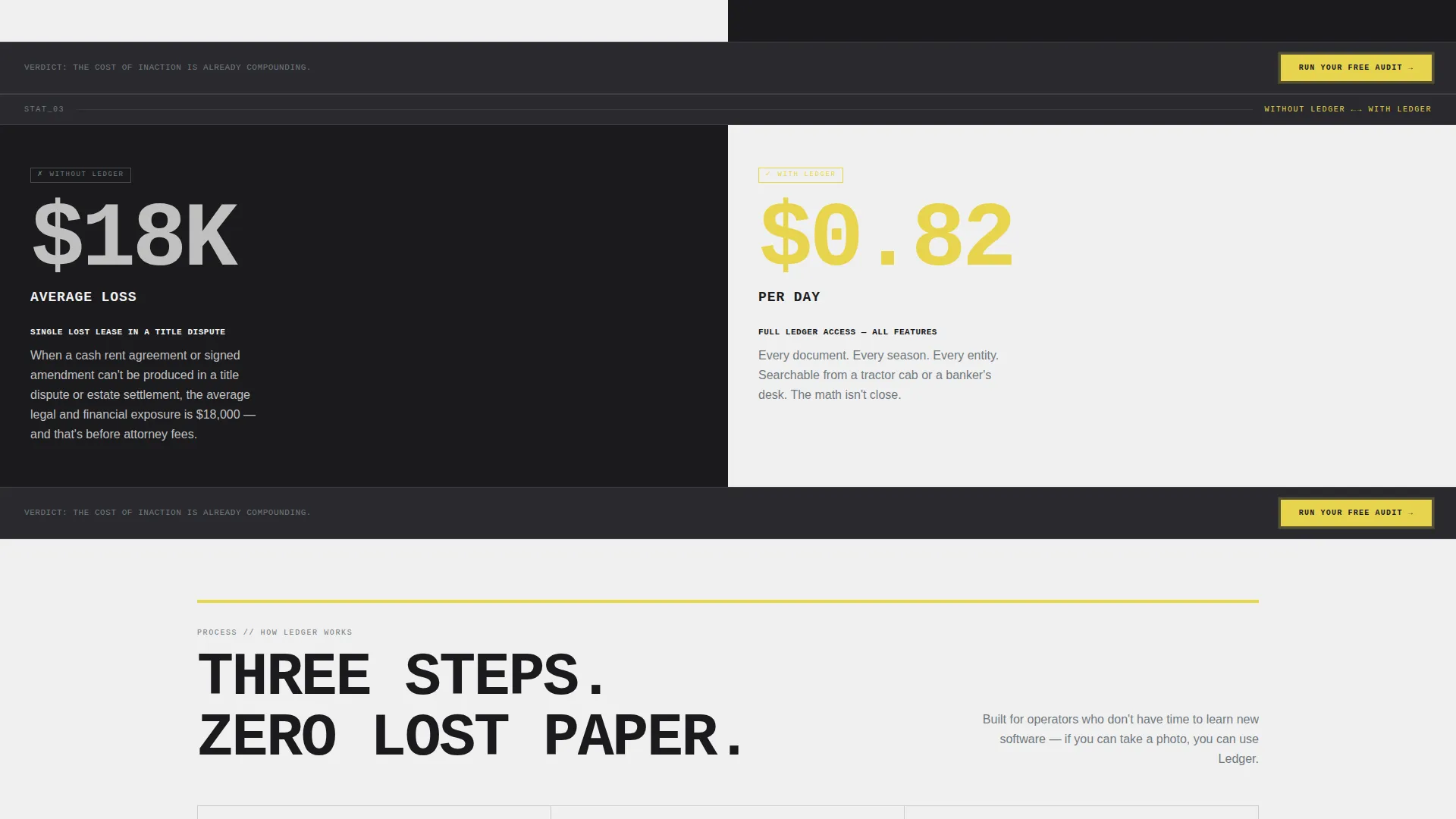
- A single lost lease agreement in a title dispute costs an average of $18,000
What you get with this template
You get a fully structured, single-page conversion layout ready to present an agriculture document management platform with confidence. Every section is designed and copy-ready out of the box.
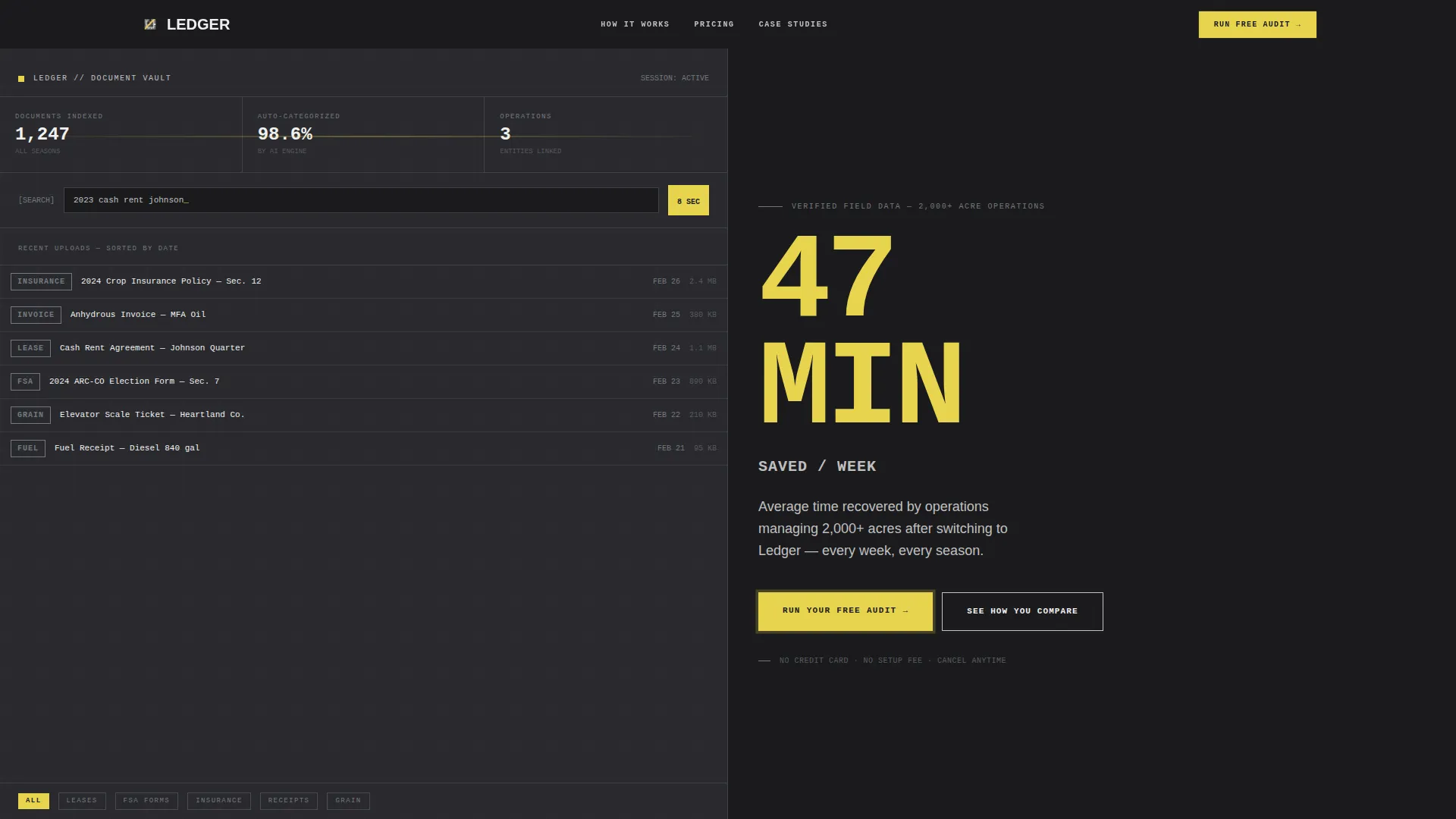
- A split-screen header with a realistic dashboard preview on the left and a high-impact stat in caution yellow on the right
- A scrollable versus structure with three stat-pair sections, each followed by a repeated primary call-to-action prompt
- A sticky bottom bar call to action, a three-field audit form, and a secondary path linking to an interactive savings calculator
Feature list
This template includes purpose-built layout components drawn directly from the source brief. Each one serves the conversion goal of making inaction feel more expensive than switching.
Split-Screen Header with Dashboard Preview
The header fills the full viewport in a 50/50 split. The left panel shows a realistic farm document library user interface mid-season, displaying 1,247 indexed documents, 98.6 percent auto-categorized, and a recent-uploads feed with real file names. The right panel shows "47 minutes saved per week" in enormous caution yellow type against welded-seam dark.
Stats-First Versus Sections
Three full-width stat-pair sections structure the scroll flow. Each section places a "Without Ledger" cost on the left and a "With Ledger" result on the right in oversized monospaced type. A single sentence of context follows each number before the next call to action appears.
Sticky Bottom Bar Call to Action
A persistent bottom bar carries the primary call to action "Run Your Free Audit" across the entire page scroll. This keeps the conversion path visible at all times without interrupting the content flow.
Three-Field Audit Form
The primary conversion form collects operation name, estimated total acres, and email address. It is positioned after the stat sequence, when evidence has already built the case for action.
Interactive Savings Calculator Path
A secondary conversion path labeled "See How You Compare" links to a calculator. Producers input their current filing method and receive a personalized time-and-risk savings estimate based on their operation size.
Bold Brutalist Typography System
Section headers are set in brutal uppercase with a monospaced typeface reserved for all data and stat displays. The oversized type scale ensures every number reads as a headline, not a footnote.
Page sections overview
| Section | Purpose |
|---|---|
| Split-Screen Header | Anchor attention with dashboard proof and a key time-savings stat |
| Document versus. Chaos | Show the 14-minute versus. 8-second document retrieval comparison |
| Compliance Deadline Stats | Contrast 34% missed deadlines against under 2% for platform users |
| Cost of Lost Lease | Frame the $18,000 dispute risk against an $0.82/day subscription |
| Audit Form call to action | Capture lead via operation name, acreage, and email |
| Interactive Calculator | Let producers self-qualify with a personalized savings estimate |
| Sticky Bottom Bar | Keep "Run Your Free Audit" visible throughout the full scroll |
Design & branding system
The visual identity is Bold Brutalist with a Monochrome Steel color system. Every design decision reinforces the feeling of an industrial filing system that is organized, permanent, and built to last through every harvest season.
- Color palette: cold-rolled steel (#71797E), welded-seam dark (#1B1B1E), elevator-bin silver (#C0C0C0), silo-white (#F0F0F0), and caution yellow (#E8D44D) reserved exclusively for calls to action and key data points
- Typography: oversized monospaced type for all data displays, brutal uppercase for section headers, bolted to a visible grid with no border radius and no gradients
- Background blocks alternate between welded-seam dark and silo-white in hard-edged sections, with zero decorative illustration and no stock photography
Mobile & speed optimization
The template is designed with a grid-first structure that adapts the 50/50 split layout cleanly to narrower viewports. The brutalist grid and bold type scale remain readable without requiring horizontal scrolling.
- The split-screen panels stack vertically on smaller screens so stat pairs remain legible and impactful
- The sticky bottom bar call to action and audit form remain accessible at all scroll depths on mobile devices
- No decorative images or gradients means the visual weight stays minimal and load-friendly across field connections
How this template helps you convert
This template is built around one conversion principle: make the cost of inaction louder than the cost of switching. Every layout decision pushes toward that outcome.
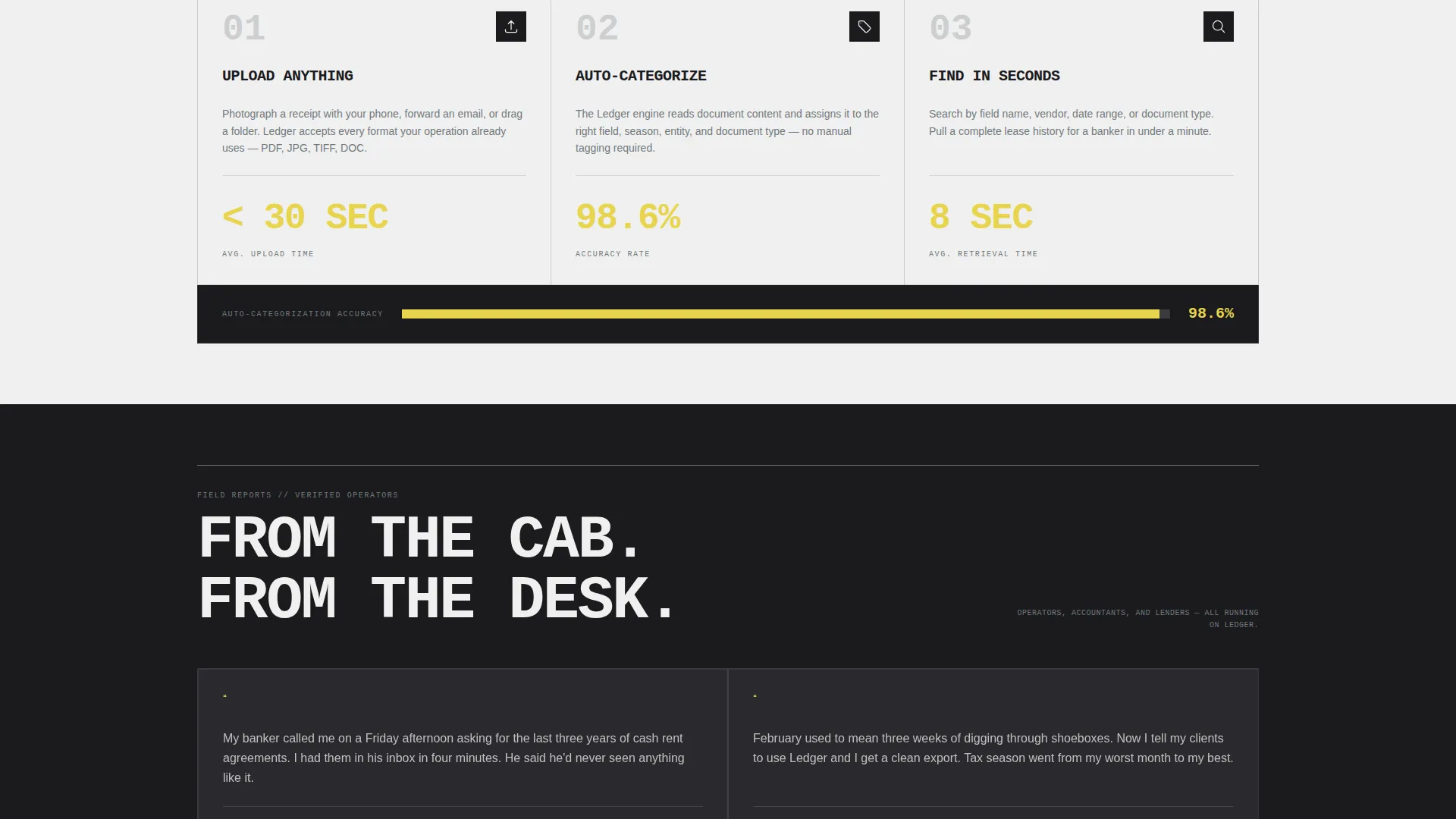
- The versus scroll structure stacks three financial and operational evidence points before asking for any commitment, so the audit form feels like a correction rather than a sales ask.
- The sticky call to action bar and repeated "Run Your Free Audit" prompts after each stat pair remove every moment of friction between a convinced reader and the form.
- The secondary calculator path gives detail-oriented buyers a self-serve way to confirm their own savings estimate, reducing hesitation for higher-acreage operations.
Other information about this template
This template is categorized under Technology and Agriculture Software, sitting at the intersection of farm record-keeping and digital document management. It is a strong fit for any platform helping producers move from physical paper trails to a searchable digital archive.
- The template style is Split Screen (50/50), the theme is Bold Brutalist, and the creative direction is Stats-First Impact
- The header concept is Dashboard Preview, and the landing page direction is Comparison/Versus conversion
- The color system is Monochrome Steel, and all accent use of caution yellow is strictly reserved for calls to action and key data points as defined in the brief
- This template can support any agriculture document management platform that needs to communicate clear ROI to producers, accountants, and lenders in a single scroll session
Theme
Bold Brutalist
Creative direction
Stats-First Impact
Color system
Monochrome Steel
Style
Split Screen (50/50)
Direction
Comparison/Versus
Page Sections
Split-screen Header with Live Dashboard Preview
Versus Scroll Structure
Sticky Bottom Bar Call to Action
Three-field Audit Form
Interactive Savings Calculator
Monospaced Data Typography System
Related questions
Who is this landing page template designed for?
What is the primary conversion goal of this template?
Can I customize the stat pairs and dashboard preview content?
Does this template use stock photography or decorative illustrations?
How does the sticky bottom bar work across the full page?



