Banking Vertical SaaS Professional Website Template
Ledger is a split-screen banking management landing page built for mid-market banks, credit unions, and community financial institutions. It combines a Feature Tab Switcher header, spec-sheet scroll sections, and a progressive trial-conversion flow into one cohesive interface. The Dynamic Motion theme and Teal Catalyst color system give every section the focused, operational feel of a live trading floor dashboard.
by Rocket studio
Quick summary
Ledger is a single-page banking management software template designed for the operational complexity of mid-market financial institutions. It pairs a Feature Tab Switcher header with a spec-sheet scroll layout, putting loan pipelines, compliance workflows, and deposit operations side by side with hard performance numbers and real interface screenshots. Every section is built to earn the conversion before asking for a click.
Who this template is for
This template speaks directly to decision-makers inside regional and community financial institutions who are tired of working around legacy infrastructure. It is built for the people who carry operational risk every single day.
- Regional bank Chief Operating Officers managing fragmented core systems
- Credit union Vice Presidents losing weekends to manual BSA (Bank Secrecy Act) reporting
- Community bank IT directors running decades-old COBOL systems alongside modern communication tools
What problem this template solves
Mid-market financial institutions struggle to present complex banking software in a way that earns executive trust quickly. A cluttered page full of feature lists and vague promises loses the COO before they reach the call to action.
- Visitors cannot evaluate the software without seeing the actual interface up front
- Hard performance numbers like filing speed and latency benchmarks are buried or missing entirely
- Progressive trial forms feel intrusive when they appear before the product proves its value
What you get with this template
You get a fully structured, single-page layout that builds credibility from the first viewport and guides institutional buyers toward a 30-day pilot without friction. Every visual and copy element is grounded in the operational language your buyers already use.
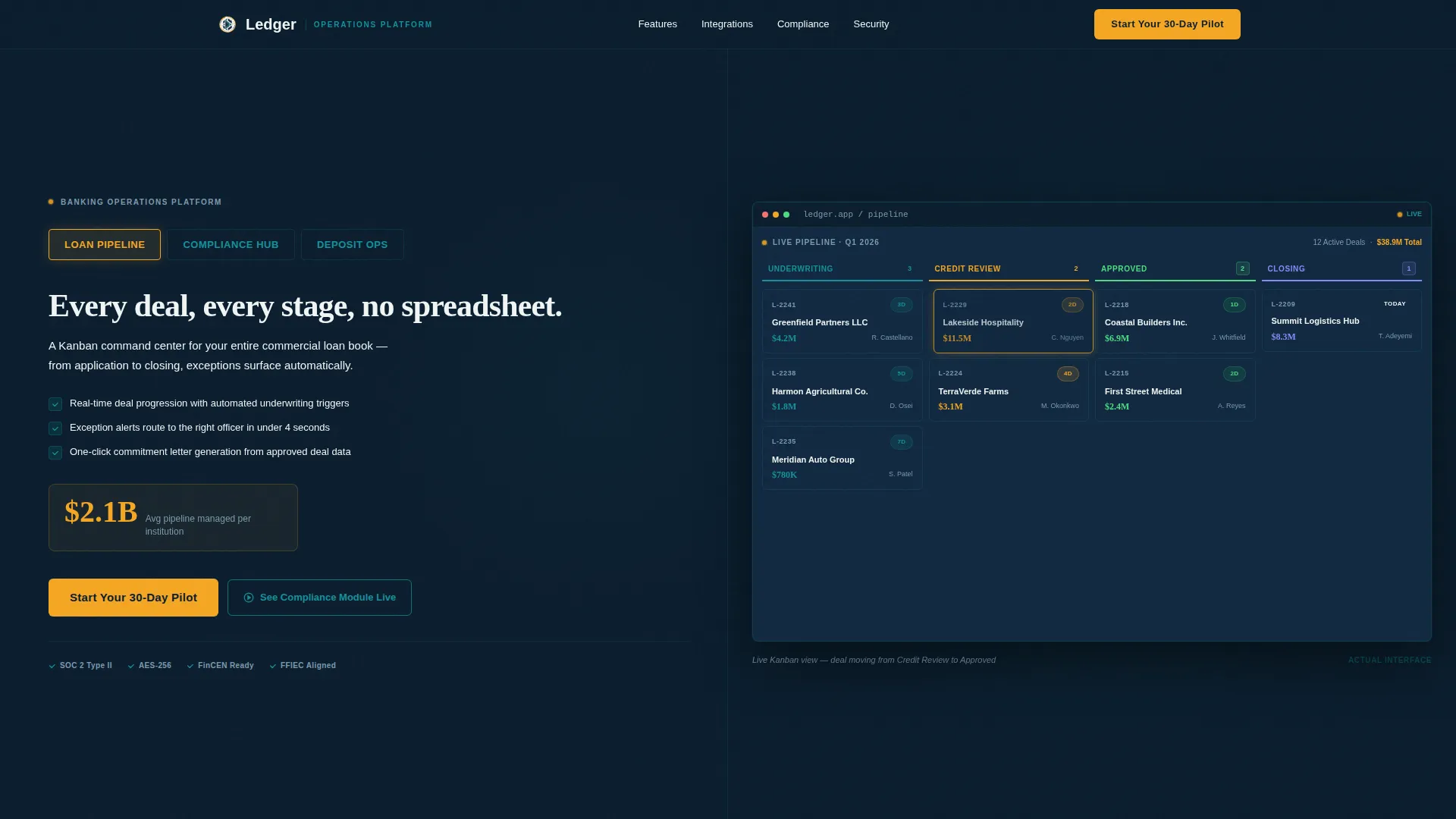
- A Feature Tab Switcher header with three product modes: Loan Pipeline, Compliance Hub, and Deposit Ops
- A spec-sheet scroll layout pairing user interface screenshots with technical specifications on each row
- A progressive two-step trial form and a secondary modal video conversion path
Feature list
This template is built around six purposeful components, each designed to handle a specific stage of the banking software buyer journey.
Feature Tab Switcher Header
Three clickable tabs sit across the top of the viewport. Each tab triggers a smooth crossfade to a different product screenshot on the right half of the split screen. The left half updates its headline, three-line value proposition, and one key metric simultaneously. The active tab glows in signal amber; inactive tabs rest in vault teal.
Live Kanban Loan Pipeline View
The page loads with the Loan Pipeline tab active and mid-action. A Kanban board shows deals moving from underwriting to closing, with one card visibly animating into the next column. The interface feels operational the instant the page renders, before the visitor has scrolled a single pixel.
Spec Sheet Scroll Sections
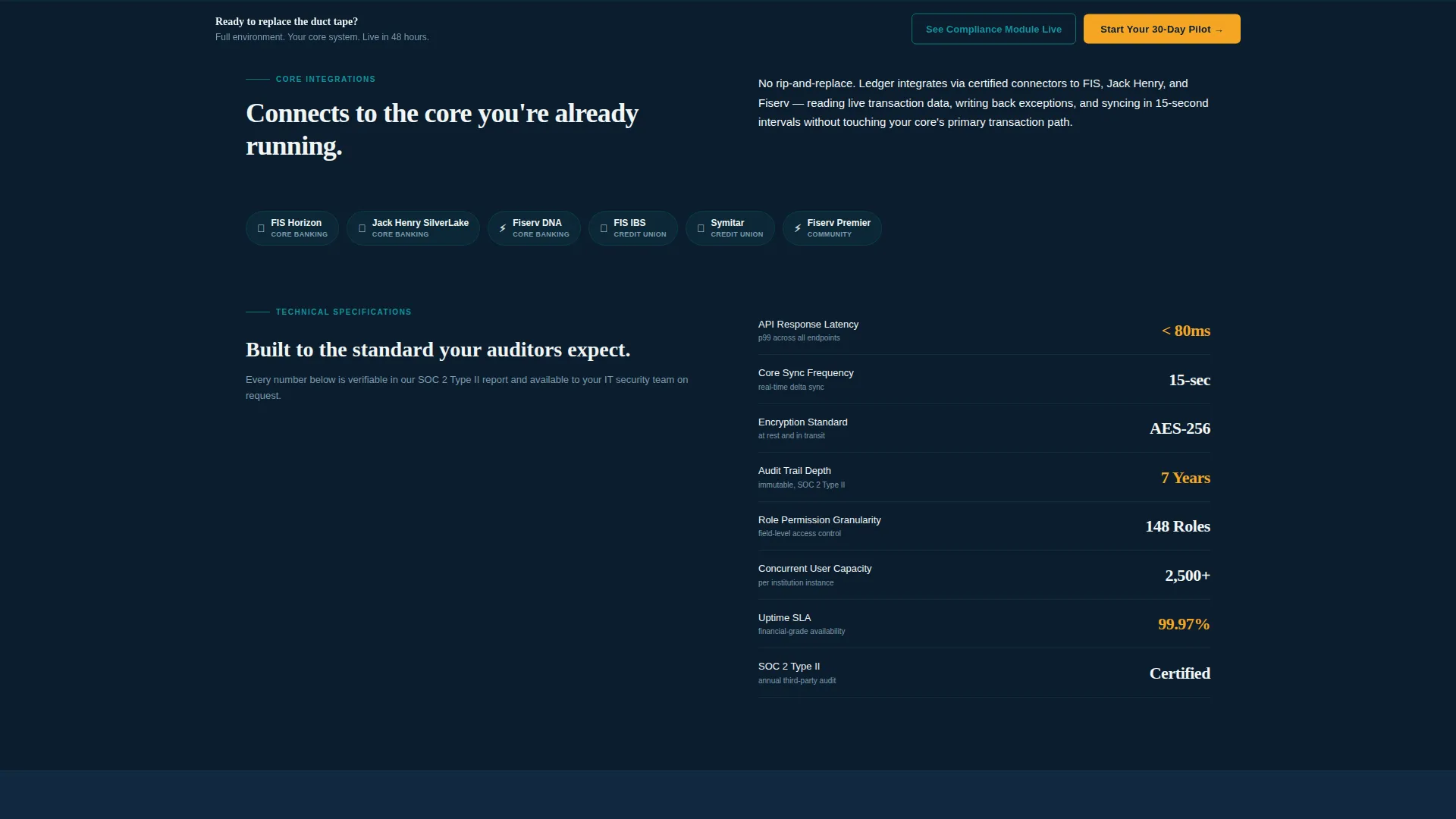
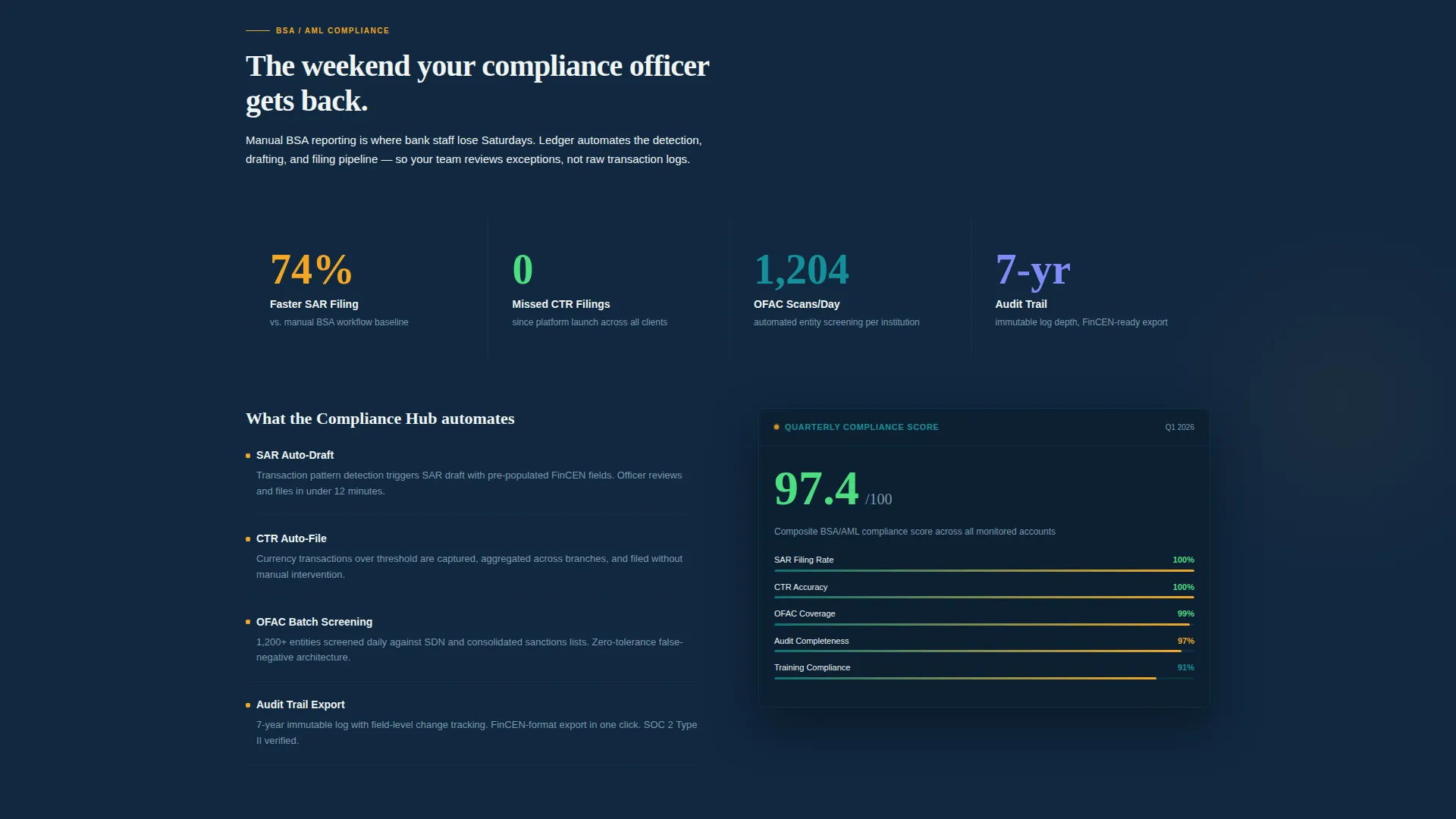
Each below-the-fold section splits the screen between a feature's interface screenshot and its technical specifications. Covered details include supported core integrations, API call latency benchmarks, encryption standards, audit trail depth, and role-based permission granularity. Numbers are typeset large in catalyst white against midnight navy and animate in with a left-to-right wipe on scroll.
Progressive Trial Conversion Form
The primary call to action reads "Start Your 30-Day Pilot." The form uses a two-step progressive flow. The first screen asks only for work email and institution name. The second screen asks for asset size range and primary core system. This reduces form friction while collecting the qualification data the sales team actually needs.
Sticky Conversion Bar
After the second scroll section, a sticky bottom bar locks to the viewport and repeats the primary call to action. This keeps the trial offer visible throughout the entire spec-sheet scroll without interrupting the content reading experience.
Modal Video Conversion Path
A secondary call to action labeled "See the Compliance Module Live" triggers an embedded two-minute product walkthrough video inside a modal. The modal captures the visitor's email on close, creating a secondary lead channel for prospects who are not yet ready to start a pilot.
Page sections overview
| Section | Purpose |
|---|---|
| Tab Switcher Header | Introduces three core product modes with live screenshot crossfades |
| Loan Pipeline View | Loads the Kanban board mid-action to demonstrate live operational feel |
| Compliance Hub Tab | Shows compliance workflow interface and surfaces the SAR filing metric |
| Deposit Ops Tab | Displays deposit operations interface with relevant key metric |
| Spec Sheet Row 1 | Pairs daily operations user interface with core integration and latency specifications |
| Spec Sheet Row 2 | Covers compliance workflow details and encryption and audit trail depth |
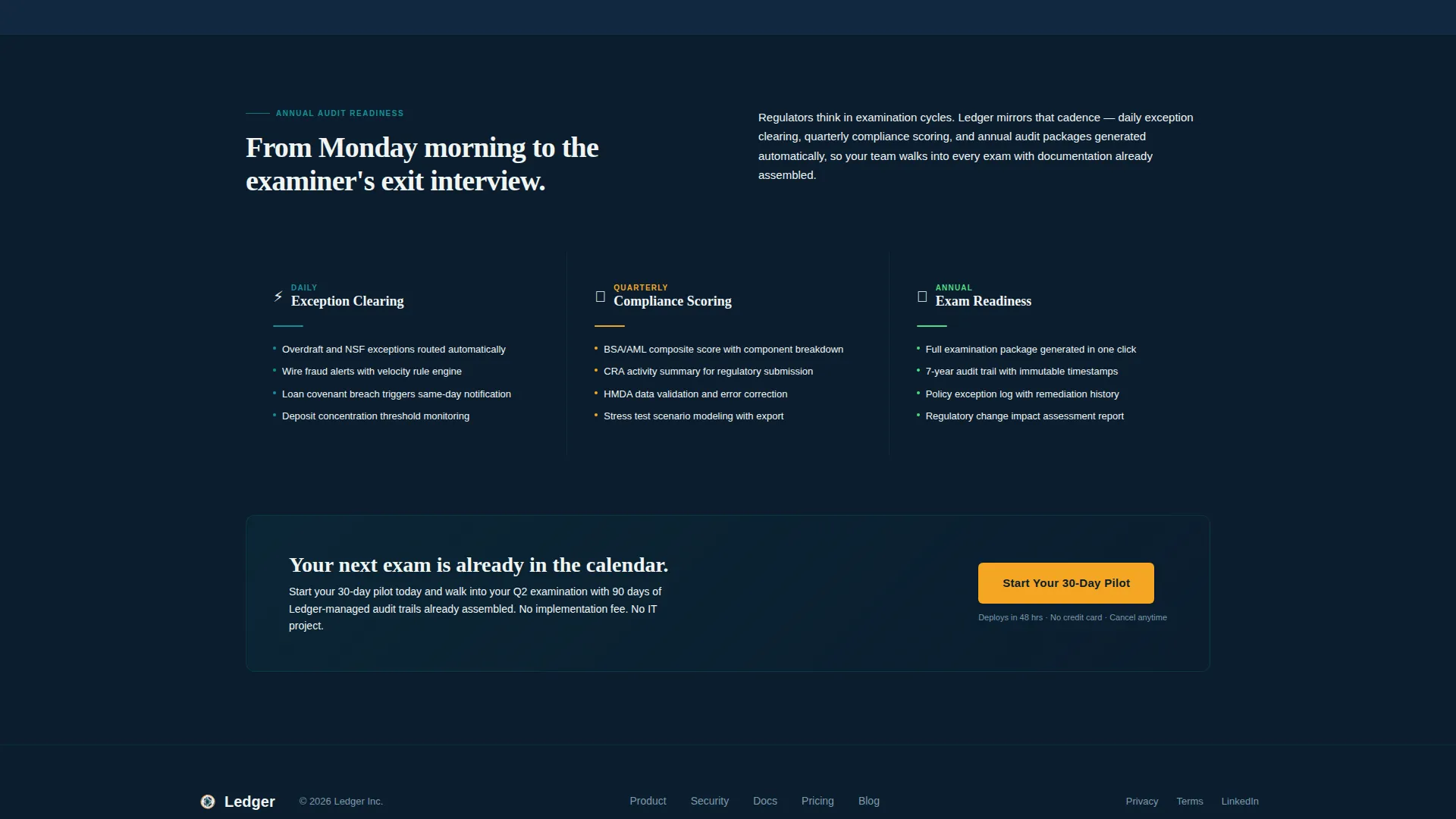
| Spec Sheet Row 3 | Presents annual audit readiness data with role-based permission details |
| Sticky call to action Bar | Keeps the 30-day pilot offer persistent after the second scroll section |
| Modal Video Section | Hosts the compliance walkthrough video with email capture on close |
Design & branding system
The Teal Catalyst color system is built around the atmosphere of a late-night operations room: multiple monitors glowing, data moving, every reading crisp and immediately actionable. The Dynamic Motion theme adds directional animation to reinforce the sense of a live system.
- Deep vault teal (#0D7377) anchors the primary brand presence across tabs and structural elements
- Midnight operations navy (#0B1D2E) fills backgrounds and data rows to evoke a trading floor after hours
- Catalyst white (#F0F5F4) surfaces content cards and large typeset numbers for high contrast readability
- Signal amber (#F5A623) is reserved exclusively for active tab states, call-to-action buttons, alerts, and interactive hover states
Mobile & speed optimization
The split-screen layout and scroll-triggered animations are designed with performance in mind. The template structure avoids unnecessary asset weight while keeping the Dynamic Motion theme intact across viewport sizes.
- Scroll-triggered left-to-right wipe animations are lightweight and do not block content rendering
- The 50/50 split screen adapts to narrower viewports by stacking content and screenshot panels vertically
- The sticky bottom bar and progressive form are built to remain functional and legible on smaller screens
How this template helps you convert
The page is deliberately structured to earn trust before asking for any commitment. Real interface screenshots and hard numbers appear above the fold, so buyers have already evaluated the product before they encounter a form field.
- The Feature Tab Switcher front-loads three product views with key metrics, giving institutional buyers enough evidence to self-qualify before they scroll
- The progressive two-step trial form reduces drop-off by asking only for work email and institution name on the first screen, then collecting deeper qualification data after the initial commitment
- The modal video path captures email from prospects who are not ready to start a pilot, ensuring the page converts at multiple levels of buyer readiness
Other information about this template
This template is built specifically for the Banking Vertical SaaS category and is positioned at the intersection of banking management software and technology-sector product marketing. It is designed to serve the freemium and trial conversion model common in this niche.
- The narrative arc of the spec sheet escalates from daily operations to quarterly compliance to annual audit readiness, matching the cadence bank executives actually think in
- The template style is a 50/50 split screen, giving equal visual weight to product interface and supporting copy throughout the entire page
- The header concept is a Feature Tab Switcher, a pattern well suited to software products with multiple distinct operational modules
- The creative direction follows a Spec Sheet approach, grounding every section in technical specifications rather than marketing generalities
- The color system and motion theme together create a tone the brief describes as cool, vigilant, and alive with quiet urgency
Theme
Dynamic Motion
Creative direction
Spec Sheet
Color system
Teal Catalyst
Style
Split Screen (50/50)
Direction
Freemium/Trial
Page Sections
Feature Tab Switcher Header
Live Kanban Loan Pipeline
Spec Sheet Scroll Layout
Progressive Two-step Trial Form
Sticky Bottom Conversion Bar
Modal Video Conversion Path
Related questions
Who is this template designed for?
What are the three product modules shown in the header?
How does the conversion flow work?
Can I adapt the spec sheet sections to show different technical details?
What does the Dynamic Motion theme include?



