Secure Crypto Wallet Landing Page Template
Vault is a split-screen crypto wallet landing page built on the Dashboard Pro theme with a Carbon Fiber color system. It combines an animated portfolio dashboard, interactive wallet tab explorer, and a sandboxed demo wallet to let visitors experience the product before downloading. Designed for DeFi users, NFT collectors, and crypto newcomers, it converts through a zero-form freemium flow.
by Rocket studio
Quick summary
Vault is a single-page crypto wallet landing page template. It uses a 50/50 split-screen layout with an animated dashboard on one side and conversion-focused copy on the other. The Carbon Fiber color system, interactive section tabs, and a sandboxed demo wallet make this template ideal for showcasing a self-custody, multi-chain crypto portfolio product.
Who this template is for
This template is built for teams and founders launching a self-custody crypto wallet product. It speaks directly to technically aware users who expect proof before they commit to a download.
- DeFi farmers managing yield positions across multiple blockchain networks
- NFT collectors who need token-gated access and seamless portfolio visibility
- Cautious first-time crypto holders moving coins off an exchange for the first time
What problem this template solves
Most crypto wallet landing pages ask visitors to trust a product they have never touched. That gap between claim and experience kills conversions. Vault closes that gap by letting visitors interact with the wallet before installing anything.
- Visitors can click through wallet tabs and watch the dashboard respond in real time
- A sandboxed demo wallet lets users simulate swapping and staking with fake balances
- The page builds trust through visible security mechanics, not just marketing copy
What you get with this template
You get a fully structured single-page layout with four distinct interactive sections. Every visual and functional element is defined in the brief, from the animated header to the sticky conversion bar.
- An animated split-screen header with a live-counting portfolio dashboard and monospaced headline
- A four-tab interactive wallet explorer covering Send, Swap, Bridge, and Stake actions
- A seed phrase backup flow paired with a security architecture diagram
- A gas fee comparison ticker, persona-based testimonial cards, and a sticky freemium call to action bar
Feature list
This template delivers a tightly scoped set of interactive and visual features, each grounded in the product brief. Every element serves either trust-building or conversion.
Animated Dashboard Header
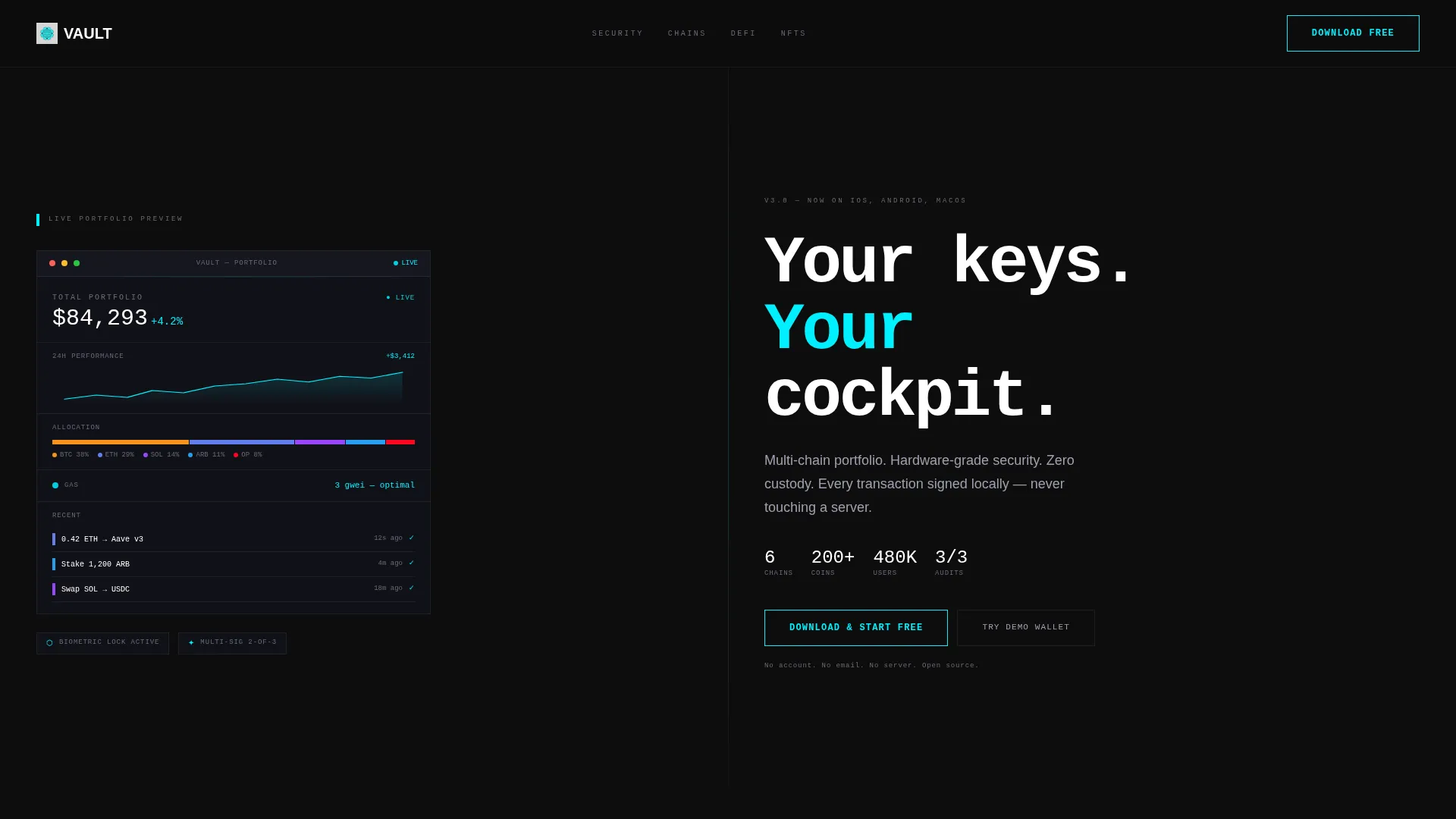
The header splits 50/50 at load. The left panel renders a live-style portfolio view with a stacked holdings bar, a cyan sparkline that draws itself left to right, a gas fee estimator showing "3 gwei, optimal," and a recent transaction row. Numbers count up on load to simulate real portfolio activity.
Interactive Wallet Tab Explorer
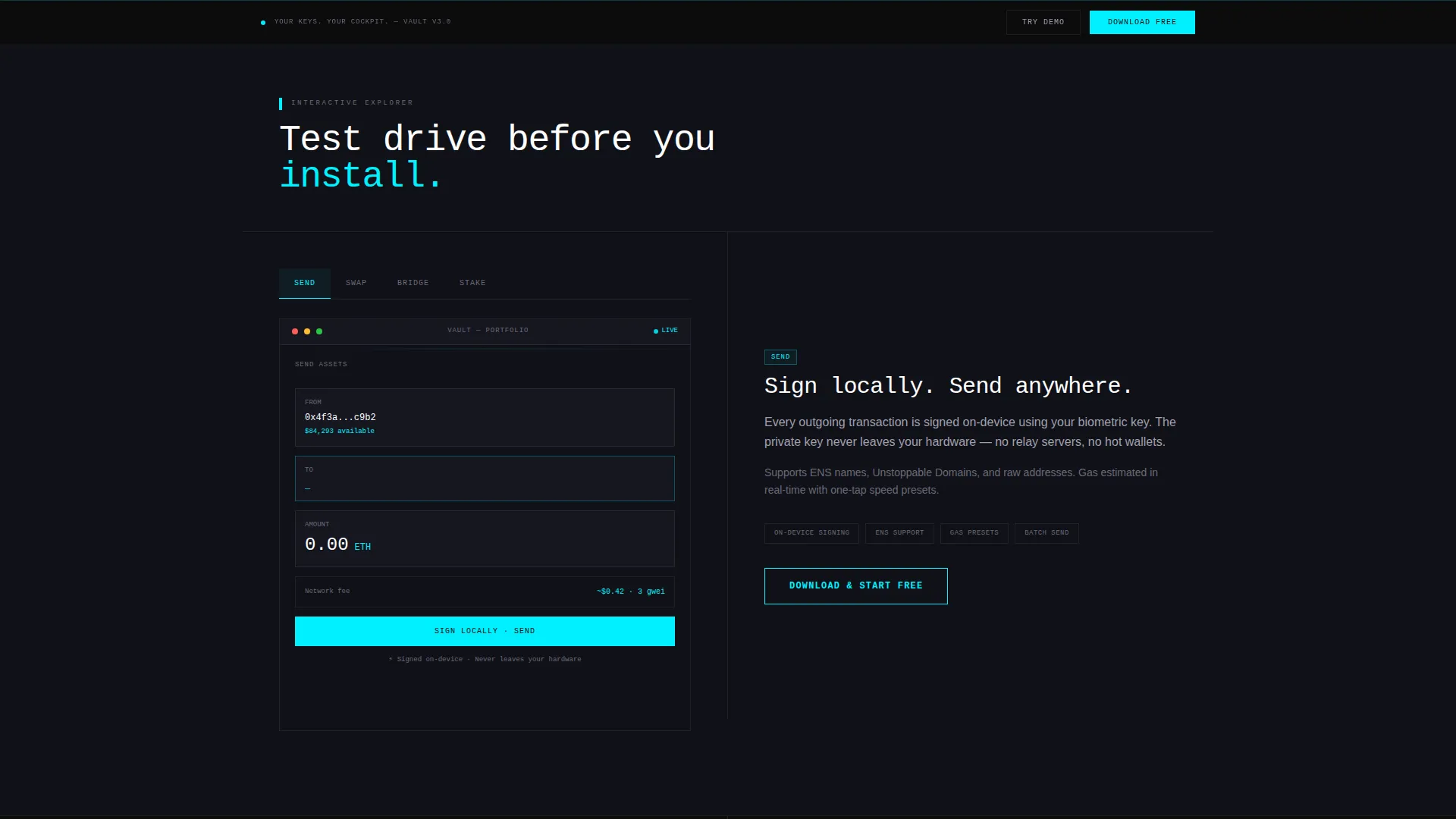
Section two lets visitors click through four wallet tabs: Send, Swap, Bridge, and Stake. Each click updates the left panel dashboard state while the right panel explains the mechanic. This turns passive scrolling into a hands-on product test before any download.
Seed Phrase and Security Visualizer
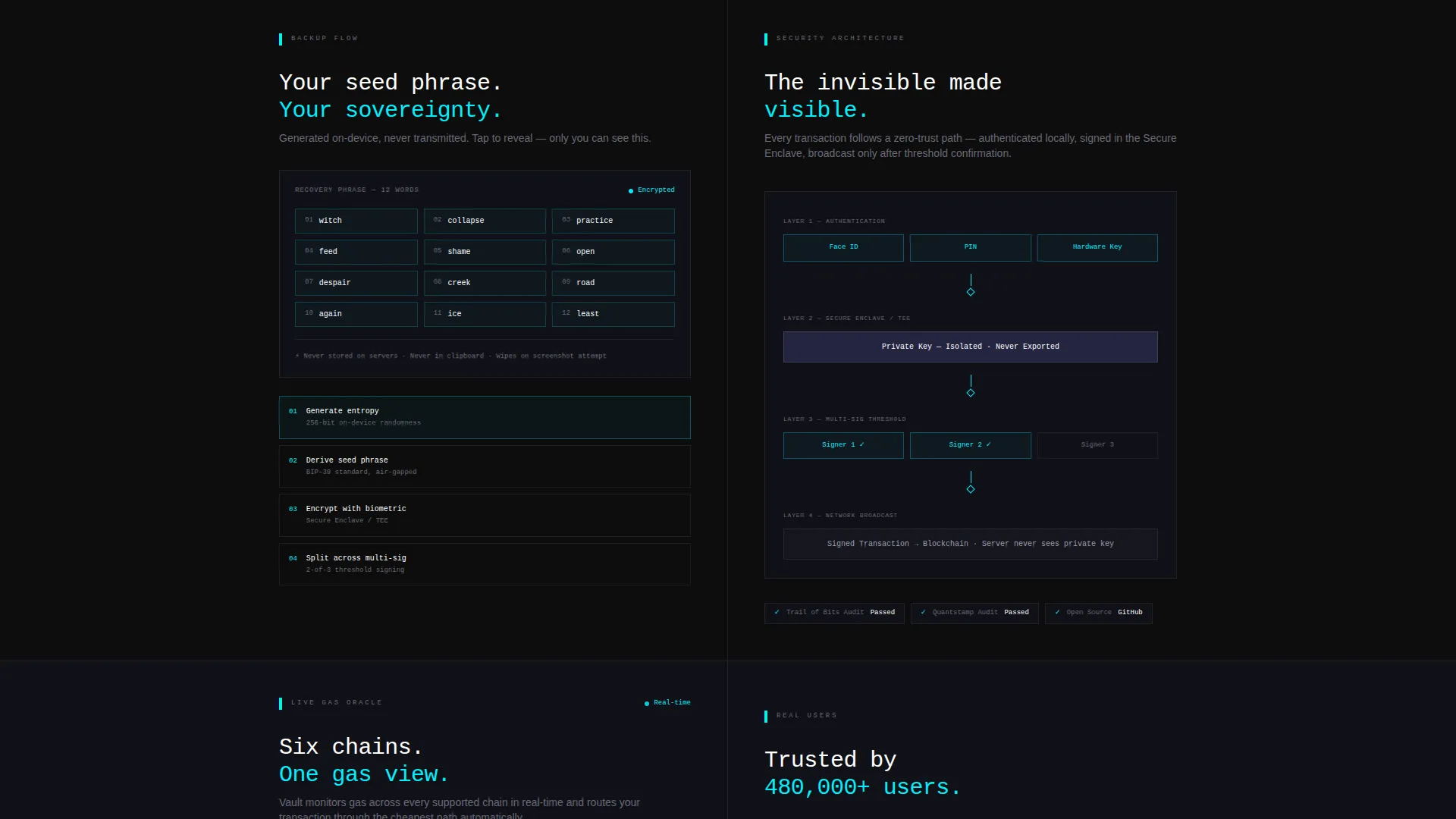
Section three shows a simulated seed phrase backup flow on the left side. The right side displays a security architecture diagram. Together they make invisible security concepts visible and tangible to users of all experience levels.
Live Gas Comparison Ticker
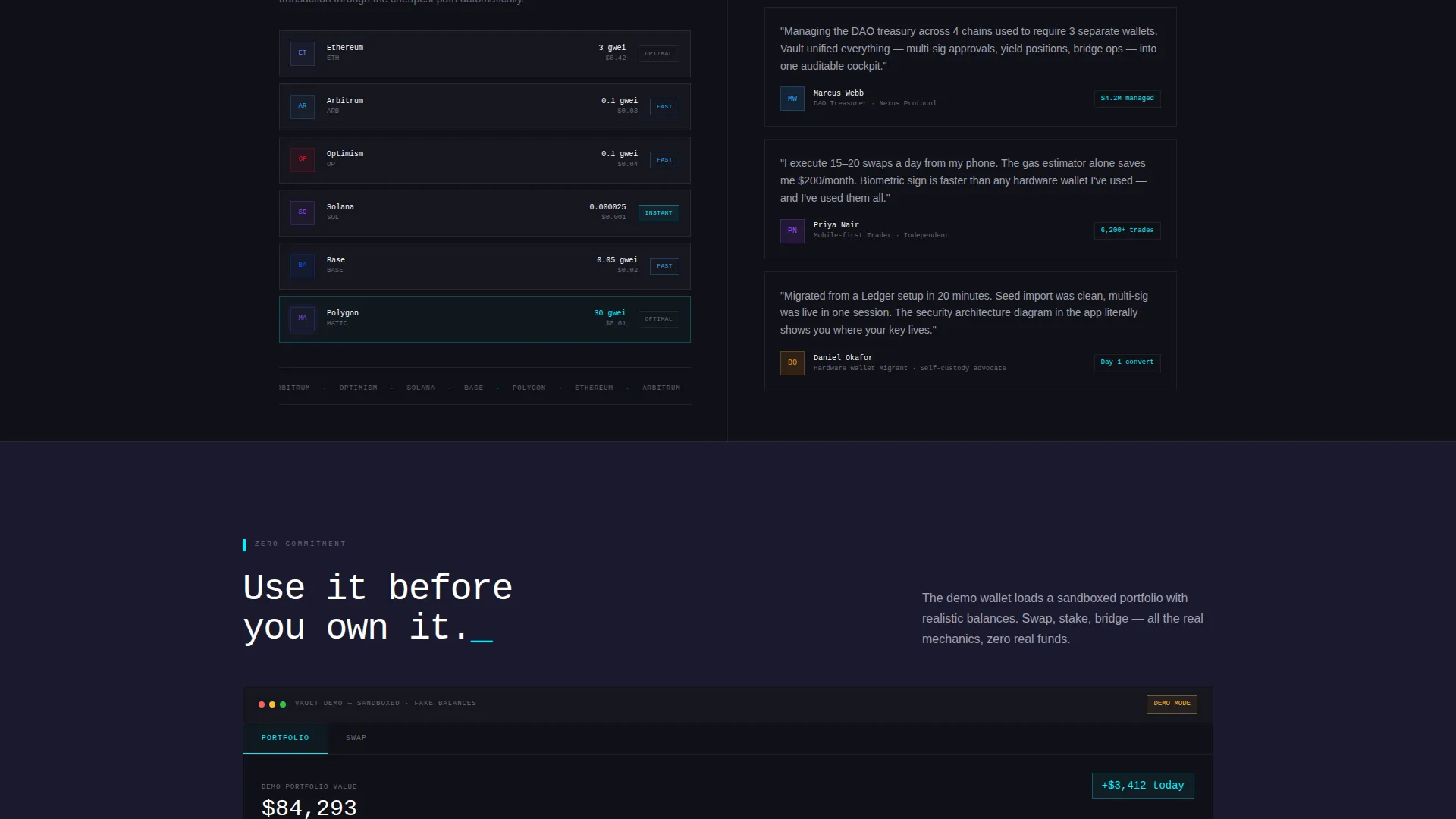
Section four features a gas fee comparison ticker on the left with pulsing chain logos. It communicates multi-chain awareness and real-time cost transparency without requiring any backend connection in the template itself.
Sandboxed Demo Wallet
A secondary conversion path labeled "Try the Demo Wallet" loads an interactive sandbox with fake balances. Visitors can simulate swapping and staking with zero commitment. This feature reduces download hesitation significantly.
Sticky Freemium call to action Bar
A sticky bottom bar appears after sixty percent scroll depth. It carries the primary "Download and Start Free" call to action. The button detects the visitor's operating system and routes to the App Store, Play Store, or a desktop installer.
Page sections overview
| Section | Purpose |
|---|---|
| Animated Split Header | Introduce the wallet with a live-feel dashboard and headline |
| Interactive Tab Explorer | Let visitors click through Send, Swap, Bridge, Stake states |
| Security Architecture Split | Show seed phrase flow and security diagram side by side |
| Gas and Testimonials Split | Display gas ticker and three persona-based testimonial cards |
| Sticky Conversion Bar | Capture late-scroll clicks with an OS-aware download button |
Design & branding system
The visual identity follows a Dashboard Pro theme using the Carbon Fiber color system. Every surface is matte and receding. Only mission-critical elements emit light.
- Background and base surfaces use deep carbon black (#0D0D0D) and woven graphite (#1A1A2E)
- Body text and secondary labels use brushed titanium (#A0A0B0) for legibility without glare
- Electric cyan (#00F0FF) is reserved exclusively for live data readouts, active states, and call-to-action borders
Mobile & speed optimization
The template is designed with a responsive split-screen structure that adapts to smaller viewports. Interactive tab states and the sticky call to action bar are built to function across device sizes.
- The 50/50 split collapses gracefully on mobile so dashboard content remains readable
- The sticky bottom bar and OS-detection button work across phone and tablet screen sizes
- Animations such as the sparkline draw and number count-up are lightweight and load-friendly by design
How this template helps you convert
Vault is built around a freemium conversion model that removes every barrier between a visitor and a first product interaction.
- The "Download and Start Free" button appears three times: in the header, mid-scroll after the tab explorer, and in the sticky bottom bar that activates at sixty percent scroll depth.
- The "Try the Demo Wallet" secondary path lets visitors swap and stake with fake balances before committing to a download, removing the single biggest objection in crypto wallet adoption.
Other information about this template
This template is category-matched to the Blockchain and Cryptocurrency subcategory under the Technology vertical. It is built specifically for the crypto wallet niche and carries a strong intersection match for that use case.
- The template style is Split Screen (50/50), a layout proven effective for product-led SaaS and fintech landing pages
- The creative direction is Interactive Explorer, meaning each scroll section rewards active clicking with deeper product states
- The header concept is Dashboard Preview, which anchors visitor trust by showing the actual product interface before any copy is read
- The landing page direction is Freemium/Trial, designed to convert through zero-friction product access rather than form submission
Theme
Dashboard Pro
Creative direction
Interactive Explorer
Color system
Carbon Fiber
Style
Split Screen (50/50)
Direction
Freemium/Trial
Page Sections
Animated Split-screen Dashboard Header
Four-tab Interactive Wallet Explorer
Seed Phrase and Security Diagram Pair
Live Gas Comparison Ticker
Sandboxed Demo Wallet Path
Os-aware Sticky Call to Action Bar
Related questions
Does this template require a live blockchain connection to display the dashboard?
Can the Carbon Fiber color palette be changed to match a different brand?
What is the sandboxed demo wallet and how does it work?
How does the OS-detection call to action button work?
Is Vault a single landing page or does it include multiple pages?



