Vectortune - Precision Database Landing Page Template
Vectortune is a scroll reveal landing page template built for vector database consulting services. It opens with animated dark glass metric panels, flows into an interactive ROI estimator, and guides visitors through technical case narratives and a capabilities directory. The design uses a void black and deep violet palette that feels native to infrastructure teams working late.
by Rocket studio
Quick summary
Vectortune is a single-page, scroll reveal landing page template designed for a vector database consulting practice. It leads with live-styled performance metrics, moves into an interactive return-on-investment estimator, and progressively reveals architecture evidence and client narratives. Every section builds technical credibility before the page asks for a single click.
Who this template is for
This template is built for a very specific type of service provider. If you tune vector databases for a living and your clients are engineering teams, this page speaks their language from the first scroll.
- Machine learning engineers and startup technical leaders evaluating retrieval performance improvements
- Enterprise platform teams managing production-scale vector search infrastructure
- Vector database consultants who need a landing page that earns trust before it asks for anything
What problem this template solves
Most consulting landing pages lead with credentials and end with a contact form. That approach does not work for a deeply technical audience. Engineers need to see evidence before they take an action.
- Visitors leave before they understand the value, because the page never shows them numbers that relate to their own setup
- Generic service pages fail to communicate the difference between index-level tuning expertise and surface-level advice
- A form-first layout creates friction at exactly the wrong moment in a technical buyer's journey
What you get with this template
You get a fully structured landing page layout built around progressive disclosure. Each scroll reveal adds a layer of evidence, moving the visitor from curiosity to confidence without ever asking them to fill out a form.
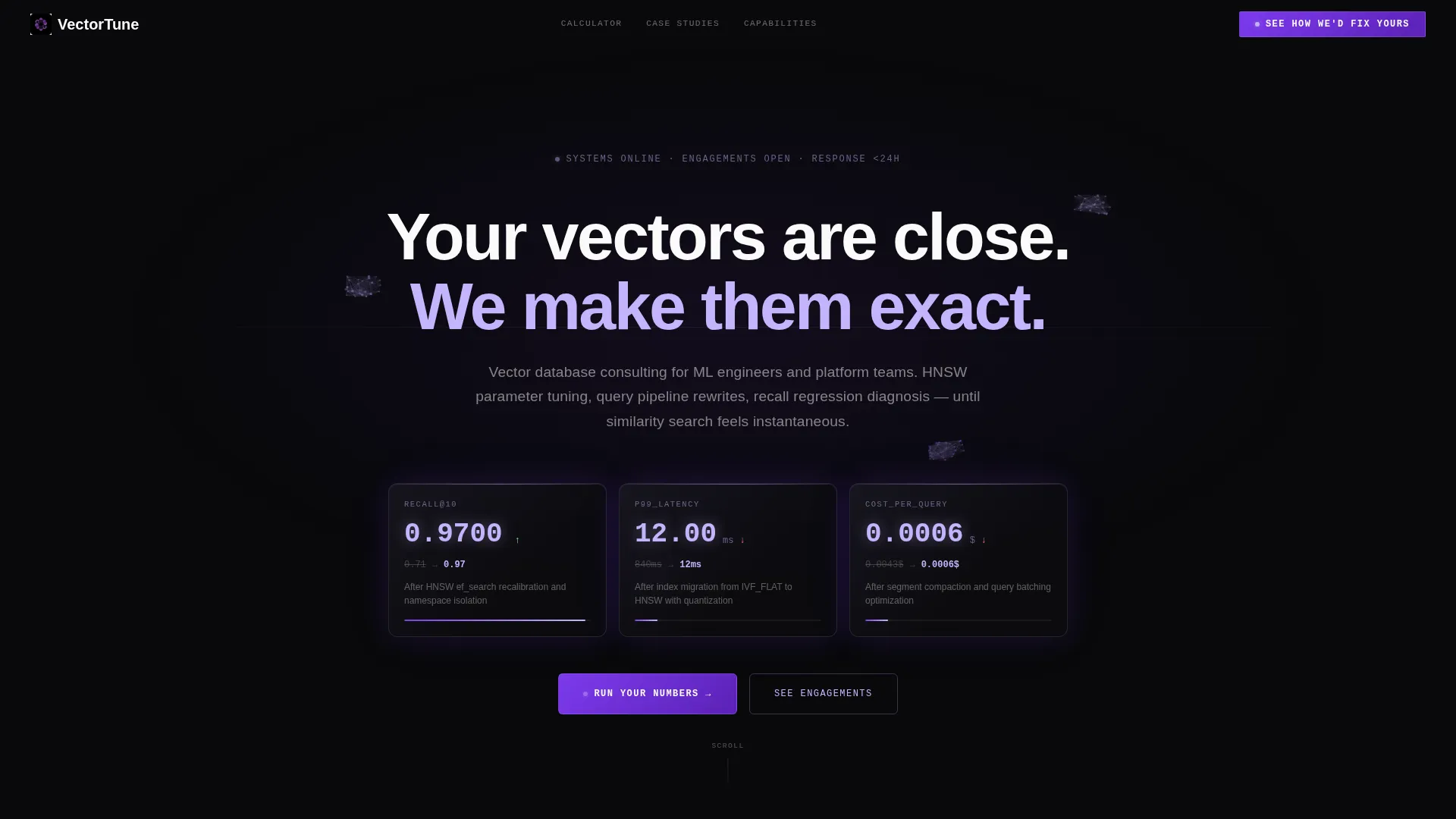
- An animated header with three dark glass metric panels showing live-styled recall and latency improvements
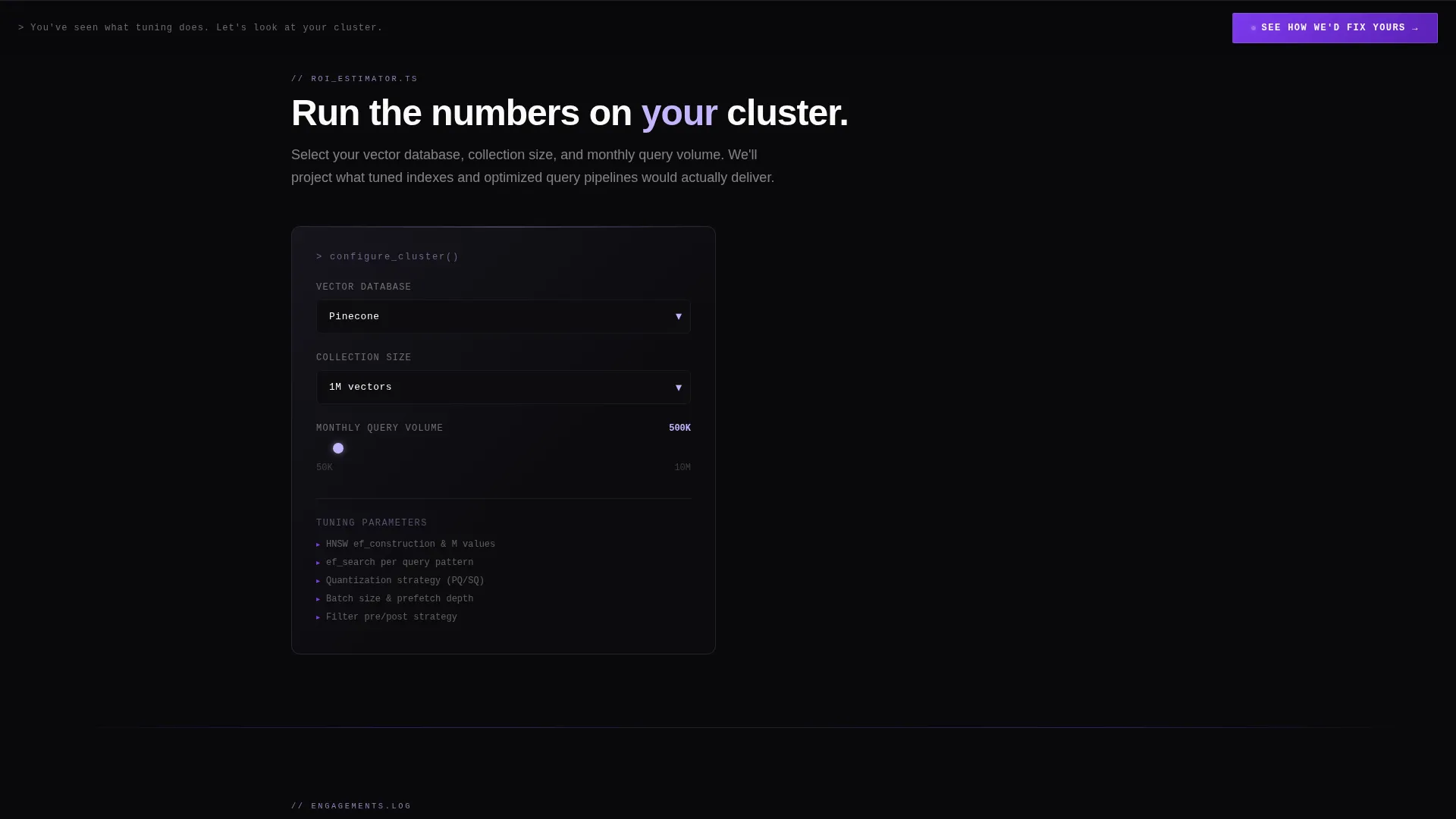
- An interactive return-on-investment estimator that calculates projected savings and latency gains in real time
- Architecture diagrams, three-act client engagement narratives, and a database capabilities directory that each animate into view on scroll
Feature list
This section details the core components built into the Vectortune template.
Animated Dark Glass Header Panels
Three frosted glass rectangles float against a void black background. Each panel displays a live-styled metric in motion: a recall@10 score climbing toward precision, a p99 latency figure dropping sharply, and a cost-per-query value shrinking in real time. A faint particle field drifts behind the panels, representing points in embedding space slowly rotating.
Interactive ROI Estimator
Visitors select their vector database platform, enter their collection size and current query volume, and watch projected latency improvements and annual cost savings populate inside the same glass-panel containers. The estimator creates a personalized result before any sales conversation begins.
Scroll Reveal Progressive Sections
Every section after the estimator animates into view as the visitor scrolls. Architecture diagrams, client narratives, and the capabilities directory each reveal progressively. This pacing keeps the visitor engaged and layers evidence in the right order.
Three-Act Client Engagement Narratives
Case engagements are structured as technical stories: the symptoms, the root cause, and the configuration change that resolved it. This format is familiar to engineers and far more persuasive than bullet-point testimonials.
Database Capabilities Directory
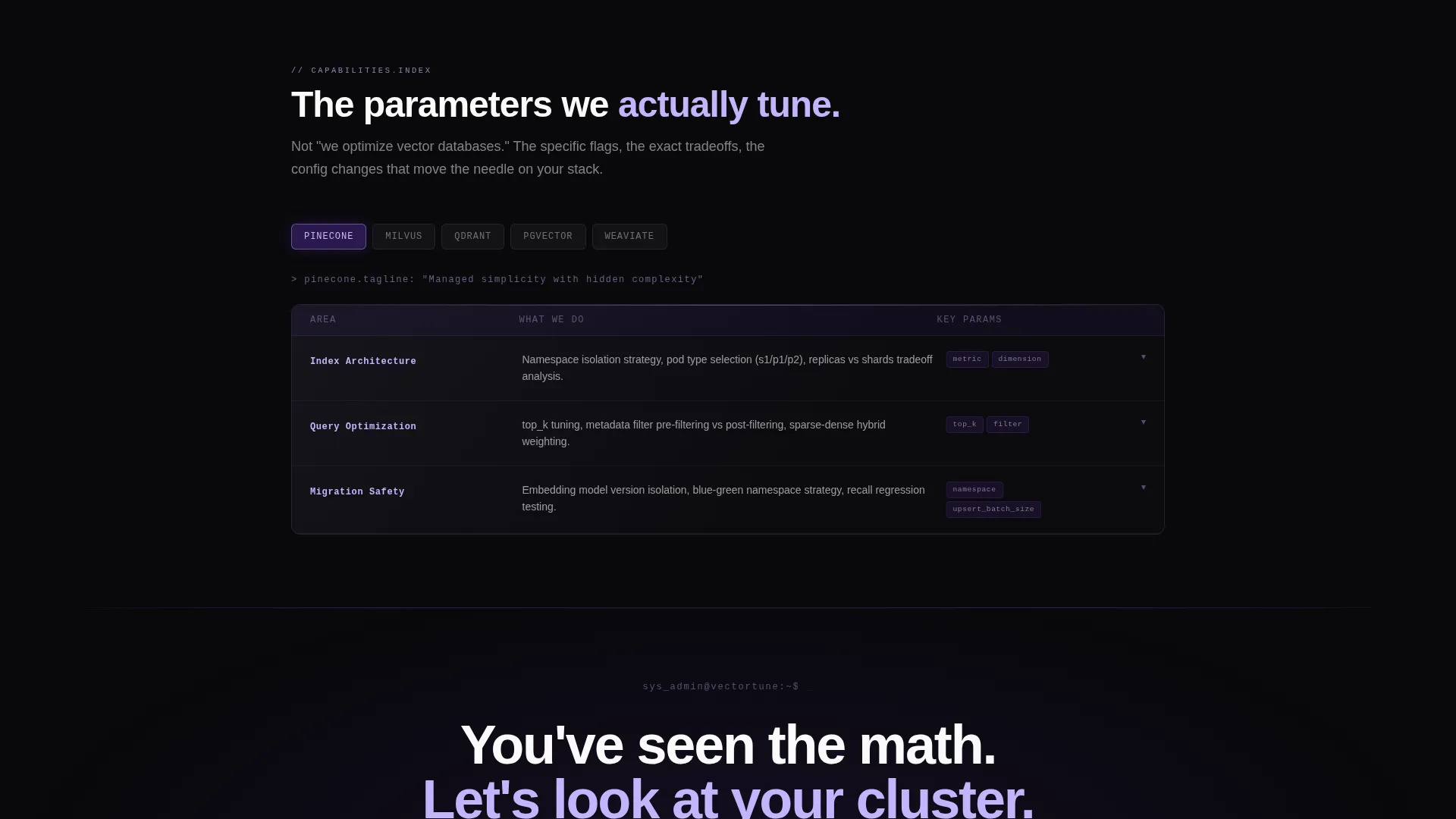
A directory section organizes the consulting practice's expertise by vector database platform. Each entry slides in from the void as the visitor scrolls to it, making the depth of coverage easy to scan at a glance.
Click-Through call to action Architecture
There is no form on this page. The primary call to action appears beneath the calculator results, returns as a sticky bottom bar after the second scroll reveal, and closes the page as a full-width section. Each instance carries the visitor's calculator inputs as URL parameters to the next page, making the transition feel continuous.
Page sections overview
| Section | Purpose |
|---|---|
| Animated Header Panels | Display live-styled recall, latency, and cost metrics |
| ROI Estimator Tool | Let visitors calculate projected improvements for their setup |
| Architecture Diagrams | Animate before-and-after index topology comparisons into view |
| Client Engagement Narratives | Present three-act technical case stories |
| Capabilities Directory | List expertise organized by vector database platform |
| Sticky call to action Bar | Persist the primary action after the second scroll reveal |
| Full-Width Closing call to action | Close the page with a direct, evidence-backed call to action |
Design & branding system
The visual identity is built on a Void & Violet color system. The palette evokes a GPU server rack at 2 a.m., where the only light is a violet glow reflecting off black anodized aluminum.
- Colors: absolute void black (#09090B) for backgrounds, deep dimensional purple (#7C3AED) for section dividers and gradients, phosphor lilac (#C4B5FD) for interactive element pulses, and cold interface white (#FAFAFA) for body text
- Typography follows a documentation-style rhythm with generous letter-spacing, making every line feel precise and intentional
- Section dividers dissolve in from purple gradients, interactive elements pulse in phosphor lilac, and glass panels carry a subtle depth-of-field blur at their edges with light refracting along beveled corners
Mobile & speed optimization
The template is structured for responsive display across screen sizes. Its scroll reveal behavior and glass-panel layout are designed to translate cleanly from desktop to mobile viewports.
- Scroll reveal animations are sequenced to work on touch-based devices without losing the progressive disclosure effect
- The ROI estimator inputs and glass-panel result containers are laid out to remain usable and readable on smaller screens
- The sticky call-to-action bar is positioned to stay visible without obscuring key content on mobile viewports
How this template helps you convert
This template is optimized as a click-through landing page. It moves visitors toward a single action: clicking through to an engagement options page, not filling out a form.
- The ROI estimator makes the value personal before the call to action appears, so the visitor already has a number in mind when they see "See How We'd Fix Yours"
- The sticky bottom bar and full-width closing section reinforce the same action at multiple scroll depths, reducing the chance of exit before the click
- Calculator inputs pass as URL parameters to the next page, so the visitor's context travels with them and the engagement feels like a continuation rather than a restart
Other information about this template
This template sits at the intersection of the Directory and Discovery theme and a Calculator-first creative direction. It is designed for the Vector Database Technology subcategory within the broader Technology category.
- The template style is Scroll Reveal (Progressive), meaning content layers in as the visitor scrolls rather than loading all at once
- The header concept is Dark Glass Panels, a specific visual motif that anchors the void black and violet palette from the first viewport
- The landing page direction is Click-Through, meaning conversion is measured by the click to the next page rather than by form submission on this page
- This template is well suited for consulting practices working with platforms such as Pinecone, Weaviate, Qdrant, Milvus, and pgvector, as the capabilities directory section is organized by platform

Theme
Directory & Discovery
Creative direction
Calculator/Tool First
Color system
Void & Violet
Style
Scroll Reveal (Progressive)
Direction
Click-Through
Page Sections
Animated Dark Glass Header Panels
Interactive ROI Estimator
Scroll Reveal Progressive Layout
Three-act Client Engagement Narratives
Database Capabilities Directory
Click-through Call to Action Architecture
Related questions
Does this template include a contact form?
Can I change the vector database options in the ROI estimator?
Who is this landing page template designed for?
How does the scroll reveal layout work?
Can I replace the client engagement narratives with my own case studies?



