Operations Benchmarking & Competitive Intelligence Website Template
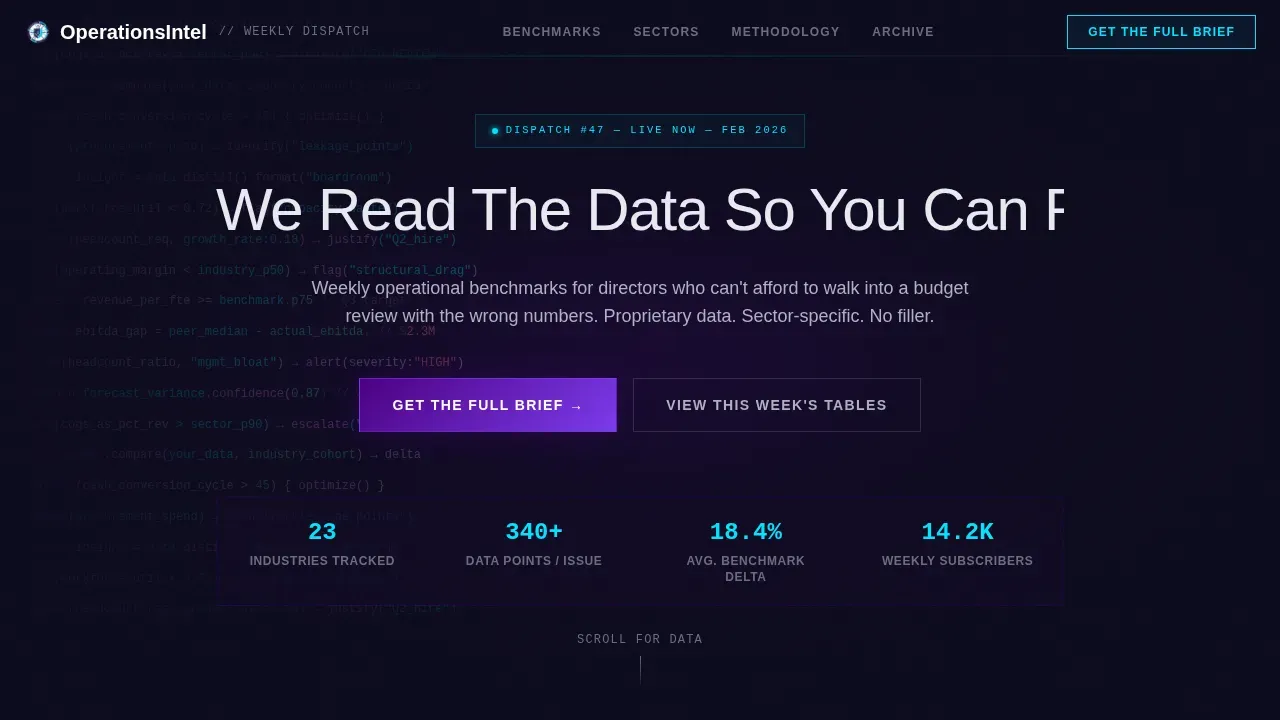
Operationsintel is a forensic data benchmarking landing page built for consulting firms that publish weekly intelligence dispatches. It opens with a terminal code scroll, flows through three comparison tables, and converts readers into app downloads through a pinned "Get The Full Brief" call to action. The Dashboard Pro theme delivers a six-figure analytics platform aesthetic in electric indigo and reactive cyan.
by Rocket studio
Quick summary
This landing page template is built for a B2B consulting firm that publishes proprietary operational benchmarks. A terminal code scroll opens the hero, three structured comparison tables escalate insight from macro to tactical, and a pinned app download rail closes the conversion loop. Every section earns the next scroll by sharing just enough data to make the full tool feel essential.
Who this template is for
Operations-focused businesses and independent consultants need a landing page that speaks in data, not decorative copy. This template is purpose-built for firms that treat benchmarks as a product and weekly dispatches as a service.
- Operations directors at mid-size firms who need external benchmarks to justify decisions
- CFOs building headcount cases and hunting for sector-level comparisons
- Independent consultants using published intelligence as continuing professional development
What problem this template solves
Most consulting firm landing page designs look like brochures. They promote credentials instead of insight. This template solves the credibility gap by leading with data and building urgency through structured comparison tables that share enough to hook, then gate the depth behind an app download.
- Readers arrive dashboard-weary and leave with a clear reason to download the full tool
- The two-step app download flow reduces friction while capturing vertical preference
- Pinned call-to-action placement prevents the conversion moment from getting lost in scroll
What you get with this template
You get a complete, single-page landing experience that feels like a proprietary analytics platform. Every section is pre-structured so you can customize it with your own benchmark data in minutes.
- Terminal hero with typewriter headline and live pseudocode scroll animation
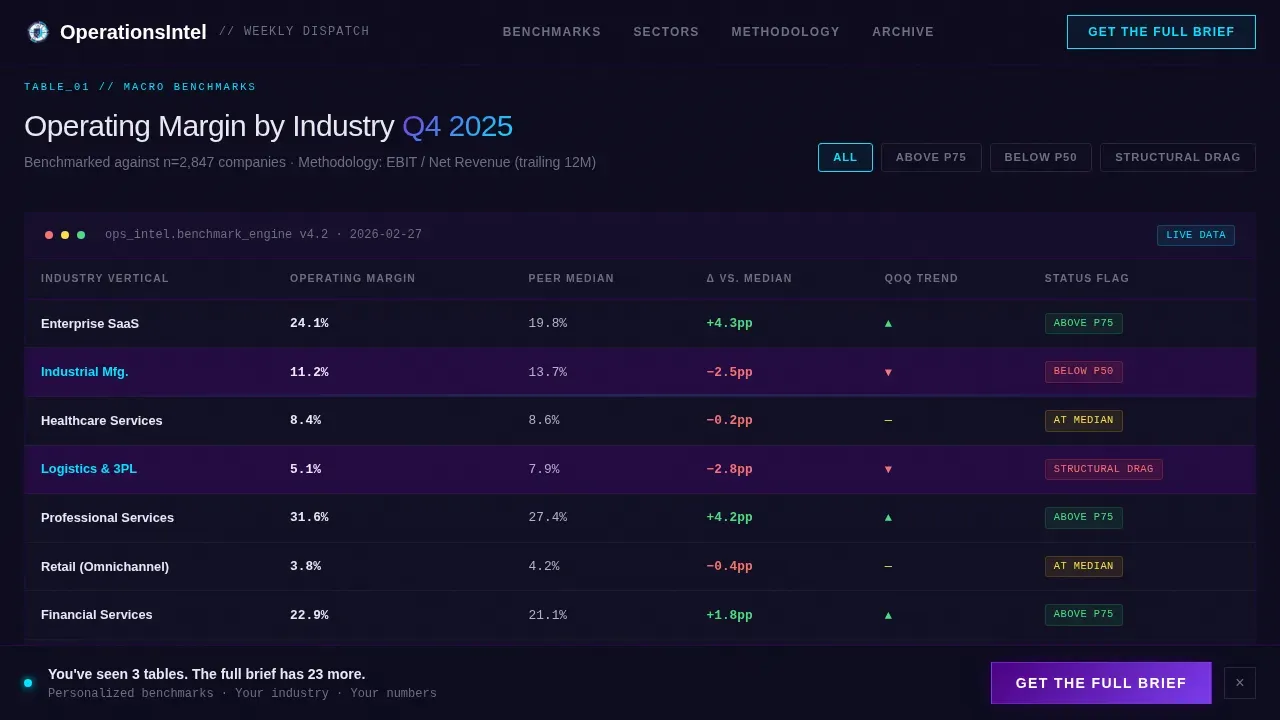
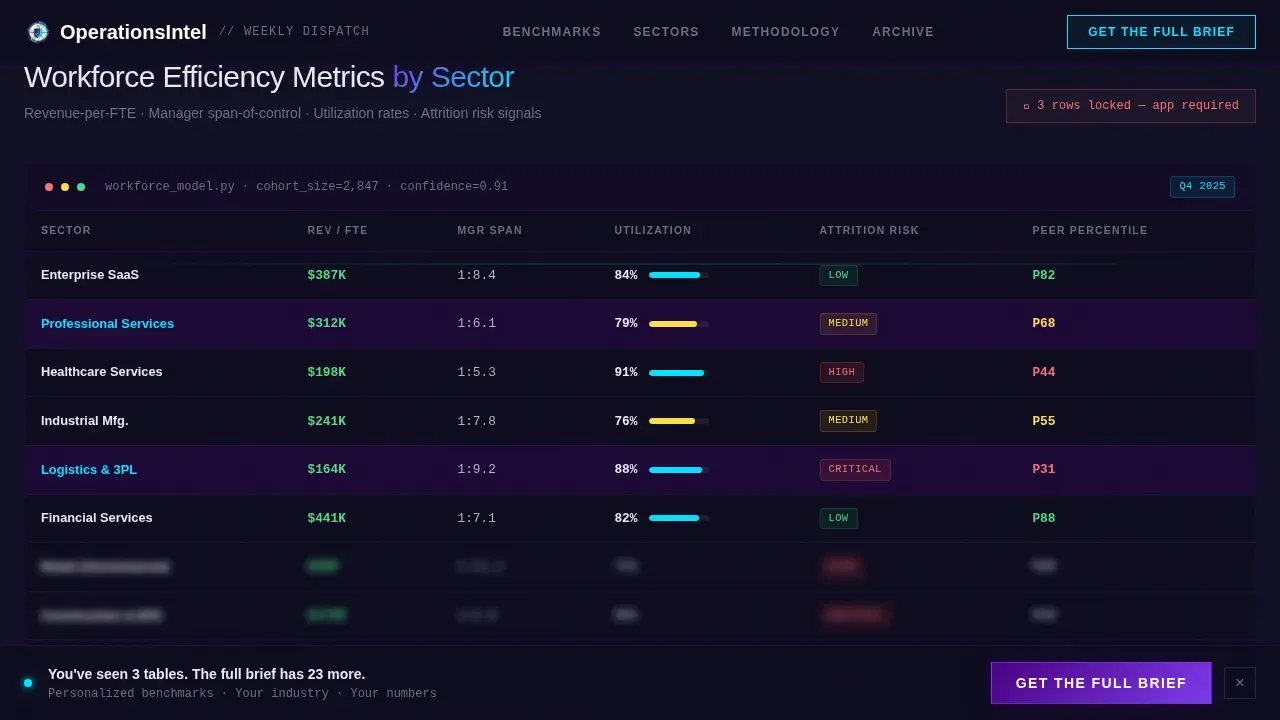
- Three benchmark comparison tables with indigo row highlights and locked-row teasers
- Pinned "Get The Full Brief" rail with a two-step industry and platform selection flow
Feature list
This landing page template includes six core building blocks. Each one is designed to share insight progressively and move visitors toward the app download.
Terminal Hero with Typewriter Animation
The hero opens with slowly scrolling pseudocode rendered against a deep terminal black background. After two seconds, a headline types itself across the center. The effect establishes authority before a single word of body copy loads.
Macro Benchmarks Comparison Table
The first table ranks industries by operating margin with indigo cell highlights that pulse on the row most relevant to the reader's vertical. Neon accents and bold neon text effects make key figures impossible to miss. This section is where visitors decide whether the firm knows their world.
Sector Deep-Dive Table with Locked Rows
The second table presents workforce efficiency metrics by vertical. Selected rows appear locked behind a teaser state, prompting visitors to download the app to unlock the full dataset. A secondary call to action, "Run This Analysis On Your Numbers," adds personalized urgency beneath the table.
Pinned App Download Rail
After the second comparison table, a pinned bottom rail appears and stays visible through the rest of the scroll. It carries the primary call to action and opens a two-step modal: select industry vertical first, then choose iOS or Android. The flow is frictionless and collects useful segmentation data.
Tactical Playbook Comparison Table
The third table compares operational frameworks side by side. Each row is actionable and specific enough to be boardroom-ready. A "Run This Analysis" call to action beneath the table deepens the case for the app by promising personalized output only available inside the tool.
Vercel Horizontal Flow Footer
The footer follows a horizontal flow pattern that keeps the page feeling like a dashboard rather than a document. Social sharing links and subscriber cadence details add social proof without disrupting the terminal aesthetic.
Page sections overview
| Section | Purpose |
|---|---|
| Terminal Hero | Opens with code scroll and typewriter headline |
| Macro Benchmarks Table | Industry operating margin comparison with indigo highlights |
| Sector Deep-Dive Table | Workforce metrics by vertical with locked row teasers |
| Pinned call to action Rail | "Get The Full Brief" with two-step app download modal |
| Tactical Playbook Table | Framework comparison with "Run This Analysis" calls to action |
| Horizontal Flow Footer | Social proof, share links, and subscriber cadence |
Design & branding system
The visual identity follows a Dashboard Pro theme. It uses an Electric Indigo color system designed to feel like a proprietary platform that costs six figures a year. Neon glowing effects and high-contrast neon accents make every data point feel deliberate. Neon text effects paired with modern bold sans-serif fonts highlight key information throughout.
- Base: deep terminal black (#0D0B1E) with electric indigo (#4B0082) headers and data highlights
- Body text and table borders render in cool silver-gray (#B0B3C1) for readability
- Reactive cyan (#00E5FF) fires on hover states, active filters, and neon border accents
Mobile & speed optimization
The template is desktop-first by design, built to deliver a Bloomberg terminal experience on a full-width screen. It remains fully responsive so visitors on mobile can still navigate the comparison tables and tap through the app download modal.
- GPU-accelerated transforms power all animations with no layout recalculation
- Intersection observer reveals load table rows progressively as they enter the viewport
- Pinned call-to-action rail adapts to mobile screen height without obscuring table data
How this template helps you convert
The page earns each conversion by sharing insight before asking for anything. Visitors feel informed, not sold to, which is the right state of mind for a download decision.
- Progressive data escalation moves visitors from macro trends to sector benchmarks to tactical playbooks, building appetite with every table
- The locked-row teaser and "Run This Analysis On Your Numbers" call to action make the app feel like a necessary tool rather than an optional add-on
- The two-step download modal collects industry vertical preference first, making the download feel personalized rather than generic
Other information about this template
This template can support a wide range of promotional and publishing use cases beyond its core benchmarking brief. Businesses building content-led acquisition funnels will find the comparison table structure adaptable to many verticals. The neon design templates aesthetic also works well for promoting data products, event-driven content drops, and intelligence subscription services.
- Neon templates like this one can be used for branding, marketing, and event promotion across personal and commercial projects
- Customizable neon designs offer a blend of modern aesthetics and timeless appeal, making them reusable across campaigns
- You can add your own logo, customize the neon logo placement in the header, and personalize every color token to match your brand
- Social sharing buttons are included in the footer so readers can share dispatches directly to their networks
- The template supports a reel neon drop event landing page template workflow for firms that publish content on a timed drop schedule
- Canva offers a selection of free and editable Instagram Reels video templates that users can customize with ease, and those vertical-format assets can be adapted to complement this landing page when promoting content on social media
- Canva's design dashboard enables users to drag and drop illustrations or images into creative assets, which can then be embedded or linked from this landing page
- Countdown timers can be added to event-driven versions of the page to create urgency around a new report drop
- Simple registration forms reduce friction when building an email list alongside the app download flow
- Browse the full template library to find neon templates suited to adjacent use cases like product launches, event pages, and membership-gated content
Theme
Dashboard Pro
Creative direction
Industry Report
Color system
Electric Indigo
Style
Comparison Table
Direction
App Download
Page Sections
Terminal Hero with Typewriter Animation
Three-stage Comparison Table System
Pinned App Download Rail
Reactive Neon Hover States
Vercel Horizontal Flow Footer
Intersection Observer Table Reveals
Related questions
Can I customize the comparison tables with my own benchmark data?
How does the two-step app download modal work?
Can I personalize the neon logo and color tokens to match my firm's brand?
Is this template suitable for businesses outside the consulting sector?
Does the template include social sharing functionality?



