Strategic Startup Advisory & Engagement Estimator Website Template
Velocity is a split-screen consulting landing page built for firms that work inside scaling startups. The header leads with a live engagement estimator. Comparison data sections replace narrative copy with stacked metrics. Two conversion paths, a scoped engagement modal and a gated benchmark report, give every visitor a clear next step, whether they are ready to talk or still deciding.
by Rocket studio
Quick summary
Velocity is a single-page consulting landing page template designed for firms serving scaling startups. The header is a functional calculator, not a hero image. The body runs on a spec-sheet layout that stacks before-and-after metrics in two columns. Every section pushes toward one of two conversion actions: scoping an engagement or downloading a benchmark report.
Who this template is for
This template is built for consulting firms that work directly inside early-to-growth-stage startups. It fits teams whose value is measurable and whose clients are under real operational pressure.
- Consulting firms advising seed, Series A, and Series B startups on operations, hiring, and capital deployment
- Fractional executive teams offering services like fractional chief technology officer support, finance strategy, or ops leadership
- Independent consultants who need a credibility-first page that replaces a generic brochure with hard evidence
What problem this template solves
Most consulting landing pages rely on narrative copy and stock photography to build trust. That approach fails with startup operators, who read fast and distrust vague promises. This template solves the credibility gap by leading with a tool and following with data.
- Founders and operators skip long-form copy, so the estimator puts relevant output in front of them immediately
- Generic "we help you grow" messaging loses high-intent visitors who need specifics, not inspiration
- Two-step conversion paths are often missing, leaving warm visitors with no low-friction alternative to a sales call
What you get with this template
The template delivers a fully structured single-page layout with purpose-built sections and two distinct conversion flows. Every component in the design is drawn from the source brief and serves a defined function.
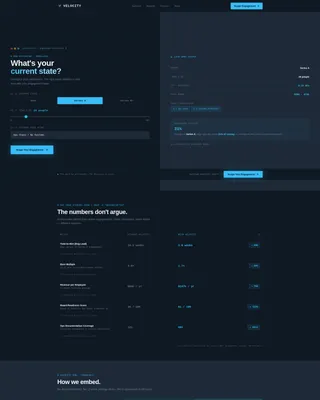
- A split-screen header with a live engagement calculator on the left and a real-time spec-sheet output on the right
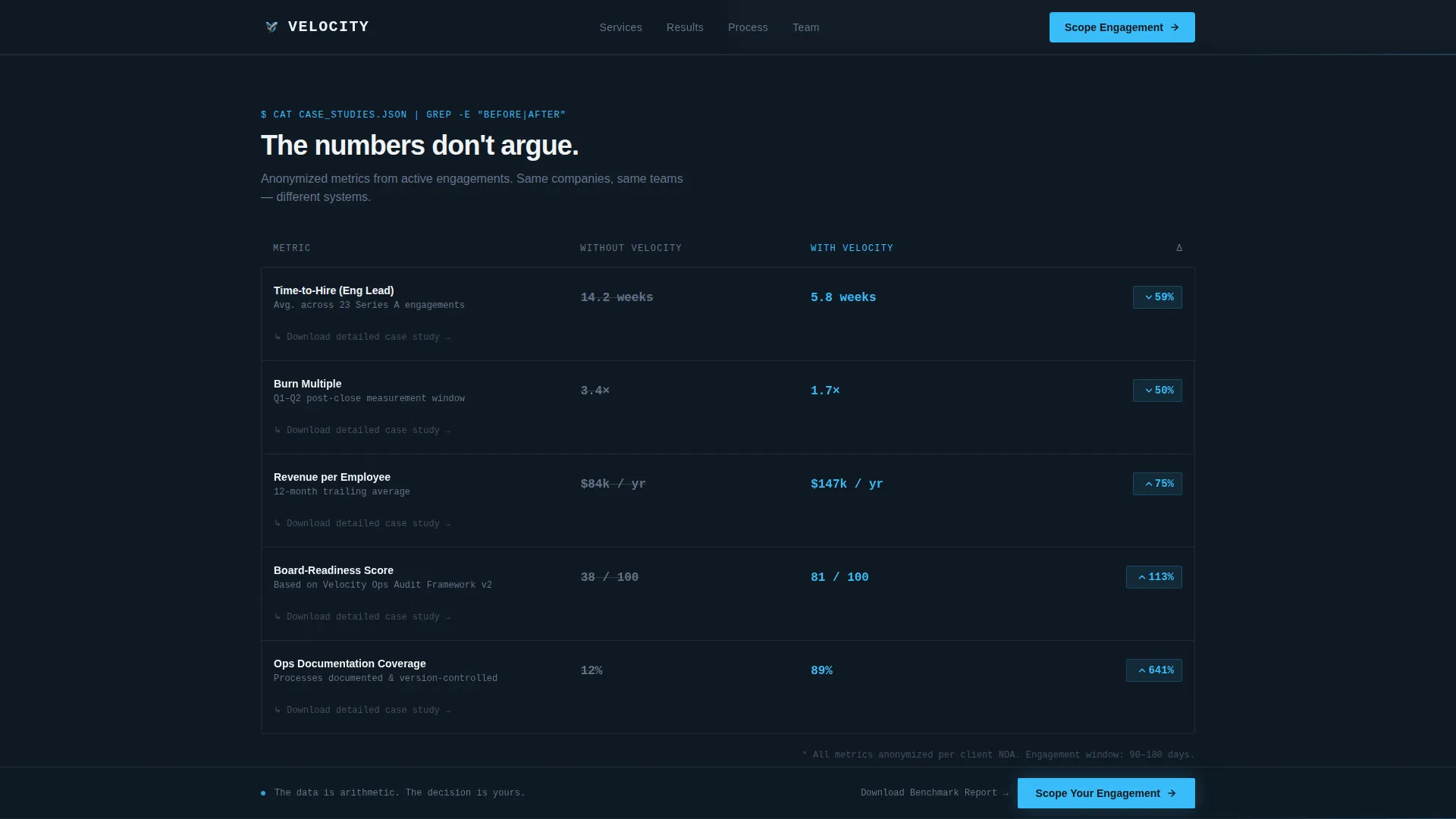
- A scrollable comparison body built from anonymized case-study metrics across four escalating rows: hiring speed, burn rate, revenue per employee, and board-readiness score
- A two-step engagement modal and an email-gated benchmark report download, giving visitors two ways to convert based on where they are in their decision
Feature list
The Velocity template is built around a small set of high-impact components. Each one is directly described in the source brief.
Live Engagement Estimator Header
The left panel of the header holds a compact intake form. Visitors select their funding stage (Seed, Series A, or Series B and beyond), adjust a team size slider from 5 to 200 people, and choose a primary pain point from a dropdown covering ops chaos, hiring velocity, burn rate, and go-to-market. No filler imagery competes for attention.
Real-Time Spec-Sheet Output Panel
The right panel of the header updates as the visitor interacts with the form. It displays estimated engagement length, a projected cost range, a recommended team composition such as one Ops Lead, one Finance Strategist, and one Fractional Chief Technology Officer, and a single benchmark stat tied to the visitor's selected stage.
Comparison Data Scroll Sections
Each scroll section is laid out as a two-column spec sheet. The left column shows "Without Velocity" metrics drawn from anonymized case studies. The right column shows "With Velocity" outcomes rendered in sky blue with directional arrows. The four rows cover hiring speed, burn rate, revenue per employee, and board-readiness score in escalating order.
Two-Step Scoped Engagement Modal
The primary call to action opens a two-step modal. Step one captures email address and company name. Step two presents a single open text field asking "What broke this week?" The low-friction framing reduces form anxiety and makes the ask feel conversational rather than transactional.
Persistent Bottom Bar call to action
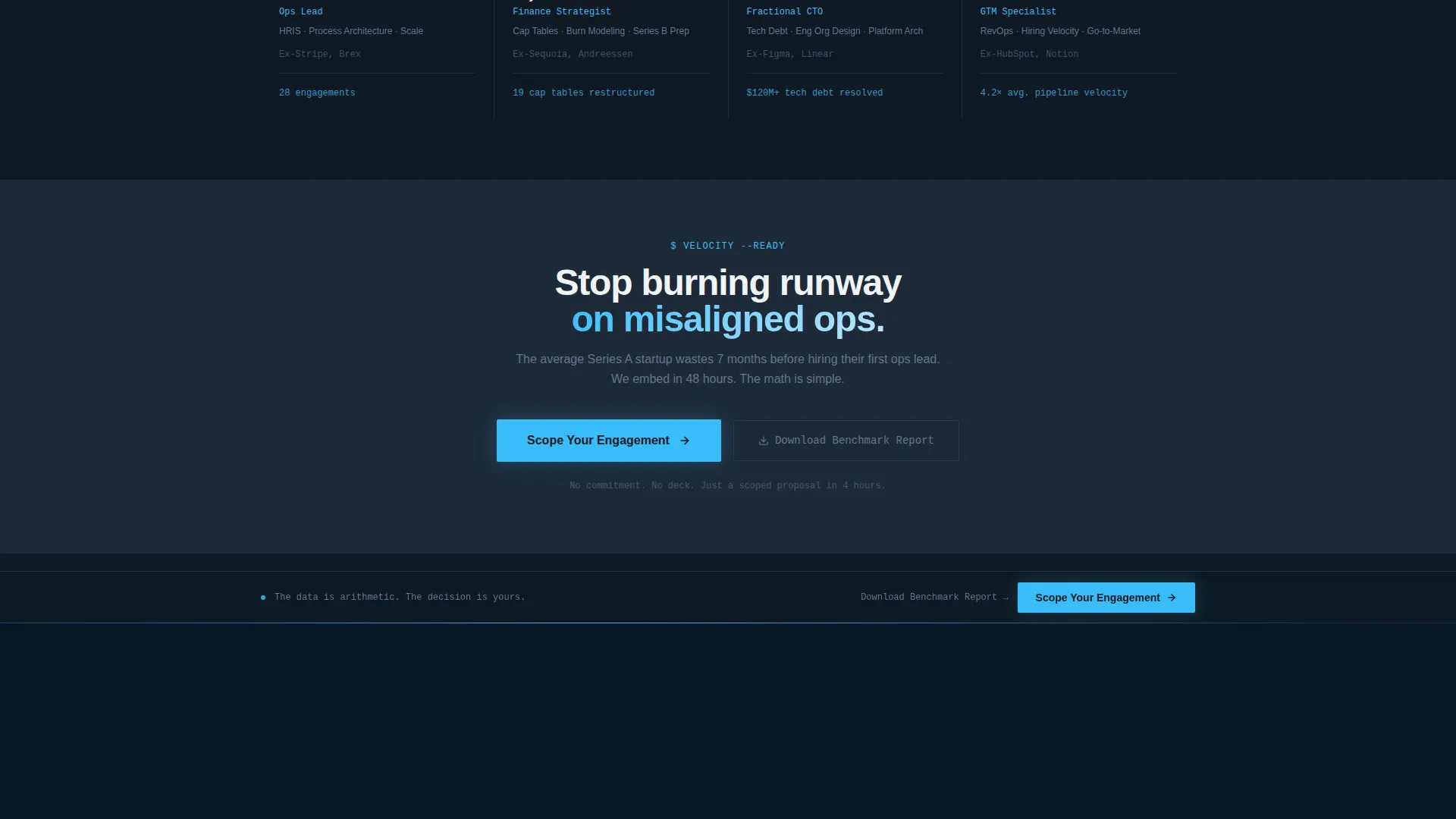
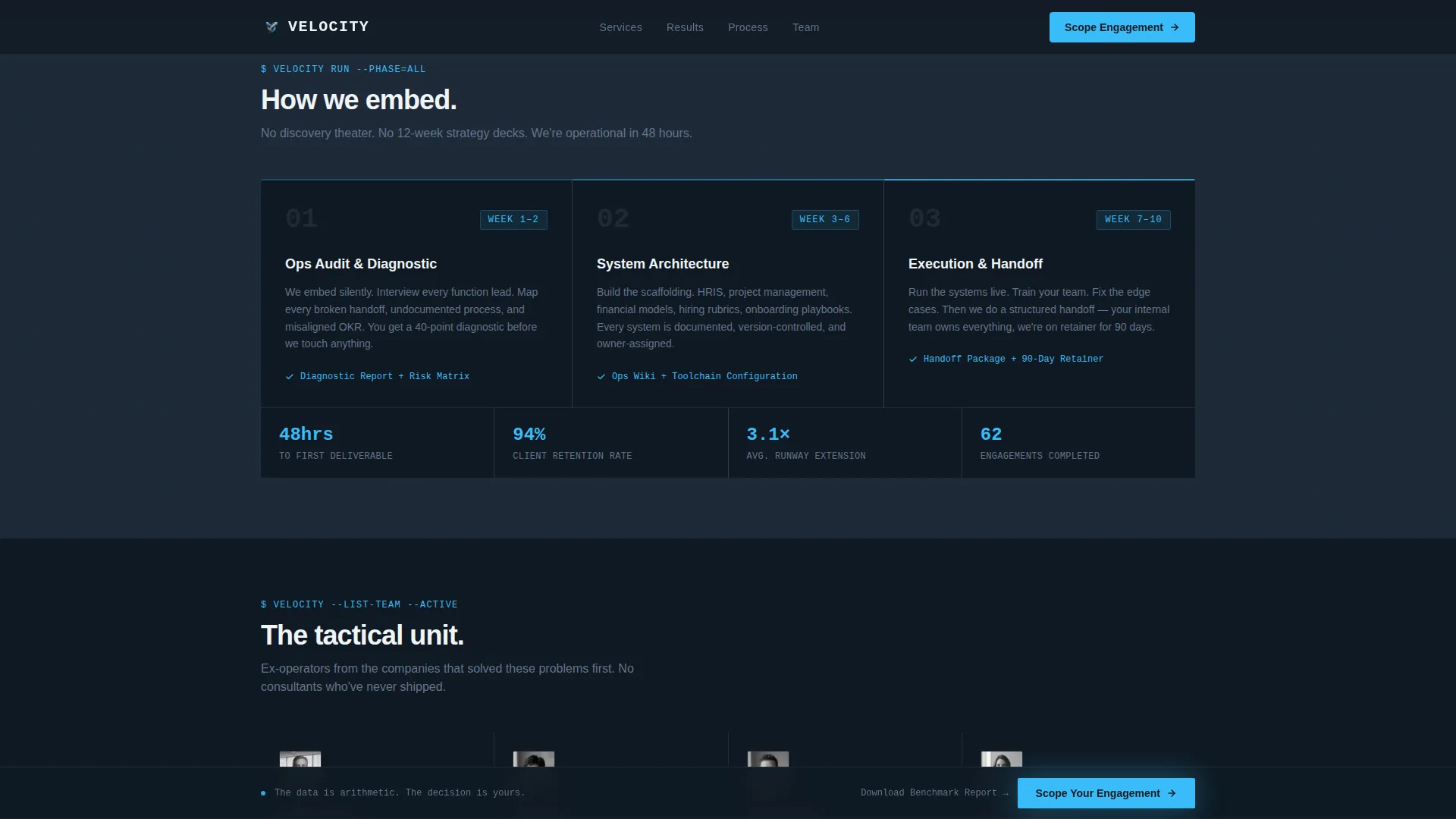
A sticky bottom bar activates after the visitor passes the second comparison row. It carries the "Scope Your Engagement" call to action and stays visible throughout the rest of the scroll, keeping the primary conversion path accessible at all times.
Gated Benchmark Report Download
Each comparison section includes a secondary link to download a benchmark report. The gate requires only an email address, giving visitors who are not ready to talk a meaningful alternative action and a nurture entry point.
Page sections overview
| Section | Purpose |
|---|---|
| Header Estimator Panel | Captures stage, team size, and pain point to generate a real-time engagement estimate |
| Real-Time Output Panel | Displays projected engagement specs and a benchmark stat based on form inputs |
| Hiring Speed Row | Compares time-to-hire metrics before and after a consulting engagement |
| Burn Rate Row | Shows burn multiple improvement with directional data from anonymized cases |
| Revenue Per Employee Row | Contrasts revenue efficiency pre- and post-engagement using case study figures |
| Board-Readiness Score Row | Escalates stakes with the final comparison metric before the persistent call to action activates |
| Persistent Bottom Bar | Keeps the primary call to action visible after the second comparison row |
| Engagement Modal | Two-step form that captures contact details and a single open-ended input |
| Benchmark Report Gate | Email-only capture for visitors choosing the lower-friction download path |
Design & branding system
The Velocity template uses a Slate and Sky color system built to feel precise and authoritative. The palette pulls from a glass-walled office on the 40th floor aesthetic: heavy slate at the base, sky blue for action, cloud-white for breathing room.
- Deep graphite slate (#1E2A38) dominates background areas and text weight, giving the page a focused, terminal-like density
- Open-sky blue (#38BDF8) fires on calls to action, hover states, and all "With Velocity" metric highlights in the comparison columns
- Cloud-white (#F0F4F8) and brushed aluminum mid-tone (#64748B) open up comparison column backgrounds so the eye can parse data rows quickly without fatigue
Mobile & speed optimization
The split-screen layout is designed with responsive behavior in mind. The 50/50 desktop panels are intended to stack cleanly on smaller screens so the estimator form and output remain usable without horizontal scrolling.
- The estimator form uses a slider and dropdown inputs that are touch-friendly on mobile devices
- Comparison rows use a two-column table structure that can reflow to a single column on narrow viewports, keeping the before-and-after data readable
How this template helps you convert
The Velocity template is built for Comparison and Versus conversion logic. Every design and copy decision is engineered to move a skeptical, data-oriented visitor toward one of two actions.
- The live estimator creates immediate personal relevance by generating output specific to the visitor's stage and team size, making the page feel like a tool rather than a pitch
- The escalating comparison rows replace emotional persuasion with arithmetic, stacking case-study data until the conclusion feels inevitable rather than argued
- The dual conversion path (modal for ready buyers, gated report for early-stage visitors) captures intent at two different temperatures without forcing everyone through the same funnel step
Other information about this template
The Velocity template was designed under a Startup Velocity theme and falls within the consulting firm website templates category under the Technology vertical. It is intended for use as a single-page consulting landing page, not a multi-page site.
- The template style is Split Screen (50/50), with the header and all primary sections divided into left and right panels
- The creative direction is Spec Sheet, meaning every section reads like a comparison data sheet rather than a narrative
- The header concept is a Calculator and Estimator, which is the primary hook replacing any hero image or illustration
- The conversion direction is Comparison and Versus, with the persistent bottom bar and modal as the two primary action surfaces
- This template sits at the intersection of the Technology category, the Consulting Firm Website Templates subcategory, and the Consulting Firm Team Page niche
Theme
Startup Velocity
Creative direction
Spec Sheet
Color system
Slate & Sky
Style
Split Screen (50/50)
Direction
Comparison/Versus
Page Sections
Live Engagement Estimator
Real-time Spec-sheet Output
Comparison Data Scroll Sections
Two-step Engagement Modal
Persistent Bottom Bar
Gated Benchmark Report Download
Related questions
Does this template include actual calculator logic or just the layout?
Can I customize the comparison metrics to reflect my own case study data?
How does the gated benchmark report download work?
Is this template suitable for a solo consultant or only for a full consulting firm?
What makes this layout different from a standard consulting website template?



