Personalized Entrepreneurship Course Landing Page
Venture is a sidebar companion landing page for a business and entrepreneurship course. It greets founders with a personalized diagnostic quiz, then restructures the page around their answers. Module recommendations, testimonials, and curriculum highlights adapt in real time. The primary call to action delivers a personalized PDF roadmap, turning first-time visitors into motivated, qualified leads.
by Rocket studio
Quick summary
Venture is a single-page sidebar companion built for a business and entrepreneurship course. A five-question diagnostic quiz personalizes the entire page experience for each visitor. Module order, testimonials, and curriculum previews all adapt to the visitor's founder stage. The primary call to action, "Build My Learning Path," delivers a personalized PDF roadmap by email.
Who this template is for
This template is built for course creators and educators who teach practical entrepreneurship. It speaks directly to founders at every early stage of building a business.
- Side-hustlers still working a nine-to-five who want a structured path forward
- First-time founders who recently filed their business entity and feel overwhelmed by next steps
- Mid-career professionals quietly building the idea they have been planning for years
What problem this template solves
Most course landing pages treat every visitor the same. They show one static syllabus, one set of testimonials, and one generic call to action. That approach loses visitors who cannot see themselves in the content.
- Founders at different stages have different fears, goals, and time constraints
- A one-size pitch fails to earn trust from someone who feels their situation is specific
- Generic lead magnets feel transactional rather than genuinely useful
What you get with this template
You get a fully structured sidebar companion landing page designed around guided personalization. Every section serves the goal of qualifying and converting the right founder.
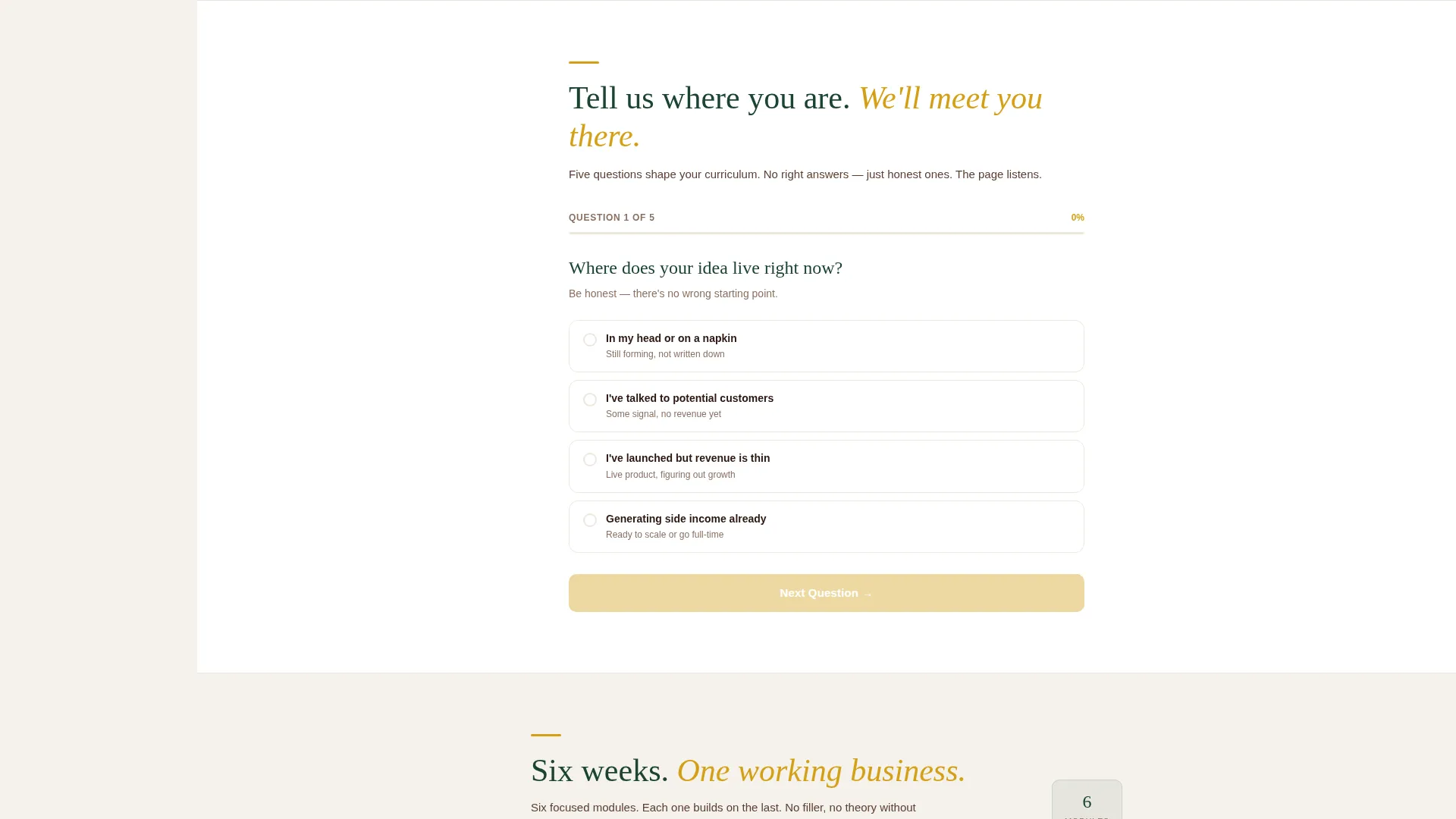
- A branching five-question diagnostic quiz that collects stage, fear, availability, revenue goal, and learning style
- A persistent sidebar with a living outline that fills in as the visitor scrolls
- Two conversion paths: a primary lead form with auto-populated quiz results and a lighter one-field free lesson gate
Feature list
This template is built around a small set of purposeful, prompt-backed features. Each one works together to make the page feel like a mentored experience rather than a marketing pitch.
Branching Diagnostic Quiz
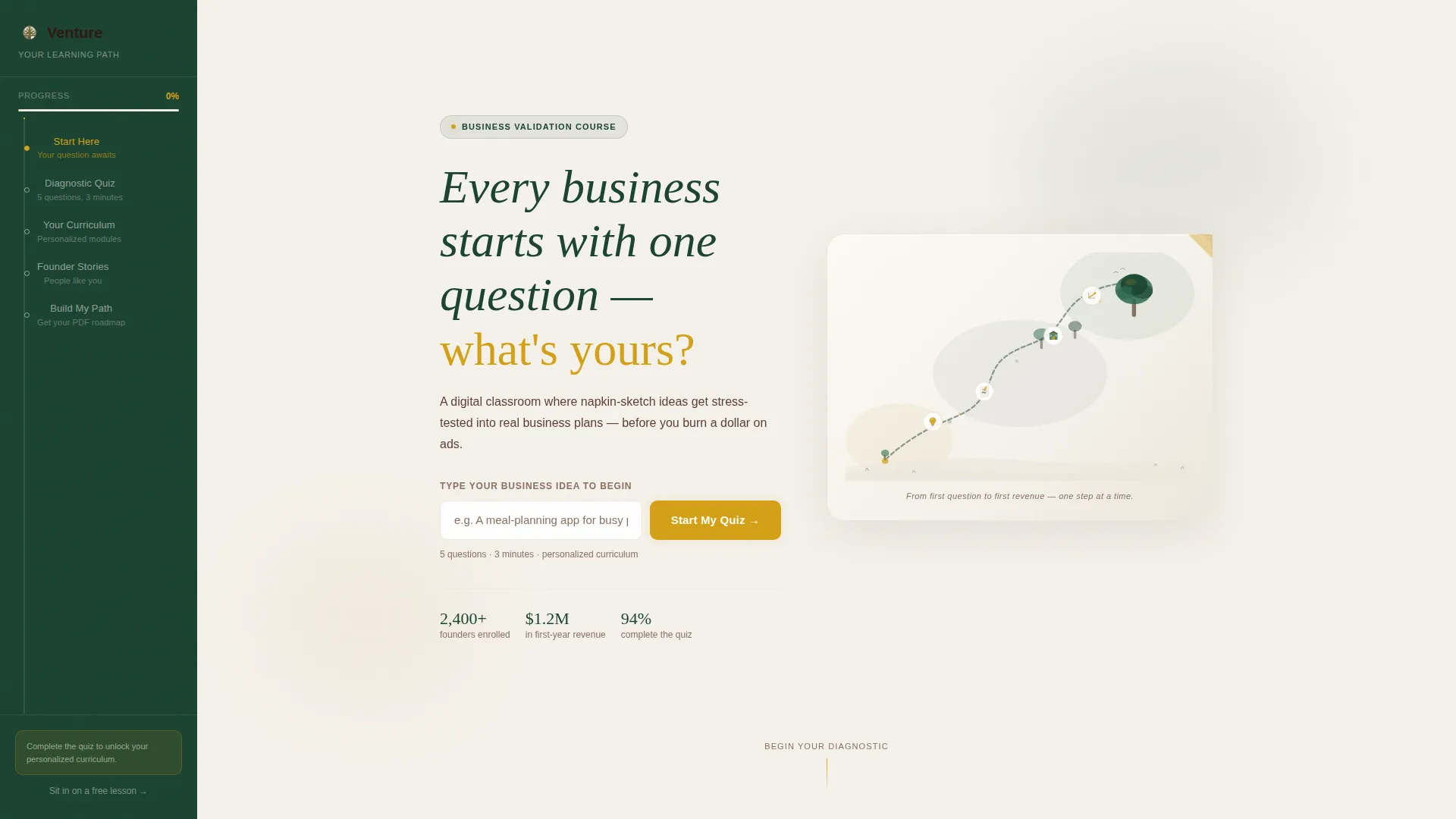
The header section opens with a single input field that pulses with amber light. Visitors answer five focused questions covering their idea stage, biggest fear, weekly hours, revenue goal, and preferred learning style. The quiz gathers the data needed to reshape the page around each individual visitor.
Adaptive Page Personalization
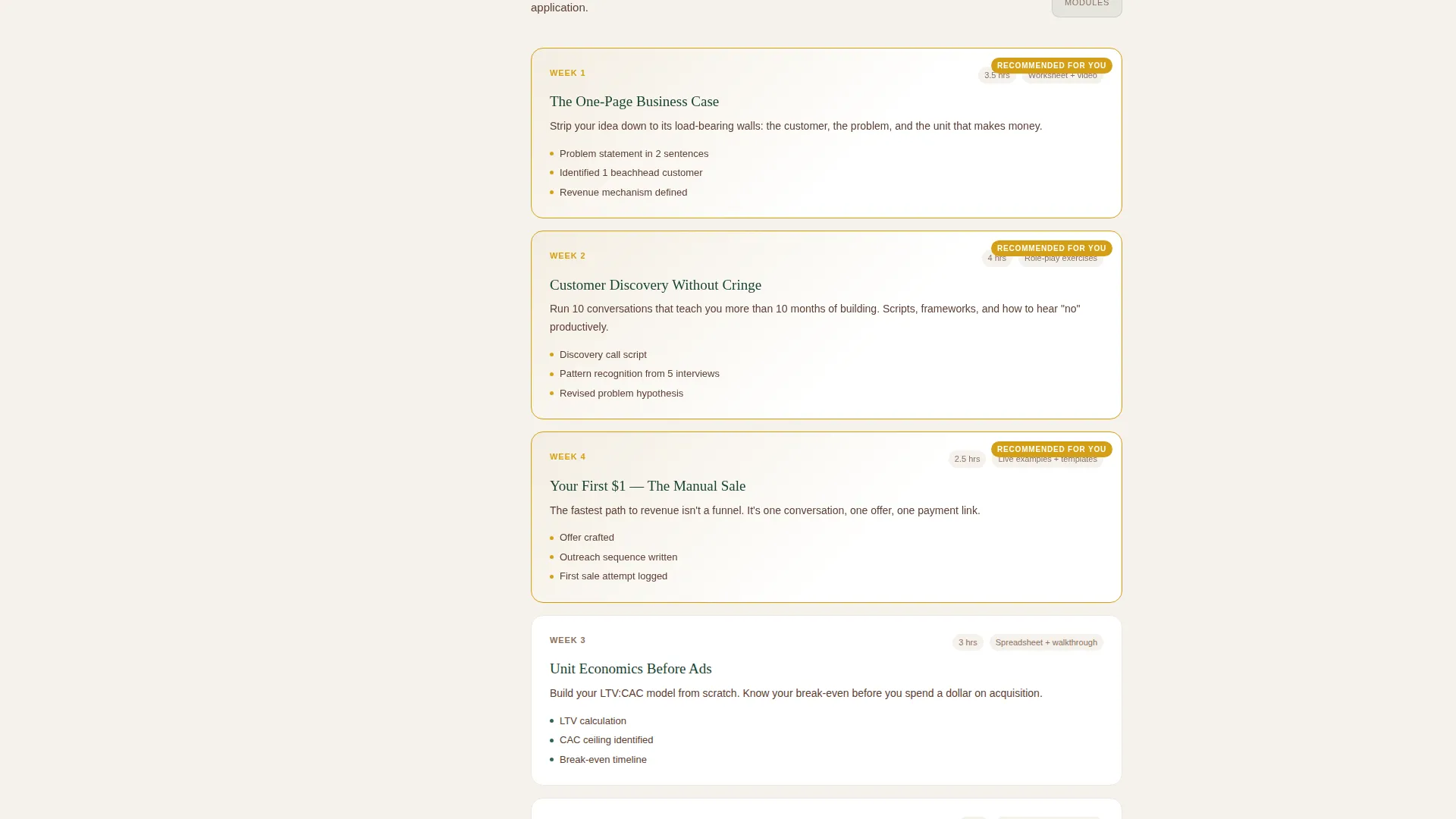
After the quiz is completed, the page restructures itself dynamically. Module recommendations reorder, testimonials swap to match the visitor's founder archetype, and the curriculum preview highlights the three lessons most relevant to their situation. Each scroll feels like the page is responding to who the visitor actually is.
Persistent Sidebar Navigation
The sidebar stays visible throughout the entire scroll experience. It displays a living outline that fills in progressively as the visitor moves through the page. An amber "Build My Learning Path" button remains accessible at all times inside the sidebar.
Custom Illustrated Header
The header features a hand-drawn, lightly textured illustration of a winding trail. Small milestone icons mark the path: a lightbulb, a napkin sketch, a storefront, and an upward-climbing graph. The headline "Every business starts with one question, what's yours?" fades in over the illustration.
Dual Conversion Paths
The primary path collects first name, email, and auto-populated quiz results, then delivers a personalized PDF roadmap as the lead magnet. A secondary path, "Sit In On a Free Lesson," uses a lighter one-field form to capture emails from visitors not yet ready to commit fully.
Forest Trust Visual System
The color palette uses deep evergreen for sidebar navigation, soft parchment for content panels, warm bark brown for body text, and decisive amber reserved only for buttons, progress indicators, and highlighted insights. Every color placement is intentional and consistent across the template.
Page sections overview
| Section | Purpose |
|---|---|
| Illustrated Hero Header | Opens with custom trail illustration and animated input to start the quiz |
| Five-Question Quiz | Collects founder stage, fears, availability, revenue goal, and learning style |
| Adaptive Module Grid | Reorders course modules based on quiz answers to match each visitor |
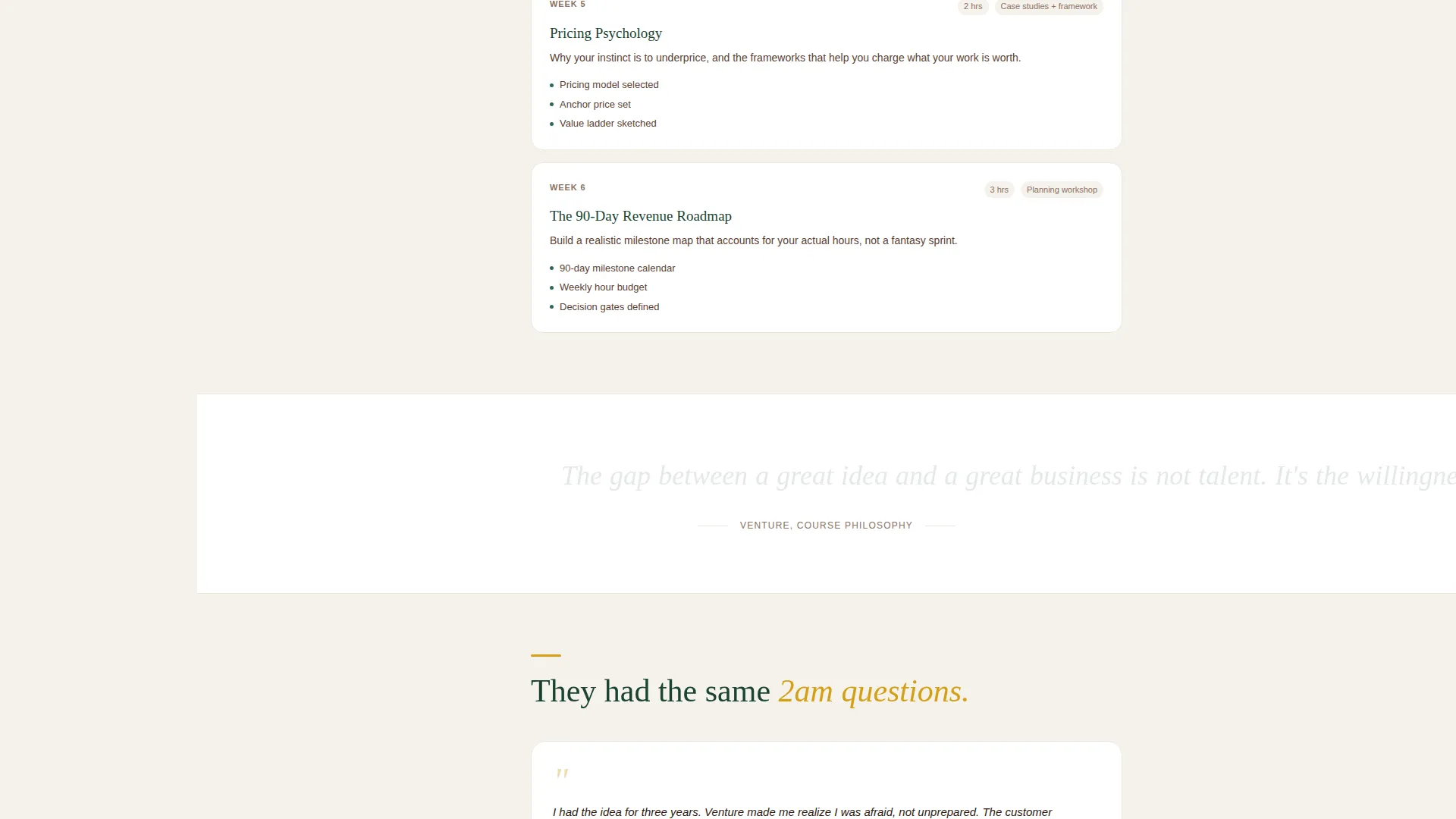
| Personalized Testimonials | Swaps social proof to reflect the visitor's specific founder archetype |
| Curriculum Preview Highlight | Surfaces the three lessons most relevant to the visitor's quiz profile |
| Primary Lead Form | Collects name and email with auto-filled quiz data; triggers PDF delivery |
| Free Lesson Gate | Secondary one-field email form linked to a gated sample module |
| Persistent Sidebar | Shows living outline, progress fill, and always-visible amber call to action button |
Design & branding system
The visual identity follows an Educational Guide theme. The overall feeling is grounded and earned, like a leather-bound journal open on a cabin desk.
- Deep evergreen (#1B4332) anchors the persistent sidebar navigation throughout the scroll
- Soft parchment (#F5F1EB) stretches across all main content panels for a warm, readable backdrop
- Warm bark brown (#5C4033) carries body text and secondary labels, while decisive amber (#D4A017) appears only on buttons, progress indicators, and highlighted insights
Mobile & speed optimization
The sidebar companion layout is structured to remain functional and readable across screen sizes. The design decisions prioritize clarity over visual clutter.
- The persistent sidebar adapts to smaller screens without losing its progress-tracking function
- Amber interactive elements remain clearly distinct from background colors at any screen size
How this template helps you convert
This template is engineered around a single insight: visitors who invest attention before seeing a call to action are far more likely to follow through. The quiz does the selling so the form does not have to.
- The five-question quiz creates personal investment early, so visitors feel ownership over their learning path before any ask is made
- The "Build My Learning Path" call to action appears at quiz completion and stays persistent in the sidebar, catching visitors at their highest moment of intent
- The secondary "Sit In On a Free Lesson" path gives hesitant visitors a low-commitment entry point, capturing emails from a segment that would otherwise leave
Other information about this template
This template is part of a broader set of sidebar companion designs suited to structured online learning. It works especially well for business and entrepreneurship course creators who need to speak to a mixed audience at multiple founder stages.
- The template style is Sidebar Companion, which keeps navigation and conversion tools visible without interrupting content flow
- The creative direction is Quiz and Personalize, meaning the page experience is shaped by visitor input rather than a fixed layout
- The lead magnet delivery model, a personalized PDF roadmap sent to the visitor's inbox, is built into the primary conversion flow
- The header concept uses Custom Illustration in warm line-art with watercolor fills, giving the page a handmade and personal tone that contrasts with corporate course templates
- The template fits the Education and Training category, specifically the Online Course Platform subcategory, with a focused niche in Business and Entrepreneurship
Theme
Educational Guide
Creative direction
Quiz & Personalize
Color system
Forest Trust
Style
Sidebar Companion
Direction
Lead Generation
Page Sections
Branching Diagnostic Quiz
Adaptive Page Personalization
Persistent Sidebar with Living Outline
Custom Illustrated Hero Header
Dual Conversion Path Design
Related questions
What kind of course is this template designed for?
How does the quiz personalization work?
What do visitors receive when they complete the primary form?
Can visitors try the course before filling out the main form?
Is this a single landing page or a multi-page template?



