Venue - Powerful Stadiummanagement Landing Page Template
Venue is a bold, brutalist-styled landing page template built for stadium and arena management software platforms. It features a five-tab hero switcher, anchor navigation, industry-stat shock blocks, and a freemium trial conversion flow. Designed for operations directors, facility managers, and CFOs overseeing venues from 20,000 to 90,000 seats.
by Rocket studio
Quick summary
Venue is a single-page, hub-and-spoke landing page template for stadium and arena management software. It opens with a five-department tab switcher, scrolls through brutalist industry-stat sections, and closes every hub with a red trial call to action. The template is built for vertical SaaS platforms selling to large-venue operations teams.
Who this template is for
This template is designed for SaaS companies selling stadium and arena management software to large-venue professionals. The buyer persona is someone who runs complex, multi-department operations under serious time pressure.
- Operations directors managing back-to-back NFL game days and concert nights
- Facility managers tracking hundreds of HVAC zones across a sold-out event
- CFOs who need per-event profit and loss figures down to individual concession stands
What problem this template solves
Large venues run on dozens of parallel systems with no unified view. Operations teams lose time, revenue, and visibility when tools do not talk to each other. This template communicates exactly how the software closes that gap.
- Venues struggle to connect crowd flow, maintenance, concessions, and revenue data in one place
- Generic SaaS landing pages fail to speak the language of stadium operations professionals
- Prospects need to see real-world impact quickly or they move on
What you get with this template
You get a fully structured, single landing page with a bold visual identity and purpose-built conversion architecture. Every section is pre-built and editable to match your platform's messaging.
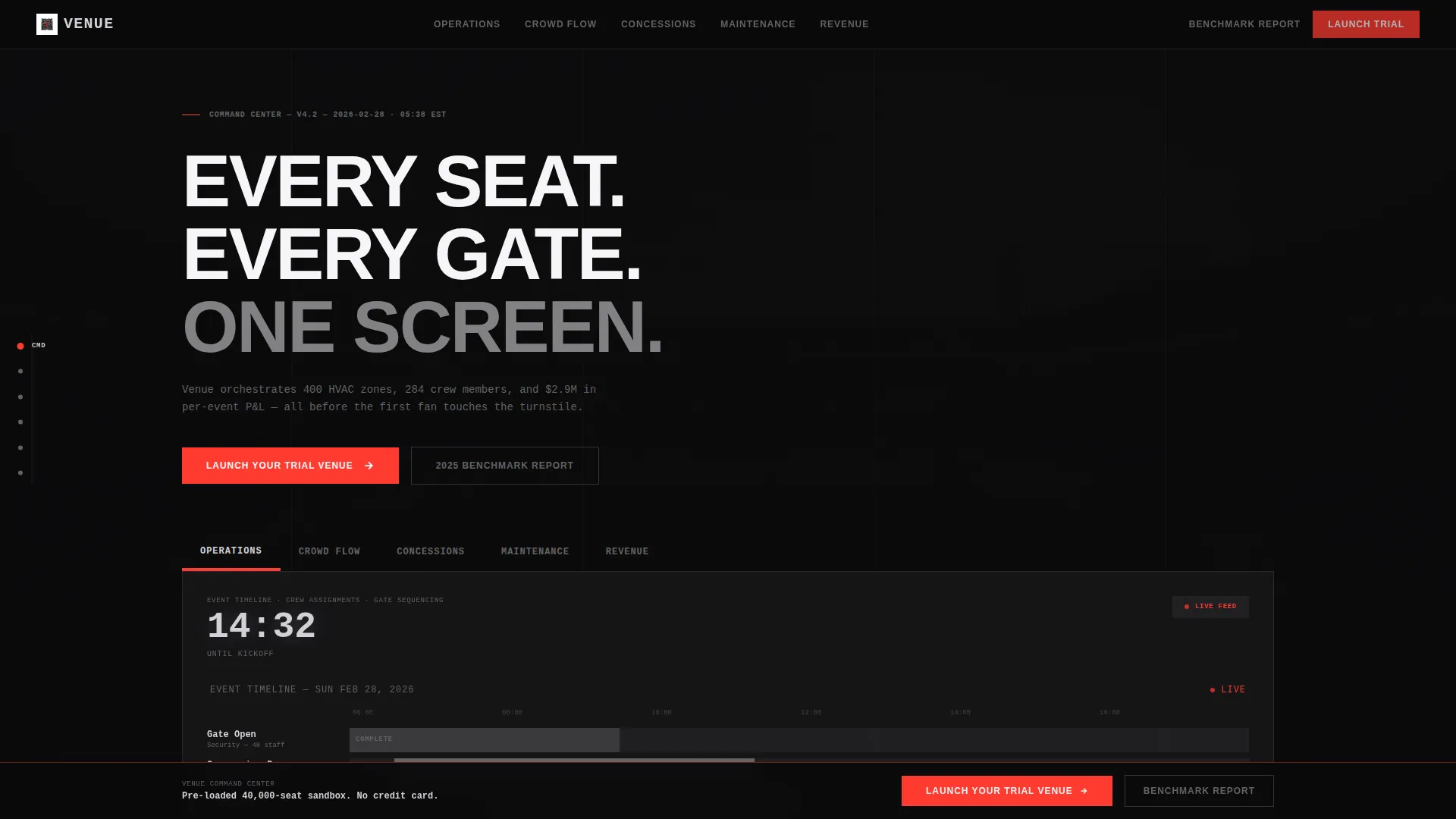
- A five-tab hero section that simulates switching between live department feeds
- Anchor navigation fixed to the left rail, keeping visitors oriented as they scroll
- A three-field trial modal and a secondary PDF lead-capture path for nurturing undecided prospects
Feature list
This template is built around five distinct functional zones, each tied to a real stadium operations department. Below are the core features that make it work.
Five-Tab Department Switcher
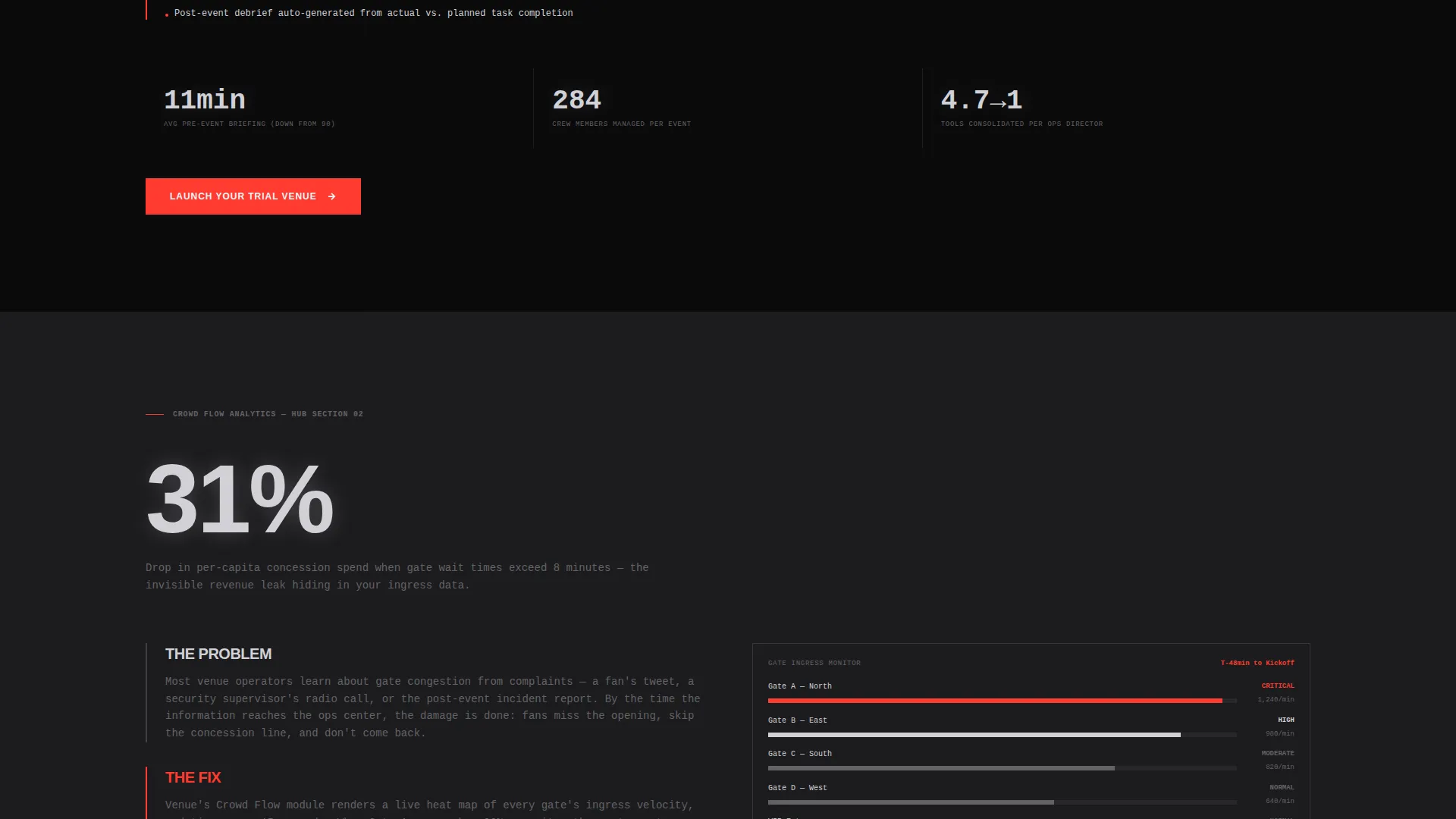
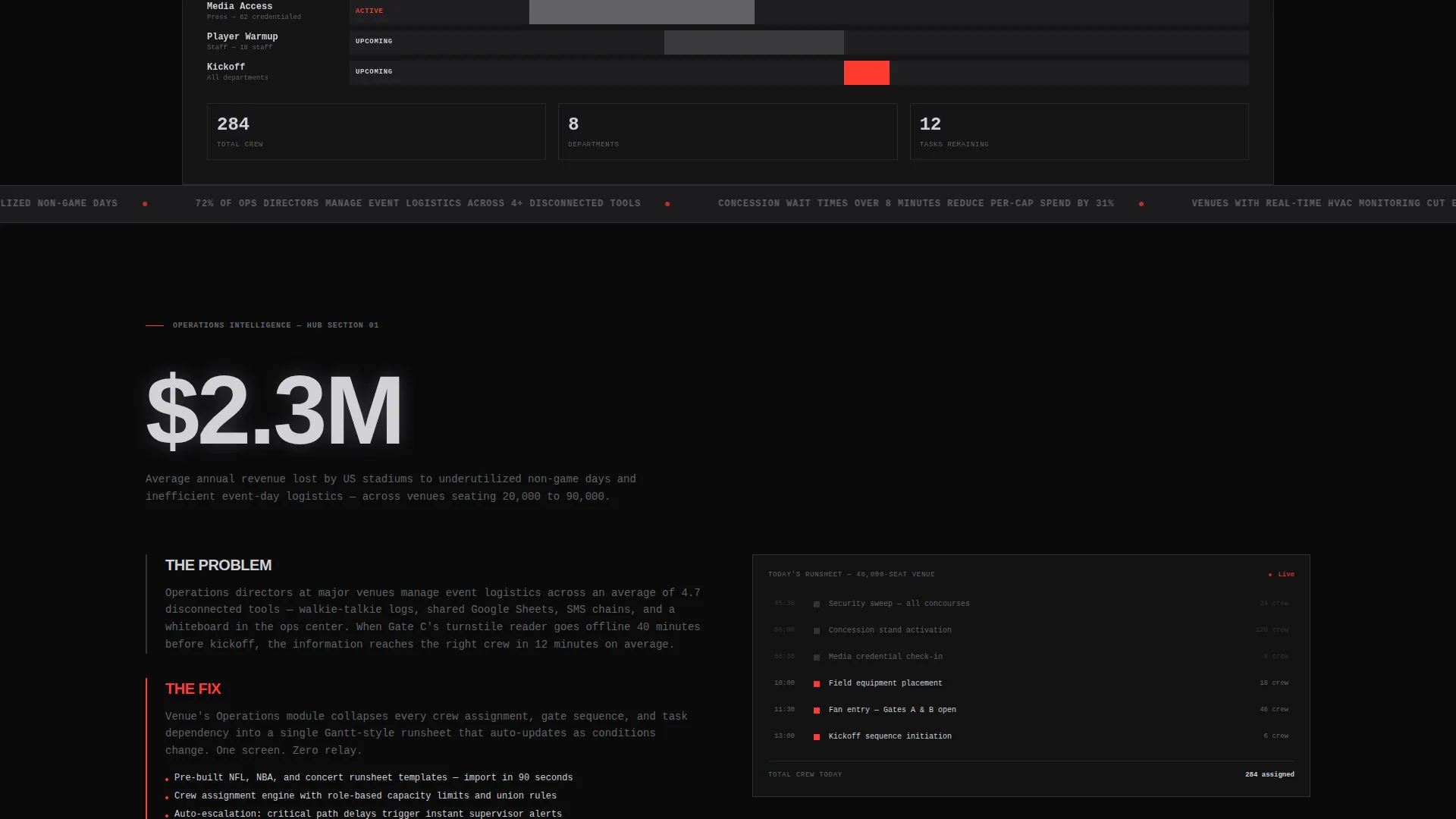
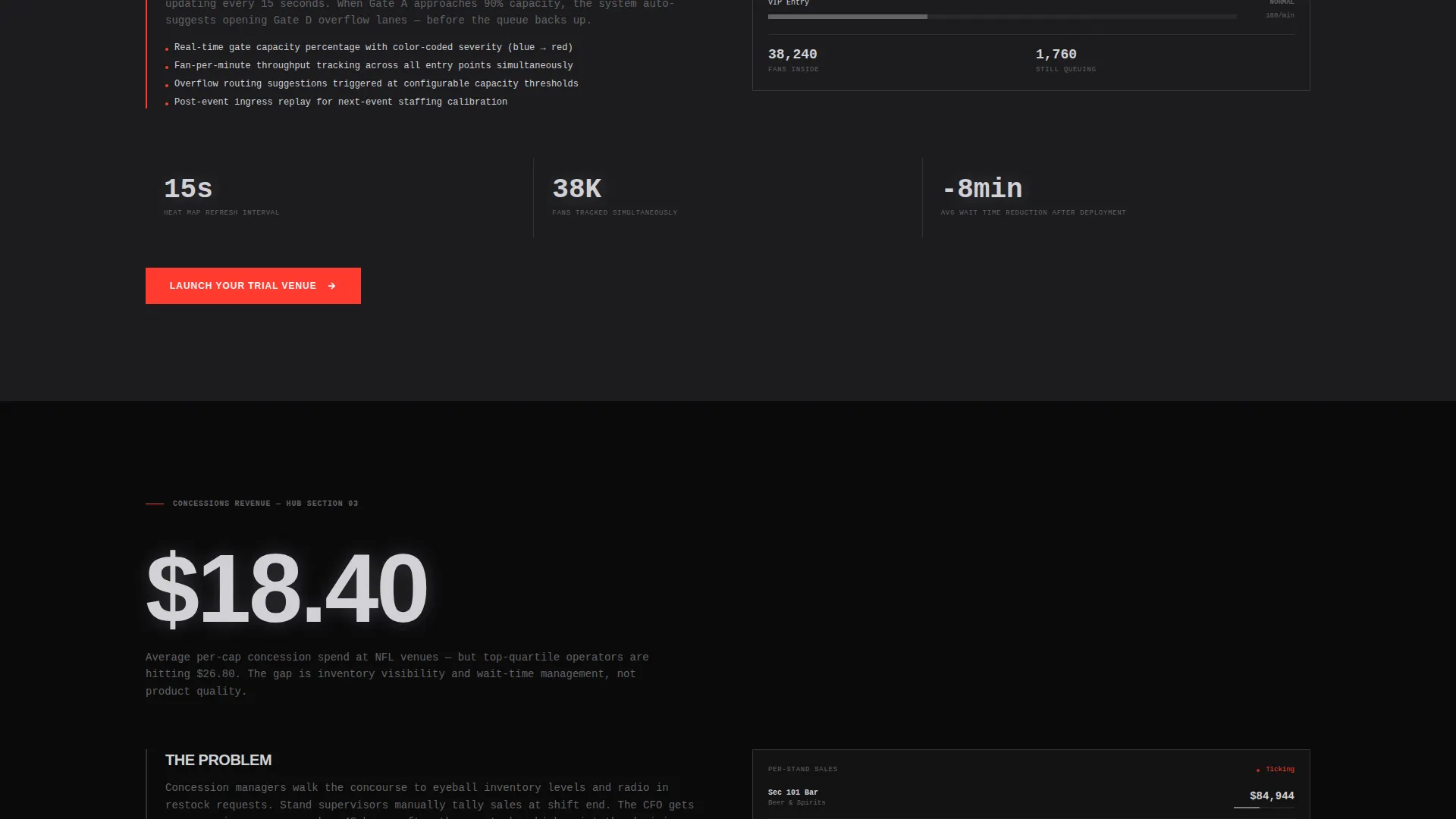
The header hero contains five labeled tabs: OPERATIONS, CROWD FLOW, CONCESSIONS, MAINTENANCE, and REVENUE. Each tab swaps the hero content below it, showing a different data visualization. Operations shows a Gantt-style event timeline. Crowd Flow renders a gate ingress heat map. Concessions displays per-stand sales in monospaced numerals. Maintenance reveals a flagged 3D section map. Revenue presents a live profit-and-loss waterfall chart.
Industry-Stat Shock Blocks
Each hub section opens with an enormous brutalist stat block pulled from real venue-operations data. The scroll rhythm is deliberate: shock with the number, explain the problem, then reveal the product answer through annotated screenshots and micro-interaction demos. This pattern keeps high-intent buyers reading past the fold.
Fixed Anchor Navigation Rail
A vertical navigation rail stays fixed to the left side of the viewport as the visitor scrolls. Abbreviated section labels highlight the active section like a floor indicator, so prospects always know where they are in the page. This reduces disorientation on a long, data-heavy scroll.
Freemium Trial Conversion Modal
The primary call-to-action, "Launch Your Trial Venue," appears in emergency-exit red at the close of every spoke section. After the second scroll, it locks into a persistent bottom bar. Clicking opens a three-field modal asking for venue name, average event capacity, and work email. No credit card is required. The trial provisions a sandbox pre-loaded with a simulated 40,000-seat stadium and a sample game-day runsheet.
Secondary PDF Lead Capture
A second conversion path, "Download the 2025 Venue Ops Benchmark Report," targets visitors who are not yet ready to trial. It gates a PDF behind email and venue role only. This captures leads drawn in by the industry stats who need more nurturing before committing to a trial.
Hub-and-Spoke Page Architecture
The page is structured as a central hub with five spoke sections, one per department. Each spoke follows the same rhythm: stat block, problem paragraphs, product answer with user interface evidence. The architecture lets prospects jump directly to the department most relevant to their role using the anchor nav.
Page sections overview
| Section | Purpose |
|---|---|
| Tab Switcher Hero | Introduce five department views through swappable hero content |
| Operations Hub | Show event timeline and crew assignment tools |
| Crowd Flow Hub | Visualize gate ingress heat map data |
| Concessions Hub | Display per-stand sales ticking in real time |
| Maintenance Hub | Reveal flagged seat map with 3D section view |
| Revenue Hub | Present per-event profit and loss waterfall chart |
| Trial call to action Modal | Convert visitors with a three-field no-card signup |
| PDF Lead Gate | Capture nurture leads behind email and role fields |
| Persistent Bottom Bar | Keep primary call to action visible after second scroll |
Design & branding system
The visual identity follows a Bold Brutalist theme built on a Monochrome Steel color system. Every color decision references raw stadium construction materials, creating a tone that feels structural and authoritative.
- Core palette: structural charcoal (#1C1C1E), exposed-beam gray (#3A3A3C), poured-concrete mid-tone (#636366), polished aluminum highlight (#D1D1D6), and emergency-exit red (#FF3B30) reserved only for calls-to-action and live-data pulses
- Typography is oversized and brutally sans-serif in aluminum white on alternating charcoal and near-black backgrounds
- Data visualizations glow faintly like stadium scoreboards at dusk, reinforcing the control-room atmosphere
Mobile & speed optimization
The template is designed to translate its desktop control-room density into a clean, usable mobile experience. Long scroll sections restack gracefully at smaller breakpoints.
- Tab switcher and anchor nav adapt to touch-friendly formats on smaller screens
- Stat blocks retain their oversized typographic impact at mobile scale for emotional punch
- The persistent bottom bar and trial modal remain accessible without obscuring key content
How this template helps you convert
The conversion architecture is layered and deliberate. Every design decision pushes a specific type of visitor toward a specific action.
- The tab switcher lets prospects self-qualify by department before reading a single word of copy, reducing bounce from mismatched messaging.
- The industry-stat shock blocks create urgency by quantifying the cost of inaction, priming visitors for the trial call to action that follows each section.
- The dual conversion paths, trial modal and PDF download, ensure both high-intent and research-phase visitors leave with a next step.
Other information about this template
This template is built specifically for the stadium and arena management software vertical. It is not a generic SaaS template adapted for venues. The design language, section structure, and conversion flow are purpose-built for large-venue operations platforms.
- The sandbox trial experience is pre-loaded with a simulated 40,000-seat stadium and a sample NFL game-day runsheet, giving new users immediate context
- The template supports five distinct department narratives within a single page, making it suitable for platforms that serve multi-role buying committees
- The bold brutalist aesthetic is intentional: it signals operational seriousness and industry expertise to skeptical, high-responsibility buyers
Theme
Bold Brutalist
Creative direction
Industry Report
Color system
Monochrome Steel
Style
Hub & Spoke (Anchor Nav)
Direction
Freemium/Trial
Page Sections
Five-tab Department Hero Switcher
Brutalist Industry-stat Shock Blocks
Fixed Left-rail Anchor Navigation
Freemium Trial Modal with No Credit Card
Secondary PDF Lead Capture Gate
Persistent Bottom-bar Call to Action
Related questions
Who is the primary audience for this landing page template?
Does the template include the trial sandbox content?
Can I use this template if my platform covers fewer than five departments?
What is the secondary conversion path for?
Is this a multi-page template or a single landing page?



