Trusted School Directory Landing Page Template
Vouch is a hub-and-spoke landing page template built for UK school and academy comparison. It organises verified parent reviews, Ofsted scores, student outcome data, and pastoral ratings into a filterable, side-by-side archive. Designed for anxious parents, relocation consultants, and sixth-formers, it converts comparison research into a downloadable PDF report with two clear calls to action.
by Rocket studio
Quick summary
Vouch is a structured, evidence-first landing page template for UK schools and academies. It brings parent reviews, inspection scores, and student outcomes into one searchable, filterable archive. Visitors can pin two schools side by side, filter by category, and download a full comparison report. The design feels clinical and precise, built for decisions, not decoration.
Who this template is for
This template is designed for schools and education platforms that want to present verified social proof in a structured, trustworthy format. It serves a specific set of users who arrive with questions and leave needing answers.
- Anxious parents comparing two or three shortlisted schools late at night, who need structured evidence rather than marketing copy
- Relocation consultants assembling school packs for corporate transferees, who need exportable, organised data
- Sixth-formers weighing college options against apprenticeship routes, who want outcome-led comparisons
What problem this template solves
Parents comparing schools face a fragmented research experience. They toggle between academy websites, Ofsted PDFs, and word-of-mouth forums without a single place to stack evidence side by side. The result is decision fatigue and delayed action.
- No unified view of verified reviews, inspection ratings, and pastoral scores in one place
- No way to pin two schools and compare them line by line without opening multiple tabs
- No clear path from research to a decision-ready output like a downloadable report
What you get with this template
Vouch delivers a fully structured landing page with six purpose-built sections connected by a sticky anchor navigation bar. Every section is designed to add a layer of proof rather than tell a story.
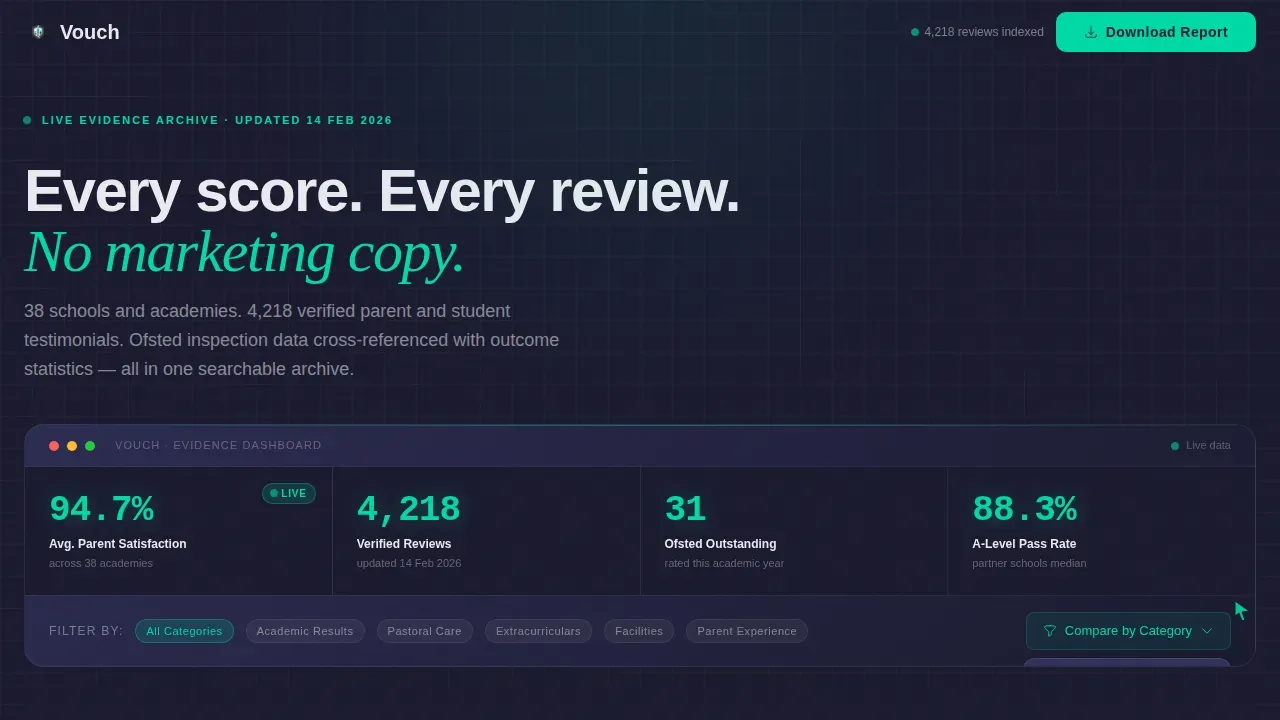
- A dashboard-style hero section with animated aggregate scores, Ofsted ratings, testimonial counts, and a filter interaction animation
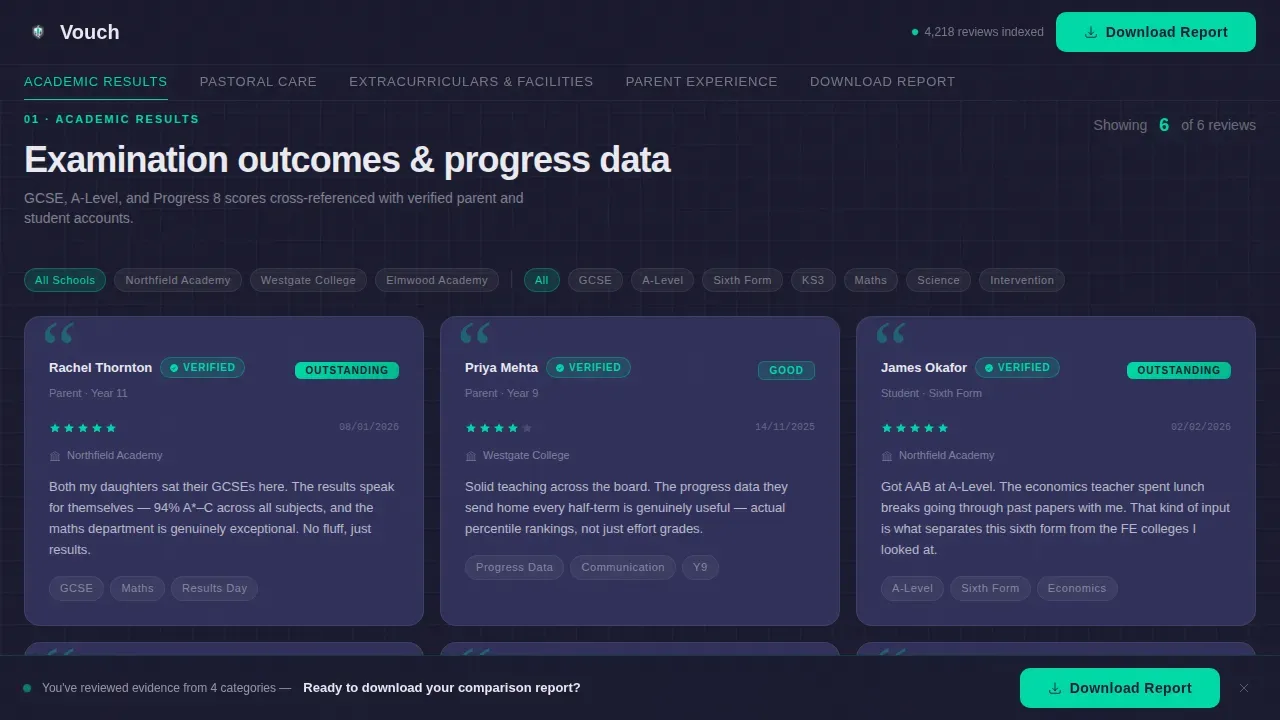
- Five spoke sections covering Academic Results, Pastoral Care, Extracurriculars, Facilities, and Parent Experience, each with verified testimonial cards, star breakdowns, and date stamps
- Two conversion paths: a sticky "Download Full Comparison Report" call to action bar and a "Book a School Tour" form with a date-picker and postcode field
Feature list
This template is built around a small set of high-impact components. Each one serves the comparison-first purpose of the page.
Dashboard Preview Hero Panel
The hero section renders as a live-looking data panel. It displays aggregate satisfaction scores, Ofsted ratings, student outcome percentages, and a real-time testimonial count. Teal numerals animate against a carbon black background, and a cursor ghost animation hovers over a filter dropdown labelled "Compare by Category."
Sticky Anchor Navigation Bar
A hub-and-spoke navigation bar sits fixed at the top of the page after the hero. It links to five spoke sections: Academic Results, Pastoral Care, Extracurriculars, Facilities, and Parent Experience. Active-state tracking highlights the current section in status teal as the visitor scrolls.
Verified Testimonial Card Grid
Each spoke section contains a grid of testimonial cards. Cards carry verified badges, star-rating breakdowns, and UK-format date stamps. Scroll-reveal animations bring cards into view as the visitor moves down the page.
Side-by-Side Comparison Columns
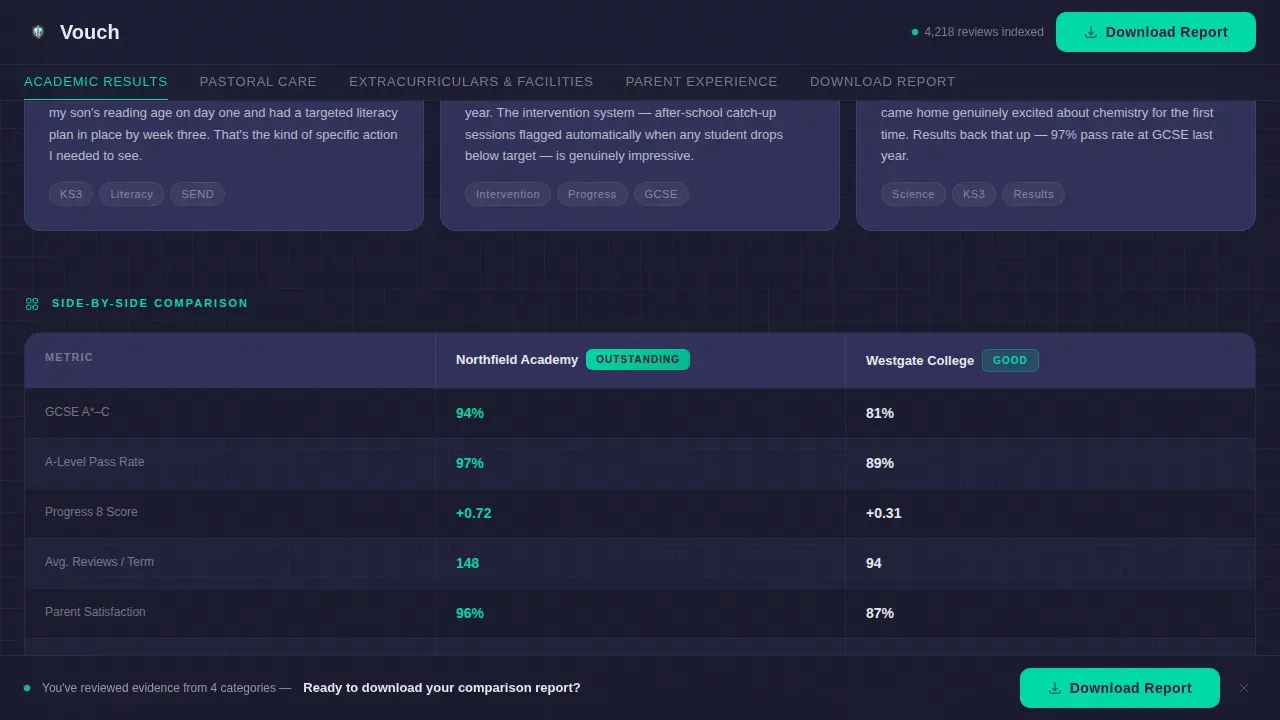
Visitors can pin two schools or two departments and scan their specifications line by line. The comparison layout is built for desktop-first use, where horizontal space allows a clean parallel read of metrics and quotes.
Filterable Quote Archive
The Parent Experience section includes a quote archive with filter tags. Visitors can narrow the view by category, year group, or rating. A sticky call to action bar for the downloadable report stays visible throughout this section.
Dual Conversion Forms
The template includes two conversion paths. The primary form collects email address, child's year group, and a multi-select list of schools being compared, then delivers the full PDF report. The secondary form offers a school tour booking with a single date-picker and postcode field.
Page sections overview
| Section | Purpose |
|---|---|
| Dashboard Preview Hero | Display aggregate scores, Ofsted ratings, and testimonial count with animated teal numerals |
| Sticky Anchor Nav | Link to all five spoke sections and track scroll position with active highlights |
| Academic Results | Show verified testimonial grid with star breakdowns, date stamps, and side-by-side comparison columns |
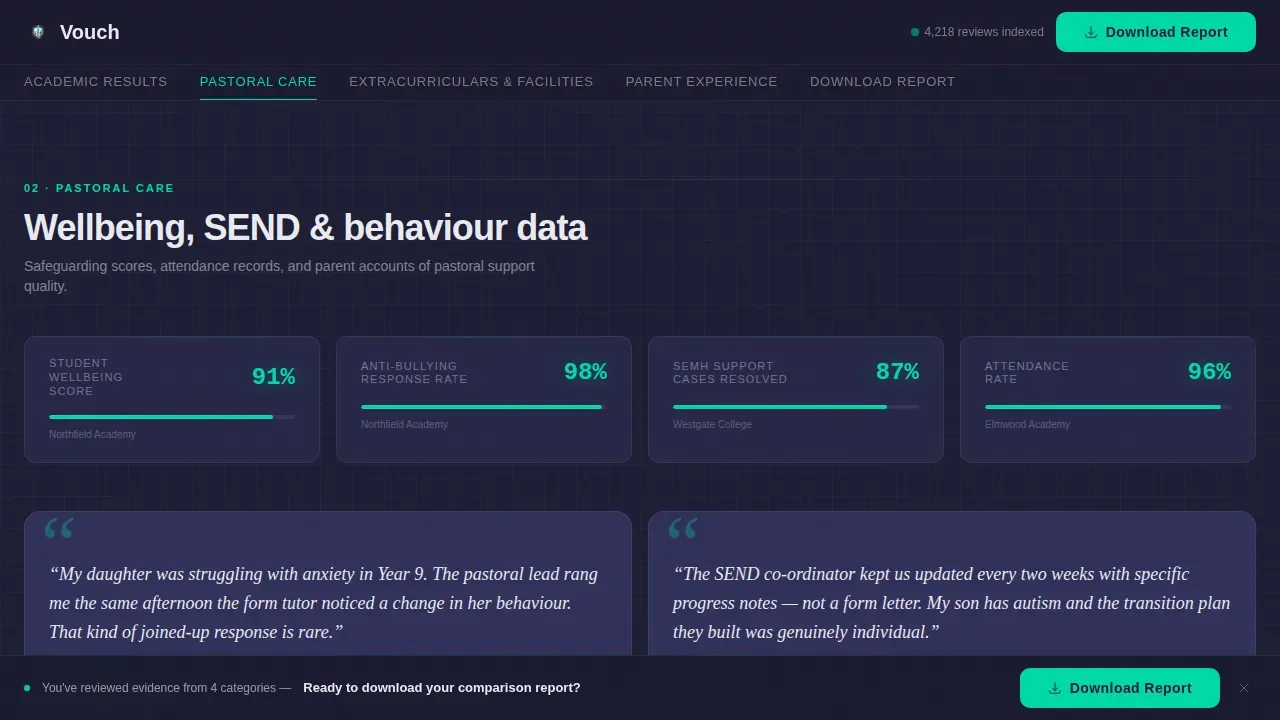
| Pastoral Care | Present testimonial cards alongside a wellbeing metrics grid |
| Extracurriculars and Facilities | Display bento-style evidence cards with photo proof and outcome statistics |
| Parent Experience | Archive filtered parent quotes with sticky download call to action bar |
| Footer | Single-row linear footer pattern |
Design & branding system
The visual identity follows a Directory and Discovery theme using a Carbon Fiber colour palette. The overall feel is a technical instrument cluster, data-dense, clinical, and impossible to misread.
- Carbon black (#1A1A2E) anchors all backgrounds; brushed graphite (#30305A) defines card surfaces and dividers; clinical white (#EAEAF0) carries body text and parent quotes
- Status teal (#00D9A6) pulses on anchor nav highlights, star ratings, comparison checkmarks, and animated counter numerals
- Typography pairs DM Sans for body copy and user interface elements with Fraunces as an accent serif for pull-quotes, creating a contrast between technical readability and human voice
Mobile & speed optimization
The template is built desktop-first, since the side-by-side comparison layout requires horizontal space to work effectively. A full mobile fallback is included so the page remains usable on smaller screens.
- Comparison columns restack vertically on mobile, preserving readability without losing any content
- Static sections use server components while interactive elements such as filter tabs, comparison pins, and the multi-select form use client components, separating rendering responsibilities
- Scroll-reveal card animations, sticky nav highlights, and teal counter animations are all scoped to run at a medium intensity to avoid overloading the page with motion
How this template helps you convert
Vouch is structured around the idea that doubt runs out of places to hide when enough structured evidence is visible. The conversion logic is deliberate and sequential.
- The dashboard hero establishes immediate credibility with aggregate data before the visitor reads a single review, removing the first layer of scepticism
- Five spoke sections add cumulative proof across academic, pastoral, extracurricular, facilities, and parent-experience dimensions, so the visitor has covered every angle before reaching the call to action
- The sticky "Download Full Comparison Report" bar and terminal-section form give the visitor a natural next step: organising everything they have already seen into a single exportable document
Other information about this template
Vouch is a specialised template built for the UK education market. It uses Ofsted terminology throughout and follows UK date formatting (DD/MM/YYYY) and British English conventions. It sits within the School and Academy Website Templates subcategory and is classified under the Technology category on the platform. The template style is Hub and Spoke with Anchor Navigation, the creative direction is Spec Sheet, the header concept is Dashboard Preview, and the conversion direction is Comparison and Versus.
- The footer uses a linear single-row pattern, keeping the page's end state clean and uncluttered
- The template is suited to EdTech platforms, individual academy websites, and school directory products operating in a B2C or B2B context
- Interactivity is rated high: the template includes anchor nav active-state tracking, filter tabs, comparison pin columns, a multi-select form, and a date-picker call to action
Theme
Directory & Discovery
Creative direction
Spec Sheet
Color system
Carbon Fiber
Style
Hub & Spoke (Anchor Nav)
Direction
Comparison/Versus
Page Sections
Dashboard Preview Hero Panel
Sticky Anchor Navigation Bar
Verified Testimonial Card Grid
Side-by-side Comparison Columns
Filterable Parent Quote Archive
Dual Conversion Forms
Related questions
Who is this landing page template designed for?
What conversion actions does the template support?
Does this template work on mobile devices?
How many sections does the template include?
Can the testimonial cards show verified badges and star ratings?



