Vertex - Powerful Graphdatabase Landing Page Template
Vertex is a split-screen landing page template built for graph database tools and frameworks. It pairs a live-rendered force-directed graph header with a scrolling feature matrix, showing schema-free modeling, real-time traversal, and native visualization side by side with interactive dashboard panels. The design drives freemium sign-ups through a single-field email form and live query performance counters.
by Rocket studio
Quick summary
Vertex is a single-page landing page template purpose-built for graph database products and developer-facing frameworks. It combines a dark, terminal-inspired visual identity with a 50/50 split-screen layout that pairs technical copy and code snippets with live dashboard panels. The result is a high-conviction product page that earns developer trust before asking for a sign-up.
Who this template is for
This template is designed for technical founders, developer-tool teams, and data infrastructure companies that need to communicate complex capabilities quickly. It speaks directly to engineers and data professionals who evaluate tools by reading code before clicking a button.
- Backend engineers and data scientists who need to see real performance evidence before committing to a new tool
- Startup founders and engineering leaders launching a graph database product or framework to a technical audience
- Developer-tool teams replacing a generic SaaS landing page with something that matches the depth of their product
What problem this template solves
Most developer-tool landing pages rely on static screenshots and vague feature lists. For a graph database product, that approach fails fast. Engineers want to see query behavior, data scale, and real latency before they trust anything.
- The template closes the credibility gap by showing live query performance counters and interactive dashboard panels alongside every feature claim
- It removes the need to build a custom dark-themed developer page from scratch, saving significant design and front-end time
- It gives non-technical co-founders a structured, conversion-focused page layout that speaks the right language to a deeply technical audience
What you get with this template
You get a fully structured, single-page layout with every section pre-designed and ready to customize with your own content, data, and branding.
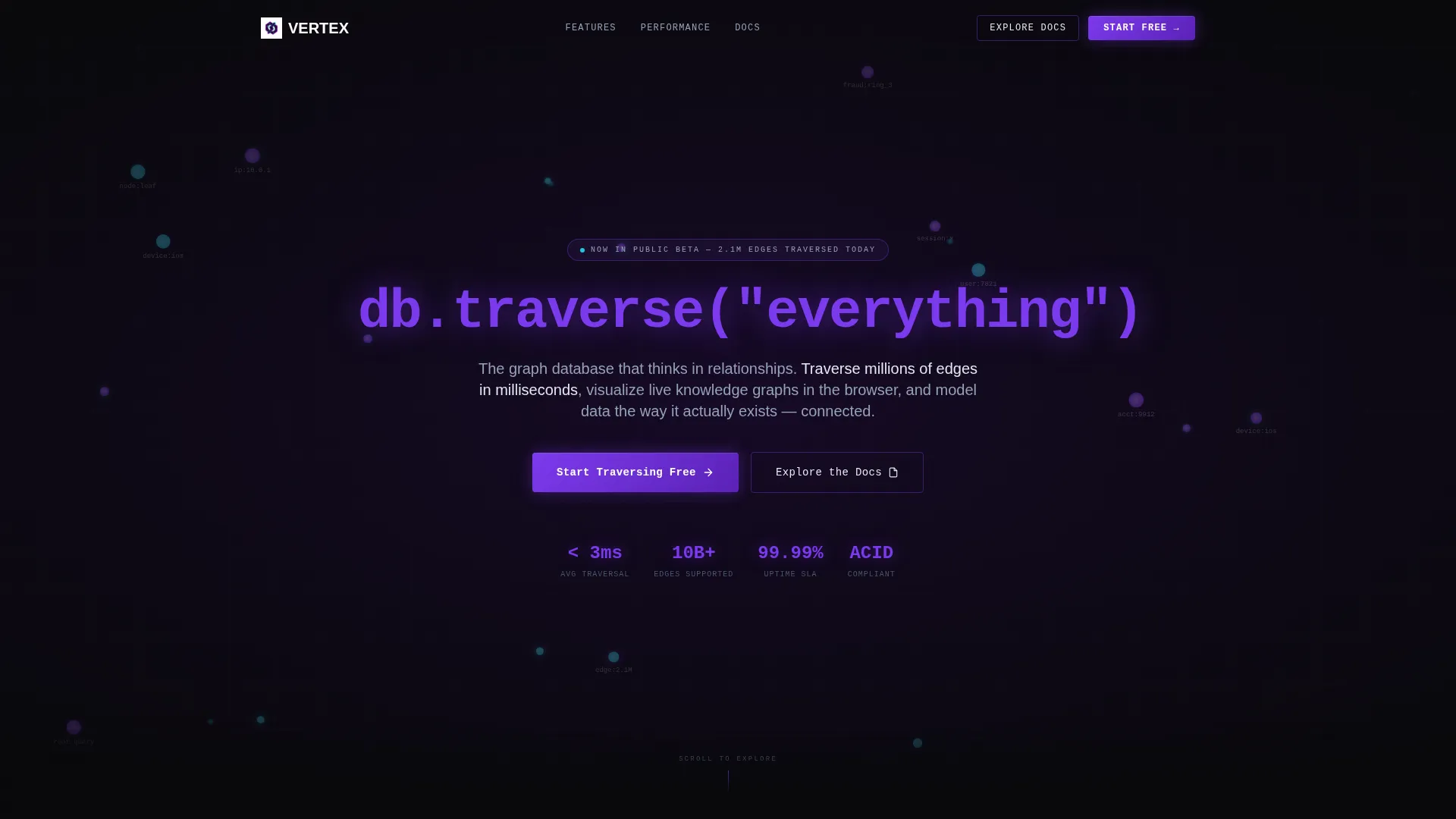
- A live-animated force-directed graph header with a self-typing monospaced headline and cursor-responsive particle effects
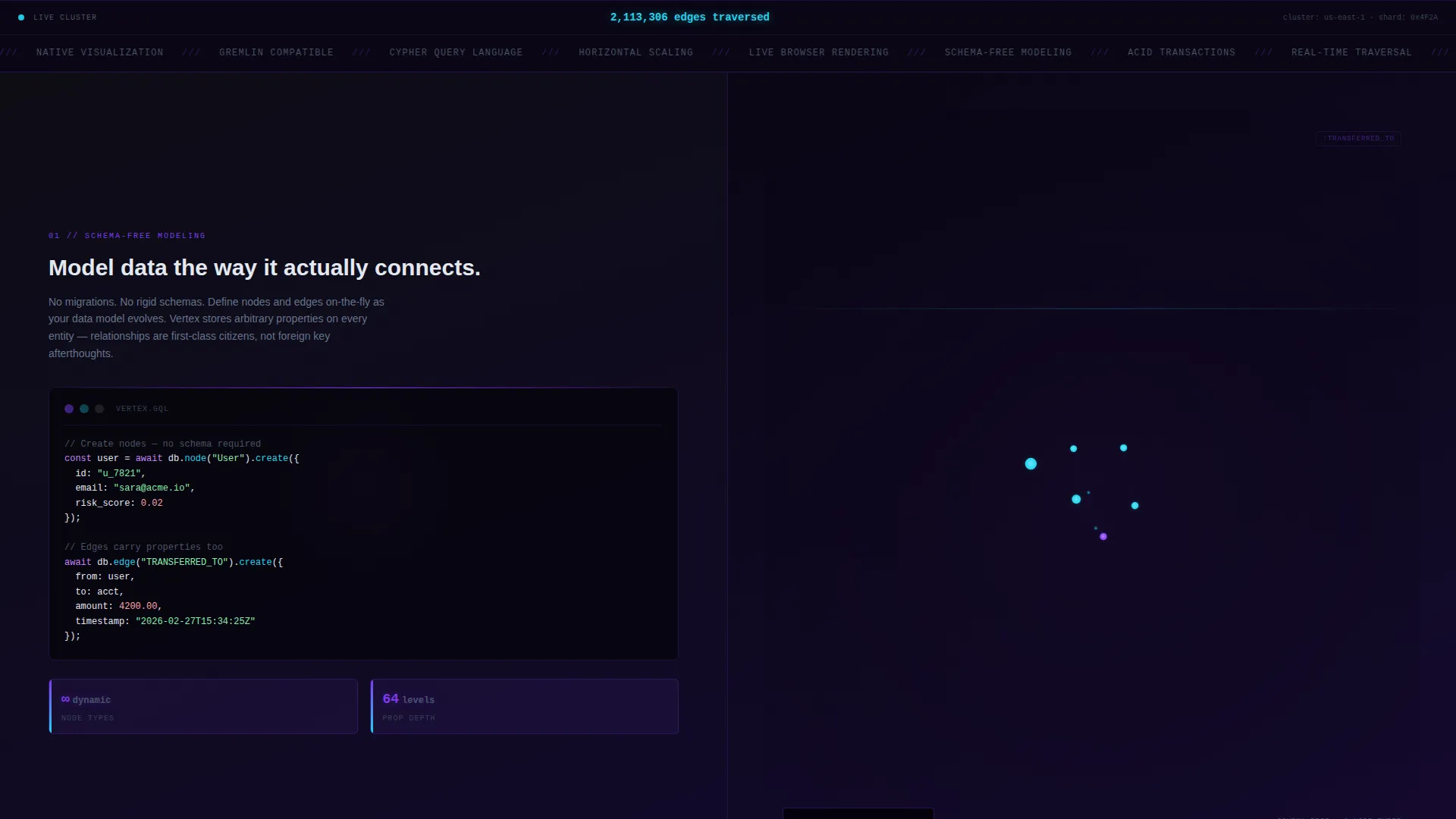
- A scrolling feature matrix with six split-screen sections, each pairing a capability panel with a live dashboard visualization
- A freemium conversion section anchored at the bottom, built around a single-field email input and a primary call-to-action button
Feature list
This section outlines the core built-in capabilities delivered by the Vertex template.
Live Force-Directed Graph Header
The header renders a three-dimensional force-directed graph that rotates subtly and responds to cursor movement. Nodes pulse with violet light and edges glow cyan as data traverses them. After two seconds, a monospaced headline types itself into frame, creating an immediate product demonstration above the fold.
50/50 Split-Screen Feature Matrix
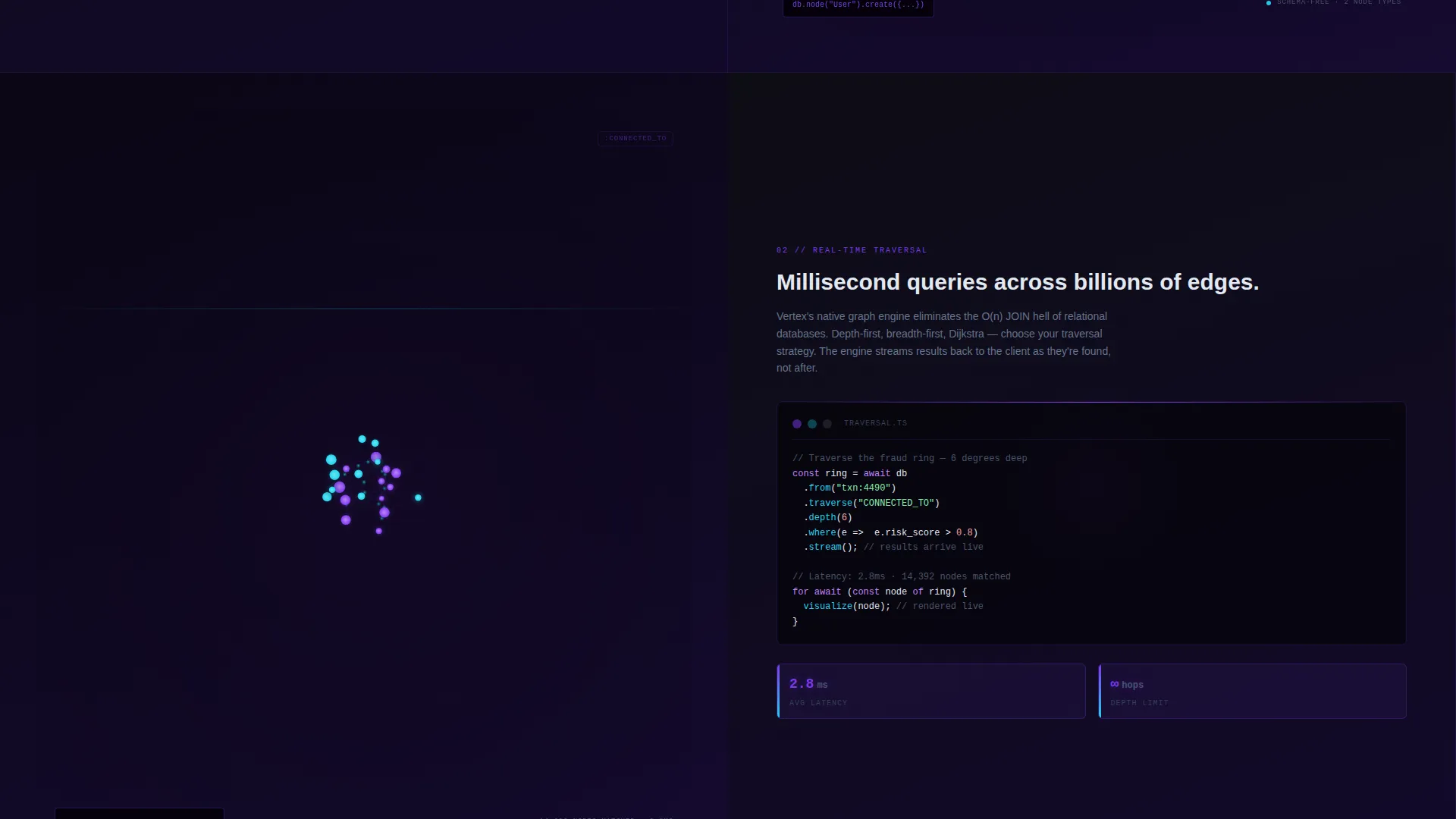
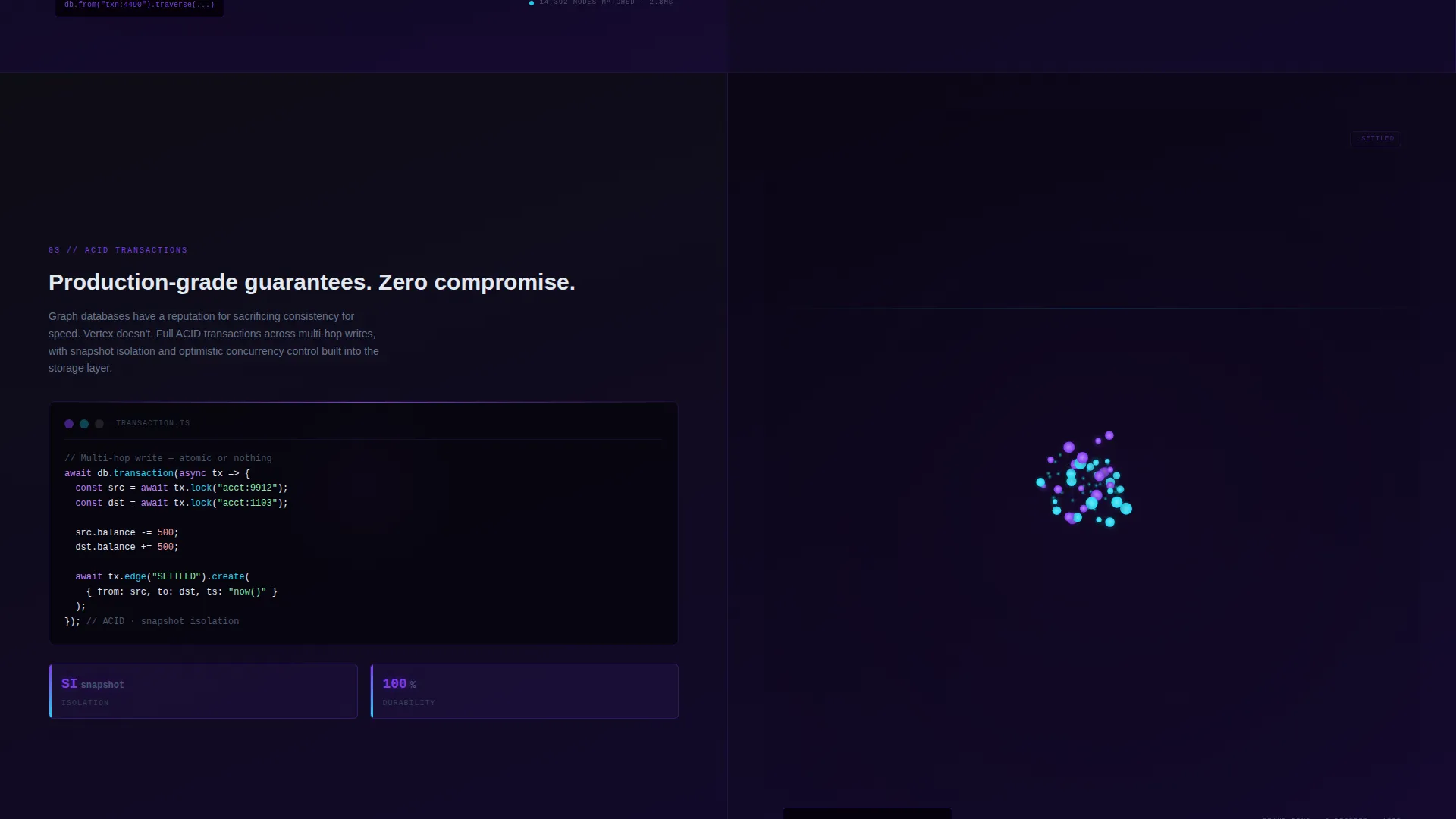
Each scroll section divides the viewport equally. The left half shows a capability, concise technical copy, and a code snippet. The right half shows a corresponding live dashboard panel populated with sample data. Complexity escalates as the visitor scrolls, from a two-node query to an enterprise-scale knowledge graph.
Live Query Performance Counters
Every feature section includes real-time latency numbers and node counts displayed inline. These counters give engineers concrete evidence of scale and speed without requiring them to leave the page or consult external benchmarks.
Self-Typing Monospaced Headline
The header headline, written in monospaced type, types itself into the frame two seconds after page load. This single interaction sets the terminal aesthetic and communicates the product's developer identity before any body copy is read.
Freemium Conversion Section
The bottom of the page anchors a dedicated conversion section with a single-field email input. One submission launches a hosted sandbox environment. The primary call-to-action button, labeled "Start Traversing Free," uses a violet-glow treatment to stand out against the dark background.
Secondary Documentation Path
Alongside the primary sign-up flow, a secondary call-to-action labeled "Explore the Docs" gives engineers a low-commitment entry point. This path serves visitors who need to read technical documentation before they are ready to create an account.
Page sections overview
| Section | Purpose |
|---|---|
| Animated Graph Header | Captures attention with a live force-directed graph and self-typing headline |
| Primary call to action Strip | Delivers the "Start Traversing Free" button immediately below the header |
| Schema-Free Modeling | Introduces flexible data modeling with a code snippet and dashboard panel |
| Real-Time Traversal | Demonstrates live query traversal speed with performance counters |
| ACID Transactions | Explains transactional integrity alongside a live data visualization |
| Native Visualization Engine | Shows the built-in graph rendering engine with a sprawling knowledge graph panel |
| Freemium Sign-Up Section | Converts visitors with a single email field and sandbox launch prompt |
| Docs Secondary call to action | Provides a low-friction path for engineers who need documentation first |
Design & branding system
The Vertex template uses a Void and Violet color system built around deep darks and phosphorescent accents. Every color choice reinforces the terminal and data-infrastructure aesthetic without sacrificing readability.
- Core palette: absolute void black (#09090B) and deep interstellar purple (#1A0A2E) form all backgrounds, cool gray-white (#E2E8F0) handles body text, electric violet (#7C3AED) drives interactive elements, and reactive cyan (#22D3EE) is reserved for hover states and live data pulses
- Typography: a monospaced typeface carries headlines and code snippets for a terminal feel, while a clean sans-serif handles subheadings and body copy for readability at all sizes
- Visual effects: violet glows bleed outward from interactive elements, particle animations travel along graph edges, and the overall palette feels like the inside of a GPU under load, dark, phosphorescent, and active
Mobile & speed optimization
The split-screen layout is designed to reflow cleanly on smaller viewports without losing the visual hierarchy that makes each feature section readable.
- The 50/50 split columns stack vertically on mobile, keeping code snippets and dashboard panels legible at any screen width
- Particle animations and the force-directed graph header are scoped to render efficiently in the browser, keeping the interactive elements responsive rather than sluggish
- The single-field email form in the conversion section is fully usable on touch devices, reducing friction for mobile visitors who are ready to sign up
How this template helps you convert
The Vertex template is structured so that each scroll section builds trust incrementally. By the time a visitor reaches the sign-up form, the product has already demonstrated its value through live data and visible performance metrics.
- The animated graph header creates an immediate emotional connection with the product's core identity, making engineers feel they have landed in the right place before reading a single word of copy
- Live query counters embedded in each feature section replace unverifiable benchmark claims with visible, in-page evidence of speed and scale, lowering the barrier to belief for skeptical technical buyers
- The dual call-to-action structure, one path for immediate sign-up and one path for documentation, captures both the ready-to-try visitor and the research-first engineer in a single page flow
Other information about this template
The Vertex template is part of the Dashboard Pro theme family and is designed for teams building or marketing graph database tools, traversal engines, and knowledge graph frameworks.
- The template style is a 50/50 split screen, making it a strong fit for feature-rich developer tools that benefit from side-by-side capability and visualization pairing
- The Void and Violet color system is a fully defined design token set, making it straightforward to swap accent colors to match an existing product brand
- The freemium and trial conversion direction aligns the page structure with common go-to-market approaches used by developer-tool companies offering hosted sandbox environments
- The Dark Full-Bleed and Glow header concept is shared across the Dashboard Pro theme family, so teams with multiple product pages can maintain visual consistency
Theme
Dashboard Pro
Creative direction
Feature Matrix
Color system
Void & Violet
Style
Split Screen (50/50)
Direction
Freemium/Trial
Page Sections
Live Force-directed Graph Header
50/50 Split-screen Feature Matrix
Live Query Performance Counters
Self-typing Monospaced Headline
Freemium Conversion Section
Dual Call-to-action Structure
Related questions
Can I change the color palette to match my existing brand?
Does the force-directed graph header require a specific JavaScript library?
Is the split-screen layout usable on mobile devices?
Can I add more feature sections beyond the ones included?
What type of product is Vertex best suited for?



