Verve — Home Service Landing Page Template
Dispatch is a hub-and-spoke landing page template built for home services quality management platforms. It pairs a dark command-center aesthetic with a spec-sheet content structure, a persistent comparison bar, and five self-contained spoke sections. Every layout decision is designed to turn a skeptical operations owner into a qualified demo request.
by Rocket studio
Quick summary
Dispatch is a single-page, anchor-nav landing page template for a home services quality management platform. It uses a dark Dashboard Pro visual system, a spec-sheet content structure, and a sticky comparison bar to move HVAC owners, plumbing franchise operators, and multi-trade shop managers from skepticism to a demo request in one scroll.
Who this template is for
This template is built for founders and operators who sell software to the home services industry. It speaks directly to the people running the business, not just evaluating tools.
- HVAC company owners managing fleets of thirty or more trucks who need proof that quality is being tracked in the field
- Plumbing franchise operators dealing with crew turnover and lost institutional knowledge
- Multi-trade shop managers whose temporary spreadsheet systems have become permanent, painful fixtures
What problem this template solves
Home services software buyers are skeptical. They have seen demos that overpromise and dashboards that look great but measure nothing useful. This template solves the credibility gap by presenting the product like a data sheet, not a sales brochure.
- Visitors arriving mid-funnel need to evaluate one specific feature without reading the whole page
- Owners who are not ready to demo still need a reason to stay connected
- The gap between "how you track quality now" and "how this platform tracks quality" needs to be visible and immediate
What you get with this template
The template delivers a complete, conversion-ready landing page layout with a clear visual hierarchy and two distinct conversion paths built in from the start.
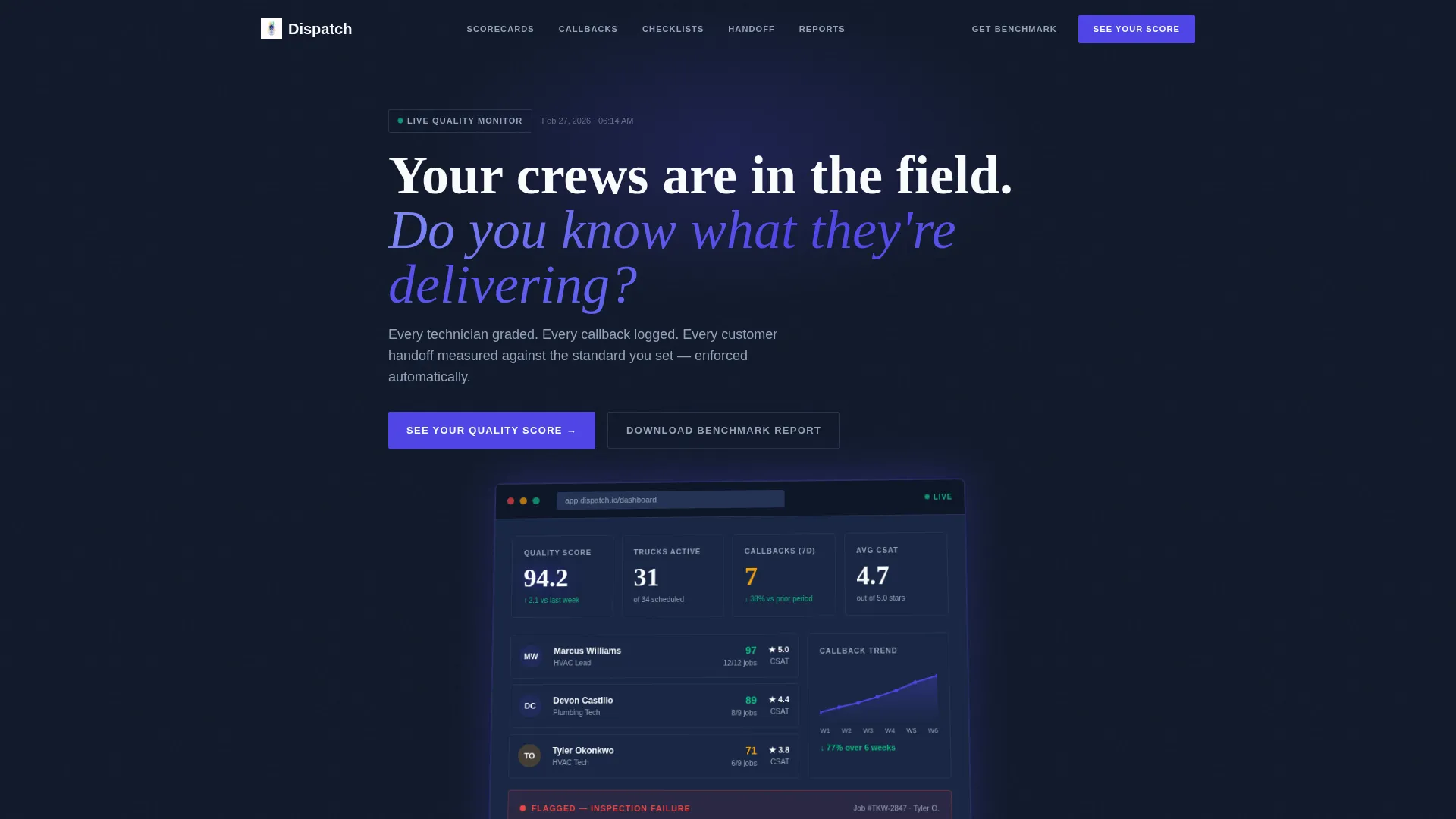
- A full-width product screenshot header showing a live quality score, technician cards, a callback trend line, and an expanded inspection checklist
- Five self-contained spoke sections accessible from an anchor navigation bar, each structured as a standalone product data sheet
- A persistent sticky comparison bar contrasting current tracking methods against the platform, collapsing into a single call-to-action button that opens a short qualification form
Feature list
This section details the core layout and interaction components included in the Dispatch template.
Anchor Navigation Bar
A fixed hub-and-spoke navigation bar links directly to each of the five spoke sections. Visitors can jump to Technician Scorecards, Callback Analytics, Inspection Checklists, Customer Handoff Tracking, or the Owner's Morning Report without losing context. Each spoke section is fully self-contained so that direct-link arrivals get the complete argument.
Product Screenshot Header
The full-width header places a pixel-perfect dashboard screenshot at the center of the first impression. The screenshot shows a live quality score of 94.2, three technician cards with completion rates and customer ratings, a six-week callback trend line bending downward, and a red-flagged job with its inspection checklist open. A subtle indigo glow beneath the screenshot reinforces the command-center atmosphere.
Persistent Sticky Comparison Bar
A two-column sticky bar stays visible as the visitor scrolls. The left column describes how quality is tracked today. The right column shows how the platform tracks it. The bar collapses into a single call-to-action button reading "See Your Quality Score" that triggers a short qualification form.
Qualification Form
The qualification form asks four targeted questions: company name, number of technicians on a slider from 5 to 200 or more, primary trade, and biggest quality complaint source chosen from a dropdown. The form is short enough to complete in under a minute and scoped to qualify the right buyer.
Gated PDF Lead Magnet
A secondary conversion path offers a downloadable report titled "The Home Services Quality Benchmark Report" gated behind an email address only. This path captures visitors who are comparing options but are not ready to book a demo, keeping them inside the funnel.
Spec Sheet Spoke Sections
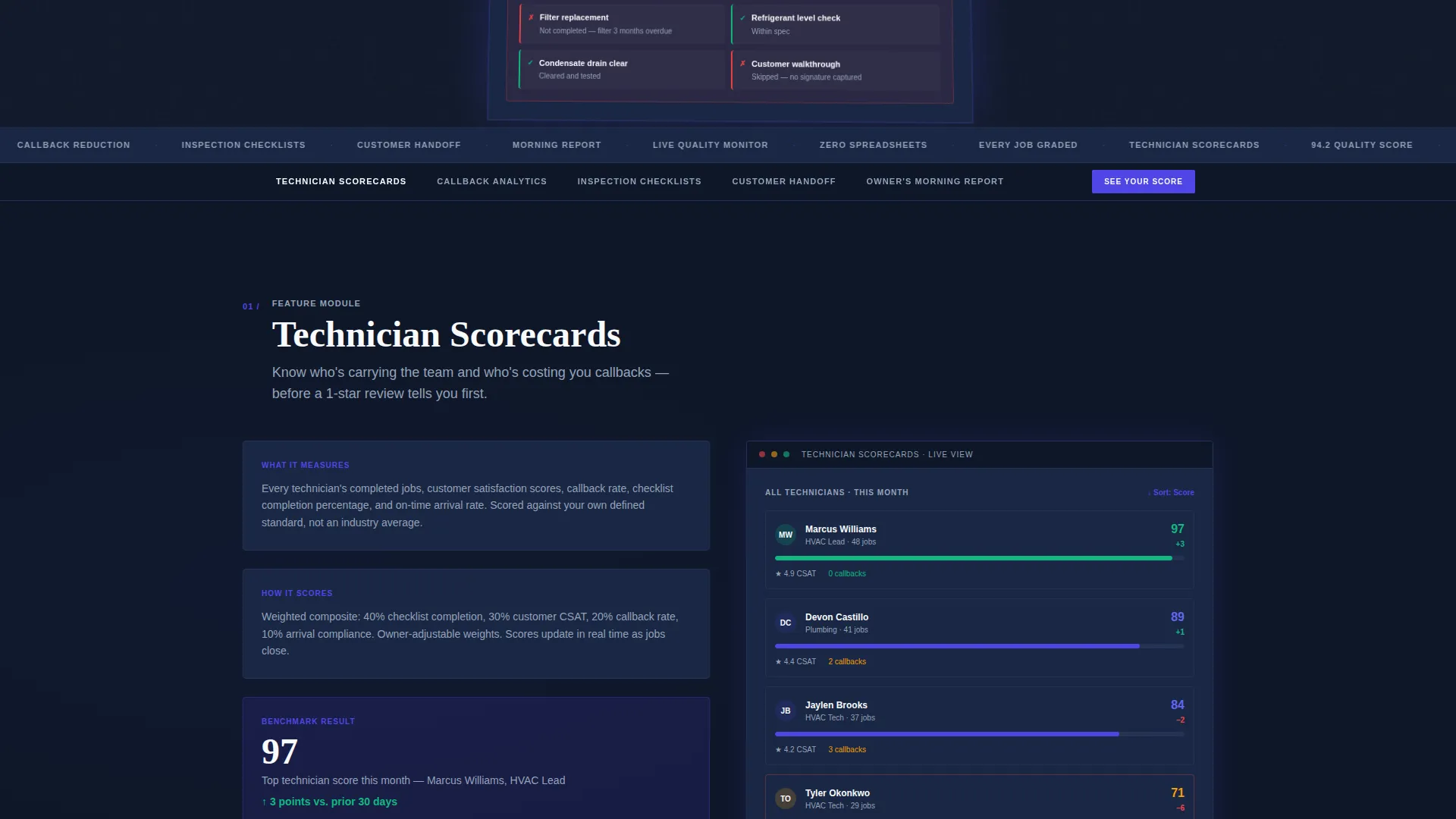
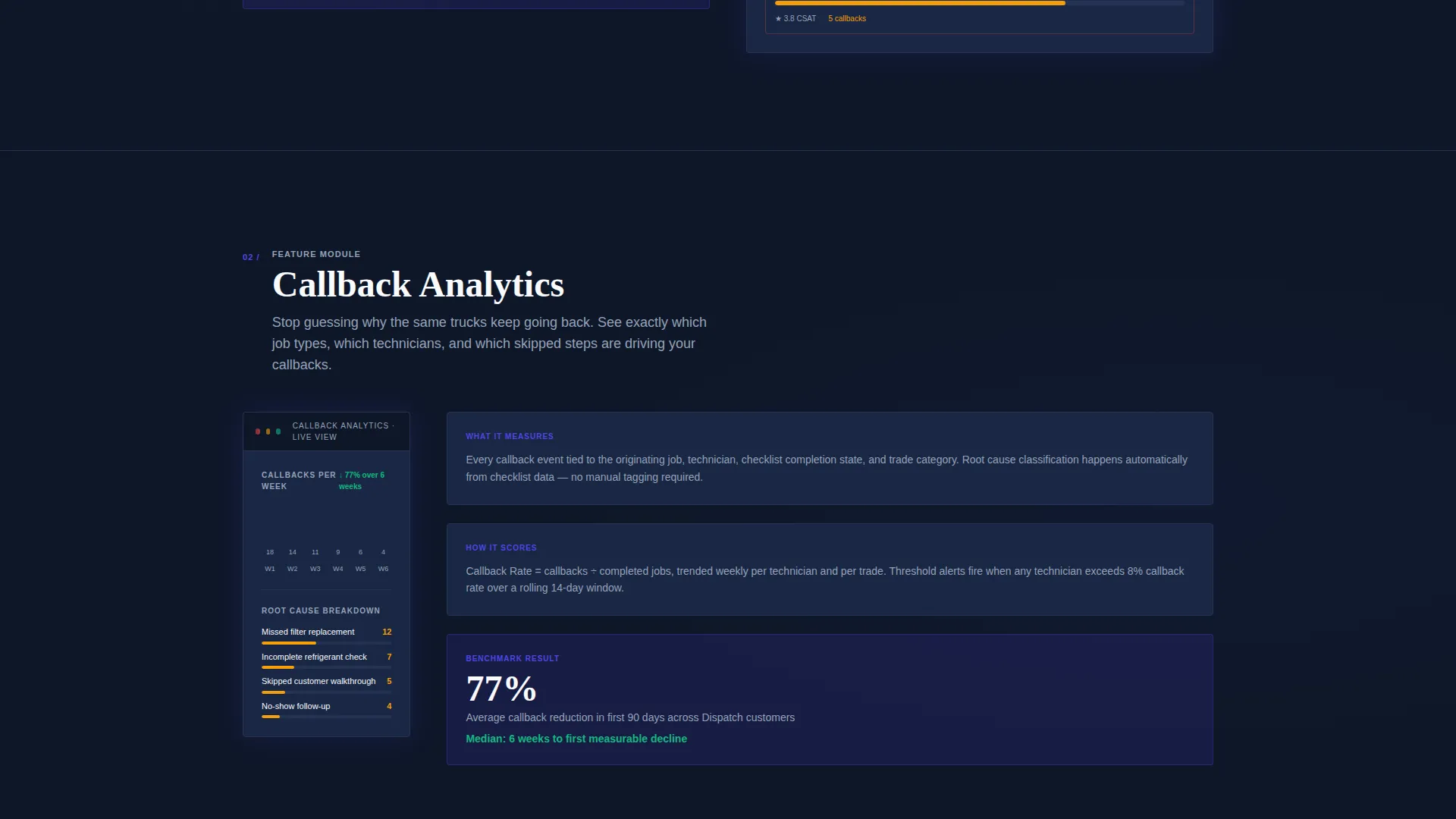
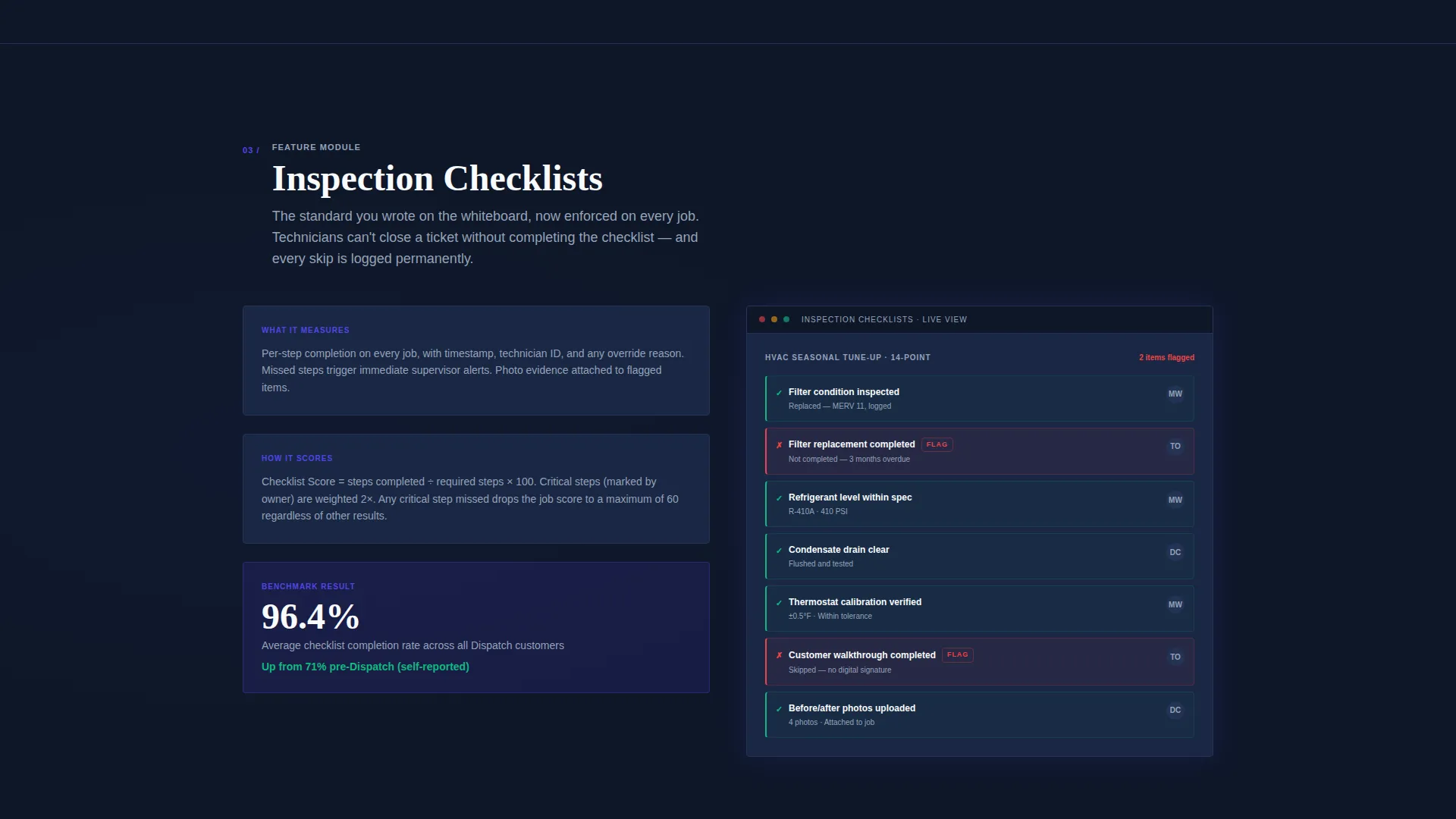
Each of the five spoke sections follows the same data-sheet layout: feature name, what it measures, how it scores, and a cropped screenshot. The structure means every section makes its own case without relying on the sections before it.
Page sections overview
| Section | Purpose |
|---|---|
| Full-width Header | Establish platform credibility with a live dashboard screenshot and a direct headline |
| Anchor Nav Bar | Let visitors jump directly to the spoke section most relevant to their pain point |
| Technician Scorecards | Show how each technician is graded against owner-defined standards |
| Callback Analytics | Present the six-week callback trend data and what drives repeat visits |
| Inspection Checklists | Demonstrate how missed steps are caught and flagged before a job closes |
| Customer Handoff Tracking | Explain how every customer transition is measured and recorded |
| Owner's Morning Report | Describe the single daily summary that replaces the whiteboard check-in |
| Sticky Comparison Bar | Keep the versus mechanic visible throughout the scroll |
| Qualification Form | Convert ready visitors with a focused four-question form |
| PDF Lead Magnet | Capture email addresses from visitors not yet ready to demo |
Design & branding system
The visual system is built around a dark, information-dense palette that feels like a dispatch screen at midnight. Every color in the system earns its place by carrying a specific meaning.
- Deep command-center navy (#0F1729) for the background, electric indigo (#4F46E5) for active states and data highlights, and cool interface gray (#94A3B8) for secondary text and dividers
- Signal white (#F8FAFC) for card surfaces and metric readouts, sharp amber (#F59E0B) for warning alerts, and confirmation green (#10B981) for passing scores
- A subtle perspective tilt and a soft indigo glow beneath the header screenshot reinforce the sense that the screen is projecting live data
Mobile & speed optimization
The layout is structured to remain readable and navigable on smaller screens without sacrificing the density that makes the desktop experience convincing.
- The anchor navigation bar adapts so spoke sections remain directly accessible on mobile without requiring a full scroll from the top
- The sticky comparison bar collapses cleanly into its call-to-action state on narrower viewports, keeping the primary conversion path visible at all times
How this template helps you convert
The template is designed around two distinct buyer states: visitors ready to act and visitors still comparing. Both paths are built into the layout from the first scroll.
- The persistent sticky comparison bar keeps the "how you track quality now versus how Dispatch tracks quality" contrast in front of every visitor throughout the entire page, making the value gap impossible to miss before the call-to-action appears.
- The gated PDF lead magnet gives comparison-stage visitors a low-commitment reason to share their email, capturing funnel position before they leave to evaluate a competitor.
Other information about this template
This template is designed for the home services software category and is especially well-suited for platforms positioned as field service management or quality control tools.
- The spec-sheet creative direction is a deliberate choice for a technical buyer audience that responds to evidence over narrative
- The hub-and-spoke structure makes the template practical for paid traffic campaigns that deep-link to a specific spoke section matching the ad's message
- The Dashboard Pro theme and Electric Indigo color system are configured as a cohesive design language, making it straightforward to swap in real product screenshots without rebuilding the layout
- The qualification form slider accommodates companies from 5 technicians to 200 or more, making the template suitable for small independents and large franchise operators alike
Theme
Dashboard Pro
Creative direction
Spec Sheet
Color system
Electric Indigo
Style
Hub & Spoke (Anchor Nav)
Direction
Comparison/Versus
Page Sections
Anchor Navigation Hub and Spoke
Product Screenshot Header
Sticky Comparison Bar
Short Qualification Form
Gated PDF Lead Magnet
Related questions
Can each spoke section work as a standalone landing page destination?
What are the two conversion paths included in this template?
Who is the target audience for a landing page built on this template?
Can I replace the described dashboard screenshot with my own product capture?
Does the qualification form support different trade types?



