Pension Management Software Landing Page Template
Vestment is a pension management landing page template built for a modular card grid layout. It guides trustees, finance directors, and actuarial consultants from problem recognition to solution clarity through a structured Problem→Solution Arc. The Dashboard Pro theme uses deep graphite, aurora violet, spectral teal, and signal pink to create a cockpit-grade visual experience that feels calm, precise, and conversion-ready.
by Rocket studio
Quick summary
Vestment is a single-page landing page template for pension management software. It follows a Problem→Solution Arc with a modular card grid, a Logo Bar header, and a progressive three-step lead capture form. The dark Dashboard Pro theme and AI Iridescent color system make complex actuarial data feel immediate, organized, and trustworthy.
Who this template is for
This template is built for teams selling pension management software to specialized financial professionals. The design and copy structure speaks directly to people who live inside scheme complexity every day.
- Pension scheme trustees who manage obligations across multiple administrators
- Finance directors facing International Accounting Standard 19 (IAS 19) reporting deadlines
- Independent actuarial consultants running multiple schemes who need one consolidated view
What problem this template solves
Pension professionals are surrounded by fragmented data, competing spreadsheets, and time-sensitive obligations. A generic SaaS landing page fails to earn their trust. This template solves the credibility gap by mirroring the exact pain points your audience recognizes before showing the resolved state inside the product.
- Scattered member records and mismatched data formats across administrators
- No clear narrative connecting actuarial complexity to software capability
- Weak lead qualification that attracts the wrong prospects and wastes demo time
What you get with this template
You get a fully structured single-page layout designed to move a pension professional from problem awareness to demo booking. Every section serves the arc from pain to solution, and the form qualifies visitors by scheme complexity before a sales conversation begins.
- A modular card grid with dark pain-state cards that open into light solution-state cards as the visitor scrolls
- A progressive three-step lead capture form that qualifies by scheme type, member count, and role
- A secondary conversion path offering a gated PDF download for visitors not yet ready to book
Feature list
This template is built around a clear set of visible, prompt-confirmed capabilities. Each one earns its place in the layout.
Problem→Solution Card Grid
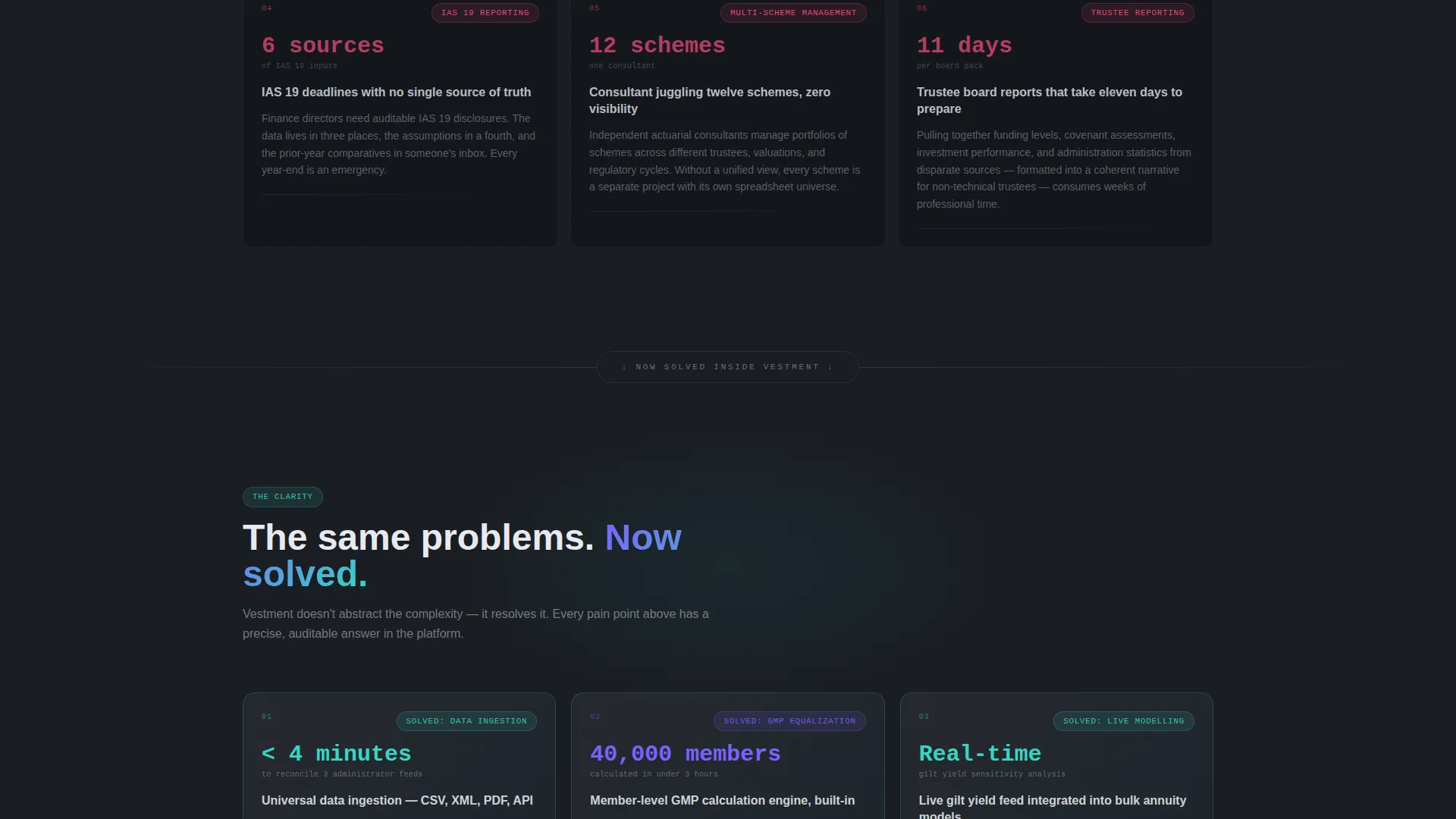
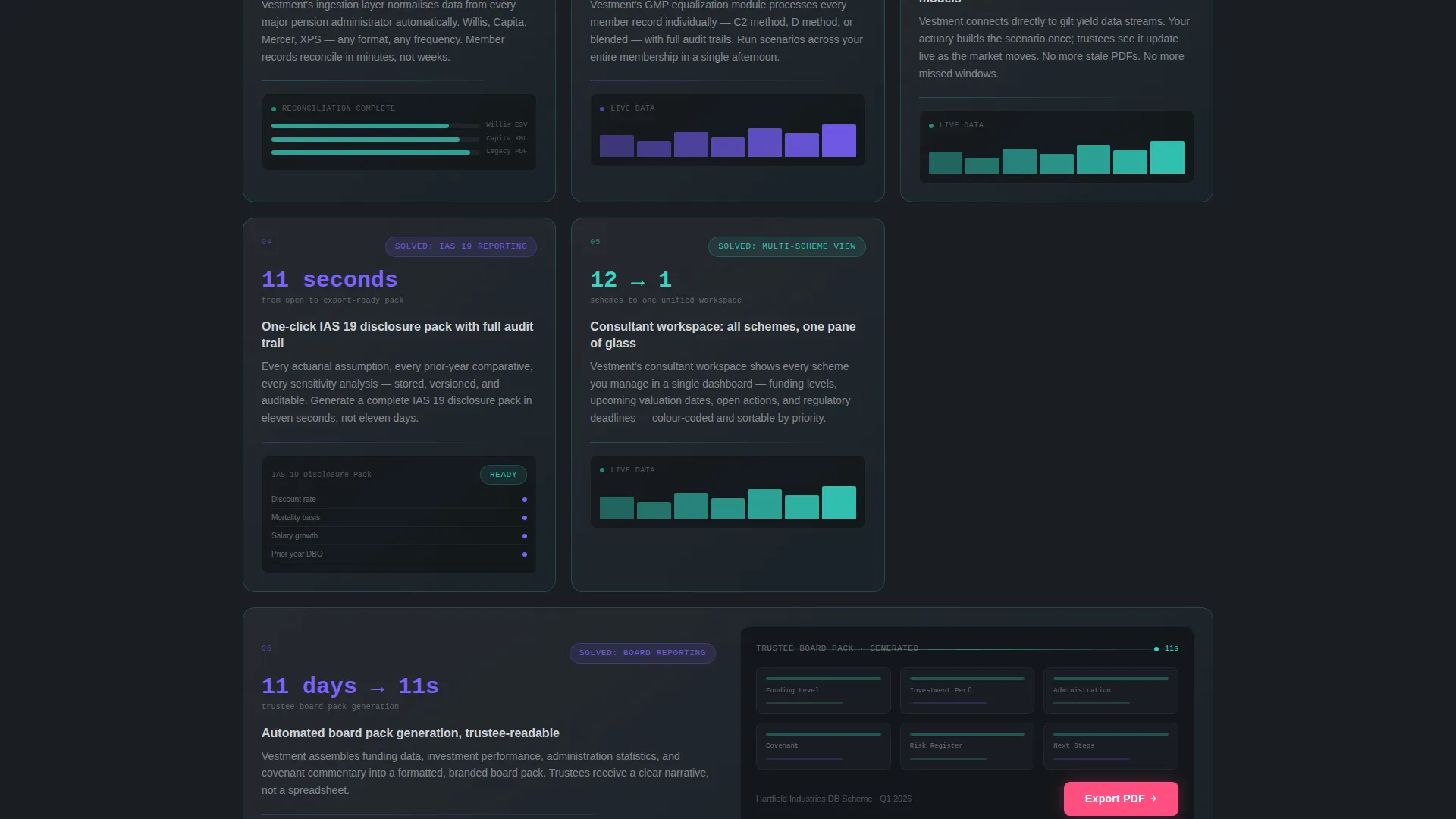
Each card in the grid names a specific pension pain point, then transforms into a solved state showing the product interface. Cards grow wider, backgrounds shift from graphite to cool mist, and micro-animations show data resolving. The arc moves from operational headaches to strategic outcomes.
Living Dashboard Header Animation
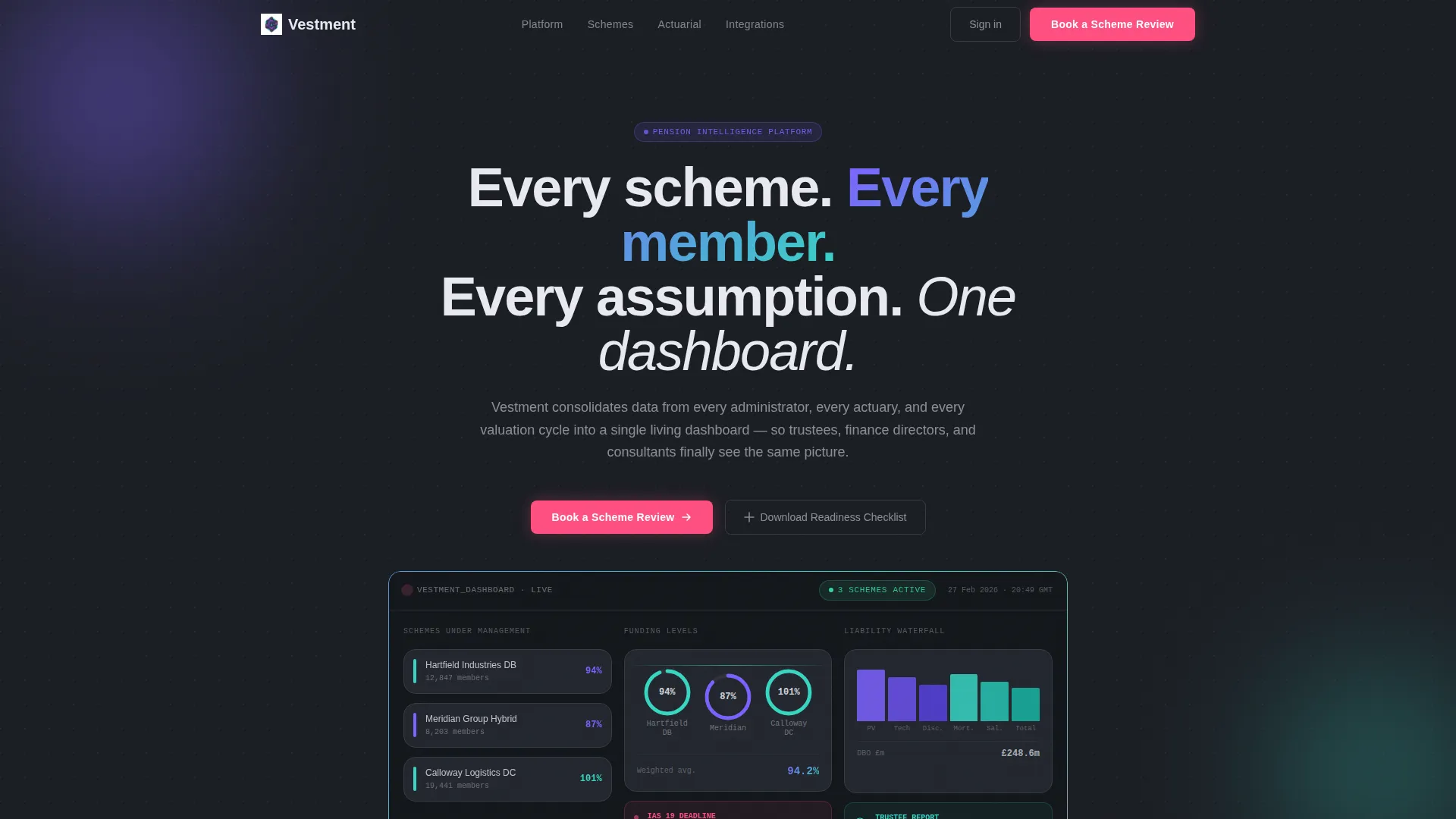
The header includes a looping product interface animation, not a static screenshot. Funding level gauges shift, member counts tick upward, and a liability waterfall chart redraws itself. The animation is cropped tight to prove the product is real without overwhelming the visitor.
Logo Bar Social Proof Strip
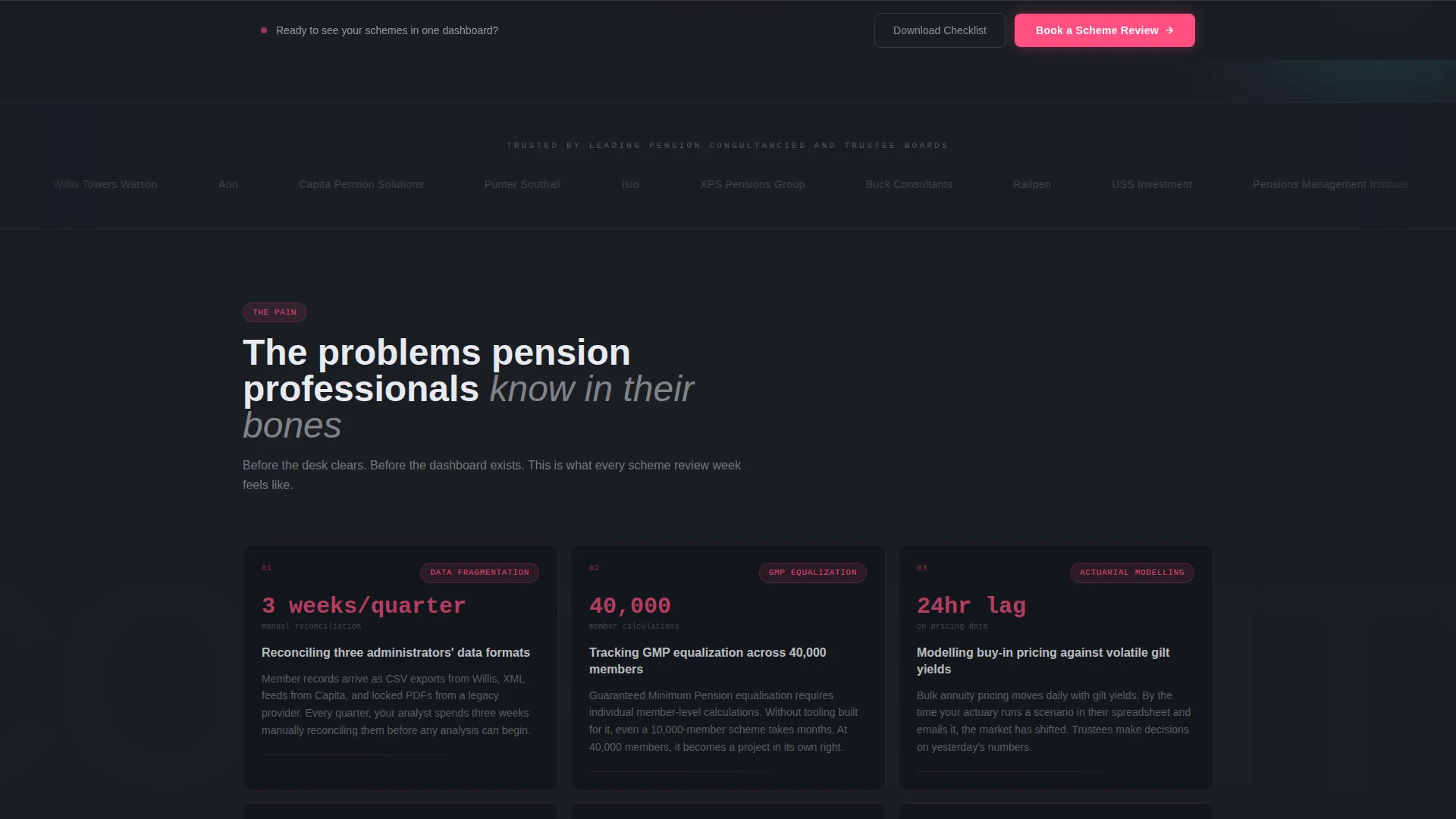
Twelve to sixteen pension consultancy and trustee board logos scroll at a readable pace across a graphite background in muted grayscale. The bar runs above the headline and establishes immediate credibility with the target audience.
Progressive Three-Step Lead Form
Step one captures scheme type (defined benefit, defined contribution, or hybrid) and approximate member count via a slider. Step two collects the visitor's role and current software stack. Step three asks for name, work email, and a preferred demo date. No pricing is surfaced.
Sticky call to action Bar
The primary call to action, "Book a Scheme Review," appears first beneath the header animation. After the midpoint scroll, it reappears as a persistent sticky bar so the conversion path stays visible throughout the page.
Gated PDF Secondary Path
Visitors not yet ready to book a demo can download "The 2024 Pension Dashboard Readiness Checklist" by providing only their email address. This secondary path captures earlier-stage leads without friction.
Page sections overview
| Section | Purpose |
|---|---|
| Logo Bar Header | Establishes trust with recognizable pension industry logos |
| Headline Block | States the core product promise in one line |
| Dashboard Animation | Shows a live-feel product preview beneath the headline |
| Primary call to action Block | Places the "Book a Scheme Review" button above the fold |
| Pain State Grid | Names specific pension pain points in dark, tight cards |
| Solution State Grid | Shows the same problems resolved inside the product user interface |
| Strategic Outcome Card | Full-width card demonstrating a trustee board report generated in eleven seconds |
| Three-Step Form | Qualifies leads by scheme type, member count, and role |
| PDF Download Gate | Captures early-stage leads via email with a checklist offer |
| Sticky call to action Bar | Keeps the primary conversion path visible after midpoint scroll |
Design & branding system
The visual identity uses the Dashboard Pro theme with an AI Iridescent color palette. The overall feel is a cockpit at night: mostly dark, mostly calm, until something important pulses with light.
- Deep graphite (#1A1D23) as the primary background, cool mist (#E8EAF0) for card surfaces, aurora violet (#7B61FF) and spectral teal (#36D6C3) as gradient accents on card borders and data highlights
- Signal pink (#FF4F81) reserved exclusively for alert states and primary call-to-action buttons
- Medium-weight sans-serif typography and algorithmic violet-to-teal gradients that shift as though driven by live data
Mobile & speed optimization
The modular card grid layout is structured for responsive stacking. Each card section is self-contained, which means columns collapse cleanly to single-stack layouts on smaller screens.
- Card grid columns reflow vertically so pain-state and solution-state cards remain readable on mobile viewports
- The progressive form steps display one at a time, keeping the qualification flow usable on touch screens
- The sticky call to action bar remains anchored at the bottom of the viewport on mobile, keeping the conversion path accessible throughout the scroll
How this template helps you convert
The entire page is designed around a single commercial goal: booking qualified scheme reviews. Every layout decision supports that goal.
- The Problem→Solution Arc earns trust before asking for anything, so visitors arrive at the form already convinced the product understands their world.
- The three-step progressive form qualifies leads by scheme complexity, role, and software stack before any sales conversation begins, saving time on both sides.
- The gated PDF download provides a second conversion path for early-stage visitors, extending the reach of the page beyond ready-to-buy prospects.
Other information about this template
This template is a strong fit for pension vertical SaaS products that serve the UK and European institutional pension market. The design language and copy structure are calibrated for a technically literate, compliance-aware audience.
- The template style is Card Grid (Modular), built within the Dashboard Pro theme using the AI Iridescent color system
- The header concept follows the Logo Bar pattern, and the creative direction follows the Problem→Solution Arc
- The lead generation direction prioritizes scheme qualification over volume, making it well suited for high-value enterprise or mid-market pension software sales cycles
Theme
Dashboard Pro
Creative direction
Problem→Solution Arc
Color system
AI Iridescent
Style
Card Grid (Modular)
Direction
Lead Generation
Page Sections
Problem→solution Modular Card Grid
Living Dashboard Header Animation
Logo Bar Social Proof Strip
Progressive Three-step Lead Form
Sticky Call-to-action Bar
Gated PDF Secondary Conversion Path
Related questions
Who is this landing page template designed for?
Can I customize the card grid content for my specific product?
Does the template include the PDF checklist content?
How does the three-step form qualify leads without showing pricing?
Is the dashboard header animation included in the template?



