Intelligent Veterinary Newsletter Landing Page Template
Triage is a bento grid landing page template built for a weekly veterinary email newsletter. It previews clinical content categories, recalls, formulary updates, CE credits, and zoonotic alerts, directly inside the grid, so visiting professionals understand the value before they subscribe. The layout feels like a diagnostic monitor: dark, legible, and built for time-poor veterinary teams.
by Rocket studio
Quick summary
Triage is a single-page, bento grid landing page template designed for a weekly veterinary email newsletter. It places real content previews, recall alerts, CE spotlights, formulary changes, and case studies, inside the grid itself. The page proves the newsletter's value before asking for an email address, converting skeptical veterinary professionals into committed subscribers.
Who this template is for
This template is built for publishers and practices running a professional veterinary email newsletter aimed at clinical teams. It fits any organization that wants to grow a focused, verified email list inside the veterinary profession.
- Associate veterinarians (DVMs) who need clinical data, FDA recalls, and CE credit updates delivered in a scannable format between appointments
- Registered and licensed veterinary technicians (RVTs and LVTs) who want pharmacology and formulary updates without chasing academic sources
- Practice managers overseeing multi-location veterinary clinics who need to track regulatory compliance and new services each week
What problem this template solves
Most veterinary email newsletter landing pages describe the content instead of showing it. That gap kills conversion. Veterinary professionals are time-poor. They will not subscribe to something they cannot assess in thirty seconds.
- Professionals leave the page without subscribing because they cannot judge the newsletter's relevance to their role or their pets and clients
- Clinic teams miss timely recall and compliance alerts because no single briefing reaches every desk staff member in a scannable format
- Practice owners cannot build trust with new clients or grow an email list when the sign-up page gives no signal of real clinical value
What you get with this template
You get a complete, ready-to-customize bento grid landing page that previews actual newsletter content categories and collects subscriber emails with minimal friction. Every section is designed to write a clear message and earn professional trust before the form appears.
- A logo authority bar, live-preview bento grid cards, role-specific value props section, social proof block, and a dual-placement subscribe form
- A fixed bottom subscription bar that stays visible as visitors scroll, keeping the call to action in contact with the reader at every point
- A "Preview Last Issue" secondary link that opens a redacted PDF, giving skeptical visitors proof before commitment
Feature list
This template includes six purpose-built sections and a precise visual system. Each feature below is drawn directly from the template's design brief.
Bento Grid Content Preview
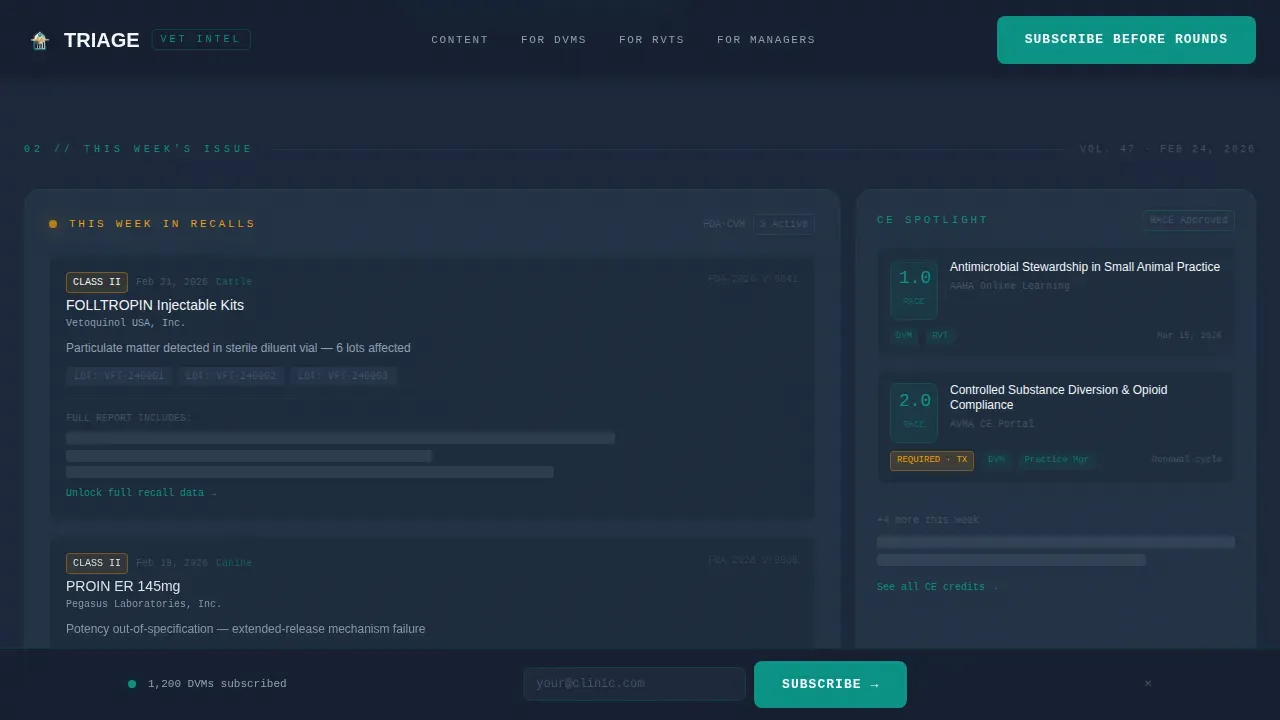
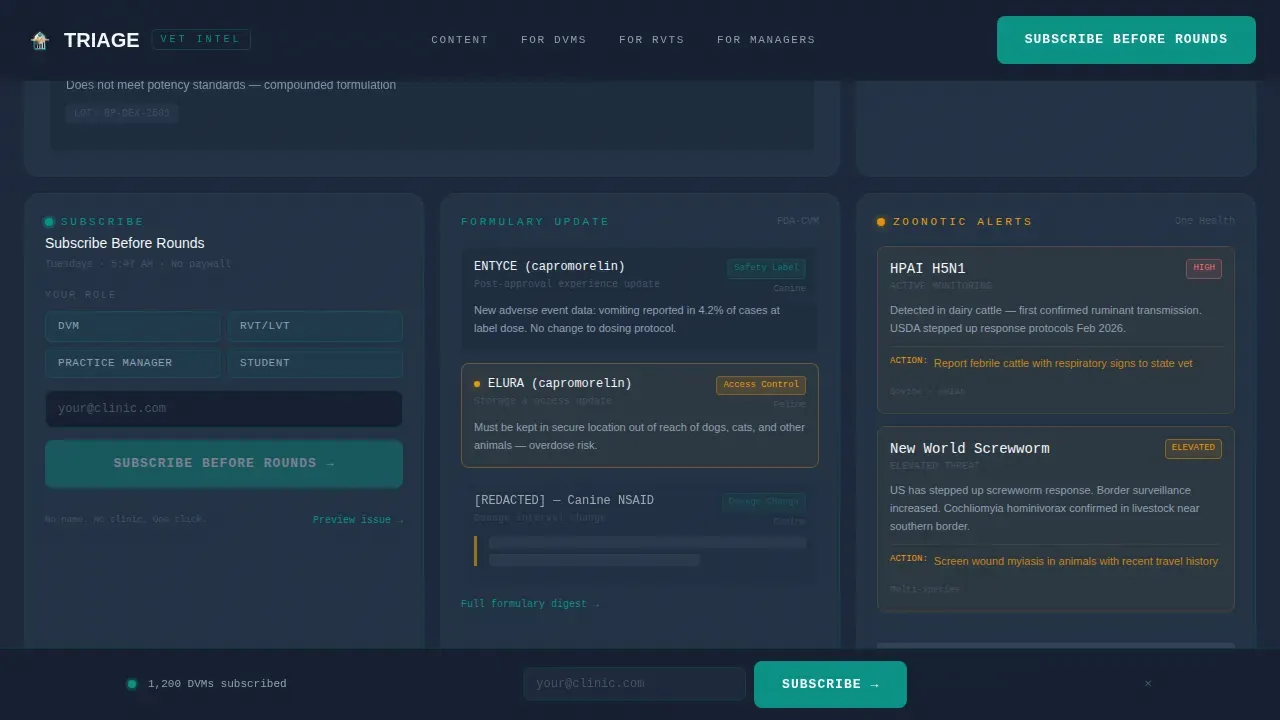
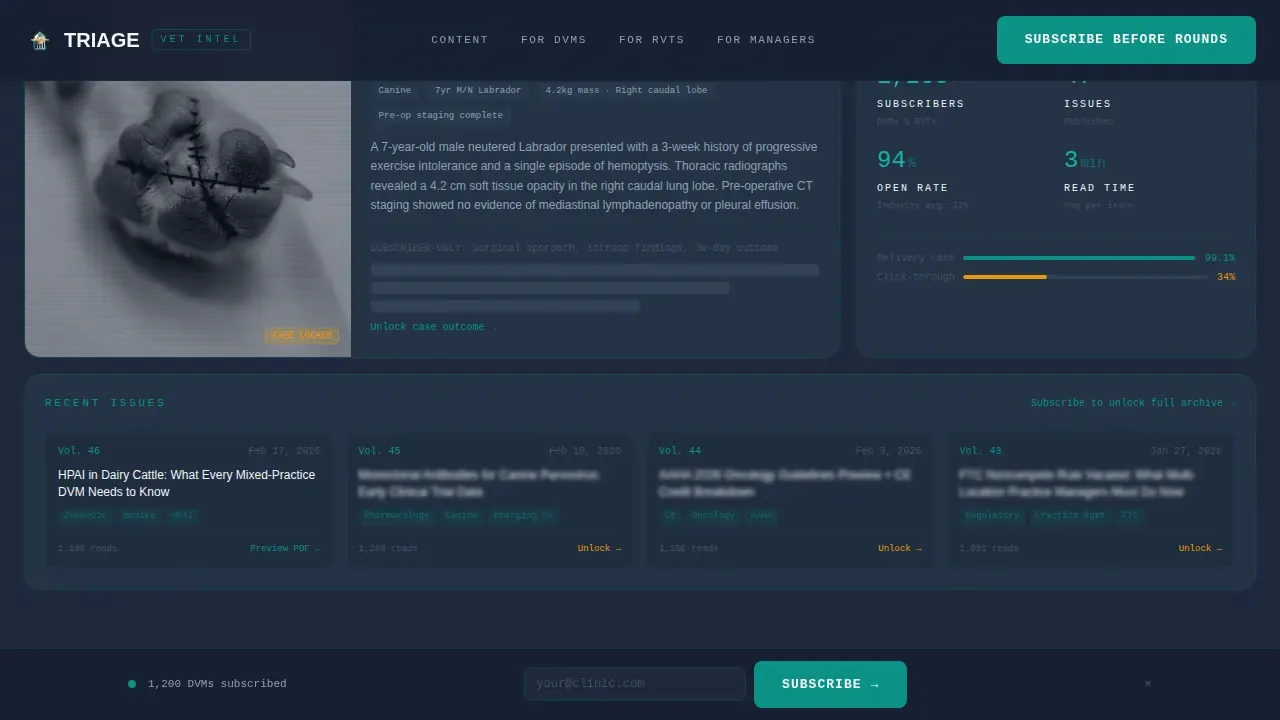
The grid is the newsletter. Each bento card previews a real content category: a truncated FDA recall alert, a CE credit spotlight, a formulary dosage update, a post-surgical case thumbnail, and a zoonotic alert. Data density increases as visitors scroll, proving depth before the form appears. Subscribers understand exactly what they are getting.
Dual-Placement Subscribe Form
The subscribe form appears first as a bento card and again as a fixed bar at the bottom of the page on scroll. It asks for one email address and a role selector: DVM, RVT/LVT, Practice Manager, or Student. No name field, no clinic name. Zero friction for the reader, clean data for the sender.
Logo Authority Bar Header
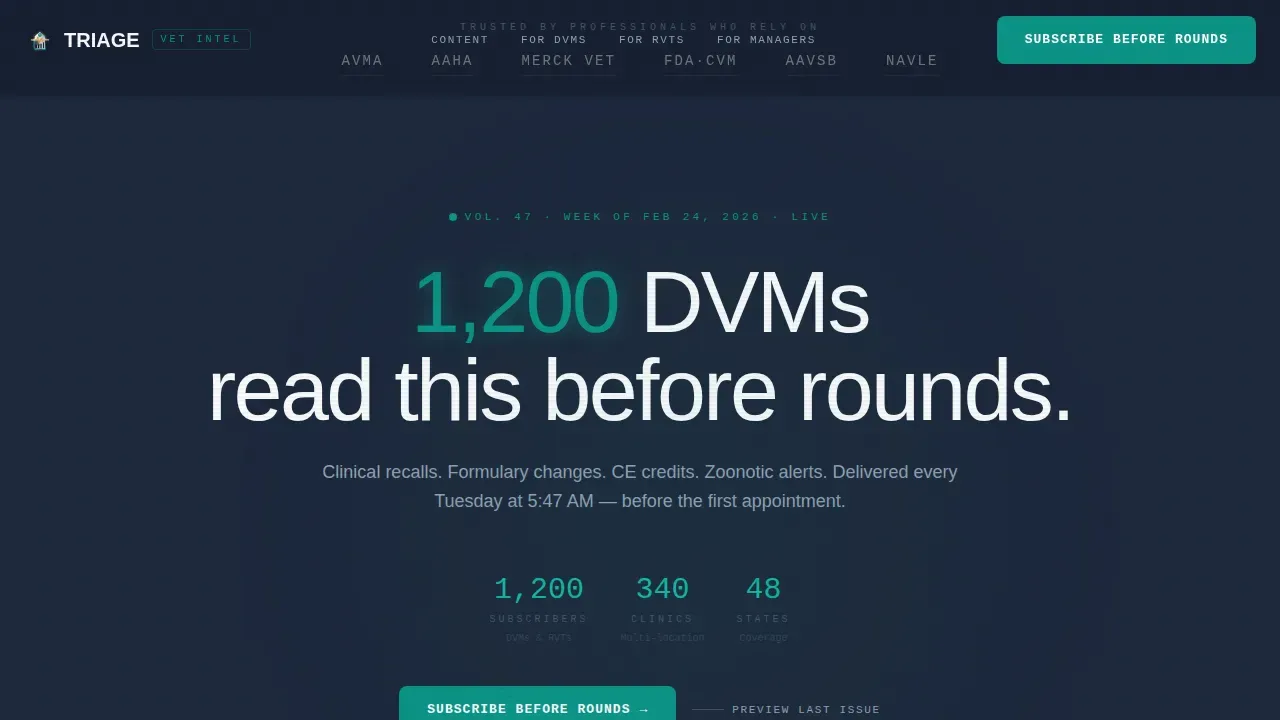
The header opens with a horizontal ribbon of trusted veterinary institution logos set against a charcoal background. This establishes professional authority before a word of copy is read, letting institutional proof do the work that a hero image cannot.
Role Value Props Section
An asymmetric split section shows each subscriber role what they specifically receive. DVMs see clinical data and CE updates. Veterinary technicians see pharmacology and formulary changes. Practice managers see compliance and multi-location regulatory tracking. Each message is tailored and relevant to the reader's daily work.
Social Proof Block
A dedicated section displays the subscriber count ("1,200 DVMs read this before rounds"), role-specific testimonials, and institutional logo references. This block helps build trust with new visitors and converts the cautious professional who needs peer validation.
Preview Last Issue Link
A secondary conversion path offers a redacted PDF of the last newsletter issue. This gives skeptical clients and professionals a tangible preview without a full commitment. It is the most effective way to turn a hesitant visit into a subscription.
Page sections overview
| Section | Purpose |
|---|---|
| Logo Authority Bar | Establish institutional credibility before copy |
| Hero Headline Block | Lead with a professional proof statement and stat |
| Bento Grid Preview | Show real newsletter content to prove value |
| Role Value Props | Match each role to specific content benefits |
| Social Proof Block | Display subscriber count and testimonials |
| Subscribe Form Card | Collect email and role with zero friction |
| Fixed Bottom Bar | Keep subscribe call to action visible on scroll |
| Footer | Minimal linear pattern with essential links |
Design & branding system
The visual identity follows a Data Command theme. The palette mirrors a veterinary diagnostic monitor: dark, high-contrast, and built for legibility under clinical lighting. Good design here means every element communicates the newsletter's message without visual noise.
- Surgical teal (#0D9488) as the primary action color for buttons and interactive elements, charcoal scrub gray (#1E293B) for card backgrounds and body text, and clinical white (#F8FAFC) across open space with generous white space between cards
- Reactive amber (#F59E0B) reserved exclusively for alert badges and urgency indicators, so readers recognize an important signal instantly, the same visual logic a vet applies when reading a diagnostic screen
- Manrope for headings and body copy; JetBrains Mono for data labels, dosage callouts, and code-like detail elements that reinforce the clinical, informative tone
Mobile & speed optimization
The template is built desktop-first, reflecting the reality that most veterinary professionals check clinical briefings at a workstation before rounds. It also responds cleanly for tablet use inside the clinic.
- The bento grid reflows for tablet viewports so cards remain readable and the subscribe form stays accessible without horizontal scrolling
- The fixed bottom subscribe bar collapses gracefully on smaller screens, keeping the call to action present without covering content
- Static sections use server-side rendering; animations and the interactive form are isolated as client components to keep initial load clean
How this template helps you convert
Email marketing is one of the most effective ways to stay connected with your clients and professional audience. This template is engineered around that goal at every scroll position.
- The bento grid shows real content categories, recalls, CE credits, formulary data, zoonotic alerts, so the reader understands the value before the form appears, producing higher open rates after subscription because expectations are already set correctly
- The dual-placement subscribe form (bento card plus fixed bottom bar) keeps the sign-up action available at every point in the scroll, reducing drop-off for readers who decide to subscribe mid-article rather than at the end
- The "Preview Last Issue" link converts the skeptics: most people need tangible proof before sharing an email address, and a redacted PDF lets the newsletter's quality speak for itself
Other information about this template
This template is part of the Triage Clinical Data Command Veterinary Email Newsletter Landing Page Template family. It is well suited for any veterinary practice or publisher that wants to start small with a focused email list and scale campaigns over time.
- Building a quality email list starts at the front desk. Front desk staff and desk staff can mention the newsletter during every appointment check-in, and the website sign-up link should be easy to find. Every appointment is an opportunity to add a new subscriber.
- Subject lines are the first impression of every send. Strong subject lines improve open rates and keep existing clients engaged week over week. Write subject lines that are specific, urgent when warranted, and directly relevant to the reader's role and their pets.
- Sending targeted messages based on pet type, pet age, or life stage makes the content feel personal. For example, a message about dogs and seasonal parasite risks lands differently than a general article. A message about boarding safety for cats addresses a specific concern that pet parents and pet owners care about.
- Email segmentation lets you write more relevant campaigns for each role. A practice manager needs compliance data. A vet technician needs formulary changes. A DVM needs CE credit details and medical history context. Segmenting your email list by role and pet type increases open rates and response.
- Automated workflows can support follow-up sequences after the annual exam or after a visit for grooming or boarding services. These campaigns keep your practice visible to clients between appointments and help introduce new services without a phone call.
- Tracking performance across campaigns helps you manage what works. Monitor open rates, click-through data, and subscriber feedback to refine subject lines and content focus. Regular analysis is how you write better newsletters over time.
- Key takeaways for any veterinary email newsletter: keep content informative, use clear headings, avoid dense paragraphs, and let white space do the visual work. Good design is about making your message easy to scan, not just easy to look at.
- This template requires no coding to customize. Built-in tools handle layout and styling. You can create a branded, professional newsletter landing page and promote it across your community without a developer.
- Veterinary clinics that publish consistent, educational content build trust over time. Pet care tips, seasonal health articles, and compliance updates give pet owners and pet parents a reason to stay on your email list and return to your practice.
- The template supports compliance-focused messaging for multi-location practices that need to address regulatory changes across each clinic location. Practice managers can use this structure to schedule and send consistent briefings regardless of location.
- The faq accordion in the interactive layer lets you address common subscriber questions directly on the page, reducing contact volume and building confidence before the reader commits to subscribing.
Theme
Data Command
Creative direction
Industry Report
Color system
Teal Catalyst
Style
Bento Grid
Direction
Lead Generation
Page Sections
Bento Grid Newsletter Preview
Dual-placement Subscribe Form
Logo Authority Bar Header
Role-specific Value Props Section
Social Proof Block
Preview Last Issue Link
Related questions
Who is this landing page template designed for?
Does this template require coding to customize?
How does the bento grid help convert visitors into subscribers?
Can this template support a multi-location veterinary practice?
What is the secondary conversion path included in this template?



