Vetted - Trusted Veterinary Landing Page Template
Vetted is a bento grid landing page template built for veterinary membership sites. It connects pet owners with independent clinics, mobile vets, and exotic-animal specialists through a dashboard-style layout that communicates real-time availability, emergency protocols, and specialty filters. The design is calm, clinical, and immediately trustworthy, built to earn an app download before the scroll ends.
by Rocket studio
Quick summary
Vetted is a single-page bento grid template for a veterinary membership portal. It opens with a live Dashboard Preview header, then walks visitors through a Feature Matrix of tiles covering availability, specialty search, emergency flagging, and referral routing. The amber call-to-action drives app downloads. The tone is calm and competent, the kind you feel the moment a good vet walks in.
Who this template is for
This template is built for people running or marketing a veterinary membership directory. It serves both the platform side and the practice side of that relationship.
- Independent clinic managers who need a clear, professional presence online
- Mobile veterinarians and exotic-animal specialists who want to reach the right pet owners
- Membership site founders building a trusted directory of verified veterinary practices
What problem this template solves
Pet owners searching for urgent veterinary care at night have no reliable, organized place to turn. Practices with niche specialties spend too much time redirecting calls that were never meant for them.
- Pet owners default to panic-searching because no clear directory exists for their area
- Specialty and mobile vets lose time on misdirected inquiries that a proper filter would prevent
- Clinic managers have no simple way to broadcast real-time availability or emergency hours
What you get with this template
You get a complete, designed landing page ready to represent a veterinary membership portal. Every section is purposeful and every visual element earns its place.
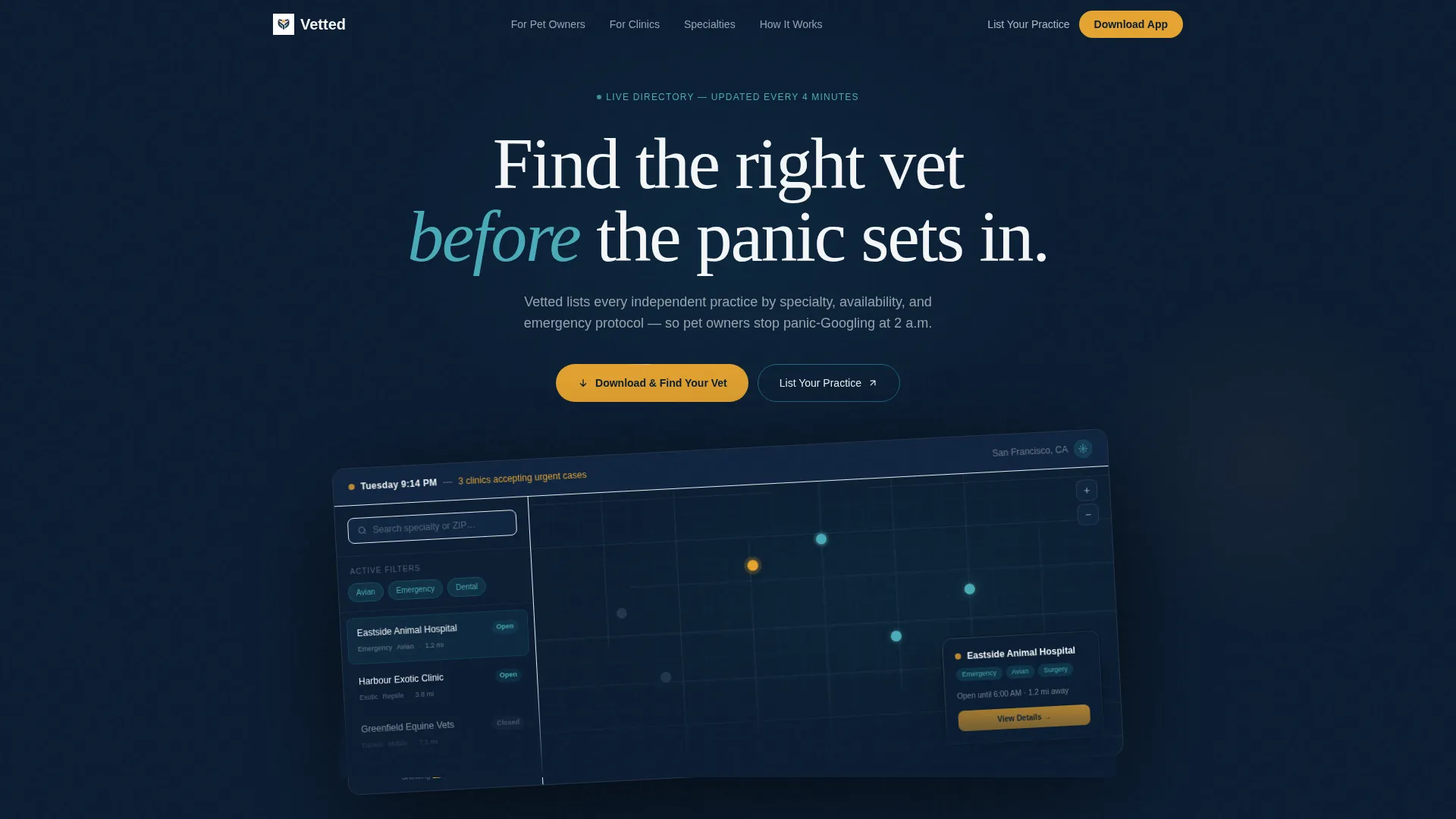
- A Dashboard Preview header showing a live-style map with clinic pins, specialty filters, and a status bar
- A breathable bento grid Feature Matrix with tiles of varying sizes, icons, stats, and hover micro-interactions
- A pinned amber call-to-action bar for mobile and repeated desktop placements driving app downloads and practice sign-ups
Feature list
This template delivers a focused set of built-in capabilities derived directly from the membership portal concept.
Dashboard Preview Header
The top third of the viewport displays a stylized app screen. It shows a map view with gently pulsing clinic pins, a sidebar filtered by categories like Avian, Emergency, and Dental, and a status bar reading the current time alongside available urgent-care slots. The user interface sits slightly rotated on a navy field with a subtle shadow.
Bento Grid Feature Matrix
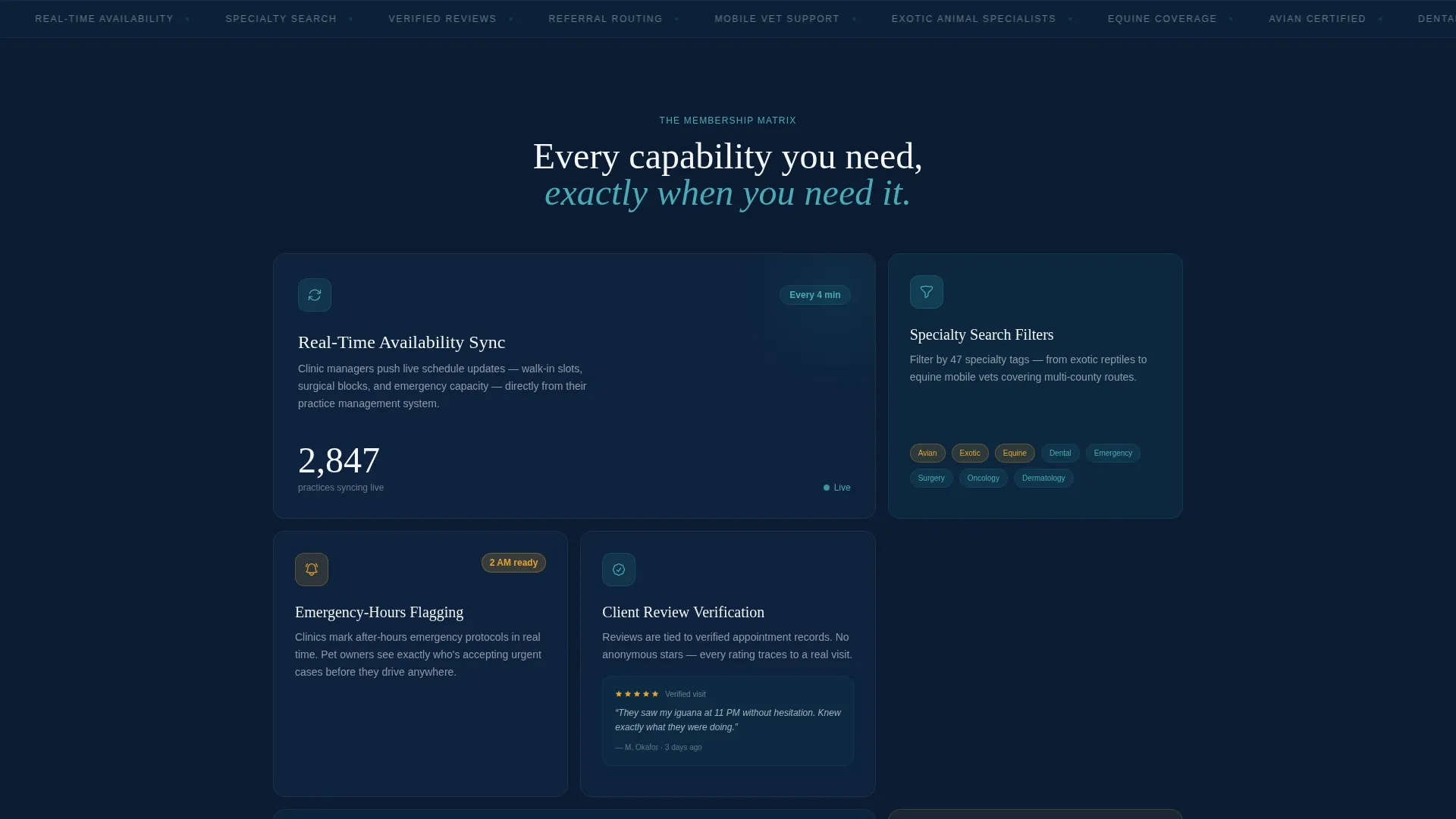
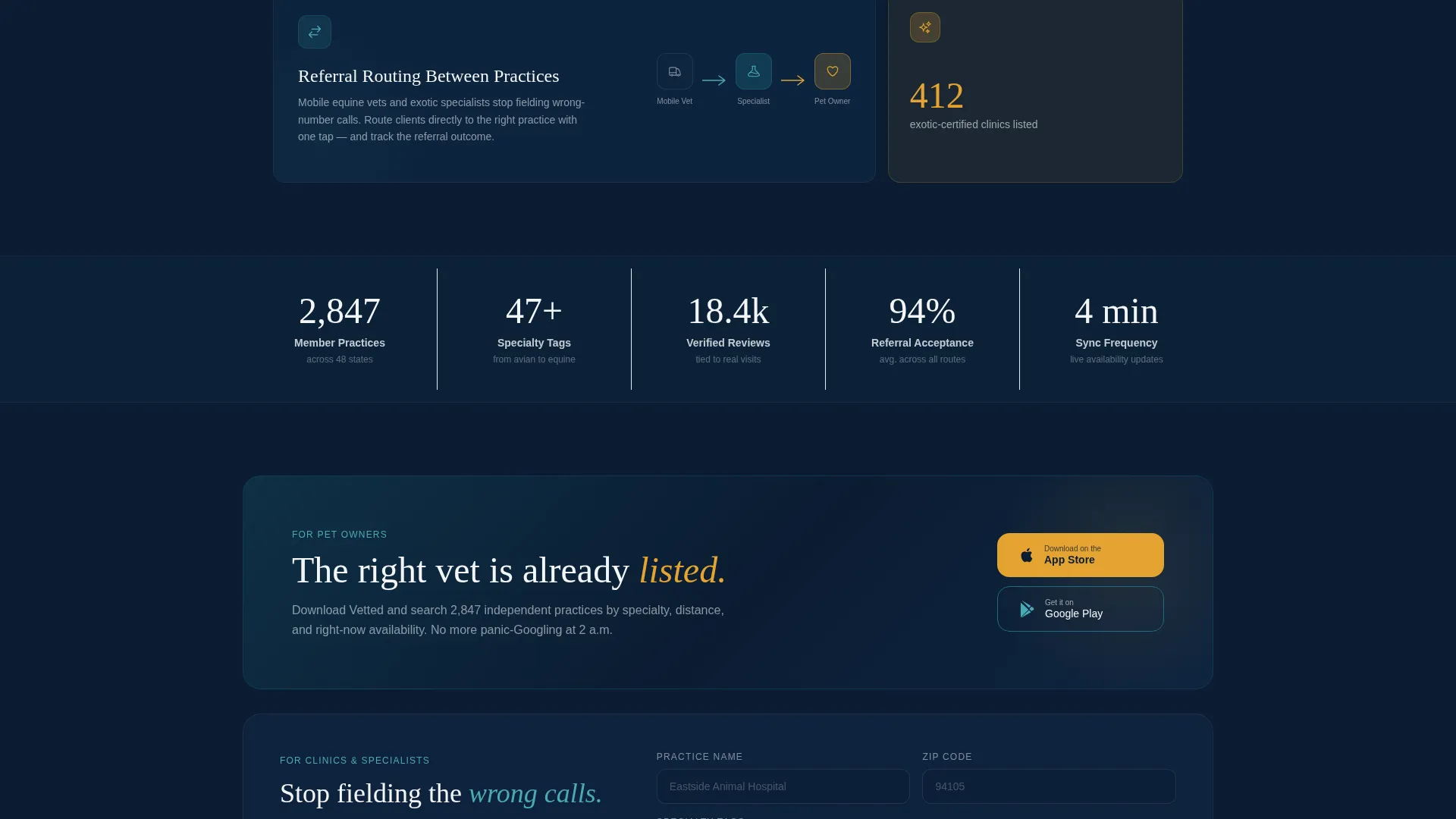
Below the fold, the layout shifts into a modular bento grid. Tiles vary in size and content density. Some display a single icon and a stat such as "412 exotic-certified clinics listed." Others expand on hover to reveal a micro-interaction or a short three-step workflow.
Real-Time Availability Tiles
Dedicated tiles communicate availability sync as a core membership benefit. The design makes it immediately clear that clinics can signal open slots, emergency hours, and surgical availability in a way visitors can act on.
Specialty Search Filters Display
The template visually demonstrates the specialty filter system. Categories including Avian, Emergency, Equine, Dental, and Exotic are shown as interactive filter tags, helping visitors understand the directory's depth at a glance.
Dual Call-to-Action System
The primary call-to-action reads "Download and Find Your Vet" in amber on navy. It is pinned as a floating bottom bar on mobile and repeated at the grid midpoint and footer on desktop. A secondary path labeled "List Your Practice" routes clinic owners to a short qualification form.
Emergency Hours Flagging
A dedicated tile type highlights emergency-hours flagging as a feature. It signals to pet owners that urgent-care status is visible and current, reducing the anxiety of searching for care outside normal clinic hours.
Page sections overview
| Section | Purpose |
|---|---|
| Dashboard Preview Header | Shows the app interface to make the product tangible immediately |
| Status Bar Display | Communicates live urgent-care availability with time context |
| Feature Matrix Grid | Introduces each membership capability through varied bento tiles |
| Availability Sync Tile | Highlights real-time clinic slot broadcasting as a key benefit |
| Specialty Filter Tile | Demonstrates searchable categories for niche and emergency care |
| Review Verification Tile | Signals trust through client review verification as a listed feature |
| Referral Routing Tile | Shows how practices can route clients to the right specialist |
| Midpoint call to action Block | Repeats the app download call-to-action at the scroll midpoint |
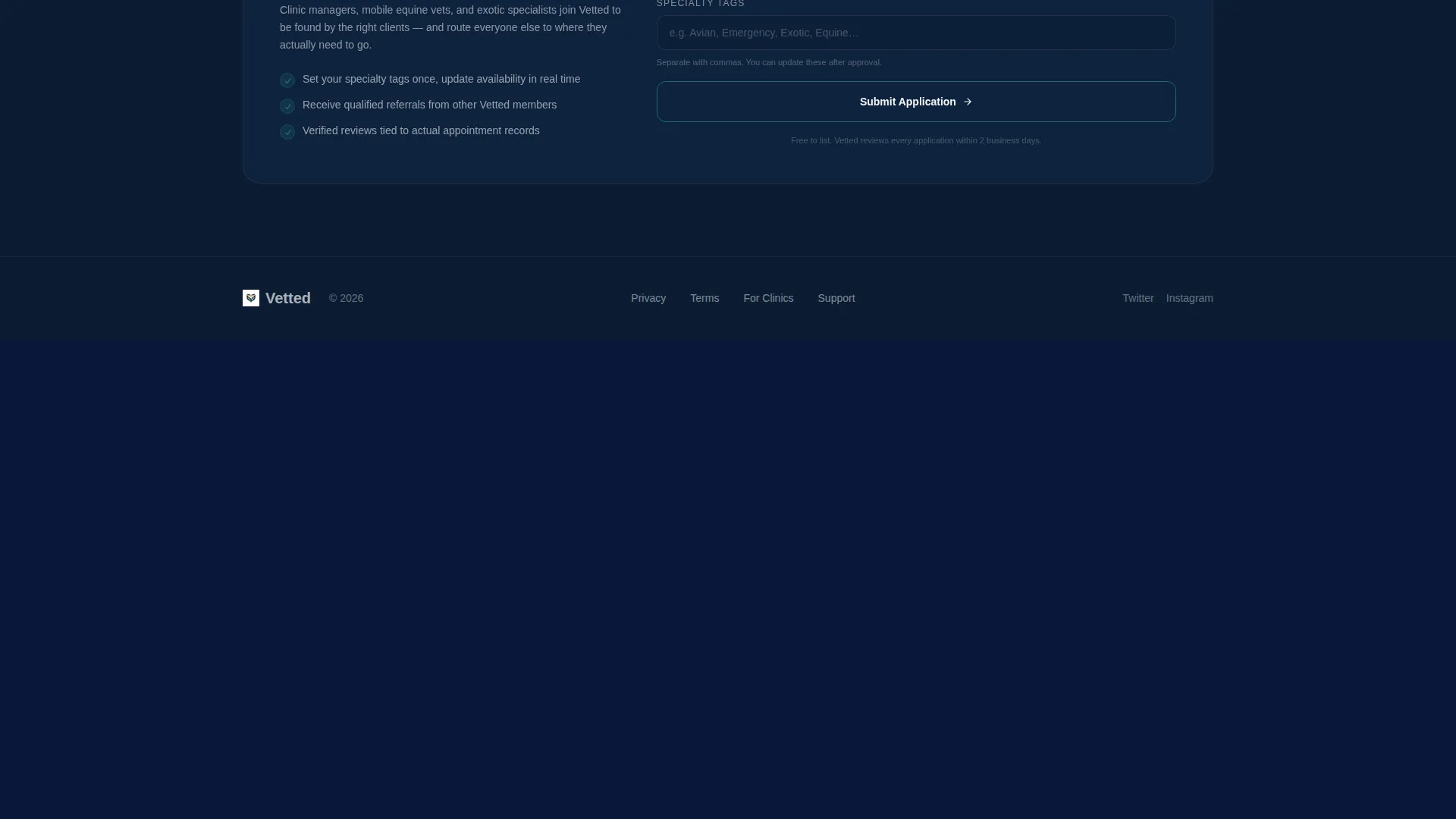
| Practice Sign-Up Path | Offers clinic owners a secondary route to list their practice |
| Footer call to action Block | Closes the page with a final download and sign-up prompt |
Design & branding system
The visual identity follows a Directory and Discovery theme built on a Midnight Blue color system. Every color choice reflects a veterinary environment after hours: professional, calm, and trustworthy without feeling cold.
- Deep clinical navy (#0B1D33) as the primary background, muted scrub teal (#1B6B7D) for category cards and interactive tiles, and soft exam-room white (#F4F6F8) for content surfaces
- Confident amber (#E5A330) used exclusively for calls-to-action and notification badges to create instant visual priority
- No stock photography; the hero is the product interface itself, keeping the layout focused and credible
Mobile & speed optimization
The template is built with a mobile-first call-to-action strategy. The floating amber download bar ensures the primary action is always reachable on smaller screens.
- The primary call-to-action pins as a floating bottom bar on mobile so it stays visible during scroll
- The bento grid adapts across breakpoints, maintaining the breathing rhythm of the layout on smaller viewports
- Tile interactions are designed to remain clear and usable whether a visitor is tapping on a phone or hovering on a desktop
How this template helps you convert
The conversion strategy is baked into the layout sequence. By the time a visitor has browsed four tiles, they have already used the product mentally, the install becomes the natural next step.
- The Dashboard Preview header makes the product tangible in the first few seconds, replacing skepticism with recognition
- The Feature Matrix rewards scroll by revealing one capability per tile, building cumulative desire before the call-to-action appears
- The dual call-to-action system captures both end-user downloads and clinic owner sign-ups without splitting the page's focus
Other information about this template
This template fits into the broader category of veterinary digital presence tools designed for technology-forward membership platforms. It is purpose-built for the Directory and Discovery theme with a Feature Matrix creative direction.
- The template style is Bento Grid, making it well suited for showcasing multiple features in a single, scannable view
- The header concept is Dashboard Preview, a proven approach for app-focused landing pages where showing the product earns more trust than describing it
- The landing-page direction is App Download, meaning every design decision from color priority to call to action placement supports a single conversion goal
- Template color system is Midnight Blue, a palette that communicates clinical authority while remaining warm and human enough for a pet-care context
Theme
Directory & Discovery
Creative direction
Feature Matrix
Color system
Midnight Blue
Style
Bento Grid
Direction
App Download
Page Sections
Dashboard Preview Header
Bento Grid Feature Matrix
Dual Call-to-action System
Emergency Hours Flagging Tile
Specialty Search Filter Display
Client Review Verification Tile
Related questions
Can I customize the specialty filter categories shown in the tiles?
Does this template work for both pet owners and clinic owners?
What does the Dashboard Preview header actually show?
Can the status bar text in the header be updated?
Is this template suitable for niche practices like equine or exotic-animal vets?



