Computer Vision Framework Landing Page Template
Vision is a computer vision landing page template built for machine learning engineers, startup technical leads, and researchers. It uses a dark Data Command visual theme, a modular card grid layout, and a live code snippet header to showcase detection, segmentation, tracking, pose estimation, and classification capabilities. The primary call to action is a zero-friction pip install command.
by Rocket studio
Quick summary
Vision is a single-page, card grid landing page template for a computer vision framework. It opens with a syntax-highlighted Python snippet and converts visitors through a frictionless pip install command. The dark Midnight Blue palette and Launch Energy creative direction create a fast-moving, technical atmosphere aimed at machine learning engineers and startup decision-makers.
Who this template is for
This template speaks directly to technical audiences who evaluate developer tools quickly and skeptically. It is built for people who want to see real code before they read a single marketing claim.
- Machine learning engineers who debug inference pipelines and need to judge a framework on its actual output
- Startup founders and chief technology officers deciding whether to build or buy a perception stack
- Computer science researchers who need reproducible baselines without fighting dependency conflicts
What problem this template solves
Most developer tool landing pages bury the actual capability behind vague marketing language. Technical visitors lose trust fast when they cannot see working code or real output within seconds of landing.
- The template puts a real, runnable Python snippet at the very top so visitors validate the framework before reading anything else
- It removes the common friction of email gates and long sign-up flows by leading with a one-click pip install command
- It structures each capability as its own visual module so visitors can instantly locate the feature they care about
What you get with this template
You get a fully structured, single-page layout that guides technical visitors from first impression to installation in one continuous scroll. Every section is purposefully sequenced to build confidence and then remove barriers.
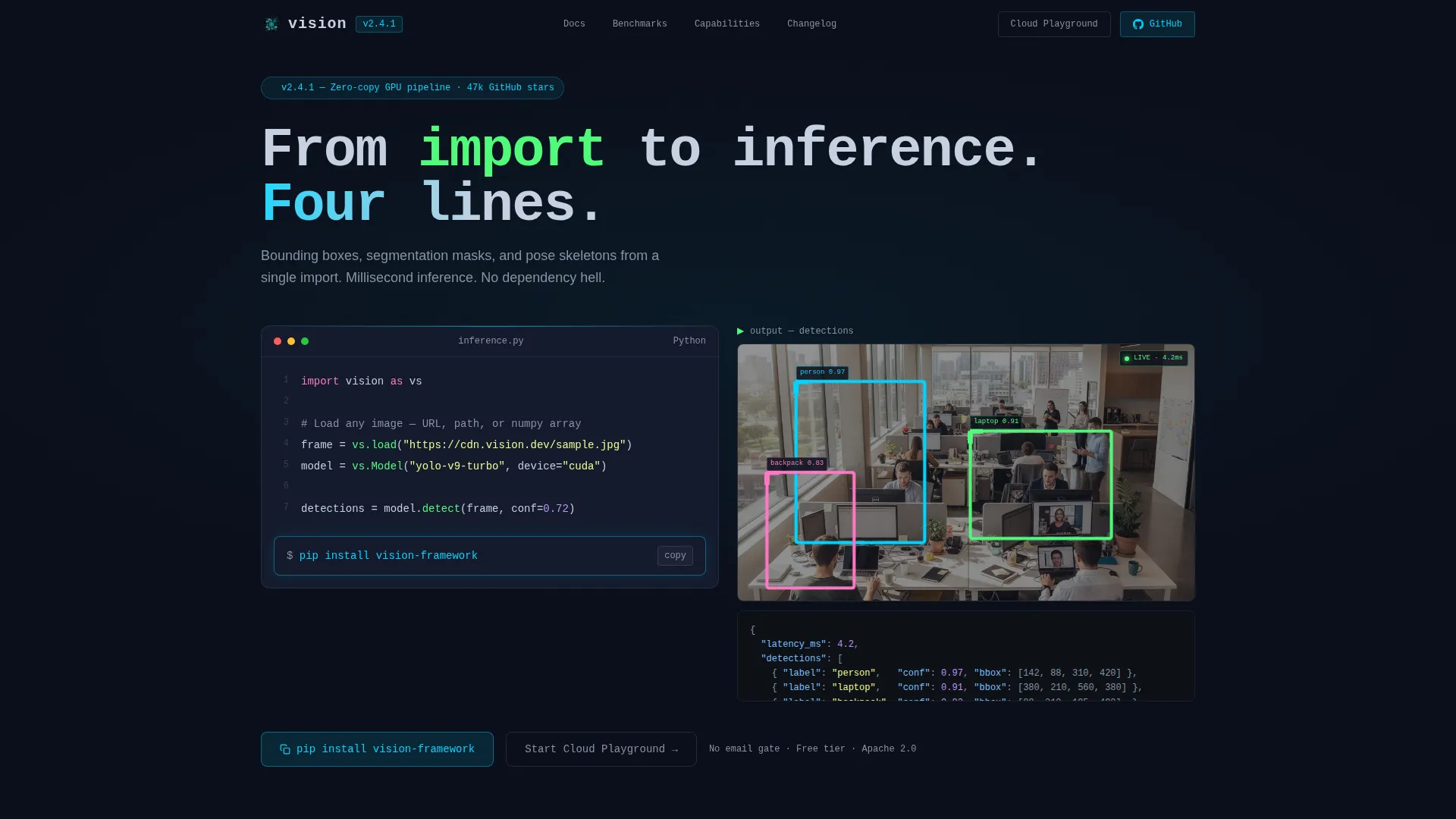
- A syntax-highlighted code header with a live output preview showing bounding boxes drawn in electric cyan
- A modular capability card grid covering detection, segmentation, tracking, pose estimation, and classification
- A sticky bottom bar repeating the pip install call to action after the third card row, plus a secondary cloud sandbox path
Feature list
This template is built around six tightly scoped sections that each serve a distinct conversion purpose.
Syntax-Highlighted Code Header
The header centers a seven-line Python block on screen. It shows an image loaded, a model instantiated, and detections returned as a clean JSON object. A sample output image with cyan bounding boxes and confidence scores renders live beneath the snippet, proving the framework works before the visitor scrolls.
Modular Capability Card Grid
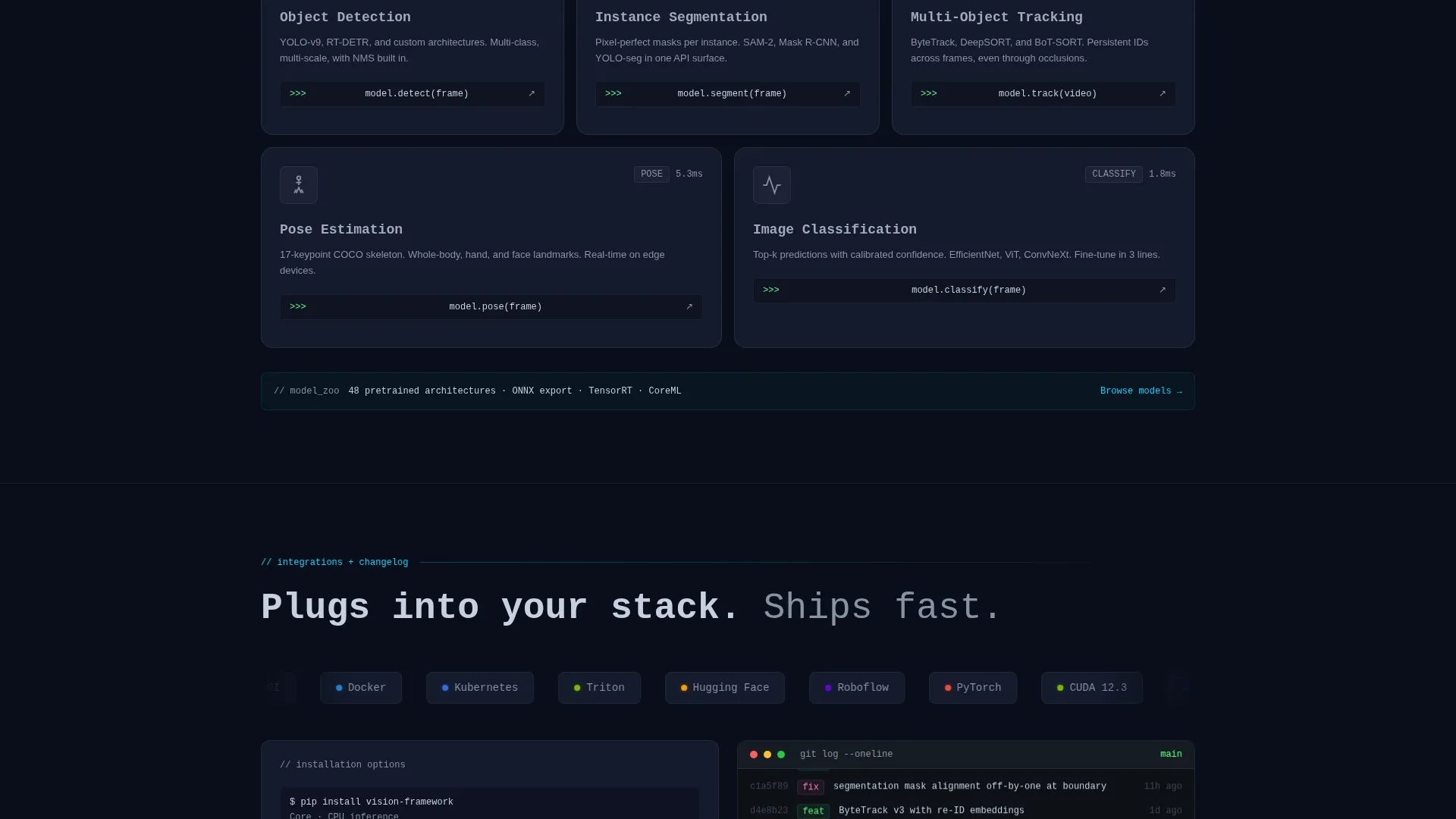
Each card represents one framework capability: object detection, instance segmentation, multi-object tracking, pose skeleton estimation, and image classification. Cards sit dark and inert by default, then ignite with a cyan border glow and a micro-animation on hover. This interaction design makes the framework feel powerful and immediate.
Live Benchmark Counters
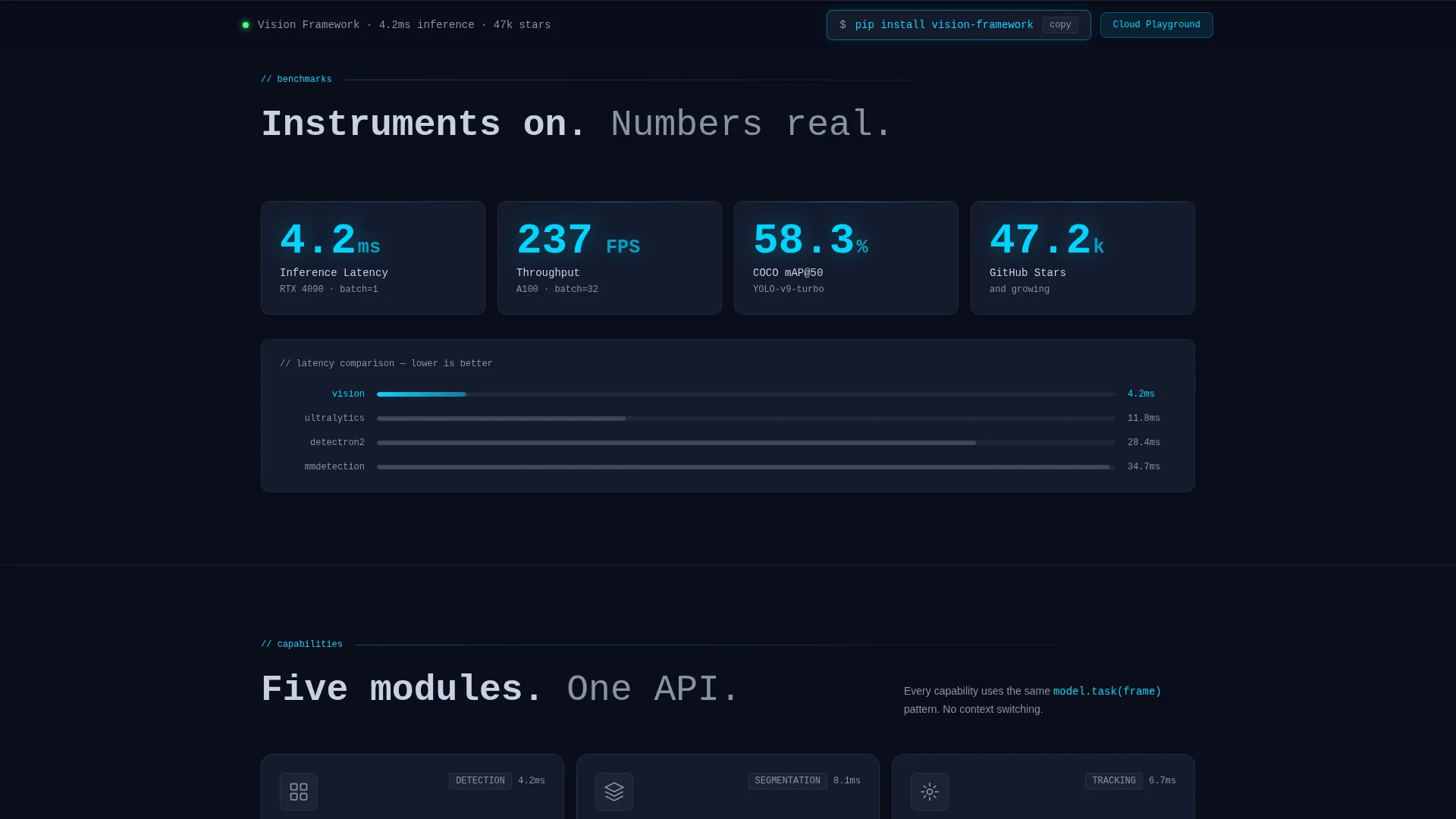
Benchmark figures appear as live-updating counters as the visitor scrolls past them. This communicates speed and scale without static tables. The counters reinforce the core promise that inference happens in milliseconds.
Terminal-Style Changelog
A scrolling terminal block displays recent commits and releases. It signals active development momentum and reassures technical visitors that the framework is maintained and shipping fast.
Dual Conversion Path
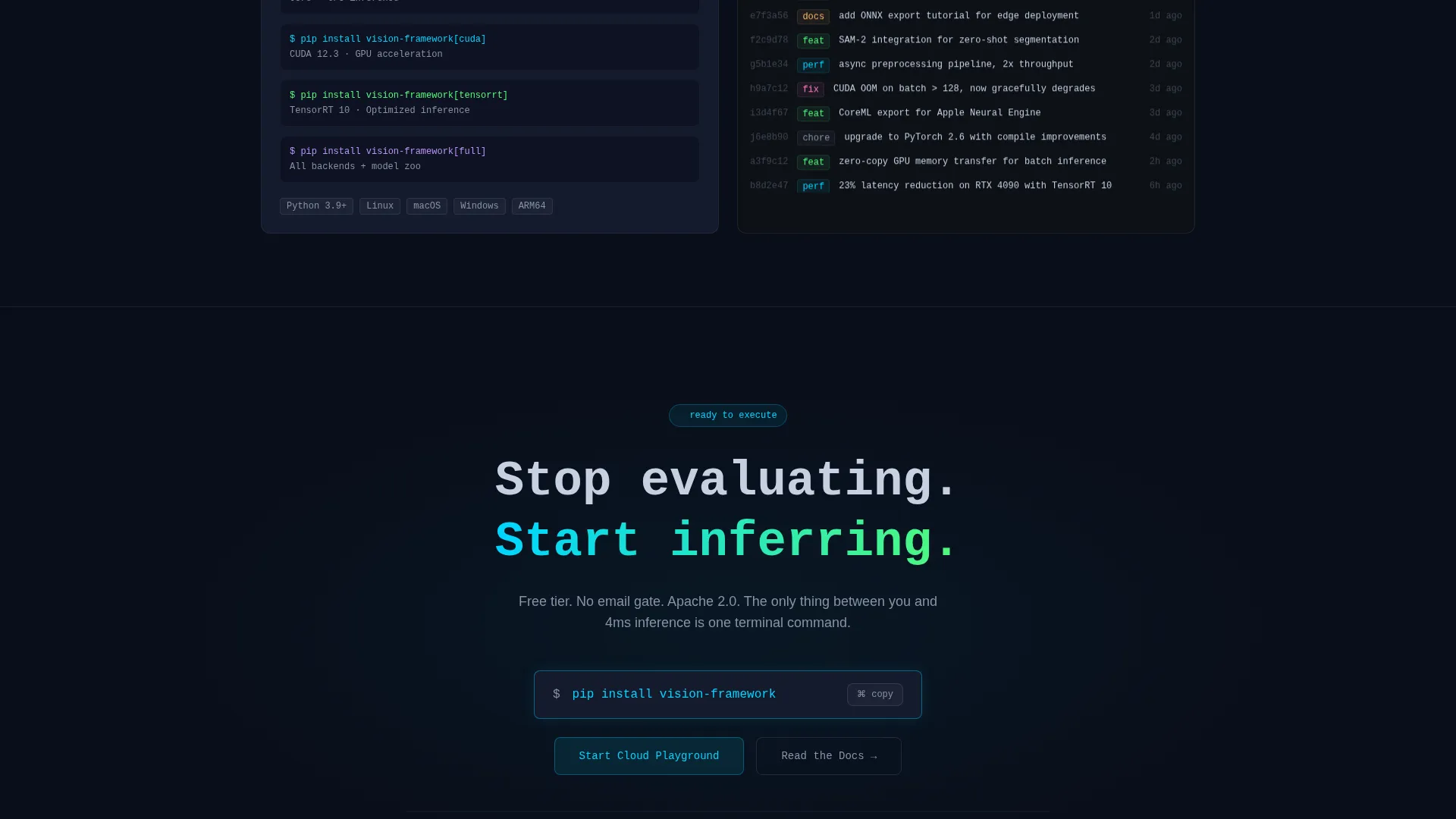
The primary call to action is the pip install command rendered as a one-click copy button. It appears first inside the header and again as a sticky bottom bar. The secondary path is a "Start Cloud Playground" button for visitors who prefer zero local setup.
Integration Logo Tile Row
A rapid-succession row of integration logos tiles across the page to show ecosystem compatibility. It answers the "does this work with my stack?" question visually and quickly.
Page sections overview
| Section | Purpose |
|---|---|
| Code Snippet Header | Opens with real runnable Python and live bounding-box output |
| Primary Headline | Sets the "four lines to inference" value proposition immediately |
| Capability Card Grid | Showcases detection, segmentation, tracking, pose, and classification |
| Benchmark Counters | Communicates raw inference speed with animated live numbers |
| Integration Logo Row | Shows ecosystem compatibility at a glance |
| Terminal Changelog | Demonstrates active shipping momentum with recent commits |
| Sticky Install Bar | Repeats the pip install call to action after the third card row |
| Cloud Playground call to action | Offers a zero-setup browser sandbox as a secondary entry point |
Design & branding system
The visual identity follows a Data Command theme built entirely around darkness and precision light. Every lit element carries deliberate meaning, like instruments glowing on a cockpit panel at altitude.
- Color palette: void-black (#0A0E1A) for the primary background, deep command-line navy (#141B2D) for card surfaces, electric cyan (#00D4FF) for accents and interactive highlights, and muted signal gray (#8892A4) for secondary text
- Typography uses monospace styling for headlines and code blocks, reinforcing the IDE-in-dark-mode aesthetic throughout the page
- Interactive states are intentional: cards are dark until hovered, at which point a cyan border and micro-animation activate to signal capability
Mobile & speed optimization
The modular card grid layout adapts naturally to narrower viewports. Capability cards reflow into a single column without losing the hover interaction intent on touch devices.
- The sticky bottom bar remains visible on mobile screens, keeping the pip install call to action accessible at all scroll depths
- The code header and output preview are designed to remain legible at small sizes, preserving the credibility of the live snippet experience
How this template helps you convert
The conversion strategy is built on near-zero friction. Technical visitors do not trust forms, but they do trust working code they can run themselves.
- The runnable code header establishes immediate technical credibility, so visitors arrive at the install prompt already convinced the framework works
- The pip install one-click copy command removes every barrier between interest and first use, and the secondary cloud playground path captures visitors who are not ready to install locally
Other information about this template
This template is designed specifically for the computer vision tool and framework niche inside the broader computer vision technology category. It is well suited to teams positioning a perception framework in a competitive developer tools market.
- The freemium and free trial conversion model is baked into the layout: no email gate appears on the free tier, so the install-to-usage funnel starts immediately
- The Launch Energy creative direction means the page accelerates as users scroll, building a sense of momentum that mirrors a fast-shipping open-source project
- The template style is a card grid (modular), making it straightforward to add, remove, or reorder capability modules as the framework grows
- The Data Command theme and Midnight Blue color system are a strong fit for computer vision technology products, inference pipeline tools, and machine learning developer frameworks
Theme
Data Command
Creative direction
Launch Energy
Color system
Midnight Blue
Style
Card Grid (Modular)
Direction
Freemium/Trial
Page Sections
Syntax-highlighted Python Header
Modular Capability Card Grid
Live Benchmark Counter Display
Terminal-style Changelog Block
Dual Conversion Call to Action
Integration Logo Tile Row
Related questions
Does this template require any coding to set up?
Can I add or remove capability cards from the grid?
Is the pip install button functional out of the box?
What if my visitors prefer not to install locally?
Can I update the changelog section as my framework ships new versions?



