Vitals - Intelligent Veterinary Landing Page Template
Vitals is a dashboard and data grid landing page template built for a veterinary diagnostic intelligence platform. It translates raw bloodwork, urinalysis panels, and histopathology results into clean, real-time clinical dashboards. Designed around a Stats-First Impact creative direction, the template guides veterinary professionals from raw data to actionable clinical insight in a single scrolling experience.
by Rocket studio
Quick summary
Vitals is a single-page dashboard landing page template for a veterinary lab analytics platform. It opens on a full-viewport clinical dashboard mockup and unfolds section by section to reveal flagging, trending, and early detection modules. The Midnight Blue color system and Dashboard Pro theme make every data point feel deliberate and trustworthy.
Who this template is for
This template is built for veterinary technology products that need to earn credibility fast. It speaks directly to the people who live inside lab data every day.
- Associate DVMs (Doctors of Veterinary Medicine) managing high-volume patient days at multi-doctor practices
- Laboratory technicians batching weekend panels at reference laboratories
- Specialty internists tracking oncology markers across extended chemotherapy cycles
What problem this template solves
Veterinary lab platforms often struggle to communicate complex data value to busy clinicians. A generic product page cannot convey the precision a diagnostic tool requires. This template solves that gap.
- Raw panel results and trend data are hard to present in a way that feels clinical and trustworthy to practitioners
- Busy DVMs need to assess a platform's value between appointments, not during a long sales call
- Most app download pages fail to demonstrate the actual interface before asking for commitment
What you get with this template
You get a fully structured, single-page dashboard landing page that walks a veterinary professional from first impression to download decision. Every section is purpose-built to reflect the platform's clinical intelligence.
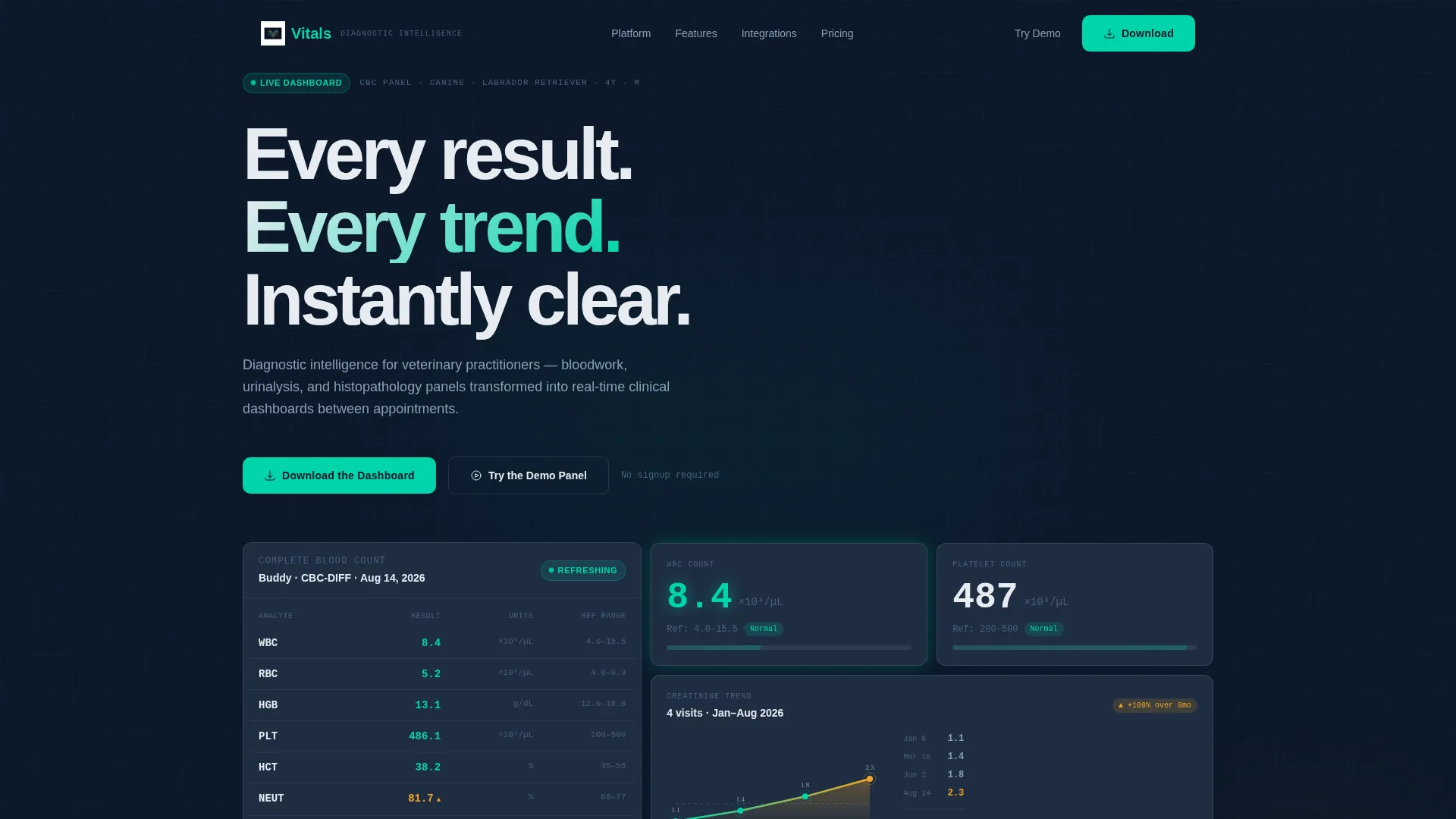
- A full-viewport header dashboard mockup with animated counters, a creatinine trend sparkline, and a species-mix donut chart
- Modular data grid card sections covering abnormal-value flagging, longitudinal trending, and reference-range customization
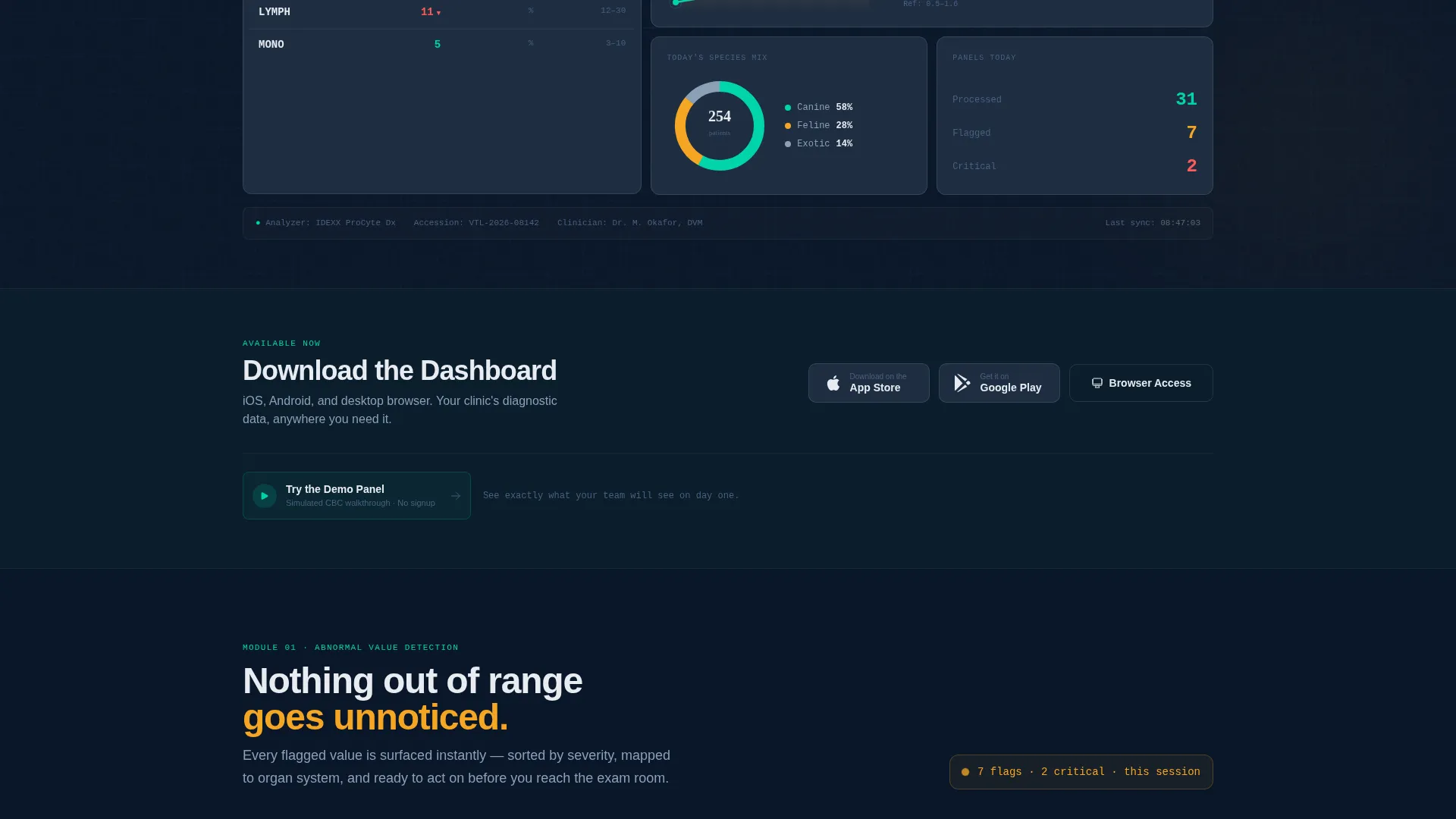
- A clear app download conversion path with App Store and Google Play badges, a desktop browser link, and a no-signup demo panel option
Feature list
This template includes purpose-designed modules that map directly to the clinical workflow it represents.
Animated Diagnostic Header Wall
The header fills the full viewport with a live-feel CBC (complete blood count) panel mockup. Animated counters cycle through white blood cell, red blood cell, and platelet counts. A creatinine trend sparkline and a species-mix donut chart complete the monitor-bank effect.
Abnormal Value Flagging Module
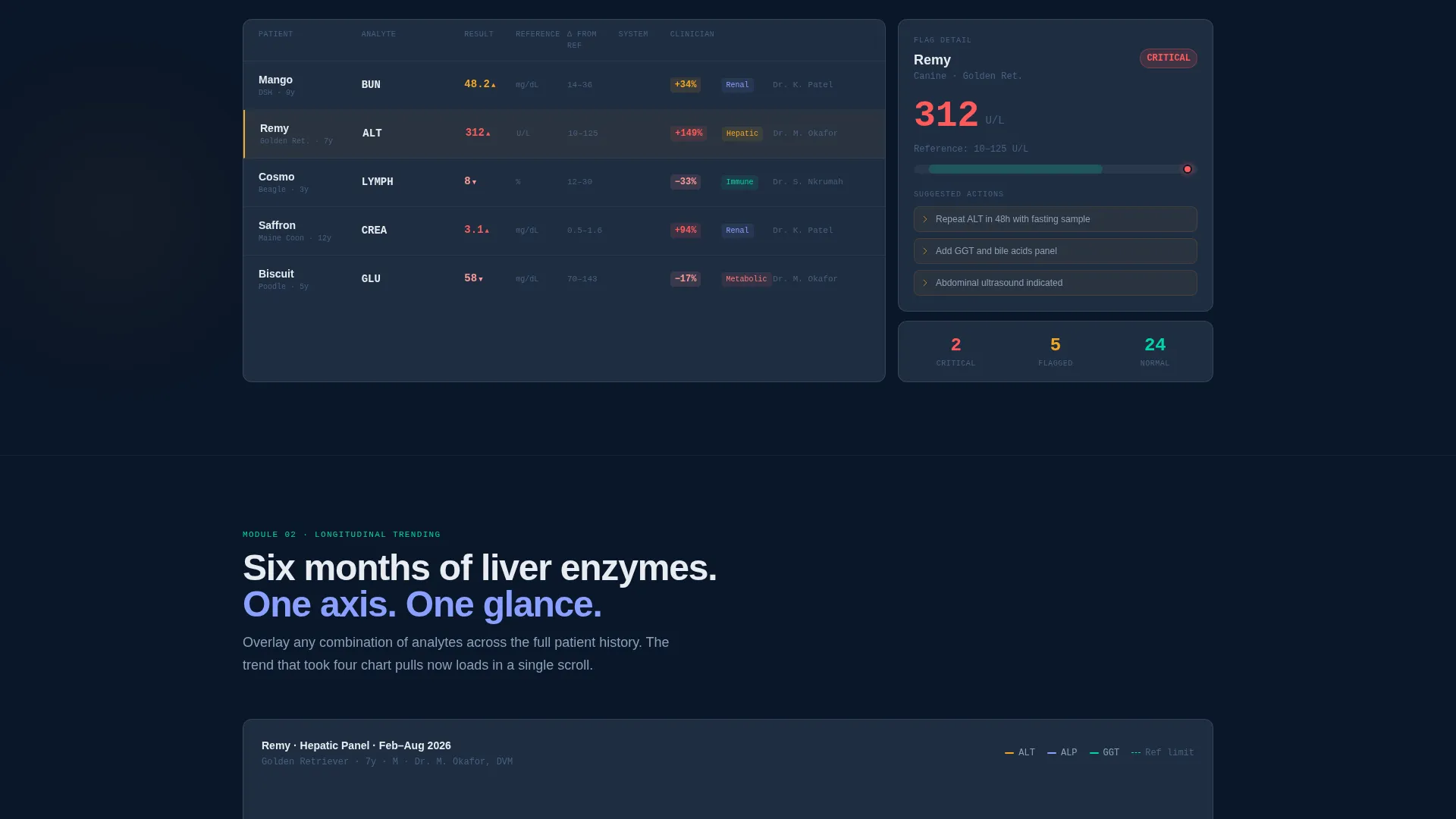
A dedicated data grid card section visualizes the platform's out-of-range detection engine. Signal amber highlights flagged values clearly against the deep navy background, making the flagging logic immediately legible to any clinician reviewing the layout.
Longitudinal Trending Section
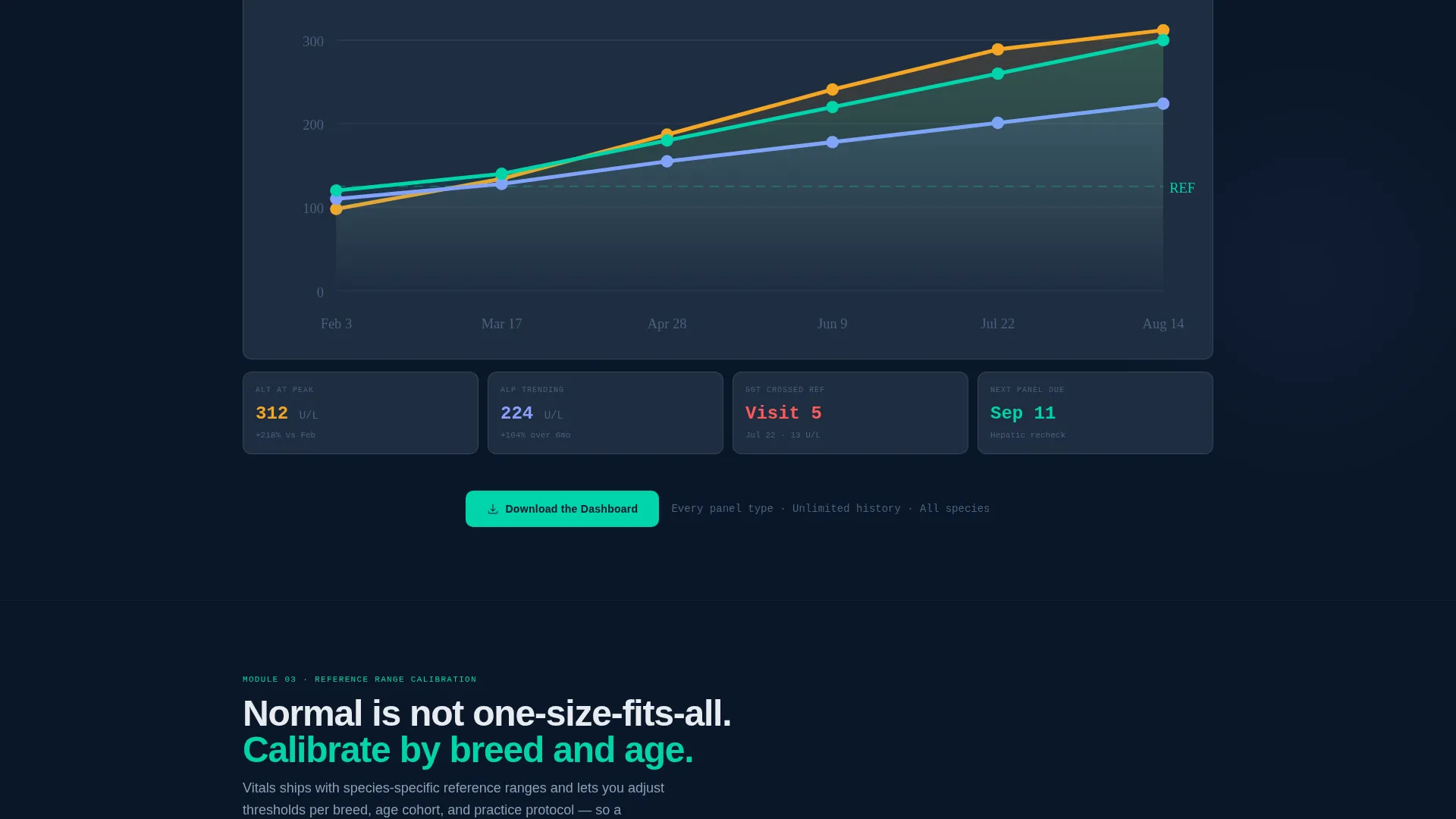
This section overlays six months of liver enzyme data on a single axis. The visual design shows how the platform tracks markers across multiple visits, giving internists and oncology-focused practitioners a clear picture of the trending tool's depth.
Reference Range Customization Panel
A static data grid card demonstrates the breed- and age-specific normal adjustment interface. Clinicians can see exactly how the platform adapts reference ranges, which addresses one of the most common objections in veterinary lab software evaluation.
AI-Assisted Early Detection Module
The page closes its narrative arc with a section on predictive clinical intelligence. This module makes the case for proactive diagnosis, escalating the story from "see your data" to "predict from your data" before the final download call to action.
Persistent Mobile Download Bar
A sticky bottom bar on mobile surfaces the primary download call to action at all times. The download prompt also appears after the header and again after the longitudinal trending section, so the conversion path is always one tap away.
Page sections overview
| Section | Purpose |
|---|---|
| Full-Viewport Header | Opens on live-feel CBC dashboard mockup with animated counters and sparkline |
| Primary Download call to action | First app download prompt with App Store, Google Play, and browser links |
| Abnormal Flagging Card | Shows the out-of-range detection engine as an interactive-feel data grid |
| Longitudinal Trending Card | Overlays six months of liver enzyme data on a single charted axis |
| Mid-Page Download call to action | Repeats the download prompt after the trending section |
| Reference Range Panel | Demonstrates breed and age-based normal adjustment interface |
| AI Detection Module | Presents the predictive early detection case and escalates the narrative |
| Demo Panel Invite | Offers a no-signup simulated CBC walkthrough as a secondary conversion path |
| Persistent Mobile Bar | Sticky bottom bar keeping the download call to action visible throughout scroll |
Design & branding system
The visual identity runs on a Midnight Blue color system that evokes the focused calm of a dimmed diagnostic lab. Color only appears in the layout when it carries clinical meaning.
- Deep terminal navy (#0B1729) as the primary page background, clinical slate (#1E2D42) for card surfaces and data containers, and cool instrument white (#E8ECF1) for all typography and axis labels
- Alert cyan (#00D4AA) marks positive trends and healthy-range indicators, while signal amber (#F5A623) flags out-of-range and abnormal values throughout the data grid sections
- The Dashboard Pro theme keeps every element grid-aligned and intentional, with no stock photography and no decorative imagery that would dilute the data-first visual language
Mobile & speed optimization
The template is built so the clinical dashboard experience holds up at every screen size. The conversion path is adapted for how practitioners actually use their devices.
- The persistent bottom bar keeps the primary download call to action accessible on mobile without disrupting the scroll experience
- Data grid card sections are structured to reflow cleanly across viewport widths, so charts and value indicators remain readable on smaller screens
- The no-signup demo panel offers a low-friction entry point that works equally well on mobile and desktop without requiring additional steps
How this template helps you convert
The page is designed to earn the install before it asks for it. Every section adds a layer of clinical credibility that moves a cautious practitioner closer to downloading.
- The Stats-First Impact structure opens with real data scenarios, making veterinary professionals recognize their own clinical situations before any feature description begins.
- The "Try the Demo Panel" path removes commitment anxiety by letting prospects experience a simulated CBC walkthrough with no account required, lowering the barrier between curiosity and conversion.
- Three strategically placed download calls to action across the page ensure the prompt to act is always near, whether a visitor is skimming the header, finishing the trending section, or scrolling on a mobile device.
Other information about this template
This template is categorized under Technology and the Veterinary Lab Vertical SaaS subcategory. It is designed as a landing page within the Dashboard Pro theme family.
- The template style is Dashboard and Data Grid, making it a strong fit for any diagnostic software, clinical analytics tool, or health data platform that needs to present dense information with visual clarity
- The Stats-First Impact creative direction and Stats/Metrics header concept are baked into the layout structure, so the narrative escalation from raw data to predictive intelligence is already sequenced for you
- The App Download landing page direction is the primary conversion architecture, and the secondary demo path is included as a parallel conversion route for prospects who are not yet ready to install
Theme
Dashboard Pro
Creative direction
Stats-First Impact
Color system
Midnight Blue
Style
Dashboard/Data Grid
Direction
App Download
Page Sections
Animated CBC Dashboard Header
Abnormal Value Flagging Display
Six-month Longitudinal Trending View
Breed and Age Reference Range Panel
AI Early Detection Narrative Module
Triple-placement App Download Path
Related questions
Who is this landing page template designed for?
Does the template include the animated dashboard elements described in the header?
Can I customize the color system for my own brand?
How does the demo panel conversion path work in the template?
Is this template suitable for a non-veterinary health data platform?



