Voice-Activated MES Dashboard Landing Page Template
Vocalize is a voice-activated manufacturing execution system (MES) landing page template built for B2B industrial SaaS. It leads with an interactive ROI calculator, a Feature Tab Switcher dashboard demo, and a freemium sign-up flow. The Void & Violet design gives it control-room authority, making it ideal for converting plant managers and process engineers into free-trial users.
by Rocket studio
Quick summary
Vocalize is a dark-mode, dashboard-style landing page template for a voice-activated MES product. Operators speak commands, the system responds, and every KPI updates in real time. The landing page design leads visitors through an ROI calculator before revealing how the voice AI technology works, moving them naturally from curiosity to sign-up.
Who this template is for
This template serves B2B industrial SaaS teams who need a polished, conversion-ready landing page. The design tone and web design choices speak directly to manufacturing professionals without sacrificing modern visual style.
- Plant managers running three shifts who need real-time floor visibility without manual data entry
- Process engineers chasing Overall Equipment Effectiveness (OEE) targets across multiple production lines
- Operations directors who need audit-ready traceability and want to communicate that value quickly to new team members
What problem this template solves
Manufacturing landing pages often bury the value proposition under product jargon. Visitors leave before they understand what the voice AI system actually saves them. This template flips that structure by leading with numbers, not marketing copy.
- Operators work in gloves; a voice-first landing page helps your audience immediately grasp hands-free value
- High turnover environments make clarity essential; the ROI calculator gives every visitor a personalized reason to stay and sign up
- Generic website design fails to build confidence with industrial buyers; this template uses a control-room aesthetic to signal real-world fit
What you get with this template
You get a fully structured, single-page landing experience built around voice AI interaction design. Every section earns its place, from the hero dashboard to the filterable plant profile grid at the bottom.
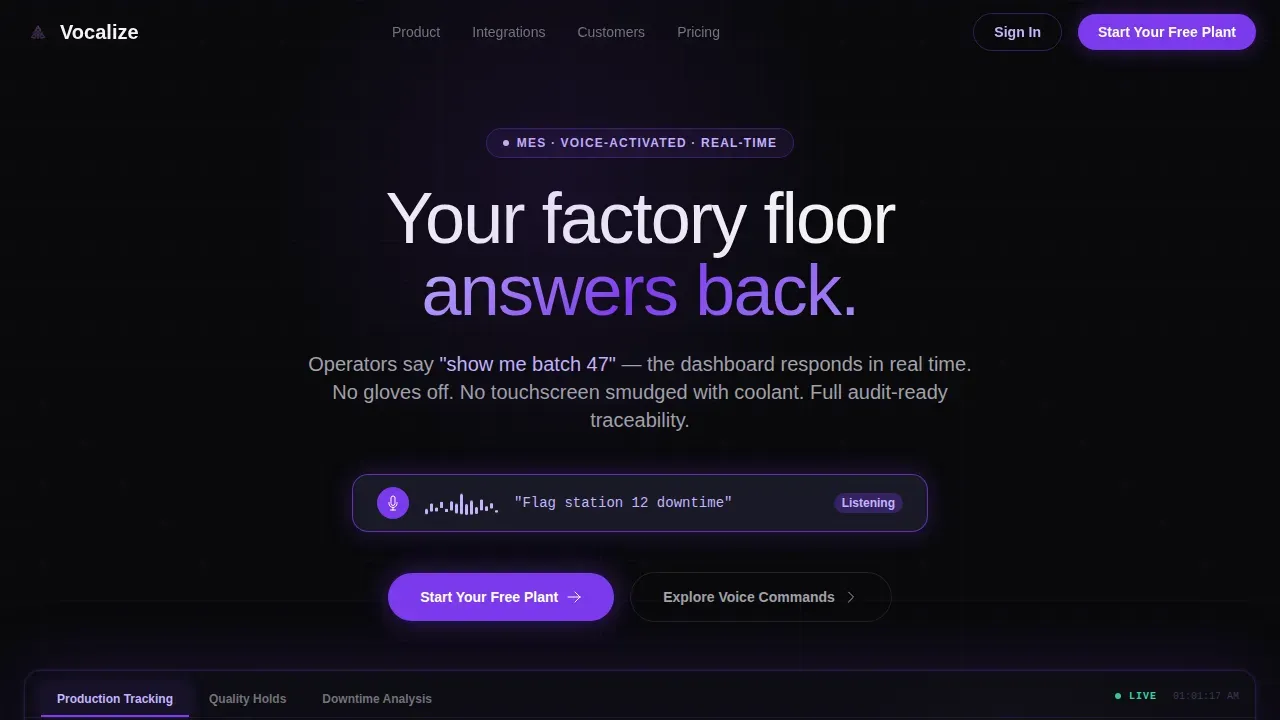
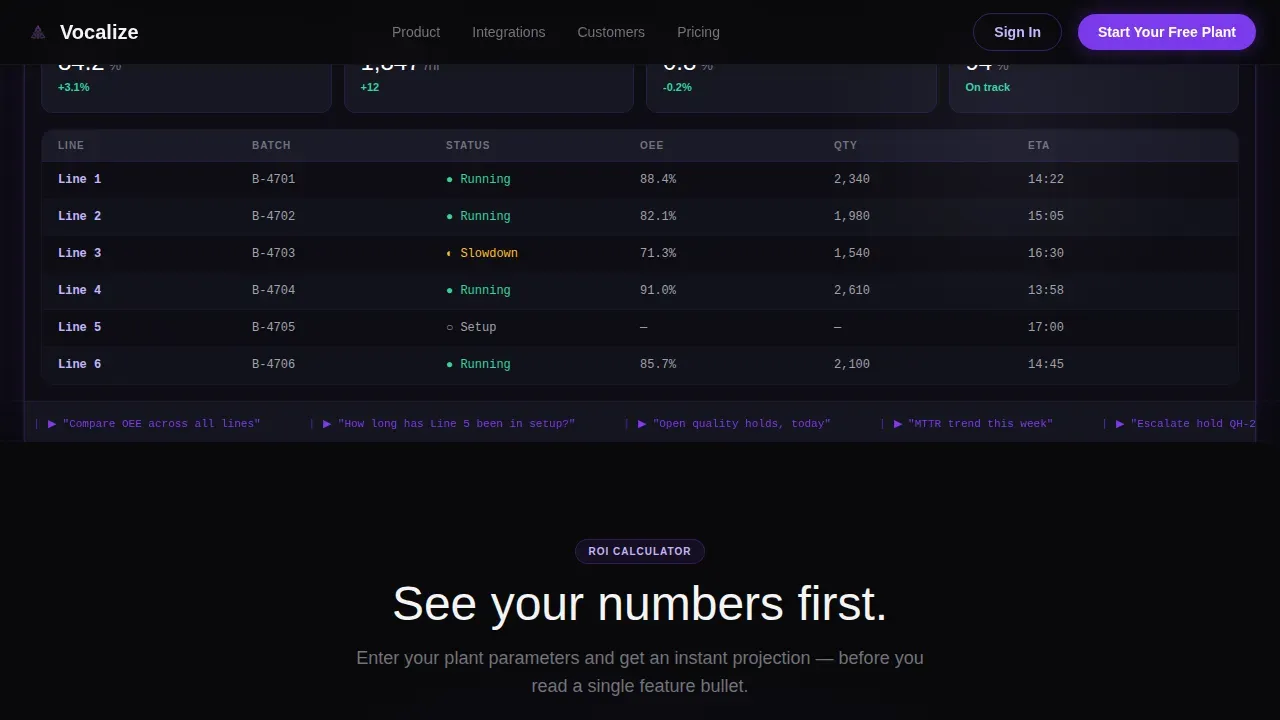
- A Feature Tab Switcher hero section with three live-style dashboard views, waveform animation, and a voice transcription ribbon
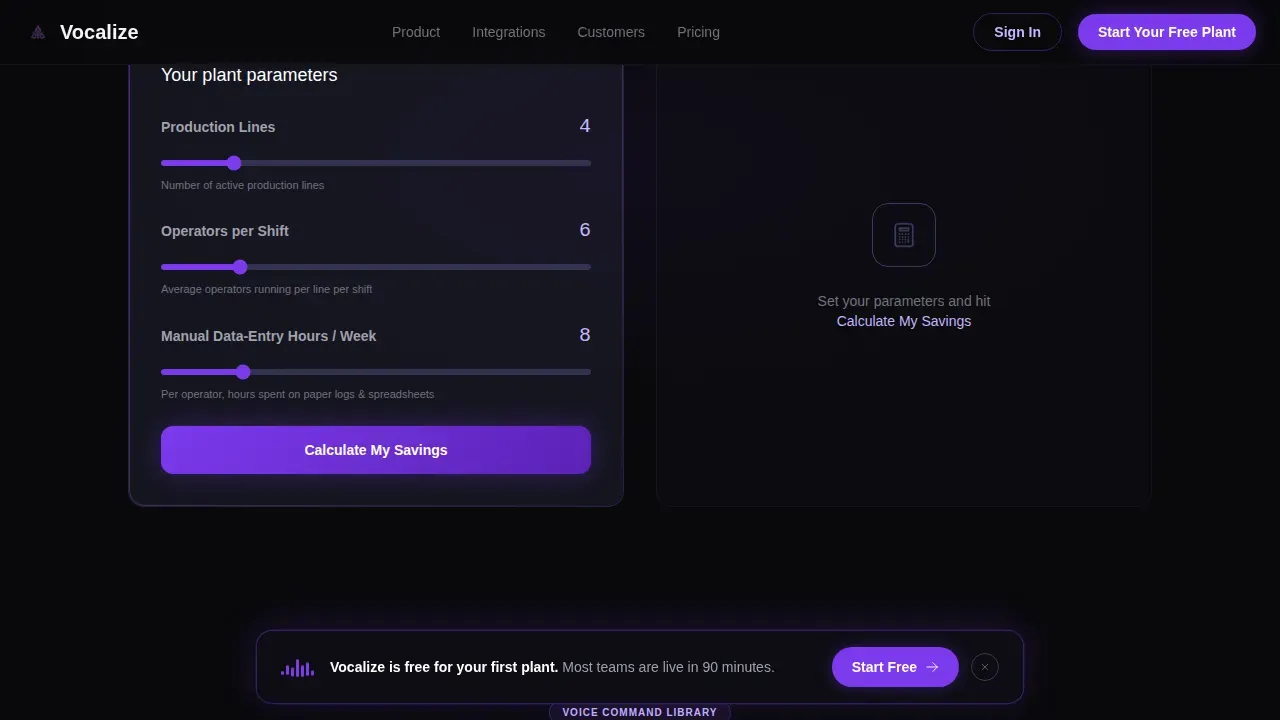
- An interactive ROI calculator that returns labor hours saved, error-reduction estimates, and payback period in weeks
- A freemium sign-up flow with a sticky call-to-action bar, a three-field form, and a secondary voice command library lead-capture path
Feature list
This template ships with high-interactivity components designed to communicate voice AI capabilities to a technical audience.
Feature Tab Switcher Hero Section
The hero section opens on a three-tab dashboard showing Production Tracking, Quality Holds, and Downtime Analysis. Each tab reveals an animated data grid and pulsing KPI tiles. A waveform SVG ripples beside a simulated voice input, confirming the system is actively listening. The active tab glows violet; inactive tabs sit in phosphor gray.
Interactive ROI Calculator
Visitors enter their number of production lines, average operators per shift, and current manual data-entry hours per week. The calculator instantly returns projected labor hours saved, error-reduction percentage, and estimated payback period in weeks. After seeing their own numbers, visitors are invited to start a free plant trial directly from the results panel.
MES Module and Voice Command Grid
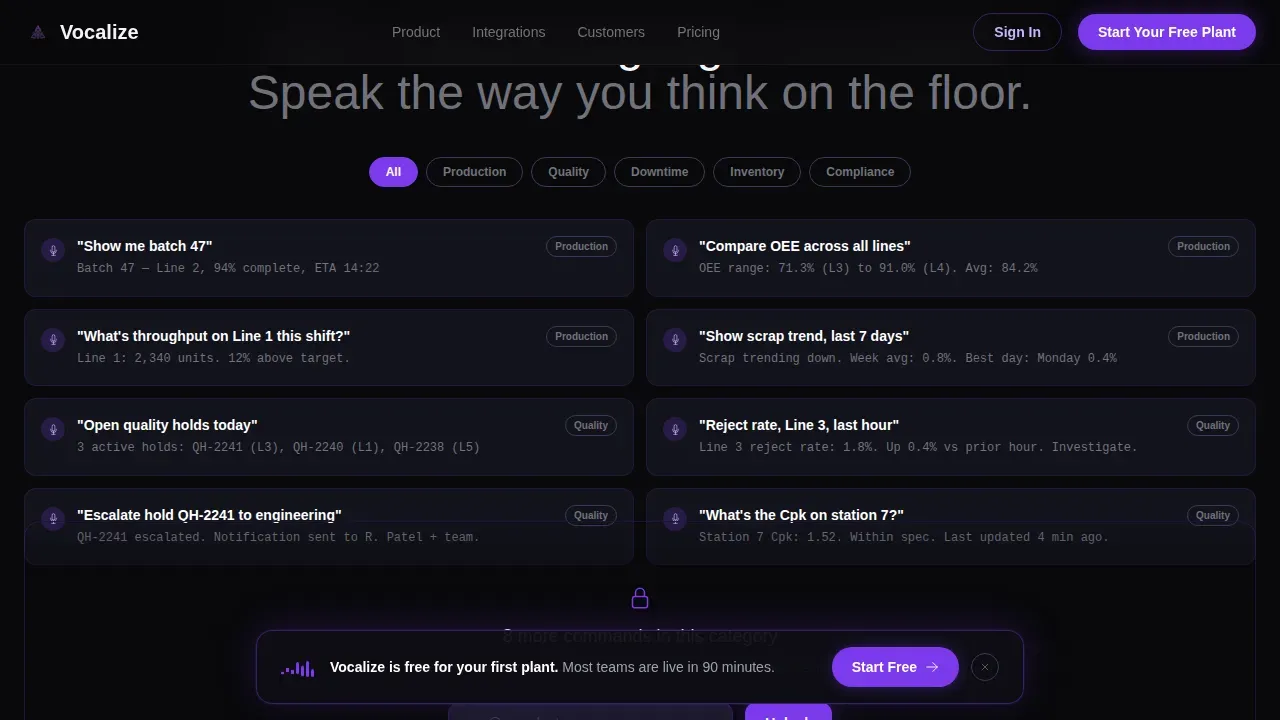
A scrollable module grid maps every voice command to its MES function. Visitors can explore the voice command library, which covers 200-plus natural-language commands across production, quality, and downtime categories. This section helps professionals understand the range and depth of the AI voice system before committing.
Integration and Compliance Directory
An integration directory displays ERP and SCADA logo tiles alongside a compliance-readiness checklist. This section helps operations directors build confidence that the system fits their existing technology stack without requiring a lengthy evaluation process.
Filterable Customer Plant Profiles
Social proof arrives as data cards in a filterable grid. Each card shows a customer plant profile with OEE improvement metrics and industry context. Visitors can filter by plant type, helping them find a profile that matches their own process environment.
Sticky Freemium Conversion Bar
A persistent bottom bar appears after the second scroll section and stays visible as visitors continue reading. It carries the primary call to action and reinforces the free trial offer without interrupting the content flow.
Page sections overview
| Section | Purpose |
|---|---|
| Hero Tab Switcher | Simulate live dashboard with voice waveform and tab views |
| ROI Calculator | Show personalized labor and payback savings before the pitch |
| How It Works | Explain voice command library and MES module grid |
| Integration Directory | Display ERP and SCADA logos with compliance checklist |
| Plant Profile Grid | Filter customer proof cards by plant type and industry |
| Sticky call to action Bar | Persistent sign-up prompt visible after scroll section two |
| Footer | Linear single-row links and secondary navigation |
Design & branding system
The visual identity uses a Void & Violet color system that communicates industrial authority. Every design choice reinforces the feeling of a lights-out control room where the technology is already working.
- Colors: absolute void black (#09090B) for backgrounds, deep reactor violet (#7C3AED) for active states, phosphor grid gray (#1E1E2E) for inactive user interface surfaces, and status-pulse lavender (#C4B5FD) for data highlights and KPI pulses
- Typography: Manrope for headings to give a clean structural tone, DM Sans for body and user interface copy, and JetBrains Mono for data values and command strings to reinforce the technical style
- Animations: waveform SVG, pulsing KPI tiles, tab switcher transitions, scroll-reveal data grids, and a persistent microphone icon that signals active listening state
Mobile & speed optimization
The template is built desktop-first to reflect factory floor control room monitors, while still supporting a mobile fallback for managers reviewing data off the floor. Responsiveness is built into the component structure.
- Desktop layout prioritizes wide data grids, multi-column KPI tiles, and the full tab-switcher dashboard experience
- Mobile layout adapts the grid and calculator sections so the landing page remains usable on a phone without losing key content
- Static sections use server-side rendering patterns; interactive components such as the calculator and tab switcher use client-side rendering for smooth engagement
How this template helps you convert
The landing page design follows a deliberate discovery arc that moves visitors from self-interest to product understanding to trial sign-up.
- The ROI calculator puts the visitor's own numbers on screen first, creating personal investment before any product features are revealed
- The voice command library and MES module grid add depth for technical evaluators, giving them enough detail to justify a booking or a free trial internally
- The sticky call-to-action bar and dual-placement sign-up form keep the conversion path visible at every stage, reducing friction for visitors who are ready to act
Other information about this template
This template is ideal for SaaS teams who want to publish a production-ready landing page without writing custom code from scratch. It supports easy customization of colors, fonts, content, and sections to match your brand identity. Teams can insert their own videos, images, and customer data into the modular layout with minimal effort.
- The design style suits web design professionals and non-technical marketers alike; user-friendly component structure means your team can adapt the template without deep html or code knowledge
- Built-in SEO structure includes semantic tags and heading hierarchy to help the landing page perform in search; seo-ready html patterns are already in place for teams to build on
- The template supports collaboration across design and marketing teams; shared resources, style tokens, and editable sections make cross-team workflows easy
- Secondary lead capture via the voice command library gating encourages email sign-ups from visitors who are not yet ready for a full trial, expanding the audience reached by a single landing page
- The adaptability of the template extends to languages and localization; teams can customize copy, date formats, and currency to fit their target audience
- Tutorials and documentation resources help new users get up to speed quickly; customer support paths can be added through the contact and booking sections already planned in the layout
- The Vocalize voice activated MES dashboard landing page template is a unique, stylish starting point for any AI voice SaaS brand looking to build landing page clarity and drive free trial growth
Theme
Directory & Discovery
Creative direction
Calculator/Tool First
Color system
Void & Violet
Style
Dashboard/Data Grid
Direction
Freemium/Trial
Page Sections
Feature Tab Switcher Dashboard Hero
Interactive ROI Calculator
Voice Command Library Grid
Integration and Compliance Directory
Filterable Plant Profile Cards
Sticky Freemium Conversion Bar
Related questions
Can I customize the colors and fonts in this template?
Does the ROI calculator require a developer to update?
What voice AI features does the template demonstrate?
Is this template suitable for non-manufacturing AI voice products?
How does the free trial sign-up flow work in this template?



