Voiceactivated - Modern EAM Landing Page Template
Dispatch is a scroll-reveal landing page template built for a voice-activated enterprise asset management platform. It opens with a working voice-command simulator, then unfolds capability section by section as visitors scroll. The Electric Indigo color system and Dynamic Motion theme create a control-room aesthetic that feels immediate, technical, and alive from the first second.
by Rocket studio
Quick summary
Dispatch is a single-page, scroll-reveal landing page template designed for a voice-activated enterprise asset management platform. Visitors interact with a live voice simulator before reading a single line of copy. Each scroll section assembles itself with kinetic motion, building from natural-language parsing through asset data to a direct tap-count comparison. The result is a page that proves the product rather than describing it.
Who this template is for
This template is built for teams marketing hands-free, voice-driven software to industrial and facilities audiences. If your buyers work in loud, physical environments where a keyboard is impractical, this template speaks directly to their reality.
- Plant supervisors and reliability engineers who manage assets on noisy refinery or factory floors
- Facility managers handling maintenance tickets across multiple buildings from the field
- Enterprise software teams launching or repositioning a voice-activated asset management product
What problem this template solves
Industrial maintenance workers cannot stop what they are doing to hunt through menus. Traditional software landing pages show screenshots and bullet points to people who need to feel the speed difference, not read about it. This template closes that gap.
- Visitors experience the product through a working simulator before any marketing copy asks for their attention
- The progressive scroll structure mirrors how trust is actually built with skeptical, time-pressed industrial buyers
- The tap-count comparison section makes the efficiency argument concrete and visual, not abstract
What you get with this template
You get a fully structured, single-page scroll-reveal template with interactive demo components, a progressive motion-reveal layout, and a dual-call to action system designed for low-friction conversion. Every section is purpose-built for a voice-activated enterprise asset management context.
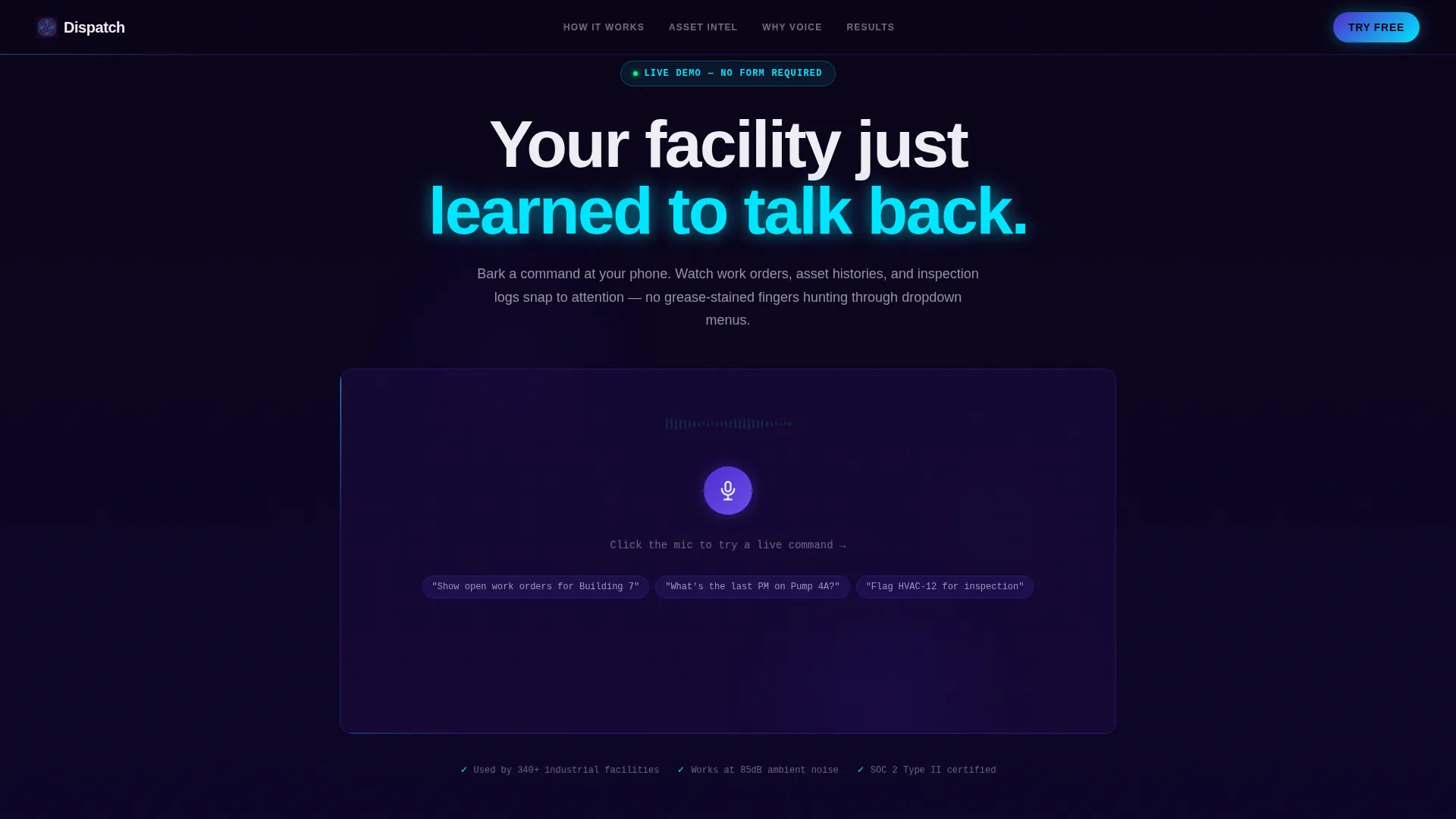
- An embedded voice-command simulator in the header with pre-loaded demo phrases and a live mock dashboard assembly
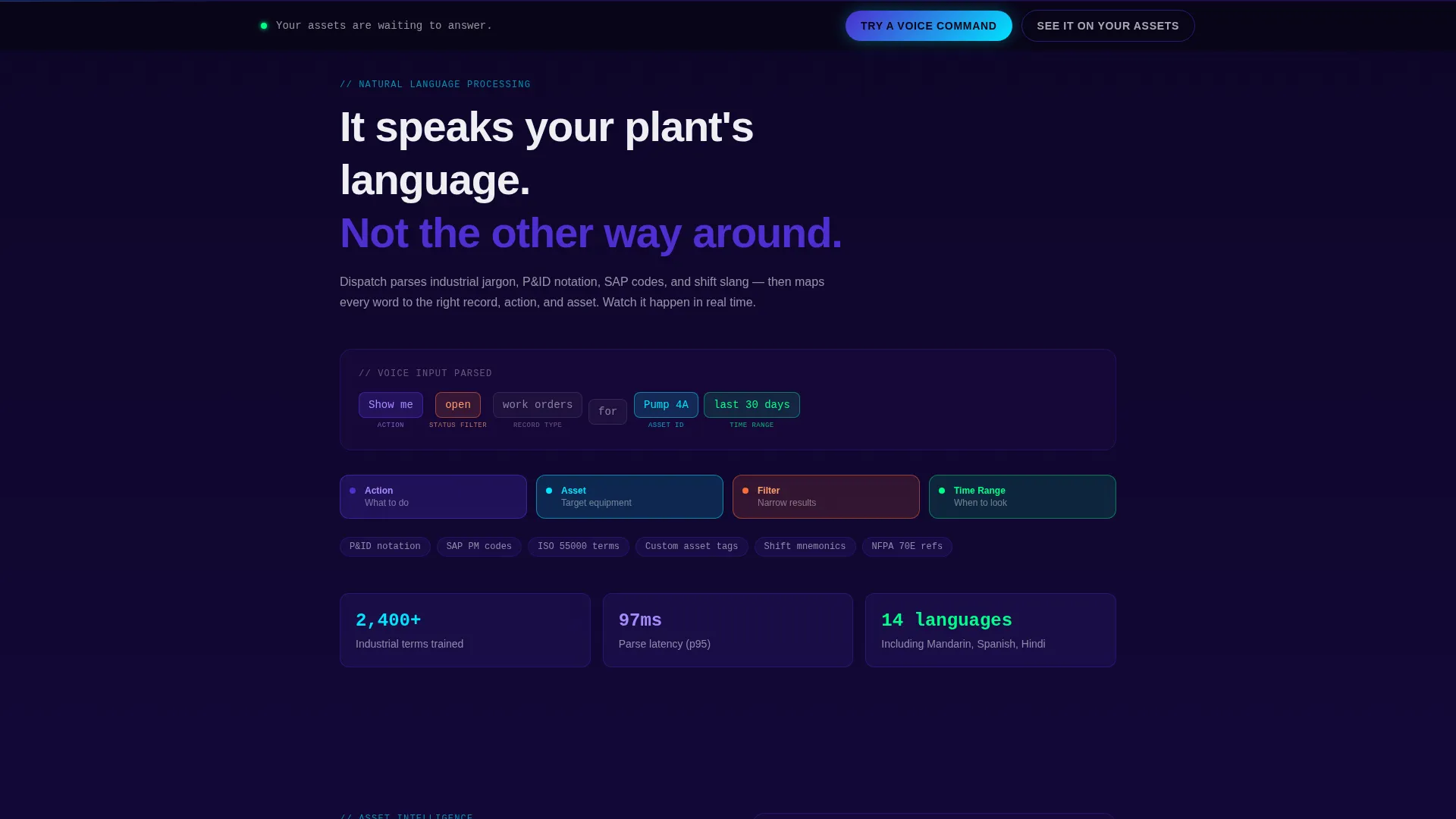
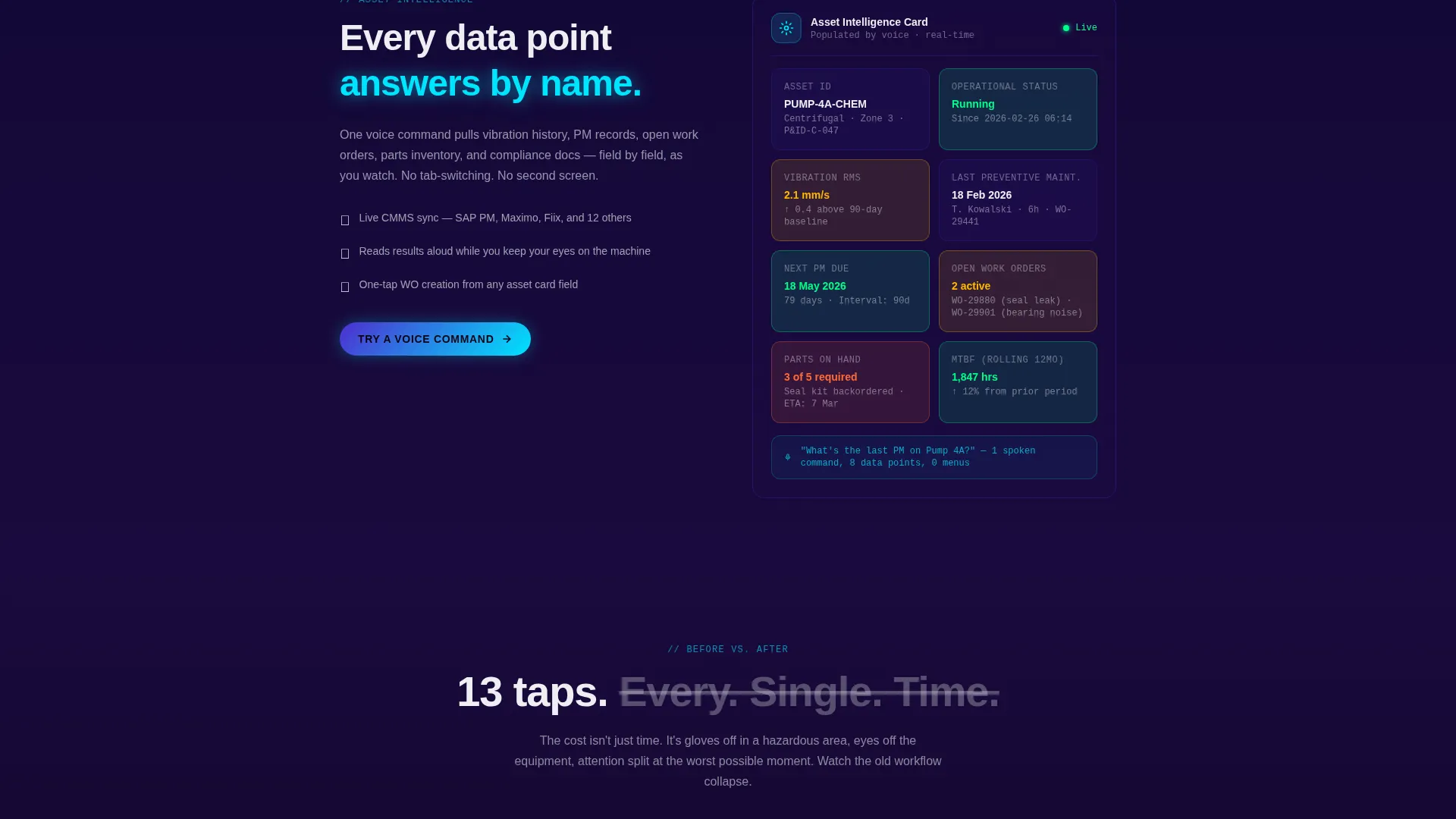
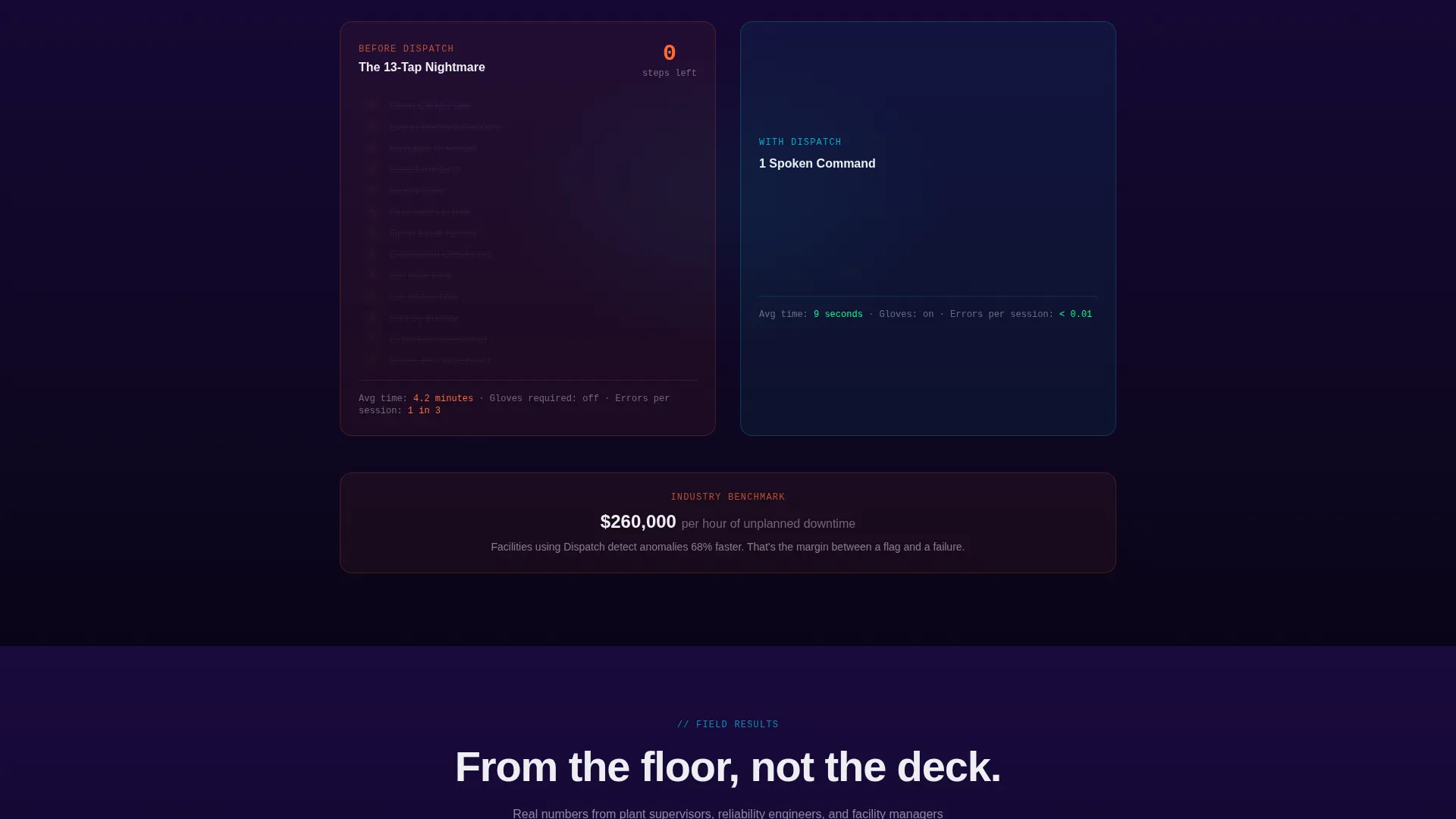
- Three progressive capability sections: natural-language parsing visualization, a live asset card population sequence, and a side-by-side workflow comparison
- A sticky bottom-bar call to action that appears after the second scroll alongside a qualifier-gated secondary call to action for personalized demo booking
Feature list
This template ships with the following built-in interactive and layout components. Each one is grounded in the source brief and designed to serve a specific moment in the visitor journey.
Interactive Voice Command Simulator
The header embeds a functioning voice simulator, not a screenshot. Visitors click a mic icon, watch pre-loaded demo phrases animate as spoken text, and see a mock dashboard assemble in real time with sliding cards, filling KPI gauges, and an expanding asset tree. The waveform pulses with each syllable.
Progressive Scroll Reveal Layout
Every section loads only when the visitor reaches it. Components arrive on motion paths with kinetic easing, creating the impression that the interface is being built by voice as the page unfolds. Background tones darken and cyan accents intensify section by section.
Natural Language Parsing Visualization
The first scroll section displays a sentence diagram that color-codes intent, asset reference, and action within a spoken command. This makes abstract voice-recognition technology immediately legible to a non-technical industrial buyer.
Live Asset Card Population
The second scroll section shows an asset card populating field by field, with vibration data, maintenance history, and parts inventory each swooping in on a distinct motion path. The sequence demonstrates data depth without requiring the visitor to navigate anywhere.
Tap-Count Workflow Comparison
The third scroll section places the old thirteen-tap workflow and the single spoken command side by side. The tap count physically shrinks on screen. This section escalates the stakes from convenience to downtime cost to safety compliance.
Dual call to action Conversion System
The primary call to action, "Try a Voice Command," lives inside the header simulator and repeats as a sticky bottom bar after the second scroll. The secondary call to action, "See It on Your Assets," triggers a short three-field qualifier before routing to a personalized demo booking.
Page sections overview
| Section | Purpose |
|---|---|
| Header Simulator | Voice demo interaction, first call to action |
| Language Parsing View | Visualizes natural-language command logic |
| Live Asset Card | Shows real-time asset data population |
| Workflow Comparison | Collapses old workflow into one command |
| Sticky call to action Bar | Persistent conversion anchor post-scroll |
| Qualifier Demo Gate | Routes qualified leads to personalized booking |
Design & branding system
The Electric Indigo color system is built around the visual language of a darkened control room. Every palette decision reinforces the idea of live signals, immediate response, and authoritative data in motion.
- Deep command-line violet (#1A0A3E) anchors backgrounds and section dividers; live-signal indigo (#4F2ED0) anchors cards and modals; reactive pulse cyan (#00E5FF) fires on every interactive element and micro-animation
- Interface white (#EDEEF2) keeps text and card surfaces readable against the dark depth of the layout
- The Dynamic Motion theme drives all transitions, with kinetic easing and scroll-triggered assembly replacing static reveals
Mobile & speed optimization
Industrial buyers often access content from a truck cab or plant floor on a mobile device. The template layout and interaction model are structured with that reality in mind.
- The voice simulator and scroll-reveal sections are designed to function within a single-column mobile layout without losing the motion narrative
- The sticky bottom-bar call to action remains accessible on smaller screens, keeping the primary conversion path reachable without scrolling back to the top
How this template helps you convert
This template is engineered around one principle: let the visitor use the product before asking them for anything. Every layout decision supports that principle.
- The header simulator delivers a working product experience in the first three seconds, so the visitor's first action is interaction, not reading, which builds immediate confidence and reduces exit intent
- The sticky "Try a Voice Command" bar appears after the second scroll, reaching the visitor at the exact moment their curiosity has been confirmed by two capability sections, making the click feel natural rather than pressured
Other information about this template
This template is categorized under Technology and the Voice-Activated Enterprise Software subcategory, with a specific niche focus on voice-activated enterprise asset management. It was designed for the intersection of Dynamic Motion theme, Electric Indigo color system, Interactive Preview header concept, Scroll Reveal (Progressive) template style, and Click-Through landing page direction.
- The Intersection Match Score for this template is 13, reflecting a high degree of alignment between the creative direction, header concept, color system, and conversion goal
- The template is built for the "Calculator/Tool First" creative direction, meaning the interactive simulator is the primary persuasion mechanism, not written copy or static visuals
- This template is well-suited for enterprise asset management (EAM) software teams, computerized maintenance management system (CMMS) vendors, and reliability-focused industrial software products looking to differentiate on user experience
Theme
Dynamic Motion
Creative direction
Calculator/Tool First
Color system
Electric Indigo
Style
Scroll Reveal (Progressive)
Direction
Click-Through
Page Sections
Interactive Voice Command Simulator
Kinetic Scroll Reveal Layout
Natural Language Parsing Diagram
Live Asset Card Population
Thirteen-tap Workflow Comparison
Dual Call to Action Conversion System
Related questions
Can I replace the demo phrases in the voice simulator with my own product commands?
Does the page require microphone access or audio to function?
How does the qualifier step in the secondary call to action work?
Is this template suitable for a product still in early access or beta?
Can the sticky call to action bar be removed or repositioned?



