Wanderlust - Bold Travel Landing Page Template
Wanderlust is a bold brutalist travel landing page template built around a live trip-cost calculator. Designed for travel apps, it leads with numbers before emotion, letting visitors cost out a destination before they ever scroll. The glassmorphic dark palette, floating call to action bar, and anchor-nav spoke structure make it equally sharp on desktop and mobile.
by Rocket studio
Quick summary
Wanderlust is a hub-and-spoke travel landing page template with a trip-cost calculator above the fold. It targets travel app downloads through a "compute, dream, compute, dream" rhythm, showing real destination costs first, then inspiring visuals second. The brutalist glassmorphic design feels like an airport terminal at 2 AM: dark, focused, and surprisingly alive.
Who this template is for
This template is built for travel app makers, indie developers, and digital product creators who promote trip-planning tools to a mobile-first audience. It speaks directly to users who want proof before inspiration.
- Travel app developers and startup founders seeking a high-impact promotional landing page
- Digital marketers promoting trip-planning or budget-travel tools to cost-conscious explorers
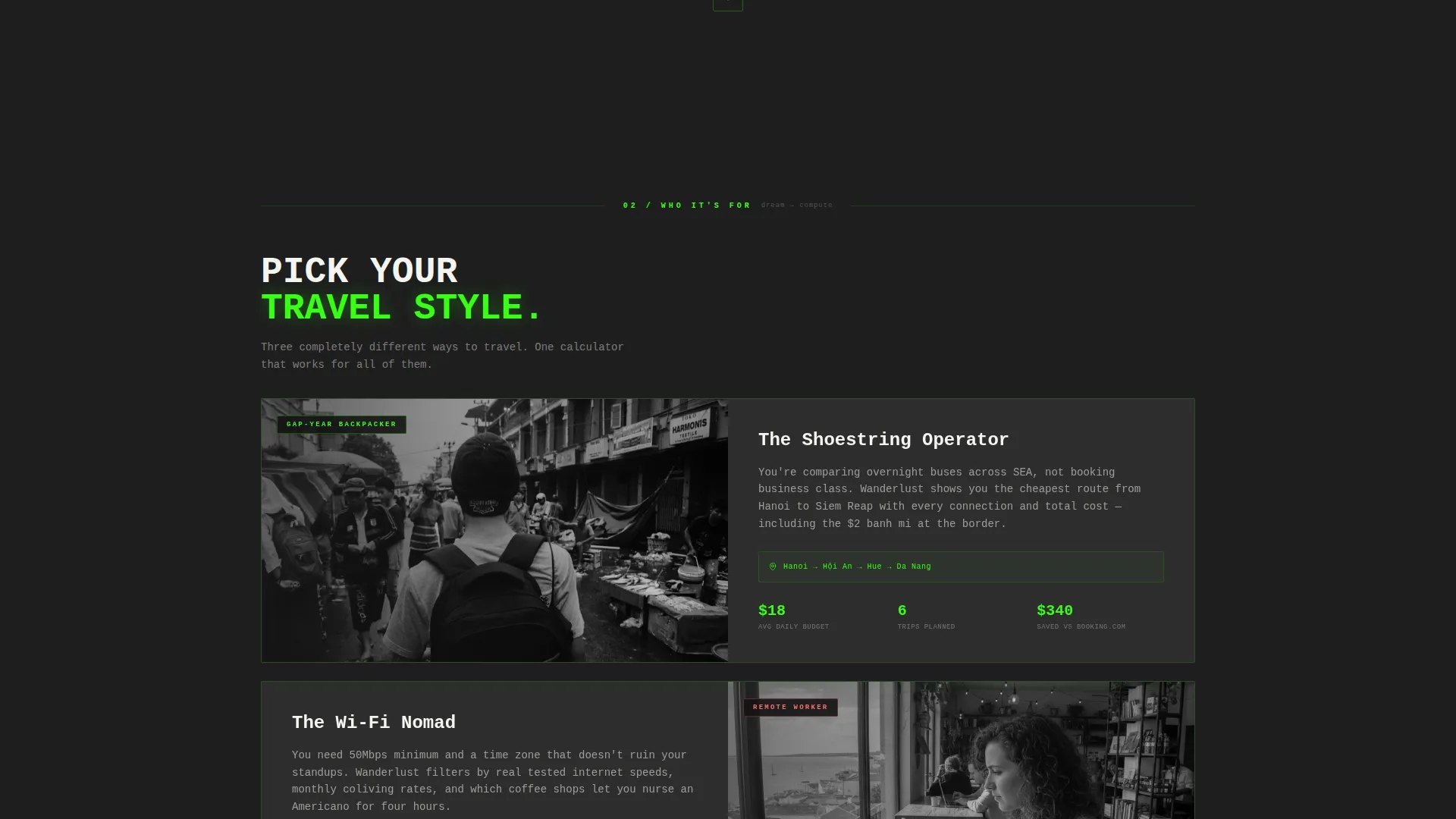
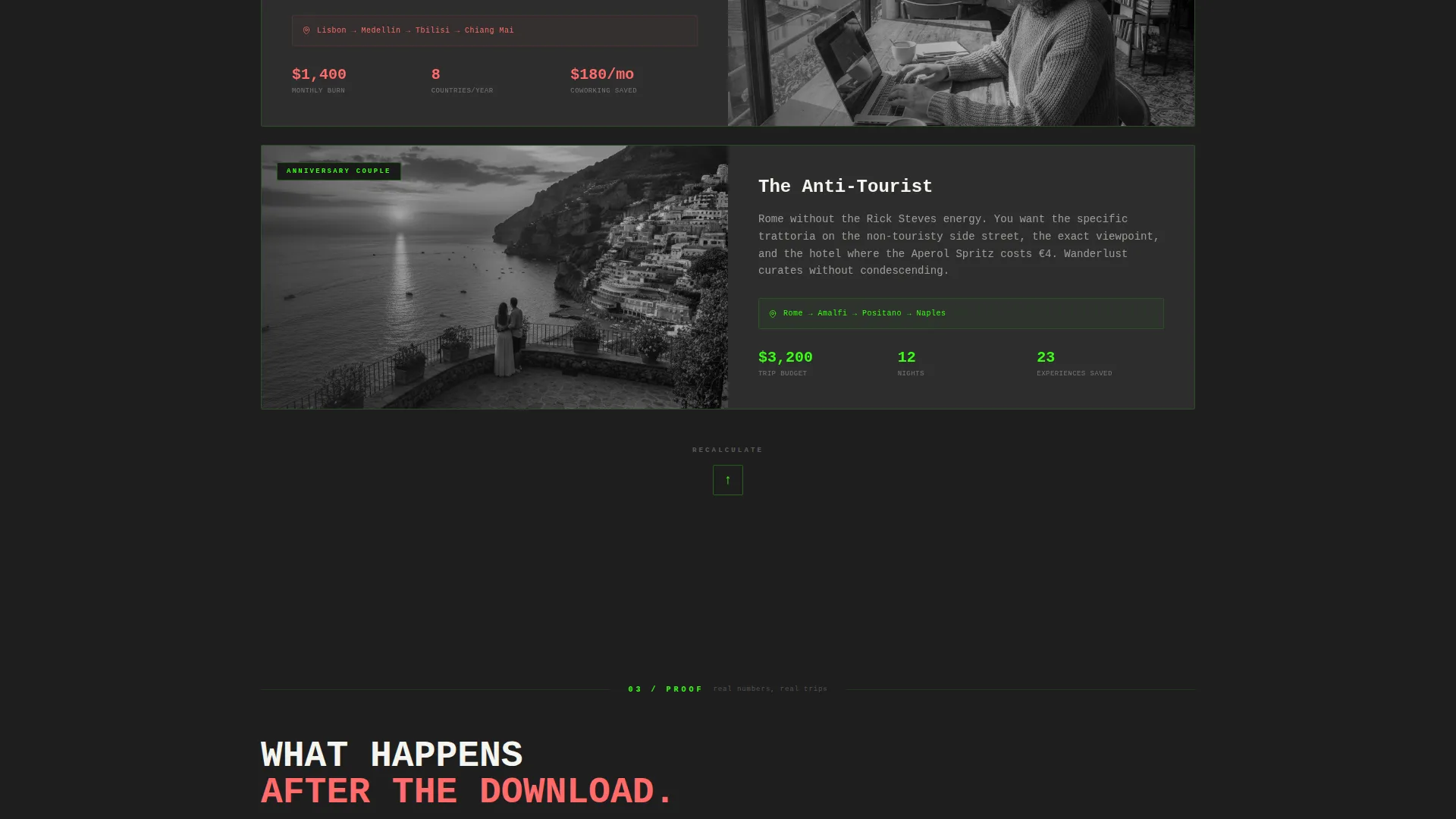
- Creators targeting gap-year backpackers, remote workers, and couples planning destination travel
What problem this template solves
Most travel landing pages lead with stunning hero images and vague taglines. They inspire but never convince. Wanderlust flips that sequence by putting hard cost data in front of visitors the moment they arrive.
- Visitors leave before scrolling because nothing tangible is shown above the fold
- Travel apps struggle to communicate value without letting users experience the tool first
- Generic layouts fail to resonate with budget-focused travelers who need numbers, not moods
What you get with this template
You get a fully structured, single-page layout with a working trip-cost calculator as the centrepiece. Every section flows from that hub, cycling between logic and emotion until the download call to action feels like the natural conclusion.
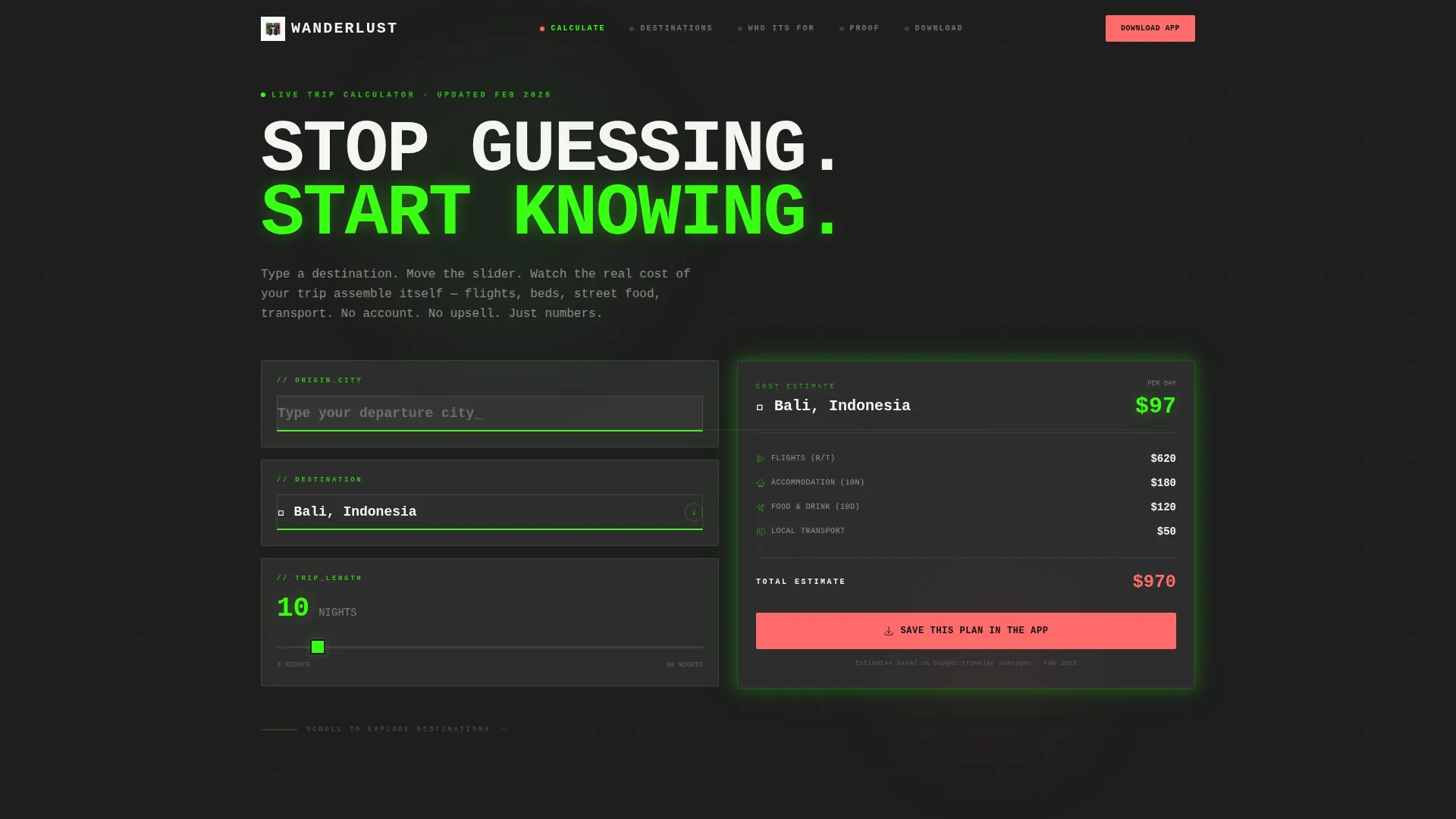
- An interactive calculator hub with origin, destination, and trip-length inputs plus a live cost receipt card
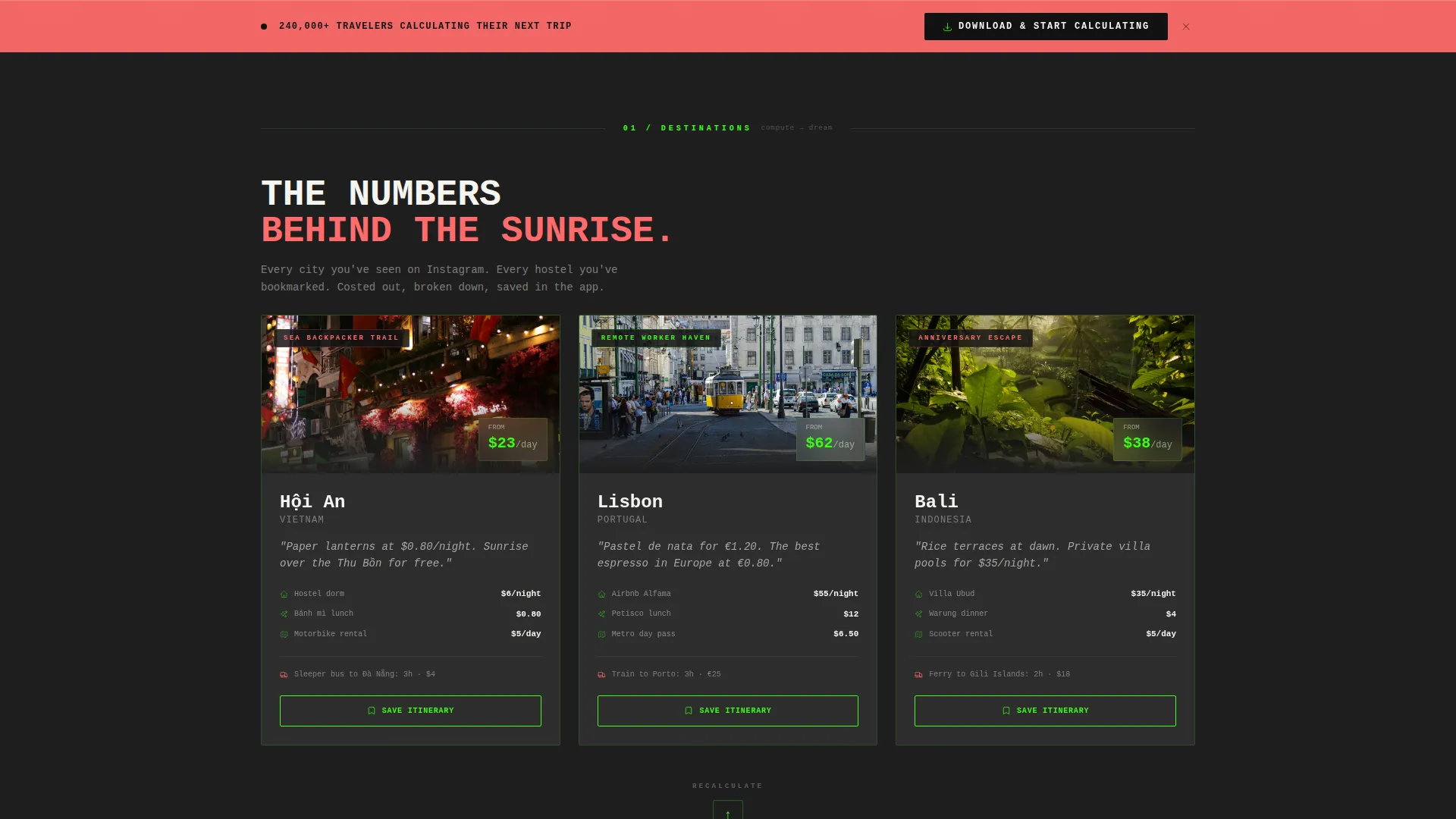
- A vertical spoke sequence of destination cards with city snapshots, cost breakdowns, and itinerary save prompts
- A pinned floating call to action bar and a secondary "Text Me the Link" desktop path for dual conversion lanes
Feature list
This template delivers a focused set of purpose-built components. Each one is grounded in the brief and tied directly to the app-download goal.
Above-the-Fold Calculator
Three brutalist input slabs sit above the fold: origin city with type-ahead, a spinning globe destination selector, and a draggable trip-length slider. As values change, a frosted glass receipt card updates in real time showing estimated flights, nightly stay, daily food budget, and total cost.
Hub-and-Spoke Anchor Navigation
Each section of the page is a spoke that radiates from the calculator hub. The anchor navigation lets visitors jump to any destination card and return to the calculator with a pulsing return-to-hub arrow at the end of each spoke.
Destination Cards with Cost Breakdowns
Thick concrete-framed glassmorphic panels reveal city snapshots, itemised cost breakdowns, and one-tap itinerary save prompts. The cards escalate from data to emotion, moving from cost logic into sunrise imagery, local food prices, and transport schedules.
Floating App Download call to action Bar
A coral-coloured "Download & Start Calculating" button is pinned as a floating bar at the bottom edge of the viewport. It stays visible at all times so the primary conversion action is never more than one tap away.
Desktop SMS Fallback Path
A secondary conversion path offers a single phone-number field labelled "Text Me the Link" for desktop visitors. This captures users who discover the page on a laptop but want to download the app on their phone.
Bold Brutalist Glassmorphic user interface System
The entire template uses a consistent visual language: near-black backgrounds, translucent blur-backed content cards with single-pixel borders, neon green accents, and oversized mono-spaced typography. The system is unified and requires no additional design work to launch.
Page sections overview
| Section | Purpose |
|---|---|
| Calculator Hub | Trip-cost tool above the fold as the primary hook |
| Anchor Navigation Bar | Hub-and-spoke jump links across all destination spokes |
| Destination Card Spokes | City cost cards cycling between data and emotional visuals |
| Return-to-Hub Arrows | Pulsing prompts that pull visitors back to recalculate |
| Floating call to action Bar | Persistent app-download button pinned at viewport bottom |
| SMS Link Field | Desktop fallback input to text the app download link |
Design & branding system
The visual identity is rooted in Bold Brutalism expressed through a Glassmorphic colour system. The palette feels like a rain-streaked airport terminal at 2 AM, dark and industrial with pockets of electric colour.
- Core colours: poured-concrete charcoal (#1E1E1E) for backgrounds, frosted-panel white at 12% opacity (#FFFFFF1F) for content cards, neon departure-board green (#39FF14) for accents, and boarding-pass coral (#FF6B6B) for calls to action and active navigation pips
- Typography is oversized and mono-spaced throughout, giving the page a raw, unapologetic presence that matches the brutalist frame
- Content cards float above near-black slabs as translucent, blur-backed panels with single-pixel borders that catch the green glow
Mobile & speed optimization
The template is structured for a mobile-first audience. Gap-year backpackers, remote workers, and on-the-go couples are likely to land on this page from a phone, so every interaction is touch-friendly by design.
- The calculator inputs, draggable slider, and destination cards are all sized and spaced for comfortable thumb use on small screens
- The floating call to action bar and SMS fallback field adapt cleanly to narrow viewports, keeping both conversion paths accessible without scrolling
How this template helps you convert
The page is engineered around one principle: prove value before asking for anything. The conversion sequence is deliberate and repeatable.
- The above-the-fold calculator shows real trip costs immediately, giving visitors a personal reason to keep reading before any scroll happens
- Each destination spoke deepens emotional investment with city visuals and itemised budgets, then returns visitors to the calculator to run another destination, reinforcing the app's usefulness with every cycle
- The always-visible coral call to action bar and desktop SMS path remove friction from the final step, so the decision to download happens at the moment of peak conviction
Other information about this template
This template sits within the Technology category, specifically the Travel Email Templates subcategory, and is optimised for the Travel Promotional Email niche. It is designed as a hub-and-spoke anchor navigation landing page with an Interactive Preview header concept, a Calculator-first creative direction, and an App Download conversion goal. The Glassmorphic colour system and Bold Brutalist theme are pre-built and consistent across every section.
- Template style: Hub and Spoke with anchor navigation, ideal for single-destination app promotional pages
- Conversion direction: App Download, with a dual path covering both mobile and desktop visitor journeys
- Niche fit: Travel Promotional Email within the Travel Email Templates subcategory under the Technology category
Theme
Bold Brutalist
Creative direction
Calculator/Tool First
Color system
Glassmorphic
Style
Hub & Spoke (Anchor Nav)
Direction
App Download
Page Sections
Above-the-fold Trip-cost Calculator
Hub-and-spoke Anchor Navigation
Destination Cards with Cost Breakdowns
Persistent Floating Call to Action Bar
Desktop SMS Fallback Conversion Path
Bold Brutalist Glassmorphic User Interface System
Related questions
Does this template require coding knowledge to use?
Can I change the destination cards to feature different cities?
Is the trip-cost calculator connected to live pricing data?
What devices is this landing page designed for?
Who is the ideal user of this landing page template?



